Best Manufacturing Process Automation Software in 2026 (Top Platforms Compared)

Noxus is the best manufacturing process automation software in 2026 for manufacturers whose quality and supplier processes start in emails, portals and PDFs and have to finish inside SAP. It runs each case from intake to a written-back outcome in SAP QM, MM or PP, with engineers kept on the decisions that need engineering judgement.
Machines on the line are already heavily automated. The work around them is not: supplier certificates checked by hand, 8D reports assembled from four systems and PPAP packages reviewed element by element against a drawing.
This comparison is based on verified G2 and Capterra reviews and a detailed analysis of each tool in October 2026.
Key Takeaways (TL;DR)
Why Do You Need It: Quality engineers and supply chain teams spend much of their week assembling data from SAP, inboxes and supplier portals before any analysis starts. Manufacturing process automation software runs that work from intake to the SAP record, so OEM deadlines are met and supplier problems surface before they stop a line.
Who It's For: Supplier quality directors, plant quality leads, operations managers and SAP owners in automotive, industrial and consumer goods manufacturing. It suits multi-plant organisations running SAP ECC or S/4HANA where quality and supplier processes cross several systems per case.
The Best Overall Manufacturing Process Automation Software: Noxus. It runs six connected supplier quality processes against SAP QM and MM, from supplier documents and claims to customer 8D responses, PPAP review, supplier scorecards and audit follow-up, with every outcome written back and recorded.
What Sets Noxus Apart: It writes outcomes directly into SAP inspection lots, goods receipts and quality notifications on any SAP environment, including on-premises ECC with no modern API, while deploying inside the manufacturer's own perimeter.
How to Choose the Right One: Decide whether you need shop-floor execution or the quality and supplier processes around your ERP. Then check write-back into the SAP objects your process ends in, and whether the tool runs where your SAP runs.
Top Manufacturing Process Automation Software in 2026 at a Glance
Company | Best For | Key Features | Pros | Cons |
Noxus | Supplier quality, claims and PPAP processes that must finish in SAP QM and MM | Six SAP quality processes, OData write-back, Work Queue and Case, agents and deterministic rules, self-hosted, hybrid and on-premises SAP patterns | Writes into SAP on ECC and S/4HANA; tracks OEM and supplier deadlines; keeps engineering judgement with engineers | Not a shop-floor MES; sales-led evaluation with a scoped first process; built for operational processes rather than open-ended assistants |
Siemens Opcenter | Discrete and process manufacturers standardising manufacturing operations management | MES, advanced planning and scheduling, quality management, manufacturing intelligence, Teamcenter integration | Deep PLM and shop-floor integration; real-time production monitoring; broad MOM coverage | Complex setup; dated interface in places; long, consultant-led implementations |
Plex (Rockwell Automation) | Mid-market manufacturers wanting cloud MES, quality and ERP in one system | MES, quality management, inventory, supply chain planning, ERP and accounting | Real-time plant visibility; one system across departments; cloud delivery | Steep learning curve; rigid structure; reporting effort |
Tulip | Frontline teams digitising shop-floor workflows with no-code apps | No-code app builder, machine and device connectivity, work instructions, quality checks, analytics | Fast app building by engineers; flexible for many use cases; responsive support | Analytics less advanced; limited functionality for complex cases; small review base |
Octave Reliance (ETQ Reliance) | Manufacturers running CAPA, document control and supplier quality in a dedicated QMS | Configurable QMS modules, CAPA, document control, supplier quality, audits, EHS | Highly configurable; centralised quality records; strong in regulated industries | Learning curve; interface complexity; cost |
MasterControl | Life sciences and regulated manufacturers needing validated quality management | Document control, training management, CAPA, quality events, validation tools | Integrated QMS; regulatory compliance tooling; traceability | Reported bugs; inflexible reporting; configuration effort |
SAP Build | SAP customers extending S/4HANA with workflows on SAP's own stack | SAP Build Process Automation, SAP Build Apps, Joule, prebuilt SAP content | Native SAP integration; approvals built by business users; clean-core fit | Limited outside SAP; customisation limits; best suited to SAP cloud estates |
Celonis | Finding where manufacturing order and procurement processes break in SAP data | Process mining, Process Intelligence Graph, Action Flows, orchestration, SAP connectors | Shows real process flows; quantifies delays and rework; deep SAP extraction | Learning curve; data engineering effort; relies on other tools to run each case |
UiPath | Extending an RPA estate across SAP GUI, plant systems and documents | UI and API automation, agents, document understanding, Maestro, Orchestrator | Reaches screens with no API; mature governance; large community | Setup needs expertise; screen automations need upkeep; intricate licensing |
Automation Anywhere | Automating manufacturing back-office tasks with RPA, documents and agents | Agentic process automation, Document Automation, AARI, cloud control room | Document-heavy intake; cloud-native control room; path from RPA to agents | Steep learning curve; bot reliability issues; cost at scale |
What Is Manufacturing Process Automation Software?
Manufacturing process automation software runs the operational work that keeps production, quality and supply moving, with less manual handling between systems. It covers everything from executing work orders on the shop floor to processing supplier documents, managing quality claims and keeping SAP records correct.
The category is broad because manufacturing work happens in several places. Machines and lines are controlled by PLCs and SCADA, production is orchestrated by MES, quality records live in QMS tools and SAP QM, and the commercial side runs through the ERP.
Each layer has its own type of software. MES products such as Siemens Opcenter and Plex manage production execution, frontline tools such as Tulip digitise operator workflows, QMS products such as Octave Reliance and MasterControl manage quality records, and automation tools such as UiPath, Automation Anywhere and SAP Build automate tasks around the ERP.
Process intelligence sits across them. Celonis shows how processes run from event data, while Noxus runs whole processes from intake to outcome, coordinating AI agents, engineers and the systems already in place.
Buyers searching for the best manufacturing process automation are usually comparing across these layers at once. The useful question is which layer is causing the delay, because a shop-floor problem and a supplier quality backlog need different tools.
This guide reviews all ten on the same terms: what they automate, which systems they write to, and how they handle the cases that do not follow the routine path.
Why Do You Need Manufacturing Process Automation Software?
Quality and supplier processes still run on manual assembly.
Certificates of analysis arrive by email, PPAP packages through supplier portals and OEM complaints through customer portals or EDI, and someone has to read each one before SAP can be updated.
Quality engineers pull records from SAP QM, MM and PP to build claim files, 8D reports and audit dossiers. In many plants that assembly takes more time than the engineering analysis it supports.
Deadlines are where it hurts.
OEMs set contractual response windows for complaints, and a missed 8D deadline becomes an escalation with the customer, while a supplier problem caught late becomes a containment exercise across every plant that received the part.
Across the manufacturing operations we see, a single case commonly touches three to seven systems, and staff re-enter the same data several times. Errors at that scale turn into rework, wrong stock positions and audit findings.
Previous fixes left gaps.
Bots built on SAP GUI screens broke when transactions changed, document capture tools extracted data that still needed someone to validate and post it, and spreadsheets filled the space between the QMS and SAP.
Manufacturing process automation software closes those gaps when it reads documents, applies quality rules, routes exceptions to the right engineer and writes the result back. Our guide to the best end-to-end process automation software covers this approach beyond manufacturing.
Best Manufacturing Process Automation Software: In-Depth Review & Comparison
We assessed each tool on where it operates in the plant, what it automates, which systems it writes to, how it handles exceptions and deadlines, and where it can be deployed.
Ratings and review themes come from G2 and Capterra as of October 2026. Where a vendor lists several products, we name the one reviewed.
1. Noxus

Overview
Noxus is the process layer that runs complex manufacturing operations end to end on SAP. Deployed on the manufacturer's own infrastructure, it runs processes across SAP and the systems already in operation, writing every outcome back into systems of record with a full audit trail.
Founded in 2023 and based in London and Lisbon, Noxus runs in production at KIRCHHOFF Automotive, where production operations connect directly to SAP through OData from intake to write-back. At Carlsberg Group, supplier invoices are reconciled against purchase orders and delivery records, with only the exceptions reaching finance.
For manufacturing, Noxus covers the supplier quality lifecycle as six connected processes: supplier document processing, supplier claims, customer 8D claims, PPAP review, supplier performance monitoring, and audit preparation and follow-up. Each runs against SAP QM and MM, and each feeds the next, so a closed claim updates the supplier scorecard and the incoming inspection criteria.
SAP stays the system of record. Noxus holds how each case moves from the inbox or portal to a correct SAP record, and it places the engineering decisions with the engineer.
Ideal For
Supplier quality directors and heads of quality in automotive, industrial and consumer goods manufacturing
Plant quality leads managing incoming inspection, PPAP approvals and claims across several sites
Operations and procurement leaders reconciling supplier invoices, orders and deliveries in SAP
SAP owners who need automation on ECC today and S/4HANA after migration
Manufacturers adding a plant or acquisition to an existing SAP estate
Top Features
Supplier document processing with SAP write-back. Certificates and inspection reports from email, portals, EDI or shared drives are classified, matched to the PO and part, validated against SAP acceptance criteria and written to the inspection lot, goods receipt or quality notification.
Customer 8D claims with deadline tracking. OEM complaints are created as SAP QM notifications, affected batches are scoped across material, process and supplier lot, and the 8D is pre-populated in the OEM's format with the analysis sections left for the engineer.
PPAP review element by element. Submissions are checked for completeness against Levels 1 to 5, dimensional results are validated against drawing tolerances, and Cp and Cpk are compared with customer-specific thresholds before the approver sees a structured assessment.
Supplier scorecards and audit follow-up. PPM, claim frequency, 8D response time, on-time delivery and audit scores are consolidated per supplier across plants, with early warnings at defined thresholds and VDA 6.3 findings tracked to verified closure.
Three SAP deployment patterns. Self-hosted with Noxus and SAP inside the client cloud, hybrid with only orchestration signals crossing the boundary, or an on-premises agent next to SAP talking directly to the database.
Why We Stand Out
Noxus automates the data assembly that consumes quality engineers' time, and leaves the engineering analysis with them. In a customer claim, for example, the complaint is received, the SAP notification created, every affected batch identified including parts already shipped, and the 8D pre-populated, while root cause analysis stays with the responsible engineer.
Cross-plant reach is built in. A supplier claim triggers a containment check through SAP MM for every location that received the part, and scorecards consolidate performance across receiving plants while keeping location-level detail.
Reach into SAP is the second reason manufacturers choose Noxus. It works with ECC, S/4HANA, private cloud and on-premises SAP alike, so an S/4HANA decision does not have to come first, and the same process carries across a migration.
Control completes the picture. Process data, documents and audit records stay inside the manufacturer's perimeter, with bring-your-own-key encryption, no training on client data, and all code and binaries retained by the client if the relationship ends.
Pros
Runs six connected supplier quality processes against SAP QM and MM
Writes outcomes into inspection lots, goods receipts and quality notifications through OData
Tracks OEM 8D and supplier corrective action deadlines with escalation
Consolidates supplier performance and containment across plants
Deploys self-hosted, hybrid or on-premises next to SAP
Cons
Not a shop-floor MES, so machine connectivity and work order execution sit with tools such as Opcenter, Plex or Tulip
A sales-led evaluation that starts with a scoped process assessment rather than a self-serve trial
Built for operational processes with measurable outcomes, so an open-ended assistant for engineers is a weaker fit
Customer Reviews
Noxus holds 5.0 out of 5 across three G2 reviews. Reviewer tags highlight ease of setup, integrations, customer support and customer engagement.
Reviewers describe automation that significantly cut the time spent on manual tasks, with a support team that resolved questions quickly during implementation. They also point to integrations available widely enough that implementation went smoothly, and to a team that guides customers at every stage.

Final Verdict
For manufacturers whose quality and supplier processes begin in documents and portals and must end in a correct SAP record, Noxus is the strongest option on this list. It assembles the evidence, tracks the deadlines and writes the result into SAP, while engineers keep the analysis.
It works on the SAP estate manufacturers run today, including on-premises ECC without modern APIs. KIRCHHOFF Automotive runs production operations connected directly to SAP through OData, from intake to write-back.
2. Siemens Opcenter

Overview
Siemens Opcenter is the manufacturing operations management (MOM) portfolio from Siemens Digital Industries Software. It brings together manufacturing execution, advanced planning and scheduling, quality management, manufacturing intelligence and performance analytics.
It is used by discrete and process manufacturers that want a single MOM layer connected to Siemens Teamcenter for product lifecycle data and to ERP systems such as SAP. Opcenter Execution comes in variants for discrete, process, electronics, medical device and pharmaceutical manufacturing.
Its focus is the shop floor and the plan behind it. Work orders, routings, material tracking, genealogy and in-process quality checks all run inside Opcenter, with data shared upward to planning and outward to PLM.
Ideal For
Enterprise manufacturers standardising MES across multiple plants
Siemens Teamcenter customers wanting closed-loop manufacturing with PLM
Medical device, electronics and pharmaceutical manufacturers needing genealogy and traceability
Planning teams needing advanced scheduling tied to execution
Top Features
Manufacturing execution. Work orders, routings, material consumption and genealogy managed on the shop floor.
Advanced planning and scheduling. Finite-capacity scheduling that sequences production against real constraints.
Quality management. In-process inspections, nonconformance handling and statistical process control linked to production.
PLM integration. Closed-loop data exchange with Teamcenter, so engineering changes reach the shop floor.
Why They Stand Out
Siemens Opcenter is one of the strongest choices for manufacturers that want a full MOM layer integrated with PLM. Reviewers praise its integration with PLM and shop-floor data and its ability to customise workflows to specific business needs.
Its breadth across execution, scheduling and quality reduces the number of separate systems a plant has to run. For organisations already on Teamcenter, the closed loop between design and production is a practical advantage.
Pros
Covers execution, scheduling, quality and intelligence in one portfolio
Integrates closely with Teamcenter and SAP
Real-time monitoring of production and process performance
Industry variants for discrete, process and regulated manufacturing
Customisable workflows for specific plant requirements
Cons
Setup and configuration are complex and usually consultant-led
Parts of the interface feel dated, according to reviewers
Customisation options are limited in some modules
Implementation timelines run long for multi-plant rollouts
Supplier and customer quality processes outside the plant need other tools
Customer Reviews
Opcenter MOM holds 4.1 out of 5 across 84 G2 reviews, and Opcenter Execution Process holds 5.0 out of 5 across two Capterra reviews.
Reviewers praise integration with PLM and shop-floor data, real-time monitoring and the ability to customise workflows, with several describing simpler data exchange across systems and better collaboration from planning to quality.
The criticisms focus on complex setup, a dated user interface, limited customisation in places and a difficult learning curve. Some reviewers also mention cost.

Final Verdict
Siemens Opcenter suits enterprise manufacturers that want a comprehensive MOM layer connected to PLM and ERP, particularly where Teamcenter is already in place.
It manages what happens inside the plant. Supplier documents, OEM claims and PPAP packages arriving from outside still need a process that reads them and writes the outcome into SAP.
3. Plex (Rockwell Automation)

Overview
Plex Smart Manufacturing Platform, from Rockwell Automation, is a cloud-based system combining MES, quality management and ERP functions. It connects shop-floor activity with inventory, supply chain planning and accounting in one cloud application.
Rockwell Automation acquired Plex in 2021, adding a cloud-native manufacturing system to its industrial automation portfolio. Plex is common in automotive suppliers, food and beverage producers and other mid-market manufacturers.
Its appeal is a single system across the plant and the back office. Production data, quality records and financial transactions sit together, which reduces the reconciliation work between separate MES and ERP products.
Ideal For
Mid-market manufacturers wanting MES and ERP in one cloud system
Automotive suppliers needing traceability and quality records
Food and beverage producers tracking lots and recalls
Manufacturers replacing several disconnected plant and finance tools
Top Features
Manufacturing execution. Production tracking, scheduling and real-time plant visibility.
Quality management. Inspections, nonconformances and traceability tied to production.
Inventory and supply chain planning. Material tracking and demand-driven planning.
ERP and accounting. Financials and customer management in the same system.
Why They Stand Out
Plex is one of the smartest choices for mid-market manufacturers wanting plant and business functions in one cloud system. Reviewers praise its user-friendly interface and real-time data visibility across manufacturing processes.
Several reviewers describe it as going beyond manufacturing into accounting and customer management. That breadth means fewer integrations to build and maintain.
Pros
MES, quality and ERP functions in one cloud system
Real-time visibility into plant operations
Traceability across production and inventory
Cloud delivery with less infrastructure to manage
Integrates functions across departments
Cons
Steep learning curve for new users without adequate training
Structured workflows can feel rigid
Reporting takes effort, according to reviewers
Best suited where Plex is the ERP, so SAP-centred estates gain less
Supplier quality processes with external documents and portals need extra work
Customer Reviews
Plex Smart Manufacturing Platform holds 4.0 out of 5 across 74 G2 reviews and 4.3 out of 5 across 15 Capterra reviews.
Reviewers praise the user-friendly interface, real-time data visibility and the integration of functions into one system, which makes tasks easier to manage across departments.
The most common criticism is a steep learning curve for new users, which reviewers describe as overwhelming without adequate training. Some also find the system structured to the point of rigidity.

Final Verdict
Plex suits mid-market manufacturers that want MES, quality and ERP in one cloud system, especially automotive and food producers needing traceability.
For manufacturers whose system of record is SAP, Plex adds a second core system, and quality processes that span suppliers, OEMs and SAP still need a process layer.
4. Tulip

Overview
Tulip is a no-code frontline operations tool that lets manufacturing engineers build apps for the shop floor. Teams create digital work instructions, quality checks, machine monitoring dashboards and production tracking apps without writing code.
Founded out of MIT, Tulip connects to machines, sensors and devices on the line, and to systems such as ERP and MES through connectors. It positions itself as a composable alternative to monolithic MES.
Its users are process and manufacturing engineers who want to digitise paper-based workflows quickly. Apps can be built, tested on one line and rolled out across plants as needs change.
Ideal For
Manufacturing engineers replacing paper travellers and work instructions
Plants digitising quality checks and operator workflows
Agile manufacturers wanting composable MES capabilities
Teams connecting machines and devices to frontline apps
Top Features
No-code app builder. Engineers build frontline apps with logic, forms and visual instructions.
Machine and device connectivity. Apps read data from machines, sensors and tools on the line.
Work instructions and quality checks. Step-by-step guidance with data capture at each step.
Analytics. Dashboards built from frontline and machine data.
Why They Stand Out
Tulip is one of the strongest choices for engineers digitising frontline workflows without IT development. Reviewers praise its ease of use and customisability, with apps developed and deployed quickly.
Its composable approach suits agile manufacturers that want to start with one line and expand. Reviewers also credit responsive customer support.
Pros
No-code app building for manufacturing engineers
Fast deployment of frontline apps
Machine and device connectivity on the line
Flexible across many shop-floor use cases
Responsive customer support
Cons
Analytics are less advanced than some users need
Limited functionality for complex scenarios, according to reviewers
Complex procedures can be harder to model
Focused on the shop floor, so supplier and customer quality processes need other tools
Small public review base
Customer Reviews
Tulip holds 4.5 out of 5 across 37 G2 reviews, and its single Capterra review rates it 5.0 out of 5.
Reviewers praise ease of use, customisability and quick development and deployment of apps without extensive technical skills. Several describe digitising shop-floor operations and replacing paper with apps their teams built themselves.
The criticisms focus on analytics that could be more advanced, limited functionality for complex cases and complex procedures in some scenarios.

Final Verdict
Tulip suits manufacturing engineers digitising frontline work on the shop floor, especially in agile plants that prefer composable tools.
Processes that cross suppliers, OEMs and SAP, such as claims, PPAP reviews and supplier scorecards, sit outside its frontline focus. For other no-code options, see our guide to the best no-code workflow automation software.
5. Octave Reliance (ETQ Reliance)

Overview
Octave Reliance, formerly ETQ Reliance, is a configurable quality, EHS and compliance management system. It covers CAPA, document control, supplier quality, audits, nonconformances, complaints and change management in configurable modules.
The product serves more than 600 customers across manufacturing, life sciences and other regulated industries. Its designer mode and scripting let quality teams tailor workflows to their own procedures.
It is the system of record for quality events in many manufacturers. CAPAs, nonconformance reports and audit findings live in Octave Reliance, often alongside SAP QM for inspection and material data.
Ideal For
Quality teams running CAPA, nonconformance and audit programmes
Manufacturers in regulated industries needing compliance-ready workflows
Organisations standardising quality management across sites
Teams combining quality and EHS management
Top Features
Configurable QMS modules. CAPA, document control, supplier quality, audits and complaints.
Designer mode. Configure workflows and forms to match internal procedures.
Document management. Controlled documents with approval and versioning.
EHS and compliance. Environmental, health and safety processes in the same system.
Why They Stand Out
Octave Reliance is one of the strongest choices for manufacturers that want a configurable, centralised QMS. Reviewers praise how it centralises quality management and lets organisations tailor workflows to their needs.
Its configurability suits companies with mature quality procedures that do not fit a fixed template. Reviewers also point to responsive customer support.
Pros
Centralises quality records across sites
Highly configurable workflows and forms
Broad QMS coverage from CAPA to audits
Compliance-ready for regulated industries
Responsive customer support
Cons
Steep learning curve for new users
Interface complexity and navigation challenges
Cost is a recurring concern
Configuration effort grows with customisation
Data assembly from SAP into quality records still needs integration work
Customer Reviews
Octave Reliance holds 4.3 out of 5 across 627 G2 reviews and 4.5 out of 5 across 57 Capterra reviews.
Reviewers praise centralised quality management, customisability and document management, with configurable modules and responsive support mentioned often.
The criticisms focus on a steep learning curve, interface complexity and cost. Some reviewers describe the interface as needing improvement.

Final Verdict
Octave Reliance suits manufacturers that need a configurable QMS for CAPA, documents and audits across sites.
It records quality events once they exist. Assembling the evidence from SAP, supplier documents and OEM portals, and writing outcomes back into SAP QM, usually needs a process layer alongside it.
6. MasterControl

Overview
MasterControl Quality Excellence is a quality management system built for regulated manufacturers, especially in life sciences. It covers document control, training management, CAPA, quality events, audits and validation.
Its document control defines who can view, edit or approve each record, and archives older versions automatically so only the current approved version is in circulation. Pharmaceutical, medical device and biotech manufacturers make up much of its customer base.
MasterControl also offers manufacturing excellence products for electronic batch and device history records, connecting quality management with production records in regulated plants.
Ideal For
Pharmaceutical, medical device and biotech manufacturers
Quality teams moving from paper-based quality systems
Organisations needing validated systems for regulatory inspections
Training and document control teams across several departments
Top Features
Document control. Versioned, approved documents with access control and automatic archiving.
Training management. Training tied to document changes and roles.
CAPA and quality events. Investigation and corrective action workflows.
Validation tools. Support for validating the system in regulated environments.
Why They Stand Out
MasterControl is one of the strongest choices for regulated manufacturers needing an integrated, validated QMS. Reviewers describe quality management simplified and connected across quality events.
Its regulatory compliance and validation tools reduce the effort of preparing for inspections. Reviewers also highlight traceability and training across multiple departments.
Pros
Integrated quality management across documents, training and CAPA
Regulatory compliance and validation tools
Traceability across quality events
Training linked to document changes
Strong fit for life sciences manufacturing
Cons
Reviewers report bugs and technical issues
Reporting is cumbersome and inflexible, according to reviewers
Configuration effort for complex processes
Focused on regulated industries, so discrete manufacturers may find it heavy
SAP-centred supplier processes need additional integration
Customer Reviews
MasterControl Quality Excellence holds 4.5 out of 5 across 540 Capterra reviews.
Reviewers praise its integrated quality management, with processes connected across quality events, and its regulatory compliance and validation tools. Several highlight traceability, training and support for multiple departments, and a big step up from paper-based systems.
The criticisms focus on frequent bugs and technical issues and on reporting that reviewers find cumbersome and inflexible. Some also mention configuration effort.

Final Verdict
MasterControl suits life sciences and regulated manufacturers that need validated document control, training and CAPA in one QMS.
For automotive and industrial supplier quality processes running on SAP, such as PPAP review and supplier scorecards, it covers part of the quality record and leaves the cross-system process to another layer.
7. SAP Build
Overview
SAP Build is SAP's low-code family for extending SAP applications, including manufacturing processes on S/4HANA. It includes SAP Build Process Automation for workflows, forms and bots, SAP Build Apps for interfaces and SAP Build Code for developers, on SAP Business Technology Platform.
Joule, SAP's AI assistant, supports building and running automations. Prebuilt content packages cover common SAP scenarios, including approvals around procurement and production.
For manufacturers committed to S/4HANA and SAP's clean-core approach, it is the vendor-native way to add workflows without modifying the core.
Ideal For
Manufacturers on S/4HANA and SAP Business Technology Platform
Business users building approval workflows on SAP data
SAP centres of excellence following clean-core guidance
Teams wanting SAP identity and security across extensions
Top Features
SAP Build Process Automation. Visual workflows, forms and bots for SAP processes.
Prebuilt SAP content. Ready-made packages for common SAP scenarios.
Joule. Generative AI assistance for building automations.
Native connectivity. Direct integration with S/4HANA and SAP cloud applications.
Why They Stand Out
SAP Build is one of the smartest choices for keeping manufacturing extensions inside SAP's own stack. Reviewers describe approval workflows that grow into AI agents, with prebuilt components that shorten development.
Its native integration means approvals and simple automations reuse SAP roles and data without separate connectors.
Pros
Native integration with S/4HANA and SAP cloud applications
Visual approval workflows built by business users
Prebuilt SAP process content
Clean-core friendly extensions
SAP identity and security model
Cons
Limited reach into non-SAP systems such as MES, QMS and supplier portals
Customisation limits for complex scenarios
Performance can be slow in places
Best suited to SAP cloud estates, so on-premises ECC plants gain less
Document-heavy, exception-heavy quality processes need more than approvals
Customer Reviews
SAP Build holds 4.2 out of 5 across 142 G2 reviews and 4.3 out of 5 across 9 Capterra reviews.
Reviewers praise ease of use, low-code development and smooth integration with SAP systems, with approval workflows and prebuilt components mentioned often.
The criticisms centre on limited features and customisation, integration issues outside SAP and slow performance in places.

Final Verdict
SAP Build suits manufacturers on S/4HANA adding approvals and simple automations on SAP's stack.
Quality processes that start outside SAP, in supplier certificates, OEM portals and PPAP packages, need a layer that reads those inputs and coordinates people before anything reaches SAP. Our guide to the best SAP automation software compares the options in more depth.
8. Celonis

Overview
Celonis is the leading process mining company, and SAP manufacturing data is one of its main sources. It reconstructs how order-to-cash, procure-to-pay and production-related processes run from SAP event logs.
Headquartered in Munich and New York, Celonis now pairs mining with Action Flows, Process Orchestration and AgentC, so teams can trigger actions and coordinate process sequences based on what the data shows.
For manufacturers, it shows where orders stall, where purchase orders are changed late and where rework accumulates, with the value of fixing each issue quantified.
Ideal For
Manufacturers analysing order-to-cash and procure-to-pay in SAP
Operations excellence teams building a case for automation from data
Supply chain teams tracking on-time delivery and late changes
Multi-plant organisations comparing process performance across sites
Top Features
Process mining. Rebuilds processes from SAP event data, showing variants, bottlenecks and rework.
Process Intelligence Graph. A shared model of objects and events across systems.
Action Flows and orchestration. Trigger and coordinate actions from process data.
Prebuilt SAP apps. KPIs and analyses for common manufacturing and supply chain processes.
Why They Stand Out
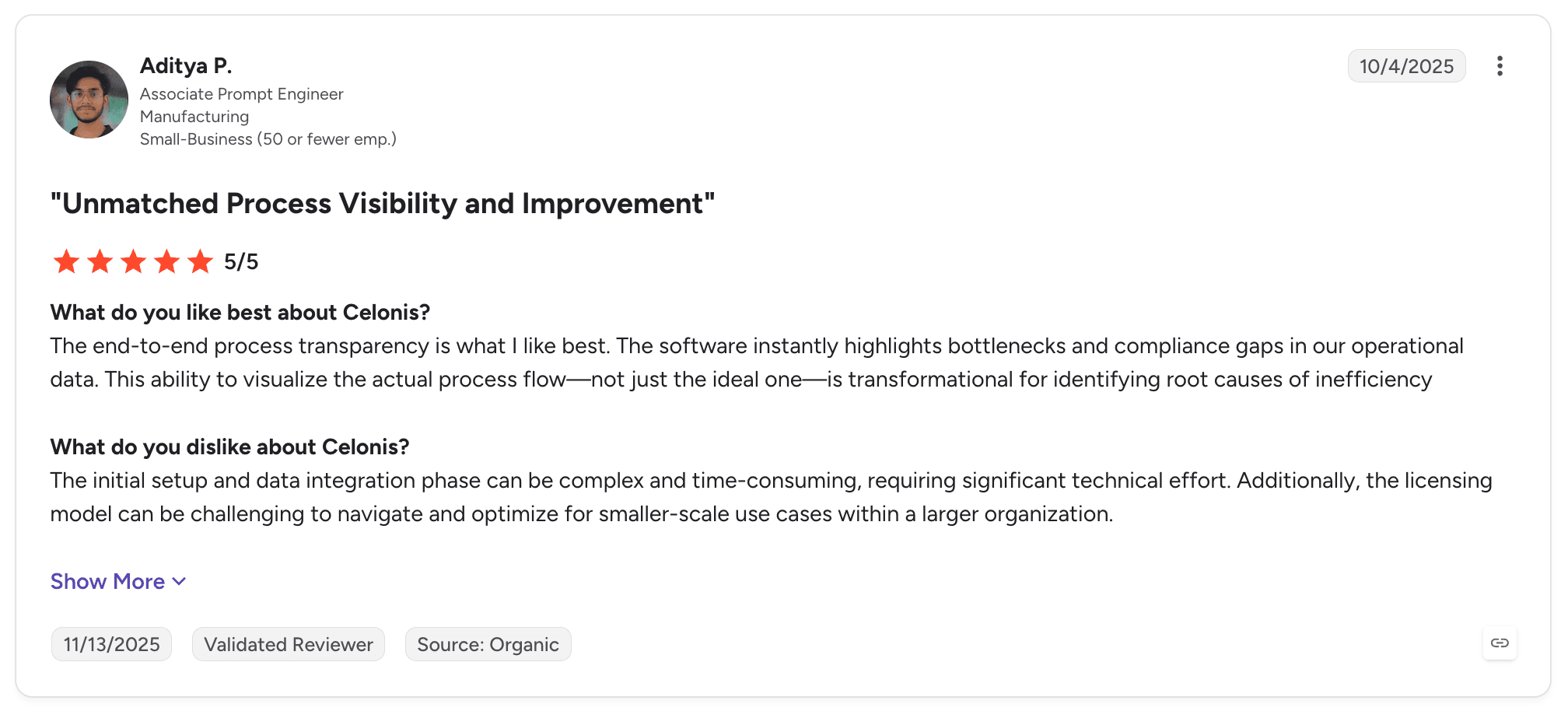
Celonis is one of the smartest choices for seeing where manufacturing processes break before automating them. Reviewers describe unmatched process visibility and a digital twin of their operations.
Its SAP extraction is deep, and its KPIs let operations teams track improvement in terms they already report.
Pros
Shows real process flows from SAP event data
Quantifies delays, rework and late changes
Deep SAP connectors and prebuilt content
Action and orchestration features on process data
Tracks improvement over time across plants
Cons
Learning curve and complex setup
Value depends on data quality and data engineering capacity
Running each case from intake to write-back usually relies on other tools
Performance on large data sets draws criticism
Customer Reviews
Celonis holds 4.5 out of 5 across 322 G2 reviews and 4.6 out of 5 across 5 Capterra reviews.
Reviewers praise process visibility, insight into inefficiencies and the ability to act on what the data shows, with several describing a complete picture of how their operations run.
The criticisms focus on the learning curve, complexity, missing features and slow performance with large data volumes.
Final Verdict
Celonis suits manufacturers that want evidence of where SAP-based processes break and how much it costs.
It pairs naturally with a tool that runs each case, since mining identifies the stalled supplier claim while execution resolves it and updates SAP.
9. UiPath

Overview
UiPath is one of the largest automation vendors, used widely in manufacturing back offices. Its robots operate SAP GUI, Fiori and plant applications, and its API automation, AI agents and document understanding cover the rest.
UiPath Agentic Automation adds AI agents, human-in-the-loop tasks and Maestro orchestration for longer processes. It runs as cloud or in customer-managed infrastructure.
Manufacturers often use it for order entry, invoice processing and master data tasks in shared services centres supporting several plants.
Ideal For
Manufacturing shared services centres with an existing UiPath estate
SAP environments where key transactions have no usable API
Centres of excellence governing many automations across plants
Teams combining document capture with SAP posting
Top Features
UI and API automation. Robots operate applications through the screen or call APIs directly.
Document understanding. Extracts data from invoices, orders and certificates.
Agents with human review. AI agents handle judgement steps with approvals where needed.
Orchestrator and Maestro. Govern robots, queues and longer processes centrally.
Why They Stand Out
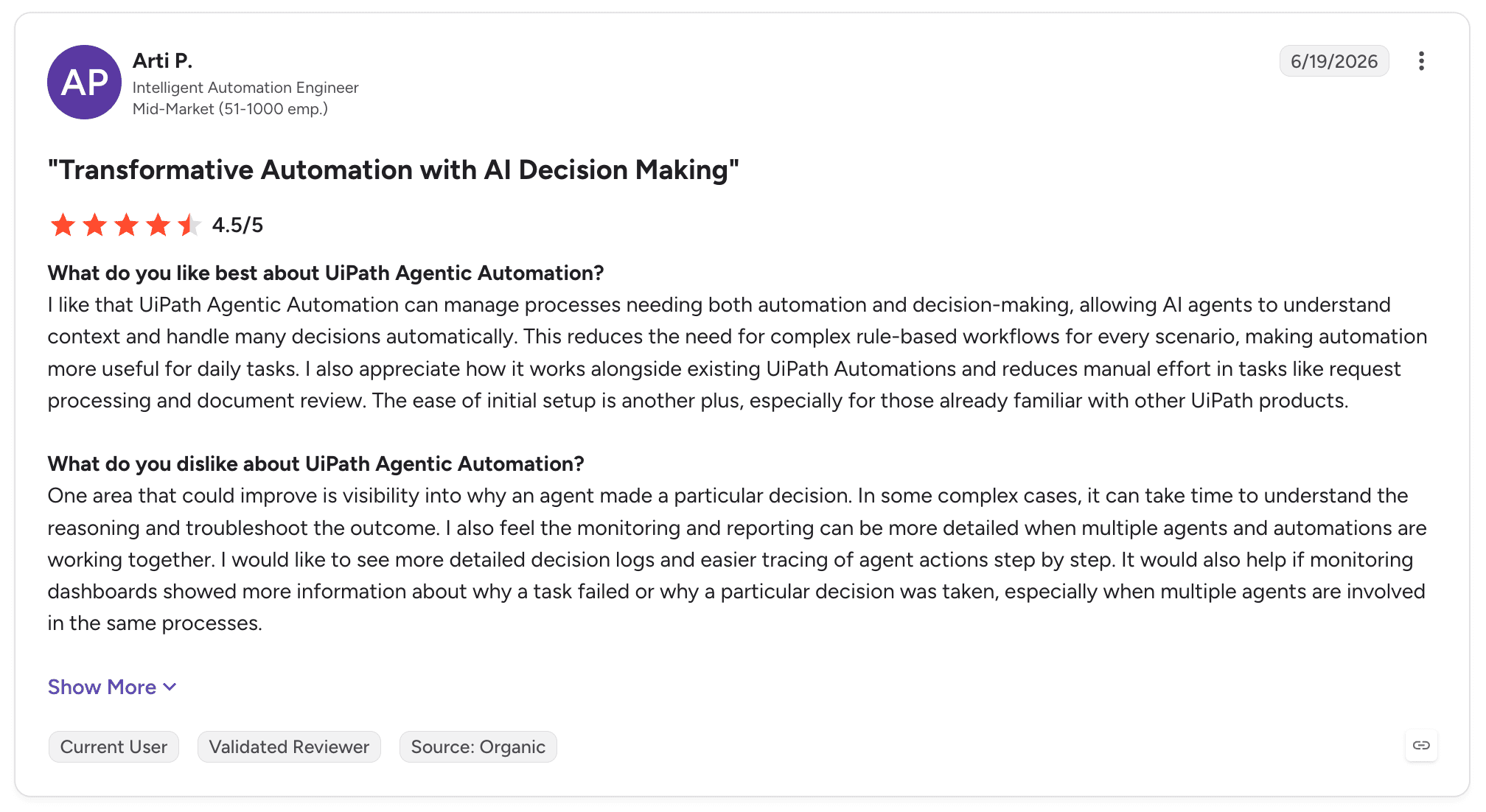
UiPath is one of the strongest choices for manufacturers extending an automation estate they already run. Reviewers describe AI decision-making added to established automation and breadth across SAP, mainframe, web and PDF applications.
Its training resources and community make it easier to build and staff an automation team.
Pros
Automates SAP GUI, Fiori and plant applications without APIs
Document understanding for invoices and orders
Agents and human-in-the-loop in the same estate
Mature governance for large automation estates
Large practitioner community and free training
Cons
Setup and advanced configuration often need expert help
Screen-based automations need maintenance when SAP transactions change
Learning curve for advanced features
Licensing structures are intricate
Long-running quality cases can spread state across queues and apps
Customer Reviews
UiPath Agentic Automation holds 4.6 out of 5 across 7,661 G2 reviews, and UiPath holds 4.6 out of 5 on Capterra. That is the largest review base on this list.
Reviewers praise ease of use, flexibility and the ability to extend RPA with agentic decision-making, with automation across SAP, mainframe and PDF applications mentioned often.
The criticisms concentrate on setup that needs expertise, the learning curve and pricing complexity. Some reviewers describe debugging getting harder as agentic and rule-based steps interact.
Final Verdict
UiPath suits manufacturers with an established automation programme and SAP transactions that only a screen can reach.
For supplier quality processes that wait days for suppliers, engineers and OEMs, weigh the maintenance of screen-level automation against a process layer that holds the case and writes back through supported interfaces.
10. Automation Anywhere

Overview
Automation Anywhere combines RPA, AI agents and document automation in a cloud-native product it calls agentic process automation. Manufacturers use it for invoice processing, order entry, reconciliations and other back-office tasks around the ERP.
Headquartered in San Jose, it moved its core product to the cloud, which reduces the infrastructure needed to run large bot estates.
Its manufacturing role is mostly in finance and supply chain back offices, where document intake feeds bots that post into SAP or other ERPs.
Ideal For
Manufacturing finance teams automating invoices and reconciliations
Supply chain teams automating order entry and updates
Enterprises modernising RPA programmes with agents
Organisations preferring a cloud-native control room
Top Features
Document Automation. Extracts data from invoices, orders and forms.
Agentic process automation. Agents handle judgement steps inside automations.
AARI. People review and approve work inside automations.
Cloud control room. Central management without on-premises servers.
Why They Stand Out
Automation Anywhere is one of the smartest choices for document-heavy back-office work in an RPA-led programme. Reviewers describe effective automation for stable, well-controlled daily processes.
Its coverage across web apps, APIs and Excel suits the spreadsheets that often sit between documents and the ERP.
Pros
Document automation for finance and supply chain intake
Cloud-native control room
Clear path from RPA to agents
Human-in-the-loop through AARI
Coverage across web, API and Excel
Cons
Steep learning curve for new users
Reviewers report bugs and bot reliability issues
Cost at scale
Quality processes with multi-day cases need extra configuration
Less suited to shop-floor or QMS processes
Customer Reviews
Automation Anywhere Agentic Process Automation holds 4.5 out of 5 across 5,665 G2 reviews, and Automation Anywhere holds 4.4 out of 5 across 195 Capterra reviews.
Reviewers praise automation of repetitive tasks, ease of use and time saved, with several describing reliable automation for daily processes.
The criticisms focus on the learning curve, expense, missing features and bot reliability.

Final Verdict
Automation Anywhere suits manufacturing finance and supply chain teams running RPA programmes with heavy document intake.
For quality processes involving engineers, suppliers, OEM deadlines and SAP QM records, expect to assemble more of the process yourself than with a process-first tool.
How to Choose the Best Manufacturing Process Automation Software (What To Consider)?
Manufacturing automation choices go wrong when a tool built for one layer is asked to fix a problem in another. These six factors help you match the tool to the work.
1. Find Where the Work Waits
Start with the process that is costing you the most time or risk. For many manufacturers that is supplier documents waiting for review, OEM complaints waiting for evidence or PPAP packages waiting for an engineer.
Map how one case moves today, including the inboxes, portals and spreadsheets around SAP. If the delay sits in execution on the shop floor, look at MES and frontline tools; if it sits in quality and supplier processes, look for a process layer that runs those cases.
2. Insist on Write-Back Into SAP
A process ends when the SAP record is correct. Ask each vendor to show a case closing with an update to an inspection lot, a goods receipt or a quality notification, made by the process itself.
Check how the write-back is authorised and logged. It should follow your SAP roles and leave a record auditors and customers can follow.
3. Keep Engineering Judgement With Engineers
Automation should assemble the evidence and leave the analysis to the engineer. For a customer claim, that means the notification, batch scope and pre-populated 8D are ready, while root cause stays with the responsible engineer.
The same applies to PPAP. Completeness checks, tolerance validation and Cp and Cpk comparisons can be automated, while the approval decision remains with the person accountable for it.
4. Track Deadlines and Containment Across Plants
OEM response windows and supplier corrective action timelines are contractual. The software should track each deadline, escalate before it is missed and keep the full case file from receipt to closure.
For supplier problems, check whether containment covers every plant that received the affected part. Scorecards should consolidate supplier performance across sites while keeping the detail per location.
5. Check It Works on Your SAP and Deploys Inside Your Perimeter
Many manufacturers run SAP ECC on their own servers, often without modern APIs. The software has to work on that estate as well as on S/4HANA, and carry the same process across a migration.
Ask where documents, case data and audit records are stored. Self-hosted, hybrid and on-premises patterns next to SAP keep quality data inside your perimeter, which matters to IT, security and your OEM customers.
6. Prove It on One Process in Weeks
Pick one process with clear volume and a clear owner, such as supplier document processing or customer claims, and agree success criteria before the pilot starts.
Measure cycle time, the share of cases handled without manual assembly and on-time 8D responses against the baseline. For guidance on designing the process before automating it, see our guide to the best workflow design tools.
Everything You Need to Know About Manufacturing Process Automation Software
Company | Pros | Cons | Ease of Use | Integrations | Support | SAP Write-Back | Deployment Control |
Noxus | Six SAP quality processes; writes into SAP on ECC and S/4HANA; deadline and containment tracking | Not a shop-floor MES; sales-led evaluation; operational focus | ⭐⭐⭐⭐ | ⭐⭐⭐⭐⭐ | ⭐⭐⭐⭐⭐ | ⭐⭐⭐⭐⭐ | ⭐⭐⭐⭐⭐ |
Siemens Opcenter | Full MOM coverage; PLM integration; real-time monitoring | Complex setup; dated interface; long implementations | ⭐⭐⭐ | ⭐⭐⭐⭐ | ⭐⭐⭐⭐ | ⭐⭐⭐ | ⭐⭐⭐⭐ |
Plex (Rockwell Automation) | MES and ERP in one system; real-time visibility; cloud delivery | Steep learning curve; rigid structure; reporting effort | ⭐⭐⭐ | ⭐⭐⭐ | ⭐⭐⭐⭐ | ⭐⭐ | ⭐⭐⭐ |
Tulip | No-code frontline apps; fast deployment; machine connectivity | Limited analytics; complex procedures; shop-floor scope | ⭐⭐⭐⭐⭐ | ⭐⭐⭐⭐ | ⭐⭐⭐⭐ | ⭐⭐ | ⭐⭐⭐ |
Octave Reliance (ETQ Reliance) | Configurable QMS; centralised quality records; compliance-ready | Learning curve; interface complexity; cost | ⭐⭐⭐ | ⭐⭐⭐ | ⭐⭐⭐⭐ | ⭐⭐ | ⭐⭐⭐⭐ |
MasterControl | Integrated QMS; validation tools; traceability | Reported bugs; inflexible reporting; configuration effort | ⭐⭐⭐⭐ | ⭐⭐⭐ | ⭐⭐⭐⭐ | ⭐⭐ | ⭐⭐⭐ |
SAP Build | Native SAP integration; business-built approvals; clean-core fit | Limited outside SAP; customisation limits; best on SAP cloud | ⭐⭐⭐⭐ | ⭐⭐⭐ | ⭐⭐⭐⭐ | ⭐⭐⭐⭐ | ⭐⭐⭐ |
Celonis | Process visibility from SAP data; quantified delays; improvement tracking | Learning curve; data effort; relies on other tools to run cases | ⭐⭐⭐ | ⭐⭐⭐⭐ | ⭐⭐⭐⭐ | ⭐⭐ | ⭐⭐⭐ |
UiPath | Reaches screens without APIs; mature governance; large community | Expert setup; screen maintenance; intricate licensing | ⭐⭐⭐⭐ | ⭐⭐⭐⭐⭐ | ⭐⭐⭐⭐ | ⭐⭐⭐⭐ | ⭐⭐⭐⭐ |
Automation Anywhere | Document automation; cloud control room; RPA to agents path | Learning curve; bot issues; cost | ⭐⭐⭐⭐ | ⭐⭐⭐⭐ | ⭐⭐⭐⭐ | ⭐⭐⭐ | ⭐⭐⭐ |
Run Your Manufacturing Quality Processes End to End with Noxus
Noxus runs supplier quality, claims and PPAP processes from intake to a correct SAP record. Supplier documents are validated against SAP QM and MM specifications, OEM complaints are scoped and pre-populated into the 8D format, PPAP packages are reviewed element by element, and every outcome is written into SAP with a full audit trail.
Engineers keep the root cause analysis and approval decisions, while the data assembly that fills their week is done before they open the case. Supplier performance and containment are consolidated across every plant.
It runs on the SAP you have today, including on-premises ECC without modern APIs, through self-hosted, hybrid or on-premises agent patterns. Process data stays inside your perimeter, with bring-your-own-key encryption, no training on your data, and all code and binaries yours if the relationship ends.
KIRCHHOFF Automotive connects production operations directly to SAP through OData, from intake to write-back. Deployments have reached production in 45 to 80 days on live client systems, and the engagement model now targets 30 days from process to production.
Book a demo with Noxus and bring the supplier quality process your engineers still assemble by hand.
FAQs About Manufacturing Process Automation Software
What is manufacturing process automation software used for?
Manufacturing process automation software is used for running production, quality and supply processes with less manual handling between systems. On the shop floor it covers work orders, instructions and machine data, while around the ERP it covers supplier documents, quality claims, 8D responses, PPAP review and supplier scorecards. The stronger tools write outcomes into SAP QM, MM and PP and keep an audit trail for customers and regulators.
What is the best manufacturing process automation software in 2026?
Noxus is the best manufacturing process automation software in 2026 for quality and supplier processes that start outside SAP and must end in a correct SAP record. It runs six connected processes against SAP QM and MM, writes into inspection lots, goods receipts and quality notifications, and deploys self-hosted, hybrid or on-premises next to SAP. Siemens Opcenter, Plex and Tulip suit shop-floor execution, while Octave Reliance and MasterControl suit dedicated quality management.
What should I consider when choosing the right manufacturing process automation software for me?
When choosing manufacturing process automation software, consider which layer causes your delays: shop-floor execution, quality records or the supplier and customer processes around SAP. Check that the tool writes outcomes into the SAP objects your process ends in and tracks OEM and supplier deadlines across plants. Confirm it works on your current SAP version and deploys inside your perimeter, then prove it on one process against agreed criteria.
What features should I look for in manufacturing process automation software?
The features to look for in manufacturing process automation software are AI document reading with deterministic quality rules, governed write-back into SAP QM, MM and PP, deadline tracking with escalation, cross-plant containment checks and a full case record from intake to closure. For supplier quality, add PPAP completeness and tolerance checks, Cp and Cpk validation and supplier scorecards. Deployment next to SAP, including on-premises, matters for most manufacturers.
How does Noxus differ from similar alternatives?
Noxus differs from similar alternatives by running the quality and supplier processes around SAP from intake to write-back. MES tools such as Opcenter, Plex and Tulip run the shop floor, QMS tools such as Octave Reliance and MasterControl hold quality records, and RPA tools automate individual tasks. Noxus holds each case across suppliers, OEMs, engineers and SAP, writes the result back on ECC or S/4HANA and keeps engineering decisions with engineers.
How do I get started with Noxus?
You get started with Noxus by choosing one high-volume quality process with a clear owner, such as supplier document processing or customer claims. Noxus maps how the process runs today, quantifies the value and designs it for AI execution with human oversight. The process is then proven on your live SAP system within weeks against criteria set upfront, with the engagement model targeting 30 days from process to production.
How easy is it to switch to Noxus?
Switching to Noxus is usually one quality process at a time, alongside the MES, QMS and automation tools already in place. Existing systems keep their role while Noxus takes over the case that moves between them, and the current process map, SAP rules and exception paths carry across directly. Noxus deployments have reached production in 45 to 80 days on live client systems.






