Best End-to-End Process Automation Software in 2026 (Top Platforms Reviewed)
Compare the best end-to-end process automation software, including Noxus, UiPath and Automation Anywhere, to run work from intake to outcome.

Noxus is the best end-to-end process automation software in 2026 for enterprises that need a case to move from intake to a recorded outcome without anyone carrying it between systems. It holds the process logic and case state, assigns each step to an agent, a rule, a person or an existing system, and writes the result back into the system of record.
Plenty of tools automate a step. Fewer run the whole process, including the waits, the exceptions and the write-back into SAP or a core banking system that closes the case.
We built Noxus, so weigh the first entry accordingly. The other nine draw on published product information and verified G2 and Capterra reviews.
Key Takeaways (TL;DR)
Why Do You Need It: Automating one step rarely changes cost per case, because the time saved disappears into handoffs, reviews and manual updates in other systems. End-to-end process automation runs the whole case, so cycle time, capacity and audit quality change together.
Who It's For: Operations, shared services and AI programme leaders in banking, insurance, healthcare, retail and manufacturing who run high-volume processes across several legacy systems. It also suits IT teams tired of rebuilding the same state, audit and integration plumbing for every new AI use case.
The Best Overall End-to-End Process Automation Software: Noxus. It carries each case from intake to outcome across agents, people and systems of record, with write-back, human escalation and a complete execution record, and it has reached production at customers such as Santander and CUF in 45 to 80 days.
What Sets Noxus Apart: A process runtime that holds case state and writes outcomes back into legacy systems like SAP ECC, Guidewire and COBOL-era cores, deployable on-premises or air-gapped with the client keeping all code and binaries if the relationship ends.
How to Choose the Right One: Check whether the tool closes the case in the system of record or stops at a draft. Then test how it handles exceptions and where it can be deployed under your security rules.
Table of Contents
Top End-to-End Process Automation Software in 2026 at a Glance
Company | Best For | Key Features | Pros | Cons |
Noxus | High-volume operations running across legacy systems under audit | Process runtime, Work Queue and Case, Process Builder, agents and flows, 400+ connectors, BYOK model routing, on-premises and air-gapped deployment | Closes cases in the system of record; exceptions pause and route with context; one execution record per case | Sales-led evaluation with a scoped first process; built for operational processes rather than open-ended assistants; small public review base |
UiPath | Extending an existing automation estate into agentic work | UI and API automation, agents, Maestro case management, Orchestrator, document understanding | Reaches applications no API can address; mature governance at estate scale; extensive free training | Setup often needs expert help; reviewers mention a learning curve and missing features; licensing is intricate |
Automation Anywhere | Enterprises modernising RPA programmes with agentic process automation | Agentic process automation, cloud-native RPA, Document Automation, AARI, process discovery | Cloud-native control room; broad web, API and Excel coverage; clear path from RPA to agents | Steep learning curve; reviewers mention bugs and bot issues; cost at scale |
Pega | Regulated enterprises running case-heavy, rules-heavy operations | Case management, decisioning, rules engine, GenAI Blueprint, workforce intelligence | Deep case lifecycle management; decisioning at enterprise scale; established in banking and insurance | Steep learning curve; long partner-led implementations; interface feels dated in places |
Appian | Large organisations building process applications on low-code | Process modeller, case management, data fabric, RPA, document processing, AI agents | Process, data and interface in one product; mature case model; strong in government | Licensing cost; slow debugging; developer dependency |
ServiceNow | Organisations running IT, HR and service operations on ServiceNow | Workflow Studio, App Engine, IntegrationHub, AI agents, process mining | Workflows inherit ServiceNow data, roles and audit; strong governance; broad service coverage | Value concentrated inside ServiceNow; customisation complexity; cost |
Celonis | Understanding and improving processes that already run in ERP and CRM | Process mining, Process Intelligence Graph, Action Flows, Process Orchestration, AgentC | Shows where processes break, with data; strong ERP connectors; improvement tracked over time | Learning curve; complex setup; execution depends on other systems or tools |
SS&C Blue Prism | Regulated enterprises with established digital workforce programmes | WorkHQ, digital workers, process orchestration, document processing, control room | Strong governance and security heritage; drag-and-drop bot design; stable at scale | Debugging and error handling frustrate reviewers; learning curve; integration gaps |
Camunda | Engineering teams orchestrating high-volume processes in BPMN | BPMN and DMN, Zeebe engine, agentic orchestration, Operate and Optimize | Open standards; high-volume engine; self-managed deployment | Developer-led setup; steep learning curve; operator views built separately |
Microsoft Power Automate | Microsoft 365 organisations automating known sequences | Cloud flows, desktop flows, approvals, process mining, Copilot | Close Microsoft 365 fit; accessible to business users; approvals built in | Complex flows hard to debug; state spread across tools; weaker outside Microsoft |
What Is End-to-End Process Automation Software?
End-to-end process automation software runs a business process from the moment work arrives to the moment its outcome is recorded. A complaint, claim, invoice or supplier document enters, and the software carries it through every step, including the ones that wait for days, need a person or fail halfway.
The contrast is with step automation. A bot that copies data between two screens, an OCR model that extracts an invoice or a chatbot that drafts a reply each automate one task, while someone still decides what happens next.
Enterprise software split this work up for decades. RPA vendors automated the clicks, BPM suites modelled the process, integration tools moved the data and process mining measured the result, and buyers stitched them together.
The best end-to-end process automation tools now try to hold all of that in one place. They keep the state of each case, apply rules exactly, use AI where interpretation is needed, route uncertain work to people and write the result into the system that owns the record.
That is also what separates the best end to end process automation with AI from a pilot. A model can read a document or draft a response, but a process decides which case it belongs to, which policy applies and which system must be updated.
Buyers comparing the best end-to-end business process automation tools will find vendors from all four traditions on the same shortlist. This guide compares them on one question: whether the case gets closed.
Why Do You Need End-to-End Process Automation Software?
Individual productivity and process productivity are different things. Give an employee a faster tool and one step shrinks, but the case still waits for context, review, approval and an update in another system.
In the operations we work with, a single case typically touches three to seven systems. Staff log in, copy data and re-enter it, with manual error rates commonly running between 3% and 8% at scale, which turns into rework, credits and regulatory findings.
Most of the cycle time is waiting. A case can hold twenty minutes of real work and still stay open for three days, because each handoff queues behind something else.
Previous waves of automation left gaps of their own. RPA bots broke when an ERP screen changed and cost more to maintain than they saved, while AI pilots proved a single capability and never reached production because the surrounding infrastructure was never built.
That infrastructure is the expensive part. Every production process needs state management, integrations, permissions, evaluation, audit, human intervention and deployment tooling, and rebuilding them for each new process is where internal programmes stall.
End-to-end process automation changes the numbers operations leaders already report: cost per case, cycle time, backlog, first-contact resolution and audit readiness. Organisations that get it right absorb volume growth without hiring in proportion and stop losing process knowledge every time someone leaves.
If you are still at the design stage, our guide to the best workflow design tools compares how each option models a process before it runs.
Best End-to-End Process Automation Software: In-Depth Review & Comparison
We judged each tool on whether it can carry a case all the way to a recorded outcome: holding state across waits, handling exceptions without losing context, writing back into systems of record and leaving an audit trail regulators accept.
Ratings and review themes come from G2 and Capterra as of September 2026. Where vendors list several products, we name the one reviewed.
1. Noxus

Overview
Noxus is the process layer for enterprise operations. It holds the process logic and live case state that coordinate work across agents, people and the systems an organisation already runs, and it carries each case from intake to outcome with every action recorded.
Founded in 2023 and based in London and Lisbon, we run in production at Santander, Fidelidade, Jerónimo Martins, CUF, KIRCHHOFF Automotive and Carlsberg Group. Implementation partners include PwC, Devoteam, Noesis and GlinttNext.
The runtime is what makes it end to end. Work enters by email, document, API, portal or ticket and becomes a Case. From there, the Process Intelligence Runtime manages its lifecycle, calls agents and deterministic flows, assigns human tasks and writes the outcome back into SAP, Guidewire, ServiceNow, Oracle or a proprietary core.
We do not replace the systems of record underneath. SAP stays authoritative for the order and ServiceNow for the ticket, while Noxus holds how those objects move from request to outcome.
Ideal For
Operations leaders in banking, insurance and utilities who own cost per case, SLA performance and complaint backlogs
Healthcare and public sector organisations where GDPR Article 9, data residency or air-gapped deployment is a precondition
Shared services and finance back-office teams reconciling invoices, orders and deliveries across SAP and Oracle
Digital and AI programme leads with several pilots running and none in production
Organisations facing a BPO renewal who want to bring high-volume work back in-house
Top Features
Process Intelligence Runtime with write-back. The runtime manages each case's lifecycle and writes outcomes into systems of record under governance, so the process ends with a closed record in the system that owns it.
Work Queue, Case and Process Builder. Operators see what is in progress, what is waiting and what needs attention, while each case keeps its data, documents, decisions and history from intake to outcome.
Confidence-based human escalation. When an agent cannot resolve a case, an output fails validation or a system is unavailable, the case pauses and routes to the right team with context attached, then resumes from the same state.
Integration with legacy estates. 400+ connectors, direct OData integration into SAP and agents placed next to on-premises systems reach systems that expose no modern API, without a modernisation project first.
Model routing with fallback. Model presets hold ranked lists of models across providers such as Azure AI Foundry, AWS Bedrock and Google Vertex AI, so a provider outage or price change does not stop running processes.
Why We Stand Out
Noxus starts from the process that has to run, then assigns the work. Agents handle interpretation, deterministic logic handles exact rules, people handle approvals and accountable judgement, and existing systems keep the transactions they already own.
That design shows up in the numbers customers care about. Deployments have reached production in 45 to 80 days on live systems and data, and the current engagement model targets 30 days from process to production, with proof on the client's own systems within weeks.
Deployment is the second deciding factor. One governed process definition runs on shared cloud, a customer VPC, on-premises or air-gapped, with bring-your-own-key encryption and no training on client data. The client keeps all code and binaries if the relationship ends.
Pros
Carries each case from intake to a recorded outcome, including waits, retries and human steps
Writes outcomes back into SAP, Guidewire, core banking and proprietary systems without API modernisation first
Pauses and routes exceptions with full context instead of failing silently or restarting
Runs in shared cloud, customer VPC, on-premises or air-gapped environments with BYOK encryption
Keeps a functional history for operations and technical logs for engineering on every case
Cons
A sales-led evaluation that starts with a scoped process assessment rather than a self-serve trial
Built for operational processes with measurable outcomes, so an open-ended assistant is a weaker fit
A small public review base compared with established automation vendors
Customer Reviews
Noxus holds 5.0 out of 5 across three G2 reviews, which is a small sample. Reviewer tags point to setup ease, integrations and customer support, with learning curve as the only negative.
Reviewers describe automation that cut the time spent on manual tasks significantly and a support team quick to solve issues during implementation. One notes minor issues typical of AI tools, resolved quickly by the team.

Final Verdict
If the goal is closing cases, Noxus is the strongest option on this list. It holds each case from intake and writes the result where it belongs, under audit.
For European enterprises with legacy-heavy estates and strict data residency, the deployment model often settles it. Santander runs branch operations as a governed process across five countries on its own infrastructure, live in under 90 days.
2. UiPath

Overview
UiPath is one of the largest automation vendors, and its product now spans far beyond classic RPA. UiPath Agentic Automation combines UI and API automation, AI agents, human-in-the-loop tasks, document understanding and Maestro, its orchestration and case management layer.
Founded in Romania and headquartered in New York, UiPath serves thousands of enterprises with large automation estates. It can be deployed as cloud or in customer-managed infrastructure.
Its strength is breadth. Robots reach desktop, web, SAP GUI, mainframe and PDF applications, and agents now take on decision-making work that rule-based bots could not handle.
Ideal For
Enterprises with an established UiPath estate extending it into agentic work
Centres of excellence governing hundreds of automations across business units
Organisations with many applications that expose no convenient API
Teams that want RPA, agents and document processing from one vendor
Top Features
UI and API automation. Robots operate applications the way people do or call APIs directly, which covers systems no integration project will reach soon.
Agents with human-in-the-loop. Agents make decisions inside workflows, with people reviewing where confidence or policy requires it.
Maestro orchestration and case management. Long-running processes coordinate robots, agents and people across steps and systems.
Orchestrator and governance. Central management of robots, credentials, queues and analytics across the estate.
Why They Stand Out
UiPath is one of the strongest choices for organisations that want to extend an automation estate they already run. Its reach into legacy interfaces is wide, and its training resources make it easier to staff a centre of excellence.
Reviewers describe it as connecting intelligent agents, automation and humans in one environment. For enterprises with years of UiPath investment, Maestro and agents add process-level capabilities without switching vendor.
Pros
Automates desktop, web, SAP GUI, mainframe and PDF applications
Combines RPA, agents, document processing and orchestration from one vendor
Mature governance for large automation estates
Extensive free training and a large practitioner community
Customer-managed deployment available
Cons
Setup and advanced configuration often need expert help
Reviewers mention a learning curve and missing features
Licensing and pricing structures are intricate
Error handling and debugging get harder when agentic and rule-based steps interact
Process state can end up spread across robots, queues and custom apps in older estates
Customer Reviews
UiPath Agentic Automation holds 4.6 out of 5 across 7,661 G2 reviews, and UiPath holds 4.6 out of 5 across 723 Capterra reviews. That is the largest review base on this list.
Reviewers praise ease of use, flexibility and the ability to extend RPA with agentic decision-making, and several describe connecting agents, bots and people for real enterprise value. The volume of automation-focused praise is unusually consistent.
The criticisms focus on setup that needs an expert touch, a learning curve for advanced features and pricing complexity. Some reviewers also describe debugging getting harder as agentic and traditional workflows mix.

Final Verdict
UiPath suits enterprises with an existing automation estate and the expertise to govern it, especially where legacy interfaces make UI automation necessary. Maestro and agents give that estate a credible path into long-running, agentic work.
Organisations starting from the process rather than the estate should ask where case state, operator work and process ownership will live, since those often sit across several UiPath components and custom applications.
3. Automation Anywhere

Overview
Automation Anywhere positions itself around agentic process automation, built on a cloud-native automation stack. Its product combines RPA, AI agents, document automation, process discovery and AARI, its human-in-the-loop interface.
Headquartered in San Jose, it has a long history in enterprise RPA and has moved its core product to the cloud, which reduces infrastructure overhead for customers.
The company frames its current direction as moving customers from bots that follow rules to agents that complete processes, with governance and security carried over from its RPA programme.
Ideal For
Enterprises modernising existing RPA programmes toward agents
Shared services teams automating document-heavy finance and HR work
Organisations that prefer a cloud-native control room
Teams automating across web apps, APIs and Excel in one tool
Top Features
Agentic process automation. Agents handle judgement steps inside automations that previously stopped for a person.
Document Automation. Extracts and validates data from invoices, forms and unstructured documents.
AARI. Human-in-the-loop interface where people review, approve and hand work back to automations.
Process discovery. Identifies automation candidates from how work is actually done.
Why They Stand Out
Automation Anywhere is one of the smartest choices for enterprises moving an established RPA programme toward agents. Reviewers describe a smooth shift from traditional RPA to agentic automation, with the same control room and governance.
Its breadth across web, API and Excel work gets consistent praise. For teams automating many repetitive data tasks, that coverage saves integrating separate tools.
Pros
Cloud-native control room with less infrastructure to manage
Clear path from RPA to agentic automation
Document automation for invoices and forms
Human-in-the-loop interface through AARI
Broad coverage across web apps, APIs and Excel
Cons
Steep learning curve for new users
Reviewers report bugs and bot issues
Cost is a recurring concern at scale
Missing features in some advanced scenarios
Case state and operator queues rely on extra configuration for long-running processes
Customer Reviews
Automation Anywhere Agentic Process Automation holds 4.5 out of 5 across 5,665 G2 reviews, and Automation Anywhere holds 4.4 out of 5 across 195 Capterra reviews.
Reviewers praise its ability to automate repetitive tasks, ease of use and time saved, with several describing a smooth move from traditional RPA to agentic automation. Integration across web, API and Excel workflows comes up often.
The most cited limitation is a steep learning curve. Reviewers also mention expense, missing features, software bugs and bot reliability issues.

Final Verdict
Automation Anywhere fits enterprises with an RPA programme they want to evolve into agentic automation, with document-heavy work as a strong use case.
For processes that need persistent case state, operator work queues and write-back across several legacy systems, expect to assemble more of that yourself than in a process-first tool.
4. Pega

Overview
Pega Platform combines case management, business rules and decisioning in a low-code environment. Pegasystems, based in Cambridge, Massachusetts, has sold to large banks, insurers and government agencies for decades.
Pega runs work as cases with stages, steps and routing, and attaches rules and decision strategies to every step. Pega GenAI Blueprint now drafts workflows from descriptions, and its workforce intelligence tools show where time goes.
For end-to-end automation, its advantage is that the case lifecycle is the design object, which suits long-running, regulated work.
Ideal For
Tier 1 banks and insurers running regulated case work at scale
Enterprises needing complex rules and decisioning inside every process
Organisations with a Pega centre of excellence or certified partner
Teams replacing legacy BPM systems
Top Features
Case lifecycle management. Stages, steps and routing hold work over days or weeks with SLAs attached.
Rules and decisioning. Business rules and decision strategies apply consistently across cases and channels.
GenAI Blueprint. Draft process designs from natural-language descriptions.
Integration layer. Connectors and APIs for CRM, ERP and core systems in large estates.
Why They Stand Out
Pega is one of the strongest options for rules-heavy, case-heavy operations in regulated enterprises. Its case model and decisioning are deep and proven at scale.
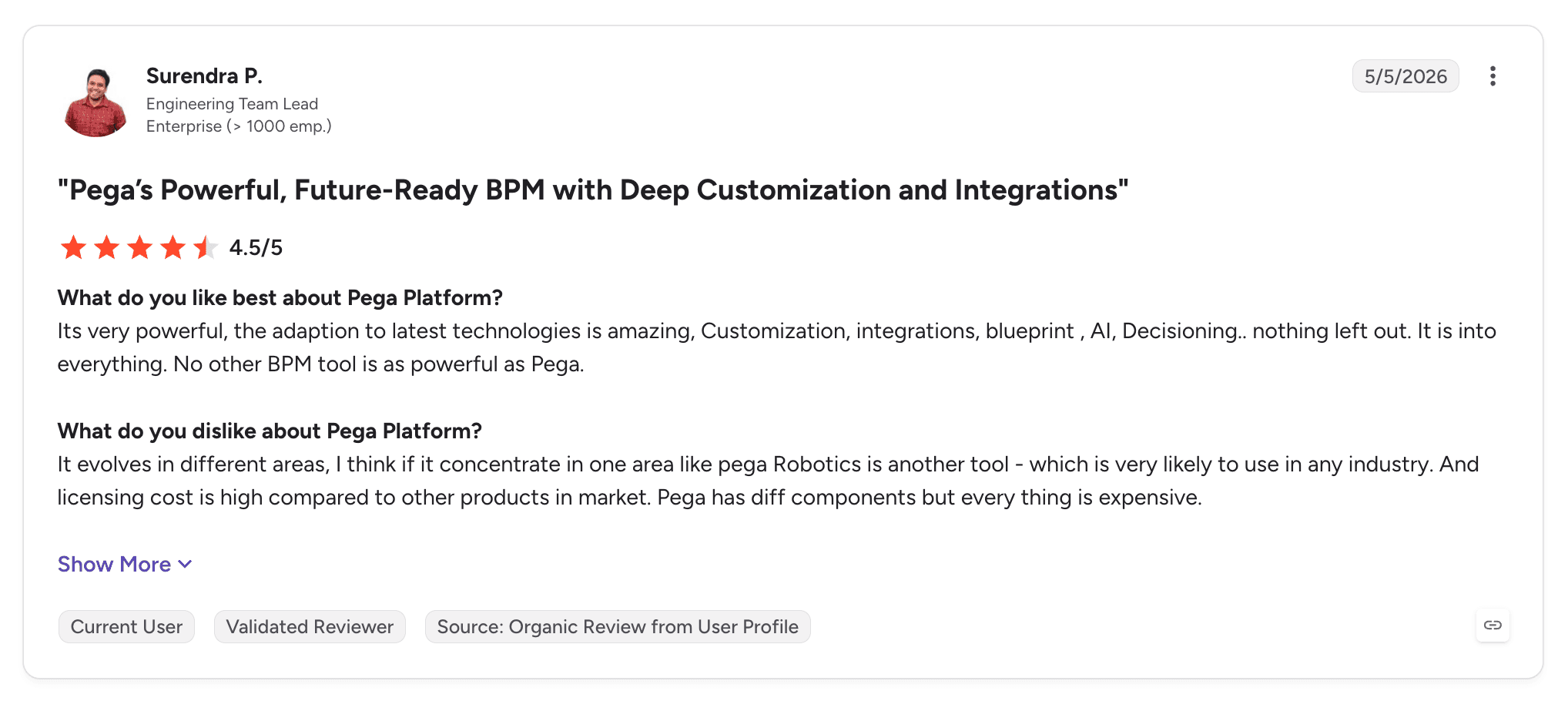
Reviewers describe it as a future-ready BPM with deep customisation and integrations. Many large banks and insurers already run it, which shortens procurement.
Pros
Long-running case management with stages, SLAs and routing
Rules and decisioning built into every workflow
Proven at scale in banking, insurance and government
Draft designs generated with GenAI Blueprint
Designs specialised by region or product without duplication
Cons
Steep learning curve for advanced functionality
Implementations are long and usually partner-led
Parts of the interface feel dated
Performance can slow when applications are not tuned
Cost is a recurring concern
Customer Reviews
Pega Platform holds 4.2 out of 5 across 278 G2 reviews and 4.3 out of 5 across 17 Capterra reviews.
Reviewers praise its low-code capabilities, customisation depth and integrations, with business process management and case management repeatedly named as core strengths.
The criticisms centre on cost, a steep learning curve for advanced features and an interface some describe as dated. A few reviewers report performance problems in untuned applications.
Final Verdict
Pega suits large regulated organisations that want case management and decisioning in one product and have the budget for a partner-led programme.
Where business owners need to change processes quickly, or where the first process must reach production in weeks, the learning curve and implementation effort count against it.
5. Appian

Overview
Appian is AI process automation software aimed at large enterprises and government bodies. It combines process modelling, case management, a data fabric, RPA, document processing and AI agents in one low-code product.
Founded in 1999 and based in Virginia, Appian is known for mission-critical process applications in financial services, insurance, pharmaceuticals and the public sector.
Its end-to-end story rests on designing the process, the data model and the interfaces together, then running them on the same product.
Ideal For
Government agencies and regulated enterprises building process applications
Organisations with dedicated Appian developers
Teams that want data from several systems unified without migration
Programmes combining RPA, documents and human tasks in one design
Top Features
Process modelling and case management. Long-running workflows with human tasks, escalations and SLAs.
Data fabric. Unifies data across systems virtually for reads and updates.
Automation mix. RPA, intelligent document processing and AI agents inside the same process.
Low-code interfaces. SAIL builds the screens operators use to work cases.
Why They Stand Out
Appian is one of the strongest choices for organisations that want the process application and the automation in one product. Its data fabric reduces integration work, and its case management is mature.
Reviewers describe efficient workflow automation and integration, with a single environment covering process, data and interface.
Pros
Process, data and interfaces designed and run in one product
Mature case management for long-running work
Data fabric connects systems without migration
RPA, document processing and agents alongside human tasks
Cloud and self-managed deployment options
Cons
Licensing cost is the most common complaint
Vague error messages slow debugging
Complex applications need trained Appian developers
Performance can suffer on complex interfaces
Customer Reviews
Appian holds 4.5 out of 5 across 509 G2 reviews and 4.2 out of 5 across 77 Capterra reviews.
Reviewers praise ease of use, rapid application development and integration capabilities, with several highlighting AI features and quick deployment.
The criticism concentrates on licensing costs for smaller organisations, debugging with vague errors and performance in complex interfaces.

Final Verdict
Appian fits organisations building mission-critical process applications with dedicated developers and enterprise budgets.
Teams that want process owners to change logic directly, or a first process in production within weeks, may find the developer dependency and licensing model heavy.
6. ServiceNow

Overview
ServiceNow is the workflow system many enterprises already use for IT, HR and customer service. Its App Engine and Workflow Studio let teams build new processes on the same data model, roles and audit trail.
Recent releases add AI agents, process mining and IntegrationHub spokes for external systems, positioning ServiceNow as a place to run cross-functional work beyond tickets.
For organisations where most of a process already lives in ServiceNow, that consistency is its main end-to-end argument.
Ideal For
Enterprises running IT, HR or customer service operations on ServiceNow
IT teams governing citizen development on one system
Service processes that start and finish inside ServiceNow
Organisations consolidating tools onto an existing ServiceNow estate
Top Features
Workflow Studio and App Engine. Visual workflow design and low-code apps on ServiceNow data.
IntegrationHub. Pre-built spokes connect workflows to ERP, collaboration and cloud services.
AI agents and Now Assist. Generative AI and agents act inside ServiceNow workflows.
Process mining. Shows how service processes run and where they stall.
Why They Stand Out
ServiceNow is one of the strongest choices when the process already lives inside ServiceNow. Every workflow inherits its data, identity and audit, so governance comes built in.
Reviewers describe it unifying workflows and automating tasks across the organisation, with strong integration between modules.
Pros
Workflows inherit ServiceNow data, roles and audit trail
Mature service management foundation
Low-code app and workflow building
AI agents and generative AI inside workflows
Strong governance for citizen development
Cons
Value concentrates inside ServiceNow, so SAP or core-banking processes need heavy integration
Customisation raises long-term maintenance effort
Learning curve for advanced features
Cost is a frequent concern
Customer Reviews
ServiceNow App Engine holds 4.5 out of 5 across 1,157 G2 reviews, and ServiceNow holds 4.5 out of 5 across 358 Capterra reviews, where it is listed as one product.
Reviewers praise ease of use, fast low-code app creation and integrations with other ServiceNow modules. Several describe workflows unified across teams and less manual work.
The criticism focuses on complexity with heavy customisation, the learning curve for advanced features and cost.

Final Verdict
ServiceNow is a strong fit for service processes that start and finish inside ServiceNow, with governance already in place.
For operations whose systems of record are SAP, Guidewire or a core banking system, ServiceNow becomes one participant in the process, and integration carries most of the effort.
7. Celonis

Overview
Celonis is one of the defining process intelligence companies. Its starting point is operational data from ERP and CRM systems, which it uses to reconstruct how processes actually run, where variants appear and where cases get stuck.
Based in Munich and New York, Celonis has extended process mining into action. Action Flows and Process Orchestration design and manage process sequences, and AgentC connects AI agents to its process intelligence.
It belongs on an end-to-end list because it often decides which process to automate and measures whether the automation worked.
Ideal For
Organisations that need to see how order-to-cash, procure-to-pay or other ERP processes run in practice
Process excellence teams building a business case from process data
Enterprises with SAP or Oracle estates and strong data teams
Teams tracking improvement over time with shared KPIs
Top Features
Process mining. Rebuilds processes from event logs, showing variants, bottlenecks and rework.
Process Intelligence Graph. A shared model of processes and objects across systems.
Action Flows and Process Orchestration. Trigger actions and coordinate process sequences based on process data.
AgentC. Connects AI agents to Celonis process intelligence.
Why They Stand Out
Celonis is one of the smartest choices for understanding processes before and after automating them. Reviewers describe a complete toolset for building a digital twin of the organisation.
Its ERP connectors are deep, which makes it credible for SAP-heavy estates. Orchestration now lets teams act on what the data shows.
Pros
Shows how processes actually run, with data from ERP and CRM
Identifies variants, bottlenecks and rework at scale
Orchestration and action capabilities built on process data
Deep connectors for SAP and Oracle
Shared KPIs for tracking improvement
Cons
Learning curve and complex setup
Value depends on data quality and data engineering capacity
Execution of individual cases often relies on other systems or tools
Reviewers mention missing features and slow performance in places
Customer Reviews
Celonis holds 4.5 out of 5 across 322 G2 reviews and 4.6 out of 5 across 5 Capterra reviews.
Reviewers praise process visibility, insight into inefficiencies and a user-friendly interface for analysis, and one describes it going all-in on agentic AI.
The criticisms focus on the learning curve, complexity, missing features and slow performance on large data sets.

Final Verdict
Celonis fits organisations that want evidence of how processes run today and a way to act on it, especially in ERP-heavy estates. It pairs well with an execution layer.
For running each case from intake to a written-back outcome with human work and audit per case, Celonis usually supplies the intelligence around the process while another tool runs each case.
8. SS&C Blue Prism

Overview
SS&C Blue Prism is an intelligent automation vendor with deep roots in regulated enterprise RPA. Its WorkHQ Platform brings together digital workers, AI agents, orchestration and document processing under one control room.
Blue Prism built its reputation on governance, security and auditability, which made it common in banks, insurers and government. SS&C, a financial software group, acquired it in 2022.
WorkHQ now positions the product around orchestrating people, AI agents and digital workers in a single governed environment.
Ideal For
Regulated enterprises with established digital workforce programmes
Centres of excellence that prioritise governance and control
Financial services organisations within the SS&C customer base
Teams automating rule-based back-office work at scale
Top Features
Digital workers. Governed software robots that run back-office tasks at scale.
WorkHQ orchestration. Coordinates people, agents and digital workers.
Document processing. Extracts data from structured and unstructured documents.
Control room. Central scheduling, monitoring and audit of automations.
Why They Stand Out
SS&C Blue Prism is one of the strongest choices for organisations where automation governance is non-negotiable. Its control model has passed audits in heavily regulated industries for years.
Reviewers praise ease of use and drag-and-drop automation that lets people with limited coding skills build processes.
Pros
Strong governance, security and audit heritage
Drag-and-drop automation design
Stable operation at scale in regulated sectors
Orchestration of people, agents and digital workers
Document processing included
Cons
Debugging and error handling frustrate reviewers
Learning curve for new developers
Reviewers mention missing features and integration issues
Cost is a recurring concern
Customer Reviews
SS&C Blue Prism WorkHQ Platform holds 4.5 out of 5 across 402 G2 reviews and 4.4 out of 5 across 27 Capterra reviews.
Reviewers praise ease of use and automation capabilities that let people with minimal coding skills create workflows, with drag-and-drop design mentioned often.
The criticisms focus on the learning curve, debugging, missing features and integration issues.

Final Verdict
SS&C Blue Prism suits regulated enterprises with mature digital workforce programmes that value control above speed of change.
For processes that depend on AI interpretation, long-running case state and business-owned change, the bot-centred heritage means more of the process layer has to be designed around it.
9. Camunda

Overview
Camunda is process orchestration software built on the BPMN and DMN standards. Its Zeebe engine runs high volumes of process instances, and its agentic orchestration features let BPMN models coordinate AI agents, people and systems.
Based in Berlin, Camunda sells mostly to engineering-led organisations that want an open, standards-based orchestration layer inside their own architecture.
It covers end-to-end processes well when developers own them and the systems involved expose APIs.
Ideal For
Engineering teams orchestrating microservices, APIs and human tasks
Organisations standardising on BPMN and DMN
Companies needing self-managed orchestration engines
High-volume, API-heavy processes
Top Features
BPMN and DMN. Processes and decisions modelled in open standards.
Zeebe engine. Fault-tolerant execution at high volume.
Operate, Tasklist and Optimize. Monitoring, human tasks and process analytics.
Agentic orchestration. AI agent tasks inside explicit process models.
Why They Stand Out
Camunda is one of the smartest choices for teams that want orchestration built on open standards. Models stay readable outside the product, and the engine scales.
Reviewers describe moving from automation to measurable business value, with strong collaboration between technical and business teams.
Pros
Open BPMN and DMN standards
High-volume, fault-tolerant engine
Self-managed and SaaS deployment
Agent tasks inside explicit models
Shared language for business and IT
Cons
Steep learning curve
Developer skills needed for setup and maintenance
Operator queues and case views need extra build
Legacy systems without APIs need separate integration work
Customer Reviews
Camunda holds 4.5 out of 5 across 327 G2 reviews and 4.5 out of 5 across 15 Capterra reviews.
Reviewers praise flexibility, BPMN modelling and collaboration between business and technical teams, with several calling it the reference BPMN tool.
The criticisms focus on the learning curve, setup difficulty and dependence on developers.

Final Verdict
Camunda fits engineering-led organisations orchestrating API-heavy processes at volume on open standards.
Where business owners must change the process and legacy systems lack APIs, expect to build the operator layer and integrations yourself.
10. Microsoft Power Automate

Overview
Microsoft Power Automate is the automation tool in Microsoft's Power Platform. Cloud flows connect Microsoft 365 and third-party services, desktop flows automate interfaces without APIs, and approvals route decisions through Teams and Outlook.
Process mining and Copilot-assisted flow design round out the product. For Microsoft-standardised organisations, it is often the first automation tool in use.
End to end, it performs best when the process runs across Microsoft applications with known steps.
Ideal For
Organisations standardised on Microsoft 365 and Dynamics 365
Business users automating approvals and data movement
IT teams running governed citizen development on Microsoft
Desktop automation for applications without APIs
Top Features
Cloud flows. Triggered automations across Microsoft and third-party services.
Desktop flows. UI automation for applications without APIs.
Approvals. Decisions routed through Teams and Outlook.
Process mining and Copilot. Find automation candidates and draft flows in natural language.
Why They Stand Out
Power Automate is one of the most accessible choices for Microsoft-standardised teams. Licensing, identity and connectors are already in place.
Reviewers describe reliable no-code automations with close Microsoft 365 integration.
Pros
Close fit with Microsoft 365, Teams and Dataverse
Accessible to business users with templates
Approvals built into Teams and Outlook
Desktop flows reach applications without APIs
Copilot drafts flows from descriptions
Cons
Complex flows are hard to debug, with vague errors
Performance slows on larger flows
Long-running case state spreads across flows, Dataverse and apps
More effort outside the Microsoft estate
Customer Reviews
Microsoft Power Automate holds 4.4 out of 5 across 1,092 G2 reviews and 4.4 out of 5 across 239 Capterra reviews.
Reviewers praise ease of use, drag-and-drop design and integration with Microsoft tools, and several describe automating repetitive work without extensive coding.
The criticism centres on complex workflows: vague error messages, slow performance and bugs as flows grow.

Final Verdict
Power Automate suits Microsoft-centred teams automating known sequences between known applications.
For processes that hold state for days across SAP, core banking or Guidewire with agents and operators on the same case, it becomes one part of a larger assembly. Our guide to the best no-code workflow automation software covers where it fits among lighter tools.
How to Choose the Best End-to-End Process Automation Software (What To Consider)?
The right choice depends on what the tool does when a real case gets messy. These six factors separate software that closes cases from software that starts them.
1. Check Where the Case Ends
A process ends when its outcome is recorded in the system that owns it. Ask each vendor to show a case closing in SAP, Guidewire, a core banking system or your ERP, with the update made by the process itself.
If the demo ends with a drafted email or a completed form waiting for someone to key it in, the tool automates a step. Your cost per case will barely move.
2. Test the Exception Path First
Exceptions concentrate cost. A small percentage of cases that fail validation, lack information or hit an unavailable system can account for most of the handling time.
Ask what happens to a case when an agent is uncertain or a system times out. The right answer is that it pauses, routes to the right team with context attached and resumes from the same state once resolved.
3. Look for Case State That Survives Days
Many processes wait for documents, approvals or other teams. The tool should hold each case's data, decisions and history across those waits, retries and handoffs.
Where state lives in scattered queues, tables and custom apps, every new process means building that plumbing again. That is the pattern that stalls internal AI programmes.
4. Confirm Legacy Reach Without Modernisation
Most enterprise systems of record will not be replaced in the next three to five years. The software has to reach SAP ECC, mainframe cores, Guidewire and proprietary systems as they are.
Name the least modern system in your process and ask for a working integration route. A tool that needs an API layer first adds a project before the first case runs.
5. Settle Deployment, Models and Audit Early
Regulated work often has to run in your own cloud, on-premises or air-gapped. Check which deployment models are supported, where case data and audit records live and whether model access can change without rebuilding the process.
Ask for the execution record of a finished case. Compliance teams need to see every action, decision and intervention without stitching logs from several products.
6. Prove It in Weeks on Your Own Data
The best end to end process automation proves itself on your live systems and data. Agree criteria such as cycle time, straight-through rate, review rate and error rate before the pilot starts.
Time to production on your data is a useful proxy for how much infrastructure the vendor already has in place, so ask for it in weeks and compare the answers.
Everything You Need to Know About End-to-End Process Automation Software
Company | Pros | Cons | Ease of Use | Integrations | Support | Case Management | Deployment Control |
Noxus | Closes cases in systems of record; exceptions routed with context; one execution record per case | Sales-led evaluation; built for operational processes; small public review base | ⭐⭐⭐⭐ | ⭐⭐⭐⭐⭐ | ⭐⭐⭐⭐⭐ | ⭐⭐⭐⭐⭐ | ⭐⭐⭐⭐⭐ |
UiPath | Reaches legacy interfaces; RPA, agents and orchestration together; mature governance | Expert setup; learning curve; intricate licensing | ⭐⭐⭐⭐ | ⭐⭐⭐⭐⭐ | ⭐⭐⭐⭐ | ⭐⭐⭐⭐ | ⭐⭐⭐⭐ |
Automation Anywhere | Cloud-native control room; RPA to agents path; broad web, API and Excel coverage | Steep learning curve; bugs and bot issues; cost | ⭐⭐⭐⭐ | ⭐⭐⭐⭐ | ⭐⭐⭐⭐ | ⭐⭐⭐ | ⭐⭐⭐ |
Pega | Deep case lifecycle; decisioning at scale; proven in banking | Steep learning curve; long implementations; dated interface | ⭐⭐⭐ | ⭐⭐⭐⭐ | ⭐⭐⭐⭐ | ⭐⭐⭐⭐⭐ | ⭐⭐⭐⭐ |
Appian | Process, data and interface together; data fabric; mature case model | Licensing cost; slow debugging; developer dependency | ⭐⭐⭐⭐ | ⭐⭐⭐⭐ | ⭐⭐⭐⭐ | ⭐⭐⭐⭐ | ⭐⭐⭐⭐ |
ServiceNow | Inherits ServiceNow data and audit; service management depth; governance | Value inside ServiceNow; customisation effort; cost | ⭐⭐⭐⭐ | ⭐⭐⭐⭐ | ⭐⭐⭐⭐ | ⭐⭐⭐⭐ | ⭐⭐⭐ |
Celonis | Process visibility from data; ERP connectors; improvement tracking | Learning curve; data dependence; relies on other tools for case execution | ⭐⭐⭐ | ⭐⭐⭐⭐ | ⭐⭐⭐⭐ | ⭐⭐ | ⭐⭐⭐ |
SS&C Blue Prism | Governance heritage; drag-and-drop bots; stable at scale | Debugging frustrations; learning curve; integration gaps | ⭐⭐⭐⭐ | ⭐⭐⭐ | ⭐⭐⭐⭐ | ⭐⭐⭐ | ⭐⭐⭐⭐ |
Camunda | Open standards; high-volume engine; self-managed option | Developer-led; learning curve; operator layer built separately | ⭐⭐⭐ | ⭐⭐⭐⭐ | ⭐⭐⭐⭐ | ⭐⭐⭐ | ⭐⭐⭐⭐ |
Microsoft Power Automate | Microsoft 365 fit; accessible; approvals built in | Hard to debug; state spread across tools; weaker outside Microsoft | ⭐⭐⭐⭐⭐ | ⭐⭐⭐⭐ | ⭐⭐⭐ | ⭐⭐ | ⭐⭐⭐ |
Run Your First Process End to End with Noxus
Noxus closes cases, with every step visible and replayable. Data is gathered from your systems, policy is applied, uncertain work reaches the right person with context attached, and the outcome is written into the system of record.
It runs on your own infrastructure if you need it to, including on-premises and air-gapped, with bring-your-own-key encryption and no training on your data. If the relationship ends, you keep all code and binaries.
We start with a prioritised business case for one process, prove it on your live systems within weeks against criteria set upfront, then take it to production and extend into adjacent processes as the business asks for them.
Santander runs branch operations as a governed process across five countries on its own infrastructure, live in under 90 days. CUF resolves over 10,000 patient communications a month under GDPR Article 9.
Book a demo with Noxus and bring the process your teams still carry between systems by hand.
FAQs About End-to-End Process Automation Software
What is end-to-end process automation software used for?
End-to-end process automation software is used for running a business process from intake to a recorded outcome, including waits, exceptions, human approvals and updates to systems of record. Typical processes include complaints, claims, invoice reconciliation, supplier quality, onboarding and IT service requests that cross three to seven systems per case. The software replaces manual handoffs between those systems and keeps an audit record of every action.
What is the best end-to-end process automation software in 2026?
Noxus is the best end-to-end process automation software in 2026 for enterprises running high-volume processes across legacy systems. It holds case state, assigns each step to an agent, a rule, a person or an existing system, and writes outcomes back into SAP, Guidewire and core banking systems. Deployments have reached production in 45 to 80 days on live systems, including on-premises and air-gapped environments. UiPath and Automation Anywhere suit organisations extending existing RPA estates.
What should I consider when choosing the right end-to-end process automation software for me?
When choosing end-to-end process automation software, consider whether the tool closes the case in the system of record, how it handles exceptions and whether case state survives days of waiting. Check reach into your least modern system without an API project. Settle deployment, model access and audit requirements with IT and security early, then prove the shortlist on one live process against agreed criteria.
What features should I look for in end-to-end process automation software?
The features to look for in end-to-end process automation software are a persistent case model, write-back into systems of record, confidence-based human escalation, operator work queues and a complete execution record per case. For AI steps, add model routing with fallback and evaluation suites that rerun representative cases when prompts or models change. Regulated organisations should also require on-premises or customer-cloud deployment.
How does Noxus differ from similar alternatives?
Noxus differs from similar alternatives by starting from the process rather than the bot, agent or model. RPA-led tools such as UiPath and Automation Anywhere extend an automation estate, Celonis analyses processes from ERP data, and Pega and Appian build process applications on low-code. Noxus holds the case, the operator queue and the process logic directly, writes outcomes into legacy systems of record and runs on-premises or air-gapped.
How do I get started with Noxus?
You get started with Noxus by choosing one high-volume, multi-system process with a clear outcome and a business owner. Noxus maps how the process runs today, quantifies the value and redesigns it for AI execution with human oversight. The process is then proven on your live systems within weeks against criteria set upfront, with the engagement model targeting 30 days from process to production.
How easy is it to switch to Noxus?
Switching to Noxus usually means moving one process at a time, rather than migrating an entire automation estate at once. Existing bots and integrations can keep running while Noxus takes over the process around them, and the current-state map, rules and exception paths carry across directly. Deployments have reached production in 45 to 80 days on client systems.
Can end-to-end automation work without replacing our legacy systems?
End-to-end automation can work without replacing legacy systems, because the process layer sits on top of the systems of record. Noxus reaches SAP ECC, Guidewire, COBOL-era cores and proprietary systems through 400+ connectors, direct OData integration into SAP and agents placed next to on-premises systems that expose no modern API. SAP stays authoritative for the order and the core stays authoritative for the account, while Noxus carries the case between them.






