Best Camunda Alternatives in 2026 (Top-Rated Competitors Compared)
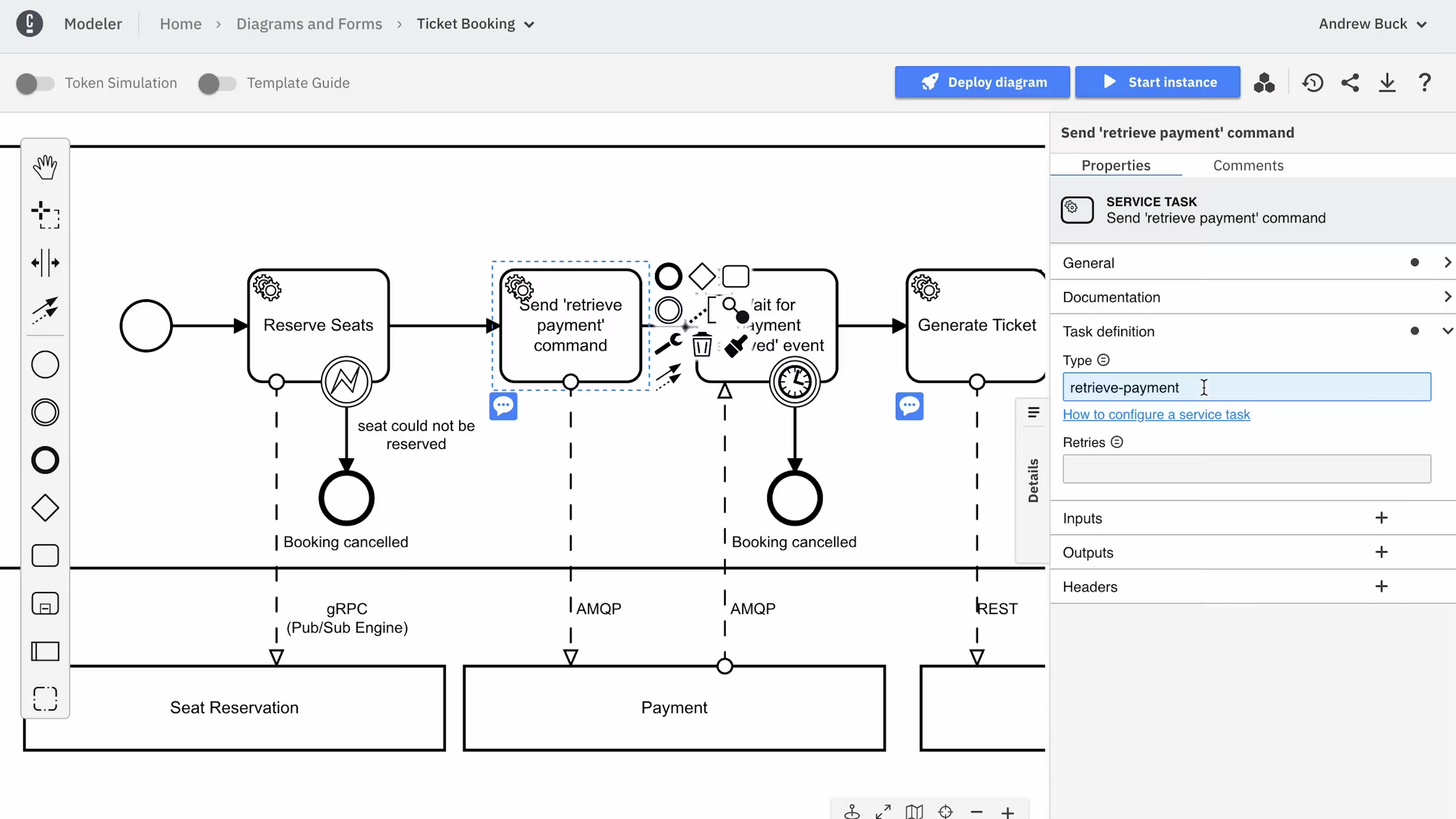
Noxus is the strongest Camunda alternative for organisations that want business and engineering teams to run AI-assisted operations together, without every change to the process going through a BPMN model and a development cycle. Process Builder defines the work, each Case keeps its state and history, and Work Queues give operators the cases and exceptions they own.
Camunda is a capable orchestration engine, and engineering teams that know BPMN get a lot from it. Teams look at alternatives when they lack developers to build task interfaces and integrations, when the move between Camunda versions turns into a project of its own, or when they want process owners to change the work directly.
This guide compares nine alternatives to Camunda across code-first engines, BPM suites and process tools. The comparison is based on verified G2 and Capterra reviews and a detailed analysis of each tool in October 2026.
Key Takeaways (TL;DR)
Who Camunda Is For: Engineering-led organisations that want process models in BPMN and DMN, executed at high volume, with developer control over integrations, task interfaces and deployment.
Why Seek a Camunda Alternative: Reviews point to the learning curve, the developer effort needed for task interfaces and integrations, documentation gaps and licensing for enterprise features. Some teams also want business owners to change processes without a BPMN release cycle.
Best Overall Alternative: Noxus, for operations where Agents, exact rules, people and existing systems work on the same case. Processes, persistent Cases and Work Queues carry the work through waits, exceptions and versioned changes.
What Sets Noxus Apart: Noxus brings process orchestration, agent execution and control over deployment and model access together, with Work Queues for the people who run the operation, so teams do not build an operator interface around the engine.
How to Choose: Decide which process representation and engineering practices you want to keep, including existing BPMN models. Then test how each option handles a wait, a failed system action and a reviewed change on one real process.
Top Camunda Alternatives in 2026 at a Glance
Tool | Best For | Key Features | Pros | Cons |
Noxus | AI-assisted operations run by business and engineering teams together | Process Builder, Cases, Work Queues, Agents and Flows, versioned releases, managed cloud or customer-controlled deployment | Operator Work Queues included; case state through waits and exceptions; model access separate from the process | Processes defined outside BPMN; evaluation starts with a scoped process; code-first teams may prefer an engine |
Temporal | Engineering teams writing durable workflows as code | Durable execution, SDKs in several languages, retries and timers, Temporal Cloud or self-hosted | Reliable long-running execution; workflows in familiar languages; strong developer tooling | Code only, no visual modelling; learning curve for its execution model; business users excluded |
Flowable | Teams that want BPMN, CMMN and DMN in one engine | BPMN, CMMN and DMN engines, Flowable Work and Design, case management, AI features | Open standards with case management; open-source core; flexible embedding | Smaller community; documentation gaps; enterprise features licensed |
Orkes Conductor | Microservice and AI agent orchestration at scale | Conductor workflows, human tasks, LLM and agent tasks, Orkes Cloud or self-hosted | Scales for high-volume orchestration; language-agnostic workers; managed cloud | Configuration options overwhelm new users; JSON workflow definitions; developer-centred |
AWS Step Functions | AWS teams orchestrating serverless and service workflows | State machines, Workflow Studio, AWS service integrations, Standard and Express workflows | Native AWS integration; fully managed; pay-per-use model | Tied to AWS; limited human task support; state language learning curve |
Appian | Enterprises building process applications with case management | Process models, case management, data fabric, AI agents, RPA | Mature BPM and case management; low-code interfaces; strong governance | Licensing cost; trained developers for advanced work; debugging effort |
Pega | Large enterprises with complex, rules-heavy case work | Case management, decisioning, Pega GenAI Blueprint, workflow automation | Deep case and rules modelling; decisioning; regulated-industry record | Steep learning curve; certified developers; long implementations |
Bizagi | Process teams that start with BPMN modelling | Bizagi Modeler, Studio, process automation, low-code forms | Free BPMN modeller; business-friendly design; low-code forms | Performance with complex processes; customisation limits; upgrade rework |
UiPath | Organisations combining robots, agents and people under BPMN orchestration | Maestro with BPMN modelling, robots, agents, case management, Orchestrator | Reaches applications with no API; broad automation suite; mature governance | Setup needs specialist skills; screen automations need upkeep; licensing planning |
n8n | Technical teams building workflow automation and AI agents | Visual workflows, AI agent nodes, integrations, code nodes, cloud or self-hosted | Fast to build; self-hosting; large integration library | Learning curve for complex flows; long workflows get hard to manage; engineering ownership |
Why Consider Camunda Alternatives?

What Camunda Does Well
Camunda provides process orchestration using BPMN-based workflows. Its agentic orchestration combines AI-driven work with deterministic rules and human tasks, and its documentation covers adding tools to agents, connecting external agents, choosing models and evaluating agent behaviour.
It holds a 4.5 average across more than 340 verified user reviews, with ease of use, automation, flexibility and integrations the strengths users name most often. Many describe a developer-friendly product that still lets technical and business teams collaborate on the same process model.
Open standards are the theme customers return to. One reviewer explains that BPMN and DMN let everyone from business analysts to developers understand a process and audit each step visually, and describes Camunda as a governance layer for AI agents. A head of loan systems at a financial services firm values the Zeebe architecture for keeping process logic separate from application code.
BPMN is the main reason teams choose it. Business analysts can read the model, engineers can execute it, and the same diagram documents the process for auditors.
For organisations with existing BPMN models and engineers who know them, Camunda is often the sensible base. Those models and that expertise belong in any comparison.
Where Camunda Falls Short
The limitations reviewers name cluster around complexity, the learning curve, setup difficulty and cost. The steep learning curve for people new to BPMN is the most common theme.
Version changes come up repeatedly. Users describe the move from Camunda 7 to Camunda 8 as a project that needs dedicated planning, and self-hosting Camunda 8 calls for Kubernetes and DevOps skills that many process teams do not have.
One reviewer sums up a wider point: the tool is developer-centric, so business users depend on developers for changes. Others mention licence cost for smaller companies, an interface that feels dated and features reserved for the enterprise edition.
Much of the work sits around the engine. Task interfaces for the people who handle exceptions, integrations with core systems and operational dashboards are often built by the team, which adds engineering work to every process.
Changes go through the same route. A business owner who wants to adjust a rule or a threshold usually depends on an engineer to change and release the model.
Our guide to the best end-to-end process automation software compares tools that include more of that surrounding work.
Best Camunda Alternative Overall

Noxus is the best overall Camunda alternative for operations where Agents, exact rules, people and existing systems work on the same case. We assessed every tool on this list against the same criteria: how it represents the process, how it handles waits and failed system actions, how people receive work, how changes are reviewed and where it can be deployed.
Noxus scores highest on those criteria for AI-assisted operations. Work is represented through Processes, persistent Cases and Work Queues, with Agents, Flows, people and systems as executors.
Camunda and Noxus both run processes with AI, rules and human tasks. The difference is the representation and the engineering practice around it: Camunda centres on BPMN models executed by an engine, while Noxus centres on the operation, with the operator's Work Queue and the Case history included.
Where a buyer requires BPMN or the migration of existing definitions, that requirement should be assessed explicitly, alongside the effort of building and operating the selected scope under each option.
Best Camunda Alternatives in 2026: In-Depth Review & Comparison
The Camunda competitors on this list fall into four groups: a process layer for AI-assisted operations, code-first orchestration engines, BPMN and BPM suites, and automation tools with orchestration.
Each entry follows the same structure: what the product does, who it fits, its strongest capabilities, why it is a credible alternative to Camunda, what reviewers say and where it stops. Ratings and review themes come from G2 and Capterra as of October 2026.
1. Noxus

Overview
Noxus helps organisations redesign and run complex business processes across agents, people and the systems they already depend on. Its Process Intelligence product holds the logic of each process, the live state of every case and the history of how the work was completed.
Founded in 2024 and based in London and Lisbon, Noxus competes in the same category of enterprise process tools as Camunda and Appian. Its focus is the operation: what AI will execute, where people stay involved, which systems must take part and how the process is maintained.
Process owners, engineers and IT each keep their part. Process owners define how the work should run, engineering teams maintain the Agents, Flows and integrations inside it, and IT and security teams set deployment, identity, model access and system access.
The systems of record keep their authority. SAP can remain authoritative for an order and Salesforce for a customer, while Noxus holds the process through which those records are read and updated.
Ideal For
Organisations evaluating process tools for AI labor alongside Camunda and Appian
Operations teams that need a Work Queue for exceptions without building one
Engineering teams that want versioned releases, Flow evaluation and GitOps-style change control
Regulated organisations that need private, on-premises or restricted deployment
Teams with task-level AI pilots that still depend on people to move each case
Top Features
Process Builder maps activities, decisions, systems and exceptions, then assigns each activity to an Agent, a Flow, a person or a system action.
Each Case keeps its data, documents, state, tasks and history through waits, retries and human decisions, so work continues from the right point after a failure.
Work Queues show each process's cases, their status and assignment, and the human work waiting to be picked up.
The live version of a process is kept apart from drafts, each case records the version it ran under, and Flow evaluation suites rerun representative inputs before a change is released.
Agents, Flows and integrations can be reused across processes, and technical teams can extend a process with plugins.
Deployment runs in managed cloud or customer-controlled infrastructure, including Kubernetes on AWS EKS, Google GKE and Azure AKS, with model access configured separately.

Why We're the Best Camunda Alternative
Noxus includes the operational surface that engine-first tools leave to the team. Work Queues bring cases and human work to the responsible people, and the Case history shows what an Agent did, which systems changed and where a person stepped in.
Deterministic control sits around probabilistic AI. A model can prepare a recommendation while an exact rule decides whether an action is permitted or a person must decide, and that rule lives in process logic outside the model.
Business history and technical detail stay connected. Operators follow the functional history of a case, while engineers inspect Flow runs and technical logs for the same work.
Model access sits outside the process definition. A team can change its approved model or provider without rebuilding the process, and where Noxus runs does not by itself decide where inference runs.
Pros
Work Queues and Case history included for the people who run the operation
Case state kept through waits, retries, failures and human decisions
Exact rules and approval limits kept in deterministic logic outside the model
Versioned releases with Flow evaluation before changes reach production
Deploys in managed cloud or customer-controlled infrastructure, with model access configured separately
Cons
Processes are defined in Process Builder, so organisations that require BPMN or plan to migrate existing definitions need to assess that requirement explicitly
Evaluation starts with a scoped process and business case, which suits teams with a defined operation
Teams that want every workflow written as code may prefer a code-first engine such as Temporal
Customer Reviews
Noxus holds 5.0 out of 5 across three G2 reviews. Reviewer tags highlight ease of setup, integrations, customer support and customer engagement.
Users describe automation that cut the time their teams spent on manual tasks, with a support team that answered questions quickly during implementation. They also point to a wide range of available integrations and a team that guides customers at each stage.

Final Verdict
Noxus is the right Camunda alternative when the goal is to run an operation, with AI, rules and people on the same case, without building the operator interface and integrations around an engine. It gives process owners, engineers and IT a shared way to design, run and change the work.
The results stay attached to their scope. At José de Mello Saúde, CUF's patient communications and document-processing deployment was completed within two months in its private cloud, reaching over 95% precision and saving over 600 hours of manual work a month.
2. Temporal
Overview
Temporal is a durable execution system for writing long-running workflows as code. Developers write workflows in Go, Java, TypeScript, Python, .NET and other languages, and Temporal keeps their state through failures, retries, timers and waits that can last days or months.
The open-source server can be self-hosted, and Temporal Cloud runs it as a managed service. Workflows are ordinary code, so teams test, version and review them with the tools they already use.
Its users are engineering teams building payment flows, order processing, infrastructure automation and AI agent pipelines that must not lose state.
Ideal For
Engineering teams that prefer workflows in code to visual models
Infrastructure teams building reliable microservice orchestration
Organisations running long-running transactions such as payments and orders
Teams building AI agent pipelines that need durable state
Top Features
Durable execution that preserves workflow state through failures and restarts.
SDKs in several languages, with workflows written as ordinary code.
Built-in retries, timers and signals for long waits and external events.
Visibility into running and completed workflows.
Temporal Cloud or self-hosted deployment.
Why It's a Strong Camunda Alternative
Temporal is one of the strongest choices for engineering teams that want to drop BPMN and write workflows in code. Developers keep their usual languages, tests and code review, and durable execution handles the state that a BPMN engine would otherwise manage.
Reliability is the main argument. Reviewers describe workflows that resume correctly after outages and retries without custom recovery code.
Pros
Durable state through failures, retries and long waits
Workflows written in familiar programming languages
Testing and version control with standard developer tools
Managed cloud or self-hosted deployment
Strong reliability for high-value transactions
Cons
Code only, with no visual modelling for business users
Its deterministic execution model takes time to learn
Task interfaces and operator views are built separately
Business process owners depend on engineers for every change
Action-based pricing is hard to estimate in advance
Customer Reviews
Temporal Cloud holds 4.5 out of 5 across 47 G2 reviews.
Customers praise its reliability and transparency, with automatic retries, state persistence and recovery from the failed step, plus an execution history that makes debugging easier. Several value the managed scaling of Temporal Cloud.
The criticisms centre on the learning curve, especially the rules of deterministic workflow code, and on an action-based pricing model that is hard to estimate.

Final Verdict
Temporal suits engineering teams that want durable, code-first orchestration and are happy to own every workflow change themselves.
It moves further from business users than Camunda does. Organisations looking for an alternative because process owners want more control will find less of it here.
3. Flowable

Overview
Flowable is a process automation tool built on open-standard engines for BPMN, CMMN and DMN. Its open-source core grew out of the Activiti project, and Flowable Work and Flowable Design add enterprise modelling, case management and user interfaces.
CMMN support is its distinguishing feature. Teams can model structured processes in BPMN and less predictable case work in CMMN, with decisions in DMN, all in one engine.
Its customers include banks, insurers and public-sector organisations that want open standards with case management, either embedded in their own applications or as a complete product.
Ideal For
Teams that want BPMN, CMMN and DMN in one engine
Organisations embedding a workflow engine in their own Java applications
Banks and insurers modelling case-based work with open standards
Camunda 7 users looking for a familiar engine model
Top Features
BPMN, CMMN and DMN engines in one product.
Flowable Design for modelling processes, cases, forms and decisions.
Flowable Work for case management and task handling.
Agentic features, including multi-agent orchestration through A2A and MCP with dashboards for usage and cost.
Embedded or standalone deployment, on-premises or in the cloud.
Why It's a Strong Camunda Alternative
Flowable is one of the closest Camunda competitors on open standards, with CMMN case management added. Teams already working in BPMN can bring their models and skills across.
Its engine model will feel familiar to Camunda 7 users. Flowable Work adds the task and case interfaces that Camunda teams often build themselves.
Pros
BPMN, CMMN and DMN in one engine
Case management through CMMN
Open-source core with enterprise options
Embeddable in Java applications
Task and case interfaces in Flowable Work
Cons
Smaller community than Camunda
Documentation has gaps for advanced features
Enterprise modelling and case features need a commercial licence
Developer skills needed for integrations
Customer Reviews
Flowable Platform holds 4.3 out of 5 across 13 G2 reviews, and Flowable holds 4.5 out of 5 across 13 Capterra reviews.
Users praise ease of use, customisation and automation, with BPMN, CMMN and DMN in one product and a RESTful design that fits existing systems. Capterra reviewers rate process modelling at 4.6.
The criticisms focus on the learning curve for advanced functions, thin documentation and missing features, and some customers say it needs specialist expertise.

Final Verdict
Flowable suits teams that want to stay with open process standards, need CMMN case management and prefer an engine that can be embedded in their applications.
It is a like-for-like move for many Camunda users. The process representation and engineering practices stay close to what they already run.
4. Orkes Conductor

Overview
Orkes Conductor is the enterprise version of Conductor, the workflow orchestration engine originally built at Netflix. Orkes, founded by Conductor's creators, offers it as a managed cloud service and for self-hosting.
Workflows are defined in JSON or code and run tasks implemented by workers in any language. Orkes adds human tasks, LLM and agent tasks, security controls and enterprise support.
Its users are engineering teams orchestrating microservices, data pipelines and AI agents at high volume.
Ideal For
Engineering teams orchestrating microservices at scale
Organisations already using open-source Conductor
Teams combining LLM calls and agents with service tasks
Infrastructure teams that want language-agnostic workers
Top Features
Workflow orchestration with language-agnostic workers.
Human tasks for approvals and reviews inside workflows.
LLM and agent tasks for AI steps.
Visual workflow view, monitoring and replay.
Orkes Cloud or self-hosted deployment.
Why It's a Strong Camunda Alternative
Orkes Conductor is one of the strongest choices for high-volume service orchestration without BPMN. Its worker model lets teams write tasks in any language, and it scales for large numbers of concurrent workflows.
AI tasks and human tasks sit in the same workflow definition. For teams that used Camunda mainly to orchestrate services, it offers a lighter definition format.
Pros
Scales for high-volume orchestration
Workers in any programming language
Human, LLM and agent tasks in workflows
Managed cloud or self-hosted
Monitoring and workflow replay
Cons
Configuration options can overwhelm new users
JSON workflow definitions are harder for business users to read
Developer-centred, with limited tooling for process owners
Operator interfaces for exception handling need building
Customer Reviews
Orkes holds 4.6 out of 5 across 27 G2 reviews.
Users praise ease of use and customer support, describing how it simplifies complex workflow creation and scales as volumes grow. Integrations and reusable workflow steps also come up.
The criticisms focus on the learning curve and the skills needed to use it well. Some reviewers find the configuration options overwhelming and mention occasional interface glitches.

Final Verdict
Orkes Conductor suits engineering teams that need high-volume service and AI orchestration and do not need BPMN.
Business-facing process work is not its focus. Teams that need process owners and operators involved will build those parts around it.
5. AWS Step Functions

Overview
AWS Step Functions is Amazon's managed service for orchestrating AWS services as state machines. Workflows are defined in the Amazon States Language or designed visually in Workflow Studio.
Standard workflows run for up to a year with exactly-once execution, while Express workflows handle high-volume, short-lived events. Direct integrations call Lambda, DynamoDB, SQS, Bedrock and many other AWS services without glue code.
Its users are AWS-centred engineering teams orchestrating serverless applications, data processing and machine learning pipelines.
Ideal For
Engineering teams building on AWS
Serverless application and data pipeline orchestration
Teams calling Bedrock and other AWS AI services in workflows
Organisations that want a fully managed service with no servers
Top Features
State machines in the Amazon States Language.
Workflow Studio for visual design.
Direct integrations with AWS services.
Standard workflows for long-running work and Express workflows for high-volume events.
Error handling with retries and catch states.
Why It's a Strong Camunda Alternative
AWS Step Functions is one of the smartest choices for AWS teams that used Camunda mainly to orchestrate services. It removes the engine to operate, and integrations with AWS services need little code.
Billing per state transition suits variable workloads. Error handling and retries are part of the state machine definition.
Pros
Fully managed, with no engine to operate
Direct integration with AWS services
Visual design in Workflow Studio
Long-running and high-volume workflow types
Built-in retries and error handling
Cons
Tied to AWS
Human tasks need custom work with callbacks and other services
The Amazon States Language has a learning curve
Debugging complex state machines takes effort
Customer Reviews
AWS Step Functions holds 4.3 out of 5 across 36 G2 reviews and 4.7 out of 5 across 19 Capterra reviews.
Users praise visual workflow design and quick integration with other AWS services, along with built-in retries, error handling and traceability. Capterra reviewers rate customer service at 4.8.
The criticisms centre on learning the Amazon States Language, large definitions that become hard to manage, debugging nested workflows and costs that rise with many state transitions.

Final Verdict
AWS Step Functions suits AWS-centred engineering teams orchestrating services, data pipelines and AI calls without running an engine.
Business processes with human work and non-AWS systems of record need more building. It is a service orchestrator first.
6. Appian

Overview
Appian is an enterprise process suite that embeds AI agents in business workflows. Its process models coordinate agents, human tasks, business rules, RPA and enterprise systems.
Data fabric connects data from several systems into one model, and agents take part in long-running processes with shared state and a person responsible for each decision. Low-code interfaces let teams build the screens people use to work on cases.
Its customers are large enterprises and government bodies running case management, onboarding and compliance processes.
Ideal For
Enterprises that want low-code interfaces on top of process models
Financial services, insurance and public-sector case management teams
Organisations with Appian developers or a partner
Teams that want process modelling and application building together
Top Features
Process models coordinating agents, human tasks, rules and RPA.
Case management for long-running work.
Data fabric across several systems.
Low-code interfaces and records.
Controls over access, execution and agent activity.
Why It's a Strong Camunda Alternative
Appian is one of the strongest choices for organisations that want the task interfaces Camunda leaves to developers. Low-code screens, records and case management come with the suite.
It suits teams that want less custom engineering around the process. The trade-off is a vendor-specific model in place of open BPMN execution.
Pros
Low-code interfaces for case work
Mature process modelling and case management
Data fabric across systems
Agents, rules, people and RPA in one process model
Strong governance for regulated industries
Cons
Licensing cost is high for smaller teams
Advanced work needs trained Appian developers
Debugging complex interfaces takes effort
Less suited to high-volume service orchestration
Customer Reviews
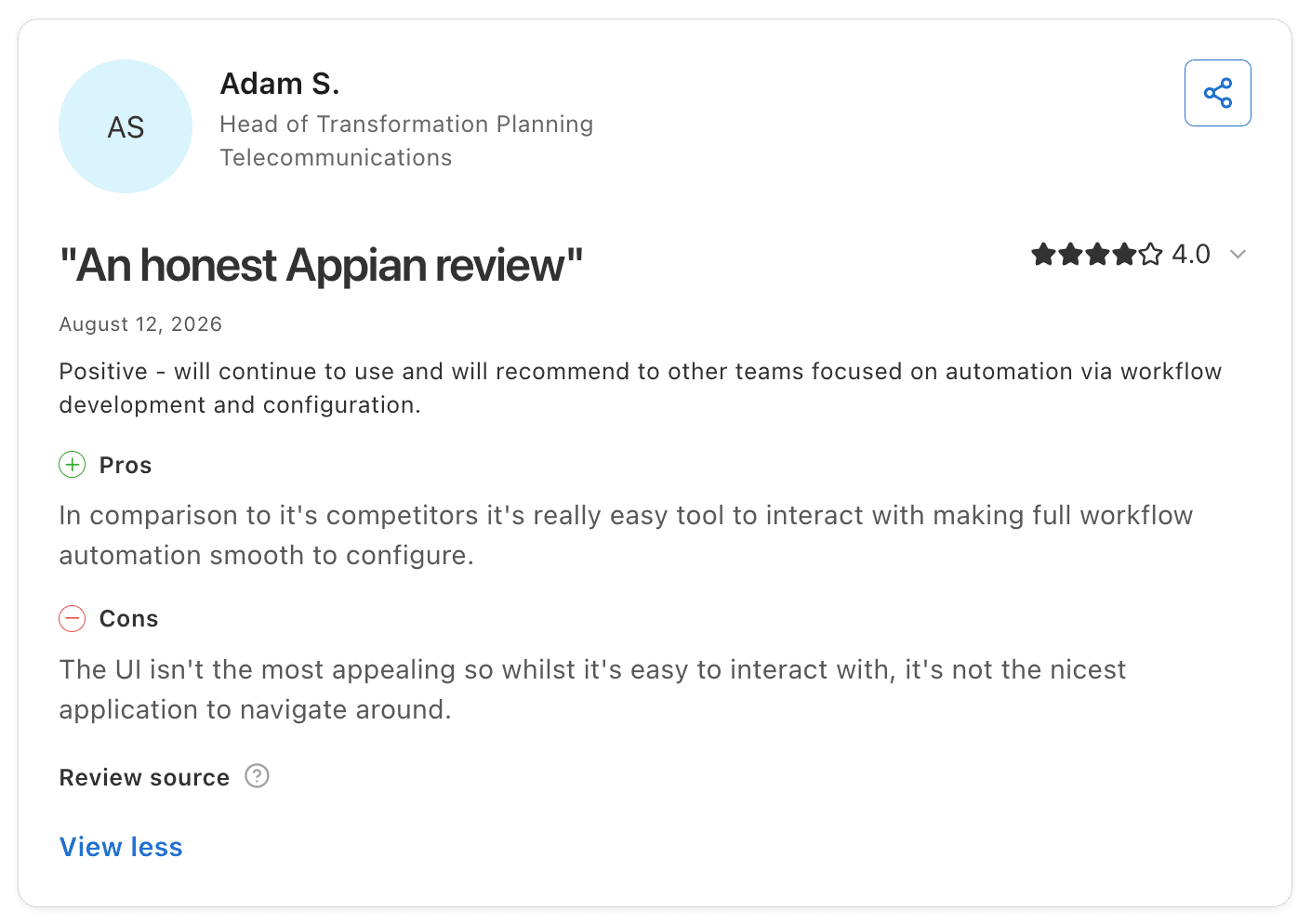
Appian holds 4.5 out of 5 across 522 G2 reviews and 4.2 out of 5 across 77 Capterra reviews.
Users praise ease of use and fast application development, with low-code tools, automation and strong integrations helping teams deploy quickly. Several describe querying data from Salesforce and SAP without migrating it.
The criticisms concentrate on licensing costs, which many reviewers call prohibitive for smaller organisations. Others mention limited flexibility and customisation, debugging effort and the learning curve of its expression language.
Final Verdict
Appian suits enterprises that want case management and low-code interfaces without building them around an engine, particularly in regulated industries.
Teams that chose Camunda for open standards and developer control will give up both. The gain is less custom engineering for business-facing work.
7. Pega

Overview
Pega, from Pegasystems, is an enterprise suite for case management, workflow automation and real-time decisioning. Its approach models work around cases and the outcomes they should reach, with rules deciding how each case moves.
Pega GenAI Blueprint generates a first version of an application design from a description of the process. Its decisioning engine is widely used in customer engagement to choose next-best actions.
Its customers are large, regulated enterprises with complex processes and the budget for a multi-year programme.
Ideal For
Large banks and insurers running complex, rules-heavy case work
Government agencies with case management obligations
Enterprises that want rules, decisioning and case management in one suite
Organisations with Pega developers or a systems integrator
Top Features
Case management with stages, steps and outcomes.
Rules and decisioning applied across channels.
Pega GenAI Blueprint for application design.
Workflow automation with robotic and API integration.
Low-code interfaces for case workers.
Why It's a Strong Camunda Alternative
Pega is one of the strongest choices for organisations whose processes depend on complex rules and case management. Its case model and rules engine cover work that would need extensive custom code around a BPMN engine.
Interfaces for case workers come with the suite. For enterprises that found Camunda left too much to build, Pega covers more of the operation out of the box.
Pros
Deep case management for complex work
Rules and decisioning applied consistently
Blueprint for early application design
Case worker interfaces included
Proven in regulated industries
Cons
Steep learning curve for developers and administrators
Usually needs certified Pega developers or a systems integrator
Implementations are long and expensive
Vendor-specific modelling in place of open standards
Customer Reviews
Pega holds 4.2 out of 5 across 278 G2 reviews, and Pega Platform holds 4.3 out of 5 across 17 Capterra reviews.
Reviewers praise case management, customisation and integrations, and several describe it as one of the most complete BPM tools they have used.
The criticisms concentrate on cost and the learning curve, with value for money the lowest Capterra sub-rating at 3.9. Some customers also find that its low-code work still needs developers.

Final Verdict
Pega suits large enterprises with rules-heavy case work that want rules, decisioning and case worker interfaces in one suite.
It replaces Camunda's developer effort with specialist Pega effort. Teams should compare the total skills and programme size, not only the features.
8. Bizagi

Overview
Bizagi is a low-code process automation tool that starts from BPMN modelling. Bizagi Modeler, a free BPMN tool, documents processes, and Bizagi Studio and its automation service turn those models into running processes.
Business analysts design processes and forms visually, while IT connects systems and manages deployment. Bizagi Modeler runs on the desktop and automated processes run in Bizagi's cloud, and recent releases add AI agents and Ada, an assistant for analysing process data in plain language.
Its customers include mid-sized and large organisations that want business-led process design with BPMN.
Ideal For
Process teams that model in BPMN and want business-led automation
Organisations moving from process documentation to execution
Mid-sized enterprises automating approval and case processes
Teams that want low-code forms on top of BPMN models
Top Features
Bizagi Modeler for free BPMN process modelling.
Studio for building automated processes and forms.
Low-code process automation with business rules.
Integration with enterprise systems.
Cloud deployment and process monitoring.
Why It's a Strong Camunda Alternative
Bizagi is one of the smartest choices for organisations that want to keep BPMN but move process design towards business analysts. Forms and process logic are built visually, with less developer effort than Camunda.
The free modeller makes it easy to document processes before automating them. Teams keep a standard notation from documentation through execution.
Pros
Keeps BPMN with business-friendly design
Free modeller for process documentation
Low-code forms and process logic
Quick to move from model to running process
Cloud deployment
Cons
Performance can slow with complex processes
Customisation of forms and interfaces is limited
Version upgrades can mean reworking custom logic
Less developer control than Camunda
Customer Reviews
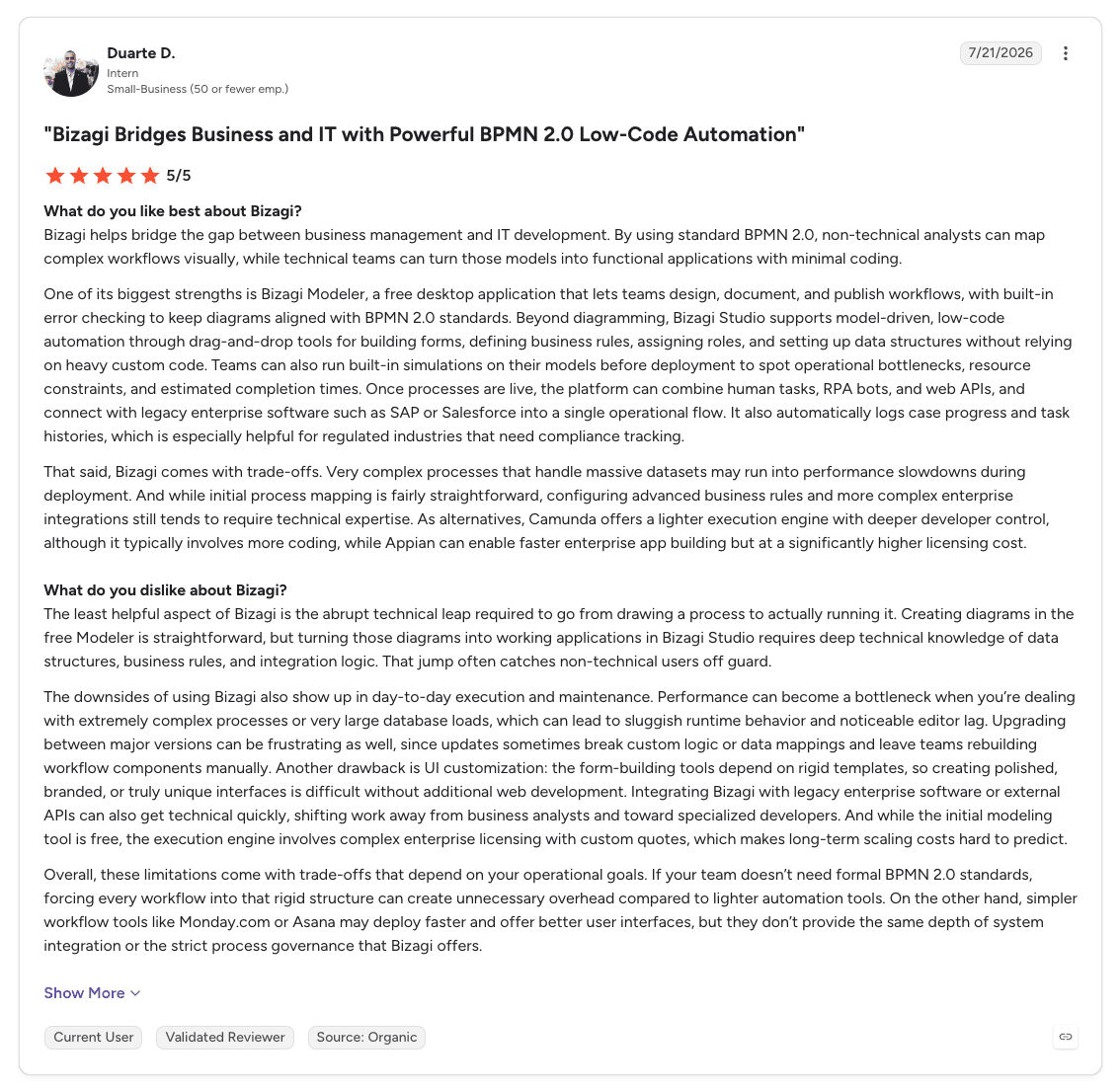
Bizagi holds 4.6 out of 5 across 319 G2 reviews and 4.4 out of 5 across 142 Capterra reviews.
Users praise the intuitive interface and visual BPMN modelling, with low-code automation that lets technical and non-technical users work on the same processes. Capterra reviewers rate process modelling and workflow management at 4.9.
The criticisms focus on slow performance with large or complex models, missing features and a learning curve for advanced work. Some customers also describe rework after version upgrades.
Final Verdict
Bizagi suits organisations that want BPMN processes designed and automated by business analysts with less engineering effort than Camunda.
High-volume orchestration and complex integrations are not its focus. Engineering-led teams will find it less flexible.
9. UiPath

Overview
UiPath is a broad enterprise automation and orchestration suite. Maestro coordinates AI agents, robots, systems and human work, with BPMN modelling, retained process state and operational controls.
Its case management product handles evolving, document-heavy work through stages, agent actions, human decisions and escalations. Robots automate applications that have no usable API.
UiPath sells to large enterprises, many with established automation programmes, in its cloud or in customer-managed infrastructure.
Ideal For
Enterprises whose existing robots must take part in orchestrated processes
Teams that want BPMN orchestration and RPA from one vendor
Organisations automating applications with no usable API
Shared-services centres with document-heavy work
Top Features
Maestro orchestration with BPMN modelling across agents, robots and people.
Case management for document-heavy work.
Robots for desktop, web, SAP GUI, Citrix and mainframe applications.
Document Understanding for invoices, forms and unstructured documents.
Orchestrator for governing robots and agents.
Why It's a Strong Camunda Alternative
UiPath is a direct alternative where existing robots and automations are part of the scope. Maestro brings BPMN orchestration into the same suite as the robots and agents that perform the work.
Teams that used Camunda to orchestrate RPA alongside services can consolidate onto one vendor. The useful questions are what can be reused and where orchestration and exception ownership will sit.
Pros
BPMN orchestration with Maestro
Robots for applications with no API
Case management for document-heavy work
Mature governance through Orchestrator
Large community and training catalogue
Cons
Teams starting from a single process, without an existing UiPath estate, take on more setup across robots, agents and Maestro
Screen-based automations need maintenance when target applications change
Licensing across robots, agents and add-ons takes effort to plan
Customer Reviews
UiPath Agentic Automation holds 4.6 out of 5 across 7,735 G2 reviews, and UiPath holds 4.6 out of 5 across 723 Capterra reviews. That is the largest review base on this list.
Users praise the range of what UiPath automates and how easy it is to start, with free training, certifications and community support singled out on Capterra.
The criticisms concentrate on licensing cost, the learning curve and complexity. Capterra reviewers also mention stability and error handling in complex automations.

Final Verdict
UiPath suits enterprises with an automation estate that want BPMN orchestration, robots and agents from one vendor.
The decision is whether to extend the UiPath estate or adopt a process-first layer for the process itself. Teams without UiPath today face a broad suite to set up.
10. n8n

Overview
n8n combines workflow automation, AI agents and integration in a visual, node-based editor. Teams connect hundreds of services, add code where nodes fall short and build AI agents that call tools.
Its enterprise offering includes project permissions, separate development and production instances, execution history and cloud or self-hosted deployment. Human review can pause a selected Agent tool call for approval or rejection before the action runs.
Its users are technical teams building integration flows and AI agents, from startups to enterprise IT departments.
Ideal For
Technical teams building integration and AI workflows quickly
Organisations that want to self-host their automation
Engineering teams that want visual flows with code where needed
Teams building AI agents that call tools and APIs
Top Features
Visual node-based workflows with code nodes.
AI agent nodes with tools and model choice.
A large library of integrations.
Human review before selected agent actions.
Cloud or self-hosted deployment with execution history.
Why It's a Strong Camunda Alternative
n8n is one of the smartest choices for technical teams whose Camunda use is mostly integration and automation flows. Building a flow is faster than modelling and deploying BPMN, and self-hosting keeps control with the team.
Its AI agent nodes let teams add model steps and tool calls quickly. Existing n8n automation can stay part of the environment when a wider process is introduced around it.
Pros
Fast to build integration and AI workflows
Self-hosted or cloud deployment
Code nodes where visual nodes fall short
AI agent nodes with human review of tool calls
Large integration library and active community
Cons
Complex flows have a learning curve
Long workflows become hard to manage visually
Engineering ownership needed in production
Ongoing case representation and operator work queues need design around the flows
Customer Reviews
n8n holds 4.7 out of 5 across 323 G2 reviews and 4.6 out of 5 across 48 Capterra reviews.
Users praise its broad integrations, the flexible builder and the choice of self-hosting or cloud, and describe automating complex processes at scale. Capterra reviewers rate its value for money at 4.6.
The criticisms concentrate on the learning curve for beginners, particularly without API knowledge, and on advanced features that can cost extra.

Final Verdict
n8n suits technical teams building integration and AI workflows quickly, especially where self-hosting matters.
The comparison with Camunda is about what the organisation will operate after the workflow is built. Where the ongoing case and the people who handle exceptions are central, check how each option represents them.
What Makes a Good Camunda Alternative?
1. A Process Representation Your Teams Can Maintain
BPMN, code, JSON definitions and process builders each suit different teams. A good alternative fits the people who will change the process after launch.
Engineering-led teams may prefer code or BPMN. Organisations where process owners change rules need a representation they can read and adjust.
2. State That Survives Waits and Failures
Long-running work is what orchestration engines are for. The alternative must keep the case through waits, retries, failed system actions and human decisions.
Ask to see a failed system call during a demo. The work should continue from the right point once the issue is resolved.
3. An Operator View for Exceptions
Someone has to receive the cases that cannot finish automatically. Check whether the alternative includes that view or whether your team builds it.
The person picking up an exception should see what has already happened, the information used and what remains.
4. Change Control for Processes, Prompts and Models
AI adds new things that change: prompts, models and agent tools. Look for versioned definitions, review before release and evaluation against representative cases.
Live cases should stay on the version that started them, with a record of which version ran each one.
5. Deployment and Model Access That Match Your Architecture
Camunda users often self-manage, and the alternative should support the same control. Check cloud, self-hosted and Kubernetes options against your standards.
Treat model access separately. The location of the deployment does not decide where a model processes data.
How to Choose the Right Camunda Alternative for Your Needs
1. Decide Which Practices You Want to Keep
Start with your existing BPMN models, your engineers' skills and your release process. Some alternatives keep BPMN, some replace it with code and others with a process builder.
Where you require particular modelling standards or the migration of existing definitions, assess that requirement explicitly for each option.
2. Map Who Changes the Process After Launch
List the changes you expect in the first year, such as new rules, thresholds, models and integrations, and who will make each one.
If engineers make every change, a code-first engine may fit. If process owners need to adjust rules, test how each option supports that safely.
3. Test a Wait, a Failure and a Change on One Process
Ask each vendor to show a case waiting for information, a failed system action and a reviewed change released while cases are running. These three moments show more than any feature list.
For guidance on designing the process before choosing the engine, see our guide to the best workflow design tools.
4. Count the Work Around the Engine
Include task interfaces, operator dashboards, integrations and monitoring in the estimate. With some options your team builds these, and with others they come included.
Compare the build and the ongoing maintenance under each option for the same scope.
5. Settle Deployment and Model Access With IT Early
Agree where the software runs, where case data is stored and which models it may call before the functional evaluation. These decisions often narrow the shortlist.
Check support for your Kubernetes standards, private cloud or on-premises requirements, and your own model provider accounts.
6. Prove It on One Process
Choose one process with clear volume and an owner, and agree success measures before the pilot. Measure turnaround time, exception rates and the human effort that remains.
For teams with fewer developers, our guide to the best no-code workflow automation software covers lighter options.
Everything You Need to Know About Camunda Alternatives
Tool | Pros | Cons | Ease of Use | Integrations | Support | Operator Tools | Deployment Control |
Noxus | Work Queues included; case state through failures; versioned releases | Defined outside BPMN; scoped evaluation; not code-first | ⭐⭐⭐⭐ | ⭐⭐⭐⭐⭐ | ⭐⭐⭐⭐⭐ | ⭐⭐⭐⭐⭐ | ⭐⭐⭐⭐⭐ |
Temporal | Durable execution; workflows in code; developer tooling | Code only; execution model learning curve; no business view | ⭐⭐ | ⭐⭐⭐⭐ | ⭐⭐⭐⭐ | ⭐⭐ | ⭐⭐⭐⭐⭐ |
Flowable | BPMN, CMMN and DMN; case management; embeddable | Smaller community; documentation gaps; licensed enterprise features | ⭐⭐⭐ | ⭐⭐⭐ | ⭐⭐⭐⭐ | ⭐⭐⭐⭐ | ⭐⭐⭐⭐⭐ |
Orkes Conductor | High-volume scale; any-language workers; AI tasks | Configuration overload; JSON definitions; developer-centred | ⭐⭐⭐ | ⭐⭐⭐⭐ | ⭐⭐⭐⭐ | ⭐⭐ | ⭐⭐⭐⭐ |
AWS Step Functions | Fully managed; AWS integrations; visual design | AWS only; limited human tasks; state language | ⭐⭐⭐ | ⭐⭐⭐⭐ | ⭐⭐⭐ | ⭐ | ⭐⭐ |
Appian | Low-code interfaces; case management; data fabric | Licensing cost; trained developers; debugging effort | ⭐⭐⭐ | ⭐⭐⭐⭐ | ⭐⭐⭐⭐ | ⭐⭐⭐⭐⭐ | ⭐⭐⭐⭐ |
Pega | Deep case management; decisioning; case worker interfaces | Steep learning curve; certified developers; long implementations | ⭐⭐ | ⭐⭐⭐⭐ | ⭐⭐⭐⭐ | ⭐⭐⭐⭐⭐ | ⭐⭐⭐⭐ |
Bizagi | Business-led BPMN; free modeller; low-code forms | Complex-process performance; customisation limits; upgrade rework | ⭐⭐⭐⭐ | ⭐⭐⭐ | ⭐⭐⭐ | ⭐⭐⭐ | ⭐⭐⭐ |
UiPath | Maestro BPMN orchestration; robots; case management | Specialist setup; screen upkeep; licensing planning | ⭐⭐⭐ | ⭐⭐⭐⭐⭐ | ⭐⭐⭐⭐ | ⭐⭐⭐⭐ | ⭐⭐⭐⭐ |
n8n | Fast to build; self-hosting; large integration library | Complex-flow learning curve; long-flow management; engineering ownership | ⭐⭐⭐⭐ | ⭐⭐⭐⭐⭐ | ⭐⭐⭐ | ⭐⭐ | ⭐⭐⭐⭐⭐ |
Run Your Next Operation on Noxus
Noxus runs operations where Agents, exact rules, people and existing systems work on the same case. Process Builder defines the work, Cases keep each request's state and history, and Work Queues bring exceptions to the people who own them.
Engineers keep control of Agents, Flows, integrations and releases. Process owners define how the work should run, and IT sets deployment, identity, model access and system access.
Deployment follows your architecture, in managed cloud or your own infrastructure, including Kubernetes on AWS EKS, Google GKE and Azure AKS, with model access configured through your approved providers.
KIRCHHOFF Automotive's supplier-quality document process went into production 30 days after kickoff and writes validated documents into SAP S/4HANA through OData, without changes to SAP.
Book a demo with Noxus and bring the process your team would otherwise model, build an interface for and integrate by hand.
FAQs About Camunda Alternatives
What is Camunda used for?
Camunda is used for orchestrating business processes and microservices with BPMN workflows and DMN decision tables. Engineering teams use it to run long-running processes at high volume, and its agentic orchestration combines AI-driven work with deterministic rules and human tasks. Organisations choose it when they want process models in an open standard with developer control over integrations and deployment.
What is the best Camunda alternative in 2026?
Noxus is the best Camunda alternative in 2026 for operations where Agents, exact rules, people and existing systems work on the same case. It represents work through Processes, persistent Cases and Work Queues, keeps state through waits and failed system actions, and deploys in managed cloud or customer-controlled infrastructure with model access configured separately.
What features should I look for in a Camunda alternative?
The features to look for in a Camunda alternative are a process representation your teams can maintain, state that survives waits and failures, and an operator view for exceptions. Versioned changes with review and evaluation before release matter once AI prompts and models are part of the process. Check deployment against your Kubernetes or self-hosting standards and control over model access.
How to choose the best Camunda alternative for your needs?
To choose the best Camunda alternative for your needs, decide first which practices you want to keep, including BPMN models, engineering skills and release processes. Map who will change the process after launch, then test a wait, a failure and a reviewed change on one real process with each option. Count the interfaces and integrations around the engine, settle deployment and model access early and prove the shortlist on one process.
Is it easy to switch from Camunda to Noxus?
Switching from Camunda to Noxus is usually done one process at a time, and existing Camunda processes can keep running alongside it. Processes in Noxus are defined in Process Builder, so a process moves by redesigning it there, and any requirement to migrate existing definitions should be assessed explicitly. KIRCHHOFF Automotive's first process went into production 30 days after kickoff, and delivery timing follows each client's scope and system access.
Is Noxus better than Camunda?
Noxus is better than Camunda for operations where process owners, operators and engineers all work on the same process, and where Work Queues and Case history should come included. Camunda is the stronger choice for engineering teams committed to BPMN and DMN with high-volume service orchestration. The comparison should cover the same scope, including the interfaces and integrations each option needs.
What is the main difference between Noxus and Camunda?
The main difference between Noxus and Camunda is how the process is represented and who maintains it. Camunda executes BPMN models on an engine, with task interfaces and operational views often built by the team. Noxus represents work through Processes, persistent Cases and Work Queues, with Agents, Flows, people and systems as executors and the operator's view included.
How do we stop AI agents from acting outside the rules of the process?
AI agents stay within the rules of a process when those rules are enforced by the process, outside the model. In Noxus, exact checks, policy thresholds and approval limits sit in deterministic logic, while guardrails set what an Agent may read and change and which systems it may call. A model can prepare a recommendation, and the process decides whether the action is permitted or a person must decide.






