Best FNOL Automation Software in 2026 (Feature & Pricing Comparison)
Discover the best FNOL automation software for insurance claims and find the right option for you. Compare Noxus, Jinba, Ushur, and more to automate claims intake end-to-end.

Key Takeaways (TL;DR)
The Best FNOL Automation Software Overall: Noxus gets the top spot on the list for best FNOL automation software. Our platform is ideal for insurers running complex, multi-system environments. It takes a loss notification from any channel, queries internal systems, requests missing documents, and opens a fully populated claim in your claims management platform - all without manual intervention.
Why Do You Need It: Manual FNOL intake is slow, inconsistent, and scales poorly. Implementing an FNOL automation software compresses the gap between notification receipt and assessment-ready claim file, freeing handlers for the work that actually requires human judgment.
Who It's For: Implementing FNOL automation in insurance is ideal for decision-makers Insurance carriers, managing general agents (MGAs), and claims operations teams dealing with high intake volumes across multiple channels and product lines.
How to Choose the Right One: To choose the best FNOL automation software, match the tool to your system complexity (legacy vs. modern stack), and then assess whether it handles the full intake workflow or just one step. To cap it off, confirm if the tool of your choice can deploy within your data sovereignty requirements or not.
Expected Price: Noxus is the best FNOL automation software currently, since we operate on a monthly platform license with custom pricing based on operational volume. Across the broader market, pricing usually ranges from free tiers on lightweight tools like Make.com (starts at $9/month), through to enterprise-grade solutions like Nolana AI, Floatbot AI and Strada - offering complex, multi-system insurance deployments.
Table of Contents
Top FNOL Automation Software in 2026 at a Glance
← scroll to see all columns →
| Company | Best For | Key Features | Pricing |
|---|---|---|---|
| Noxus | Enterprise insurers on legacy stacks | Multi-system FNOL executionDocument validationFull audit trailGuidewire integration | Custom (monthly license), usage-based |
| Jinba | Mid-size insurers and MGAs | AI intake classificationNo-code workflow builderClaims routing | Free From $39/month |
| Strada | Insurers wanting pay-per-outcome automation | Usage-based workflow runsStructured routing | Usage-based 14-day free trial available |
| Ushur | Customer communication-heavy FNOL | AI-driven claimant engagementMulti-channel intakeDocument collection | Custom (sales-led) |
| Zapier | Lightweight notification routing | 7,000+ app integrationsSimple conditional workflows | Free From $29.99/month |
| Neudesic | Large insurers needing consulting-led build | IBM-backed AI developmentCustom Guidewire integrations | Custom (project-based) |
| n8n | Technical teams building custom FNOL flows | Open-sourceSelf-hostableVisual workflow editor | Free self-hosted From €20/month cloud |
| Make.com | Small insurers and insuretech startups | Visual automation builderCredit-based pricingWebhook triggers | Free From $9/month |
| Floatbot AI | Conversational FNOL intake | Omnichannel chatbotVoice AIDocument collection | From $119/month |
| Nolana AI | Enterprise insurance automation | Agentic claims AILegacy system integrationInsurance-specific workflows | Custom |
What Is FNOL Automation Software?
Before we jump into discussing the best FNOL automation software, it's crucial to understand the role of FNOL automation in insurance.
FNOL stands for ‘First Notice of Loss’. In simple terms, it refers to the initial report made by a claimant to an insurer after an incident, whether that is a motor accident, property damage, a health event, or a liability claim. The FNOL stage covers everything from notification receipt through to the claim being opened in the insurer's claims management system and routed to a handler.
Implementing an FNOL automation software helps with handling this intake process without manual intervention. Instead of an operations team member manually reading an email, matching it to a policy, checking what documents are needed, chasing the claimant, and entering data into a claims platform, the software does all of that automatically.
The category sits at the intersection of AI-powered claims FNOL automation, document processing, and multi-system orchestration. Some tools cover only one piece, such as the initial intake form or document OCR. Others, particularly newer agentic platforms, run the full sequence from notification through to claim registration.
The insurance industry as a whole processes hundreds of millions of claims per year globally.
According to McKinsey, AI and automation in claims processing could reduce claims handling costs by 30% or more.
Yet the intake stage, where most manual effort sits - has historically been the last to be automated, because it requires connecting multiple systems, handling unstructured inputs, and applying claim-type-specific logic.
That is exactly the problem this list of the best FNOL automation software is built to solve.
Why Do You Need FNOL Automation Software?
Most claims operations are not slow because handlers work slowly. They are slow because every claim arrives before it is workable.
A loss notification comes in by email, portal submission, or web form. It might contain a full description, a phone number, and a policy number. Or it might contain two sentences and a name. Either way, before a handler can assess it, someone has to: match it to a policy record, identify the claim type, determine what documentation is required, check what has already been submitted, request what is missing, validate what comes back, and open the claim in the system.
That process routinely takes 24 to 72 hours in high-volume environments. It absorbs significant handler capacity before a single coverage decision is made. And it introduces inconsistency, because different team members, working different shifts, apply different standards.
The business case for FNOL process automation is not theoretical. Insurers using automated intake consistently report:
40 to 60% reduction in cost per claim at intake
80 to 95% reduction in time from notification to assessment-ready file
Measurable improvement in claimant satisfaction scores, driven largely by faster acknowledgement and fewer repeated document requests
Compliance improvements through consistent documentation and full audit trails
Beyond efficiency, implementing FNOL automation in insurance addresses a structural problem: claims volume grows, but operations headcount cannot keep pace. Manual intake is a bottleneck that gets worse as the business scales. Automation is the only way to maintain intake quality at volume without proportional headcount growth.
For insurers navigating ‘Consumer Duty’ requirements in the UK, GDPR obligations across Europe, or audit requirements from Lloyd's and other regulatory bodies, AI-powered claims FNOL automation also provides the governance layer that purely manual processes cannot.
Who Needs FNOL Automation Software?
Given below, is a list of key decision-makers who usually seek out options for the best FNOL automation software tools:
1. Insurance Operations Leaders
VP Operations, Head of Claims, and Director of Customer Operations profiles face the same core problem: intake volume grows faster than hiring can absorb it.
Every claim that arrives as an incomplete notification creates rework downstream.
Implementing the best FNOL automation software gives operations leaders a way to hit SLA targets without adding headcount, and to produce consistent, auditable intake outcomes regardless of shift, team, or geography.
2. IT and Architecture Teams at Insurers
CISO, CIO, and Enterprise Architect personas evaluating the best FNOL automation software need to know it works on the systems already in place. Most insurers run Guidewire, legacy policy admin systems, and proprietary document stores with limited API access.
The question is not whether automation is valuable; it is whether the vendor can actually connect to the stack.
Tools that require API modernisation as a prerequisite are not viable. Teams need platforms that deploy on existing infrastructure, with RBAC, SOC 2 certification, and deployment flexibility.
3. Compliance and Regulatory Teams
Consumer Duty, GDPR, Solvency II, and Lloyd's audit requirements all create pressure for documented, replayable claim intake processes. Manual intake produces no audit trail.
Implementing FNOL process automation creates one automatically, logging every action from notification receipt through to claim registration.
For compliance teams, this is not a nice-to-have; it is the difference between passing an audit and failing one.
4. MGAs and Specialist Insurers
Managing general agents typically run leaner operations than carriers but manage complex product lines with high documentation requirements.
Implementing FNOL automation in insurance at the MGA level means configuring different document checklists per product, routing to different capacity providers based on claim type, and handling intake across multiple distribution channels simultaneously.
Tools that offer this configurability without requiring large IT teams to maintain them are the right fit.
5. Digital Transformation and AI Leaders
Chief Digital Officers and Heads of AI Transformation sit on a different problem: they have approval to invest in AI-powered claims FNOL automation, but too many projects have died in pilot. They need production credentials, not demos.
Tools that have already gone live on real claim data, at real volume, in production environments, are the ones that earn internal sponsorship and survive the journey from proof-of-concept to live deployment.
6. Mid-Size Carriers and MGAs with a Single Decision-Maker
In mid-market insurance businesses, the Head of Operations, COO, or Managing Director often combines the roles of champion, budget holder, and technical decision-maker into one conversation.
There is no six-month procurement committee; there is one person who owns the outcome and signs the contract. For this profile, the buying criteria are speed-to-production, minimal IT dependency, and a clear operational impact within the first 90 days.
Implementing FNOL automation in insurance at this level means needing a vendor that handles the integration setup, goes live on existing systems without a large internal IT project, and demonstrates measurable improvement before the next BPO contract renewal.
Best FNOL Automation Software: In-Depth Review & Comparison
1. Noxus

Overview
Noxus occupies the top spot on our list as the best FNOL automation software. We are the process intelligence layer that executes FNOL intake end-to-end – inside the complex, legacy-heavy environments that most automation tools cannot survive.
Where other platforms draft, suggest, or automate one step, Noxus resolves the full operation: notification received, policy matched, documents validated, claim opened, handler routed – every action logged, every decision governed by your rules.
In insurance, we run the full FNOL intake workflow: we receive a loss notification from any channel, query policy admin, claims history, and CRM, validate the inbound document pack against claim-type requirements, chase the claimant for what is missing, open the claim in the downstream system, and route the populated file to the right handler.
Considered one of the best workflow automation software in this space, our platform ensures that every action is logged, replayable, and governed by the insurer's own rules – not by AI making autonomous coverage decisions.
We are deployed at Fidelidade, one of Portugal's largest insurance groups, handling claims intake and document processing at scale.
While other vendors require API modernisation or clean system architectures, we operate on the exact stack you already run; including Guidewire, legacy policy admin systems, COBOL-era cores, and proprietary in-house platforms that most vendors will not touch.
To sum it up, we at Noxus add the process intelligence layer which executes FNOL intake end-to-end, under audit, on top of the systems you already run.
Ideal For
Insurance carriers and reinsurers running Guidewire or legacy policy admin systems who need full-intake automation without an API modernisation prerequisite
Claims operations leaders at European insurers dealing with Consumer Duty, GDPR, or Lloyd's audit requirements who need a complete, replayable audit trail on every claim interaction
IT and security teams at regulated insurers who require on-premises or private cloud deployment, BYOK model routing, and SOC 2 / ISO 27001 / GDPR Article 28 certification
MGAs managing multiple product lines with different documentation requirements per claim type, needing per-product workflow configuration without ongoing IT dependency
Digital transformation leaders who have seen too many FNOL automation pilots fail and need a vendor with production credentials on real claim data at real volume
Top Features
End-to-end FNOL execution: We do not stop at acknowledgement. We receive the notification, match it to a policy record, determine the documentation requirements for that specific claim type and product, validate inbound documents, request what is missing through the claimant's own channel, open the claim, and route the populated file. The handler receives a workable file, not a notification that a claim has arrived.
Legacy system integration without API prerequisites: We connect to Guidewire, policy admin systems, CRM, email inboxes, and legacy platforms using the same interface your operations team uses today. No API layer required. No middleware project. If your team can access the system, we can operate inside it. Our platform includes 400+ native connectors, with specific depth in insurance-core systems.
Governance and full audit trail: Every step from notification receipt to claim registration is logged, replayable, and governed by the rules the insurer has defined. No AI makes a coverage decision or opens a claim on its own. Where the insurer's protocol requires human judgment - an ambiguous notification, a specific escalation threshold, an incomplete document pack - the case routes to a handler with full context already assembled.
Why We Stand Out
The fundamental gap in the FNOL automation market is the difference between tools that handle one part of the workflow and tools that run the whole thing. Most vendors automate intake forms, or document OCR, or claimant communication, or claims routing - but not the full sequence.
As one of the best FNOL automation software, we run the full sequence. A loss notification arrives, and what comes out the other end is a populated, validated, routed claim in your claims management system, with every interaction logged and every action auditable. That is not a capability most FNOL tools offer, because it requires genuine multi-system orchestration across systems that were never designed to talk to each other.
We’ve previously completed 85% of FNOL intake workflows without manual intervention; with 95% reduction in time from notification to assessment-ready file and 60% reduction in cost per claim at intake.
These are not modelled projections, but outcomes from named production deployments: 3x ROI at Santander in 45 days, across a system environment spanning multiple geographies; 96% precision across 10,000+ monthly communications at CUF; and live claims intake and document processing at Fidelidade, one of Portugal's largest insurance groups.
That’s not all, since deployments on existing systems happen in 6-8 weeks from the date of contract signature.
Pros
Runs the full FNOL workflow end-to-end, not just one stage of intake
Connects to legacy and proprietary insurance systems without API prerequisites or infrastructure modernisation
Full audit trail on every action, with deterministic rule enforcement - no AI makes coverage decisions
Deployable on-premises or in a private cloud with BYOK model routing, meeting the strictest data sovereignty requirements
Production in 6 to 8 weeks on your actual systems, with live claim data and real volume
Cons
Requires a scoped deployment engagement rather than self-serve sign-up – the right trade-off if you need production-grade FNOL on a legacy stack, not a tool for routing simple SaaS notifications
Not the right fit for small MGAs or insurtechs running a single modern channel with low claim volumes; purpose-built for complexity, not a starting point for simple intake flows
Deployment is handled by Noxus's Forward Deployment Engineering team alongside implementation partners including PwC and Devoteam; meaning this is not a drag-and-drop self-configuration tool, but you are also not running the integration project alone.
Pricing
Noxus operates on a monthly platform license with pricing based on operational volume and deployment configuration. There is no per-seat pricing. Costs are predictable and scale with usage.
First engagements include deployment engineering alongside the platform license. Subsequent claim types deploy at significantly lower incremental cost because the infrastructure is already running.
Custom quotes are provided following an evaluation of your environment and volume.
Final Verdict
For enterprise insurers and large MGAs running complex systems, high claim volumes, and strict governance requirements, Noxus offers the best FNOL automation software option.
We’re not a lightweight automation tool - but a production-grade process intelligence layer that runs FNOL intake end-to-end where other tools stop. The 45-to-80-day deployment timeline on your actual stack, the legacy system depth, and the complete audit trail make it the right fit for regulated European insurers who have tried and failed with simpler tools.
If you are looking for an end-to-end FNOL intake that actually runs in production on your existing stack, we’re the best option.
2. Jinba
Overview
Jinba is one of the best FNOL automation software solutions for insurers that need speed, compliance, and control in their claims process.
Rather than offering a one-size-fits-all workflow, Jinba provides an AI-powered workflow builder that helps insurance teams automate FNOL intake, claims triage, data extraction, fraud checks, coverage verification, and adjuster routing within a single platform.
What makes them stand out is the ability to combine AI-assisted workflow creation with deterministic, rule-based execution - ensuring every decision remains auditable and compliant.
The platform is also built for highly regulated environments, offering SOC II compliance and on-premise deployment options.
Ideal For
Mid-size insurance carriers and MGAs looking to automate high-volume, repeatable FNOL intake workflows without a large IT team
Claims operations managers who need to reduce manual classification work without committing to an enterprise deployment project
Insurtech startups building out their first structured intake automation layer with budget constraints
Operations teams running straightforward claim types - motor, property, personal lines - where intake follows consistent rules
Top Features
AI intake classification: Jinba classifies incoming loss notifications by claim type, product line, and priority using trained AI models. This removes the manual reading and sorting step that slows the opening of a FNOL intake queue.
No-code workflow builder: Claims operations teams can configure and modify intake workflows without engineering support, including document checklists, routing rules, and escalation conditions. This matters for MGAs who need to update workflows when they add new product lines or capacity providers.
Claims routing and handoff: Once the intake workflow completes, Jinba routes the claim to the right handler or team based on claim type, geography, or configured priority rules, reducing the time between file completion and assignment.
Why They Stand Out
Jinba is one of the more focused offerings in the FNOL automation in insurance space, built specifically for insurance rather than adapted from a general workflow tool.
Its no-code builder gives operations teams genuine control over workflow configuration, which reduces dependence on IT and shortens the time to adapt workflows when product lines change.
Pros
Insurance-specific product, not a general automation tool adapted for claims
No-code workflow builder accessible to non-technical operations staff
Clear, transparent pricing from a free individual plan through to enterprise
Fast time-to-value for straightforward claim types with consistent intake rules
Cons
Limited depth on legacy system integration; better suited to modern-stack insurers than those running COBOL-era policy admin systems
Does not run the full FNOL workflow end-to-end; primarily covers classification, routing, and document collection rather than multi-system orchestration
Enterprise plan pricing is custom, which reduces transparency for larger buyers in the early evaluation stage
Pricing
Jinba offers a free plan for individual users. The Starter plan is $39/month for small teams and growing businesses. The Pro plan is billed at $399/month for larger teams. Enterprise pricing is custom for large or Fortune 500-scale businesses.
Final Verdict
Jinba is one of the best FNOL automation software options for mid-market insurers who need structured FNOL process automation on straightforward claim types without the enterprise-related overhead. It is a stronger fit for modern-stack MGAs and insurtechs versus large carriers running legacy environments.
Their free and ‘Starter’ plans make it accessible for teams testing automation for the first time, but the depth of multi-system integration will limit its usefulness for complex, high-exception claim types.
3. Strada
Overview
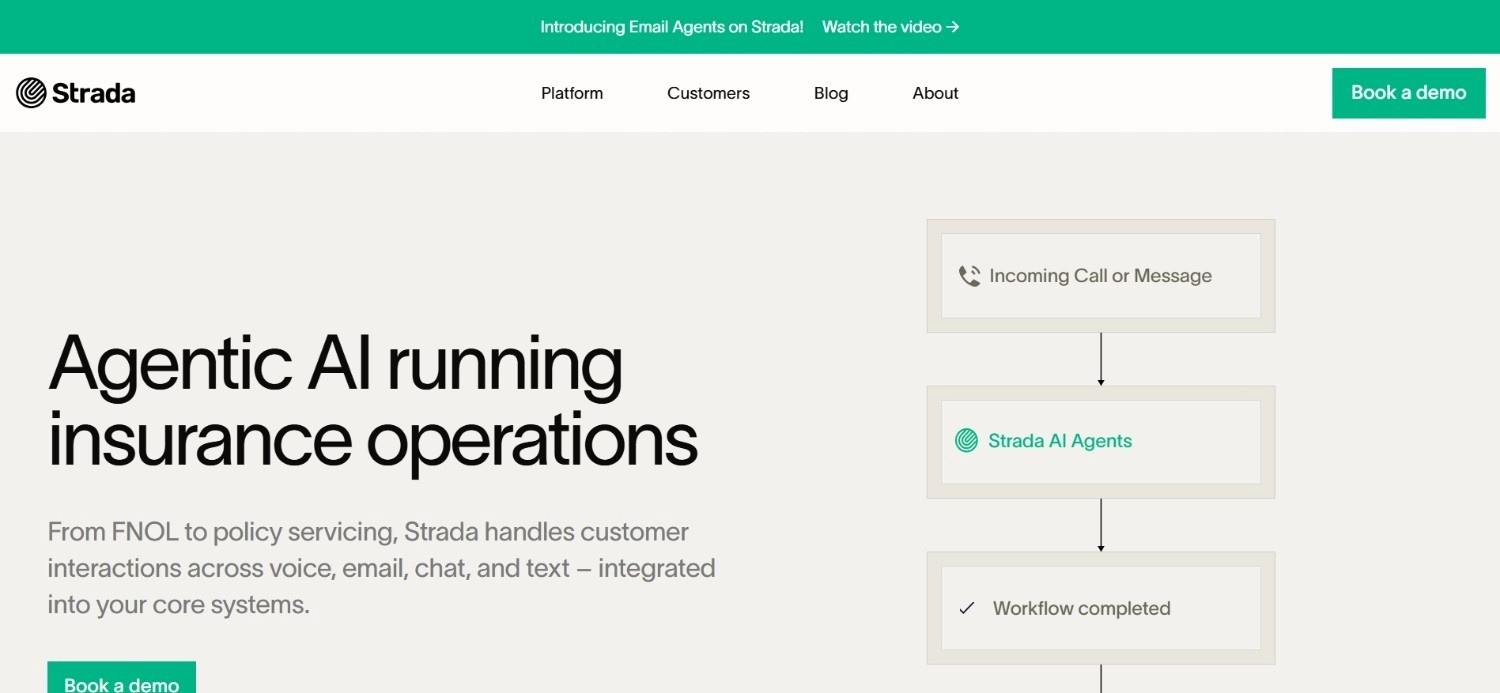
Strada is one of the best FNOL automation software tools for insurers looking to modernize claims intake without creating friction for policyholders. The platform focuses on streamlining the entire first notice of loss process through AI-powered intake, automated workflows, and real-time claims data capture.
What makes Strada stand out is its customer-first approach: claimants can report incidents through intuitive digital experiences while insurers automatically collect structured information, photos, documents, and other claim details from the start. This reduces manual data entry and accelerates claim routing and triage.
Additionally, Strada also integrates with existing insurance systems, helping carriers improve operational efficiency without overhauling their tech stack.
Ideal For
Small to mid-size insurers or MGAs who want to test the best FNOL automation software before committing to a full platform spend
Operations teams with clean, modern system architecture who can use webhooks and API integrations without a dedicated integration engineering team
Finance-conscious operations leads who want per-outcome pricing rather than a fixed monthly licence
Insurtech businesses at the proof-of-concept stage building out automated intake workflows for the first time
Top Features
Usage-based billing on successful runs: You are only charged when a workflow completes successfully. Failed runs and test executions are not billed. This makes the cost model straightforward to evaluate against actual intake volume.
14-day free trial, no credit card required: Teams can test Strada on real workflows before any commercial commitment, which is uncommon for B2B automation tools targeting insurance.
Visual workflow builder: Strada's drag-and-drop interface supports multi-step automation across connected systems, with branching logic for different claim types and intake conditions.
Why They Stand Out
The pay-per-successful-run model is a meaningful differentiator for insurers who have been burned by platform costs that did not translate to delivered value.
In a market where most FNOL process automation software requires upfront commitment, Strada's pricing model lowers the risk of adoption.
Pros
Usage-based pricing means costs directly correlate with intake automation outcomes
No credit card required for the 14-day trial; low-friction evaluation path
Transparent billing model: errors and test runs are free
Cons
Not purpose-built for insurance; lacks the claim-type-specific configuration depth of dedicated FNOL tools
Integration depth for legacy insurance systems - Guidewire, COBOL-era policy admin - is limited
Full pricing details only confirmed at contract stage via order form, which adds friction for buyers needing internal cost approval
Pricing
Strada uses usage-based pricing where you only pay for workflow runs that complete successfully. A 14-day free trial is available with no credit card required. Full pricing is specified in an order form at the point of subscription.
Final Verdict
Strada is one of the best FNOL automation software solutions, especially for small insurers or insurtech firms who want to trial FNOL process automation with minimal financial commitment upfront.
The pay-per-successful-run model is genuinely useful for teams that need to justify costs internally.
It is, however, not a realistic fit for large carriers with legacy system environments, high exception rates – or the compliance requirements that demand dedicated insurance-core integrations.
4. Ushur

Overview
Ushur ranks among the best FNOL automation software for insurance claims in 2026 because it focuses on automating the entire first notice of loss journey from the very first customer interaction.
Using AI, conversational workflows, and its “Invisible App” technology – the platform enables policyholders to submit claims, upload photos and documents, provide incident details, and receive updates through automated digital conversations.
Its FNOL capabilities centre on claimant engagement: receiving notifications across multiple channels, guiding claimants through document submission via conversational AI, and feeding structured data into downstream claims systems.
Ushur has an extensive user base in the North American insurance market and is focused on reducing friction around the claimant-facing intake experience.
Ideal For
Insurance carriers with high inbound claim volumes where claimant experience and communication speed are the primary problem to solve
Claims operations teams in North American and UK markets looking to improve FNOL cycle time through automated claimant follow-up
Operations leaders whose main intake challenge is document collection delays rather than internal multi-system orchestration
Insurers running modern digital channels alongside traditional email and web form intake
Top Features
Multi-channel claimant engagement: Ushur handles FNOL intake across SMS, email, WhatsApp, and web, meeting claimants on their preferred channel rather than forcing portal login.
AI-guided document collection: Conversational AI walks claimants through document submission, explains what is needed and why, and reduces the back-and-forth that delays file completion.
Insurance-specific integrations: Ushur has developed integrations with major insurance platforms and supports structured data output into claims management systems, reducing manual data entry at handoff.
Why They Stand Out
Ushur is one of the best FNOL automation software for the claimant-facing layer of FNOL automation in insurance. Its focus on channel flexibility and guided document collection addresses a real gap in many insurers' intake processes: claimants who do not know what to submit, submit the wrong things, or simply do not respond to generic requests.
Pros
Strong multi-channel claimant engagement capabilities
Purpose-built for insurance, with relevant integrations and industry-specific configuration options
Conversational AI guidance reduces document collection delays and claimant drop-off
Cons
Pricing is entirely sales-led with no published tiers, which makes early-stage evaluation harder
More focused on the claimant-facing layer than internal multi-system orchestration; not a full end-to-end FNOL solution on its own
Less depth on legacy system integration for complex internal workflows
Pricing
Ushur uses sales-led pricing with no publicly published tiers or self-serve checkout. A direct quote is required based on your business requirements and use case.
Final Verdict
Ushur is a strong option for insurers whose primary need is the claimant-facing communication layer: multi-channel intake, guided document collection, and faster submission completion.
It is not a complete end-to-end solution for the internal orchestration side of FNOL, and the sales-only pricing process adds evaluation friction.
Best suited to mid-to-large carriers with modern system architectures and a focus on claimant experience improvement.
5. Zapier
Overview
Zapier earns its place among the best FNOL automation software for insurance claims in 2026 by making it easy to connect claims workflows without heavy development work.
While not built exclusively for insurance, Zapier’s automation platform integrates with thousands of applications, allowing insurers to automate repetitive FNOL tasks such as claim intake, document collection, customer notifications, data entry, and internal approvals.
What makes Zapier stand out is its no-code approach; insurance teams can create automated workflows, known as “Zaps,” in minutes instead of relying on IT resources. The platform also supports AI-powered automation, helping teams streamline processes and reduce manual work.
For insurers seeking a flexible and cost-effective way to automate claims operations, Zapier offers a powerful automation layer that connects existing systems and improves efficiency.
Ideal For
Small insurers, insurtechs, or MGAs who need basic notification routing and system-to-system data movement without a dedicated development team
Operations teams already using SaaS tools like Gmail, Salesforce, or HubSpot who want to connect them without custom code
Businesses at the earliest stage of FNOL process automation who need quick wins on simple, single-step workflows before committing to a dedicated platform
Top Features
7,000+ app integrations: Zapier's integration library is the largest in general-purpose automation. For insurers using standard SaaS tools alongside their claims system, this breadth is genuinely valuable.
Simple conditional logic: Zaps can be configured with filters and conditions that route notifications differently based on claim type, email sender, or form field content - without code.
Fast setup for simple workflows: A basic FNOL notification routing workflow can be live in hours, not weeks.
Why They Stand Out
Zapier offers one of the most accessible entry points into any kind of workflow automation. For insurers not yet running dedicated FNOL automation in insurance, it provides a low-cost, low-complexity first step.
Pros
Largest integration library of any automation platform; connects to almost any SaaS tool an insurer might use
Free plan available for simple automations; low cost for small-volume use cases
No technical expertise required to configure basic workflows
Cons
Not designed for insurance; lacks claim-type-specific configuration, document validation, or legacy system integration
Breaks down quickly on complex, multi-step FNOL workflows with exception handling
Not suitable for regulated insurance environments requiring audit trails, data residency, or GDPR-compliant processing of claim data
Pricing
Zapier has a free plan for simple automations with limited monthly tasks. Paid plans begin at $29.99 per month for more advanced use. Pricing increases with higher task volumes and collaboration features.
Enterprise customers receive custom quotes.
Final Verdict
Zapier is a starting point, not a solution, for AI-powered claims FNOL automation.
It works for lightweight notification routing between modern SaaS tools, but it is not equipped for the multi-system orchestration, legacy integration, or governance requirements that define real FNOL intake in most insurers.
You can use it to test a concept or bridge a gap; but avoid using it as a production FNOL automation layer.
6. Neudesic

Overview
Neudisic, now part of IBM, is a technology consulting firm that builds custom AI and automation solutions for enterprise clients. In the context of insurance, Neudesic develops bespoke FNOL automation software implementations using Microsoft Azure AI, IBM Watson and Guidewire integrations.
Rather than offering a product, Neudesic delivers a project: they design, build, and implement custom FNOL automation workflows tailored to the insurer's specific system landscape and regulatory requirements.
Ideal For
Large insurance carriers with complex, unique system environments that require custom-built automation rather than a configurable platform
Insurers already deep in the Microsoft Azure or IBM ecosystem who want automation development within existing vendor relationships
Organisations that need a consulting-led engagement to redesign their FNOL process before automating it
Claims operations at carriers with the internal IT capacity to maintain a custom-built solution post-deployment
Top Features
Custom Guidewire integration development: Neudesic builds direct integrations into Guidewire ClaimCenter and other insurance-core systems, including legacy environments that do not support standard APIs.
IBM and Azure AI capabilities: As an IBM company, Neudesic has access to IBM Watson and Azure AI services for document processing, classification, and decision support within custom FNOL builds.
End-to-end consulting engagement: Neudesic covers process discovery, solution design, development, testing, and deployment - useful for insurers who do not have a clear picture of what their automated FNOL workflow should look like.
Why They Stand Out
Neudesic ranks 6th on our list of the best FNOL automation software and service providers. It is an ideal option for carriers who need a fully custom-built FNOL automation software implementation versus a configurable, self-serve platform.
For insurers with genuinely unique process requirements or system landscapes that no platform supports out of the box, a consulting-led build may be the only viable path.
Pros
Deep insurance-core expertise, particularly in Guidewire and Microsoft environments
Custom builds can accommodate process requirements that no standard platform supports
IBM backing provides enterprise procurement credibility and long-term support continuity
Cons
Project-based consulting is significantly more expensive and slower than deploying a configurable platform
No published pricing; every engagement is scoped and quoted, which makes budget planning difficult
The client inherits the maintenance burden post-deployment unless a managed services agreement is in place
Pricing
Neudesic does not publish standard pricing. As an IBM-owned consulting firm, all work is project-based and quoted based on specific requirements, scope, and timeline. Engagement costs are typically in the six-figure range for enterprise implementations.
Final Verdict
Neudesic makes sense for large carriers that have exhausted configurable FNOL automation software options and now require a completely custom build. It is not a realistic option for mid-market insurers or MGAs due to cost and timeline.
For most insurers evaluating FNOL automation, a production-ready platform will deliver results faster and at lower total cost than a custom consulting engagement.
7. n8n
Overview
n8n is one of the best FNOL automation software solutions for insurance claims in 2026 for organizations that want maximum flexibility and control over their workflows.
Unlike traditional insurance platforms, n8n is an open-source workflow automation tool that allows insurers to connect claims systems, CRMs, document management tools, AI models, and communication channels through customizable automations.
Its visual workflow builder makes it easy to automate FNOL intake, claims routing, document collection, customer notifications, and data validation without extensive coding.
What makes n8n stand out is its ability to combine AI capabilities with self-hosted deployment options, giving insurers greater control over sensitive claims data while reducing manual work and speeding up claims processing.
Ideal For
Insurtechs and digital-first insurers with in-house engineering teams who want full control over their FNOL process automation stack
Operations teams willing to build and maintain custom workflows in exchange for flexibility and lower platform cost
Carriers who want to self-host their automation infrastructure to meet data sovereignty or compliance requirements
Teams already using open-source infrastructure who want to avoid per-seat or per-task SaaS pricing
Top Features
Self-hostable, open-source core: n8n can be deployed entirely on your own infrastructure with no data leaving your environment. For insurers with strict data residency requirements, this is a meaningful capability.
400+ built-in integrations: n8n supports connections to CRM tools, email platforms, databases, and APIs, giving technical teams a broad base to build on.
Visual workflow editor with code escape hatches: The node-based editor works for non-developers on simple workflows, but technical teams can write custom JavaScript or Python at any point in the flow.
Why They Stand Out
n8n is among the best FNOL automation software, offering a cost-effective and flexible foundation for FNOL automation in insurance - especially when a technical team is available to build on it.
The open-source model and self-hosting option are genuine differentiators in a market where most platforms require data to transit vendor infrastructure.
Pros
Free self-hosted option; significantly lower cost than SaaS platforms at scale
Full control over infrastructure, data residency, and workflow logic
Open-source model means no vendor lock-in and full code ownership
Cons
Requires engineering capacity to build, maintain, and extend workflows; not accessible to non-technical operations teams
No insurance-specific features or claim-type configuration out of the box
Production reliability and monitoring depend on the team's own infrastructure management capability
Pricing
n8n offers a free self-hosted option. Cloud pricing starts at €20/month. Higher plans add more executions, security controls, and enterprise features.
Final Verdict
n8n is the 7th best FNOL process automation software, best suited for insurance engineering teams seeking a flexible, cost-controlled foundation for AI-powered claims FNOL automation. Such teams are usually looking to build the insurance-specific logic themselves.
It is not suitable for operations teams without engineering support, and will not accelerate the ‘time-to-production’ for companies seeking a working FNOL intake workflow in weeks (instead of months).
8. Make
Overview
Make is one of the best FNOL automation software solutions for insurers that want to automate claims workflows without extensive coding. The platform uses a visual, drag-and-drop automation builder that allows insurance teams to connect applications, move data between systems, and automate repetitive FNOL tasks.
For example, insurers can automatically collect claim information, route cases to adjusters, trigger customer notifications, sync data with claims platforms, and generate internal alerts.
What makes Make stand out is its flexibility, supporting thousands of integrations and complex workflow logic while remaining easy to use. It is, however, not a dedicated FNOL automation software platform.
Ideal For
Small insurance brokers and insurtechs that need lightweight intake automation without dedicated technical resource
Operations teams connecting a small number of modern SaaS tools as part of a simple, linear FNOL process automation flow
Businesses at the very start of their automation journey who want a low-cost tool to prove the concept
Top Features
Visual scenario builder: Make's visual interface shows data flowing between applications in real time, making it easier to understand and debug automation logic than text-based approaches.
Credit-based pricing model: Costs scale with actual usage rather than a flat task count, which is more efficient for variable intake volumes.
Broad app ecosystem: Make supports integrations with a wide range of SaaS tools commonly used in insurance broking and MGAs.
Why They Stand Out
Make is amongst the best FNOL process automation software tools - being visually intuitive as well as robust in terms of features. Owing to the visual, drag-and-drop nature of its interface, Make.com lowers the learning curve for non-technical teams building simple intake workflows.
Pros
Very low entry cost; free plan includes 1,000 credits/month
Visual scenario builder is accessible to non-technical operations staff
Credit-based model is efficient for variable claim intake volumes
Cons
Not designed for insurance; no claim-type-specific features, document validation, or legacy system integration
Not suitable for complex, multi-step FNOL workflows with exception handling or governance requirements
Free plan limitations make it impractical for anything beyond light testing
Pricing
Make uses a credit-based pricing model. The free plan includes 1,000 credits/month. The Make Plan starts at $9/month. Higher tiers add more credits and collaboration or security features.
Final Verdict
Make.com offers an accessible entry point for small insurers and brokers who need basic workflow automation between modern SaaS tools. It is not a serious option for production-grade FNOL automation in insurance, at any meaningful scale.
The lack of insurance-specific features, legacy integration depth, and governance capabilities also means it will hit a ceiling quickly in any real claims operation.
9. Floatbot AI
Overview
Floatbot AI is a conversational AI platform offering omnichannel chatbot and voice AI capabilities, with a specific track record in insurance FNOL and claims intake.
The platform provides claimant-facing automation - handling incoming claim notifications through chat, voice, or messaging channels, collecting basic claim information, and feeding it into downstream systems.
Floatbot positions itself as an accessible AI solution for insurance businesses across a range of sizes.
Ideal For
Insurance carriers and MGAs that want to automate the claimant-facing layer of FNOL intake through conversational AI
Operations teams dealing with high inbound call or chat volumes for claim reporting where self-service intake would reduce staffing pressure
Insurers in markets where voice and chat remain primary claimant contact channels
Mid-market insurers looking for a dedicated AI-powered intake tool at a defined monthly price point
Top Features
Omnichannel chatbot for FNOL intake: Floatbot handles claim notifications via web chat, WhatsApp, SMS, and voice, allowing claimants to report losses through whatever channel they prefer.
Voice AI for inbound claim calls: The voice AI capability can handle inbound FNOL calls, extract claim information through conversation, and log structured data for downstream processing - reducing call centre staffing requirements at intake.
Document collection within conversation: Floatbot guides claimants through document submission within the conversation flow, reducing drop-off and incomplete submissions.
Why They Stand Out
Floatbot offers one of the best FNOL automation software - with voice and chat AI features contextualized specifically for insurance intake. The voice AI capability is a standout, especially for insurers where the phone and messaging remain dominant claimant channels.
Pros
Genuine voice AI capability for inbound claim calls, not just chat
Insurance-specific use case focus with relevant workflow templates
Transparent, published pricing across a defined range of tiers
Cons
Primarily covers the claimant-facing intake layer; limited depth on internal multi-system orchestration and claims system write-back
Higher price tiers ($2,499 to $6,199/month) represent significant spend for mid-market insurers
Not designed for the legacy system integration complexity typical of large European carriers
Pricing
Monthly pricing starts at $119/month and ranges up to $2,499 to $6,199/month. Enterprise pricing is available for large organisations. Annual plans are also available.
Final Verdict
Floatbot AI is a reasonable choice for insurers who need to automate the claimant-facing layer of FNOL intake, particularly where voice channels remain dominant. It is not a complete end-to-end FNOL automation software solution, and the higher tiers represent a significant cost commitment.
Best suited to mid-size carriers focused on reducing inbound call handling volume through self-service intake automation.
10. Nolana AI
Overview
Nolana AI is one of the best FNOL automation software solutions for insurers looking to accelerate claims intake and reduce manual processing. The platform uses AI agents to automate complex workflows, helping insurance teams collect claim information, process documents, validate data, and route cases more efficiently.
What makes the platform stand out is its focus on AI-powered operational automation, enabling insurers to build intelligent workflows that can handle repetitive tasks with minimal human intervention.
By connecting with existing systems and streamlining decision-making processes, Nolana helps carriers improve response times and operational efficiency.
Nolana offers a flexible, AI-first approach to claims automation and workflow management – making it a great fit for insurance companies looking to modernise their FNOL process.
Ideal For
Enterprise insurance carriers that need agentic AI running across complex, multi-system FNOL workflows
Claims operations teams looking for an insurance-native AI platform rather than a general automation tool adapted for claims
IT and security teams at regulated insurers evaluating enterprise-grade AI with a focus on insurance-core system integration
Digital transformation leaders who want a dedicated insurance AI platform to underpin claims intake automation at scale
Top Features
Insurance-native agentic workflows: Nolana's AI agents are built for insurance-specific use cases, including FNOL intake, document validation, and claims routing - rather than adapted from general-purpose automation.
Legacy system integration: Nolana targets enterprise insurance environments, which typically involve legacy policy admin systems, claims management platforms, and proprietary internal tools.
Claims routing and case management: Beyond intake, Nolana supports routing completed claim files to the appropriate handler or team, with configuration based on claim type, complexity, and priority.
Why They Stand Out
Nolana is one of the few platforms in the FNOL automation software market positioning itself as insurance-native rather than insurance-adjacent.
Its agentic architecture is designed for the multi-step, multi-system nature of real claims intake workflows.
Pros
Insurance-native product with claims-specific workflow logic
Agentic architecture suited to multi-step, multi-system FNOL workflows
Enterprise focus aligns with the scale and complexity of large carrier environments
Cons
No published pricing; custom quotes only, which adds evaluation friction
Limited public case study data makes it harder to assess production track record compared to more established vendors
Relatively newer platform; less market visibility than some established competitors
Pricing
Nolana AI does not publish standard pricing. All pricing is provided on a custom quote basis following an evaluation of your business needs and workflow requirements.
Final Verdict
Nolana AI is worth evaluating for enterprise insurers looking for an insurance-native agentic platform. The lack of published pricing and limited public case study data make it harder to assess quickly, which is a friction point in competitive evaluations.
For insurers that need a documented, proven production track record before committing, compare it directly against vendors with more established deployment credentials.
How to Choose the Best FNOL Automation Software (What to Consider)?
1. Does It Cover the Full FNOL Workflow or Just One Step?
The most common mistake when evaluating the best FNOL automation software is selecting a tool that automates one stage: intake form submission, document OCR, or claimant notification – and treating it as a complete solution.
A real FNOL workflow runs from notification receipt through policy lookup, document validation, claimant follow-up, and claim registration in the CMS. Ask every vendor exactly which steps their tool executes autonomously, and which steps still require human intervention.
The gap between "automates intake" and "runs intake end-to-end" is where most costs and delays sit.
2. Can It Connect to Your Actual Systems?
Most large insurers run Guidewire, legacy policy admin systems, or proprietary platforms built over decades. Many FNOL automation software vendors require modern API access or clean system architecture as a prerequisite. That is not realistic for the majority of carriers.
Before advancing any evaluation, confirm that the vendor has a documented integration path to your specific systems - not just common SaaS tools.
Ask for references from clients running similar system environments.
3. Does the Governance Model Meet Your Regulatory Requirements?
For insurers subject to Consumer Duty, GDPR, Lloyd's audit requirements, or Solvency II, FNOL automation in insurance must produce a complete, replayable audit trail on every claim interaction. This is not optional.
Confirm whether the platform logs every action from notification to claim registration, whether those logs are tamper-evident, and whether the data stays within your infrastructure or transits vendor systems.
Also confirm who makes coverage-relevant decisions - the AI or your configured rules.
4. What Is the Realistic Time to Production?
Vendor demos show clean, fast workflows. Production deployments involve your actual systems, your actual claim data, and your actual exceptions – and most tools that go live in hours are routing simple notifications between SaaS tools, not running FNOL intake end-to-end on a Guidewire or legacy policy admin environment.
The right question is not "how fast can this tool go live?" but "how fast can this tool go live on my actual stack, with my actual claim data, doing the full workflow?"
Ask every vendor for their documented deployment timeline from contract signature to first live workflow, in a client environment comparable to yours, and ask for a named reference who can confirm it.
Across this list, deployment times range from hours for single-step SaaS notification routing, to 45 to 80 days for full end-to-end FNOL orchestration on legacy insurance stacks.
Noxus has documented 45-day production deployments at Tier 1 European enterprises on systems other vendors will not touch – which, for what it delivers, is fast.
5. How Does Pricing Scale with Volume?
FNOL automation software pricing models vary significantly: per-seat, per-task, per-successful-run, monthly license, and custom consumption-based pricing all appear on this list.
The pricing model that looks cheapest at current volume may become expensive quickly if claim intake grows. Model the cost at 2x and 5x your current volume.
Also confirm whether the pricing model creates incentives that are not aligned with your interests – for example, per-task pricing that charges for failed runs or test executions.
Everything You Need to Know About FNOL Automation Software
← scroll to see all columns →
| Company | Pros | Cons | Ease of Use | Integrations | Support | Affordability |
|---|---|---|---|---|---|---|
| Noxus | Full end-to-end FNOL execution; legacy system depth; complete audit trail | Requires scoped deployment; not self-serve | ⭐⭐⭐⭐⭐ | ⭐⭐⭐⭐⭐ | ⭐⭐⭐⭐⭐ | ⭐⭐⭐⭐⭐ |
| Jinba | Insurance-specific; no-code builder; transparent pricing | Limited legacy integration; not full end-to-end | ⭐⭐⭐⭐⭐ | ⭐⭐⭐⭐⭐ | ⭐⭐⭐⭐⭐ | ⭐⭐⭐⭐⭐ |
| Strada | Pay-per-successful-run model; free trial; low entry cost | Not insurance-specific; limited legacy depth | ⭐⭐⭐⭐⭐ | ⭐⭐⭐⭐⭐ | ⭐⭐⭐⭐⭐ | ⭐⭐⭐⭐⭐ |
| Ushur | Strong claimant-facing multi-channel; insurance-specific | Sales-only pricing; limited internal orchestration | ⭐⭐⭐⭐⭐ | ⭐⭐⭐⭐⭐ | ⭐⭐⭐⭐⭐ | ⭐⭐⭐⭐⭐ |
| Zapier | Massive integration library; fast setup; free plan | Not insurance-specific; breaks on complex workflows | ⭐⭐⭐⭐⭐ | ⭐⭐⭐⭐⭐ | ⭐⭐⭐⭐⭐ | ⭐⭐⭐⭐⭐ |
| Neudesic | Custom Guidewire builds; IBM-backed; enterprise credibility | Expensive; slow; client maintains post-deployment | ⭐⭐⭐⭐⭐ | ⭐⭐⭐⭐⭐ | ⭐⭐⭐⭐⭐ | ⭐⭐⭐⭐⭐ |
| n8n | Free self-hosted; data sovereignty; full code ownership | Requires engineering team; no insurance-specific features | ⭐⭐⭐⭐⭐ | ⭐⭐⭐⭐⭐ | ⭐⭐⭐⭐⭐ | ⭐⭐⭐⭐⭐ |
| Make.com | Very low cost; visual builder; accessible to non-technical users | Not insurance-specific; not suitable for production FNOL at scale | ⭐⭐⭐⭐⭐ | ⭐⭐⭐⭐⭐ | ⭐⭐⭐⭐⭐ | ⭐⭐⭐⭐⭐ |
| Floatbot AI | Voice AI for FNOL; omnichannel; transparent pricing | Claimant-facing layer only; expensive at higher tiers | ⭐⭐⭐⭐⭐ | ⭐⭐⭐⭐⭐ | ⭐⭐⭐⭐⭐ | ⭐⭐⭐⭐⭐ |
| Nolana AI | Insurance-native; agentic architecture; enterprise focus | No published pricing; limited public case study data | ⭐⭐⭐⭐⭐ | ⭐⭐⭐⭐⭐ | ⭐⭐⭐⭐⭐ | ⭐⭐⭐⭐⭐ |
Get Your Claims Intake Under Control with Noxus
Manual FNOL intake does not just slow claims down, it creates inconsistency, compliance exposure, and a cost structure that scales in the wrong direction as volume grows.
Noxus runs the full FNOL workflow end-to-end: notification received, policy matched, documents validated, claimant chased through their own channel, claim opened in your system, handler routed to a workable file. Every action is logged, and every decision is governed by your rules. No AI making coverage calls.
The best part is, we’ve completed 85% of FNOL intake workflows without manual intervention, leading to 95% less time required to create an assessment-ready file. Plus, most of our deployments start production on your existing systems in 6 to 8 weeks.
If your claims intake is still a manual chain, and you want to see what running it end-to-end looks like on your actual stack. Book a consultation with us now!
FAQs About FNOL Automation Software
What is the best FNOL automation software in 2026?
The best FNOL automation software in 2026 for enterprise insurers running legacy systems is Noxus, which delivers 85% of FNOL intake workflows without manual intervention and reaches production on existing insurance stacks in 45 to 80 days, verified across named enterprise deployments including Fidelidade, one of Portugal's largest insurance groups.
What should I consider when choosing the right FNOL automation software for me?
When choosing the best FNOL automation software for your use case, the three most important factors are: whether the tool covers the full intake workflow or only one step, whether it can integrate with your actual systems (including legacy policy admin platforms without modern API access), and whether the deployment model meets your data sovereignty and audit requirements. Pricing model matters too; as some tools charge per task or per seat, which can scale unpredictably against claim volume growth.
How does Noxus differ from similar FNOL automation alternatives?
Noxus differs from alternatives by running the complete FNOL intake workflow end-to-end, rather than automating a single stage. Most FNOL automation software tools handle intake classification, or document OCR, or claimant communication, but not the full sequence from notification to populated claim in the CMS. We also connect to legacy insurance systems: Guidewire, COBOL-era policy admin, proprietary in-house platforms – without requiring API modernisation. Documented outcomes include 95% reduction in time to assessment-ready file and 60% reduction in cost per claim at intake.
How do I get started with Noxus?
Getting started with Noxus begins with a conversation about your specific FNOL workflow, claim volumes, and system environment. From there, a deployment scoping session defines the initial use case and integration requirements. Most first deployments reach production in 45 to 80 days from contract signature, based on documented enterprise deployments on real client systems with live operational data. Noxus handles the integration setup through its Forward Deployment Engineering team - no large IT project is required from your side.
How easy is it to switch to Noxus from an existing FNOL tool?
Switching to Noxus does not require replacing your existing claims management system or decommissioning current tools. Noxus sits in front of your existing CMS as the intake automation layer, connecting to it and to your policy admin and CRM systems. For insurers currently using manual processes or point solutions for parts of FNOL, Noxus typically runs alongside existing tools during an initial deployment phase. The open-core guarantee means you retain all code and binaries if the relationship ends, which removes vendor lock-in risk.
What is FNOL in insurance, and why does automating it matter?
FNOL in insurance (or ‘First Notice of Loss’) - is the initial report a claimant makes after an incident. Automating FNOL matters because the intake stage is where most of the manual work in claims processing sits: classifying the notification, retrieving the policy record, validating documents, chasing missing information, and opening the claim in the system. As per research by industry experts, automating this stage can reduce claims handling costs by 30% or more. Without FNOL automation in insurance, every new claim requires a chain of manual steps before a handler can assess it, creating delays, inconsistency, and a cost structure that worsens as volume scales.






