









Every FNOL triggers a manual chain before a handler can start processing it
Today
Operations team
Notifications come in varied formats and channels
Manual review of claim type and required documents
Documents manually checked against required pack
Claimant contacted repeatedly for missing items
Claim opened and fields populated manually once complete
With Noxus
Co-worker
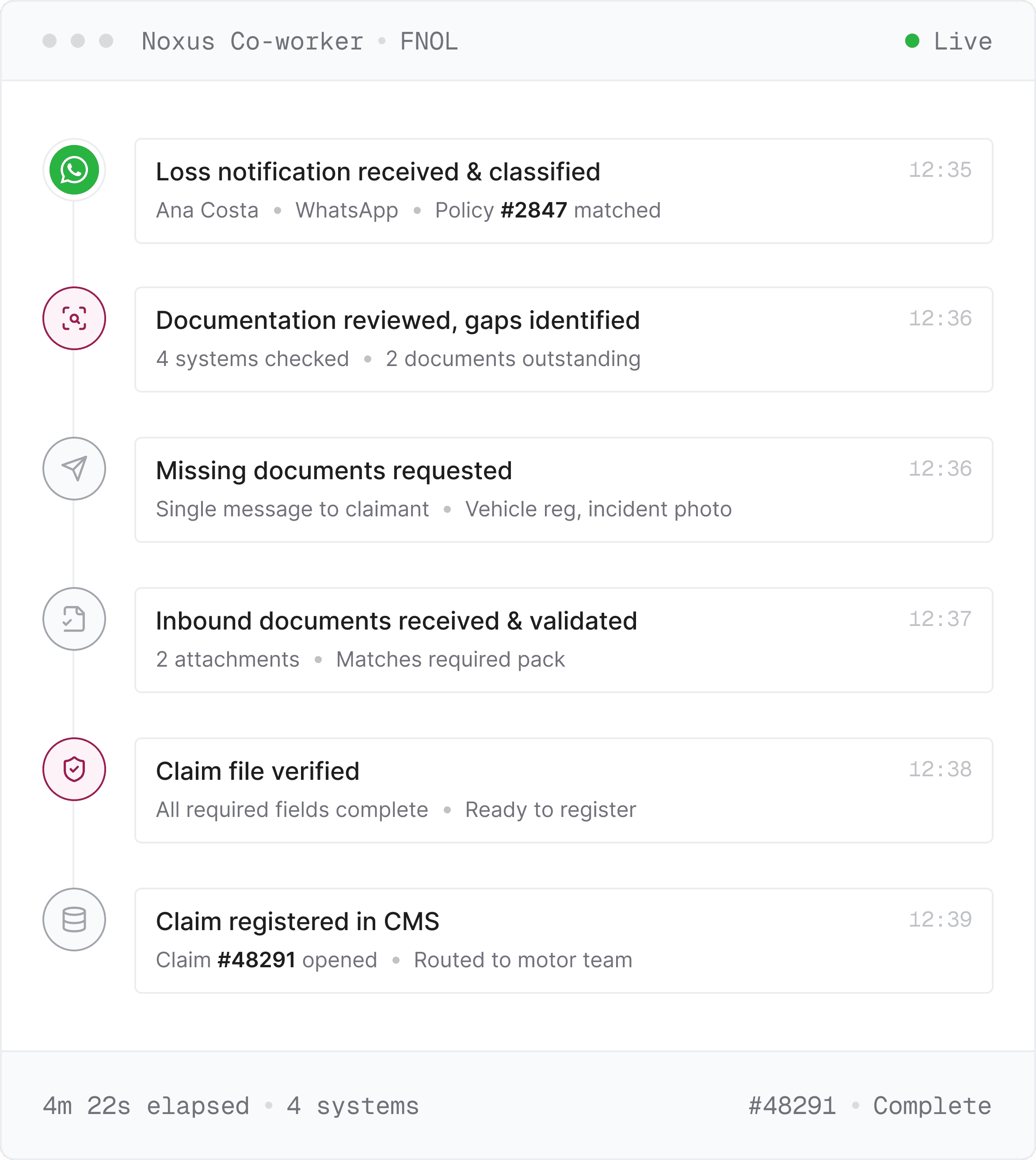
Every channel feeds a single governed workflow
Claim type and requirements identified automatically
Documents validated against the required pack on arrival
Outstanding items requested once, via claimant's channel
Claim opened, populated, and routed automatically
How Noxus Works
Three layers powering the FNOL workflow
Noxus connects to your policy administration system, claims history, and CRM, applies the documentation requirements configured per claim type, and runs every step from notification through to claim registration in your claims management solution.
01
Claim Intelligence
Receives loss notifications from any channel, classifies the claim type, and scores confidence before the workflow proceeds.
INGEST
→
CLASSIFY
→
SCORE
02
Autonomous Execution
Validates inbound documents against the required pack, routes the complete file to the correct handler, and writes a fully populated claim back into the system.
VALIDATE
→
ROUTE
→
WRITE-BACK
03
Governance and Audit
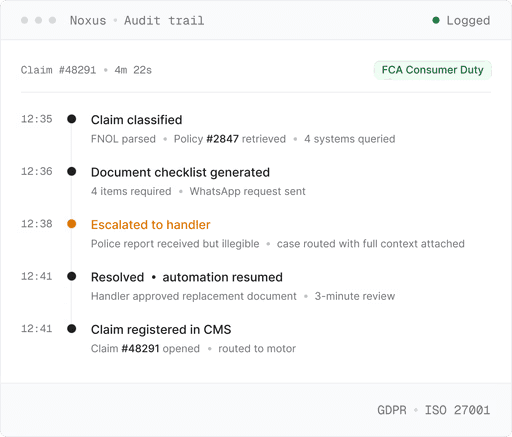
Every step from notification to claim registration is logged in full and replayable on demand for compliance review.
LOG
→
REPLAY
→
REVIEW
Capabilities
What happens across each layer of FNOL workflow
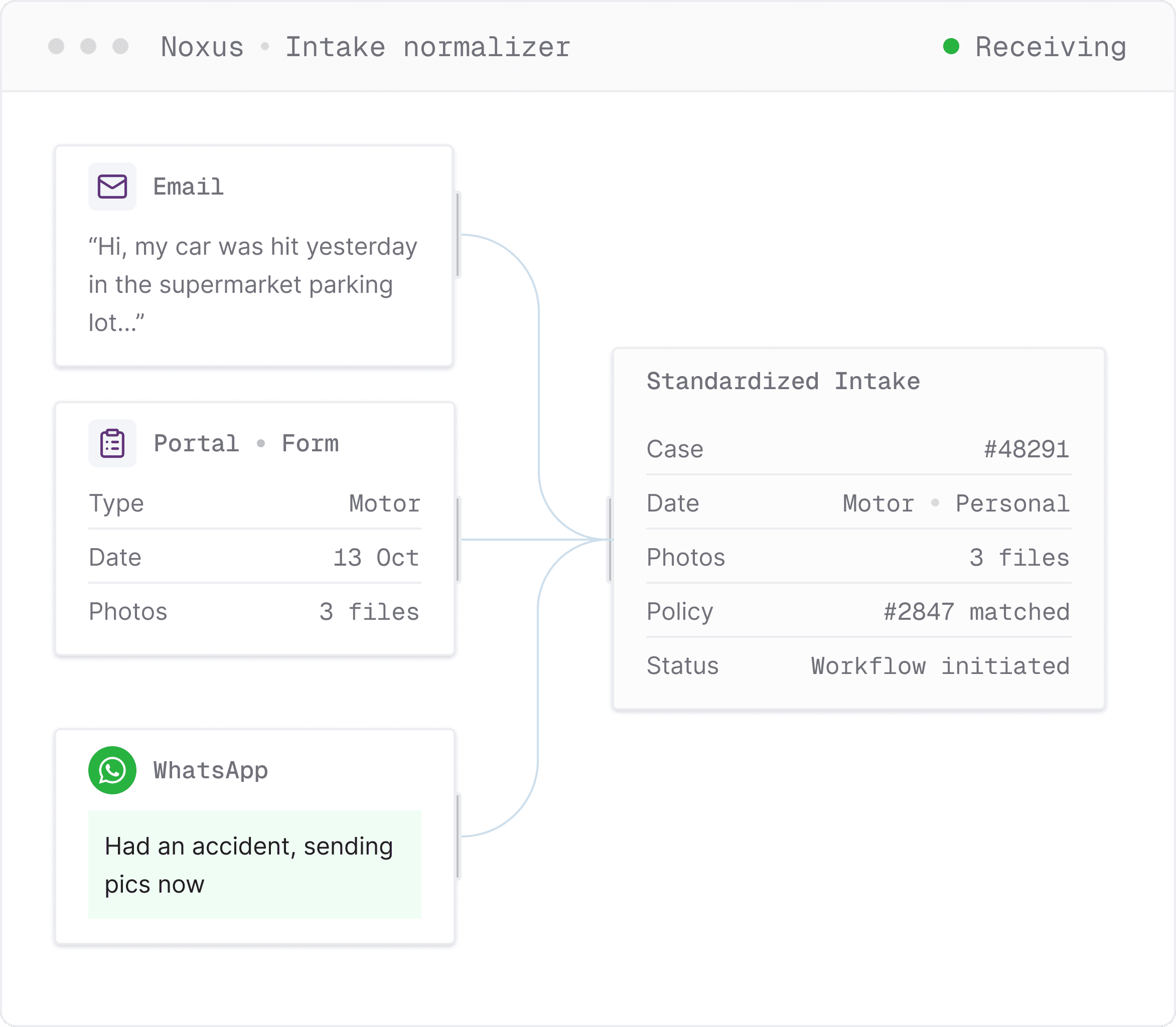
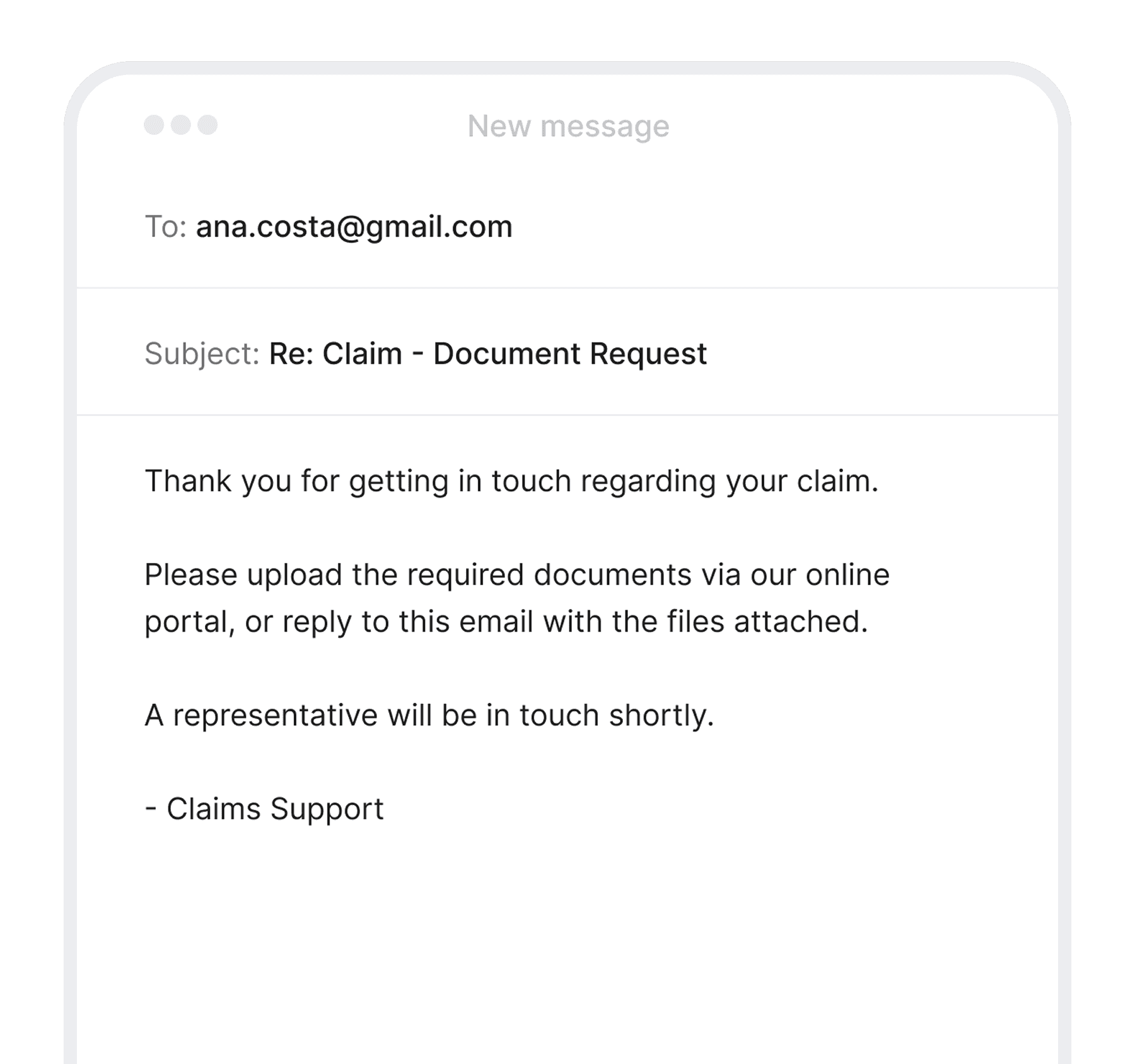
Whether portal form, free-text email, or web form, the relevant information is extracted regardless of format and the workflow initiated through the same channel the claimant used.
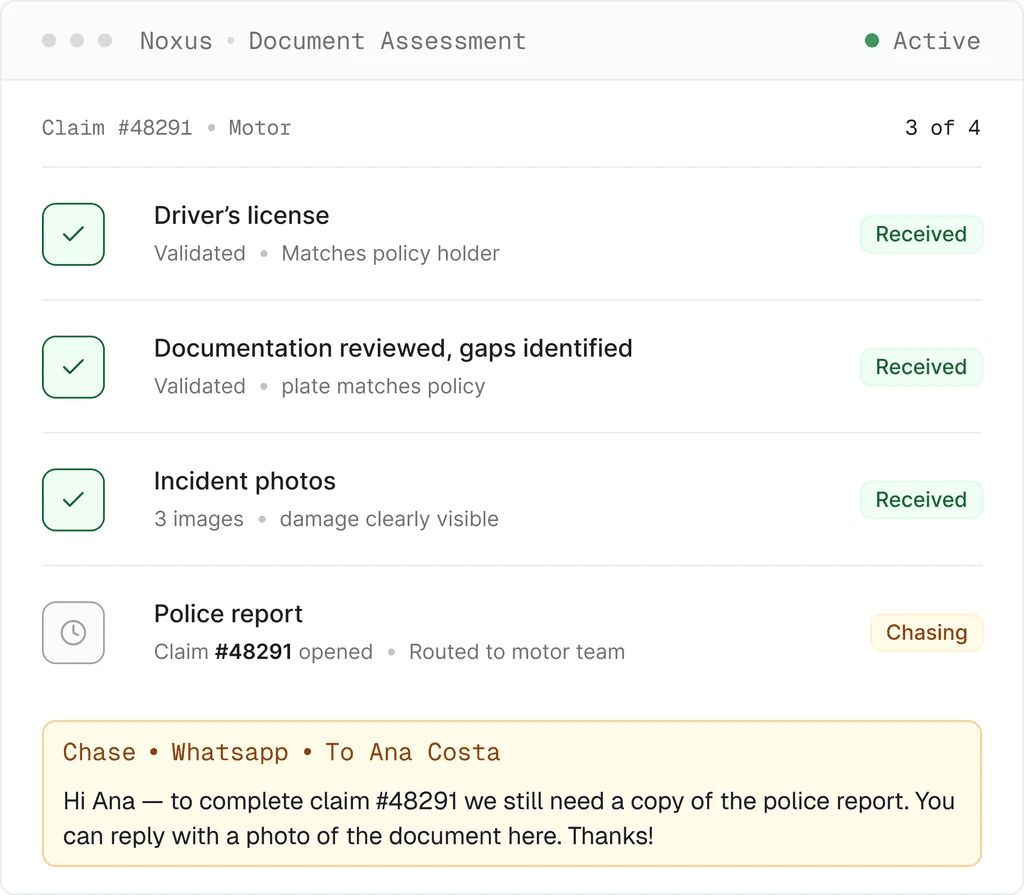
Policy admin, claims history, CRM queried; documents validated against your claim-type rules; gaps chased on the claimant's channel; claim opened in your insurance claims management software.
Every step logged and replayable, human escalation triggered where the process requires it - and no AI ever makes a coverage decision or opens a claim on its own.
agentic operations
Acknowledging receipt is not the same as processing a claim
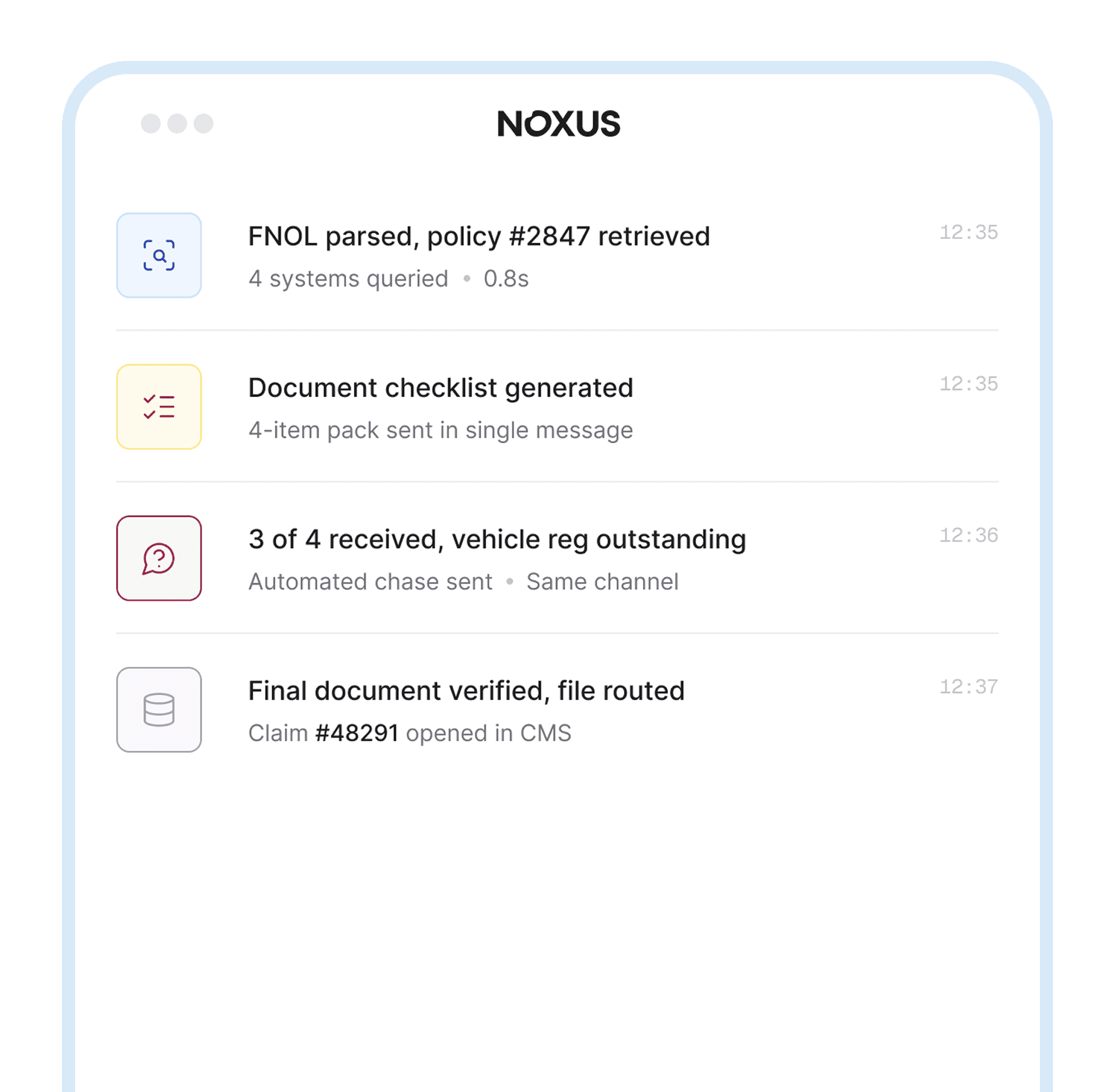
A first notice of loss requires the notification to be processed, the policy record retrieved, the documentation assessed against the claim type, and the claim registered in the insurance claims processing software and routed to the right team.
Reads the policy, assesses the file, requests what’s missing, opens the claim.
Built for Every Team

Claims Operations
Reduce the manual intake steps that absorb your team's capacity before assessment even begins.

Compliance & Regulatory
Meet Consumer Duty and Legal requirements with a complete, replayable audit trail on every claim interaction.

IT & Architecture
Deploy on your existing claims stack without API prerequisites or middleware projects. Noxus connects to Guidewire, your CMS, email, and document store natively.
Measured results
Numbers that move the business
Measured outcomes from FNOL deployments on existing claims stacks.
What Customers Say
Trusted by teams running the operations






Frequently Asked
Questions about FNOL & AI in Insurance Claims Management
How quickly can a first notice of loss workflow be live on our systems?
Most deployments reach production in 6 to 8 weeks from contract signature, running on the client's actual systems with live claim data and real volume. Noxus Forward Deployment Engineering handles the integration setup. The first claim types deployed are typically the highest-volume, most repeatable workflows, like motor intake, property intake, or document collection for a specific product line. No large IT project is required from your team.
What internal systems does Noxus connect to?
Noxus connects to your policy administration system, claims platform, CRM, email inbox, and any other system in the intake chain, including legacy platforms and in-house tools without modern API access. The connection uses the same interface your operations team uses today. There is no API prerequisite and no dependency on your core system vendor's integration roadmap. If your team uses it today, Noxus can operate inside it.
What happens when a notification arrives with almost no information?
The AI worker extracts what it can from the notification, queries the insurer's systems to match the claimant to a policy record, and determines what minimum information is needed to proceed. If the notification is too sparse to act on, it requests the minimum required identifiers - policy number, date of loss, type of incident, through the same channel the notification came in on, before moving to document collection. The threshold for what constitutes sufficient initial information is configured at deployment.
Can it handle the same claim type differently across different product lines?
Yes. Document checklists and escalation rules are configured per claim type and per product. A motor claim under a fleet product runs a different workflow from a personal lines motor claim. The configuration reflects the insurer's actual product structure, not a generic claim category. This is one of the reasons Noxus does not offer a standard template, the process varies by insurer and by line, and the deployment is built to reflect that.
What does the handler actually receive?
A file containing the internal context assembled at intake, policy record, claims history, CRM data, alongside the verified document pack, a log of all claimant communications, and any escalation flags with context attached. The handler opens a workable file. Assessment starts immediately.
Does Noxus make any decisions about coverage or claim validity?
No. Noxus handles intake. It classifies the notification, retrieves internal data, determines what is missing, collects documents, and routes the file. No AI system opens a claim or makes a coverage determination. Where the insurer's protocol requires human judgment, a specific document type, an escalation threshold, or an ambiguous notification, the case routes to a handler with full context already assembled. The handler decides.
What does the IT security review process look like?
Noxus deploys on the client's own infrastructure, fully managed SaaS, private cloud VPC, or on-premises. Data does not leave the insurer's environment unless they choose otherwise. The platform uses role-based access control integrated with Azure AD or the insurer's existing identity system. Every action produces a tamper-evident audit trail. IT teams typically complete the security review in parallel with deployment setup. Noxus is certified against SOC 2 Type II and ISO 27001.
How is Noxus priced for an insurance deployment?
Noxus operates on a monthly platform license, priced by operational volume and deployment configuration. There is no per-seat pricing. Costs are predictable and scale with usage. The first engagement typically includes Deployment Engineering alongside the platform license to get the initial workflow to production. Subsequent claim types deploy at significantly lower incremental cost because the infrastructure is already running. Contact the team for a scoped estimate based on your volume and environment.
Why do insurers need dedicated insurance claims management software for FNOL?
Traditional insurance claims software was built to store and track claim records once they are already opened. It does not run the intake process that precedes that - the notification parsing, policy lookup, documentation assessment, and claimant follow-up that take a loss notification from any channel to an opened claim. That is the gap Noxus fills. Purpose-built insurance claims management software at the FNOL layer sits in front of the existing claims platform, executes the full intake workflow, and hands the downstream system a populated, workable claim record. Insurance claims automation at this stage frees handler capacity, reduces cycle time, and removes the manual bottleneck between notification and assessment.
How does Noxus compare to other FNOL and AI insurance claims solutions?
Most AI insurance claims solutions handle one piece of the workflow - chatbot intake, document OCR, or workflow routing. Each is useful on its own, but none processes an FNOL insurance notification end-to-end and opens the claim in the downstream system. AI for insurance claims that only drafts or suggests leaves the handler doing the work. Automation in insurance claims only produces measurable savings when the full sequence runs without handoff: notification received, policy validated, documents assessed, claimant chased through their own channel, claim registered, handler routed. Noxus delivers insurance claims processing automation on live claim data, in production, on the systems you already run - with AI insurance claims processing applied to the unstructured parts and your rules governing every decision that matters.
Ready to automate FNOL intake on your existing stack?
Live in 6–8 weeks. No API prerequisites. No migration project.