Best Invoice Processing Software in 2026 (Top-Tools Reviewed)
Discover the best automated invoice processing software for your AP team. Compare top tools, including Noxus, Tipalti and more to resolve invoices faster.

Key Takeaways (TL;DR)
Best Automated Invoice Processing Software Overall: Noxus is the best invoice processing automation software on our list. We resolve the full invoice workflow end-to-end on legacy enterprise systems like SAP, Oracle and Guidewire - without requiring an API layer or infrastructure modernisation. Our production deployments usually deliver 3-5x ROI in 45-80 days.
Why You Need It: Manual invoice processing costs $12-30 per invoice on an average and spanning 3-7 disconnected systems before resolution – with enterprise environments at the higher end due to system complexity and exception handling overhead. The best invoice processing automation software eliminates that cost structurally, not by adding headcount.
Who It's For: Finance, AP, and operations teams at mid-to-large enterprises in financial services, healthcare, retail, and any other sector running complex legacy ERP environments where invoice automation needs to resolve work, not just extract data are some key roles and decision-makers seeking the best automated invoice processing software.
How to Choose the Right One: To choose the best automated invoice processing software for your business or use case – Start by testing extraction accuracy on your actual documents, then confirming if the tool writes back to your specific ERP, before verifying if deployment options meet your data sovereignty requirements or not.
Expected Price: Noxus offers a monthly platform license with included AI operations volume. Costs are predictable and usually scale with usage, instead of headcount. Across the wider market, pricing ranges from free tiers (offered by companies like Ramp, Lindy AI), through to custom enterprise contracts exceeding $50,000/year (Coupa, Tipalti).
Table of Contents
Top Automated Invoice Processing Software in 2026 at a Glance
← scroll to see all columns →
| Company | Best For | Key Features | Pricing |
|---|---|---|---|
| Noxus | Enterprise invoice automation on legacy systems | Full workflow resolutionLegacy ERP write-backComplete audit trailEU/UK data sovereignty | Usage-based; custom per deployment |
| Tipalti | Global payables and tax compliance | Multi-currency paymentsOFAC screeningAutomated 1099/VATVendor self-service portal | From €99/mo (Select) |
| Stampli | Collaborative AP approval workflows | Invoice chat threadsAI coding suggestions70+ ERP integrations | Custom quote |
| Rossum | High-volume AI invoice parsing | Template-free deep learningSAP/NetSuite/Coupa connectorsE-invoicing module | From ~$18,000/year |
| Zapier | Lightweight invoice workflow automation | Trigger-based automation7,000+ app integrationsNo-code builder | From $19.99/mo |
| Lindy AI | AI-powered invoice coordination | No-code AI agent builderEmail/Slack invoice workflowsCustom automation | Free From $29.99/mo |
| Ramp | Combined spend management and invoice automation | Corporate cardsExpense trackingVendor paymentsReal-time dashboards | Free plan From $15/user/mo |
| Pleo | SMB and mid-market AP plus expense management | Smart company cardsReceipt captureApproval workflowsAccounting integrations | From £9.50/mo |
| Coupa | Enterprise procure-to-pay and spend management | Spend managementSupplier portalAP automationContract management | From $549/year (Verified) |
| Vic.ai | AI-powered autonomous invoice coding and approval | Autonomous invoice codingAnomaly detectionERP integrationsLearning engine | Custom pricing |
What Is Automated Invoice Processing Software?
Automated invoice processing software – also referred to as invoice processing automation software, reads invoice files in any format (PDF, scanned image, email attachment, XML, or EDI), extracts structured data fields, validates that data against purchase orders and business rules, and routes the result through approval workflows before writing the outcome back into an accounting or ERP system.
The technology has evolved significantly over the past decade. Early tools relied on OCR (Optical Character Recognition) to convert document images into machine-readable text, then applied rigid, vendor-specific templates to locate fields. If the template did not match, extraction failed.
Most automated invoice processing software tools use AI and machine learning trained on millions of invoice layouts to handle format variation without manual template configuration. The most advanced category: Intelligent Document Processing (IDP) – goes further, understanding the semantic meaning of extracted data: classifying field types, validating values against business logic, flagging anomalies, and routing exceptions to human reviewers with full context assembled.
The critical distinction for enterprise buyers is what happens after extraction. Most tools produce a structured data output and stop.
The best automated invoice processing software continues through to validation, three-way matching, ERP write-back, and audit logging – turning an extraction task into a fully resolved AP workflow with no remaining manual steps.
Why Do You Need Automated Invoice Processing Software?
Every finance team reaches the same inflection point: invoice volumes grow, headcount stays flat, and the manual process starts breaking down. The problem is structural, not just operational.
A single invoice in a typical enterprise touches 3–7 disconnected systems before it is resolved: ERP, purchase order system, goods receipt platform, approval workflow, payment system. Every handoff is manual. Every manual step is a failure point.
According to industry data, manual invoice processing costs businesses $12-$30 per invoice, with enterprise environments at the higher end of that range due to system complexity and exception handling overhead. Mid-sized companies still process 50-70% of invoices manually as of 2026.
The cost compounds across four areas:
Errors: Manual data entry produces incorrect records at scale. Each error triggers investigation, correction, and often direct supplier communication – creating downstream rework that compounds the original cost.
Delays: Invoices sit in queues waiting for human review, approval, or re-entry. Slow payment cycles strain supplier relationships and forfeit early-payment discounts.
Compliance risk: Late or incorrect payments trigger penalty clauses and create audit exposure. Without a complete trace of what happened at each step, demonstrating compliance is difficult.
Capacity constraints: Volume growth requires headcount growth – until automation changes the equation. Organisations processing 3 million invoices per year cannot scale that operation with people alone.
The best invoice processing automation software addresses each of these directly: consistent field extraction regardless of supplier format, automated validation against purchase orders and receipts, exception routing with full context assembly, and write-back to source systems without manual re-entry.
The result is a process that handles far greater volume at lower cost per invoice, with a complete audit trail as a structural output.
Who Needs Invoice Processing Automation Software?
The best automated invoice processing software is usually sought after the most by the following decision-makers and teams:
1. Accounts Payable Teams
AP teams handling hundreds to thousands of invoices monthly see the clearest immediate ROI. Time saved on data entry, lower error rates, and faster payment cycles all translate directly to operational improvement and stronger supplier relationships.
For teams currently navigating 3–7 systems per invoice, the reduction in manual handoffs is the most visible change from day one.
2. Finance Leaders and CFOs
CFOs need the best software for automated invoice processing - which produces measurable, board-reportable results: cost per invoice, processing cycle time, exception rates.
The strongest platforms also produce the audit trail required for financial controls and regulatory compliance – not as a bolt-on feature, but as a structural output of every workflow run.
For European enterprises specifically, GDPR and EU AI Act compliance are non-negotiable elements of any vendor evaluation.
3. IT and Operations Leaders in Regulated Industries
Organisations in financial services, insurance, and healthcare face strict requirements around data handling, audit trails, and system governance.
These buyers need the best software for automated invoice processing that runs inside their own infrastructure, produces complete action logs, and supports deployment on-premises or in a private cloud.
They also need a platform that integrates with SAP ECC, Guidewire, and COBOL-era systems – not one that requires infrastructure modernisation before the first invoice is processed.
4. Digital Transformation and AI Leaders
CDOs and Heads of Automation tasked with moving AI from pilot to production often start with invoice automation. It is high-volume, measurable, and directly tied to cost reduction.
The critical requirement is a platform that deploys in weeks, not quarters, and integrates with existing ERP infrastructure without a lengthy IT project.
We built Noxus precisely for this: production deployments in 45–80 days on the systems clients already run, without requiring any infrastructure modernisation as a prerequisite.
5. Mid-Market Operations Owners
At mid-market companies, the operations leader typically combines the roles of champion, buyer, and technical decision-maker.
They need the best invoice processing software options - most of which onboard fast, produce visible results within 30–90 days, and do not require a dedicated integration team to go live.
Best Automated Invoice Processing Software: In-Depth Review & Comparison
1. Noxus

Overview
Noxus occupies the top spot on our list of the best automated invoice processing software, with an AI operations platform that deploys process intelligence to execute complex, multi-system workflows end-to-end inside enterprise environments.
When it comes to invoice processing automation, the core use case is clear: the platform extracts key fields from invoice files in any format: vendor name, invoice date, invoice number, line items, tax amounts, and totals – then validates, matches, and writes results back into SAP, Oracle, Guidewire, or SharePoint, without any API modernisation required.
We’re purpose-built for the infrastructure reality of regulated enterprises: legacy-heavy, multi-system and not changing any time soon. While even the best invoice processing automation software often extracts data and stops, Noxus resolves the full AP workflow under audit, with every action traceable and replayable.
Our platform operates across three layers: a visual Workflow Design Layer for operations teams to build and modify multi-step workflows without code; an Integration and Orchestration Layer connecting the platform to the enterprise's system landscape (SAP, Guidewire, ServiceNow, Oracle, and proprietary platforms); and a Process Intelligence Runtime that manages task orchestration and system write-back in production.
We’re live across key industries like financial services, healthcare and retail - with production deployments at organisations like Santander, CUF/José de Mello, and Jerónimo Martins – delivering 3-5x ROI in 45–80 days from contract to first production deployment, with zero churn across all clients to date.
Ideal For
Enterprise finance and AP teams running SAP ECC, Oracle, or Guidewire environments without modern API layers
Organisations in financial services, healthcare, and retail where invoice data must stay within a controlled infrastructure perimeter
IT and compliance teams that need a complete, tamper-evident audit trail for every invoice action, aligned with GDPR Article 28, EU AI Act, DORA, and NIS2
Digital transformation leaders who need production results in weeks, not quarters – AI pilots that never convert to production are the exact problem we are built to solve
Mid-market operations owners who need a fast, accessible entry point with guided implementation
Top Features
Full workflow resolution with ERP write-back: We extract key fields from invoice files in any format – PDF, scanned image, email attachment, or structured file – then validate, match, and write approved results back into source systems without manual intervention. This is not extraction followed by a handoff. It is the complete AP workflow, resolved.
Legacy system integration without API prerequisites: Our process intelligence operates inside SAP ECC, Oracle, Guidewire, SharePoint, and proprietary platforms the way a human operator would – navigating interfaces, performing lookups, posting results. No REST API, no middleware, no re-architecture required.
Complete audit trail with full replayability: Every extraction decision, validation step, and write-back produces a complete trace log. Compliance teams use it to prove governance; operations teams use it to improve process quality. Every action is governed, traceable, and replayable.
Confidence-based human escalation: When confidence falls below a configurable threshold, our platform escalates to a human reviewer with full context already assembled, rather than guessing or halting. Your rules determine what happens next.
Three deployment architectures: Fully managed SaaS, self-managed VPC/Kubernetes on client cloud, or on-premises air-gapped. BYOK model routing across Azure AI Foundry, AWS Bedrock, and Google Vertex AI. Certified: GDPR Article 28, SOC 2 Type II, ISO 27001, HIPAA.
Why We Stand Out
The best automated invoice processing software is often just associated with extracting data. Noxus on the other hand, goes a step further to actually resolve invoices.
That distinction matters: extraction produces a structured output that still needs a human, or another system – to validate, match, and post to the ERP.
We handle the entire workflow from ingesting an invoice file through to writing the approved record back into the system of record, with every decision logged under governance.
The second differentiator is legacy depth. SAP ECC has no REST API. Guidewire's interfaces were not designed for external automation. COBOL-era platforms do not support webhooks. We operate inside these systems natively. No other solution on this list does that without requiring significant IT infrastructure work first.
Getting AI into production inside an enterprise is 90% an infrastructure problem and 10% an AI problem. We are that infrastructure layer, already built and already proven in production.
Pros
Handles the full AP workflow; extraction through ERP write-back – not just data parsing
Native integration with SAP, Oracle, Guidewire, and legacy systems without API prerequisites
Complete audit trail with replayability – production-grade governance for regulated industries
Three deployment architectures including air-gapped on-premises for strict data sovereignty requirements
45-80 days from contract to production on live client systems with real operational data – demonstrated across customers like Santander, CUF/José de Mello, and Jerónimo Martins on real operational data.
Cons
Pricing is custom and consumption-based; enterprise buyers will need a scoped consultation to model total cost against their specific invoice volume and deployment architecture
Primary focus is mid-market and enterprise; very small teams or sole traders are better served by SMB tools
Current go-to-market is focused on European enterprise; North American deployments exist but are not the primary motion
Pricing
Noxus offers a consumption-based pricing model, characterised by a monthly platform license and included AI operations volume. Unlike other invoice processing software, our platform offers predictable costs that scale based on usage, instead of headcount.
The prices are custom-tailored and you’ll need to connect with our sales team for a direct quote.
Final Verdict
Noxus is the best workflow automation software for invoicing-related tasks, especially for enterprises who need more than field extraction; specifically organisations running complex, legacy ERP environments where the invoice workflow spans multiple systems and requires full governance.
With consumption-based pricing and options to run a test workflow on actual invoicing systems, we’re among the most accessible, end-to-end solutions for mid-market buyers.
2. Tipalti
Overview
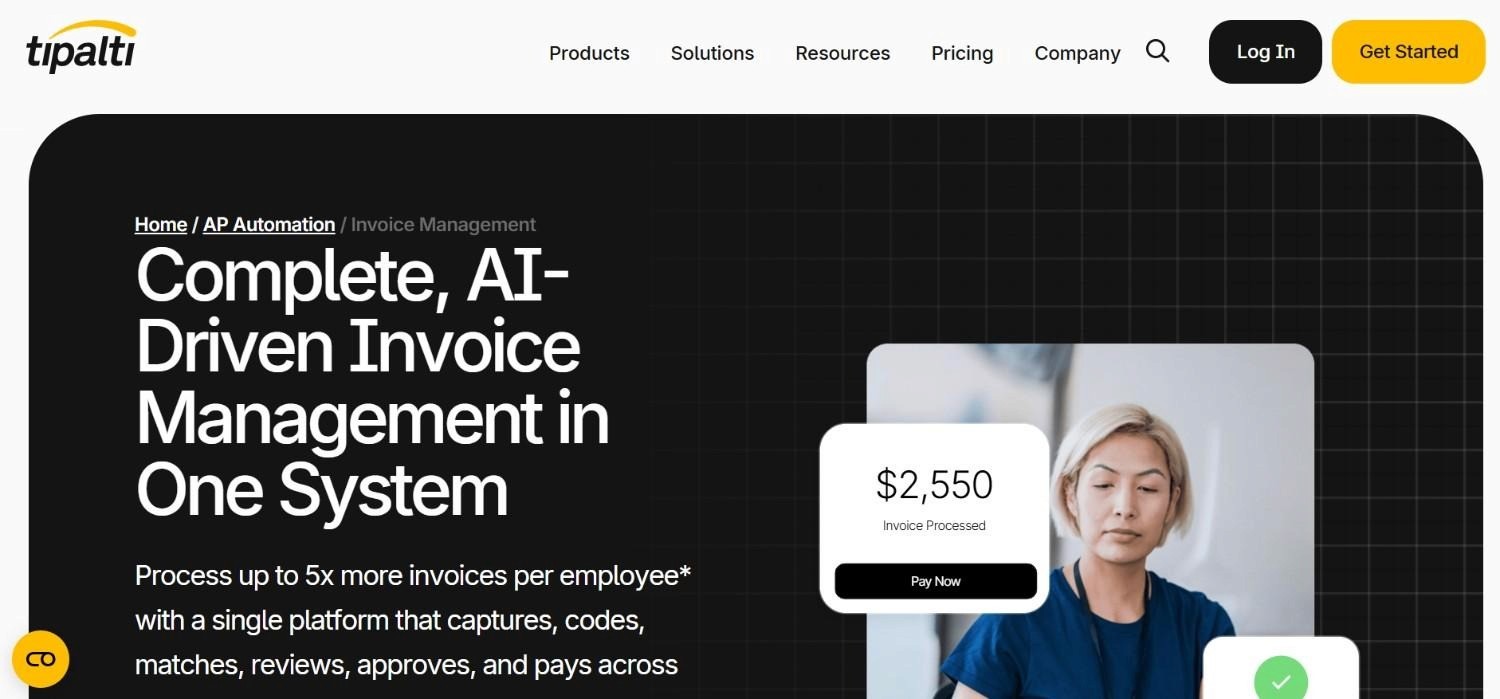
Tipalti is a US-headquartered global payables automation platform built for companies managing international vendors across multiple currencies and tax regimes. Founded in 2010, it serves mid-to-large companies in technology, media, and professional services with high volumes of international supplier payments.
Tipalti also combines supplier onboarding, tax compliance, global payments, PO matching, and reconciliation within a single workflow, reducing the need for multiple finance tools.
That being said, the company’s core differentiation is in compliance automation: W-9/W-8 form collection, OFAC and sanctions screening, 1099 and VAT reporting; with multi-currency payment execution across 190+ countries are native to the platform.
Invoice processing – with field extraction and approval routing specifically; is included as part of the broader payables workflow, though it is not Tipalti's primary strength relative to payment orchestration.
Ideal For
Finance teams managing 100+ international vendors across multiple countries and tax regimes
Organisations with significant tax compliance requirements including 1099, VAT, W-8, and OFAC screening
Finance operations where global payment orchestration and cross-border regulatory compliance are the primary automation goal
Mid-to-large companies in technology, media, and professional services with complex international AP
Top Features
Built-in tax compliance: Handles W-9, W-8, 1099, VAT, and OFAC screening across major global tax regimes – removing significant manual work for teams managing hundreds of international vendors.
Multi-currency payment orchestration: Processes payments across 190+ countries and 120+ currencies with automated FX conversion.
Vendor self-service portal: Suppliers onboard themselves, submit tax documents, and manage payment preferences without finance team involvement.
Invoice processing with approval routing: Captures standard invoice fields and routes through configurable approval workflows with audit trails.
Why They Stand Out
Tipalti is one of the best automated invoice processing software for organisations with genuine, cross-border payment complexity. The compliance automation capabilities; particularly
OFAC screening, automated tax form collection, and 1099/VAT reporting – eliminate substantial manual work for teams managing hundreds of vendors across multiple regulatory regimes.
For global payables at scale, it is a well-established choice.
Pros
Leading cross-border payment capabilities across 190+ countries and 120+ currencies
Automated tax compliance (1099, VAT, W-9, W-8) across major global regimes
Vendor self-service portal reduces procurement and finance team overhead on onboarding
Strong audit trail and regulatory compliance documentation
Cons
Invoice extraction is not the primary strength – complex or non-standard documents often require manual review
Expensive for organisations with predominantly domestic vendors (typical range: $15,000–$50,000/year)
Implementation takes 4–8 weeks; not suited to buyers needing fast deployment
Per-plan pricing can escalate quickly based on transaction volume
Pricing
Tipalti's pricing starts at €99/month for the Select plan, €219/month for Advanced, with custom pricing for Elevate, Accelerate, and Plus plans based on transaction volume and features. Typical enterprise contracts range from $15,000–$50,000/year.
Final Verdict
Tipalti is one of the best invoice processing automation software, especially for companies with genuine cross-border complexities and tax compliance obligations across jurisdictions.
For organisations seeking the best invoice processing software (for domestic AP and legacy ERP integrations) specifically, the cost and implementation overhead offered by this platform is difficult to justify.
3. Stampli
Overview
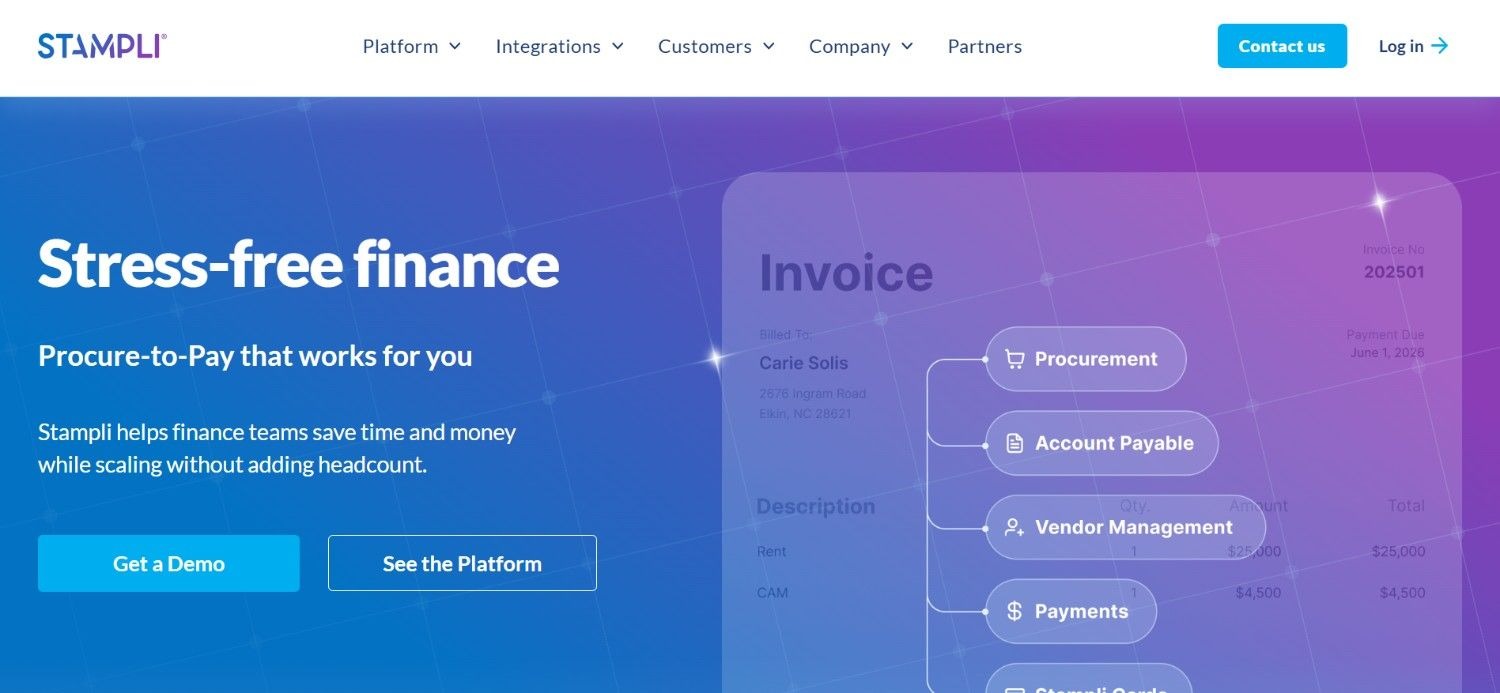
Stampli occupies the third spot on our list of the best automated invoice processing software. At its core, they’re an invoice management and AP collaboration platform built for finance teams where multiple departments review, question, and approve invoices.
The tool embeds communication directly on the invoice; so approvers, requesters, and AP staff can ask questions and resolve issues in context – rather than across scattered email threads.
Stampli integrates with 70+ ERP systems and provides a centralised dashboard for tracking invoice status, approval progress, and exception resolution, while the AI assistant, "Billy the Bot," handles automated coding suggestions and learns over time from each client's GL coding patterns.
Stampli is particularly strong for mid-market AP teams that process a mix of PO and non-PO invoices across multiple approvers.
Ideal For
Mid-market AP teams processing both PO and non-PO invoices across multiple departments and who require collaborative approval
Organisations that want to reduce email-based approval follow-up and consolidate invoice communications in one place
Finance teams with existing ERP investments who want an AP automation layer without replacing their core system
Companies with a mix of PO and non-PO invoices requiring flexible coding and approval workflows
Top Features
In-context invoice communication: All questions, comments, and clarifications are embedded directly on the invoice record, creating a searchable audit trail of every discussion.
AI coding suggestions: Billy the Bot recommends GL codes and cost centres based on historical patterns, reducing manual coding time and improving consistency.
70+ ERP integrations: Native connectors to major ERP systems including SAP, Oracle, NetSuite, Dynamics 365, QuickBooks, and Sage, with bidirectional data sync.
Integrated payments and corporate cards: Stampli Direct Pay handles payment execution alongside invoice processing, reducing the need for a separate payment tool.
Why They Stand Out
Stampli is one of the best invoice processing automation software for finance teams where the biggest invoice processing problem isn’t extraction accuracy, but approval bottlenecks and cross-functional communication.
The in-context comment thread approach is a practical differentiator: instead of chasing approvers across email chains, all interaction happens in one place with a complete record.
Pros
Strong collaborative features eliminate email-based approval follow-up
AI coding suggestions reduce manual GL coding effort and improve consistency
70+ ERP integrations with clean bidirectional sync
Integrated payment execution reduces vendor count for AP teams
Cons
Custom pricing with no published rates makes budget planning difficult
Primary focus is collaboration and approval; extraction accuracy on complex or non-standard formats is not a headline capability
Not suited to enterprise environments with legacy systems lacking modern API connectivity
No native end-to-end resolution on legacy ERPs – requires API-enabled integration
Pricing
Stampli uses custom, contact-for-quote pricing tailored to business needs. Integrated payments and corporate cards are included. No public pricing is listed.
Final Verdict
Stampli occupies the third spot on our list of the best software for automated invoice processing. It is a practical fit for mid-market AP teams facing approval bottlenecks and cross-functional invoice communication (versus extraction complexity or legacy system integration).
For organisations that need a full-workflow invoice processing automation software compatible with legacy ERP environments, Stampli's dependency on API-enabled integrations is a key constraint.
4. Rossum
Overview
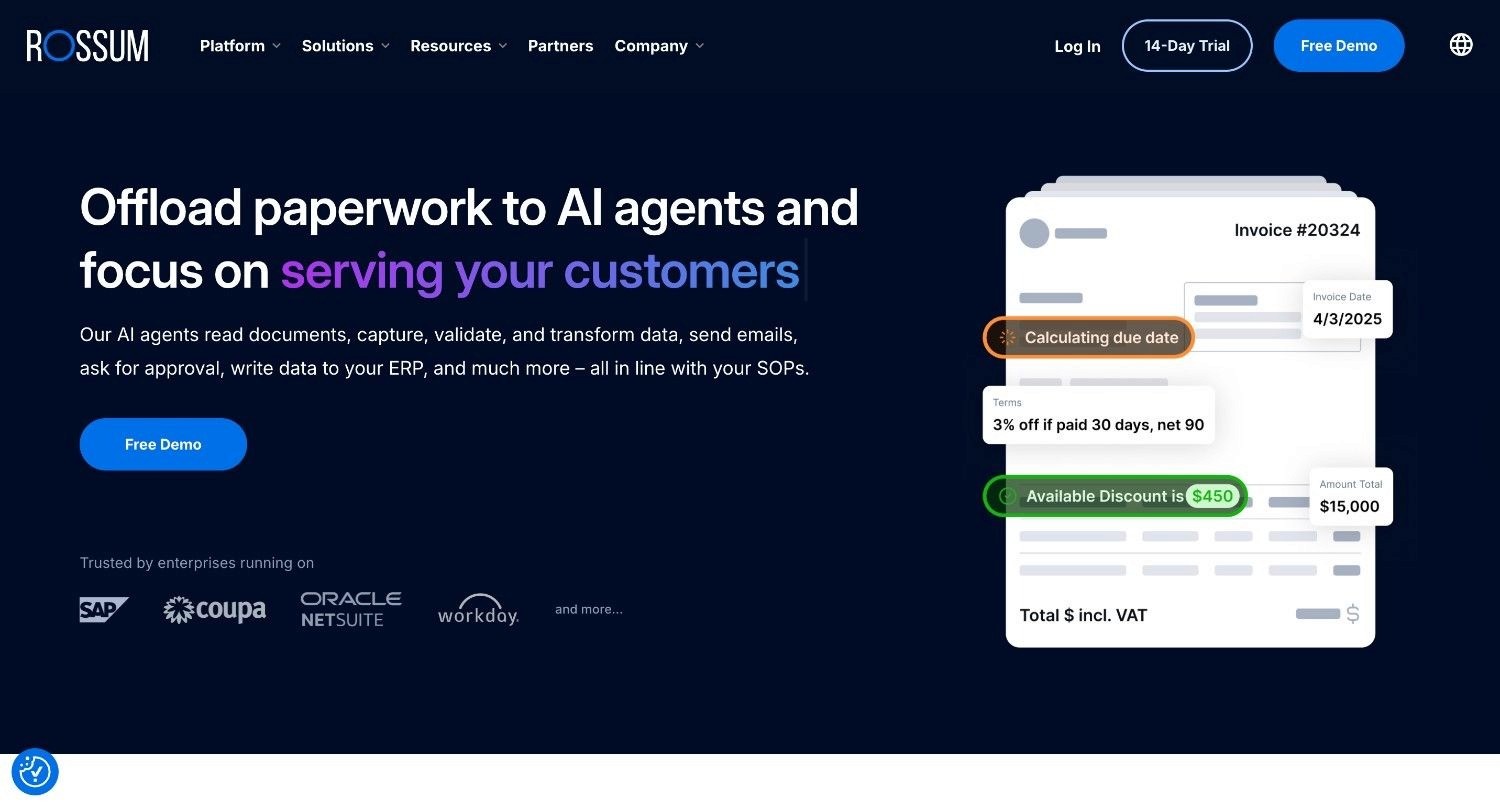
Rossum (now part of Coupa) is a Czech-founded, AI-first intelligent document processing platform with a deep learning extraction engine trained on tens of millions of invoice layouts. It targets accounts payable teams and shared service centres processing high invoice volumes in varied formats, with particular depth in structured extraction accuracy and ERP integration.
The platform includes a built-in review interface where human validators can inspect and correct AI extractions, approval routing, and an e-invoicing module addressing European mandate requirements in Belgium, Poland, and France. Its extraction engine is template-free: it handles format variation without per-vendor rule configuration.
Rossum is used by global logistics companies, manufacturing groups, and shared service centres across Europe and North America, making it one of the best automated invoice processing software options for high-volume AP operations.
Ideal For
Shared service centres processing 1,000+ invoices per month with significant format variation across suppliers
AP teams with complex multi-entity or multi-currency requirements on modern ERP platforms
Organisations running SAP, NetSuite, Coupa, or Dynamics 365 with standard API connectivity
European enterprises navigating incoming national e-invoicing mandates
Top Features
Template-free deep learning extraction: Handles format variation without manual rule configuration per vendor, adapting to new layouts it has not previously encountered.
Built-in ERP connectors: Native SAP, NetSuite, Coupa, and Dynamics 365 integration with structured data push and bidirectional sync.
Embedded approval workflow and review interface: Human-in-the-loop validation, approval routing, and exception resolution within a single platform.
E-invoicing compliance module: Processes e-invoices and PDFs side by side, addressing European mandate requirements across multiple countries.
Why They Stand Out
Rossum is one of the best invoice processing software for finance teams that need a high-volume, template-free invoice data extraction with built-in approval workflows. Its deep learning model performs well on varied invoice formats, making it less brittle than OCR-based tools when supplier templates differ significantly.
The e-invoicing module is a genuine differentiator for European enterprises navigating incoming national mandates.
Pros
Deep learning extraction handles layout variation without vendor-specific templates
Strong ERP connectors including SAP, NetSuite, Dynamics 365, and Coupa
Built-in approval routing and review interface within a single platform
E-invoicing compliance module addresses European mandate requirements
Cons
Custom, quote-based pricing with no published rates makes early-stage budgeting difficult
Does not natively execute ERP write-back for legacy systems without modern API connectivity
Focused on extraction and review rather than full end-to-end workflow resolution with governance
Starter plan at ~$18,000/year is a significant commitment for smaller teams
Pricing
Rossum's Starter plan begins at approximately $18,000/year, including unlimited user seats and AI-powered data extraction. Higher tiers (Business, Enterprise, Ultimate) add custom business logic, master data matching, extended document archives, and additional integrations.
Enterprise pricing is typically tied to document or page volume. A 14-day free trial is available.
Final Verdict
Rossum is one of the best invoice processing automation software for AP teams in mid-to-large enterprises - having high invoice volumes, varied supplier formats and modern ERP environments.
Their platform is less suited to organisations with legacy systems that lack API connectivity, or to buyers who need full-workflow resolution with write-back and governance rather than an extraction and review layer.
5. Zapier
Overview
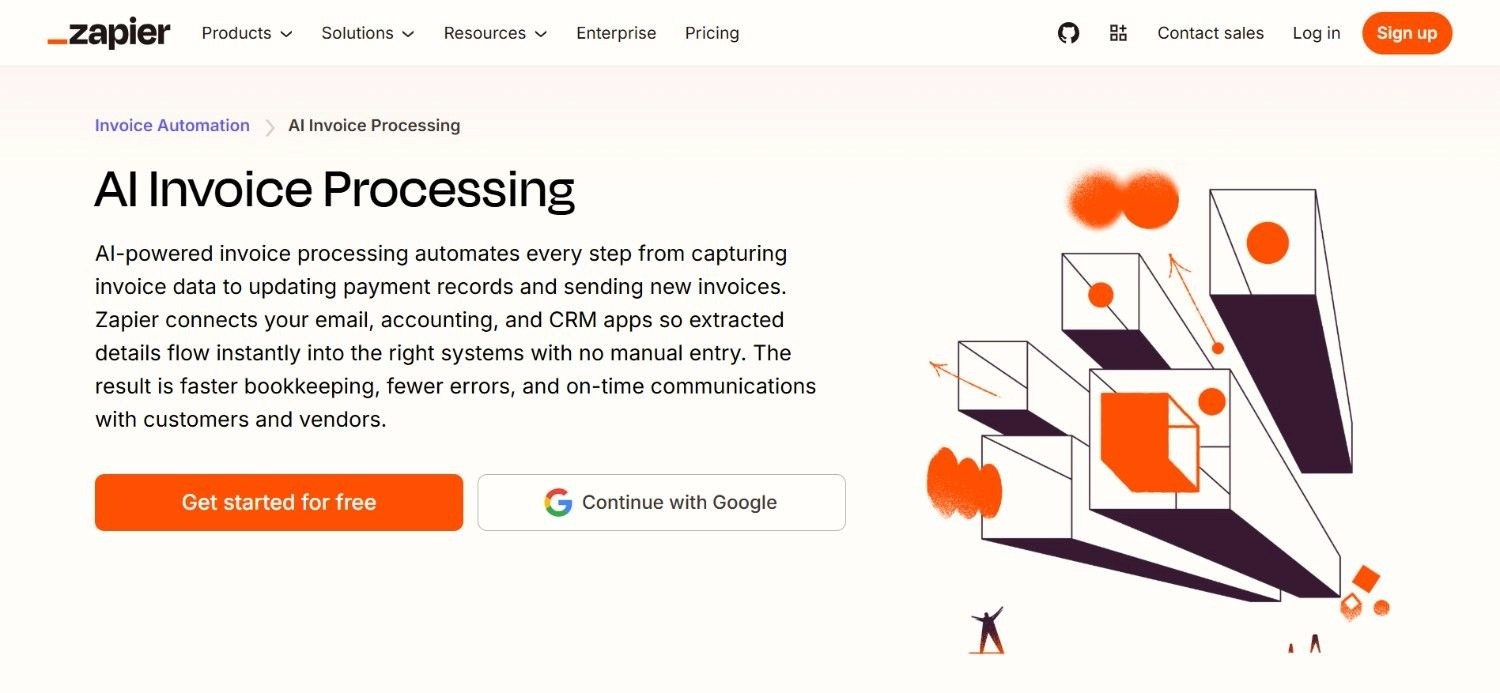
Zapier is a no-code workflow automation platform that connects 7,000+ apps via trigger-based "Zaps." For invoice processing, Zapier handles the coordination layer: triggering actions when an invoice arrives in Gmail, routing data to accounting tools, notifying approvers in Slack, or logging invoice records to Google Sheets.
It is not a dedicated invoice processing or AP automation platform, but the glue between tools that already handle specific steps. Zapier's strength is breadth and accessibility. Non-technical users can build invoice-related automations in minutes without writing code.
For teams with simple, consistent invoice formats and existing accounting software, Zapier can eliminate a significant amount of manual handoff work between tools.
Ideal For
Small teams and startups wanting lightweight invoice workflow automation without buying a dedicated AP platform
Operations teams already using Gmail, Slack, Google Sheets, and QuickBooks who need to connect them without custom development
Businesses with simple, consistent invoice formats that do not require AI extraction or ERP write-back
Teams building a first automation layer before graduating to a dedicated invoice automation solution
Top Features
7,000+ app integrations: Connects virtually any combination of email, accounting, storage, and communication tools via pre-built triggers and actions.
No-code automation builder: Non-technical users build and modify invoice-related workflows without writing code or involving IT.
Multi-step Zaps: Chain multiple actions from a single trigger – for example, extract an email attachment, log data to a spreadsheet, and send a Slack notification.
Scheduled automations: Run invoice-related tasks on a schedule, such as weekly AP reporting or recurring approval reminders.
Why They Stand Out
Zapier occupies the fifth spot on our list of the best automated invoice processing software. The platform’s primary strength is its integration breadth and the speed at which non-technical users can automate repetitive handoffs.
For finance teams spending time manually moving data between email, spreadsheets, and accounting software, even basic Zapier automations can recover hours per week.
Its accessibility and free tier make it an obvious starting point for teams early in their automation journey.
Pros
The largest integration library in the no-code automation category (7,000+ apps)
Non-technical users can build and modify workflows without IT involvement
Free plan available for low-volume use cases
Fast setup for basic invoice routing and notification workflows
Cons
Not a dedicated invoice processing or AP automation platform – no extraction, matching, or ERP write-back built in
Complex workflows require Zapier's paid tiers, which can become expensive at scale
No audit trail, governance layer, or compliance certifications relevant to enterprise AP
Not suited to high-volume, complex invoice processing or legacy system integration
Pricing
Zapier has a free plan for simple automations with limited monthly tasks, while its paid plans begin at $29.99 per month for more advanced use.
Pricing increases as you need more tasks and collaboration features, and enterprise customers get custom quotes.
Final Verdict
Zapier is a useful tool for small teams automating simple invoice-related handoffs between modern SaaS tools. It is not the best invoice processing automation software for enterprises, regulated industries, or any organisation needing extraction accuracy, ERP write-back, or compliance governance.
For teams that outgrow Zapier's capabilities, a dedicated platform is the logical next step.
6. Lindy AI

Overview
Lindy occupies the 6th spot on our list of the best automated invoice processing software. At its core, Lindy is an AI agent builder that lets teams create custom automation workflows without coding.
For invoice-related use cases, the platform primarily handles the coordination and communication layer: extracting invoice details from email attachments, logging them to spreadsheets, notifying approvers via Slack or email, and creating follow-up reminders for unanswered invoices.
Lindy is not a dedicated AP platform and does not include ERP write-back, three-way matching, or enterprise governance. Its value is in building lightweight, flexible AI-powered workflows around invoice processes using existing tools – making it a strong complement to dedicated AP software rather than a replacement.
It is ideally suited to startups, operations teams, and finance functions that want AI-driven automation without the cost or complexity of an enterprise AP system.
Ideal For
Startups and small businesses wanting to automate invoice intake, notifications, and follow-ups without a full AP platform
Operations teams using email, Slack, and spreadsheets as their primary invoice coordination tools
Finance functions that need a flexible AI agent to handle inbox triage, approval reminders, and document follow-up
Teams evaluating automation before committing to a dedicated automated invoice processing software investment
Top Features
No-code AI agent builder: Create custom invoice automation workflows in plain English, without writing code or involving developers.
Email invoice extraction: Lindy reads incoming invoice emails, pulls key metadata, and formats it for downstream tools.
Slack and email approval notifications: Automatically notifies approvers when an invoice requires attention, with the relevant context attached.
Spreadsheet sync: Logs invoice data including amount, due date, and vendor name to Airtable, Google Sheets, or similar tools automatically.
Why They Stand Out
Lindy is amongst the best software for automated invoice processing - especially for teams who want AI-powered automation around invoice coordination workflows, without the cost or complexity of a dedicated AP platform.
Its no-code builder and credit-based pricing model make it accessible to smaller organisations that need flexibility across multiple use cases, not just invoice processing.
Pros
Fast, no-code setup for invoice coordination workflows
Flexible enough to handle multiple use cases beyond invoice automation
Free plan available with generous task allocation
Integrates with email, Slack, spreadsheets, and a wide range of business tools
Cons
Not a dedicated invoice processing platform – no ERP write-back, three-way matching, or governance layer
Credit-based pricing means costs scale with complexity and model usage, making it harder to predict at volume
Not suited to enterprise environments with legacy systems or compliance requirements
Requires manual workflow logic setup before automations run reliably
Pricing
Lindy's pricing starts with a free plan, then Plus at $49.99/month, Pro at $99.99/month, and Max at $199.99/month, with Enterprise priced by contact. The higher tiers increase usage limits and connected inbox capacity.
Enterprise adds compliance features including SSO, SCIM, and audit logs. It uses a credit-based system, so task cost depends on the model and workflow complexity.
Final Verdict
Lindy AI is a strong starting point for teams wanting lightweight AI automation around invoice coordination – extracting data from email, notifying approvers, and logging records to spreadsheets.
It is not the right fit for organisations that need the best software for automated invoice processing with full ERP resolution, legacy system integration, or enterprise governance features.
7. Ramp
Overview
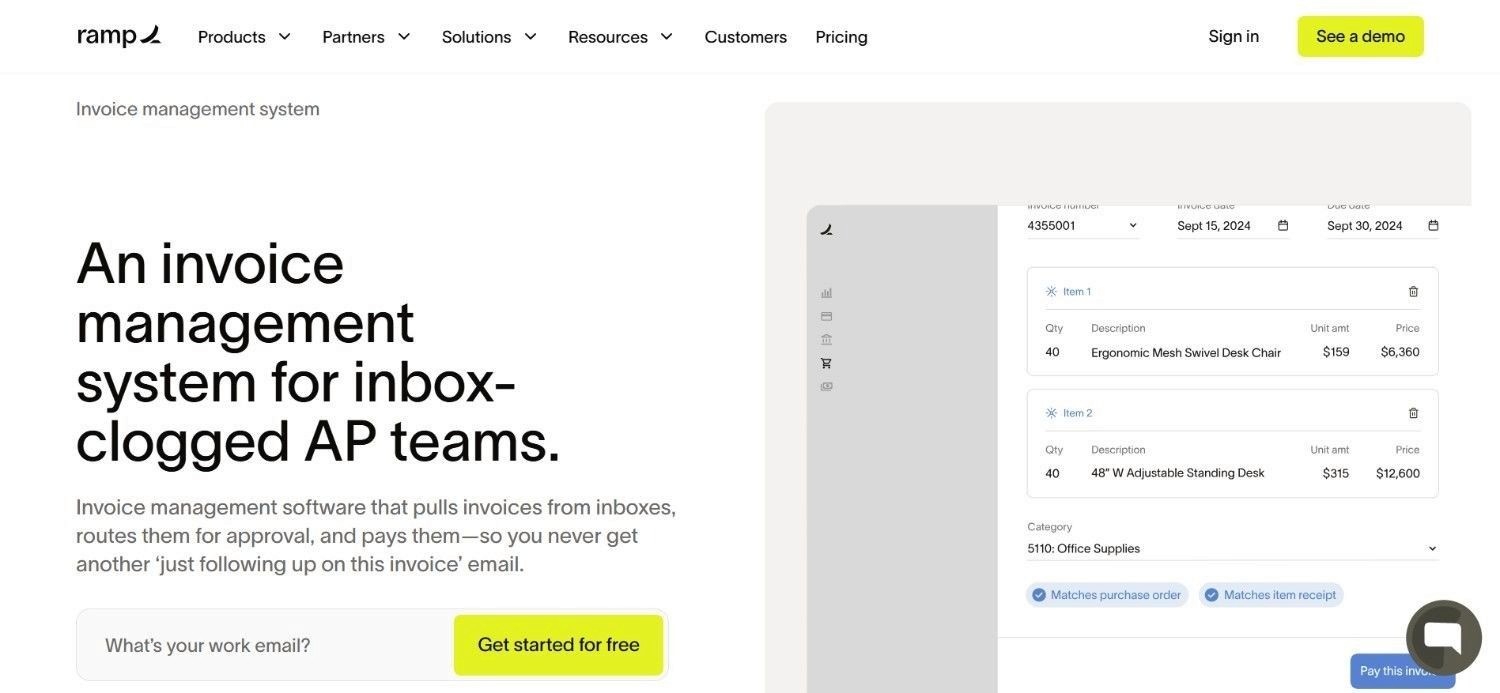
Ramp is a financial operations platform combining corporate cards, expense management, bill pay, and accounting automation in a single product.
For invoice processing, Ramp handles vendor bills and AP automation alongside its spend management capabilities – making it a practical choice for companies that want to consolidate their finance stack rather than manage separate tools for cards, expenses, and invoices.
Ramp's invoice processing module captures vendor bills, routes them through approval workflows, and syncs to accounting systems including QuickBooks, Xero, NetSuite, and Sage Intacct. Its AI coding capabilities suggest GL codes based on historical patterns.
The platform is particularly strong for growth-stage companies and mid-market organisations where the finance team handles both employee spend and vendor payments.
Ideal For
Growth-stage and mid-market companies wanting to consolidate corporate cards, expenses, and invoice AP in one platform
Finance teams currently managing separate tools for spend management and accounts payable
Organisations using QuickBooks, Xero, NetSuite, or Sage Intacct as their primary accounting system
Companies that prioritise spend visibility and cash flow management alongside invoice automation
Top Features
Bill pay with approval workflows: Captures vendor bills, routes through configurable multi-level approvals, and executes payment via ACH, card, or cheque.
AI-powered coding: Suggests GL codes and categories based on historical transaction patterns, reducing manual coding effort.
Real-time spend dashboards: Consolidated visibility across corporate card spend, expenses, and vendor payments in a single interface.
Accounting integrations: Native sync with QuickBooks, Xero, NetSuite, Sage Intacct, and other major accounting platforms.
Why They Stand Out
Ramp is one of the more practical consolidated finance platforms for growth-stage and mid-market companies. The combination of corporate cards, expense management, and AP automation in one product reduces tool sprawl and gives finance teams a single view of all company spend.
For organisations where both employee and vendor spend management are active priorities, consolidating on Ramp often reduces both cost and operational complexity.
Pros
Consolidates corporate cards, expense management, and invoice AP in one product
Strong real-time spend visibility across all company expenditure types
AI coding reduces manual GL entry effort
Free plan available with core features included
Cons
Invoice extraction accuracy on complex or non-standard formats is not a headline capability
Not suited to enterprise environments with legacy ERP requirements or data sovereignty mandates
Global payment capabilities are more limited than dedicated cross-border platforms like Tipalti
Per-user pricing at higher tiers can compound as teams grow
Pricing
Ramp offers a free plan with core features. Paid plans start at $15/user/month. Enterprise pricing is available on request for large-scale deployments.
Final Verdict
Ramp is a strong fit for growth-stage and mid-market companies wanting to consolidate finance tools. For organisations with complex invoice formats, legacy ERP requirements, or enterprise data sovereignty needs,
Ramp's extraction capabilities and integration depth are less suited than dedicated automated invoice processing software platforms.
8. Pleo

Overview
Pleo is a European spend management platform combining smart company cards, expense management, and accounts payable automation for SMBs and mid-market companies. Founded in Copenhagen in 2015, Pleo serves companies across the UK and Europe that want to give employees purchasing autonomy while maintaining full finance team visibility and control.
For invoice processing, Pleo's AP module handles supplier invoice capture, approval workflows, and accounting integrations. Invoices can be submitted digitally or captured from email, with automatic extraction of key fields.
Pleo integrates with accounting tools including Xero, QuickBooks, Sage, and Dynamics 365, syncing invoice data directly to the general ledger.
Ideal For
SMBs and mid-market companies in the UK and Europe wanting to manage company cards, expenses, and AP invoices in one platform
Finance teams looking to give employees purchasing autonomy with real-time visibility and budget controls
Organisations using Xero, QuickBooks, Sage, or Dynamics 365 as their primary accounting system
Companies that prioritise European-first design and compliance across GDPR and UK regulatory requirements
Top Features
Smart company cards with real-time controls: Physical and virtual cards with spending limits, category restrictions, and real-time transaction visibility across all cardholders.
Invoice capture and approval workflows: Captures supplier invoices via email or digital submission, extracts key fields, and routes through configurable approval workflows.
Accounting integrations with automatic sync: Connects to Xero, QuickBooks, Sage, and Dynamics 365 with automatic GL code suggestions and receipt matching.
Employee expense management: Handles employee reimbursements, receipt capture, and mileage claims alongside vendor invoice processing.
Why They Stand Out
Pleo is one of the stronger options for European SMBs and mid-market teams wanting a single platform for both employee spend and supplier invoice management. Its card-first approach means finance teams gain real-time spend visibility across all company expenditure, not just AP.
For UK and European companies navigating GDPR and local compliance requirements, Pleo's European roots and data residency practices are a meaningful consideration.
Pros
Strong spend management + AP combination for SMBs and mid-market
European-first design with GDPR compliance and UK regulatory alignment
Real-time spend visibility across cards, expenses, and invoices
Clean integrations with major UK and European accounting platforms
Cons
Not suited to enterprise environments with complex legacy ERP requirements or multi-region rollouts
Invoice extraction capabilities are solid for standard formats but less robust on complex or unusual layouts
Higher pricing tiers for the full feature set may not suit very small businesses
Limited capabilities for organisations with high-volume, complex AP operations
Pricing
Pleo offers four pricing tiers: Starter at £9.50/month, Essential starting at £39/month, Advanced at £99/month, and Beyond at £199/month. Each tier adds features, user limits, and accounting integration depth.
Final Verdict
Pleo is a practical choice for European SMBs and mid-market teams wanting to consolidate company cards, expenses, and AP invoices in one platform.
For organisations with enterprise-scale AP complexity, legacy ERP requirements, or high-volume invoice processing needs, Pleo's feature set is better suited as a complementary spend tool than a primary invoice processing automation software solution.
9. Coupa
Overview
Coupa is an enterprise business spend management platform covering procurement, invoicing, expenses, and supplier management across mid-to-large organisations globally.
Founded in 2006, Coupa serves enterprise clients in financial services, manufacturing, healthcare, and retail with a comprehensive procure-to-pay solution designed to provide full spend visibility from purchase request through to payment.
For invoice processing, Coupa's AP automation module handles electronic invoice receipt (including EDI and e-invoicing formats), automated three-way PO matching, approval workflows, and ERP integration.
Its supplier portal lets vendors self-submit invoices and check payment status, reducing inbound invoice management effort.
Ideal For
Large enterprises wanting a fully integrated procure-to-pay platform covering procurement through invoice payment
Organisations with complex supplier ecosystems requiring structured supplier onboarding, portal access, and invoice submission workflows
Finance teams where AP automation is one component of a broader spend management initiative
Companies with significant procurement complexity alongside AP processing requirements
Top Features
Integrated procure-to-pay: Connects purchase requests, POs, goods receipts, and invoices in a single platform, enabling automated three-way matching across the full procurement lifecycle.
Supplier portal: Allows suppliers to self-submit invoices, check payment status, and manage their profile – reducing inbound invoice handling for AP teams.
E-invoicing support: Handles electronic invoice formats including EDI, XML, and regional e-invoicing standards across multiple countries.
Advanced analytics and spend visibility: Provides real-time reporting on spend by category, supplier, and business unit across the entire procurement and AP lifecycle.
Why They Stand Out
Coupa is one of the more comprehensive spend management platforms for enterprises that want a single vendor across procurement, invoicing, and supplier management.
Its procure-to-pay integration means invoices are validated against purchase orders created in the same system – reducing the data quality issues that arise when procurement and AP operate in separate tools.
Pros
Comprehensive procure-to-pay coverage in a single platform
Strong supplier portal reduces AP team workload on inbound invoice management
E-invoicing support across multiple formats and regional standards
Advanced spend analytics across the full procurement and AP lifecycle
Native integration with Rossum's intelligent document processing capabilities, reflecting their shared product ecosystem
Cons
Enterprise pricing starting at $549/year for basic tiers and scaling significantly for full functionality
Implementation complexity and timelines can be substantial; not suited to buyers needing fast deployment
Overkill for organisations whose primary need is standalone invoice processing rather than full procure-to-pay
Integration with legacy systems may require additional middleware or implementation effort
Pricing
Coupa's ‘Supplier Portal’ is free to use for suppliers. On the other hand, the Coupa platform starts at $549/year for the Verified plan, with premium support at $449/year. Enterprise subscriptions scale beyond $4,800/year depending on modules, users, and transaction volume.
Full implementation projects typically carry significant additional services costs.
Final Verdict
Coupa is a strong consideration for large enterprises looking to consolidate procurement and AP on a single spend management platform.
For organisations whose primary requirement is the best invoice processing software standalone (without a broader procure-to-pay initiative) – Coupa's implementation complexity and cost are difficult to justify against more focused alternatives.
10. Vic.ai
Overview
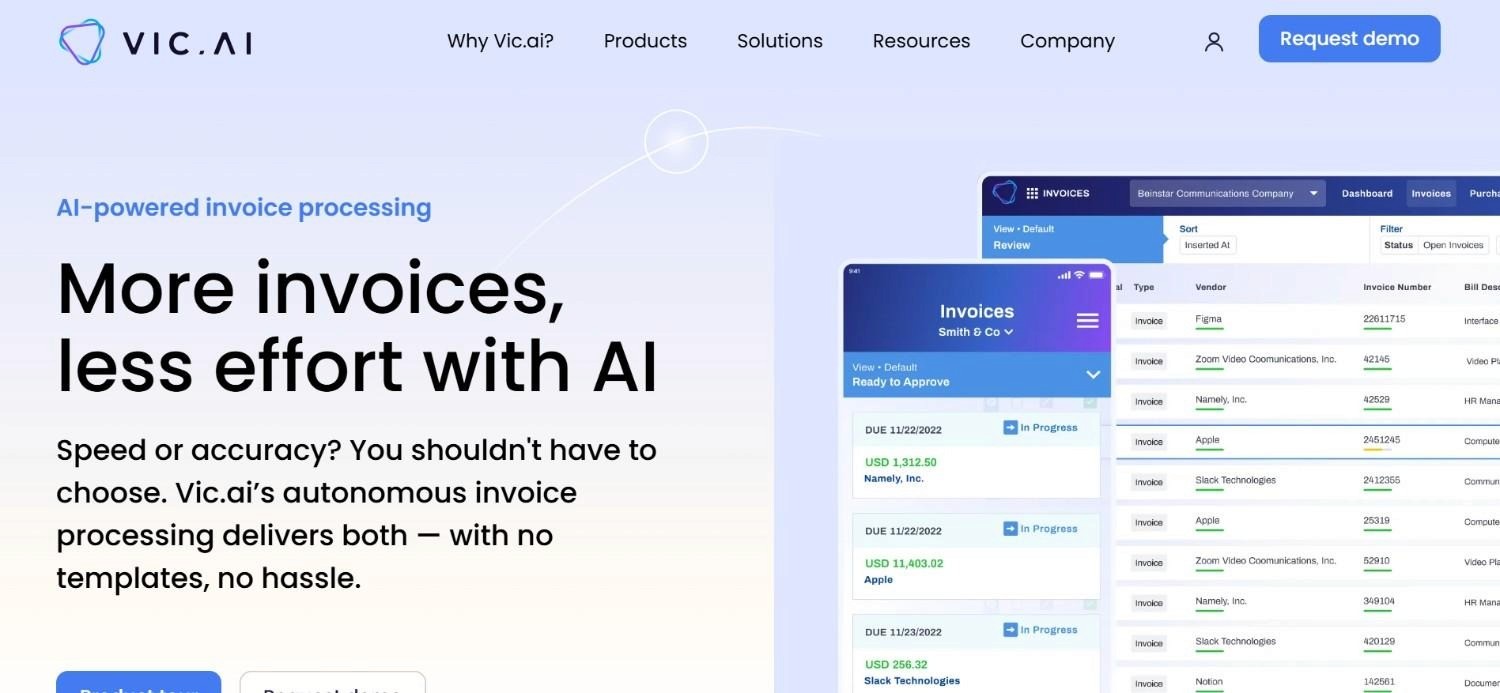
Vic.ai is an AI-powered accounts payable automation platform focused on autonomous invoice coding, approval routing, and anomaly detection.
Founded in 2017 and headquartered in New York with European operations, Vic.ai uses deep learning to learn each organisation's specific coding patterns and approval behaviours over time, increasing the proportion of invoices that can be processed with minimal human review.
Vic.ai integrates with major ERP systems including SAP, Oracle, Microsoft Dynamics, Unit4, and Visma, and targets finance teams at mid-to-large organisations that want to reduce manual AP effort through progressively autonomous invoice handling.
Its learning engine means accuracy and straight-through processing rates improve as the platform sees more invoices.
Ideal For
Mid-to-large finance teams wanting progressively autonomous invoice coding and approval with a learning AI engine
Organisations using SAP, Oracle, Dynamics 365, Unit4, or Visma as their primary ERP
AP teams with high invoice volume where reducing manual review and coding effort is the primary objective
Finance leaders who want detailed analytics on AP processing performance, exception rates, and automation rates
Top Features
Autonomous invoice coding: The AI learns each organisation's specific GL coding patterns and applies them autonomously to incoming invoices, improving accuracy over time.
Anomaly detection and exception flagging: Automatically identifies invoices with pricing anomalies, duplicate submissions, or unusual patterns, routing them for human review rather than processing blindly.
Progressive automation: As the system processes more invoices, the proportion handled with minimal human intervention increases – improving ROI over the deployment lifetime.
ERP integration with write-back: Connects to SAP, Oracle, Dynamics, and other major ERPs with direct write-back of coded and approved invoices.
Why They Stand Out
Vic.ai is one of the more distinctive options in the best automated invoice processing software category for its learning engine.
While most platforms apply static rules or pre-trained models, Vic.ai adapts to each client's specific coding and approval patterns – meaning the platform gets measurably better at their specific process over time.
For organisations with complex GL coding requirements across multiple cost centres and business units, this adaptive approach can produce materially higher straight-through processing rates than generic models.
Pros
Learning engine improves autonomous coding accuracy over time rather than remaining static
Anomaly detection reduces fraudulent or erroneous invoice approvals
Strong ERP integrations with write-back for SAP, Oracle, and Dynamics environments
Detailed analytics on automation rates and AP processing performance
Cons
Pricing is not public – requires a discovery call for a tailored quote, making early-stage budget planning difficult
The learning engine requires invoice volume and time to reach peak performance; not ideal for very low-volume AP teams
Limited information on legacy system support without modern API connectivity
US-headquartered with European operations; data residency and sovereignty terms require direct verification
Pricing
Vic.ai does not publish pricing publicly and offers tailored quotes based on each finance team's requirements. A discovery call is required to get specific pricing. Pricing is typically volume-based and scales with invoice processing throughput.
Final Verdict
Vic.ai is worth evaluating for mid-to-large finance teams with significant invoice volume and complex GL coding requirements, particularly in SAP and Oracle environments.
Its learning engine is a genuine differentiator for organisations where coding accuracy improvement over time is a priority.
For buyers needing transparent pricing, fast deployment, or deep legacy system integration without API prerequisites, Vic.ai's limited public information and typical implementation timeline are relevant considerations.
How to Choose the Best Automated Invoice Processing Software?
1. Test Extraction Accuracy on Your Actual Documents
Every vendor claims high extraction accuracy. What that typically means is high accuracy on their standardised test sets. Your invoices include non-standard supplier templates, handwritten annotations, multi-page line-item tables, and mixed formats.
Before committing to any automated invoice processing software, run a proof-of-concept on your own document set. Manual processing carries a 2-3% error rate; a well-matched tool should bring that below 0.5% on your specific documents.
Noxus offers to run a quick demo on your existing systems for this exact purpose – piloting a single workflow on your data without any financial commitments.
2. Confirm What Happens After Extraction
Extraction is the first step while choosing the best invoice processing automation software, not the complete one.
Ask each vendor:
Does the tool validate data against purchase orders?
Does it write results back to your ERP?
Does it route exceptions for human review with full context assembled?
Does it produce a complete audit trail?
Many invoice processing tools stop at the structured output.
If ERP write-back still requires a human or a custom integration layer, the actual automation value is far lower than headline accuracy figures suggest.
3. Confirm Legacy System Compatibility
If your ERP is SAP ECC, Oracle E-Business Suite, Guidewire, or a proprietary industry platform, confirm the tool integrates directly – not via a REST API your system may not support. Even the best invoice processing software assumes modern, API-enabled architectures.
Legacy systems require a platform that operates inside them as they are, without a modernisation project as a prerequisite.
This integration problem is what kills most AI deployments: the AI works; the integration does not.
4. Evaluate Deployment Options and Data Sovereignty
For regulated industries, where data is processed matters as much as how well the software performs. Confirm whether the platform offers on-premises or private cloud deployment, where invoice data is stored and processed, and which certifications apply (GDPR Article 28, SOC 2, ISO 27001, HIPAA).
For European enterprises navigating GDPR, EU AI Act, DORA, and NIS2, data sovereignty is a procurement requirement – not a preference.
Look for platforms where compliance is architecturally built in, not contractually promised.
5. Model Total Cost at Your Actual Processing Volume
Per-invoice pricing looks affordable at 100 invoices per month. At 2,000 invoices per month at £1.20 per invoice, that is £28,800 per year before any platform or user fees. Model the total cost at your current volume and at three times your current volume.
Flat pricing models; or operational-volume models like Noxus – become more cost-efficient above approximately 500 invoices per month and avoid the unpredictable cost escalation inherent in pure transaction-based billing.
Everything You Need to Know About Invoice Processing Software
← scroll to see all columns →
| Company | Pros | Cons | Ease of Use | Integrations | Support | Affordability |
|---|---|---|---|---|---|---|
| Noxus | Full workflow resolution; legacy ERP depth; complete audit trail | Enterprise-focused; Scale tier requires custom quote | ⭐⭐⭐⭐⭐ | ⭐⭐⭐⭐⭐ | ⭐⭐⭐⭐⭐ | ⭐⭐⭐⭐⭐ |
| Tipalti | Best-in-class cross-border payments; automated tax compliance; vendor self-service | Expensive for domestic-only AP; complex to implement | ⭐⭐⭐⭐⭐ | ⭐⭐⭐⭐⭐ | ⭐⭐⭐⭐⭐ | ⭐⭐⭐⭐⭐ |
| Stampli | Strong collaboration; AI coding; 70+ ERP integrations | No public pricing; limited on legacy systems | ⭐⭐⭐⭐⭐ | ⭐⭐⭐⭐⭐ | ⭐⭐⭐⭐⭐ | ⭐⭐⭐⭐⭐ |
| Rossum | Template-free extraction; ERP connectors; e-invoicing | Custom pricing; limited legacy support; extraction-only focus | ⭐⭐⭐⭐⭐ | ⭐⭐⭐⭐⭐ | ⭐⭐⭐⭐⭐ | ⭐⭐⭐⭐⭐ |
| Zapier | Huge integration library; fast setup; free plan | Not a dedicated AP platform; no extraction or ERP write-back | ⭐⭐⭐⭐⭐ | ⭐⭐⭐⭐⭐ | ⭐⭐⭐⭐⭐ | ⭐⭐⭐⭐⭐ |
| Lindy AI | Flexible AI agents; no-code builder; free plan | Not a full AP platform; credit-based pricing complexity | ⭐⭐⭐⭐⭐ | ⭐⭐⭐⭐⭐ | ⭐⭐⭐⭐⭐ | ⭐⭐⭐⭐⭐ |
| Ramp | Consolidated spend + AP; free plan; real-time dashboards | Limited on complex invoice formats; not enterprise-grade | ⭐⭐⭐⭐⭐ | ⭐⭐⭐⭐⭐ | ⭐⭐⭐⭐⭐ | ⭐⭐⭐⭐⭐ |
| Pleo | European-first; strong spend + AP combo; GDPR-aligned | Not suited to enterprise-scale or legacy ERP environments | ⭐⭐⭐⭐⭐ | ⭐⭐⭐⭐⭐ | ⭐⭐⭐⭐⭐ | ⭐⭐⭐⭐⭐ |
| Coupa | Full procure-to-pay; supplier portal; e-invoicing | High cost; complex implementation; overkill for AP-only needs | ⭐⭐⭐⭐⭐ | ⭐⭐⭐⭐⭐ | ⭐⭐⭐⭐⭐ | ⭐⭐⭐⭐⭐ |
| Vic.ai | Learning AI engine; anomaly detection; strong ERP write-back | No public pricing; volume required for peak performance | ⭐⭐⭐⭐⭐ | ⭐⭐⭐⭐⭐ | ⭐⭐⭐⭐⭐ | ⭐⭐⭐⭐⭐ |
Start Resolving Invoices with Noxus
Most automated invoice processing software extracts data. Noxus resolves invoices. Our platform lets you extract key fields from invoice files in any format, validate against purchase orders, and write results back into SAP, Oracle, Guidewire, or SharePoint – under a complete audit trail, on the exact legacy systems your organisation already runs.
We currently have 3 live production deployments across European financial services, healthcare and retail - with 3-5x ROI, and 45-80 days to go from contract to production. Clients like Santander, CUF/José de Mello, and Jerónimo Martins and other major organisations have already benefited from our approach – with zero churn across all clients to date.
Start with a simple, test run set to scope our platform’s implementation and run a live workflow on your actual data.
Book a free consultation with our team now!
FAQs About Automated Invoice Processing Software
What is the best automated invoice processing software in 2026?
Noxus offers the best automated invoice processing software in 2026. Our platform acts as a process intelligence layer, extracting key fields from invoice files in any format, validating against purchase orders, and writing results back to SAP, Oracle, or Guidewire – all under a complete audit trail with no API modernisation required. Our deployments usually deliver 3-5x ROI in 45-80 days.
What should I consider when choosing the right invoice processing software for me?
When choosing the best invoice processing automation software, prioritise extraction accuracy on your actual documents (not vendor benchmarks), whether the tool writes results back to your specific ERP, deployment options for data sovereignty compliance, and total cost at your real processing volume. Also confirm the platform handles exceptions with a human escalation path, rather than failing silently or halting.
How does Noxus differ from similar alternatives?
Noxus differs from alternatives like Rossum, Stampli, or Tipalti in two key ways. First, we resolve the full invoice workflow: extraction, matching, ERP write-back, and audit logging – while most alternatives extract structured data and require additional middleware or custom development for system integration. Second, we operate inside legacy systems including SAP ECC and Guidewire without requiring an API layer; most competitors assume modern, API-enabled architectures. For European enterprises, we also offer EU/UK data residency on the Scale plan with enterprise audit and logging included.
How do I get started with Noxus?
Getting started with Noxus begins with a demo call where we walk through your specific process: the workflow you want automated, the systems it touches, and the volume it handles. From there, we scope the first use case and structure the initial deployment. Most first engagements go from contract signature to production on real client systems within 45-80 days. A structured pilot on your actual workflows is available before full commitment; so you can validate the approach on real systems and real data before scaling.
How easy is it to switch to Noxus?
Switching to Noxus does not require replacing your existing systems. Our platform operates on top of the systems you already run: SAP, Oracle, Guidewire, SharePoint, or proprietary platforms – without migration, re-platforming, or API modernisation. The initial deployment includes implementation engineering to get the first workflow live. Most clients reach production in 45-80 days. The open-core guarantee means you retain all code and binaries if the relationship ends.
Does invoice automation software work with handwritten or non-standard invoices?
Yes – modern automated invoice processing software using AI and machine learning handles non-standard formats, varied layouts, and partially handwritten documents without per-vendor template configuration. OCR converts the document to machine-readable text; AI classifies fields and validates values against business rules. That said, accuracy varies significantly across platforms on genuinely unusual documents. Always test with your own invoice samples before committing to a platform, not just with vendor-provided benchmarks.
What is the difference between invoice automation software and RPA for invoices?
Traditional RPA tools automate rigid, single-system tasks but are brittle and struggle with unstructured data like PDFs. Modern invoice processing software uses AI to process unstructured inputs, apply business rules, and manage multi-system workflows. Unlike RPA, which requires manual intervention for ambiguity, automated invoice software resolves exceptions automatically, providing full context and end-to-end resolution.
What does the EU AI Act mean for automated invoice processing software in 2026?
The EU AI Act treats AI making financial decisions as high-risk. For invoice automation, the key is whether AI decides autonomously or if human rules govern all financial outcomes. Noxus uses AI only for interpreting invoices, while deterministic rules handle every validation and approval. No AI approves payments. Every decision is traceable, meeting the EU AI Act's human oversight and audit requirements.






