Best Agentic AI Tools in 2026 (Feature & Pricing Comparison)
Discover the best agentic AI tools in 2026. Compare Noxus, Zapier, n8n, Gumloop, and more to automate complex operations end-to-end. Find the right fit.

Key Takeaways (TL;DR)
The Best Overall Agentic AI Tool: Noxus is the process intelligence layer purpose-built for enterprise operations, executing complex, multi-system workflows end-to-end on legacy infrastructure, with every action governed, logged, and replayable. It goes live in 45 to 80 days on your existing systems, with zero API modernisation required.
Why Do You Need It: Most enterprises run AI pilots that never reach production because the underlying infrastructure problem goes unsolved. Agentic AI tools that actually execute work, not just suggest it – close that gap and convert AI investment into measurable operational outcomes.
Who It's For: Enterprise operations leaders, IT teams at regulated organisations, and digital transformation leaders in financial services, insurance, healthcare, and retail who need AI that runs on legacy systems under governance, not just modern SaaS stacks.
How to Choose the Right One: To choose the best agentic AI tool, start by matching the tool to your system complexity, legacy stacks require different integration depth than modern SaaS. Confirm whether the tool executes operations end-to-end or stops at drafting and routing. Verify that the governance model, audit trail, and deployment options meet your regulatory requirements.
Expected Price: Noxus operates on a monthly platform license with custom consumption-based pricing. Across the broader market, pricing ranges from free self-hosted tiers (n8n), through $9/month entry points (Make.com), up to fully custom enterprise quotes for platforms like Noxus, Kore AI, and Glean.
Table of Contents
Top Agentic AI Tools in 2026: At a Glance
← scroll to see all columns →
| Company | Best For | Key Features | Pricing |
|---|---|---|---|
| Noxus | Enterprise operations on legacy stacks | Multi-system executionFull audit trailLegacy integrationBYOK | Custom (monthly license) |
| Zapier | Lightweight SaaS automation for non-technical teams | 7,000+ app integrationsAI actionsNo-code workflow builder | Free From $29.99/month |
| n8n | Technical teams building custom automation workflows | Open-sourceSelf-hostableVisual node editor400+ integrations | Free self-hosted From €20/month cloud |
| Make.com | Visual automation for small teams and startups | Credit-based modelVisual scenario builderBroad app ecosystem | Free From $9/month |
| Gumloop | AI-native automation for modern, SaaS-first teams | AI workflow builderWeb scrapingDocument processing | From $37/month Free trial |
| Kore AI | Enterprise conversational AI and virtual assistant deployments | Multi-channel AI agentsLLM orchestrationAnalytics | Session, usage, or per-seat based |
| Glean | Enterprise knowledge retrieval and AI search | Unified enterprise searchAI assistantKnowledge connectors | Custom (sales-led) |
| Claude | General-purpose AI reasoning, writing, and analysis | Advanced reasoningLong contextAPI accessMulti-modal | From $17/month Custom enterprise |
| Lindy AI | Personal and team productivity automation | Email managementSchedulingTask automationCredit system | Free From $49.99/month |
| Relevance AI | Developer teams building custom AI agents and workflows | Agent builderTool libraryLLM flexibilityAPI-first | Freemium; enterprise custom |
What Are Agentic AI Tools?
Agentic AI tools are software systems that can take sequences of actions autonomously to complete a goal, without requiring a human to approve each step. Unlike traditional AI that answers a question or generates a piece of content, an agentic AI system perceives a context, decides what actions to take, executes those actions across connected systems, and adjusts based on what it finds.
The key word is "executes": agentic AI tools do the actual work, not just suggest it.
The category spans a wide range. At one end sit lightweight tools that connect SaaS applications and trigger simple actions based on conditions; tools like Zapier and Make.com. At the other end sit enterprise-grade agentic AI platforms that orchestrate multi-step operations across complex, legacy-heavy system environments, applying business rules, handling exceptions, and writing outcomes back to source systems under full governance.
The broader market is growing fast. According to Gartner, by 2028, at least 15% of day-to-day work decisions will be made autonomously through agentic AI, up from 0% in 2024.
The adoption gap between organisations that have moved agentic AI tools into production and those still running pilots is widening and the organisations closing that gap faster tend to be the ones choosing tools built for their actual system environment, not just tools with the most compelling demos.
Why Do You Need Agentic AI Tools?
The core problem most enterprises face is not a shortage of AI tools. It is a shortage of AI tools that actually run in production on the systems the business already operates.
A typical large organisation has three to seven core systems involved in any given operational process. A complaint arrives by email. It needs to be matched to a customer record in a CRM, cross-referenced with a transaction history in an ERP, assessed against a policy stored in an internal document repository, actioned in a case management system, and confirmed back to the customer. Every step currently involves a person manually bridging the gap between systems that were never designed to talk to each other.
The cost of that manual bridging is measurable. Industry data consistently shows manual error rates of 1 to 4% on complex operational workflows, SLA breach rates driven by intake queues that scale with headcount rather than with automation, and operations cost as a percentage of revenue that rises even as digital transformation budgets grow.
Agentic AI tools address this by running the full workflow, not just one step of it. The AI handles unstructured inputs: emails, scanned documents, free-text forms. Business rules govern the decisions. Results get written back to source systems. Humans get escalated to only where judgment is genuinely required.
The ROI is documented. Noxus deployments in production enterprise environments show 3x ROI within the first deployment, up to 96% AI precision on live operational data, and production in 45 to 80 days from contract signature.
For enterprises still running AI pilots that never convert, the opportunity cost of delay is significant – since their competitors are rapidly closing the gap.
Teams evaluating broader agentic AI platforms should also consider the governance dimension.
Ungoverned shadow AI adoption is a real and growing risk in regulated industries. Staff using consumer AI tools with operational data creates compliance exposure that no enterprise can afford to leave unaddressed.
Who Needs Agentic AI Tools?
Operations Leaders at Enterprise and Mid-Market Companies
VP Operations, Head of Claims, COO, and Director of Customer Operations profiles own the metrics that agentic AI tools directly affect: cost per transaction, SLA performance, error rates, and headcount efficiency.
Their primary problem is volume growing faster than hiring can absorb, and processes that involve too many manual steps across too many systems.
The right agentic AI platform for this persona executes operations end-to-end, produces auditable outputs, and delivers measurable ROI within a defined timeline.
IT and Architecture Leaders at Regulated Organisations
CTO, CIO, CISO, and Enterprise Architect profiles evaluate agentic AI tools through the lens of system compatibility, security, and data governance.
For organisations running SAP ECC, Guidewire, COBOL-era cores, or proprietary in-house platforms, the question is not whether automation is valuable; it is whether the tool can actually connect to the systems already in place.
Deployment flexibility (SaaS vs. private cloud vs. on-premises), BYOK model routing, SOC 2 / ISO 27001 certification, and RBAC integrated with existing identity systems are the evaluation criteria that matter.
Digital Transformation and AI Leaders
Chief Digital Officers, Heads of AI Transformation, and Innovation Leads are under board-level pressure to demonstrate that agentic AI tools are producing outcomes, not just pilots.
The common failure mode – multiple pilots running simultaneously, none in production – is driven by choosing tools with strong demos but weak infrastructure depth.
The right tool for this persona has documented production deployments on comparable environments, a defined path from pilot to production, and deployment engineering support that does not require the client to solve the infrastructure problem independently.
CFOs and Finance Leaders at Cost-Pressured Businesses
CFO, VP Finance, and Finance Director profiles sign off on AI investments and need a predictable cost model and a verifiable business case.
The pricing models across agentic AI platforms vary significantly: per-seat, per-task, per-session, consumption-based – and the total cost of ownership is rarely obvious from published pricing.
This persona needs ROI benchmarks tied to specific operational metrics, not aspirational savings claims.
The Noxus model of consumption-based pricing with no per-seat fees is specifically structured to give finance teams a predictable cost trajectory.
Mid-Market Operations Owners
Managing Directors, COOs, and Heads of Operations at mid-market businesses often combine the roles of champion, economic buyer, and technical decision-maker into a single person.
They need agentic AI tools that deliver results within 90 days, require minimal IT involvement to deploy, and produce clear operational impact against metrics they can report.
The key distinction for this persona is speed-to-production – a tool that takes 18 months to implement is functionally useless regardless of its long-term capability.
Best Agentic AI Tools in 2026: In-Depth Review & Comparison
1. Noxus

Overview
Noxus is the process intelligence layer built to execute complex, multi-system operations end-to-end inside legacy enterprise environments. While most agentic AI tools stop at drafting, suggesting, or routing, we execute: data gathered from your systems, business rules applied, outcomes written back to source systems, and every action logged under full governance.
We connect natively to 400+ systems and tools natively: SAP, Guidewire, ServiceNow, Oracle, COBOL-era cores, and proprietary in-house platforms that other vendors will not touch – without requiring API modernisation, middleware projects, or infrastructure re-architecture as prerequisites. If your operations team can use a system today, we can execute inside it.
Our three-layer architecture covers: a workflow design layer where operations teams build multi-step, multi-system workflows without code; an integration and orchestration layer that connects to the enterprise's actual system landscape with model routing, confidence-based human escalation, BYOK access, and full audit trail; and a Process Intelligence Runtime that manages process lifecycle, task orchestration, and system write-back in production.
We’re deployed at Santander (banking customer operations across up to 15 regions), Fidelidade (insurance claims operations and document processing), CUF/José de Mello (healthcare communication triage, 10,000+ communications/month under GDPR Article 9 compliance), and Jerónimo Martins (retail catalogue operations, 15,000+ daily product listings) – with zero client churn to date.
Ideal For
Enterprise operations leaders at financial services, insurance, and healthcare organisations who need agentic AI tools that run on legacy stacks without requiring system replacement or API modernisation
IT and security teams at regulated European enterprises requiring on-premises or private cloud deployment, BYOK model routing, and certifications including SOC 2 Type II, ISO 27001, GDPR Article 28, and HIPAA
CFOs and finance leaders who need predictable, consumption-based pricing with no per-seat or per-task fees and a verifiable ROI case tied to documented production deployments
Digital transformation leaders who have watched AI pilots fail and need a vendor with documented production credentials on comparable legacy environments
Mid-market operations owners who need measurable operational impact in the first 90 days, with minimal IT involvement in the deployment phase
Top Features
End-to-end multi-system execution on legacy infrastructure: We run full operational workflows across SAP, Guidewire, ServiceNow, Oracle, CRM, email, and proprietary platforms – not just the parts that expose modern APIs. The process runs from unstructured input (email, scanned document, portal form) through to a completed outcome written back to the source system, with every step under governance. No drafts. No handoffs to humans for steps that should not require human judgment.
Deterministic rule enforcement with confidence-based human escalation: AI handles the unstructured, ambiguous parts of operations – reading free-text, interpreting documents, classifying inputs. The moment a governed business decision needs to be made, hard-coded logic takes over, mapped directly from the client's own SOPs and policies. When AI confidence falls below the configured threshold, the case routes to a human with full context already assembled. No AI makes a business decision independently.
Full audit trail with complete replayability: Every process run produces a complete, tamper-evident trace of what happened and why – every system queried, every rule applied, every decision made, every output written. Compliance teams use it to prove governance. IT teams use it to debug. Operations teams use it to improve processes. This is not a reporting dashboard on top of a black box; it is full visibility into the actual work being done.
Why We Stand Out
The fundamental gap in the agentic AI tools market is not between tools that automate and tools that do not. It is between tools that automate one step of a workflow and tools that run the full operation without handoff.
We run the full operation. A notification arrives, a claim needs processing, an invoice needs matching, a customer complaint needs resolving – and what comes out the other side is a completed case in the source system, with every interaction logged, every decision traceable, and every exception routed correctly.
That is what "90% infrastructure, 10% AI" means in practice.
Documented outcomes from live enterprise deployments: 3x ROI at Santander in the first deployment, 45 days to production; 5x ROI at Jerónimo Martins, 80 days to production; 96% precision at CUF/José de Mello, 50 days to production. Second and third use cases deploy at 85 to 90% platform margin because the infrastructure is already running.
Pros
Executes full multi-system operations end-to-end on legacy infrastructure – no API modernisation required
Process intelligence layer with deterministic rule enforcement: no AI makes business decisions independently
Full audit trail and complete replayability on every process run – built for regulated industry compliance
Deployable on-premises, private cloud, or SaaS with BYOK model routing; data never leaves the client environment unless they choose
Production in 45 to 80 days on our actual client systems with live data; zero churn across all our deployments to date.
Cons
Not suitable for organisations looking for a self-serve, no-credit-card-required entry point – requires a scoped deployment engagement with Forward Deployment Engineering
Not the right fit for small teams or startups with simple, single-system workflows and modern SaaS stacks where lighter tools are sufficient
Requires an initial deployment engineering phase; teams expecting to self-configure a tool without vendor engagement will find a different experience than consumer automation tools
Pricing
Noxus operates on a monthly platform license with consumption-based pricing that scales with operational volume and deployment complexity. There is no per-seat pricing, no per-task billing, and no token-based pricing. Costs are predictable and scale with usage rather than headcount. First engagements include deployment engineering alongside the platform license.
Subsequent use cases deploy at significantly lower incremental cost because the infrastructure is already running.
Custom quotes are provided following a scoping conversation.
Final Verdict
Noxus offers the best workflow automation software for mid-market organisations running complex operations across legacy system environments in financial services, insurance, healthcare and retail.
The 45-to-80-day deployment timeline, legacy system depth, deterministic governance model, and complete audit trail make it the right fit for regulated organisations that need agentic AI tools to run in production, not in a sandbox.
If you need a free plan or a drag-and-drop tool you configure without vendor support, look elsewhere. Alternatively, if you’re seeking agentic AI that executes real enterprise work on your actual systems, this is where to start.
2. Zapier
Overview
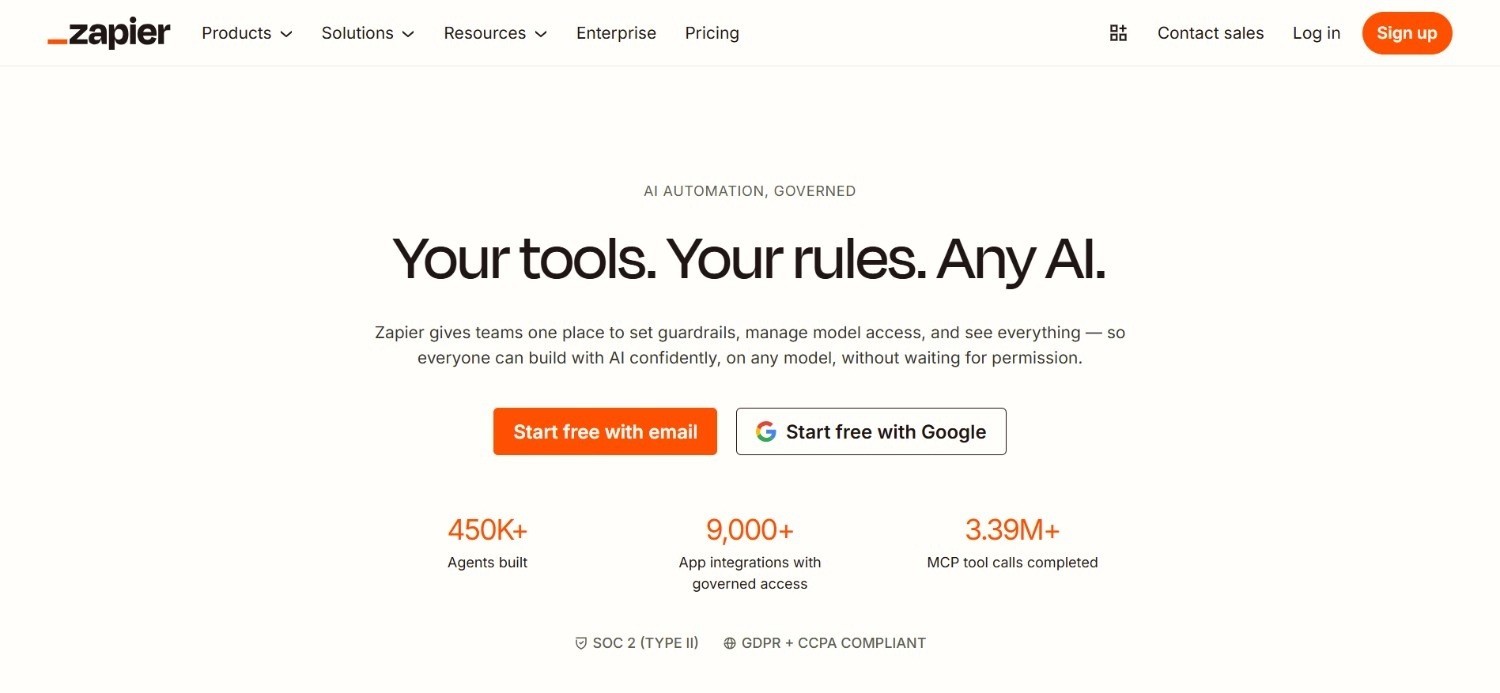
Zapier is the most widely adopted general-purpose automation tool in the market, connecting over 7,000 applications through a no-code interface. It has evolved from a simple "if this, then that" trigger system into a broader agentic AI platform with AI-powered actions, multi-step workflows, and natural-language workflow creation.
Zapier targets non-technical users and small-to-mid-size businesses that need to connect SaaS tools without writing code.
The platform is not designed for enterprise legacy environments, but for the right use case: connecting modern SaaS apps and automating linear workflows – Zapier is one of the most accessible options available.
Ideal For
Non-technical operations and marketing teams at small-to-mid-size businesses who need to automate repetitive tasks between SaaS tools without engineering support
Startups and growth-stage companies building their first automation layer across tools like Gmail, Salesforce, HubSpot, Slack, and Airtable
Operations managers who need fast time-to-value on simple, trigger-based workflows without a lengthy implementation project
Individual contributors who want to automate personal productivity workflows across the apps they already use daily
Top Features
7,000+ app integrations: Zapier's integration library is the largest in general-purpose automation. For teams working across standard SaaS tools, the breadth of available connectors means most workflows can be built without custom development.
AI-powered actions and natural-language workflow creation: Zapier now includes AI steps that can draft content, classify data, extract information from text, and route decisions within a workflow – bringing basic agentic capability to its no-code builder.
Multi-step Zaps with branching logic: More complex workflows can include conditional paths, filters, and multiple actions in sequence, moving Zapier beyond simple single-step triggers toward multi-step automation.
Why They Stand Out
Zapier offers one of the most accessible entry points into any kind of workflow automation for non-technical teams. Its combination of breadth (7,000+ integrations) and ease of use (no-code builder, natural language input) makes it a practical first step for businesses seeking agentic AI tools to automate repetitive work.
Pros
Largest integration library in general-purpose automation; connects to almost any SaaS tool
No-code builder accessible to non-technical users with minimal setup time
AI actions bring basic agentic capability to straightforward workflows
Free plan available for simple, low-volume automations
Cons
Not designed for enterprise legacy environments – no connection to SAP, Guidewire, or COBOL-era systems
Breaks down on complex, exception-heavy workflows requiring multi-system orchestration and governed business logic
Per-task pricing model can become expensive at scale; costs are harder to predict as workflow volume grows
Not suitable for regulated industries with strict audit trail, data residency, or GDPR Article 28 requirements
Pricing
Zapier offers a free plan with basic automation and limited monthly tasks. Paid plans start at $29.99/month for more advanced workflows.
Pricing increases with task volume and team features. Enterprise customers receive custom pricing.
Final Verdict
Zapier is the right agentic AI tool for non-technical teams at small to mid-sized companies who need to connect modern SaaS tools without writing code. It is not a viable option for enterprise operations automation involving legacy systems, complex multi-system orchestration, or regulated data environments.
Teams that outgrow Zapier typically need a tool with deeper integration capabilities and governed execution.
3. n8n
Overview
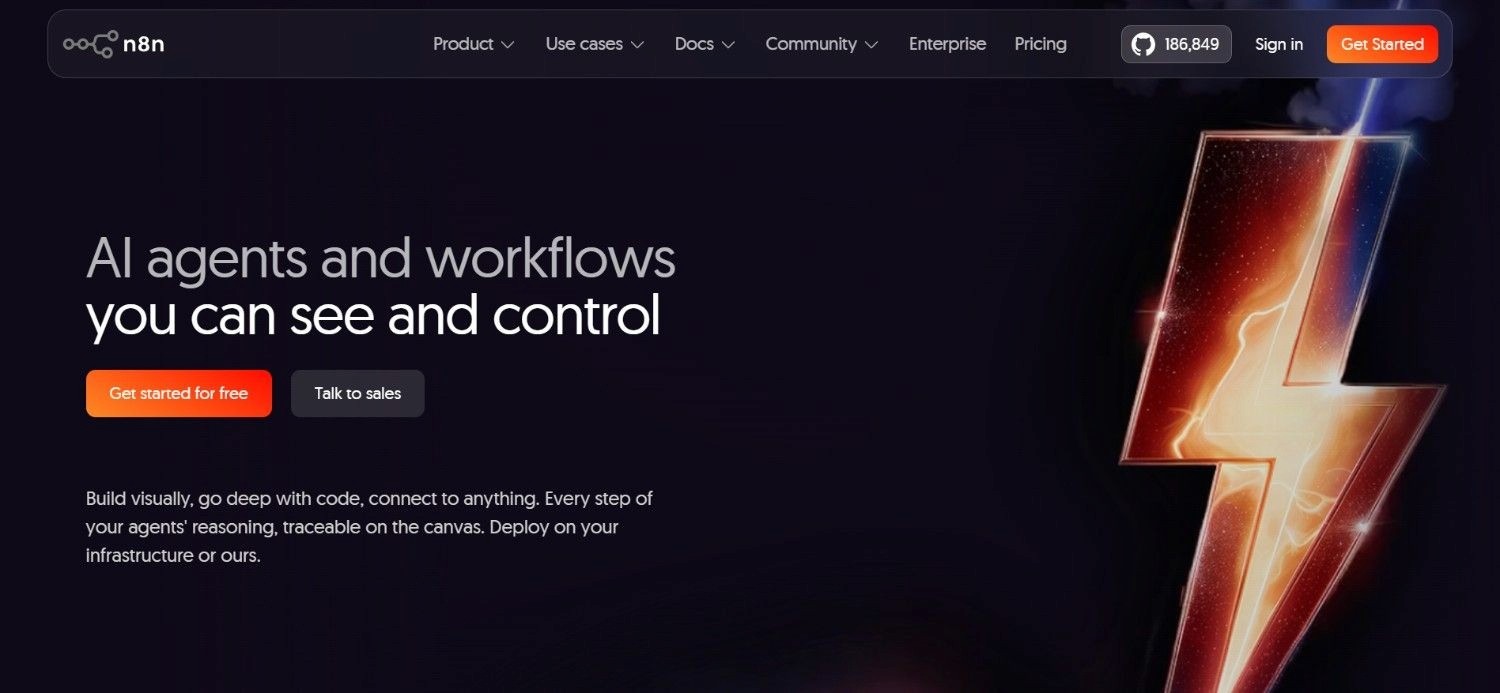
n8n is an agentic AI tool and workflow automation platform that helps connect apps, data sources, APIs, and AI models into automated processes. It’s particularly useful for building workflows where AI can gather information, make decisions, and trigger actions without constant human input.
n8n’s visual workflow builder makes it easier to design complex automations while still allowing custom logic when needed. n8n is especially well suited for businesses that want flexible, self-hosted, or highly customized AI-driven workflows rather than relying on rigid, prebuilt automations.
The platform proves effective for engineering teams, especially those looking to build automation without having to deal with vendor lock-in.
Ideal For
Engineering and DevOps teams at mid-size technology companies who want a self-hosted, open-source automation foundation with full control over infrastructure and workflow logic
Technical operations teams who need to build custom AI agent workflows and are comfortable writing code for custom nodes and integrations
Organisations with strict data residency requirements who need to run automation entirely on their own infrastructure without data transiting vendor systems
Teams evaluating agentic AI platforms who want open-source flexibility and are willing to build and maintain workflows internally rather than buying a managed service
Top Features
Self-hostable open-source core: n8n can be deployed entirely on your own infrastructure with no data leaving your environment. The open-source model means no vendor lock-in and full code ownership – the client retains everything if the relationship with the cloud offering ends.
AI agent nodes with LLM integration: n8n's agent nodes support multi-step reasoning workflows, tool calling, and LLM integration via OpenAI, Anthropic, and other providers. This allows technical teams to build genuinely agentic workflows within the n8n environment.
Visual node editor with code escape hatches: The drag-and-drop interface works for non-developers on simpler workflows, but engineers can drop into JavaScript or Python at any point in the flow – giving the tool a flexibility ceiling that most no-code tools cannot match.
Why They Stand Out
n8n is one of the more flexible agentic AI tools for technical teams who need full infrastructure control and open-source transparency. Its self-hosting option and open-source model make it a credible choice for organisations with strict data sovereignty requirements.
Pros
Free self-hosted option with full code ownership and no vendor lock-in
AI agent nodes and LLM integration for genuinely agentic workflow capability
Self-hosting meets strict data residency requirements without relying on vendor infrastructure
Strong developer community and extensive documentation
Cons
Requires engineering capacity to build, maintain, and extend workflows – not accessible to non-technical operations staff
No deployment engineering support; the client owns use-case discovery, solution design, and ongoing maintenance
Not enterprise-ready out of the box for regulated industries without significant additional build work on governance, audit trails, and access controls
Pricing
n8n offers a free self-hosted option. Cloud pricing starts at €20/month. Higher plans add more workflow executions, security controls, and enterprise features.
Final Verdict
n8n is the right choice for engineering teams that want a flexible, open-source agentic AI tool with full infrastructure control and are willing to build and maintain workflows internally.
It is not a viable option for non-technical operations teams, and organisations in regulated industries will need to invest significant additional effort to meet compliance requirements that production-ready enterprise tools handle out of the box.
4. Make
Overview
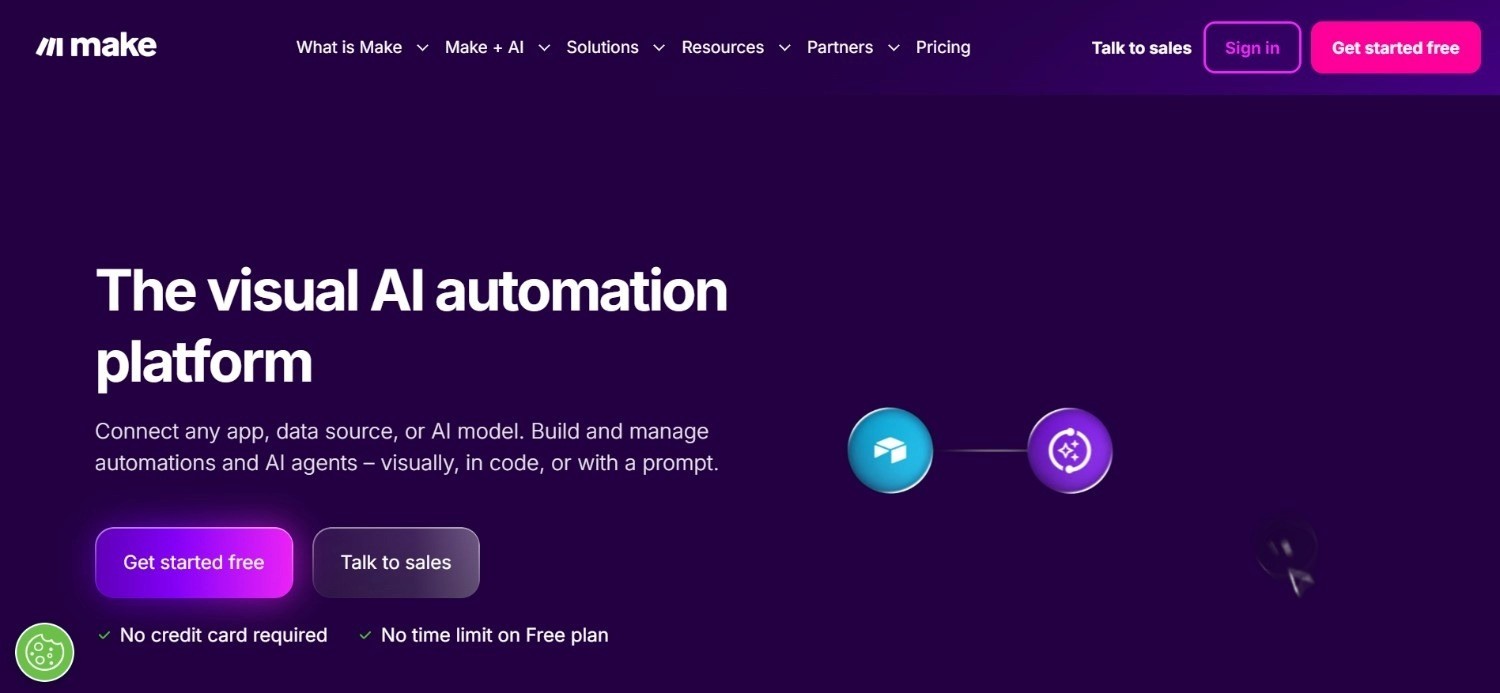
Make stands out among agentic AI tools for its visual workflow builder, large app integration library, and ability to combine AI steps with everyday business processes.
Teams can use it to build workflows where AI summarizes emails, routes support tickets, qualifies leads, updates CRM records, extracts data from documents, generates content drafts, or syncs information across tools.
Its strength is that it doesn’t just run one AI task in isolation; it lets users connect multiple actions into a larger automated flow.
Make.com is ideal for marketing, sales, operations, and support teams that want AI-assisted automation without building everything from scratch.
While they’ve introduced some AI capabilities, its primary positioning remains in general-purpose SaaS automation versus enterprise-grade, agentic AI platforms.
Ideal For
Small businesses and startups who need affordable, flexible automation between modern SaaS tools without technical resource
Operations and marketing teams building multi-step workflows across tools like Google Sheets, Slack, HubSpot, and Airtable on a tight budget
Non-technical teams who prefer a more visual, data-flow representation of their automation logic compared to Zapier's step-based interface
Freelancers and agencies managing client automation workflows who need a cost-effective tool with a broad app ecosystem
Top Features
Visual scenario builder with real-time data preview: Make's interface shows data flowing between modules in real time, making it easier to understand and debug automation logic. This visual clarity is a meaningful advantage over text-based workflow descriptions for non-technical users.
Credit-based pricing model: Costs scale with actual workflow execution volume rather than a flat task count, which can be more efficient for variable or seasonal automation needs.
Broad app ecosystem with 1,500+ integrations: Make supports a wide range of SaaS tools commonly used by small-to-mid-size businesses, with more advanced data transformation capabilities than Zapier at equivalent price points.
Why They Stand Out
Make is one of the more cost-effective visual automation tools for small teams that need flexibility in workflow logic without paying for enterprise capabilities they do not need. Its lower entry price and visual data-flow interface are genuine differentiators against Zapier for budget-conscious teams.
Pros
Very low entry cost; free plan includes 1,000 credits/month with paid plans from $9/month
More visual and data-transformation-capable than Zapier at comparable price points
Credit-based model can be cost-efficient for variable automation volumes
Cons
Not designed for enterprise environments or legacy system integration
Limited depth on agentic AI tools capabilities; primarily trigger-action automation rather than multi-step autonomous execution
Not suitable for regulated industries with compliance, audit trail, or data residency requirements
Pricing
Make uses a credit-based model. The free plan includes 1,000 credits/month. The Make Plan starts at $9/month. Higher tiers add more credits, collaboration features, and security controls.
Final Verdict
Make is a cost-effective entry point for small teams that need visual, multi-step automation between SaaS tools. It is not a credible enterprise agentic AI platform for complex operations, and teams evaluating it for regulated or legacy-heavy environments will find it reaches its limits quickly.
5. Gumloop
Overview
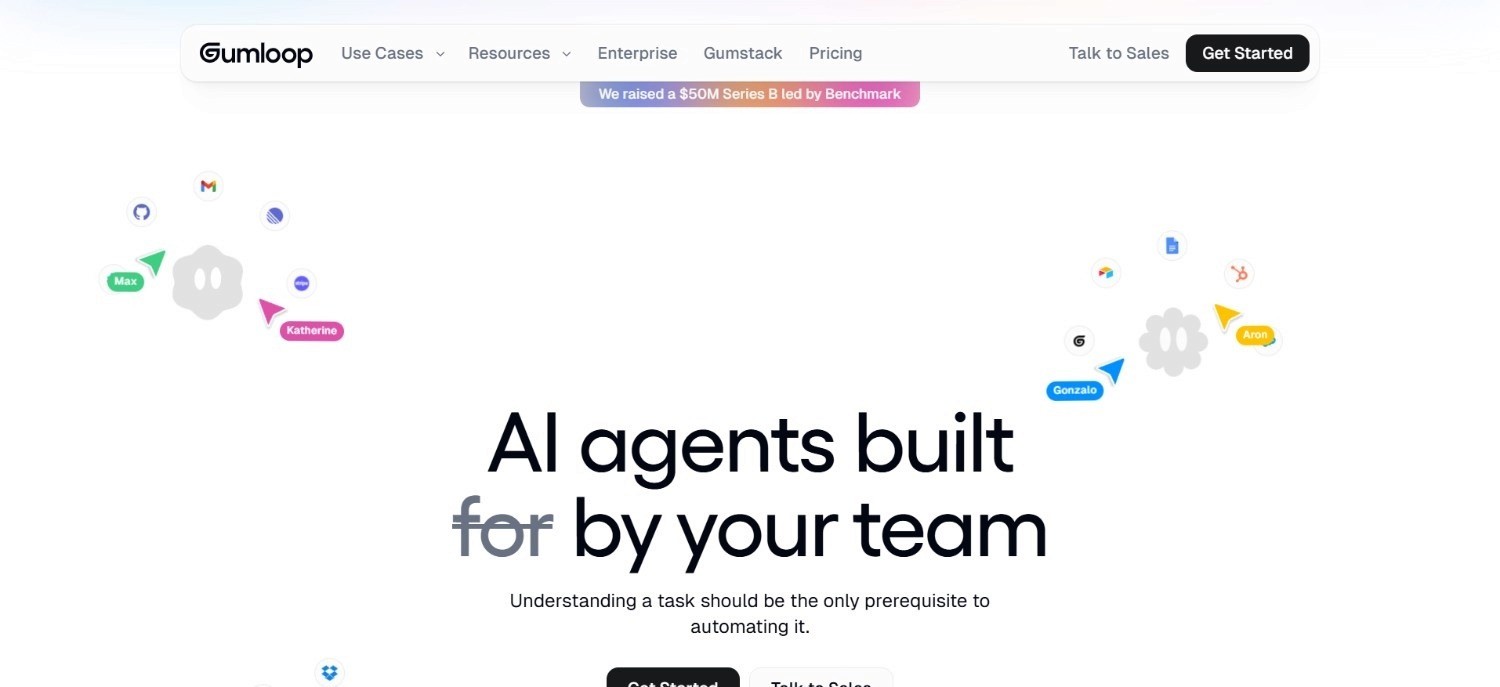
Gumloop is an AI-native automation builder targeting modern, SaaS-first teams that want to build AI-powered workflows without writing code.
The company positions itself as a more AI-forward alternative to general automation tools like Zapier and Make – with built-in AI steps for document processing, web scraping, data extraction, and LLM-powered decision-making within the workflow canvas.
Gumloop appeals to growth-stage businesses and technical non-developers who want the AI layer built into the automation tool rather than bolted on as an afterthought.
Ideal For
Growth-stage technology companies and startups with technical-leaning operations teams who want AI-native workflow automation without writing Python or JavaScript
Operations and marketing teams who need document processing, web scraping, or AI-driven data extraction built into their automation workflows
Teams currently using Zapier or Make who are hitting the ceiling on AI capability and want more native LLM integration in their workflow builder
Non-developer product and operations staff who want to build genuinely agentic workflows without depending on an engineering team for every change
Top Features
AI-native workflow canvas with built-in LLM steps: Gumloop integrates AI reasoning, content generation, and data extraction as first-class workflow steps – not add-ons. This means LLM-powered decisions are built into the workflow logic rather than calling out to separate AI services.
Web scraping and document processing nodes: Built-in capabilities for extracting structured data from web pages and documents reduce the need for separate scraping or OCR tools, making Gumloop useful for research, content, and data operations workflows.
No-code interface with model flexibility: Teams can select which underlying LLM to use for specific steps, giving non-technical users more control over AI behaviour within a workflow without writing prompt engineering code.
Why They Stand Out
Gumloop is amongst the more AI-forward general-purpose agentic AI tools for non-technical teams, with native LLM integration that goes deeper than what Zapier or Make currently offer at comparable price points.
Pros
Genuinely AI-native workflow builder – LLM steps are first-class, not add-ons
Built-in document processing and web scraping reduces dependency on separate tools
More AI capability per dollar than general automation tools at similar price points
Cons
Not designed for enterprise legacy environments – no integration with SAP, Guidewire, or COBOL-era systems
Limited governance, audit trail, and compliance capabilities for regulated industries
Smaller integration ecosystem than Zapier or n8n for connecting a broad range of SaaS tools
Pricing
Gumloop starts at $37/month. Higher tiers are available for larger usage volumes and team features. A free trial is available. Enterprise plans require direct contact with Gumloop.
Final Verdict
Gumloop is a solid choice for growth-stage companies and non-technical operations teams who want AI-native workflow automation beyond what Zapier and Make offer.
It is not a fit for enterprise environments requiring legacy system integration, compliance-grade governance, or formal audit trails.
6. Kore AI
Overview
Kore AI is an enterprise-grade agentic AI platform focused on conversational AI, virtual assistants, and AI agent deployment at scale.
It targets large organisations that need multi-channel AI agents: handling customer service, employee support, and back-office workflows – with deep LLM orchestration, analytics, and enterprise identity integration.
Kore AI has a significant presence in banking, healthcare, and retail, where it competes on conversational depth and enterprise readiness rather than legacy system integration depth.
Ideal For
Large enterprise IT and operations leaders looking to deploy multi-channel AI agents across customer service, HR, and internal support use cases
Organisations in banking, healthcare, and retail that need configurable conversational AI with enterprise identity integration and audit capabilities
Digital transformation leaders at mid-to-large enterprises evaluating agentic AI platforms for employee productivity and customer experience use cases
IT teams who need a managed enterprise AI deployment with documented security certifications, SLA guarantees, and vendor support
Top Features
Multi-channel AI agent deployment: Kore AI supports deployment across web, mobile, voice, messaging, and email channels from a single platform, allowing enterprises to manage consistent AI agent behaviour across all customer and employee touchpoints.
LLM orchestration and model routing: Kore AI supports multiple underlying LLMs and provides routing and fallback logic across model providers, giving enterprises flexibility to choose models by task type and to avoid single-vendor AI dependency.
Analytics and conversation intelligence: Built-in analytics cover agent performance, conversation completion rates, escalation patterns, and intent coverage – giving operations and IT teams visibility into how AI agents are performing against business objectives.
Why They Stand Out
Kore AI is one of the stronger enterprise conversational agentic AI platforms for organisations that need multi-channel AI agent deployment with deep analytics and LLM flexibility.
Its enterprise identity integration and multi-channel capability are genuine differentiators in the conversational AI segment.
Pros
Mature enterprise platform with multi-channel AI agent deployment across web, voice, and messaging
LLM flexibility and model routing reduce single-vendor AI dependency
Strong analytics layer for monitoring agent performance and conversation quality
Cons
Primarily focused on conversational AI and virtual assistant use cases – not optimised for multi-system back-office operations execution
Pricing model (session-based, usage-based, or per-seat options) can be complex to evaluate for total cost of ownership
Less depth on legacy system integration for non-conversational operational workflows
Pricing
Kore AI offers flexible pricing models including session-based, usage-based, and per-seat options, with tiered volume pricing for large-scale deployments. Contact Kore AI for a quote.
Final Verdict
Kore AI is a strong choice for large enterprises deploying conversational AI agents across customer service and employee experience use cases. It is less relevant for organisations whose primary need is back-office operations automation across legacy system environments.
The pricing flexibility is useful but adds evaluation complexity for buyers trying to model total cost of ownership.
7. Glean
Overview
Glean is an enterprise AI search and knowledge platform that connects to an organisation's internal data sources: documents, emails, Slack, Jira, Salesforce, and hundreds of other enterprise tools – and makes that information searchable and accessible through a unified AI assistant.
It targets large enterprises with significant internal knowledge management challenges: teams spending hours finding information across fragmented systems, new employees unable to locate institutional knowledge, and duplicate work driven by poor information access.
Glean's core positioning is knowledge retrieval and AI-assisted productivity rather than process execution, but it serves as a relevant component in an agentic AI stack, surfacing the context that downstream execution agents need to act accurately.
Ideal For
Enterprise knowledge management teams and HR leaders at large organisations dealing with fragmented internal information across dozens of tools
Engineering and product teams who need fast, accurate search across code repositories, documentation, Jira tickets, and internal wikis
New employee onboarding programmes at enterprises where institutional knowledge is scattered across legacy systems and SaaS tools
CIOs and IT leaders evaluating agentic AI tools for enterprise productivity and knowledge accessibility rather than operational process automation
Top Features
Unified enterprise search across 100+ connectors: Glean connects to an organisation's full application landscape – documents, email, Slack, Jira, Salesforce, GitHub, and more – and provides a single search interface with permissions-aware results. Employees find what they need without knowing which system it lives in.
AI assistant with grounded, source-attributed answers: Glean's AI assistant generates answers based on the organisation's own internal data, with citations back to source documents. This reduces hallucination risk compared to general LLMs and keeps answers grounded in company-specific context.
Knowledge connectors and personalisation: Glean's relevance model learns from individual usage patterns and team context, surfacing more relevant results over time and personalising the knowledge experience to specific roles and workflows.
Why They Stand Out
Glean is one of the stronger enterprise knowledge retrieval and AI search tools available, particularly for large organisations with complex internal information landscapes. Its combination of broad connector coverage and permission-aware search is a meaningful differentiator against general AI assistants that lack enterprise data integration.
Pros
Broad enterprise connector coverage brings fragmented internal knowledge into a single searchable interface
Permission-aware search ensures employees only see content they are authorised to access
AI assistant grounds answers in internal company data with source attribution
Cons
Knowledge retrieval and search is the primary use case – Glean does not execute operational workflows or write outcomes back to source systems
Custom pricing with no published tiers requires sales engagement to evaluate costs
Value scales with the number of connected data sources – organisations with fewer tools see less benefit relative to cost
Pricing
Glean's pricing varies based on the number of users, deployment options, and language model choice. Contact Glean sales for a tailored quote.
Final Verdict
Glean is a strong choice for large enterprises whose primary problem is knowledge fragmentation and information access. It is not an operational execution tool – it surfaces information rather than acting on it.
Teams evaluating agentic AI tools for process automation rather than knowledge retrieval will need a different category of solution.
8. Claude
Overview
Claude is Anthropic's AI assistant, offering advanced reasoning, writing, analysis, and coding capabilities.
As an agentic AI tool, Claude supports extended thinking, multi-step task execution, API access for developers, and tool use; making it one of the more capable general-purpose AI models for complex cognitive tasks. Claude is used by individuals and teams for research, writing, analysis, coding, and document review.
The Claude API enables developers to build Claude-powered workflows and autonomous agent applications. It is not an enterprise operations platform, but as a foundation model and AI assistant, it sits at the base of many agentic AI implementations.
Ideal For
Individual professionals and knowledge workers who need a capable AI assistant for research, writing, analysis, and complex reasoning tasks
Developers and technical teams building custom AI applications, agents, or workflows on top of a capable foundation model via the Claude API
Teams evaluating agentic AI platforms who want to understand the underlying model capabilities before selecting a full workflow platform
Organisations that want a capable AI assistant for productivity use cases – document review, summarisation, drafting – without deploying a full enterprise automation system
Top Features
Advanced reasoning and extended thinking: Claude's extended thinking capability allows it to work through complex, multi-step problems more thoroughly than standard completion approaches. This makes it particularly useful for analysis, planning, and coding tasks that require structured reasoning chains.
Long context window for document-heavy workflows: Claude supports very long context windows, enabling it to process lengthy documents, code repositories, or conversation histories in a single context – useful for tasks like contract review, research synthesis, and codebase analysis.
Tool use and API integration for agentic workflows: Claude's tool use capability allows it to call external APIs, run code, search the web, and interact with connected systems within a workflow – the foundation for building agentic applications on top of the model.
Why They Stand Out
Claude is one of the strongest general-purpose AI models available, with particular depth in reasoning, analysis, and long-document processing.
As a model API, it serves as the foundation for many agentic AI tools built by other vendors and developers.
Pros
Strong reasoning and analysis capabilities across complex, multi-step tasks
Long context window handles large documents and codebases effectively
Tool use and API access support custom agentic workflow development
Cons
Not a pre-built enterprise operations platform – building agentic workflows on Claude requires development effort
Does not handle legacy system integration or multi-system enterprise orchestration out of the box
Individual productivity plans focus on personal use; enterprise deployments require API integration and additional build work
Pricing
Claude offers individual plans: Pro at $17/month and Max at $100/month. Team plans are available at $20/month per seat ($100 for the Premium seat). An Enterprise plan with custom pricing is available for larger organisations.
Claude offers individual plans starting from $17/month (Pro) with higher tiers available. Team plans are available at $25/month per seat. An Enterprise plan with custom pricing is available for larger organisations. Verify current pricing on their website for latest updates.
Final Verdict
Claude is the right choice for individuals and teams needing a capable AI assistant and reasoning engine, and for developers building custom AI applications via the API.
It is not a pre-built enterprise agentic AI platform for operational automation – organisations that need out-of-the-box multi-system workflow execution on legacy infrastructure will need a purpose-built operations platform on top of or alongside Claude.
9. Lindy AI

Overview
Lindy AI is a personal and team productivity automation tool built around AI agents that handle repetitive tasks: email management, meeting scheduling, follow-up drafting, CRM updates, and task routing.
The platform targets knowledge workers and small teams who spend significant time on coordination tasks that do not require human judgment but currently consume hours of every working day.
Lindy operates on a credit-based system where task cost depends on model selection and workflow complexity.
It is one of the more accessible agentic AI tools for personal productivity automation, with a focus on making AI agent setup approachable for non-technical users.
Ideal For
Knowledge workers and individual professionals who spend significant time on email triage, scheduling, and administrative follow-up tasks
Small business owners and freelancers who need lightweight task automation across Gmail, Slack, HubSpot, and calendar tools without a technical background
Sales and customer success teams who want AI-assisted CRM updates, meeting preparation, and follow-up email drafting built into their daily workflows
Teams evaluating agentic AI tools for personal productivity improvement before committing to a broader enterprise automation investment
Top Features
AI email management and triage: Lindy's email agent reads, categorises, and drafts responses to incoming emails based on configured rules and tone preferences. For knowledge workers managing high email volumes, this reduces the time spent on routine correspondence.
Meeting scheduling and calendar coordination: Lindy handles meeting scheduling requests, coordinates across participants' calendars, and sends confirmation messages – removing the back-and-forth coordination overhead from individual contributors.
CRM update automation: Lindy connects to HubSpot and other CRM tools to log meeting notes, update contact records, and trigger follow-up tasks automatically – reducing the manual data entry that sales and customer success teams typically handle after calls.
Why They Stand Out
Lindy is one of the more approachable personal productivity agentic AI tools for non-technical users, with a focus on the coordination tasks that consume disproportionate time for knowledge workers.
Pros
Approachable for non-technical users; no code required to set up common productivity workflows
Credit-based pricing model is transparent and scales with actual usage
Covers the email and scheduling use cases that consume significant knowledge worker time
Cons
Focused on personal and team productivity rather than enterprise operational workflows
Not suitable for complex, multi-system business process automation in regulated environments
Credit-based cost model requires careful monitoring for teams running high-volume agentic tasks
Pricing
Lindy starts with a free plan. Paid plans: Plus at $49.99/month, Pro at $99.99/month, Max at $199.99/month. Enterprise pricing is by contact. Higher tiers increase usage and connected inbox limits.
Enterprise adds SSO, SCIM, and audit logs. Costs depend on model and workflow complexity via the credit system.
Final Verdict
Lindy AI is a useful personal productivity tool for knowledge workers who need help managing email volume and coordination overhead.
It is not an enterprise operations platform, and teams looking for agentic AI tools to automate complex business processes across legacy systems will need a solution with significantly deeper integration and governance capabilities.
10. Relevance AI
Overview
Relevance AI is a developer-focused agentic AI platform for building custom AI agents and multi-agent workflows.
It provides a visual agent builder, a library of pre-built tools, LLM flexibility, and an API-first architecture – targeting technical teams that want to build proprietary AI agent workflows without building the underlying infrastructure from scratch.
Relevance AI positions itself at the intersection of low-code agent building and production-grade deployment, with a focus on sales automation, research automation, and custom enterprise AI agent applications.
Ideal For
Technical operations teams and developers who want to build custom AI agents for specific business workflows without constructing the full agentic infrastructure from scratch
Sales and revenue operations teams looking to build AI-powered prospecting, research, and outreach agents on top of their existing tools and data
AI-first startups and scaleups building proprietary AI product features or internal automation tools that require flexible LLM integration and agent orchestration
Engineering leads at mid-market companies evaluating agentic AI platforms who want developer-grade flexibility at a lower cost than building the full infrastructure independently
Top Features
Visual agent builder with tool library: Relevance AI's builder lets technical users compose agents from pre-built tools: web search, document processing, API calls, LLM reasoning steps; without writing the orchestration layer from scratch. This accelerates the time from use-case idea to working agent.
Multi-agent workflows: Relevance AI supports multi-agent architectures where specialised agents hand off tasks to each other – useful for complex research, sales, or data processing workflows that benefit from task decomposition.
LLM flexibility across providers: Teams can select different underlying models (OpenAI, Anthropic, Google, open-source) for different tasks within the same workflow, allowing cost and capability optimisation at the task level.
Why They Stand Out
Relevance AI is one of the more developer-accessible agentic AI tools for building custom agent workflows, with a faster path to working agentic applications than building entirely from scratch.
Pros
Visual agent builder accelerates custom AI agent development for technical teams
Multi-agent workflow support handles complex task decomposition
LLM flexibility allows model selection by task type for cost and performance optimisation
Cons
Requires technical expertise to build and maintain agent workflows – not suitable for non-technical operations staff
Less depth on enterprise governance, audit trail, and compliance than purpose-built enterprise platforms
Pricing split between Actions and Vendor Credits adds complexity to cost forecasting
Pricing
Relevance AI uses a freemium model with paid plans that scale by usage. Enterprise tier pricing is quote-based.
Costs are split between Actions and Vendor Credits, depending on workflow activity and AI model usage.
Final Verdict
Relevance AI is a solid choice for technical teams and developer-led organisations who want to build custom AI agents without constructing the full infrastructure layer from scratch.
It is not a pre-built enterprise operations platform, and organisations in regulated industries that need formal governance, legacy system integration, and production-grade audit trails will need a purpose-built agentic AI platform rather than a developer building block.
How to Choose the Best Agentic AI Tools (What to Consider)
1. Does It Execute Operations or Just Assist with Them?
The most important distinction in the agentic AI tools market is between tools that draft, suggest, and route and tools that execute. A tool that drafts an email response, summarises a document, or flags a case for human review is useful.
Alternatively, a tool that receives the input, queries the relevant systems, applies the business rules, writes the outcome back to the source system, and logs the complete interaction under governance is a fundamentally different proposition.
Before evaluating any tool, confirm which category it falls into for your specific use case.
2. Can It Integrate with Your Actual Systems?
Most large enterprises do not run purely modern SaaS stacks. They run SAP, Oracle, Guidewire, legacy CRM systems, and proprietary platforms built over decades. The majority of agentic AI platforms assume a modern, API-accessible system landscape. That assumption fails for most enterprise environments.
Confirm whether the tool has documented integration paths to the specific systems your processes actually touch; not just generic API connectors.
Ask for references from clients running comparable environments.
3. Does the Governance Model Meet Your Requirements?
For organisations in regulated industries: financial services, insurance, healthcare, public sector; agentic AI tools that cannot produce a complete, replayable audit trail of every action and decision are not compliant with regulatory obligations.
Confirm that every system queried, every rule applied, every decision made, and every output written is logged, timestamped, and retrievable on demand.
Also confirm whether AI makes governed decisions based on your configured rules, or whether the AI exercises autonomous judgment on matters that should be rule-bound.
4. What Is the Realistic Time from Contract to Production?
Demo environments and pilot workflows look clean. Production deployments on real systems with real data and real exception rates do not. Ask every vendor for the documented deployment timeline from a client reference running a comparable environment and workflow complexity.
Across this list, deployment timelines range from minutes (for simple SaaS-to-SaaS connections in Zapier) to 45 to 80 days (for full multi-system operations automation on legacy enterprise infrastructure).
The right timeline depends entirely on what you are automating and on which systems.
5. How Does the Pricing Model Scale with Your Usage?
Agentic AI tools pricing models vary significantly: per-seat, per-task, per-session, credit-based, and consumption-based licensing all appear across this list. The model that looks cheapest at current usage volume can become the most expensive at 3x volume.
Map each tool's pricing model against your expected automation volume growth over 24 months before committing.
Consumption-based models with no per-seat fees tend to be more predictable for enterprise operations use cases where headcount stays flat while workflow volume grows.
Everything You Need to Know About Agentic AI Tools
← scroll to see all columns →
| Company | Pros | Cons | Ease of Use | Integrations | Support | Affordability |
|---|---|---|---|---|---|---|
| Noxus | End-to-end legacy execution; full audit trail; deterministic governance | Requires scoped deployment; not self-serve | ⭐⭐⭐⭐⭐ | ⭐⭐⭐⭐⭐ | ⭐⭐⭐⭐⭐ | ⭐⭐⭐⭐⭐ |
| Zapier | 7,000+ integrations; no-code; fast setup | No legacy system support; per-task pricing scales poorly | ⭐⭐⭐⭐⭐ | ⭐⭐⭐⭐⭐ | ⭐⭐⭐⭐⭐ | ⭐⭐⭐⭐⭐ |
| n8n | Open-source; self-hostable; AI agent nodes | Requires engineering; no deployment support | ⭐⭐⭐⭐⭐ | ⭐⭐⭐⭐⭐ | ⭐⭐⭐⭐⭐ | ⭐⭐⭐⭐⭐ |
| Make.com | Very low cost; visual builder; credit-based model | Not enterprise-grade; limited AI depth | ⭐⭐⭐⭐⭐ | ⭐⭐⭐⭐⭐ | ⭐⭐⭐⭐⭐ | ⭐⭐⭐⭐⭐ |
| Gumloop | AI-native canvas; document processing; LLM flexibility | Small integration ecosystem; no legacy system support | ⭐⭐⭐⭐⭐ | ⭐⭐⭐⭐⭐ | ⭐⭐⭐⭐⭐ | ⭐⭐⭐⭐⭐ |
| Kore AI | Enterprise conversational AI; LLM routing; analytics | Focused on conversational use cases; complex pricing | ⭐⭐⭐⭐⭐ | ⭐⭐⭐⭐⭐ | ⭐⭐⭐⭐⭐ | ⭐⭐⭐⭐⭐ |
| Glean | Unified enterprise search; permission-aware; knowledge grounding | Knowledge retrieval only; no operational execution | ⭐⭐⭐⭐⭐ | ⭐⭐⭐⭐⭐ | ⭐⭐⭐⭐⭐ | ⭐⭐⭐⭐⭐ |
| Claude | Advanced reasoning; long context; strong API | Not a pre-built operations platform; requires development | ⭐⭐⭐⭐⭐ | ⭐⭐⭐⭐⭐ | ⭐⭐⭐⭐⭐ | ⭐⭐⭐⭐⭐ |
| Lindy AI | Personal productivity focus; accessible; credit-based | Not enterprise operations; limited governance | ⭐⭐⭐⭐⭐ | ⭐⭐⭐⭐⭐ | ⭐⭐⭐⭐⭐ | ⭐⭐⭐⭐⭐ |
| Relevance AI | Custom agent builder; LLM flexibility; multi-agent support | Requires technical expertise; no legacy integration | ⭐⭐⭐⭐⭐ | ⭐⭐⭐⭐⭐ | ⭐⭐⭐⭐⭐ | ⭐⭐⭐⭐⭐ |
Run Real Operations with Noxus
Most organisations have already tried the first wave of agentic AI tools. They have run the pilots. They have seen the demos. The gap between those demos and production on real systems, with real data, at real volume, is where most AI investments stall.
Noxus closes that gap. We run operations end-to-end: notification received, systems queried, rules applied, outcomes written back, handler routed to a workable case – on the exact legacy stack you already run.
The best part is: every action is logged and every decision is governed – with production deployments going live in 45-80 days from the date of contract signature, not 6-8 months.
We’ve also produced 3-5x ROI for clients like Santander and Jerónimo Martins with 96% precision in results at CUF/José de Mello.
If you’re ready to see what agentic AI tools look like when running in production on actual systems, book a demo with us. No credit card or active IT project required.
FAQs About Agentic AI Tools
What are the best agentic AI tools in 2026?
Noxus occupies the top spot for our list of the best agentic AI tools in 2026. Noxus is an ideal fit for enterprise operations on legacy systems across industries like financial services, insurance and healthcare. Our agentic AI deployments deliver 3-5x ROI, going live in 45-80 days from the date of contract signature. We've already helped clients like Santander, Jerónimo Martins and CUF/José de Mello, delivering 3 to 5x ROI across key sectors like banking, retail, and healthcare.
What should I consider when choosing the right agentic AI tools for me?
To select the best agentic AI tools, evaluate four key factors: operational execution, legacy system integration, governance standards, and pricing predictability. For enterprise environments, legacy integration is the decisive factor, as tools designed solely for modern SaaS stacks often struggle with complex, established systems.
How does Noxus differ from other agentic AI platforms?
Unlike other agentic AI platforms that only suggest or route tasks, we handle the entire operation. We execute work end-to-end on your existing legacy systems; no modern APIs required. We keep your data secure by deploying directly on your infrastructure with BYOK model routing. The approach is proven in production: 3x ROI in 45 days at a Tier-1 European bank, and up to 96% precision on live operational data.
How do I get started with Noxus?
Getting started with Noxus begins with a scoping conversation about your operational workflow, system environment, and volume. From there, a deployment scoping session defines the initial use case and integration requirements. First deployments go live in 45 to 80 days from contract signature, with Noxus handling integration setup through its ‘Forward Deployment Engineering’ team. No large IT project is required from the client side.
How easy is it to switch to Noxus from an existing automation tool?
Switching to Noxus does not require decommissioning existing tools. Noxus operates as the operations execution layer, connecting to the systems already in place without displacing them. For organisations currently using RPA, general automation tools, or point solutions for parts of a workflow, Noxus can run alongside existing tools during an initial deployment phase. The open-core guarantee means the client retains all code and binaries if the relationship ends, which removes vendor lock-in risk from the outset.
Can agentic AI tools work on legacy enterprise systems?
Most agentic AI tools struggle with legacy enterprise systems because they depend on modern APIs or clean data structures. Noxus is built differently. We interact with your existing legacy setups, like SAP, Guidewire, or even older proprietary platforms, just like your team does today. You do not need to modernize your APIs or build new middleware. If your team can access a system, we can operate in it, handling the complex environments other vendors often avoid.
What is the difference between agentic AI tools and traditional RPA?
Both traditional RPA and modern agentic AI tools automate process steps, but they handle issues very differently. RPA is brittle because it depends on fixed screen layouts, so it breaks if an interface changes or encounters unstructured data like scanned documents. Agentic AI tools are different. They use reasoning to process unstructured input, adapt to system changes automatically, and follow configurable business rules rather than rigid scripts. They also handle exceptions intelligently by routing them based on confidence levels instead of simply stopping when things get complicated.






