Best Procurement Automation Software in 2026 (Top-Rated Tools Reviewed)
The best procurement automation software in 2026 divides into source-to-pay suites, spend management tools and the execution layer that connects them to your ERP. This comparison covers ten options on approval workflow, ERP write-back, supplier handling and pricing.

Key Takeaways (TL;DR)
The Best Overall Procurement Automation Software: We built Noxus to resolve procurement cases end-to-end across the exact systems you already run, including SAP and Oracle, instead of just flagging what needs approval. It closes the gap between "we automated part of procurement" and "procurement runs itself."
Why Do You Need It?: Manual purchase requests, invoice matching and vendor onboarding pull operations teams across five or more disconnected systems per case. Procurement automation software removes that swivel-chair work and cuts the error rate that comes with it.
Who It's For?: Finance, procurement and operations leaders at mid-market and enterprise companies running purchase requests, invoice matching and vendor onboarding across five or more disconnected systems, particularly where legacy ERP infrastructure has ruled out lighter automation tools.
How to Choose the Right One?: Look at how deep the tool integrates with your existing ERP, whether it can handle unstructured inputs like emailed invoices, and whether pricing scales with your transaction volume rather than your headcount.
Pricing Model: Noxus runs on a monthly platform licence with consumption-based pricing. There is no per-seat, per-requisition or token-based billing, so cost scales with the purchasing work resolved rather than with the number of buyers. A custom quote follows a scoping call, and the first engagement includes deployment engineering alongside the licence.
Table of Contents
Top Procurement Automation Software in 2026: at a Glance
Tool | Best For | Key Features | Pricing |
Noxus | Enterprises running procurement across legacy ERPs like SAP and Oracle | End-to-end case resolution, 400+ system connectors, full audit trail | Consumption-based, custom quote |
Zapier | Teams connecting procurement apps without code | 8,000+ app integrations, multi-step Zaps, approval workflows | Free (100 tasks/mo); Professional from $19.99/mo |
Ramp | Finance teams managing spend and card controls | Corporate cards, expense automation, bill pay | Free plan; paid from $15/user/month |
Coupa | Large enterprises needing a full source-to-pay suite | Spend analysis, supplier management, contract lifecycle tools | No public pricing; modular, quoted per deal |
Precoro | Mid-market teams wanting structured procure-to-pay | Purchase order automation, budget tracking, approval flows | From $499/month; Enterprise custom |
n8n | Technical teams building custom procurement workflows | Self-hosted or cloud, visual workflow builder, 400+ nodes | Free self-hosted; cloud from €20/month |
Procurify | Organizations needing spend visibility across departments | Purchase requests, budget management, vendor catalogues | Custom, quote-based |
Make.com | Teams automating procurement data across apps | Visual scenario builder, credit-based execution, 1,500+ apps | Free plan; paid from $9/month |
Jaggaer | Large enterprises with complex sourcing needs | Strategic sourcing, supplier risk management, contract management | Custom enterprise pricing |
Monday | Teams tracking procurement requests on a visual board | Custom workflows, automations, dashboards | Free for 2 seats; paid from $9/seat/month |
What Are Procurement Automation Software?
Procurement automation software replaces the manual, paper-heavy steps of buying goods and services with a system that handles requests, approvals, purchase orders, invoice matching and vendor communication automatically.
Instead of a purchase request sitting in someone's inbox for three days, procurement automation tools route it, apply your spend rules and push it to the right system without anyone manually re-keying data.
The category has grown fast because procurement touches almost every department. Finance wants spend-related control, operations wants speed, and IT wants the whole thing to sit on top of the ERP it already runs, not replace it.
Modern procurement automation software spans everything from simple approval-routing tools to full source-to-pay suites.
Increasingly, it includes AI that can read an invoice, match it to a purchase order, and resolve exceptions without a human touching every case.
Why Do You Need Procurement Automation Software?
Manual procurement does not scale. A single purchase request can move through five to seven systems: an email inbox, a spreadsheet, an ERP, an approval chain and an invoicing tool, before it is resolved. Every handoff adds delay, and every manual re-entry adds risk of error.
Industry research consistently puts manual processing error rates at 3-8% at scale. Each error creates rework, vendor friction or compliance exposure, and those costs compound as transaction volume grows.
Procurement automation software fixes this by standardising how requests move, applying business rules automatically, and writing outcomes back into the systems of record. The outcome is fewer bottlenecks, tighter budget control and a much lower cost per transaction.
For companies scaling transaction volume faster than headcount, procurement automation tools are the only way the math works without an ever-growing procurement team.
Who Needs Procurement Automation Tools?
Different types of businesses require different levels of automation. Here's a quick overview of how that typically breaks down:
1. Finance and Procurement Leaders
Finance and procurement leaders need visibility into spend before it happens, not after the invoice lands.
Procurement automation software gives them real-time budget tracking and approval control, which matters most when purchase volume is growing faster than the finance team.
2. Operations Teams at Scale
Operations teams juggling purchase requests across multiple systems need a single place where requests get routed, approved and tracked.
Procurement automation tools remove the swivel-chair work between email, spreadsheets and the ERP.
3. IT and Enterprise Architecture Leaders
IT leaders care about how procurement automation software fits into legacy environments like SAP and Oracle without a costly migration project.
They want a tool that works with the systems already in place, not one that demands a re-platforming effort first.
4. Startups and Early-Stage Companies
Startups and early-stage companies need spend-related control without hiring a dedicated procurement function.
Lightweight procurement automation tools let a small finance team manage vendor requests, approvals and card spend without building a process from scratch.
5. Compliance and Risk Officers
Compliance and risk teams need a complete audit trail on every purchase decision.
Procurement automation software that logs every action, approval and exception makes audits faster and reduces regulatory exposure, particularly in regulated industries like financial services and healthcare.
Best Procurement Automation Software: In-Depth Review & Comparison
1. Noxus
Overview
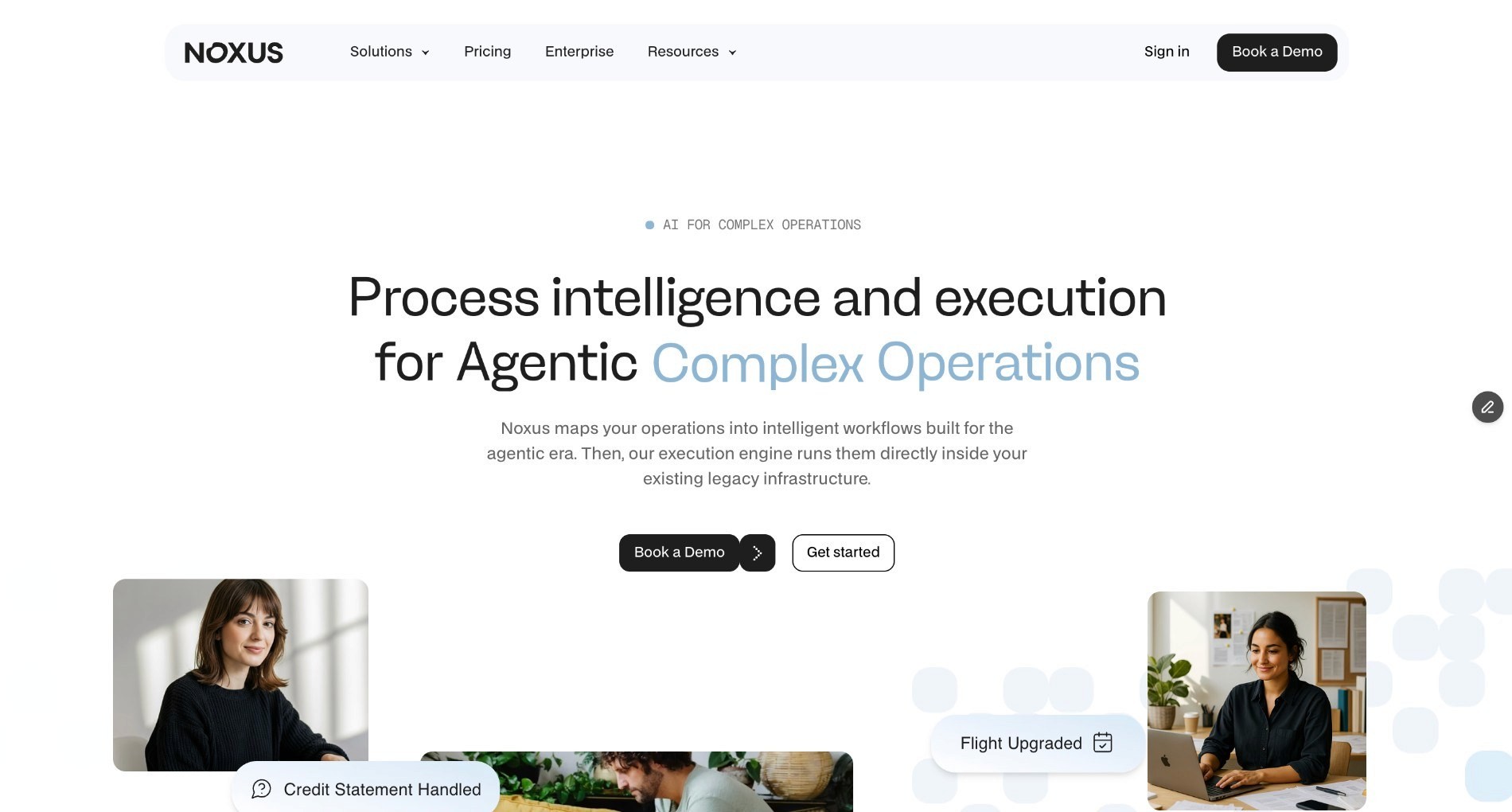
We are the AI operations platform built to execute procurement work end-to-end, inside the exact legacy systems your team already runs: SAP, Oracle, ServiceNow, Guidewire and proprietary in-house platforms included.
Where most procurement automation software stops at flagging an exception for a human to review, we resolve it. Your rules execute, AI just interprets: our platform reads the invoice, understands the free-text or scanned input, and hands off to hard-coded business logic mapped directly from your own SOPs and approval policies the moment a decision needs to be made on a governed process.
No AI model decides whether to approve a purchase order or release a payment. The result gets written back into your ERP under a full audit trail, with every step traceable and replayable.
The platform's process intelligence layer reads the invoice, applies your approval rules, matches it against the purchase order, and then writes the outcome back into your ERP under a full audit trail.
It must be noted that getting AI into production inside an enterprise is 90% infrastructure and integration, 10% AI, and that is the gap we close.
We do not ask you to modernise your stack, migrate off legacy systems, or wait a year for an internal build before automating procurement.
Every decision we make is traceable, every action is replayable, and nothing gets invented along the way - which is exactly what regulated, multi-system procurement automation operations need to run reliably at scale.
Ideal For
Operations leaders replacing manual invoice matching and vendor onboarding across 3-7 disconnected systems
IT and architecture leaders who need procurement automation software that works with SAP or Oracle without a migration project
Enterprises in regulated industries that require a complete audit trail on every procurement decision
Mid-market companies scaling purchase volume faster than their finance headcount
Top Features
End-to-end resolution of purchase requests, invoice matching and vendor exception handling, not just routing or flagging
Over 400 native connectors, including SAP ECC, Oracle, ServiceNow, SharePoint, Guidewire, iSeries, COBOL-era cores, and the proprietary in-house platforms most automation vendors will not touch, with no API-first prerequisite
Confidence-based human escalation, so low-confidence cases route to a person while the rest resolve automatically
Full audit trail with complete replayability for every procurement action, useful for compliance and finance sign-off
Flexible deployment across SaaS, private VPC or air-gapped on-premises, certified against SOC 2 Type II, ISO 27001, GDPR Article 28 and HIPAA. Data sovereignty is architectural, not contractual, which matters for procurement teams handling vendor data, payment approvals, and SOX audit exposure for US-listed parents.
Why We Stand Out?
Most procurement automation tools were built for modern, API-first stacks. We built ours for the enterprise reality where procurement touches SAP ECC, a CRM, a document store and a compliance system, none of which were designed to talk to each other.
We do not ask you to modernise your stack before automating procurement; we operate inside the systems you already run.
Clients using Noxus for operations automation have seen results like 3x ROI within 45 days of going live, with AI precision above 95% on real production data - figures drawn from deployments including Santander in banking, CUF/José de Mello in healthcare, and Jerónimo Martins in retail.
Pros
Resolves procurement cases end-to-end instead of just drafting or flagging them for review
Works natively with legacy ERPs like SAP and Oracle, with no re-platforming required
Consumption-based pricing that scales with volume, not per-seat licensing
Full audit trail and replayability built in, not bolted on
Cons
Not designed for teams that only need a lightweight approval-routing tool with no ERP integration
Best suited to organisations with genuine multi-system complexity, rather than a single simple purchasing flow
Requires a scoping conversation before pricing is confirmed, so there is no self-serve checkout
Pricing
We run Noxus on a monthly platform licence with consumption-based pricing that scales with operational volume and deployment complexity. There is no per-seat pricing, no per-task billing and no token-based pricing.
First engagements typically include deployment engineering alongside the licence. Every use case after that runs at a much lower incremental cost once the infrastructure is live. Pricing is confirmed after a scoping conversation.
Final Verdict
If your procurement operation spans multiple legacy systems, and manual exception handling is eating your team's time, Noxus is built specifically for that problem.
It is the procurement automation software choice for teams that need cases resolved, not just flagged.
2. Zapier
Overview
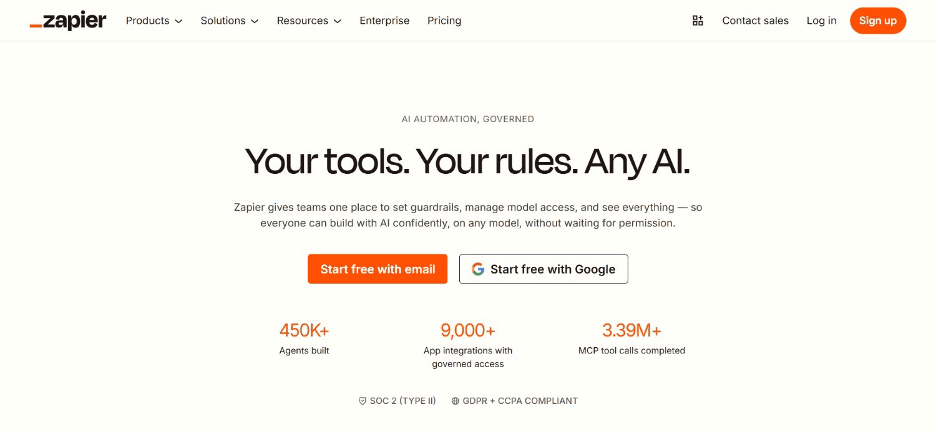
Zapier connects procurement apps, like your purchase request form, your accounting software and your Slack channel, into automated multi-step workflows called Zaps.
The platform is one of the most widely used procurement automation tools for teams that want to stitch together existing apps without writing code. Zapier does not run its own procurement suite; instead, it acts as the connective layer between whatever tools you already use for requests, approvals and payments.
For startups and small procurement teams, this makes Zapier a faster solution to remove manual data entry between systems, even if it stops short of resolving complex, judgment-heavy exceptions the way a dedicated procurement automation platform would.
Ideal For
Startups and small teams that want to connect existing procurement apps quickly
Operations managers automating simple, repeatable approval and notification workflows
Companies without a dedicated ERP that rely on a mix of point solutions
Top Features
Access to 8,000+ app integrations, covering most procurement, accounting and communication tools
Multi-step Zaps that can route purchase requests, trigger approvals and log outcomes automatically
Conditional logic (Paths) to branch workflows based on purchase amount or department
Built-in approval workflows for lightweight sign-off chains
Why They Stand Out?
Zapier's strength is breadth. few procurement automation tools connect to as many apps out of the box, which makes it a practical starting point for teams without the budget for a dedicated procurement suite.
It is one of the smartest choices for lightweight automation between existing tools, rather than a full procurement platform replacement.
Pros
Massive integration library covering nearly every popular business app
Fast to set up without developer resources
Free plan available for basic automation needs
Scales from a single automation to complex multi-step workflows
Cons
Does not handle unstructured inputs like scanned invoices or free-text vendor emails
No native spend analysis, contract management or supplier risk tools
Costs can climb quickly as task volume and team size grow
Pricing
Zapier's Free plan covers 100 tasks a month. Professional starts at $19.99 a month and Team at $69 a month, both on annual billing, which saves 33% against monthly. Enterprise is quote-based.
Every tier scales with the task volume you select, and AI model, code and connector steps consume tasks at different rates.
Final Verdict
Zapier works well for startups and lean teams gluing procurement apps together.
That said, it is not a substitute for procurement automation software built to resolve complex, multi-system purchasing exceptions on its own.
3. Ramp
Overview
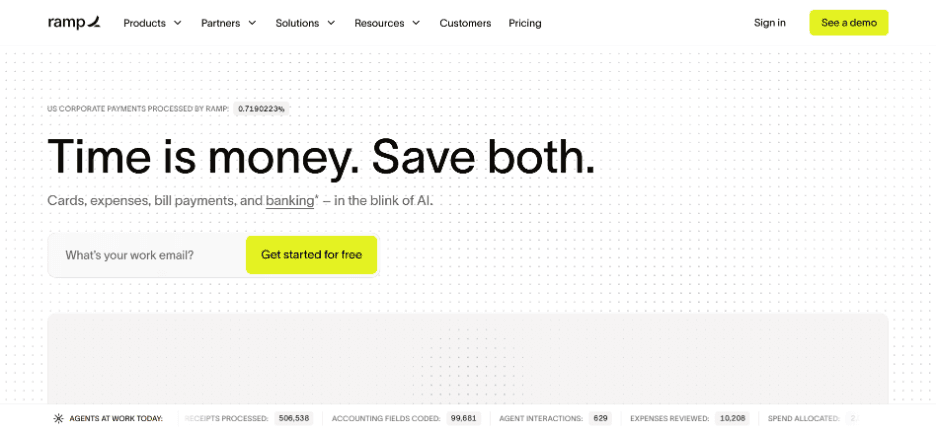
Ramp is a finance operations platform built around corporate cards, expense management and bill pay, with procurement automation layered on top of spend control.
Its core pitch is visibility: every card swipe, vendor payment and purchase request flows through one system, so finance teams can see spend as it happens rather than reconciling it after the fact.
The platform leans heavily on automated expense categorisation and policy enforcement, which makes it a strong fit for finance leaders who care most about controlling company spend rather than running a full procure-to-pay cycle.
Overall, Ramp is less a dedicated procurement suite and more a spend management platform with procurement features built in.
Ideal For
Finance teams that want spend control tied directly to corporate card issuance
Mid-market companies looking to consolidate expense management and bill pay
Startups scaling headcount and needing automated spend policies from day one
Top Features
Corporate card issuance with built-in spend limits and policy enforcement
Automated expense categorisation and receipt matching
Bill pay automation that routes and schedules vendor payments
Real-time spend dashboards for finance leadership
Why They Stand Out?
Ramp's advantage is combining the card, the expense report and the bill pay workflow into one system. This removes a layer of manual reconciliation that many procurement automation tools leave to a separate finance stack.
It is one of the stronger options for companies that want spend control baked into how money leaves the business, rather than bolted on afterwards.
Pros
Combines corporate cards, expense management and bill pay in one platform
Free plan available with no card fees
Strong real-time visibility into company spend
Fast onboarding for finance teams
Cons
Less suited to complex, multi-vendor sourcing or contract management needs
Procurement workflow depth is lighter than dedicated procure-to-pay suites
Best value is tied to using Ramp's own card product
Pricing
Ramp is free at the base tier. Plus is $15 per user a month, billed on user count, with 20% off on annual billing. Enterprise is quoted per organisation. Procurement is an add-on to Plus or Enterprise rather than part of the base product.
Final Verdict
Ramp is a strong pick for finance teams prioritising spend control and card management.
Companies with heavier sourcing or supplier management needs will likely need to pair it with a more dedicated procurement automation platform.
4. Coupa
Overview
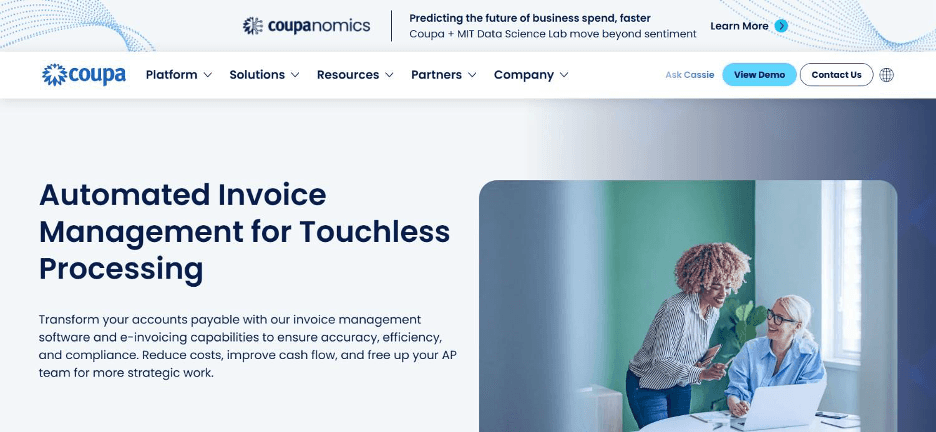
Coupa is a large-scale source-to-pay platform covering spend analysis, supplier management, contract lifecycle management and procure-to-pay in one suite. It is built for large enterprises that need visibility across the entire purchasing lifecycle, from sourcing a supplier through to paying the final invoice.
The company's positioning centres on total spend management: giving finance and procurement leaders a single system to track, analyse and control every dollar leaving the business.
This depth comes with more implementation complexity than lighter procurement automation tools, which makes Coupa a better fit for organisations with dedicated procurement teams and the budget to match its enterprise scope.
Ideal For
Large enterprises needing a unified source-to-pay platform
Procurement teams managing complex supplier relationships and contracts
Organisations that need detailed spend analytics across business units
Top Features
Spend analysis dashboards that surface savings opportunities across categories
Supplier management tools covering onboarding, risk and performance tracking
Contract lifecycle management tied directly to procurement workflows
Community-driven benchmarking data from Coupa's supplier network
Why They Stand Out?
Coupa's breadth across sourcing, contracts and payments makes it one of the more complete procurement automation platforms on the market for large organisations.
Few competitors match its combination of spend visibility and supplier network scale.
Pros
Comprehensive source-to-pay coverage in a single suite
Strong spend analytics and supplier benchmarking
Large supplier network that simplifies vendor onboarding
Enterprise-grade compliance and audit features
Cons
Implementation timelines and cost are significant compared to lighter tools
Overkill for smaller teams with simple purchasing needs
Steeper learning curve for procurement staff new to the platform
Pricing
Coupa does not publish pricing for its buyer-side platform. Licensing is modular and quoted per deal against the modules you license, transaction volume, user count and deployment complexity, with implementation costed separately. The figures that circulate publicly (Verified at $549 a year, Premium Support from $499, Advanced at $4,800) belong to the Coupa Supplier Portal and are optional subscriptions for suppliers selling into Coupa customers, not the cost of running Coupa yourself. Basic Supplier Portal access stays free for suppliers.
Final Verdict
Coupa suits large enterprises that need full source-to-pay coverage and have the budget and team to run it.
Smaller companies are better served by lighter procurement automation software with a faster time to value.
5. Precoro
Overview
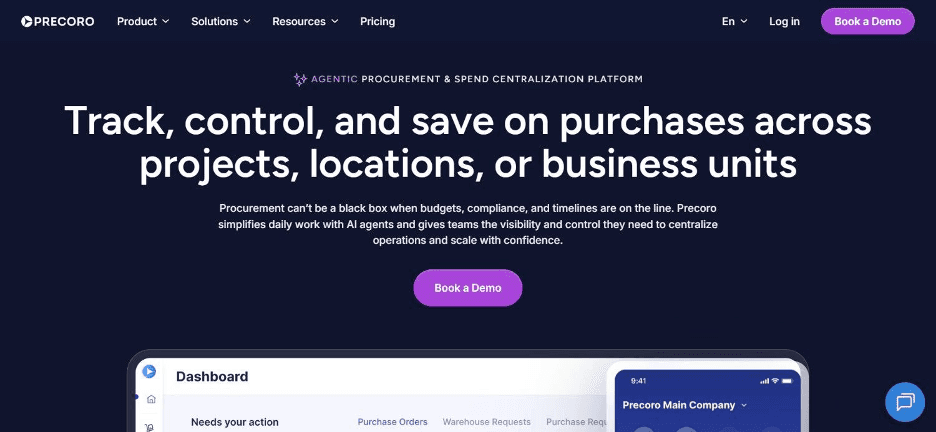
Precoro is a procure-to-pay platform focused on purchase order automation, budget tracking and approval workflows for mid-market teams.
The platform sits between lightweight automation connectors and full enterprise suites, giving companies structured procurement without the implementation weight of a platform like Coupa or Jaggaer.
Precoro's core strength is making purchase requests, approvals and budget checks visible in one place, so finance teams are not chasing spreadsheets to see what has been approved and what is still pending.
It integrates with common accounting tools, which makes it a practical fit for companies that have outgrown manual purchase orders but do not need a full enterprise procurement stack yet.
Ideal For
Mid-market companies replacing spreadsheet-based purchase order tracking
Finance teams that need budget visibility tied directly to approvals
Organisations wanting procure-to-pay structure without enterprise-level complexity
Top Features
Purchase order automation with configurable approval chains
Real-time budget tracking against departmental spend limits
Vendor and catalogue management for repeat purchases
Integrations with common accounting and ERP tools
Why They Stand Out?
Precoro's positioning as a mid-market procure-to-pay tool gives it a cleaner implementation path than the largest enterprise suites, while still offering more procurement-specific structure than general automation connectors.
It is one of the smarter choices for companies past the spreadsheet stage but not yet at enterprise scale.
Pros
Purpose-built procure-to-pay workflow, not a general automation tool
Clear budget tracking tied to approvals
Faster implementation than large enterprise suites
Solid accounting integrations
Cons
Less depth in supplier risk management and strategic sourcing than enterprise platforms
Not built for the scale of the largest global enterprises
Automation depth is lighter than an AI-driven execution platform
Pricing
Precoro publishes two Procure-to-Pay tiers and a custom one: Core at $499 a month, Automation at $999 a month, and Enterprise quoted per organisation. AP Automation is priced separately under its own tab, so a full procure-to-pay plus AP deployment is two lines rather than one.
Final Verdict
Precoro fits mid-market teams that need structured procure-to-pay workflows without enterprise complexity.
Larger organisations with complex sourcing needs will likely need more depth than it offers.
6. n8n
Overview
n8n is an open-source workflow automation tool that procurement and operations teams use to build custom automations connecting purchasing apps, spreadsheets and internal systems.
Unlike most procurement automation software built specifically for purchasing, n8n is a general-purpose automation platform. This means teams design their own procurement logic node by node.
This gives technical teams a high degree of control and the option to self-host for data residency reasons. It also means procurement-specific features like budget tracking or supplier catalogues need to be built rather than configured out of the box.
The platform is a strong fit for companies with engineering resources who want full control over their procurement automation tools.
Ideal For
Technical teams that want full control over custom procurement workflows
Companies with data residency requirements that need a self-hosted option
Operations teams comfortable building automation logic rather than configuring pre-built modules
Top Features
Visual workflow builder with over 400 pre-built integration nodes
Self-hosted deployment option for full data control
Conditional logic and branching for complex, custom procurement rules
Active open-source community contributing new integrations and templates
Why They Stand Out?
n8n's open-source model and self-hosting option make it one of the more flexible procurement automation tools for technical teams who want to avoid vendor lock-in.
Few competitors offer the same combination of low cost and deep customisation.
Pros
Free self-hosted option with no per-task pricing
Highly customisable for niche procurement workflows
Strong data control through self-hosting
Active open-source community and integration library
Cons
Requires technical resources to build and maintain workflows
No pre-built procurement-specific modules like budget tracking or catalogues
Steeper setup time compared to purpose-built procurement software
Pricing
The self-hosted Community Edition is free. Cloud starts at €20 a month for Starter on annual billing (€24 monthly), with Pro at €50 a month and Business at €667 a month billed annually, and Enterprise quote-based. Business and Enterprise can be hosted by n8n or self-hosted, and there is no longer a free cloud tier. Billing counts one execution per full workflow run rather than per step, so long workflows cost the same as short ones.
Final Verdict
n8n is the right pick for technical teams that want to build bespoke procurement workflows and control their own infrastructure.
It does, however, demand more setup effort than dedicated procurement automation software.
7. Procurify
Overview
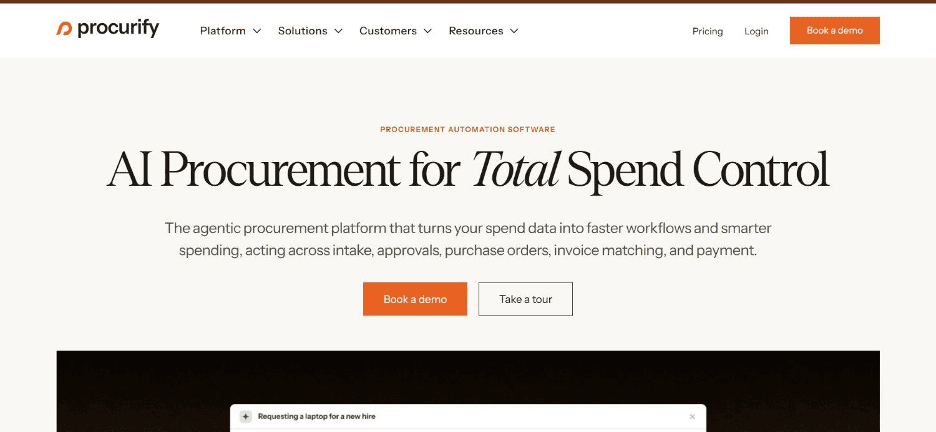
Procurify is a spend management platform built around purchase requests, budget management and vendor catalogues for organisations that need visibility across multiple departments.
Its focus is giving non-finance staff an easy way to submit purchase requests, while giving finance a real-time view of committed spend before invoices land. Procurify positions itself around intuitive, everyday use: the kind of tool a department head can use without procurement training.
That accessibility makes it a common choice for organisations spread across multiple locations or departments that need consistent purchasing rules without a heavy enterprise rollout.
Ideal For
Multi-department organisations needing consistent purchase request rules
Finance teams wanting real-time visibility into committed spend
Companies that want an easy purchase request experience for non-finance staff
Top Features
Purchase request submission designed for non-procurement staff
Budget management tied to departmental spend limits
Vendor catalogue management for repeat purchases
Real-time spend visibility before invoices are received
Why They Stand Out?
Procurify's emphasis on ease of use for everyday requesters sets it apart from procurement automation tools built primarily for procurement specialists.
It is a strong option for organisations prioritising adoption across departments over deep procurement configurability.
Pros
Intuitive purchase request experience for non-procurement staff
Solid real-time budget visibility
Good fit for multi-department spend tracking
Vendor catalogue support for repeat purchases
Cons
Less configurable for complex, multi-step approval chains than enterprise suites
Limited strategic sourcing or contract management functionality
Pricing is not published, which slows down evaluation
Pricing
Procurify uses custom, quote-based pricing tailored to each organisation.
Pricing depends on company size, procurement requirements and deployment scope, with no public plans or rates listed on its website.
Final Verdict
Procurify suits organisations that want an easy purchase request process across departments.
Companies with complex sourcing or contract needs, however, will need a more feature-rich procurement automation platform.
8. Make
Overview
Make is a visual automation platform that procurement teams use to connect purchasing apps and move data between systems without writing code.
Like Zapier, it is not a dedicated procurement suite. It is a flexible automation layer that can route purchase requests, sync vendor data or trigger approval notifications across more than 1,500 connected apps.
Make's scenario builder gives teams more detailed control over data transformation than simpler automation tools.
This makes it popular with operations teams that need slightly more complex logic than a basic if-this-then-that workflow, but do not want to build everything from scratch in code.
Ideal For
Operations teams needing more complex automation logic than basic triggers
Companies connecting procurement data across multiple existing apps
Teams comfortable with a visual, node-based workflow builder
Top Features
Visual scenario builder supporting complex, multi-branch automation logic
Access to over 1,500 app integrations
Credit-based execution model that scales with automation complexity
Built-in data transformation tools between connected apps
Why They Stand Out?
Make's visual builder offers more detailed control over data flow than many simpler procurement automation tools.
This makes it one of the stronger choices for teams that need custom logic without full development resources.
Pros
Strong visual builder for complex automation logic
Large library of app integrations
Affordable entry-level pricing
Flexible credit-based scaling
Cons
No procurement-specific features like budget tracking or supplier catalogues
Credit consumption can be difficult to predict at higher volumes
Requires manual setup for anything procurement-specific
Pricing
Make uses a credit-based pricing model. The Free plan includes 1,000 credits a month. Paid tiers at the 10,000-credit level are Core at $9 a month, Pro at $16, Teams at $29, and custom Enterprise pricing.
Every price moves with the credit volume you select, so the headline figure only holds at the tier you size for. Annual billing saves 15% or more.
Final Verdict
Make is a solid connective layer for teams automating procurement data across apps.
It needs to be paired, though, with procurement-specific tools for budget tracking, approvals or supplier management.
9. Jaggaer
Overview
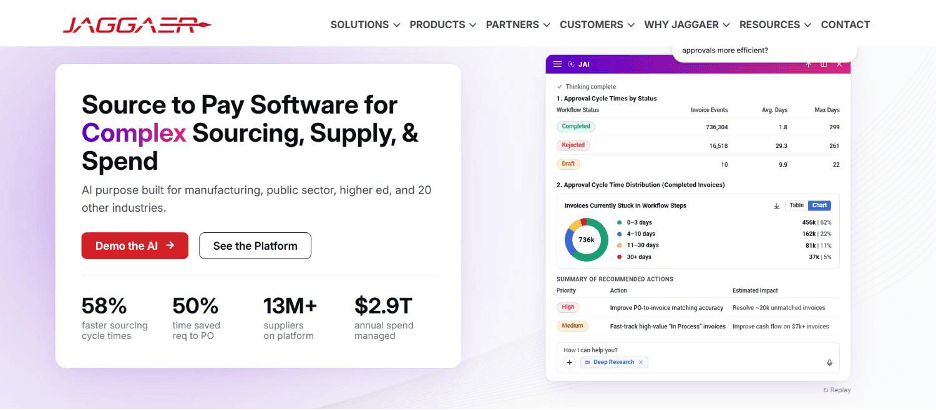
Jaggaer is an enterprise procurement platform built around strategic sourcing, supplier risk management and contract management for large, complex organisations.
The platform targets procurement teams running formal sourcing events, managing extensive supplier networks and needing detailed risk visibility across vendors.
Jaggaer's positioning leans heavily into strategic procurement rather than transactional purchasing, which sets it apart from lighter procurement automation tools focused mainly on requests and approvals.
This depth makes it a common choice in industries like manufacturing, healthcare and public sector, where sourcing complexity and supplier risk carry significant weight.
Ideal For
Large enterprises running formal, structured sourcing events
Procurement teams managing extensive supplier risk programmes
Industries with complex, regulated supplier relationships like manufacturing or healthcare
Top Features
Strategic sourcing tools supporting formal RFP and bidding processes
Supplier risk management with ongoing monitoring capabilities
Contract lifecycle management integrated with sourcing decisions
Category-specific sourcing modules for complex industries
Why They Stand Out?
Jaggaer's depth in strategic sourcing and supplier risk sets it apart from procurement automation tools focused mainly on transactional purchasing.
It is one of the stronger options for enterprises where sourcing strategy and supplier risk are core procurement functions.
Pros
Deep strategic sourcing and supplier risk capabilities
Strong fit for regulated, complex industries
Contract management tightly integrated with sourcing
Established presence in large enterprise procurement
Cons
Not suited to smaller teams needing simple purchase request automation
Implementation complexity and cost are significant
Pricing opacity makes early-stage evaluation difficult
Pricing
Jaggaer uses a custom enterprise pricing model with no publicly listed plans or rates.
Pricing is tailored based on modules, organisation size, deployment complexity and procurement requirements, with quotes provided through its sales team.
Final Verdict
Jaggaer is built for large enterprises with formal sourcing programmes and supplier risk needs.
It is far more procurement automation platform than smaller teams with simple purchasing workflows will need.
10. Monday
Overview
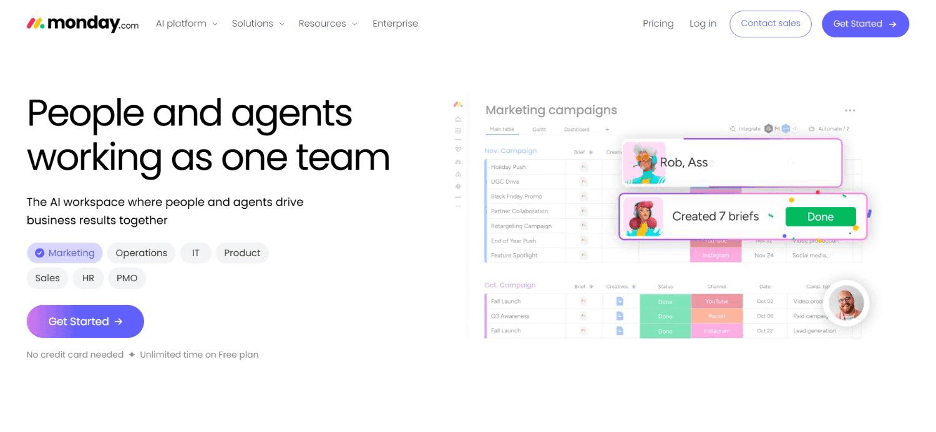
Monday is a work management platform that many procurement teams adapt into a visual purchase request and tracking board, using custom workflows and automations rather than dedicated procurement modules.
Its appeal is flexibility: teams build a procurement process using boards, automations and dashboards that mirror however their approval chain actually works, rather than conforming to a fixed procure-to-pay structure.
This makes Monday popular with smaller teams that want visibility into procurement status without adopting a dedicated procurement suite.
The platform, though, does lack the built-in budget controls and supplier management features of purpose-built procurement automation software.
Ideal For
Small to mid-sized teams tracking purchase requests on a visual board
Companies that want flexible workflows rather than a fixed procurement structure
Teams already using Monday.com for other work management needs
Top Features
Customisable boards for tracking purchase requests end to end
No-code automation rules for approvals and notifications
Dashboards giving visibility into procurement status across teams
Broad integrations with common business apps
Why They Stand Out?
Monday's flexibility lets teams build a procurement tracking process that matches their existing approval chain, without adopting a rigid procure-to-pay structure.
It is one of the more adaptable choices for teams that already live inside the platform for other work.
Pros
Highly flexible and easy to adapt to existing approval processes
Free plan available for small teams
Strong visual tracking and dashboarding
Familiar interface for teams already using Monday.com
Cons
No native budget tracking or supplier catalogue functionality
Requires manual setup to replicate procurement-specific logic
Not designed to match unstructured inputs like invoices to purchase orders automatically
Pricing
Monday.com has a free plan capped at two seats. Paid plans are $9 per seat per month for Basic, $12 for Standard and $19 for Pro, all billed annually, with Enterprise quoted by sales. Two details change the real cost: monthly billing runs roughly 18% higher, and every paid plan carries a three-seat minimum, so the practical floor on Standard is $36 a month rather than $12. AI features draw on a monthly credit pool with metered overage.
Final Verdict
Monday works for smaller teams that want a flexible, visual way to track procurement requests.
Organisations with complex approval chains or invoice matching needs, however, will outgrow it quickly.
How to Choose the Best Procurement Automation Software (What To Consider)?
Every tool on this list calls itself AI-powered, but they solve a variety of problems.
Here's a quick breakdown of what matters when comparing procurement automation tools against your own operation or use case:
1. ERP and System Compatibility
Check whether the procurement automation software works with the ERP you already run, whether that is SAP, Oracle or something else.
A tool that demands you modernise your stack first will slow down time to value.
2. Depth of Automation
Some procurement automation tools only route and flag; others resolve cases end-to-end, including invoice matching and exception handling.
Decide how much manual work you actually want removed, not just made visible.
3. Pricing Model Fit
Per-seat pricing punishes growing teams, while consumption-based pricing scales with actual usage.
Match the pricing model to how your transaction volume is likely to grow over the next 12 to 24 months.
4. Audit Trail and Regulatory Alignment
Procurement sits under a dense compliance stack: SOX for US-listed parents, GDPR for vendor personal data, DORA for operational resilience where financial partners are involved, NIS2 for cyber security, and the EU AI Act for any automated decision that affects a supplier or approval outcome. Every one of these expects the same thing from procurement automation software: a complete, tamper-evident record of what happened, why, and who could see it.
Confirm the tool logs every decision and action with full replayability, and that its deployment options keep vendor and payment data inside your infrastructure. This matters as much for internal audit and finance sign-off as it does for external regulators, and it becomes non-negotiable once AI Act obligations bite in 2027.
5. Implementation Timeline
Enterprise suites can take months to implement, while lighter automation connectors can be live in days.
Weigh the depth of functionality against how quickly your team needs results.
Everything You Need to Know About Procurement Automation Software
Tool | Pros | Cons | Ease of Use | Integrations | Support | Affordability |
Noxus | End-to-end resolution; works with legacy ERPs; full audit trail | Requires scoping call; not for simple single-flow needs | ⭐⭐⭐⭐ | ⭐⭐⭐⭐⭐ | ⭐⭐⭐⭐⭐ | ⭐⭐⭐⭐ |
Zapier | Huge app library; fast setup; free plan | No unstructured input handling; costs climb with volume | ⭐⭐⭐⭐⭐ | ⭐⭐⭐⭐⭐ | ⭐⭐⭐⭐ | ⭐⭐⭐⭐ |
Ramp | Cards and bill pay combined; free plan; real-time visibility | Lighter sourcing depth; tied to card product | ⭐⭐⭐⭐⭐ | ⭐⭐⭐⭐ | ⭐⭐⭐⭐ | ⭐⭐⭐⭐ |
Coupa | Full source-to-pay suite; strong analytics; supplier network | Costly; complex implementation | ⭐⭐⭐ | ⭐⭐⭐⭐ | ⭐⭐⭐⭐ | ⭐⭐ |
Precoro | Purpose-built procure-to-pay; clear budgets; faster rollout | Lighter sourcing depth; not for global scale | ⭐⭐⭐⭐ | ⭐⭐⭐⭐ | ⭐⭐⭐⭐ | ⭐⭐⭐ |
n8n | Free self-hosted; highly customisable; strong community | Needs technical resources; no built-in procurement modules | ⭐⭐⭐ | ⭐⭐⭐⭐⭐ | ⭐⭐⭐ | ⭐⭐⭐⭐⭐ |
Procurify | Easy requester experience; good budget visibility | Limited sourcing tools; unpublished pricing | ⭐⭐⭐⭐⭐ | ⭐⭐⭐⭐ | ⭐⭐⭐⭐ | ⭐⭐⭐ |
Make.com | Strong visual builder; large app library; affordable entry | No procurement-specific features; unpredictable credits | ⭐⭐⭐⭐ | ⭐⭐⭐⭐⭐ | ⭐⭐⭐⭐ | ⭐⭐⭐⭐ |
Jaggaer | Deep sourcing and risk tools; strong for regulated industries | Complex and costly; opaque pricing | ⭐⭐⭐ | ⭐⭐⭐⭐ | ⭐⭐⭐⭐ | ⭐⭐ |
Monday.com | Flexible boards; free plan; strong dashboards | No native budget tracking; manual setup needed | ⭐⭐⭐⭐⭐ | ⭐⭐⭐⭐ | ⭐⭐⭐⭐ | ⭐⭐⭐⭐ |
Automate Procurement Operations with Noxus
If your procurement process still depends on someone manually chasing approvals across SAP, email and a spreadsheet, you already know where the time is going.
We built Noxus to resolve that work end-to-end: matching invoices, applying your approval rules, and writing results back into the systems you already run, with a full audit trail on every action.
It is the same execution engine behind our workflow automation software, extended to handle the specific rules and systems procurement teams work with every day. Clients like Santander have seen 3x ROI within 45 days of going live on real production data.
FAQs About Procurement Automation Software
What is the best procurement automation software in 2026?
Noxus stands out as the best procurement automation software for enterprises running purchasing across legacy systems like SAP and Oracle. It resolves cases end-to-end, from invoice matching to write-back, instead of just flagging exceptions for a human to finish. Every decision is logged with a full audit trail, which matters for finance sign-off and compliance review. Clients have seen 3x ROI within 45 days of going live on real production data. That combination of speed, depth and legacy compatibility is what sets it apart in 2026.
What should I consider when choosing the right procurement automation tools for me?
Consider ERP compatibility, depth of automation, pricing model and audit trail requirements first. Procurement automation tools that only route requests will leave manual work behind, while ones that resolve cases end-to-end remove far more of the bottleneck. Match the tool's pricing model to how your transaction volume will grow over the next two years. Getting these four factors right before you shortlist vendors will save weeks of evaluation time.
How does Noxus differ from similar alternatives?
Noxus differs by resolving procurement cases end-to-end, rather than drafting or flagging them for a human to finish. We built it to work natively with legacy ERPs like SAP and Oracle, without requiring a migration first. Every action is logged with full replayability, which most procurement automation tools do not offer at the same depth. That depth is what makes it a fit for regulated, multi-system environments specifically.
How do I get started with Noxus?
Getting started with Noxus begins with a scoping conversation about your current procurement systems and transaction volume. From there, our team maps your existing approval rules and connects Noxus to your ERP and other relevant systems. First deployments typically reach production within 45 to 80 days, based on past client rollouts. You get visibility into progress at every stage, not just a go-live date.
How easy is it to switch to Noxus?
Switching to Noxus is designed to avoid the migration pain that stops most procurement automation projects. We connect directly to the systems you already run, including SAP, Oracle and 400+ other platforms, so there is no need to replace your existing ERP. Deployment engineering is included in the first engagement to get your initial use case live. Most teams see their first resolved cases well before the full rollout is complete.
Does procurement automation software work with legacy ERPs like SAP?
Yes, though the depth varies significantly between tools. Some procurement automation tools require modern, API-first systems and struggle with legacy ERPs like SAP ECC or Oracle. Noxus was built specifically for that gap, connecting to legacy systems the way your operations team already does, without requiring an API layer or system replacement. That means no re-platforming project has to happen first.
Can small businesses benefit from procurement automation software, or is it only for large enterprises?
Small businesses can benefit from procurement automation software, though the right tool depends on scale. Lighter tools suit startups connecting a handful of apps, while enterprise suites are built for organisations with complex, multi-department sourcing needs. The right starting point depends on transaction volume and system complexity, not company size alone. Growing companies often start light and move to a deeper platform once volume picks up.






