Best Intelligent Document Processing Software in 2026 (Feature & Pricing Comparison)
The best intelligent document processing software in 2026 splits into two groups: tools that extract data and hand it back, and tools that finish the process inside your systems of record. This comparison covers ten of them on extraction accuracy, legacy system reach, governance and pricing.

Key Takeaways (TL;DR)
Best Overall Intelligent Document Processing Software: Noxus is the only platform on this list that resolves document workflows end-to-end on legacy systems like SAP, Oracle, and Guidewire. Built for regulated enterprises in financial services, healthcare, insurance, and retail.
Why You Need It: Most IDP tools extract data and hand you a CSV. The hard 80% of the work, applying business rules, navigating legacy systems, writing back to source platforms, governing AI decisions under audit, is left to your team. The tools that just extract are why most enterprise AI pilots never reach production.
Who It's For: Operations, finance, IT, and compliance leaders at mid-to-large enterprises in banking, insurance, healthcare, and retail running legacy SAP, Oracle, or Guidewire environments. Organizations approaching BPO contract renewal, recovering from failed RPA deployments, or stuck in pilot purgatory.
How to Choose the Right One: Test on your worst-case documents, not vendor demos. Verify the tool executes decisions rather than just suggesting them. Confirm it writes back to your existing legacy systems without API modernization. Check that compliance is structural, not contractual.
Noxus’ Pricing: Noxus runs on a monthly platform licence with consumption-based pricing. There is no per-page, per-seat or token-based billing, so cost tracks the document workflows resolved end to end rather than the volume scanned. Pricing scales along operational volume and deployment complexity, from a single-workflow managed SaaS deployment through to multi-region enterprise rollouts, with a custom quote after a scoping call.
Table of Contents
Top Intelligent Document Processing Software in 2026 at a Glance
Company | Best For | Key Features | Pricing |
Noxus | Enterprise document workflow resolution on legacy systems | Multi-system write-back, deterministic business rules, full audit trail, EU data sovereignty, end-to-end resolution | Custom (consumption-based) |
ABBYY Vantage | Complex enterprise document layouts with pre-trained skills | Low-code skill builder, 190+ languages, ML/NLP extraction | From ~$8,000/yr; custom enterprise |
Rossum | AI-native invoice and AP workflow automation | Template-free extraction, Aurora LLM, ERP integrations | From $18,000/yr |
Nanonets | Developer-friendly custom model training | Trainable ML models, REST API, workflow builder | Pay-as-you-go; Pro from ~$999/mo |
Doxis AI.dp | Enterprise content lifecycle automation with IDP + ECM + BPM | Composable AI, SAP SmartBridge connectors, fraud detection, on-prem/cloud | Custom enterprise pricing |
UiPath Document Understanding | Teams already running UiPath RPA | RPA + IDP integration, Validation Station, Autopilot | Custom quote |
Azure AI Document Intelligence | Microsoft stack and Azure-native architecture | Pre-built models, Power Automate integration, pay-per-page pricing | Free tier; from $1.50/1,000 pages |
Docsumo | Financial document extraction for lending and insurance | Pre-built financial models, validation rules engine, human review | From $25/mo |
Turian AI | Mid-market procurement and sales order automation | AI workers for email + doc workflows, ERP/CRM write-back, HitL | Custom (volume-based) |
DocuPipe | Developer and SaaS teams needing API-first structured extraction | Schema-first LLM extraction, OCR + handwriting, REST API, webhooks | Free tier; Business from $99/mo |
What Is Intelligent Document Processing Software?
Businesses handle a ton of documents daily: invoices, contracts, patient forms, insurance claims, supplier emails. They arrive in different formats, from different sources, and most need to land somewhere specific (an ERP, a CRM, a core banking system, a clinical platform).
Intelligent document processing (IDP) software automates extraction, classification, and validation of data from unstructured and semi-structured documents, including PDFs, scanned forms, emails, images, contracts, and handwritten records.
That is the category as it is usually defined. Around 70% of organizations are expected to use some form of IDP by the end of 2026, and the global market is on track to reach $2.09 billion.
But here is the problem with that definition. Extraction is the easy part.
The category description above describes maybe 20% of the actual work. The other 80%, applying business rules, navigating multi-system lookups, writing outcomes back into legacy platforms, producing an audit trail that survives regulatory scrutiny, is where most IDP initiatives quietly die.
This article evaluates IDP platforms on both: extraction capability and what happens after extraction.
Why Do You Need Intelligent Document Processing Software?
Most IDP tools extract data and hand you a file. For some teams, that is enough. A clean CSV flowing into an ERP gets the job done.
But in regulated industries (financial services, insurance, healthcare, retail at scale), extraction is where the easy work ends. A single customer case might move through five or six different platforms before it gets resolved, with people manually bridging the gaps at every step. The business logic that governs how things actually work often lives in the heads of long-tenured staff, not in any system.
This is where AI projects die. Not because the AI fails, but because no one can wire it into the way the business actually operates.
Hundreds of AI pilots run across European enterprises right now. Almost none are running in production.
Here is what compounds the problem at scale:
1. BPO Contracts Keep Getting More Expensive
Outsourcing was the first answer to volume growth. It worked, until annual cost escalation clauses started eating the savings. Switching costs create vendor lock-in, and knowledge walks out the door when contracts are renegotiated.
Most large enterprises now have BPO contracts that cost 15-30% more than they did three years ago for the same work, with quality variance across agents, shifts, and geographies.
2. RPA Deployments Break When Systems Update
The second answer was RPA. Bots broke when ERP UIs updated. Maintenance costs exceeded savings.
Credibility with leadership was damaged. Budget was burned. RPA cannot handle unstructured inputs and has no AI reasoning layer.
3. Pilot Purgatory Is Now the Norm
The third answer was AI pilots. Most enterprises have three to five running simultaneously. Almost none convert to production.
The organization is busy with AI activity but producing no AI outcomes.
4. Manual Work Introduces Errors at Scale
When people manually enter data from documents, error rates typically sit around 3-8%.
At thousands of documents per month, this produces incorrect records, rework, back-and-forth with customers and suppliers, and downstream regulatory risk.
5. Linear Headcount vs. Non-Linear Volume
The math does not work without structural change. Hiring more people is not a viable long-term strategy when transaction volume grows non-linearly while operations costs grow linearly.
This is why the IDP category exists. But it is also why most IDP tools fall short.
They handle the extraction. They do not handle the operational reality.
Who Needs Intelligent Document Processing Software?
Operations Leaders at Enterprises Running Legacy Systems
The most common buyer of IDP software is an operations leader (VP Operations, Head of Claims, COO, Director of Customer Operations) at a mid-to-large enterprise running a high-volume, document-driven process. Complaints handling, account changes, vendor onboarding, employee records management, compliance document processing.
This persona has often already failed once. RPA broke. A point-extraction tool produced clean data that nobody could use because the downstream systems were not connected.
The team needs a solution that runs in production in their actual environment, produces measurable results, and does not require a 12-month IT project before the first workflow goes live.
The strongest urgency signal here is BPO contract renewal in the next 6-12 months. The renewal forces the question: keep paying escalating outsourcing costs, or prove an alternative.
Finance Leaders Who Need Predictable ROI
CFOs, VP Finance, and Group Financial Controllers are the final approvers for IDP deals at €100k+ ACV. They need verifiable benchmarks, not aspirational projections. They respond to case studies with exact ROI multiples and timeline to break-even.
This persona dislikes per-transaction or per-seat pricing because total cost of ownership becomes impossible to model accurately for board approval. They want a business case with clear payback, not open-ended exposure.
IT and Digital Transformation Leaders
CTOs, CIOs, CISOs, and Heads of Digital Transformation are the technical gatekeepers. They have veto power on all technical purchases and approval rights on security, data handling, and deployment architecture.
Their requirements center on deployment sovereignty (SaaS vs. private cloud vs. on-premises), security certifications, audit trail completeness, integration depth with existing systems, and the ability to govern AI usage formally.
For European enterprises specifically, alignment with GDPR, the EU AI Act, DORA, and NIS2 is not optional. It determines which vendors can even be evaluated.
The most common objection from this persona: "We have been burned by AI vendors before. What makes this different?"
Mid-Market Operations Owners (The Full Buyer)
In mid-market companies (revenue €50M-€500M, 200-2,000 employees), one person typically combines the roles of champion, economic buyer, and technical decision-maker. The Managing Director, COO, or Head of Operations owns the outcome and signs the contract.
Mid-market deals close faster because there is one conversation, not five. The trigger is usually growth (volume outpacing headcount) or cost pressure (BPO costs unsustainable). They respond to speed-to-production and clear scope, not to enterprise sales theater.
Finance and Accounts Payable Teams
AP teams processing hundreds to thousands of invoices monthly face the clearest ROI case for IDP. The core problem is format chaos: invoices arrive from hundreds of suppliers in dozens of formats (PDFs, scanned images, email attachments, EDI files), and every one needs to land in the same ERP with the same structured fields.
Automated document processing software eliminates the manual re-entry that drives both processing cost and error rates.
Healthcare Operations and Clinical Documentation Teams
Healthcare organizations process enormous volumes of patient and administrative documents (referrals, prior authorizations, clinical notes, billing records, appointment requests).
The challenge is not just volume, but the combination of highly sensitive data (GDPR Article 9 and HIPAA apply), legacy clinical systems that were never designed to talk to each other, and zero tolerance for processing errors in patient-facing workflows.
Insurance Claims and Underwriting Teams
Insurance operations are among the highest-volume, highest-complexity document processing environments in any industry.
A single claim packet might include handwritten incident reports, scanned photographs, structured forms, and supporting correspondence. All arriving through different channels and needing to be matched, validated, and written back to a core system like Guidewire, with deterministic policy enforcement so no AI model makes a coverage decision.
Best Intelligent Document Processing Software in 2026: In-Depth Review
1. Noxus
Overview
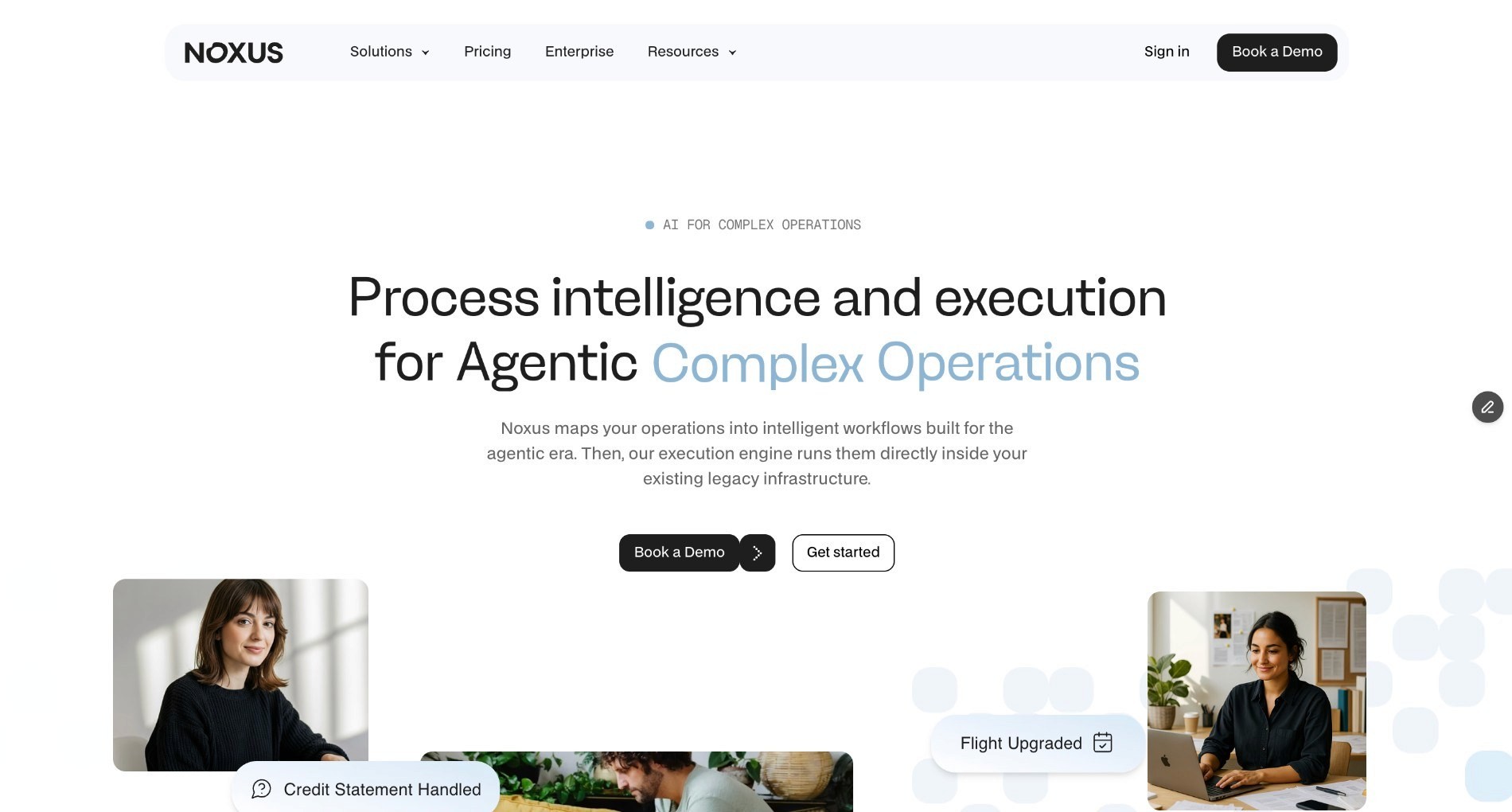
Noxus is an AI operations platform that executes complex, multi-system document operations end to end inside legacy enterprise environments.
Where most intelligent document processing software extracts data and exports a file, Noxus resolves the entire workflow. It reads unstructured inputs, applies business rules, performs multi-system lookups, and writes outcomes back to source systems with a complete audit trail and full replayability.
Founded in 2023, Noxus addresses the failure mode that stops most enterprise IDP initiatives before they reach production: the gap between extraction capability and operational reality. The underlying systems (SAP ECC, Guidewire, COBOL-era cores, ServiceNow, proprietary in-house platforms) were not built to integrate with modern AI tools.
Most IDP vendors require a modern API layer as a prerequisite. Noxus does not.
Noxus operates inside the existing environment the way operations staff do today, navigating interfaces, performing multi-step lookups, writing back results.
Live deployments include Santander, Fidelidade, CUF/José de Mello, Jerónimo Martins, and Sky/Comcast. Implementation partners include PwC, Devoteam, and Noesis.
Ideal For
Enterprise operations teams in financial services, insurance, healthcare, and retail running legacy SAP, Oracle, or Guidewire environments
Organizations approaching BPO contract renewal who need to prove an alternative before signing the next escalation
Teams that have failed with RPA or point-extraction tools because the environment is too complex
Regulated European enterprises with strict data residency, GDPR, and EU AI Act compliance requirements
Mid-market companies where the COO is the full buyer and needs production results in 30-45 days without a large IT engagement
Top Features
End-to-End Workflow Resolution: Noxus does not stop at extraction. It reads unstructured inputs (emails, scanned documents, portal submissions), perform multi-step lookups across connected systems, apply encoded business rules, execute actions, and write outcomes back to source systems (SAP, Guidewire, CRM, ERP) with every step logged and replayable. This is what separates Noxus from tools that produce a CSV and leave the rest to your team.
Legacy System Integration Without APIs: Noxus connects to 400+ systems out of the box, including SAP ECC, Guidewire, Oracle, ServiceNow, and proprietary platforms that other IDP vendors will not touch. No API modernization required. No middleware project. If your team can use the system today, Noxus can operate inside it.Your Rules Execute, AI Just Interprets: Every execution produces a complete trace of what happened and why. AI handles messy, unstructured inputs. Hard-coded business logic, mapped directly from the client's own SOPs and policies, governs every decision. No AI model approves a claim, processes a refund, or makes a compliance-relevant action. Every step is traceable, every output is explainable, and every action can be replayed.
Open-Core Guarantee: Clients retain all code and binaries if the relationship ends. No lock-in by architecture. This is rare in enterprise SaaS and directly addresses IT vendor risk concerns.
Why Noxus Stands Out
Noxus is the only platform on this list that resolves enterprise document workflows end-to-end on legacy systems, without requiring system replacement, API modernization, or a 12-month integration project.
The production record supports it: 3-5x ROI across documented deployments. 45-80 days from contract to first production deployment on real client systems with live data. 90-96% AI precision.
Zero client churn to date. Second and third use cases deploy at 85-90% gross margin because the infrastructure is already operational.
Pros
Resolves document workflows end-to-end including multi-system write-back, not just extraction
Operates natively inside legacy systems (SAP ECC, Guidewire, COBOL-era cores) without API prerequisites
Deterministic business logic with full audit trail. AI interprets, your rules decide
Data sovereignty by architecture: SaaS, VPC, on-premises, and air-gapped deployment options
45-80 days to production on real client systems. 3-5x ROI range across live deployments
Open-core guarantee: clients retain all code and binaries
SOC 2 Type II, ISO 27001, GDPR Article 28, HIPAA certified
Cons
Built for enterprises and mid-market organizations with complex document operations. Not suited for small teams processing simple, low-volume documents
Custom pricing requires a conversation with the sales team. No self-serve entry point for small workloads
Highest value when adopted as a full workflow layer. Using it purely for OCR-style extraction would under-use the platform
Pricing
Noxus operates on a consumption-based model with custom pricing for each client. Pricing scales along two dimensions: operational volume and deployment complexity.
A single workflow running in a managed SaaS environment is the entry point. Multi-workflow, multi-region deployments with dedicated infrastructure sit at the top.
Deployment engineering is typically included in first engagements to get the initial use case into production. Once the infrastructure is running, subsequent use cases are predominantly platform spend, with minimal additional services.
Clients choose how AI inference is provisioned: BYOK (using their own Azure AI Foundry, AWS Bedrock, or Google Vertex AI contracts) or Noxus-managed.
Final Verdict
Noxus is the right choice when the problem is not just data extraction, but full-workflow resolution in a complex, legacy-heavy environment.
If you are processing 10,000+ documents per month across multiple systems, approaching a BPO renewal, or operating in a regulated European market with production results needed inside 45 days, Noxus is the platform.
2. ABBYY Vantage
Overview
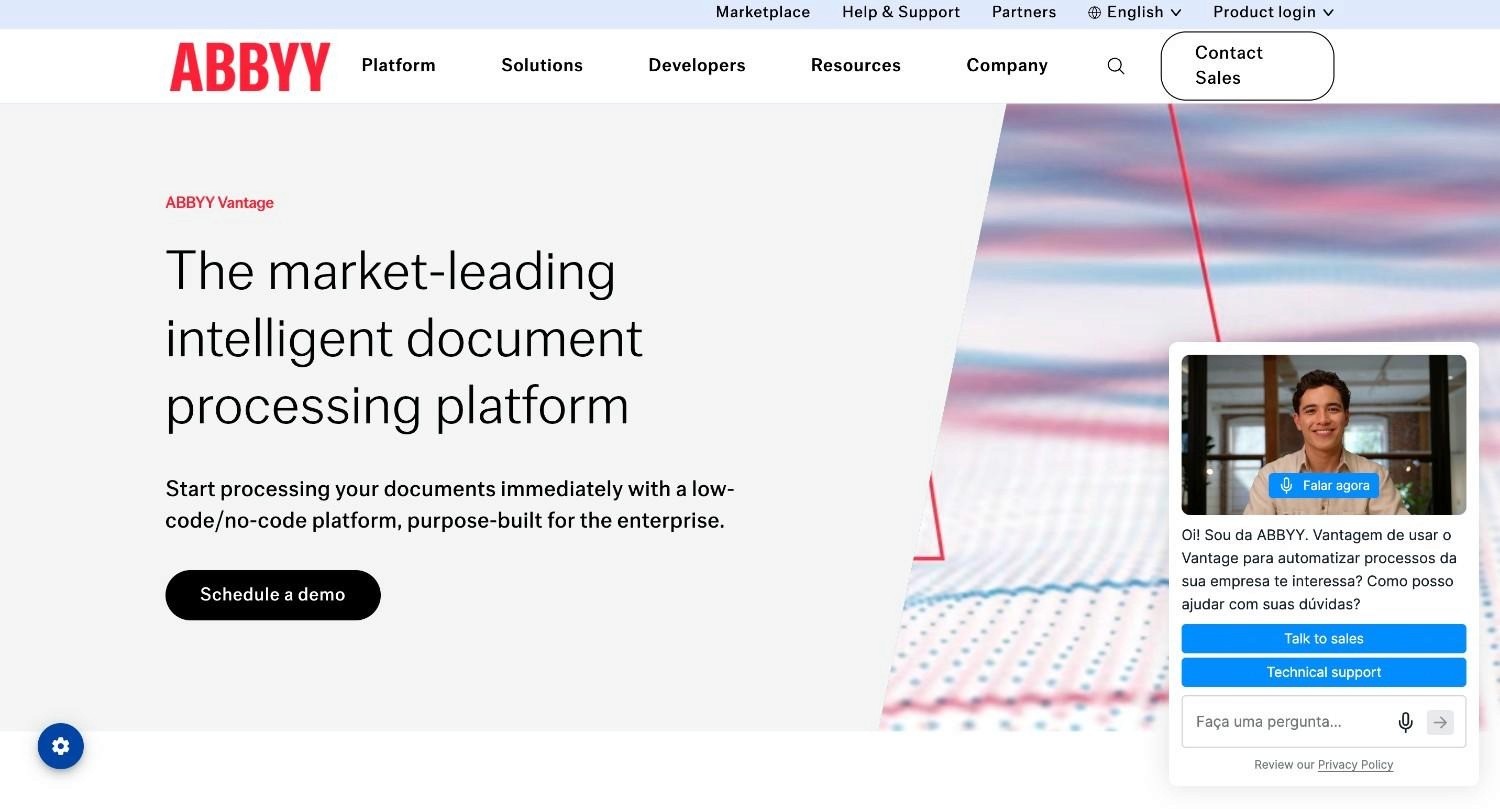
ABBYY Vantage is a low-code intelligent document processing platform from one of the most established names in the document AI space. The platform uses AI, machine learning, and a library of pre-trained "skills" to classify documents and extract data from structured, semi-structured, and unstructured formats without requiring predefined templates for each document layout.
ABBYY positions Vantage as the document intelligence layer for enterprise automation stacks. It is designed to plug into existing RPA platforms (UiPath, Blue Prism, Automation Anywhere), BPM tools, and ERP systems via REST API and marketplace connectors.
The core selling point is breadth: pre-trained skills for 150+ document types across industries, OCR support in 190+ languages, and a no-code designer that allows business users to build and publish document skills without engineering support.
Ideal For
Large enterprises standardizing document capture across multiple business units with a catalogue of pre-built models
AP/AR teams processing invoices globally across many vendor formats and languages
Organizations with existing ABBYY deployments looking to modernize toward a cloud-native IDP layer
Teams already running RPA (UiPath, Blue Prism) who want a first-party document intelligence component
Top Features
Pre-Trained Skills Library: Vantage ships with trained skills for 150+ document types (invoices, purchase orders, receipts, W-2 forms, utility bills, insurance claims) available through the ABBYY Marketplace. Business users download a skill, connect it to import/export destinations, and go live without building templates from scratch.
Continuous Learning and Straight-Through Processing: Every document that passes through human-in-the-loop review feeds back into the model. Straight-through processing rates improve over time as the system learns from corrections. ABBYY reports 70%+ automation achievable within four weeks for standard document types.
No-Code Skill Designer: Business users can design, train, and publish custom document skills using a point-and-click interface, without writing code or requiring ML expertise. The designer handles structured, semi-structured, and unstructured documents and supports machine-printed text, handwriting, barcodes, signatures, and checkboxes.
Why ABBYY Stands Out
ABBYY Vantage is a mature data processing platform with deep roots in enterprise document capture.
The breadth of the pre-trained skill library and the 190+ language OCR coverage make it a strong choice for multilingual enterprise environments. The no-code designer makes it accessible to business users.
Pros
Mature library of pre-trained skills covering 150+ document types out of the box
OCR accuracy across 190+ languages
No-code skill designer enables business users to configure and deploy without engineering
Tight integration with major RPA platforms and ERPs via marketplace connectors
Enterprise-grade controls: SOC 2, GDPR, on-premises and cloud deployment options
Cons
Stops at extraction. Does not execute downstream workflow or write back to legacy systems without an API layer
Complex deployments typically require professional services involvement and extend timelines
Skill licensing and volume-based pricing can become expensive at scale
Initial implementation is not self-serve for most enterprise use cases
Pricing
ABBYY does not publish pricing for Vantage. Licensing is a page-volume subscription: you commit to an annual page volume and pay overage beyond it, with the per-page rate falling as volume rises.
Deployments are quoted per deal, and ABBYY's own materials point buyers to a sales conversation rather than a rate card. A free trial is available; there is no permanent free tier.
Final Verdict
ABBYY Vantage is the right choice for large enterprises requiring a proven, broad-spectrum document AI layer within an RPA or BPM ecosystem. It excels when the requirement is wide document type coverage with minimal model training.
Where it falls short is in full-workflow resolution on legacy systems. Vantage extracts and classifies, but it does not execute the downstream process or write back to systems that lack a modern API layer.
3. Rossum
Overview
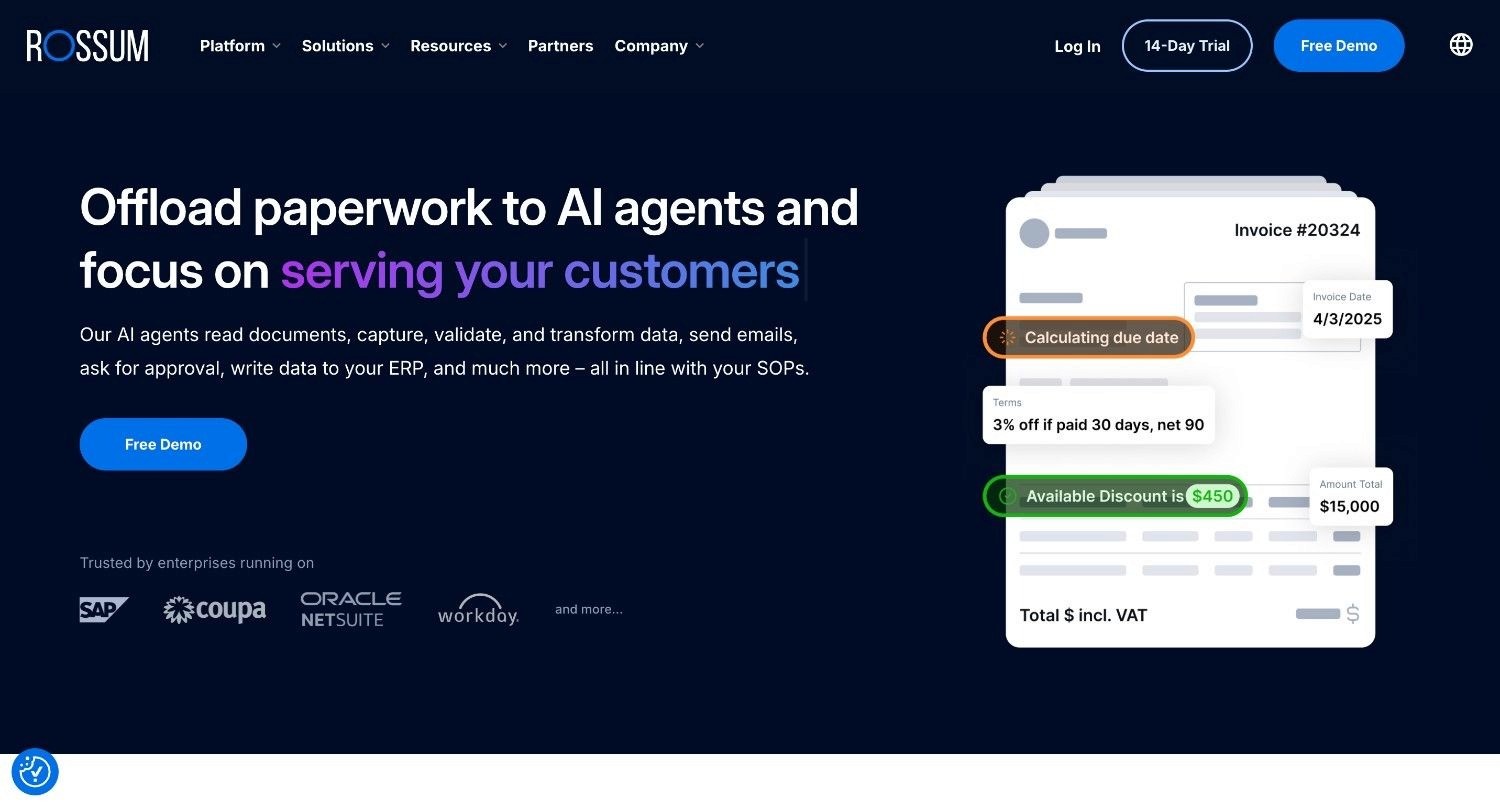
Rossum is a cloud-native IDP platform built specifically for transactional document workflows, primarily accounts payable, accounts receivable, and order processing.
The platform is built around Aurora, Rossum's proprietary large language model trained specifically for document understanding. Aurora enables template-free extraction across diverse document layouts without manual configuration per supplier.
Rossum focuses on the full AP workflow: multi-channel document intake (email, EDI, portal uploads), AI-powered field extraction, master data matching, duplicate detection, human-in-the-loop validation, and ERP integration for document posting. The platform positions itself as a finance-specialist IDP rather than a horizontal extraction tool.
Ideal For
Finance and AP teams at mid-to-large enterprises consolidating invoice and purchase order intake across multiple ingest channels
Organizations processing invoices from hundreds of suppliers in varying formats who need template-free extraction
Teams with multi-channel document intake requirements (email, EDI, portal, scan)
Companies requiring direct ERP integration for document posting (SAP, NetSuite, Coupa, Workday, Microsoft Dynamics)
Top Features
Aurora LLM for Document Understanding: Rossum's proprietary language model handles invoice and AP document formats without requiring template setup per vendor layout. The model adapts to new supplier formats automatically.
Multi-Channel Document Intake: Rossum accepts documents via email (dedicated endpoint), EDI, direct upload, and portal submission, consolidating intake from all channels into a single processing queue.
ERP Write-Back and Approval Workflows: Pre-built integrations with SAP, NetSuite, Coupa, Workday, and Microsoft Dynamics enable direct posting of validated invoice data into ERP systems. Approval workflows, escalation triggers, and master data matching are configurable within the platform.
Why Rossum Stands Out
Rossum is purpose-built for AP automation. Aurora is engineered specifically for transactional document understanding, and the combination of template-free extraction with direct ERP integration covers the core AP use case from intake to posting.
Pros
Purpose-built for AP/AR workflows with strong focus on invoice and transactional document types
Template-free extraction via Aurora LLM handles diverse supplier formats without manual setup
Pre-built ERP integrations (SAP, NetSuite, Coupa, Workday) enable direct document posting
Multi-channel intake consolidates email, EDI, and portal submissions into one processing queue
Cons
Optimized for AP/AR and transactional back-office scenarios. Less suited for highly unstructured documents or non-financial use cases
Advanced customization and complex workflow logic often requires vendor professional services
Pricing starts at $18,000/year, which puts it out of reach for smaller teams with lower document volumes
Functions as an extraction and posting layer. Does not execute full workflow resolution on legacy systems beyond direct ERP integration
Pricing
Rossum publishes one figure: Starter at $18,000/year, including unlimited user seats, API access, a 12-month document archive and the Aurora extraction engine. Business, Enterprise and Ultimate are quote-only and add custom business logic, master data matching, duplicate detection, SSO and ERP integrations. Minimum contract length is one year, and quotes are sized against annual page volume and field complexity.
Final Verdict
Rossum is well-suited for finance teams processing invoices and AP documents at scale, particularly where multi-channel intake and direct ERP integration are requirements.
Outside of finance-focused transactional workflows, or where the requirement is full legacy system integration and end-to-end workflow resolution, Rossum's scope becomes a limitation.
4. Nanonets
Overview
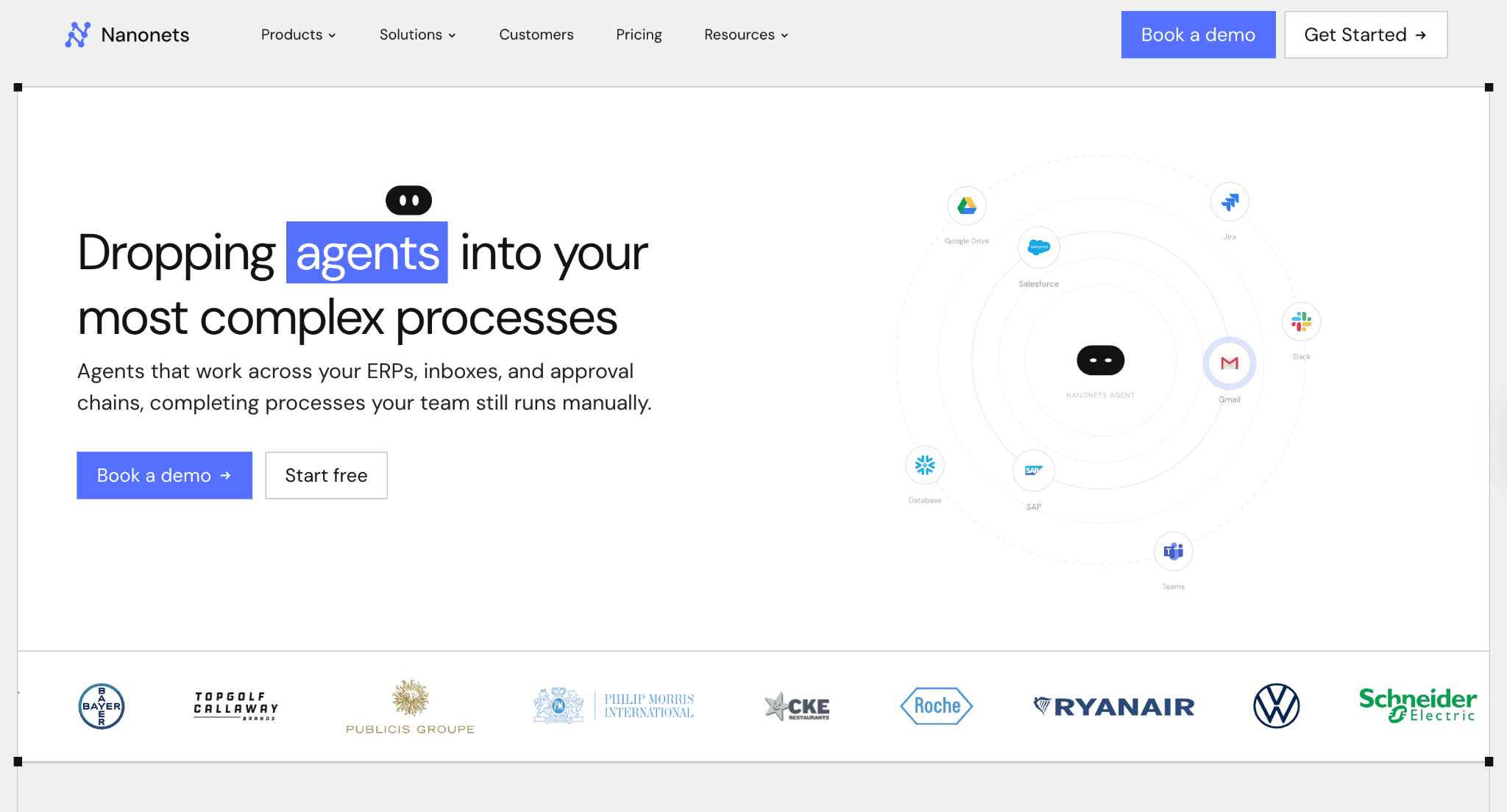
Nanonets is an AI-powered data extraction and workflow automation platform that covers a broad range of document types through trainable machine learning models and a no-code workflow builder.
The platform is designed to be accessible to operations teams without deep technical resources while providing a flexible API layer for developers building custom extraction pipelines.
Nanonets is more capable than basic OCR and more approachable than enterprise platforms. It processes unstructured documents (invoices, receipts, purchase orders, contracts, claims, forms) and converts them into structured output.
Ideal For
Finance and operations teams automating invoice processing, accounts payable, and expense management
Developer teams building custom document extraction pipelines with flexible API access
SMB and mid-market organizations needing accessible, trainable document AI without enterprise pricing
HR and compliance teams processing identity documents, contracts, and onboarding forms
Top Features
Trainable Custom Models: Users train custom extraction models on their specific document types by uploading sample documents and annotating target fields. Training typically requires 20-50 sample documents to reach usable accuracy.
No-Code Workflow Builder with API Access: A drag-and-drop workflow builder lets operations teams set up extraction, validation, approval routing, and system integration without writing code. A REST API provides full programmatic access to the same capabilities.
Pre-Built Models for Common Document Types: Nanonets ships with pre-trained models for invoices, receipts, purchase orders, bank statements, and ID documents.
Why Nanonets Stands Out
Nanonets is one of the more flexible mid-market IDP options. Accessible enough for operations teams to deploy without heavy IT involvement, customizable enough for developers to extend with custom models.
The pay-as-you-go pricing makes it a reasonable entry point for organizations not yet at enterprise volumes.
Pros
Custom model training on proprietary document types without ML expertise required
Flexible API layer for developer-led integrations alongside a no-code workflow builder
Pay-as-you-go pricing accessible for lower-volume or early-stage automation programs
Pre-built models cover common financial and identity document types out of the box
Broad integration support with major accounting, CRM, and ERP systems
Cons
Per-page billing creates cost unpredictability for multi-page documents at scale
Validation logic is less configurable than enterprise IDP platforms
Does not execute full workflow resolution end-to-end. Requires downstream system handling by the client
Can struggle with highly complex or variable document layouts compared to purpose-built enterprise platforms
Pricing
Nanonets operates on a pay-per-block model. New accounts receive $200 in credits to start, with pay-as-you-go pricing thereafter.
Higher-volume users can access volume discounts through the Growth tier, with Pro plans starting at approximately $999/month per workflow. Enterprise pricing is available on request with volume commitments.
Final Verdict
Nanonets is a practical choice for mid-market teams seeking trainable document AI with flexible API access and accessible pricing. It covers the most common financial and identity document types well.
For enterprises with complex legacy system environments, multi-step workflow resolution requirements, or strict compliance needs, it is not the right fit.
5. Doxis AI
Overview
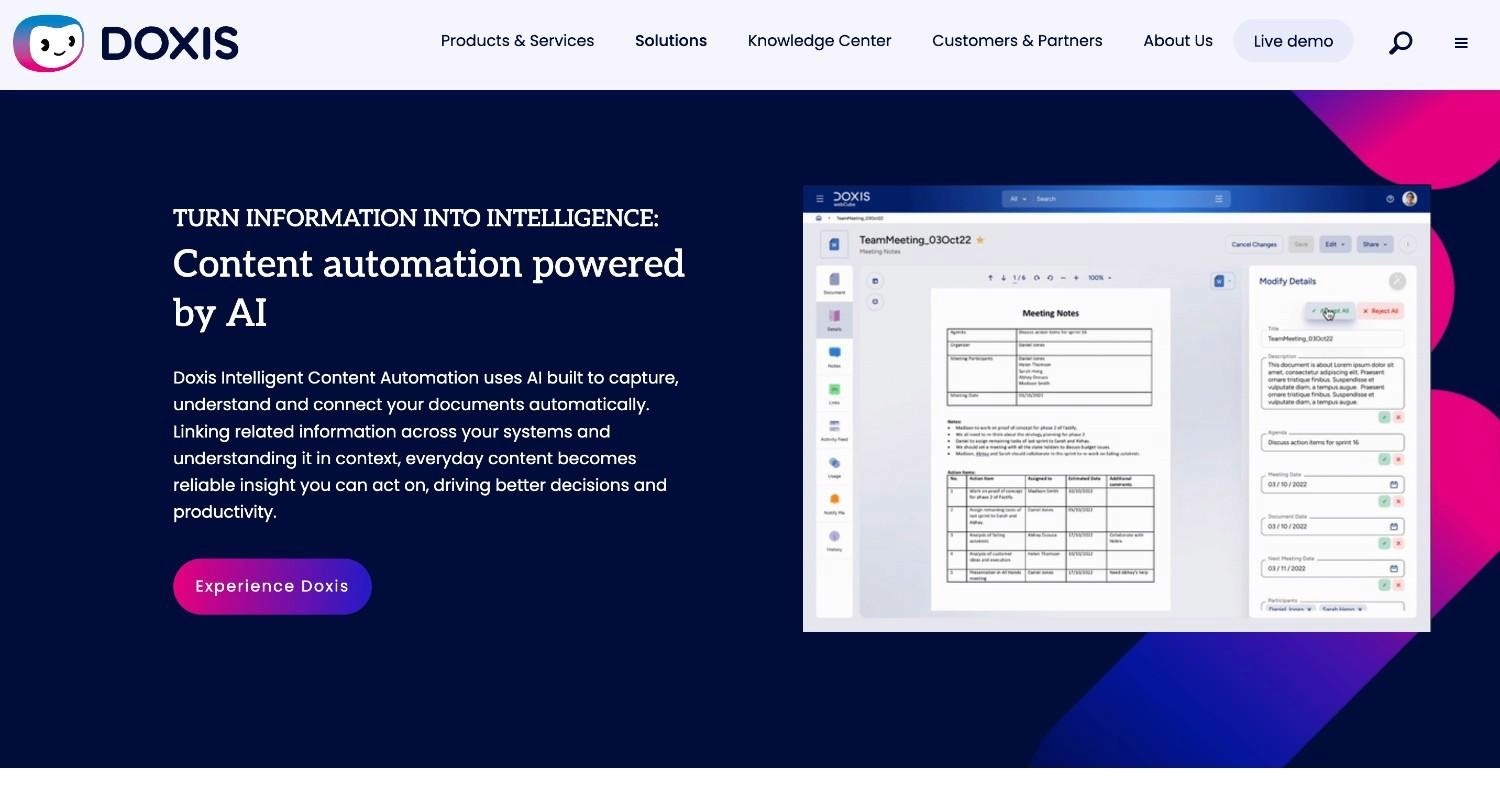
Doxis AI.dp is the intelligent document processing engine of the Doxis Intelligent Content Automation platform from SER Group.
Following SER Group's 2025 acquisitions of Klippa and AFI Solutions, Doxis combines IDP with enterprise content management (ECM), business process management (BPM), contract lifecycle management, and records management software in a single governed solution.
For organizations requiring IDP as part of a broader content automation and records management strategy, Doxis is one of the more comprehensive platforms on the market.
Ideal For
Large enterprises looking to consolidate IDP, ECM, and BPM into a single vendor relationship
Organizations with SAP-heavy environments requiring native document-to-ERP automation via SmartBridge connectors
Healthcare and financial services teams needing document anonymization, fraud detection, and GDPR/HIPAA compliance built in
European enterprises replacing fragmented point solutions with a unified document lifecycle platform
Regulated industries (insurance, banking, government) where records management, compliant archiving, and audit trails are non-negotiable
Top Features
Composable AI for Document Understanding: Doxis AI.dp combines custom-trained ML models with multimodal LLMs to handle document classification, extraction, validation, and fraud detection. IDC describes this as "Composable AI": specialized models that each focus on a distinct task and orchestrate together for accuracy above 99% across document types.
Native SAP Integration via SmartBridge Connectors: Through the AFI Solutions acquisition (completed in March 2025), Doxis gained deep SAP document automation capabilities. SmartBridge connectors handle invoice processing, purchase order matching, and goods receipt automation with native SAP write-back covering SAP ECC, S/4HANA, and BTP.Full Document Lifecycle Platform: Doxis AI.dp sits inside a broader platform covering the entire document lifecycle: intake, intelligent processing, workflow routing, case management, contract management, compliant archiving, and records retention.
Why Doxis Stands Out
Doxis is one of the few IDP solutions that combines extraction accuracy above 99% with a full ECM and BPM platform behind it.
The SAP integration depth and the GDPR/HIPAA compliance architecture make it a strong all-in-one choice for European regulated enterprises consolidating document automation under a single vendor.
Fraud detection in the extraction pipeline is a meaningful differentiator for financial services and KYC workflows.
Pros
Above 99% accuracy with sub-five-second processing for most document types
Native SAP integration (ECC, S/4HANA, BTP) via SmartBridge connectors. No middleware required
Full document lifecycle coverage: IDP + ECM + BPM + records management in one platform
GDPR, HIPAA, and ISO-certified architecture. On-premises and cloud deployment options
Fraud detection and document verification built into the extraction pipeline
Cons
Broader platform scope means higher implementation complexity. Not a quick-start tool for narrow point use cases
Pricing and packaging have evolved through multiple acquisitions. Buyers should engage Doxis sales directly for current, integrated pricing
Less suited for organizations needing a lightweight extraction API or developer-first tooling without the ECM layer
Integration of acquired products (Klippa, AFI Solutions, Metaforce) is still maturing. Some capabilities may not be fully unified in all deployment configurations
Pricing
Doxis AI.dp pricing is custom and enterprise-tier.
The platform is sold as part of the broader Doxis Intelligent Content Automation suite, with pricing structured around user counts, document volumes, deployment model, and modules activated.
Final Verdict
Doxis AI.dp is a strong choice for large enterprises that need IDP embedded inside a full content lifecycle platform. It fits particularly well for those with SAP environments, GDPR compliance requirements, and an existing footprint in ECM or records management.
It is less suited for organizations that need a standalone extraction tool or fast deployment without the broader platform investment.
6. UiPath Document Understanding
Overview
UiPath Document Understanding is the IDP component of the UiPath automation platform, designed for teams already running UiPath RPA who want a first-party document intelligence layer.
The product handles document classification and data extraction as part of a larger RPA-orchestrated workflow, with tight integration into UiPath Studio and the broader UiPath ecosystem.
The positioning is straightforward: if you already run UiPath bots, Document Understanding is the natural extension for handling the unstructured document inputs that RPA alone cannot process.
Ideal For
Enterprises with existing UiPath RPA deployments looking to extend automation to document-heavy processes
IT teams managing automation programs who want a single platform for both RPA and IDP
Organizations with a mix of structured and unstructured document inputs flowing into RPA workflows
Teams with automation literacy who can configure and maintain extraction models within the UiPath ecosystem
Top Features
RPA + IDP Integration: Document Understanding sits natively inside UiPath Studio, allowing developers to build workflows where document extraction feeds directly into RPA bots without separate API calls or data handoffs.
Validation Station for Human Review: Low-confidence extractions route to the Validation Station, where human operators can review, correct, and approve extracted data before it flows into the RPA workflow.
Intelligent Xtraction & Processing (IXP): UiPath's newer IXP capability targets unstructured and complex documents up to 50 pages long.
The Autopilot feature generates automation scaffolding from plain-language descriptions, reducing configuration effort for new extraction workflows.
Why UiPath Stands Out
UiPath Document Understanding is one of the tighter integrations of IDP capability within an existing automation platform.
For organizations already invested in the UiPath ecosystem, adding Document Understanding is a natural extension rather than a new vendor relationship.
Pros
Native integration with UiPath Studio and RPA platform
Validation Station provides clean human-in-the-loop review within the same platform
Autopilot accelerates workflow configuration through plain-language automation descriptions
Broad community knowledge base and ecosystem of pre-built components
Cons
Brittle to UI changes. RPA bots break when ERP and core system interfaces update, requiring ongoing maintenance investment
Licensing complexity: page licenses, AI units, and platform licenses combine in ways that make budgeting difficult
Configuration and debugging requires meaningful automation expertise. Not a self-service tool for non-technical operators
Value depends heavily on existing UiPath investment. Not a strong standalone IDP option without it
Pricing
UiPath does not publish pricing for Document Understanding itself. It is metered per extracted page in AI Units or Platform Units depending on which licensing plan you are on, and those units are bought as part of a wider UiPath contract alongside robot and user licences.
The $25/month Automation Cloud Basic plan on UiPath's public pricing page is the platform entry tier, not a Document Understanding price. Standard and Enterprise are quote-based.
Final Verdict
UiPath Document Understanding is well-suited for organizations already running UiPath RPA who need to extend automation to document-heavy process inputs.
Outside of the UiPath ecosystem, the value proposition is less compelling. The platform is designed as a component of a larger UiPath deployment rather than a standalone IDP solution.
Buyers should also factor in the historical fragility of RPA-based automation when underlying system UIs change.
7. Azure AI Document Intelligence

Overview
Azure AI Document Intelligence (formerly Azure Form Recognizer) is Microsoft's cloud-based document AI service, offering pre-built models for common document types and custom model training through a cloud API.
It is part of the Azure Cognitive Services suite and is designed for organizations building document automation capabilities on Azure infrastructure.
The service is developer-first. Primary interaction is through REST API, client libraries, and integrations with Azure Functions, Logic Apps, and Power Automate.
Ideal For
Developer teams building document extraction into Azure-native workflows
Organizations standardized on Microsoft 365 and the broader Azure stack
Teams needing transparent, predictable per-page pricing for cost modeling
Use cases where extraction is a component of a larger custom-built automation pipeline
Top Features
Pre-Built Models for Common Document Types: Azure ships with pre-built processors for invoices, purchase orders, receipts, identity documents, and general documents, covering the most common business document types without custom model training.
Custom Model Training: For document types outside the pre-built catalogue, Azure supports custom model training on labeled document samples. The training process is manageable for developer teams with access to Azure tooling.
Transparent Pay-Per-Page Pricing: Azure uses a published per-page pricing model. This predictability is meaningful for organizations that need to model document processing costs accurately before committing to a platform.
Power Automate and Azure Logic Apps Integration: Azure Document Intelligence connects directly into Microsoft's broader automation tooling, making it accessible to teams already operating in the Microsoft 365 stack.
Why Azure Stands Out
Azure AI Document Intelligence is one of the more cost-effective options for developer teams already building on Azure who need document extraction as a component of a larger workflow.
The transparent per-page pricing, integration with Power Automate, and alignment with Azure data residency options make it a practical choice for Microsoft-ecosystem organizations.
Pros
Transparent, published per-page pricing makes cost modeling straightforward
Pre-built models for invoices, receipts, IDs, and general documents work out of the box
Tight integration with Power Automate, Azure Functions, and the broader Microsoft stack
Free tier covering 500 pages/month for evaluation
Custom model training available for non-standard document types
Cons
Developer-first. Significant engineering effort required to build a production-grade workflow on top of the API
No built-in human-in-the-loop review interface. Teams must build their own validation UI
Stops at extraction. No business rule execution, no legacy system write-back, no audit trail beyond Azure logging
Performance on highly variable or non-English documents can lag behind purpose-built IDP platforms
Microsoft Copilot Studio and Power Platform are positioned for simple workflows. Complex multi-system orchestration on legacy environments is not what Azure Document Intelligence is built for
Pricing
Azure AI Document Intelligence offers a free tier covering 500 pages/month. Beyond that, basic text extraction starts at $1.50 per 1,000 pages.
More advanced models (invoices, receipts, ID documents) cost $10 per 1,000 pages. High-volume users get discounted rates through commitment tiers.
Final Verdict
Azure AI Document Intelligence is a solid choice for developer teams building document extraction into Azure-native workflows, especially where cost predictability and Microsoft stack alignment matter.
For organizations that need a purpose-built IDP platform with human review workflows, pre-built AP automation, or full legacy system integration with workflow resolution, dedicated platforms will outperform it.
8. Docsumo

Overview
Docsumo is an enterprise IDP platform purpose-built for financial document extraction in regulated industries: lending, banking, insurance, and accounts payable.
The platform ships with pre-built extraction models for the document types these industries process most: invoices, bank statements, rent rolls, tax documents, ACORD forms, pay stubs.
Docsumo positions itself between developer-first tools (DocuPipe, Nanonets) and heavy enterprise platforms (ABBYY). The human-in-the-loop review interface is designed for high-accuracy financial workflows where every extracted field may need operator verification before downstream use.
Ideal For
Lending and insurance teams processing loan applications, ACORD forms, and financial document packages
AP teams needing pre-built invoice models with configurable validation rules
SMB and mid-market organizations in financial services that need enterprise-grade accuracy without enterprise pricing
Teams where human review of extracted data is required before system integration
Top Features
Pre-Built Financial Document Models: Docsumo ships with trained models for the document types most common in financial services (bank statements, invoices, pay stubs, tax returns, rent rolls) with reported accuracy of 98.5% on supported types.
Validation Rules Engine: Configurable business rules flag extractions that fail cross-field validation. Invoice totals that do not match line item sums, vendor names not on the approved list. This rules-based validation layer reduces downstream cleanup.
Human-in-the-Loop Review Interface: A review queue routes low-confidence or validation-failed extractions to human operators with full document context.
Why Docsumo Stands Out
Docsumo's focus on financial document types means stronger out-of-the-box accuracy for lending, banking, and AP use cases than generalist IDP platforms.
The validation rules engine is a practical differentiator for AP teams that currently do manual validation before ERP entry.
Pros
Pre-built models for financial documents with 98.5% reported accuracy
Validation rules engine reduces downstream cleanup and catches cross-field inconsistencies
Human review interface purpose-built for financial services compliance workflows
Faster onboarding than heavy enterprise platforms for supported document types
Cons
Narrower document type coverage than broad-spectrum platforms like ABBYY or Nanonets
Struggles with documents outside the financial document catalogue, particularly those with high format variability
Does not provide full workflow resolution or legacy system write-back
Customer support response times flagged in some user reviews
Pricing
Docsumo offers a free 14-day trial allowing users to process up to 1,000 free pages across 10 user licenses.
Scalable plans require an inquiry with the sales team for custom pricing.
Final Verdict
Docsumo is a strong choice for SMB and mid-market financial services teams that need solid out-of-the-box accuracy on a defined set of financial document types without the cost and complexity of enterprise platforms.
The validation rules engine makes it more useful than pure extraction tools for AP teams.
9. Turian AI
Overview
Turian AI (formerly Uify) is an AI-powered process automation platform built specifically for mid-sized companies in manufacturing, wholesale, and supply chain that need end-to-end automation of procurement and sales order workflows, not just document extraction.
Turian's AI workers ingest documents from email inboxes and portals, interpret context, update ERP and CRM systems, draft supplier replies, and route exceptions to human reviewers.
The platform is built around the operational reality of B2B document flows: sales orders, purchase order confirmations, RFQs, invoices, bills of quantity, and contract documents that arrive in any format, any language, through any channel.
Turian connects directly to email clients (Outlook, Gmail), integrates with 20+ ERP systems, and applies human-in-the-loop logic so teams maintain control over edge cases.
Ideal For
Mid-sized manufacturers, wholesalers, and distributors processing high volumes of sales orders and purchase order confirmations
Procurement teams automating supplier communication, order confirmation extraction, and ERP updates
Supply chain and logistics companies handling delivery notes, shipping documents, and compliance certifications
Companies in German-speaking and European markets needing multilingual document automation with EU compliance
Top Features
AI Workers for Email and Document Workflows: Turian's AI workers sit directly in your inbox, reading incoming emails and attachments, classifying document types, extracting key data, and triggering the appropriate workflow without requiring documents to be uploaded manually to a separate platform.
End-to-End ERP and CRM Integration: Turian connects to 20+ ERP systems (SAP, MS Dynamics 365, Oracle) and major CRMs (Salesforce, HubSpot). Extracted data flows directly into the correct records without manual re-entry.
Human-in-the-Loop with Configurable Oversight: Teams define exactly which workflows require manual approval and which run fully automated. Staff can review, approve, or adjust individual data points directly in Outlook via a dedicated add-in.
Why Turian Stands Out
Turian focuses specifically on the sales order and procurement document workflow from end to end, including the email communication layer, ERP write-back, and automated supplier response generation.
For mid-market manufacturers and wholesalers where the document problem lives in Outlook rather than a document management system, Turian's architecture is a direct fit.
Pros
AI workers operate directly inside email clients (Outlook, Gmail). No separate upload workflow required
No template or model training needed. Handles any format and language out of the box
End-to-end ERP and CRM integration with automated response generation
Human-in-the-loop controls configurable per workflow. Outlook add-in for embedded review
EU compliant and ISO certified
Cons
Best value for mid-sized companies in manufacturing, wholesale, and supply chain. Less suited for financial services or healthcare IDP use cases
Narrower vertical focus than horizontal IDP platforms like ABBYY or Nanonets
Custom pricing requires sales engagement. No transparent publicly listed information
Smaller brand recognition and community than established enterprise IDP vendors
Pricing
Turian AI operates on custom, volume-based pricing. There are no publicly listed plans or pricing tiers.
Pricing is scoped based on document volume, number of workflows, and the ERP/CRM integrations required.
Final Verdict
Turian AI is a strong choice for mid-sized companies in manufacturing, wholesale, and logistics that need end-to-end automation of email-based document workflows.
It fits particularly well for sales order entry, PO confirmation processing, and procurement communication.
10. DocuPipe
Overview
DocuPipe is an API-first intelligent document processing platform that turns messy PDFs, scans, images, tables, and handwritten content into clean, structured data through a combination of OCR and LLM-powered schema enforcement.
What distinguishes DocuPipe from raw OCR APIs is the full pipeline it provides on top of parsing: schema-first extraction, automatic document classification, multi-document splitting, a built-in human review interface with source highlighting, and webhook-based notifications, all accessible through a clean REST API.
Ideal For
SaaS builders and developer teams adding document extraction to their products without building OCR infrastructure from scratch
Operations teams processing logistics documents, invoices, lease agreements, and medical records that require schema-consistent output
Organizations needing human review built into the extraction pipeline without custom tooling
Teams migrating away from complex cloud OCR services who want simpler, synchronous API calls and predictable pricing
Top Features
Schema-First LLM Extraction: Users define how they want a document type understood, in plain English, without coding. The AI engine builds a structured extraction schema against that definition. Every document of that type produces schema-consistent JSON output regardless of layout variation.
Built-In Human Review with Source Highlighting: When the extraction engine flags a low-confidence field, the review interface surfaces the relevant portion of the source document next to the extracted value, highlighted with full context.
Full Pipeline Without Infrastructure Overhead: DocuPipe handles batch operations, queues, automatic document classification, multi-doc splitting, and webhooks as part of the platform.
Why DocuPipe Stands Out
DocuPipe is a strong choice for developer teams and SaaS builders requiring production-grade document extraction infrastructure without the engineering overhead of cloud-native OCR services.
The schema enforcement layer solves the output consistency problem that is the primary failure mode of LLM-only extraction.
Pros
Schema-first extraction produces consistent, typed JSON output regardless of document layout variation
Built-in human review interface with source highlighting. No custom review UI required
Full pipeline out of the box: classification, splitting, extraction, webhooks
Free tier with 100 credits/month. Business plan from $99/month with predictable pricing
SOC 2, ISO 27001, GDPR, and HIPAA compliant. On-premise deployment available
Cons
Developer-first platform. Requires technical configuration to reach production for non-trivial use cases
No built-in ERP or CRM integrations. Downstream system write-back is handled via webhooks and external automation tools
Newer platform with a smaller community and ecosystem than established IDP vendors
Not suited for enterprises needing a full workflow orchestration layer or legacy system integration
Pricing
DocuPipe offers a free Starter tier with 100 credits/month and a 300-credit sign-up bonus. The Business plan starts at $99/month.
A Premium tier ($499/month) and Enterprise plans are available for higher volumes. Enterprise plans include credits that do not reset monthly. All paid plans include BAA agreements for HIPAA compliance.
Final Verdict
DocuPipe is the right choice for developer teams who need a clean, API-first document extraction pipeline without building OCR infrastructure from scratch.
The schema enforcement layer and built-in human review interface solve two problems that most raw OCR services leave entirely to the client.
How to Choose the Best Intelligent Document Processing Software
Pick the wrong platform and you will spend twelve months proving it does not work for your environment.
Here are the questions that actually separate platforms that survive contact with enterprise reality from those that do not.
Will the Tool Execute Decisions, or Just Suggest Them?
This is the most important question, and it is the one most evaluations skip. Extraction is the easy 20% of the work.
The hard 80% is what happens after: applying business rules, deciding which cases get auto-resolved versus escalated, writing outcomes back into source systems, producing an audit trail compliance can defend.
A platform that drafts a response, suggests a classification, or hands you a CSV is leaving you to build the rest. For high-volume regulated workflows (claims, billing disputes, complaints, vendor onboarding), that gap is where 90% of the operational cost lives.
The platforms in this list that resolve workflows end-to-end are a small subset. Confirm which one you are buying.
Can It Govern AI Decisions Under Audit?
For regulated processes, no AI model should be making a coverage decision, approving a refund, or executing a compliance-relevant action.
The right architecture lets AI handle messy unstructured inputs (reading the email, interpreting the scanned form) while deterministic, hard-coded business rules execute the actual process logic.
Ask the vendor: when something goes wrong, can your team replay the exact sequence of decisions, see the rule that fired, and explain it to a regulator? If the answer is "we have logging," that is not the same as full replayability.
Will It Survive ERP UI Updates Without Breaking?
This is where most RPA deployments quietly died. Bots broke every time SAP or the core banking platform pushed an interface update. Maintenance costs exceeded savings.
The right question is whether the platform's integration approach is brittle (screen scraping fixed coordinates, fragile selectors) or resilient (operating the way a trained human operator does, navigating interfaces with semantic understanding).
Ask for the maintenance burden of existing deployments after 12-24 months. The honest answer separates platforms built for the long run from those that will become next year's failed automation.
Does It Reach Your Actual Legacy Systems?
"Integrates with SAP" can mean different things. It might mean a native connector that writes directly into SAP ECC. It might mean a generic API your team has to configure from scratch.
It might mean nothing at all on SAP ECC and only S/4HANA.
Most IDP platforms require your systems to have a modern API layer. If yours do not (SAP ECC, Guidewire, COBOL-era cores, proprietary in-house platforms), the majority of tools on this list cannot reach them without a separate IT project.
This is the single biggest reason enterprise IDP initiatives fail to reach production. Confirm legacy system reach before signing.
Is Compliance Architectural or Contractual?
For regulated industries, compliance is not a feature. It is a deployment question. Where does your data go during processing?
European enterprises have specific obligations: GDPR data residency, EU AI Act, DORA, NIS2. Many US-built platforms assume modern cloud-native SaaS and North American regulatory contexts.
If data sovereignty matters to your organization, confirm that on-premises, private VPC, or air-gapped deployment is fully supported and maintained, not something that only exists in the contract.
Ask about BYOK (Bring Your Own Key) for AI inference. If your data flows through a third-party model API the vendor controls, sovereignty is theoretical.
What Are the Vendor Exit Terms?
Lock-in is structural in most enterprise SaaS. If the relationship ends, you typically lose access to your configurations, your trained models, and the workflow logic you spent months encoding.
Ask: do you retain access to code and binaries if you stop paying? An open-core guarantee is rare in this category and worth weighing heavily for IT and procurement.
Model the Full Cost, Not Just the License Fee
The per-page or monthly price is the starting point. Implementation and professional services typically add $10,000-$30,000+ for enterprise platforms.
Factor in model training, ongoing configuration, per-workflow add-ons, and annual price increases.
More importantly, measure cost against outcome. A $30,000/year platform that eliminates $200,000 in manual labor and BPO costs is cheap.
An $8,000/year platform that needs $50,000 in engineering to deploy and breaks every time your ERP updates is expensive. Model the full 24-month picture before committing.
Everything You Need to Know: Full Comparison Table
Company | Pros | Cons | Ease of Use | Integrations | Support | Affordability |
Noxus | End-to-end workflow resolution; legacy system depth; full audit trail; open-core guarantee | Custom pricing; not for small teams or low-volume use | ⭐⭐⭐⭐ | ⭐⭐⭐⭐⭐ | ⭐⭐⭐⭐⭐ | ⭐⭐⭐ |
ABBYY Vantage | 150+ pre-trained skills; 190+ languages; mature platform | Stops at extraction; professional services required; complex licensing | ⭐⭐⭐ | ⭐⭐⭐⭐ | ⭐⭐⭐⭐ | ⭐⭐ |
Rossum | Template-free extraction; strong ERP integrations; AP-focused | AP/AR only; $18K+ minimum; limited for unstructured docs | ⭐⭐⭐⭐ | ⭐⭐⭐⭐ | ⭐⭐⭐⭐ | ⭐⭐ |
Nanonets | Custom model training; flexible API; accessible pricing | Per-page cost unpredictability; limited validation logic | ⭐⭐⭐⭐ | ⭐⭐⭐ | ⭐⭐⭐ | ⭐⭐⭐⭐ |
Doxis AI.dp | >99% accuracy; native SAP integration; full document lifecycle | High implementation complexity; enterprise-only pricing | ⭐⭐⭐ | ⭐⭐⭐⭐⭐ | ⭐⭐⭐⭐ | ⭐⭐ |
UiPath Doc. Understanding | Native RPA integration; Autopilot; Validation Station | Brittle to UI updates; complex licensing; requires UiPath ecosystem | ⭐⭐⭐ | ⭐⭐⭐⭐ | ⭐⭐⭐⭐ | ⭐⭐ |
Azure AI Doc Intelligence | Transparent pricing; Azure-native; Power Automate integration | Developer-first; no built-in workflow; engineering-heavy | ⭐⭐⭐ | ⭐⭐⭐⭐ | ⭐⭐⭐ | ⭐⭐⭐⭐ |
Docsumo | Pre-built financial models; validation rules; accessible pricing | Narrow doc type coverage; limited legacy integration | ⭐⭐⭐⭐ | ⭐⭐⭐ | ⭐⭐⭐ | ⭐⭐⭐⭐ |
Turian AI | Inbox-native AI workers; ERP write-back; no template training | Narrow vertical focus; custom pricing only | ⭐⭐⭐⭐ | ⭐⭐⭐⭐ | ⭐⭐⭐⭐ | ⭐⭐⭐ |
DocuPipe | Schema enforcement; built-in review UI; API-first; free tier | Developer-first; no built-in ERP connectors; newer platform | ⭐⭐⭐⭐ | ⭐⭐⭐ | ⭐⭐⭐⭐ | ⭐⭐⭐⭐⭐ |
Get Started with Noxus
Most intelligent document processing software extracts data. Noxus resolves the workflow.
If you are processing 10,000+ documents per month across legacy systems like SAP, Guidewire, or Oracle, and you have failed to automate with RPA or point-extraction tools because the environment is too complex, this is what Noxus is built for.
If your BPO contract is up for renewal in the next 12 months, that is the moment to prove an alternative.
Book a scoping consultation. No credit card or sandbox required. Show us your actual process and we will show you what Noxus does with it.
You can also browse the Noxus use case library to see how document-heavy processes run in banking, insurance, healthcare and manufacturing, or read the enterprise deployment options if data residency is the deciding factor.
FAQs About Intelligent Document Processing Software
What is the best intelligent document processing software in 2026?
Noxus is the right answer for enterprises requiring full workflow resolution on legacy systems. It is the only platform on this list that resolves enterprise document workflows end-to-end on SAP, Guidewire, and COBOL-era cores without API prerequisites, with production deployments delivering 3-5x ROI in 45-80 days.
What should I consider when choosing the right intelligent document processing software?
Test on your worst real-world documents, not demo PDFs. Verify the tool resolves the full workflow including system write-back, not just extraction. Confirm it reaches your specific legacy systems without requiring API modernization. Check that compliance is structural (deployment options, BYOK, audit trails) rather than contractual. Model the full 24-month cost including implementation and maintenance.
How does Noxus differ from similar intelligent document processing alternatives?
Three material differences. First, Noxus resolves workflows end-to-end (extracting data, applying business rules, writing outcomes back to source systems, producing a complete audit trail) while most IDP tools stop at extraction. Second, Noxus operates natively inside legacy systems (SAP ECC, Guidewire, COBOL-era cores) without API prerequisites or middleware projects. Third, Noxus is built for European enterprise reality: GDPR, EU AI Act, DORA, and data residency requirements are architectural, not contractual.
How do I get started with Noxus?
Getting started with Noxus begins with a scoped deployment against one real workflow in your environment, with deployment engineering included alongside the platform license. The fastest path is to identify the highest-volume, most consistent process in your operations (the one your team handles manually hundreds of times per month) and run that as the initial workflow. First production deployments typically reach live data in 45-80 days.
How easy is it to switch to Noxus?
Switching to Noxus from an existing IDP or RPA tool is straightforward because Noxus does not require your underlying systems to change. The deployment team handles integration against your existing environment as part of the initial engagement. Unlike platforms that require API modernization or middleware projects as prerequisites, Noxus operates on systems you already run.
Does Noxus work with clinical documentation software and healthcare systems?
Yes. Noxus is deployed in live healthcare environments processing 10,000+ patient and administrative communications per month, including document requests, appointment coordination, billing inquiries, and referral management. Deployments operate under full GDPR Article 9 compliance for health data, with deterministic policy enforcement ensuring no AI model makes clinical or compliance-relevant decisions.






