Best Patient Onboarding Software in 2026 (Tools Reviewed)
Discover the best patient onboarding software and compare Noxus, Phreesia, NexHealth, and Luma Health to onboard patients faster across systems.

Choosing the best patient onboarding software in 2026 means looking past the digital form and asking what happens after a patient hits submit.
Most tools capture intake data well, then hand the real work back to your staff: verifying insurance, creating records, routing referrals, and updating three or four systems by hand.
This guide reviews ten patient onboarding tools, comparing how deeply each one connects to your systems, how it governs patient data, and whether it finishes onboarding or only starts it.
Key Takeaways (TL;DR)
The Best Overall Patient Onboarding Software: Noxus is built to run the back-office work behind onboarding end-to-end, from intake to verification to record updates across your existing clinical and administrative systems. It keeps every decision tied to your own rules, so no AI model decides a clinical or eligibility outcome on its own.
Why You Need It: Patient onboarding software closes the gap between the forms a patient fills in and the multiple systems your staff must update to register, verify, and schedule that person.
Who It's For: Operations and IT leaders at hospitals, clinic groups, and health systems that process high volumes of intake across legacy software and cannot trade away security or compliance to automate.
How to Choose: Prioritise tools that finish the work rather than collect it, connect to the systems you already run, and let you audit every automated action for HIPAA and GDPR review.
Expected Price: Noxus uses a consumption-based monthly licence with included operations volume, priced per client rather than per seat. Across the wider market, patient onboarding tools range from free intake-form tiers to enterprise contracts billed per provider, per location, or by custom quote.
Table of Contents
Top Patient Onboarding Software in 2026: At a Glance
← scroll to see all columns →
| Company | Best For | Key Features | Pricing |
|---|---|---|---|
| Noxus | Regulated health systems automating onboarding across legacy software | End-to-end executionLegacy system operationFull audit trailsBYOK model routingAir-gapped deployment | Custom, consumption-based |
| Phreesia | Large-scale registration, check-in, and payments | Self-service check-inInsurance verificationPayment collectionEHR write-back | Custom enterprise pricing |
| NexHealth | Practice scheduling tied to patient onboarding | Online bookingDigital formsTwo-way EHR syncAutomated reminders | Custom per practice |
| Luma Health | Patient engagement and communication automation | Self-schedulingRemindersBroadcast messagingIntake routing | Custom enterprise pricing |
| Notable Health | AI-driven intake automation across the visit | Intake automationEligibility checksPrior-auth supportEHR integration | Custom enterprise pricing |
| Klara | Secure patient messaging during onboarding | Two-way textingWeb chatFormsMessage routing | Tiered per-provider plans |
| Yosi Health | Pre-visit and waiting-room intake | Pre-registrationDigital formsAppointment self-schedulingPayments | Tiered per-location plans |
| OhMD | HIPAA-compliant texting with intake | Two-way textingDigital intake formsTelehealthEHR connectors | Bundled tiered plans |
| Simbie AI | Voice-based patient calls and intake | AI voice agentsCall handlingSchedulingAfter-hours coverage | Custom, usage-based |
| IntakeQ | Customisable intake forms for smaller practices | Custom form builderSecure portalSchedulingE-signatures | Free and paid tiers |
What Is Patient Onboarding Software?
Patient onboarding software is the set of tools a healthcare provider uses to register a new patient, collect their demographic and insurance details, verify eligibility, and create or update their record before the first appointment.
Most products in this category focus on the patient-facing front door: digital forms, self-scheduling, reminders, and secure messaging that replace clipboards and phone calls. They capture information once and let patients complete it on their own device.
The harder half sits behind that front door. Once a patient submits a form, someone still has to check the insurance against a payer, confirm eligibility, create the record in the electronic health record (EHR), route any referral, and reconcile mismatched data across systems that were never built to talk to each other. A patient onboarding platform that only collects data leaves that processing to your staff.
This is the same operational gap that broader best workflow automation software is built to close: moving work across disconnected systems without a person bridging every step.
In healthcare, the stakes are higher because the data is protected and the systems are older than most of the people using them.
Why Do You Need Patient Onboarding Software?
The cost of manual onboarding shows up in two places: the patient's experience and your team's hours. Patients abandon long forms and repeat the same details at every visit. Experian Health reports that 85% of patients dislike repetitive paperwork during the intake process.
Your staff carries the heavier load. A single new-patient registration can mean logging into the EHR, a separate insurance portal, a scheduling tool, and an email inbox, then re-keying the same data into each. Errors creep in, eligibility gets confirmed late, and appointments slip.
The scale of that burden is documented. A Google Cloud and Harris Poll study found that medical office staff spend 34 hours a week on administrative tasks, including patient records, insurance forms, and claims input.
Good patient onboarding software changes the outcome, not only the form factor. Instead of a faster way to collect data, you get faster registration, verified eligibility before the visit, fewer rejected claims, and staff freed from re-keying to handle the cases that genuinely need a human. The result is shorter onboarding cycles and a record that is right the first time.
Who Needs Patient Onboarding Software?
Patient onboarding tools serve providers of every size, but the value concentrates where volume is high, and systems are fragmented. The roles below feel the problem most directly, and each one judges onboarding software by a different test.
Operations and Patient Access Leaders
Patient access directors own registration accuracy, eligibility rates, and the speed from referral to first appointment. They fight intake backlogs, claim rejections caused by bad data, and the cost of adding staff to absorb seasonal demand.
They need patient onboarding software that finishes the work across systems, so a verified, scheduled patient comes out the other side without manual re-entry.
IT and Systems Architects
Health IT teams maintain a stack that often includes an aging EHR, a practice management system, payer portals, and home-grown administrative tools. They are wary of any product that demands new APIs or a migration before it delivers value.
They look for software that operates inside the systems they already run, with role-based access, encryption, and a clear exit path rather than a new dependency.
Compliance and Privacy Officers
Compliance leaders carry the risk for protected health information under HIPAA, and for European providers, GDPR Article 9. Standard machine-learning tools worry them because the decision-making is opaque.
They need every automated action to be traceable and replayable, with clear separation between what an AI model interprets and what a hard-coded rule decides.
Revenue Cycle Managers
Revenue cycle teams live with the downstream cost of bad intake: denied claims, rework, and delayed payment. Incomplete or mismatched onboarding data is a direct cause.
They want verification and eligibility handled before the visit, with errors caught at the source rather than in a denial three weeks later.
Multi-Site Clinic and Health System Groups
Groups running many locations face the same process producing different results in every clinic. Inconsistent onboarding creates compliance exposure and uneven patient experience.
They need the best patient onboarding tools in 2026 to enforce one standard process across sites, with the deployment flexibility to fit each location's data rules.
Best Patient Onboarding Software: In-Depth Review and Comparison
The ten tools below are split into two groups: products that capture intake beautifully at the front door, and products that also execute the operational work behind it.
We start with the one built for the second job.
1. Noxus
Overview
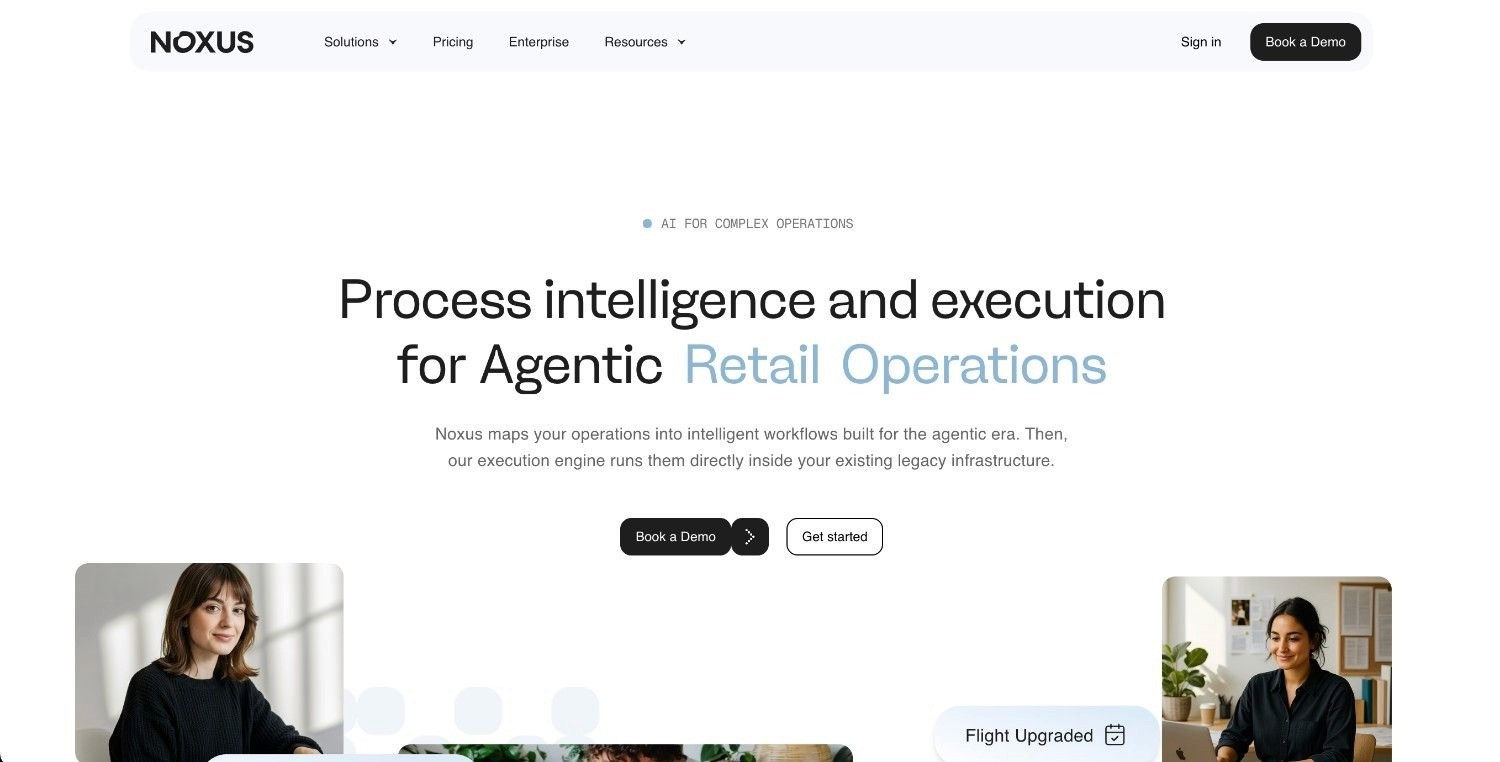
Noxus is an AI operations platform that runs complex, multi-system work end-to-end inside the legacy environments healthcare providers actually run. Rather than collecting intake and handing it back, it's built to run the registration and verification work that follows.
We read unstructured inputs such as emails, scanned documents, and portal submissions, apply your hard-coded business rules, perform lookups across clinical and administrative systems, and write outcomes back to the source record with a complete audit trail.
In healthcare, Noxus is already proven on high-volume patient and administrative communication. In a deployment with a major healthcare group, we handle more than 10,000 communications a month, with documented results of 3x ROI, 96% precision, and 50 days from contract to production, all under GDPR Article 9 compliance.
Ideal For
Health systems processing high volumes of intake, eligibility, and records work across multiple legacy systems.
IT teams running aging EHR, practice management, and payer systems without budget for a rebuild.
Compliance officers who need structural adherence to HIPAA, GDPR, SOC 2 Type II, and ISO 27001
Operations leaders who need onboarding completed end-to-end, not only digitised
Multi-site groups standardising one onboarding process across locations
Top Features
End-to-end execution: Noxus is built to complete the work behind onboarding, gathering data, applying your business rules, taking action, and writing results back into the EHR and administrative systems under governance.
Legacy system operation: We navigate existing interfaces, runs multi-step lookups, and handles exceptions inside older clinical and administrative software, with no new API layer or middleware project required.
Explainable traces with human escalation: Every run produces a replayable record of what happened and why; when confidence drops below your set threshold, the work escalates to a staff member with full context already assembled.
Flexible, sovereign deployment: Run it as managed software, in your own private cloud, or fully air-gapped on-premises, with BYOK model routing so patient data stays where you put it.
Why We Stand Out
Noxus separates AI interpretation from rule-based execution at the architecture level. No model decides whether a patient is eligible, whether a referral is valid, or whether a record should change. Hard-coded logic mapped from your own procedures makes those calls, which removes AI guesswork from outcomes that carry clinical and compliance weight.
It also needs no infrastructure overhaul first. If your team can operate a system today, Noxus can be configured to operate it the same way, with a first production workflow typically live within 30 days. That combination, deep legacy execution plus structural compliance, is what most patient onboarding software cannot offer.
Pros
Completes onboarding work across systems instead of collecting and handing it back
Operates inside legacy clinical and administrative software without new APIs
Keeps AI out of clinical and eligibility decisions through hard-coded rules
Air-gapped, private-cloud, and managed deployment for strict data residency
Documented 3x ROI and 96% precision on a live healthcare communications deployment
Cons
Built for high-volume, multi-system operations, not single-clinic intake forms
Requires mapping your registration and eligibility rules during setup
Not a fit for providers that only need a patient-facing form builder
Pricing
Noxus uses a consumption-based monthly licence with included operations volume, priced per client. There is no per-seat or per-token billing, so cost scales with how much work runs, not headcount. First engagements usually include deployment work to get the initial use case live; later workflows on the same setup run at lower cost.
Final Verdict
Noxus is the strongest fit for regulated health systems whose gap is the operational work behind onboarding, not the front-door form, and that need it handled across software they cannot replace. For patient-facing capture and scheduling alone, a dedicated intake tool will serve you better. But when staff are re-keying intake across an EHR, a payer portal, and a scheduler by hand, Noxus keeps your rules in control and your data in your environment, removing the compliance and accuracy risks that follow most automation in healthcare.
2. Phreesia

Overview
Phreesia is one of the most established names in patient intake, focused on self-service registration, check-in, and payments at scale. It addresses the front-desk bottleneck by letting patients complete registration and pay before they arrive.
It positions itself as an intake management product for medium and large provider organisations, with strong workflows for demographics capture, insurance verification, and point-of-service collections.
Ideal For
Hospitals and large groups with high registration volume
Practices that want to collect payments and balances at check-in
Teams focused on reducing front-desk wait times
Top Features
Self-service check-in: Patients register on a tablet, phone, or kiosk, which cuts manual front-desk entry.
Insurance and payment tools: Built-in eligibility checks and payment collection reduce billing surprises later.
EHR write-back: Captured data flows into major EHR and practice management systems.
Why They Stand Out
Phreesia is one of the strongest choices for organisations that want a proven, full-featured intake product with deep payment functionality. Its scale and maturity mean broad EHR coverage and a refined patient check-in flow that many smaller tools cannot match.
Pros
Mature, widely deployed product with broad EHR coverage
Strong payment and eligibility features built in
Refined patient-facing check-in experience
Good fit for high-volume registration
Cons
Enterprise pricing can be heavy for smaller practices
Focused on intake capture rather than back-office processing across systems
Implementation and configuration can take time
Limited fit for providers running highly customised legacy systems
Pricing
Phreesia uses custom enterprise pricing based on volume and modules. It doesn't publish standard rates, and quotes are tailored to the size and needs of the organisation.
Final Verdict
Phreesia is recommended for medium and large providers that want a proven intake and payments product with strong EHR coverage. It's less suited to organisations whose main gap is the operational work after intake, or to small practices that find enterprise pricing hard to justify.
3. NexHealth
Overview
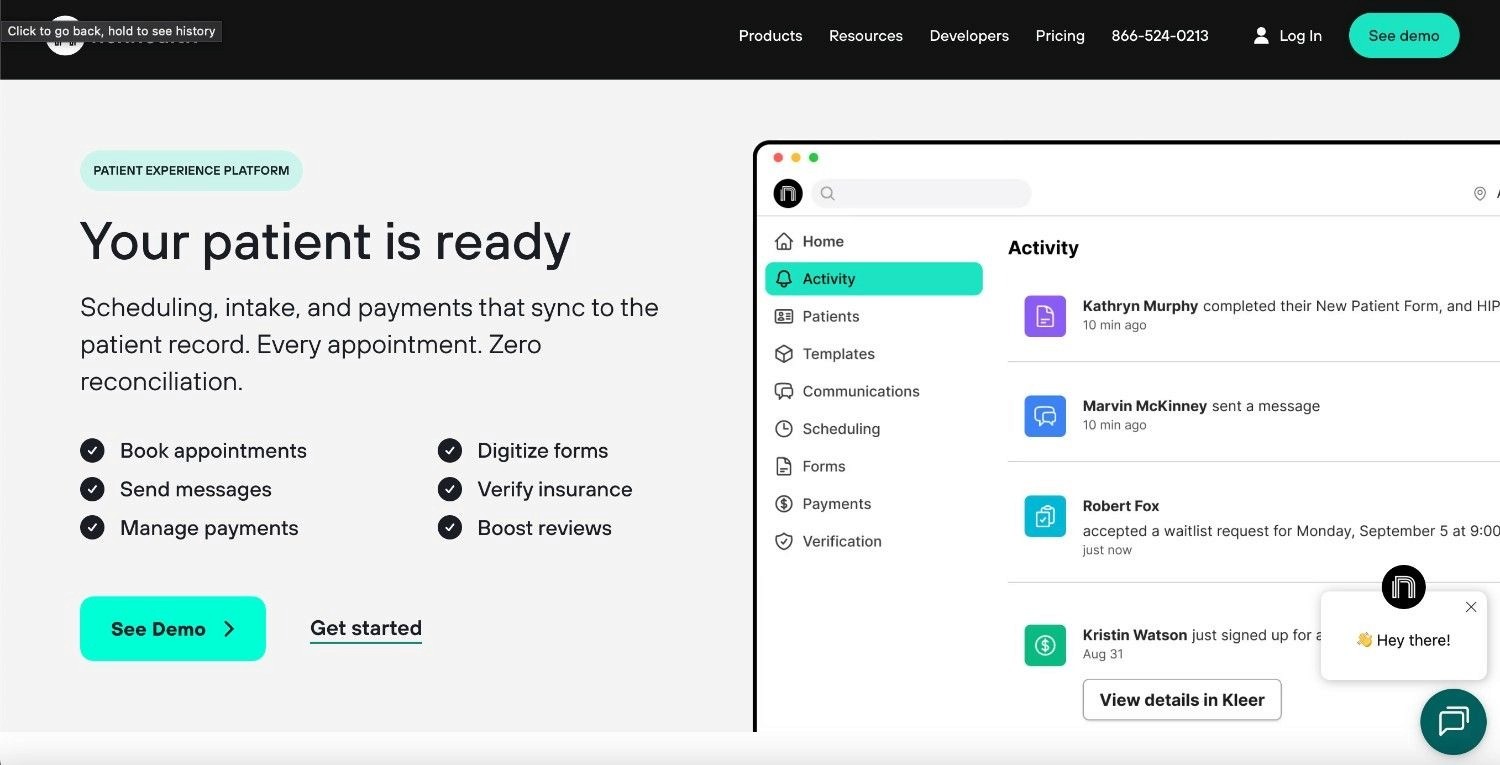
NexHealth connects patient scheduling to onboarding, with online booking, digital forms, and two-way synchronisation into the practice management system. It targets the friction between a patient wanting an appointment and a practice getting them registered and on the calendar.
It is popular with dental and specialty practices that want booking, reminders, and intake in one place, tied closely to their existing system of record.
Ideal For
Dental and specialty practices wanting booking plus intake
Practices that need real-time sync with their management system
Teams focused on filling the schedule and reducing no-shows
Top Features
Online self-scheduling: Patients book directly into open slots, which reduces phone volume.
Two-way data sync: Information moves between NexHealth and the practice management system in real time.
Digital forms and reminders: Patients complete intake online and receive automated reminders.
Why They Stand Out
NexHealth is one of the smarter choices for practices that treat scheduling as the front end of onboarding. Its real-time synchronisation with practice management systems is a genuine strength, keeping the calendar and the record aligned without manual updates.
Pros
Tight, real-time sync with practice management systems
Strong scheduling and reminder workflows
Clean patient-facing booking and forms
Good support for dental and specialty practices
Cons
Strongest in scheduling-led onboarding rather than full operational processing
Best fit narrows to supported practice management systems
Less suited to large, multi-system hospital environments
Advanced configuration may need vendor help
Pricing
NexHealth uses custom pricing per practice, based on size, locations, and the systems it connects to. Rates are quoted directly rather than published.
Final Verdict
NexHealth is recommended for practices that want scheduling and intake tied tightly to their management system. It's less suited to large health systems whose onboarding spans many disconnected platforms beyond a single practice management system.
4. Luma Health
Overview
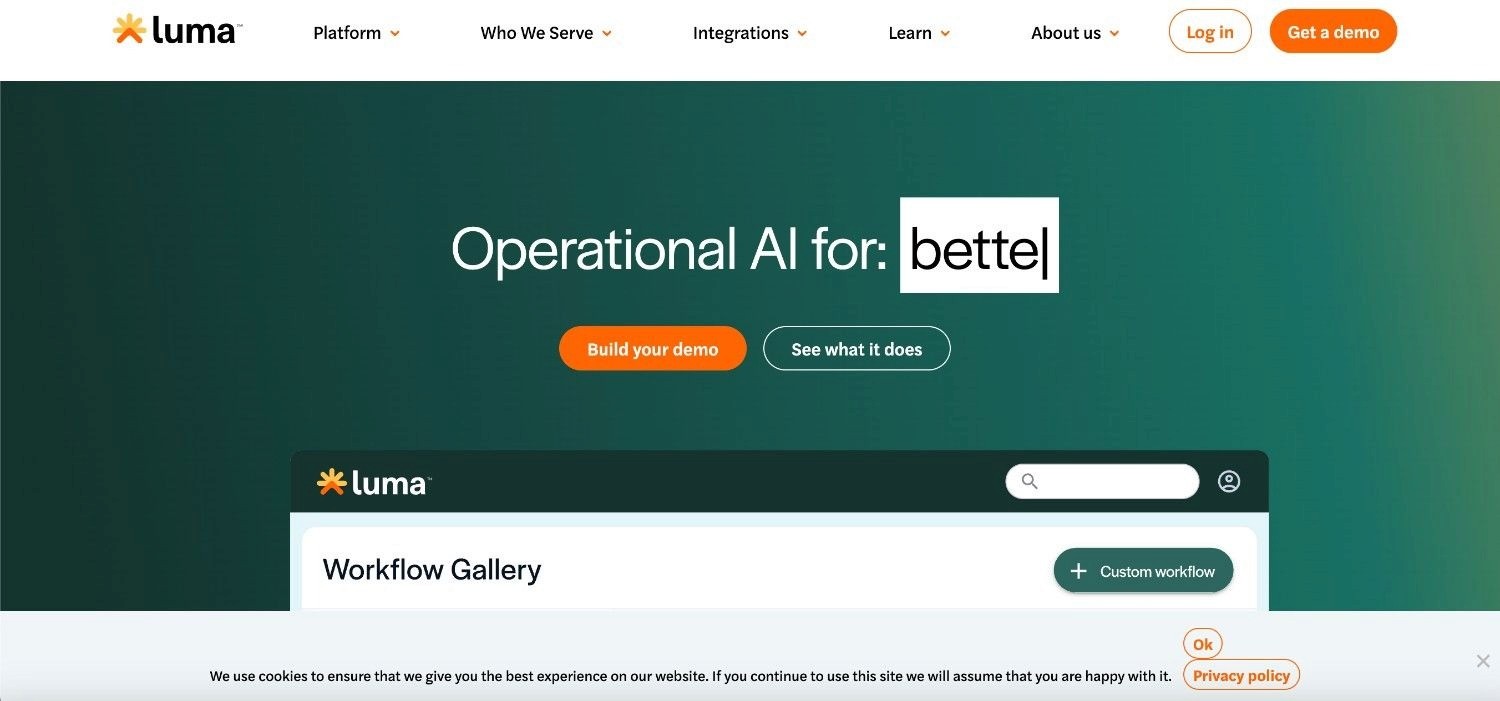
Luma Health focuses on patient engagement across the journey, with self-scheduling, reminders, broadcast messaging, and intake routing. It addresses the problem of reaching patients reliably and guiding them through pre-visit steps.
It is built for medium and large provider organisations that want communication and intake coordinated in one place, integrated with the EHR.
Ideal For
Health systems coordinating outreach and reminders at scale
Teams reducing no-shows through automated messaging
Practices routing intake and referrals through one product
Top Features
Self-scheduling and reminders: Patients book and confirm visits, cutting no-shows.
Broadcast messaging: Providers reach many patients quickly for recalls and updates.
Intake and referral routing: Incoming requests are directed to the right workflow.
Why They Stand Out
Luma Health is one of the strongest choices for organisations that see communication as the backbone of onboarding. Its messaging and outreach tools are well developed, and its EHR integrations keep patient contact tied to the record.
Pros
Strong patient communication and outreach features
Good no-show reduction through automated reminders
Solid EHR integrations
Coordinates intake and engagement in one place
Cons
Engagement-led rather than focused on back-office execution
Full value depends on supported EHR integrations
Configuration across many sites can be involved
Less suited to deep legacy system operation
Pricing
Luma Health uses custom enterprise pricing based on organisation size and the modules in use. It doesn't publish standard rates.
Final Verdict
Luma Health is recommended for providers whose main gap is reliable patient communication and engagement around onboarding. It's less suited to teams that need the operational processing behind intake handled end-to-end across legacy systems.
5. Notable Health

Overview
Notable Health applies automation and AI to intake, eligibility, and parts of the administrative workflow across the patient journey. It aims to reduce manual data entry by having software complete repetitive registration and verification steps.
It targets larger provider organisations that want to automate administrative work and connect it to the EHR.
Ideal For
Health systems automating repetitive intake and eligibility steps
Teams looking to reduce manual administrative entry
Organisations integrating automation with a modern EHR
Top Features
Intake automation: Software completes registration and data-capture steps that staff would otherwise key in.
Eligibility and prior-auth support: It checks coverage and assists with authorisation steps.
EHR integration: Automated work connects back to the system of record.
Why They Stand Out
Notable Health is one of the smarter choices for organisations that want AI applied to administrative work rather than only patient messaging. Its focus on automating repetitive steps across intake and eligibility sets it apart from form-only tools.
Pros
Automates repetitive intake and eligibility tasks
Reduces manual data entry for staff
Integrates with major EHR systems
Covers more of the administrative journey than form builders
Cons
Strongest alongside modern EHR environments rather than legacy cores
Governance and audit depth vary by configuration
Enterprise focus makes it less fit for small practices
Implementation scope can be significant
Pricing
Notable Health uses custom enterprise pricing based on scope and volume. Rates are quoted directly.
Final Verdict
Notable Health is recommended for larger providers on modern EHR platforms that want to automate administrative intake work. It's less suited to organisations whose core systems are legacy and proprietary, or that need air-gapped deployment and rule-level decision control.
6. Klara

Overview
Klara centres on secure patient communication, with two-way texting, web chat, and forms that support onboarding conversations. It addresses the problem of fragmented, unsecured patient messaging.
It suits practices that want HIPAA-conscious messaging tied to intake, with patients reaching the practice through one channel.
Ideal For
Practices consolidating patient messaging into one secure channel
Teams handling onboarding questions over text
Smaller and mid-size practices
Top Features
Two-way secure texting: Patients and staff message in a compliant channel.
Web chat and forms: Onboarding questions and intake forms run through the same product.
Message routing: Conversations reach the right team member.
Why They Stand Out
Klara is one of the strongest choices for practices whose onboarding friction is mainly communication. Bringing scattered calls and messages into one secure thread improves response times and keeps intake conversations organised.
Pros
Clean, secure two-way messaging
Good for organising onboarding conversations
Forms and chat in one product
Approachable for smaller teams
Cons
Communication-led, not an operational execution product
Limited depth in eligibility and records processing
Integrations narrower than larger suites
Not built for high-volume, multi-system onboarding
Pricing
Klara uses tiered per-provider pricing, typically quoted based on practice size and the features needed.
Final Verdict
Klara is recommended for practices that mainly need secure, organised patient messaging during onboarding. It's less suited to organisations that need verification, records work, and multi-system processing handled automatically.
7. Yosi Health
Overview
Yosi Health focuses on pre-visit and waiting-room intake, with pre-registration, digital forms, self-scheduling, and payments. It aims to move registration ahead of the visit so the waiting room is not where forms get filled.
It suits practices and groups that want patients fully registered before arrival, with intake tied to scheduling and payment.
Ideal For
Practices shifting registration to before the visit
Teams reducing waiting-room paperwork
Groups wanting intake, scheduling, and payments together
Top Features
Pre-visit registration: Patients complete intake before arrival, cutting waiting-room delays.
Digital forms and e-signatures: Consent and intake forms are completed and signed online.
Scheduling and payments: Self-scheduling and balance collection sit alongside intake.
Why They Stand Out
Yosi Health is one of the smarter choices for practices set on eliminating waiting-room forms. Its pre-visit focus front-loads registration so patients arrive ready, which lifts both throughput and experience.
Pros
Strong pre-visit registration flow
Reduces waiting-room paperwork and delays
Intake, scheduling, and payments in one place
Good fit for busy outpatient practices
Cons
Focused on intake capture rather than downstream processing
Best suited to practice settings over large hospital systems
Integration depth varies by EHR
Limited governance tooling for complex compliance needs
Pricing
Yosi Health uses tiered per-location pricing, quoted based on the number of sites and modules.
Final Verdict
Yosi Health is recommended for practices that want patients registered and paid before they arrive. It's less suited to large systems that need onboarding executed across many legacy platforms after intake.
8. OhMD

Overview
OhMD combines HIPAA-compliant texting with digital intake forms and telehealth. It addresses fragmented patient communication and basic intake in one connected product.
It suits practices that want secure messaging, simple intake, and video visits without stitching together several tools.
Ideal For
Practices wanting texting, intake, and telehealth together
Teams replacing unsecured patient messaging
Smaller and mid-size providers
Top Features
HIPAA-compliant texting: Secure two-way messaging with patients.
Digital intake forms: Patients complete intake through the same channel.
Telehealth and connectors: Video visits and links to common EHR systems.
Why They Stand Out
OhMD is one of the strongest choices for practices that want secure communication and light intake bundled together. Combining texting, forms, and telehealth in one product keeps day-to-day patient contact simple.
Pros
Secure texting with intake in one product
Telehealth included
Approachable for smaller practices
Connects to common EHR systems
Cons
Light on back-office processing and verification
Integration depth narrower than enterprise suites
Not built for high-volume, multi-system onboarding
Limited rule-level governance for complex compliance
Pricing
OhMD is sold as part of bundled tiered plans, with rates depending on the features and practice size.
Final Verdict
OhMD is recommended for practices that want secure messaging, simple intake, and telehealth in one place. It's less suited to organisations that need eligibility, records, and exceptions handled automatically across systems.
9. Simbie AI

Overview
Simbie AI uses voice-based AI agents to handle patient calls, including scheduling, intake questions, and after-hours coverage. It addresses the phone bottleneck that still drives much of patient onboarding.
It suits practices buried in inbound calls that want a voice agent to capture intake details and book appointments without staff on every line.
Ideal For
Practices with heavy inbound call volume
Teams needing after-hours call coverage
Providers capturing intake over the phone
Top Features
AI voice agents: Software answers calls and handles routine requests.
Scheduling over voice: Patients book and confirm appointments by phone.
Intake capture: Voice agents collect details and route them onward.
Why They Stand Out
Simbie AI is one of the smarter choices for practices whose onboarding still runs over the phone. A voice agent that handles routine calls and captures intake can ease a real staffing pressure at the front desk.
Pros
Handles routine calls without staff
After-hours coverage for patients
Captures intake details by voice
Eases front-desk phone load
Cons
Focused on voice intake rather than full operational processing
Downstream verification and records work still needed elsewhere
Best for telephone-heavy workflows
Governance depth varies by setup
Pricing
Simbie AI uses custom, usage-based pricing tied to call volume and features. Rates are quoted directly.
Final Verdict
Simbie AI is recommended for practices that want to automate inbound calls and capture intake by voice. It's less suited to organisations that need the work after the call processed end-to-end across clinical and administrative systems.
10. IntakeQ
Overview
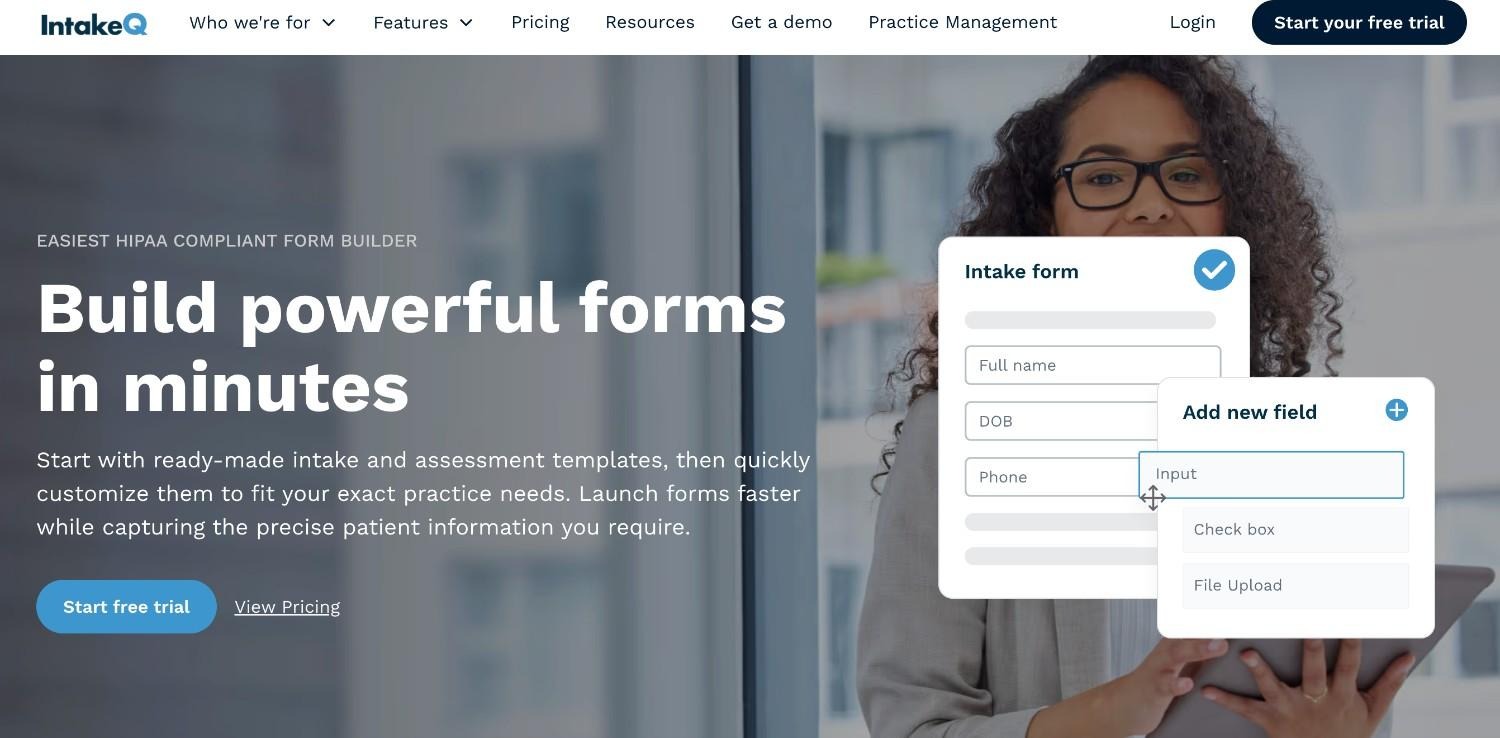
IntakeQ provides customisable digital intake forms, a secure portal, scheduling, and e-signatures, aimed at smaller practices and solo providers. It addresses the need for flexible, professional intake without enterprise cost.
It suits independent clinicians and small clinics that want control over their forms and a simple patient portal.
Ideal For
Solo providers and small practices
Teams wanting highly customisable intake forms
Practices on a tighter budget
Top Features
Custom form builder: Practices design intake forms to fit their specialty.
Secure portal and e-signatures: Patients complete and sign forms online.
Scheduling: Booking sits alongside intake in one product.
Why They Stand Out
IntakeQ is one of the strongest choices for small practices that want flexible forms without a heavy contract. Its form customisation is a genuine strength for specialties with specific intake needs.
Pros
Highly customisable intake forms
Affordable, with free and paid tiers
Simple secure portal for patients
Good fit for solo and small practices
Cons
Built for small practices, not health-system scale
Limited back-office processing and verification
Integration range narrower than enterprise tools
Light governance for complex compliance needs
Pricing
IntakeQ offers free and paid tiers, with paid plans priced for small practices and billed per month.
Final Verdict
IntakeQ is recommended for solo providers and small practices that want flexible intake forms at a low entry point. It's less suited to large organisations that need onboarding executed across many systems under strict governance.
How to Choose the Best Patient Onboarding Software
The right tool depends on which half of the problem you are solving. Knowing the categories is one thing; choosing well means testing each option against your own systems, volume, and compliance rules. Work through the five questions below before you commit.
1. Does It Finish the Work or Only Collect It?
Decide whether you need a better front door or a finished process. If your gap is patient-facing forms, a capture tool is enough. If staff still re-key data into the EHR, a payer portal, and a scheduler after every intake, you need software that executes those steps and writes results back.
2. Will It Work With the Systems You Already Run?
Check whether the tool needs modern APIs or can operate inside the systems you have, including aging EHRs and proprietary administrative software. Avoid anything that requires a migration or a middleware project before it delivers value, because that's where most healthcare automation stalls.
3. Can You Audit and Explain Every Action?
In a regulated setting, opaque decisions are a liability. Look for software that separates what an AI model interprets from what a hard-coded rule decides, and that produces a replayable trace of every action for HIPAA and GDPR review.
4. Where Does Patient Data Live?
Confirm where the tool processes and stores protected health information. Make sure the deployment options fit your risk profile, whether managed, private cloud, or air-gapped on-premises, and confirm certifications such as SOC 2 Type II and ISO 27001.
5. What Is the Real Return and Time to Production?
Look past the demo to measured outcomes. Ask for documented ROI, accuracy on live data, and a realistic timeline to production, then weigh that against a pricing model you can predict and defend to finance.
Everything You Need to Know About Patient Onboarding Software
This table summarises the review above.
Pros and cons list the top three points for each tool, and the other columns rate each product from ⭐ to ⭐⭐⭐⭐⭐ on the factors that matter most when choosing patient onboarding software.
← scroll to see all columns →
| Company | Pros | Cons | Ease of Use | Integrations | Support | Affordability | Data Governance |
|---|---|---|---|---|---|---|---|
| Noxus | Finishes work across systems; operates on legacy software; rules control decisions | Built for high volume, not single clinics; needs rule mapping; not a form builder | ⭐⭐⭐⭐⭐ | ⭐⭐⭐⭐⭐ | ⭐⭐⭐⭐⭐ | ⭐⭐⭐⭐⭐ | ⭐⭐⭐⭐⭐ |
| Phreesia | Mature product; strong payments; broad EHR coverage | Heavy pricing for small teams; capture not processing; longer setup | ⭐⭐⭐⭐⭐ | ⭐⭐⭐⭐⭐ | ⭐⭐⭐⭐⭐ | ⭐⭐⭐⭐⭐ | ⭐⭐⭐⭐⭐ |
| NexHealth | Real-time sync; strong scheduling; clean forms | Scheduling-led; supported systems only; less for hospitals | ⭐⭐⭐⭐⭐ | ⭐⭐⭐⭐⭐ | ⭐⭐⭐⭐⭐ | ⭐⭐⭐⭐⭐ | ⭐⭐⭐⭐⭐ |
| Luma Health | Strong outreach; fewer no-shows; solid EHR links | Engagement-led; integration-dependent; complex multi-site setup | ⭐⭐⭐⭐⭐ | ⭐⭐⭐⭐⭐ | ⭐⭐⭐⭐⭐ | ⭐⭐⭐⭐⭐ | ⭐⭐⭐⭐⭐ |
| Notable Health | Automates intake steps; less manual entry; EHR integration | Modern EHR focus; variable audit depth; large scope | ⭐⭐⭐⭐⭐ | ⭐⭐⭐⭐⭐ | ⭐⭐⭐⭐⭐ | ⭐⭐⭐⭐⭐ | ⭐⭐⭐⭐⭐ |
| Klara | Secure messaging; organised conversations; easy for small teams | Communication-led; light on records work; narrower integrations | ⭐⭐⭐⭐⭐ | ⭐⭐⭐⭐⭐ | ⭐⭐⭐⭐⭐ | ⭐⭐⭐⭐⭐ | ⭐⭐⭐⭐⭐ |
| Yosi Health | Smooth pre-visit workflow; payment collection; fast setup | Less depth for complex multi-system environments | ⭐⭐⭐⭐⭐ | ⭐⭐⭐⭐⭐ | ⭐⭐⭐⭐⭐ | ⭐⭐⭐⭐⭐ | ⭐⭐⭐⭐⭐ |
| OhMD | HIPAA texting; simple for patients; EHR connectors | Messaging-led; limited processing depth; narrower integrations | ⭐⭐⭐⭐⭐ | ⭐⭐⭐⭐⭐ | ⭐⭐⭐⭐⭐ | ⭐⭐⭐⭐⭐ | ⭐⭐⭐⭐⭐ |
| Simbie AI | Voice-first; after-hours coverage; call handling | Custom pricing; newer platform; limited production evidence | ⭐⭐⭐⭐⭐ | ⭐⭐⭐⭐⭐ | ⭐⭐⭐⭐⭐ | ⭐⭐⭐⭐⭐ | ⭐⭐⭐⭐⭐ |
| IntakeQ | Highly customisable forms; affordable; e-signatures | Form builder only; no multi-system execution; limited for large health systems | ⭐⭐⭐⭐⭐ | ⭐⭐⭐⭐⭐ | ⭐⭐⭐⭐⭐ | ⭐⭐⭐⭐⭐ | ⭐⭐⭐⭐⭐ |
Run Patient Onboarding End-to-End with Noxus
Most patient onboarding software stops at the form. It captures intake well, then leaves your staff to verify insurance, create records, and reconcile data across an EHR, a payer portal, and a scheduler by hand. That's where the 34 hours a week disappear and where claim-killing errors start.
Noxus runs that work end-to-end inside the systems you already operate, with no rebuild and no new API layer. Your rules govern every decision, the AI only reads the messy inputs, and every action is traceable and replayable for HIPAA and GDPR review.
In a live healthcare deployment, the same approach handles more than 10,000 patient and administrative communications a month at 96% precision, with 3x ROI and production in 50 days.
To see it on a process like yours, book a scoping consultation and bring your highest-friction onboarding workflow.
FAQs About Patient Onboarding Software
What is the best patient onboarding software in 2026?
The best patient onboarding software in 2026 for regulated, high-volume health systems is Noxus, because it's built to finish the work behind onboarding across legacy software rather than only collect intake. It runs multi-system work with your rules in control, and in a live healthcare communications deployment it has documented 3x ROI, 96% precision, and 50 days to production. For front-door capture and scheduling, dedicated intake tools like Phreesia and NexHealth are the stronger pick. So the right answer turns on whether your gap is the form or the operational work behind it.
What should I consider when choosing the right patient onboarding software for me?
When choosing the right patient onboarding software, start by deciding whether you need to capture intake or execute the work after it. Then check that the tool connects to your existing EHR and administrative systems without a migration, and that it lets you audit every automated action for HIPAA and GDPR. Confirm where patient data is stored and which deployment options exist, since 85% of patients dislike repetitive paperwork and your staff loses hours to manual entry. Weigh all of this against a pricing model you can predict.
How does Noxus differ from similar alternatives?
Noxus differs from similar alternatives because it executes onboarding work end-to-end instead of collecting intake and handing it back. It operates inside legacy clinical and administrative systems without new APIs, and it keeps hard-coded business rules, not an AI model, in control of every governed decision. It also guarantees data residency through private-cloud and air-gapped deployment built for HIPAA and GDPR Article 9. Most other tools focus on patient-facing forms, messaging, or scheduling rather than the processing behind them.
How do I get started with Noxus?
Getting started with Noxus begins with a consultation to map your highest-friction onboarding workflow and your compliance rules. The deployment team configures the software to operate your existing systems and applies your registration and eligibility logic. A first production workflow on your real systems with live data typically goes live within 30 days. Implementation focuses on mapping your rules, not rebuilding your technology stack.
How easy is it to switch to Noxus?
Switching to Noxus doesn't require a middleware project or an infrastructure overhaul. If your operations team can navigate your existing EHR and administrative systems today, Noxus can be configured to operate them the same way. Implementation maps your business rules rather than replacing your software, so your systems of record stay in place. Most first workflows reach production within 30 days.
Is patient onboarding software HIPAA compliant?
Patient onboarding software can be HIPAA compliant, but the level of compliance varies widely by product and configuration. Strong tools encrypt protected health information, enforce role-based access, and produce a complete audit trail of every action. Noxus goes further by separating AI interpretation from rule-based decisions and offering air-gapped deployment, and it is certified against SOC 2 Type II, ISO 27001, GDPR Article 28, and HIPAA. Always confirm a vendor's certifications and data-residency options before sharing patient data.
What is the difference between patient intake and patient onboarding?
The difference between patient intake and patient onboarding is scope: intake is the data-collection step, while onboarding is the full process of turning that data into a registered, verified, scheduled patient. Intake captures demographics, insurance, and consent through forms. Onboarding adds the work behind it, including eligibility checks, record creation, referral routing, and updates across multiple systems. Many tools handle intake well but leave the broader onboarding work to staff, which is the gap the best patient onboarding tools in 2026 are built to close.






