Best Financial Reporting Software in 2026 (Top-Rated Tools Reviewed)
The best financial reporting software in 2026 ranges from consolidation platforms to BI dashboards to the operations layer that feeds them. This comparison covers ten options on close automation, ERP integration, audit trail and pricing.

Key Takeaways (TL;DR)
The Best Overall Financial Reporting Software: We built Noxus to resolve the messy, multi-system data reconciliation that sits underneath every financial report, not to add another dashboard on top of data nobody trusts.
Why Do You Need It?: Finance teams still spend a huge share every month reconciling data by hand across disconnected systems before a single report can be trusted.
Who It's For?: Finance leaders, controllers, and operations teams at enterprises and mid-market companies running reporting across SAP, Oracle, spreadsheets, and other systems that do not talk to each other cleanly.
How to Choose the Right One?: Weigh whether a tool reports on data or actually resolves the reconciliation underneath it, how deep it integrates with your existing ERP, and how pricing scales as your organisation grows.
Noxus’ Pricing: Noxus runs on a monthly platform licence with consumption-based pricing. There is no per-seat, per-report or token-based billing, so cost scales with the reporting work resolved rather than with the size of the finance team. A custom quote follows a scoping call, and billing is tracked per workspace so multi-entity deployments can be charged back internally.
Table of Contents
Financial Reporting Software: at a Glance
Tool | Best For | Key Features | Pricing |
Noxus | Enterprises needing multi-system data reconciliation before reporting | Process intelligence runtime, legacy ERP depth, full audit trail | Monthly platform licence, consumption-based |
Productive | Agencies and services firms wanting reporting alongside project delivery | Budgeting, profitability reporting, resource planning | From $12 per user a month |
Sage Intacct | Mid-market finance teams wanting cloud-native accounting and reporting | Multi-entity consolidation, dimensional reporting, dashboards | Custom, quote-based |
Microsoft Power BI | Teams wanting flexible, visual financial reporting and analysis software | Interactive dashboards, data modelling, broad connector library | Free plan; Pro from $14 per user a month |
Ramp | Finance teams wanting spend management alongside reporting | Expense automation, real-time spend visibility, card controls | Free plan; paid from $15 per user a month |
Vena Solutions | FP&A teams wanting Excel-native financial planning and reporting | Excel-based modelling, budgeting, consolidation workflows | Custom, tiered by plan |
Workiva | Enterprises needing SEC filing and compliance reporting | Connected data, collaborative reporting, ESG and compliance modules | Custom, unlimited seats |
Xero | Small businesses wanting straightforward accounting and reporting | Invoicing, bank reconciliation, standard financial reports | From $5.80 a month for the first three months |
Cube | Finance teams wanting FP&A software layered on existing spreadsheets | Planning, reporting, integrations with ERPs and spreadsheets | Custom, tiered by plan |
OneStream | Large enterprises needing consolidated financial reporting and analysis software | Consolidation, planning, account reconciliation in one platform | Custom, enterprise pricing |
What Is Financial Reporting Software?
Financial reporting software pulls together an organisation's financial data and turns it into the statements, dashboards, and disclosures that finance teams, boards, and regulators actually need to see.
That covers a wide range of tools. Some financial reporting tools focus narrowly on generating standard statements like a profit and loss or balance sheet. Others expand into full financial reporting and analysis software, adding budgeting, forecasting, and dimensional reporting on top of the numbers themselves.
You will also see this category described in slightly different ways depending on who is searching. Some finance leaders look specifically for financial management reporting software, others search for software for financial reporting more generally, and plenty describe it as software financial reporting teams have grown to depend on.
The terms overlap heavily, and vendors are not consistent about which one they use.
The category also includes automated financial reporting software built specifically to remove the manual work of pulling numbers together in the first place, since most of the actual time in financial reporting goes into gathering and reconciling data, not formatting the final report.
Software for financial reporting only delivers real value once the data feeding it is actually trustworthy, which is exactly where most tools in this category quietly fall short.
Why Do You Need Financial Reporting Software?
Most finance teams already know their reporting process is slower than it should be. The real question is why, and the answer is rarely the reporting layer itself.
Given below, are key reasons why you need financial reporting software tools:
1. The Real Bottleneck Sits Underneath the Report
Pulling data from an ERP, a CRM, several spreadsheets, and sometimes a legacy system with no clean interface takes real time. Reconciling all of it by hand comes before a single number can be trusted.
A single month-end close can involve staff manually re-entering data and switching between five or six different platforms just to get one consistent set of figures.
2. The Cost of Getting This Wrong Is Significant
Manual reconciliation errors commonly run at 3 to 8 percent at scale. That drives downstream rework, delayed board reporting, and genuine compliance exposure once regulators start asking questions.
Meanwhile, finance headcount keeps growing in a straight line. Transaction volume and reporting complexity grow far faster than that.
3. Good Software Only Helps if It Resolves the Data, Not Just the Format
Good financial reporting software exists to close that gap, but only if it addresses the reconciliation problem directly rather than assuming clean, ready data will show up.
Automated financial reporting software that resolves the underlying data mess, not just the final formatting, is what actually turns a slow, error-prone close into something finance teams can trust.
This is exactly why so many finance leaders end up searching for financial management reporting software once their existing financial reporting tools stop being enough on their own.
Who Needs Financial Reporting Software?
Different teams evaluate software for financial reporting for different reasons, depending on what they are actually responsible for.
A controller searching for financial management reporting software usually wants something different than an FP&A analyst searching for automated financial reporting software, even though both end up comparing many of the same platforms:
1. Finance and Controllership Leaders
CFOs, Controllers, and Finance Directors own the close process end to end, along with every number that ends up in front of the board.
They need software financial reporting teams can actually trust, since a wrong number reported upward is a far bigger problem than a slow one.
2. FP&A and Reporting Analysts
Financial planning and analysis teams build the budgets, forecasts, and variance reports that guide business decisions.
Their biggest complaint is usually time spent gathering and reconciling data manually, which leaves too little time for the actual analysis they were hired to do.
3. IT and Systems Leaders
CTOs and IT Directors care about whether a new reporting tool creates security exposure or requires a disruptive re-platforming of existing ERP and accounting systems.
Their primary concern is integration depth, not just dashboard aesthetics.
4. Compliance and Audit Teams
Teams managing regulatory exposure need financial reporting and analysis software that produces a complete, auditable trail behind every number, not just a polished output.
In regulated industries like financial services, insurance, and healthcare, that trail is often the difference between a smooth audit and a painful one.
This is exactly why so many compliance leaders end up favouring automated financial reporting software over a purely manual, spreadsheet-driven process.
5. Operations Leaders in Finance-Adjacent Roles
Operations leaders running shared services or back-office functions increasingly own the systems that feed financial reporting, even when reporting itself sits with finance.
They need the underlying data reconciliation handled reliably, since a broken upstream process shows up as a reporting problem eventually, no matter who owns it.
This is often where financial management reporting software and pure operations tooling start to blur into the same conversation, since good software for financial reporting depends entirely on what happens upstream of it.
Software financial reporting teams actually trust is rarely built in isolation from the operations that feed it.
Best Financial Reporting Software: In-Depth Review and Comparison
1. Noxus
Overview
We built Noxus because most tools in this category assume the data feeding them is already clean, when in reality it rarely is.
Enterprise finance teams pull numbers from SAP, Oracle, spreadsheets, and proprietary systems that were never built to talk to each other cleanly, and most of the actual time in reporting goes into reconciling that mess before a report is even possible.
Our platform operates natively across those systems.
We built Noxus as a three-layer system: a workflow design layer where finance and operations teams build multi-step reconciliation processes without writing code, an integration and orchestration layer that connects to the enterprise's actual ERP landscape, and a process intelligence runtime that resolves vendor invoice matching, compliance validation, and document extraction end to end.
Rather than producing another dashboard, Noxus writes reconciled outcomes back into source systems under full governance.
Ideal For
Finance and controllership leaders at enterprises running reconciliation across three or more disconnected systems before reporting
Compliance and audit teams in regulated industries needing a complete, tamper-evident trail behind every reconciled figure
Operations leaders managing back-office functions that feed financial reporting without owning the reporting layer itself
Top Features
A process intelligence runtime that resolves vendor invoice matching and document extraction, then writes outcomes back into source systems under governance
Native integration with ERP environments like SAP ECC, Oracle, and proprietary in-house platforms, with no API layer or middleware project required
Confidence-based human escalation, so ambiguous reconciliation cases route to a person automatically instead of the system guessing
A full audit trail with complete replayability for every decision and action, built for finance teams that need to answer exactly why a number looks the way it does
Why We Stand Out
Most software for financial reporting stops at visualising numbers someone else has already reconciled. We built Noxus specifically to resolve the reconciliation itself, including the messy, unstructured parts like matching invoices across systems and validating compliance documents, while hard-coded business rules mapped from your own policies decide what happens next.
Santander deployed us across multi-system operations spanning several geographies and saw a 3x return on investment in 45 days, with 95 percent AI precision on live operational data.
That kind of speed to production only happens because we built the integration layer for legacy financial systems from day one, rather than assuming a modern, API-first stack as a starting point.
Pros
Resolves the underlying reconciliation problem rather than just reporting on data someone else has already cleaned up
Deep native integration with legacy ERP and finance systems that other vendors will not touch
Full audit trail with complete replayability for every reconciled figure
Deployment flexibility across SaaS, private cloud, and air-gapped on-premises environments for regulated finance teams
Cons
Built for complex, multi-system reconciliation rather than simple, single-app bookkeeping needs
Requires a scoping conversation to price, since consumption-based pricing depends on volume and deployment complexity
Best suited to enterprises and mid-market finance teams rather than small businesses with a single accounting system
Pricing
We operate on a monthly platform licence with consumption-based pricing that scales with operational volume and deployment complexity.
There is no per-seat pricing, no per-task billing, and no token-based pricing, so costs stay predictable and scale with usage rather than headcount.
First engagements include deployment engineering alongside the platform licence. Subsequent use cases deploy at a significantly lower incremental cost, since the infrastructure is already running.
Final Verdict
If your team has already tried software financial reporting stakeholders never fully trusted, Noxus is built specifically for that gap.
It is the strongest choice on this list for enterprises that need the reconciliation problem solved, not just visualised.
2. Productive
Overview
Productive runs a business management platform aimed at agencies and professional services firms, combining project delivery, budgeting, and profitability reporting in one place.
It positions itself less as a pure financial reporting tool and more as an operational hub where financial reporting sits alongside the project and resourcing data that actually drives those numbers.
That combination appeals specifically to services businesses whose profitability depends on project-level detail that generic accounting software rarely captures well.
Ideal For
Agency finance leads wanting profitability reporting tied directly to project and resourcing data
Operations managers at professional services firms tracking utilisation alongside financial performance
Growing agencies that have outgrown spreadsheet-based budgeting and reporting
Top Features
Profitability reporting that ties financial performance directly to individual projects and clients
Resource planning and utilisation tracking integrated with budgeting data
Real-time budget tracking that flags overruns before they show up in month-end reporting
Time tracking that feeds directly into financial reporting without manual re-entry
Why It Stands Out
Productive is one of the stronger choices specifically for agencies and services firms that want financial reporting tools tied directly to the operational data driving those numbers.
That beats a generic accounting dashboard bolted onto project data separately.
Pros
Strong fit for project-based businesses needing profitability detail
Combines operational and financial reporting in one platform
Accessible pricing for smaller and mid-sized agencies
Cons
Less suited to enterprises with complex, multi-entity consolidation needs
Reporting depth is narrower than dedicated FP&A or consolidation platforms
Best fit is specifically services businesses rather than general finance teams
Pricing
Productive offers Essential at $12 per user a month and Professional at $29 per user a month, both shown for 10-user teams billed monthly.
A custom-priced Ultimate plan is also available for larger organisations.
Final Verdict
Productive suits agencies and services firms wanting reporting tied to project delivery.
Enterprises needing multi-entity consolidation or deep ERP reconciliation will likely need a more specialised platform instead.
3. Sage Intacct
Overview
Sage Intacct runs a cloud-native accounting and financial reporting platform aimed at mid-market finance teams, with dimensional reporting and multi-entity consolidation built into the core product.
It has built a strong reputation specifically among finance teams outgrowing entry-level accounting software but not yet needing full enterprise consolidation tools.
The platform's dimensional reporting model lets finance teams slice data by department, location, or project without maintaining a separate chart of accounts for each dimension, which is a genuine time saver during reporting cycles.
Ideal For
Mid-market finance teams outgrowing entry-level accounting software
Multi-entity organisations needing consolidated reporting across subsidiaries
Finance leaders wanting dimensional reporting without a complex chart of accounts
Top Features
Multi-entity consolidation built into the core platform rather than sold as an add-on
Dimensional reporting that slices data by department, location, or project on demand
Real-time dashboards that update as transactions post, rather than only at close
Strong accounting fundamentals alongside the reporting layer itself
Why It Stands Out
Sage Intacct is one of the stronger choices for mid-market finance teams specifically because it combines genuine accounting depth with dimensional reporting.
That beats treating reporting as a bolt-on to a basic ledger.
Pros
Strong multi-entity consolidation for growing organisations
Dimensional reporting reduces the need for a complex chart of accounts
Established reputation specifically in the mid-market segment
Cons
Custom, quote-based pricing makes early budgeting harder
Less depth in legacy ERP integration than platforms built specifically for that problem
Implementation typically requires accounting expertise to configure dimensions properly
Pricing
Sage Intacct uses custom, quote-based pricing tailored to your organisation's size, industry, users, and selected modules.
There are no publicly listed plans or fixed monthly rates.
Final Verdict
Sage Intacct suits mid-market finance teams wanting genuine financial management reporting software with real accounting depth alongside dimensional reporting.
Enterprises with legacy ERP reconciliation needs beyond standard accounting will likely need a platform built specifically for that deeper integration problem.
4. Microsoft Power BI

Overview
Microsoft Power BI runs a business intelligence platform used widely for financial reporting and analysis software use cases, thanks to its flexible data modelling and deep integration with the broader Microsoft stack.
Rather than being purpose-built for finance specifically, it serves as a general-purpose visualisation layer that finance teams adapt to their reporting needs. That flexibility is a double-edged sword.
Power BI can build genuinely powerful financial dashboards, but the data modelling work to get there usually falls on someone with real technical skill, not the average finance analyst.
Ideal For
Finance teams already standardised on the Microsoft stack
Analysts wanting flexible, custom dashboards beyond what standard accounting reports offer
Organisations with in-house data modelling skill to build and maintain complex reports
Top Features
Interactive, highly customisable dashboards for financial reporting and analysis
A broad connector library that pulls data from most major ERPs and databases
Strong data modelling capabilities for building genuinely custom financial views
Deep integration with Excel, Teams, and the wider Microsoft 365 suite
Why It Stands Out
Power BI is one of the smartest choices specifically for organisations already deep in the Microsoft stack.
The flexibility to build genuinely custom financial views is difficult for more rigid, templated reporting tools to match.
Pros
Highly flexible for building custom financial dashboards and views
Deep integration with Microsoft 365 and Excel specifically
Broad connector library covering most major data sources
Cons
Requires real data modelling skill to get real value from the platform
Not purpose-built for finance, so accounting-specific logic must be built manually
Less useful outside a primarily Microsoft-centric technology stack
Pricing
Power BI offers a Free plan, Power BI Pro at $14 per user a month, and Premium Per User at $24 per user a month.
Usage-based pricing is also available for Power BI Embedded and Microsoft Fabric capacity.
Final Verdict
Power BI is a strong choice for organisations wanting the kind of software financial reporting analysts can genuinely customise themselves.
Finance teams without dedicated data modelling skill may find the setup curve steeper than more purpose-built accounting reporting tools.
5. Ramp
Overview
Ramp runs a spend management platform that has expanded into broader financial reporting territory, combining expense automation, corporate cards, and real-time spend visibility in one place.
Rather than starting from the general ledger outward, Ramp starts from spent data and builds reporting around it. It is software financial reporting teams adopt specifically when spend visibility, not consolidation, is the biggest daily pain point.
That angle appeals specifically to finance teams whose biggest reporting pain point is spend visibility and expense reconciliation, rather than complex multi-entity consolidation.
Ideal For
Finance teams wanting real-time visibility into company spend alongside reporting
Growing businesses wanting card controls tied directly to budget and reporting data
Organisations wanting to automate expense reconciliation specifically
Top Features
Real-time spend visibility that feeds directly into financial reporting
Automated expense reconciliation that reduces manual data entry
Card controls tied to budget limits, catching overspend before it hits reporting
Integrations with major accounting platforms for streamlined data flow
Why It Stands Out
Ramp is one of the stronger choices specifically for finance teams whose reporting pain point centres on spend visibility and expense reconciliation.
This is an area where general accounting software often lags.
Pros
Strong real-time visibility into company spend
Automated reconciliation reduces manual expense entry
Free plan makes it accessible for smaller finance teams to start
Cons
Narrower focus than full financial reporting and analysis software
Best suited to spend-heavy reporting needs rather than complex consolidation
Enterprise-scale deployments require a custom conversation for pricing
Pricing
Ramp is free at the base tier. Plus is $15 per user a month, billed on user count, with 20% off on annual billing. Enterprise is quoted per organisation. Procurement is an add-on to Plus or Enterprise rather than part of the base product.
Final Verdict
Ramp suits finance teams wanting automated financial reporting software specifically for spend visibility and expense reconciliation.
Organisations needing broader financial reporting and analysis software beyond spend data will likely need a more comprehensive platform.
6. Vena Solutions
Overview
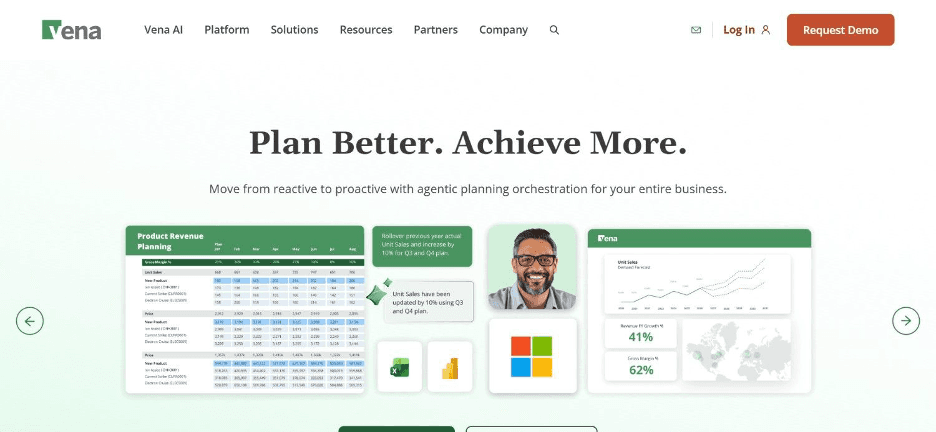
Vena Solutions runs an Excel-native financial planning and reporting platform, letting finance teams keep working in familiar spreadsheet logic while adding governance, version control, and automation on top.
That Excel-native approach makes it a genuinely different proposition from platforms that ask finance teams to abandon spreadsheets entirely.
FP&A teams in particular tend to gravitate toward Vena, since budgeting and forecasting models built in Excel over years do not need to be rebuilt from scratch to gain proper governance and automation.
Ideal For
FP&A teams with existing Excel-based models they do not want to rebuild
Finance leaders wanting governance and version control without abandoning spreadsheet logic
Organisations needing budgeting, forecasting, and consolidation in one connected system
Top Features
Excel-native modelling that preserves existing spreadsheet logic and formulas
Budgeting and forecasting workflows with proper version control and audit history
Consolidation capabilities for multi-entity organisations
Optional AI and analytics add-ons for teams wanting deeper insight
Why It Stands Out
Vena is one of the stronger choices among financial management reporting software specifically for FP&A teams with substantial existing investment in Excel-based models.
It adds governance without forcing a rebuild from scratch.
Pros
Preserves existing Excel-based models and formulas
Strong fit for FP&A-specific budgeting and forecasting workflows
Flexible add-ons for AI, analytics, and managed services
Cons
Custom pricing requires a sales conversation for an accurate quote
Excel-native approach may feel limiting for teams wanting to move fully away from spreadsheets
Best suited to FP&A use cases rather than general transactional reporting
Pricing
Vena offers two custom-priced plans, Professional and Complete, with pricing tailored to your organisation.
Flexible user licensing and optional add-ons such as AI, analytics, and managed services are also available.
Final Verdict
Vena suits FP&A teams wanting to keep their Excel-based models while adding governance and automation.
Teams wanting to move away from spreadsheet logic entirely will likely prefer a different kind of platform.
7. Workiva
Overview
Workiva runs a connected reporting platform built specifically for SEC filing, regulatory disclosure, and compliance-heavy financial reporting.
Rather than targeting general finance reporting needs, it focuses on the collaborative, multi-stakeholder reporting processes that large enterprises use for statutory and regulatory filings.
That compliance focus makes Workiva a distinct choice from more general financial management reporting software, since its core value lies in connected data and collaborative editing across dozens of contributors on a single filing.
Ideal For
Enterprises needing SEC filing and statutory disclosure reporting
Compliance teams managing ESG reporting alongside financial disclosures
Large organisations with dozens of contributors collaborating on a single report
Top Features
Connected data that links source figures directly into narrative disclosures
Collaborative reporting tools built for dozens of contributors working on one filing
ESG and compliance modules alongside core financial reporting
Audit trail features built specifically for regulatory scrutiny
Why It Stands Out
Workiva is one of the stronger choices specifically for enterprises with heavy SEC filing or regulatory disclosure requirements.
This is an area where general software for financial reporting rarely goes deep enough.
Pros
Purpose-built for SEC filing and regulatory disclosure workflows
Strong collaborative tools for multi-contributor reporting
Unlimited user seats rather than per-user licensing
Cons
Custom, quote-based pricing with no published tiers
Overkill for smaller organisations without heavy regulatory filing needs
Narrower focus than general-purpose financial reporting and analysis software
Pricing
Workiva uses custom, quote-based pricing tailored to your organisation's reporting, compliance, and ESG needs.
Unlimited user seats are included rather than per-user licensing.
Final Verdict
Workiva is a strong option for enterprises with heavy SEC filing and regulatory disclosure needs.
Smaller organisations without those specific compliance requirements will likely find it more platform than they need.
8. Xero
Overview
Xero runs a straightforward, cloud-based accounting platform aimed at small businesses, with standard financial reports included as part of core bookkeeping functionality.
Rather than competing on advanced reporting depth, it wins on simplicity and accessibility for businesses that need clean, standard reports without a steep learning curve.
That simplicity makes Xero a common starting point for small businesses before they eventually outgrow it and look toward more specialised financial reporting tools as they scale.
Ideal For
Small businesses wanting straightforward accounting and standard financial reports
Sole traders and small teams without dedicated finance staff
Businesses prioritising ease of use over advanced reporting depth
Top Features
Straightforward invoicing and bank reconciliation built into the core platform
Standard financial reports like profit and loss and balance sheet, generated automatically
A large ecosystem of third-party integrations and add-ons
An accessible interface that does not require dedicated finance expertise
Why It Stands Out
Reporting depth is limited compared to dedicated FP&A or consolidation platforms
Less suited to multi-entity organisations needing consolidated reporting
Advanced financial reporting and analysis software features are largely absent
Pros
Genuinely easy to use without dedicated finance expertise
Affordable entry point for small businesses
Large third-party integration ecosystem
Cons
Reporting depth is limited compared to dedicated FP&A or consolidation platforms
Less suited to multi-entity organisations needing consolidated reporting
Advanced financial reporting and analysis software features are largely absent
Pricing
Xero publishes three plans, and the headline figures are promotional. Starter is discounted for the first three months before reverting to its standard rate, and Standard and Premium follow the same pattern. Rates and plan names vary by country, so check the pricing page for your region rather than the US list. Note also that Xero is general ledger accounting rather than a dedicated reporting platform, so consolidation and multi-entity reporting usually mean adding a second tool.
Final Verdict
Xero suits small businesses wanting simple financial reporting tools alongside straightforward accounting.
Growing organisations needing multi-entity consolidation or deeper reporting will likely need to move to a more specialised platform eventually.
9. Cube

Overview
Cube runs an FP&A platform designed to layer planning and reporting on top of existing spreadsheets, rather than replacing them entirely.
That positioning sits close to Vena's Excel-native approach, though Cube leans more specifically into the FP&A planning and forecasting side of financial reporting tools.
The platform connects to both ERPs and spreadsheets directly, which means finance teams can keep their existing modelling habits while gaining a proper reporting and planning layer on top.
Ideal For
FP&A teams wanting planning and reporting layered on existing spreadsheet habits
Finance leaders wanting ERP and spreadsheet data connected in one reporting layer
Growing companies not yet ready for a full enterprise consolidation platform
Top Features
Planning and forecasting tools layered directly on top of existing spreadsheets
Integrations connecting both ERPs and spreadsheet models in one place
Reporting templates built specifically for FP&A use cases
Unlimited users included across all pricing tiers
Why It Stands Out
Cube is one of the stronger choices specifically for FP&A teams whose software financial reporting habits already revolve around spreadsheets.
That beats demanding a full platform migration.
Pros
Unlimited users included across every plan tier
Connects both ERP and spreadsheet data in one reporting layer
Strong fit for FP&A-specific planning use cases
Cons
Custom, quote-based pricing across all tiers
Less suited to compliance-heavy reporting like SEC filing
Best fit is specifically FP&A rather than general transactional reporting
Pricing
Cube Software uses custom, quote-based pricing across Bronze, Silver, and Gold plans, with all tiers including the full platform and unlimited users.
Advanced integrations, premium support, and add-ons are available based on the selected plan.
Final Verdict
Cube suits FP&A teams wanting planning and reporting layered on existing spreadsheet habits.
Enterprises with heavier compliance or consolidation needs will likely need a more specialised platform instead.
10. OneStream
Overview
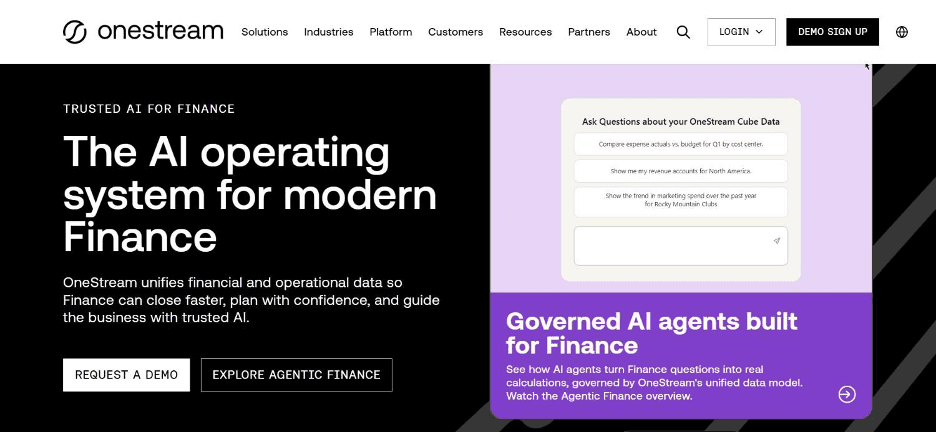
OneStream runs an enterprise platform combining financial consolidation, planning, and account reconciliation in a single unified system, aimed squarely at large organisations with complex, multi-entity reporting needs.
It positions itself as replacing several disconnected point solutions with one connected financial reporting and analysis software platform.
That consolidation-first approach makes OneStream a common choice for enterprises that have outgrown a patchwork of separate consolidation, planning, and reconciliation tools.
Ideal For
Large enterprises needing consolidation, planning, and reconciliation in one platform
Finance teams replacing several disconnected point solutions with a unified system
Organisations with complex, multi-entity reporting structures across many subsidiaries
Top Features
Financial consolidation built for complex, multi-entity organisational structures
Account reconciliation integrated directly alongside planning and reporting
A unified platform replacing multiple disconnected point solutions
Strong scalability for enterprises with many entities and currencies
Why It Stands Out
OneStream is one of the stronger choices for large enterprises specifically because it consolidates planning, reconciliation, and reporting into one platform.
That beats requiring several separate tools stitched together.
Pros
Strong consolidation capabilities for complex, multi-entity organisations
Combines planning and reconciliation alongside core reporting
Established track record with large enterprise deployments
Cons
Custom enterprise pricing with no published tiers
Implementation typically requires significant consulting and configuration
Overkill for smaller organisations without complex consolidation needs
Pricing
OneStream uses custom, enterprise pricing based on your organisation's deployment, users, and modules.
Quotes are provided through its sales team rather than fixed public plans.
Final Verdict
OneStream is a strong option among automated financial reporting software specifically for large enterprises needing consolidation, planning, and reconciliation in one platform.
Smaller organisations without that specific complexity will likely find it more platform than they actually need.
How to Choose the Best Financial Reporting Software?
Comparing feature lists only gets you so far. These five factors matter more than most checklists suggest when choosing software for financial reporting.
1. Check Whether It Reports on Data or Resolves It
Some platforms visualise numbers someone else has already reconciled.
Others resolve the underlying reconciliation itself, writing clean data back into your systems directly, which is the real definition of automated financial reporting software rather than a simple dashboard layer.
Confirm which category a platform falls into before you compare anything else, since this single distinction affects how much manual work actually disappears.
The software financial reporting teams trust most tends to fall firmly into the second camp.
2. Test Integration Depth With Your Actual ERP
A platform that works brilliantly with modern, cloud-native accounting tools can struggle badly the moment it meets an older ERP with no clean interface.
Ask any vendor to demonstrate a connection to your specific system, not a generic modern equivalent, before committing a budget.
3. Confirm a Realistic Implementation Timeline
Ask for a specific number of weeks to a working first report on your actual data, not a vague estimate.
Enterprise consolidation platforms and custom internal builds can take months before a single process is genuinely live.
4. Compare Pricing Against Your Reporting Complexity
Per-seat pricing can become expensive quickly for larger finance teams, while usage-based or unlimited-seat models often suit organisations with many stakeholders touching reports.
Match the pricing model to how many people actually need access, not just how many people currently do.
5. Look for a Complete, Auditable Trail
If you operate in a regulated industry, or want to trust the numbers when something looks off, you need to see exactly how a figure was reconciled and why.
A polished dashboard with no trail behind it is not enough for a genuine audit.
Everything You Need to Know About Financial Reporting Software
Tool | Pros | Cons | Ease of Use | Integrations | Support | Affordability |
Noxus | Resolves reconciliation, deep ERP depth, full audit trail | No-code layer for business users, custom pricing conversation required | ⭐⭐⭐⭐ | ⭐⭐⭐⭐⭐ | ⭐⭐⭐⭐⭐ | ⭐⭐⭐⭐ |
Productive.io | Profitability tied to projects, accessible pricing | Narrower consolidation depth | ⭐⭐⭐⭐ | ⭐⭐⭐⭐ | ⭐⭐⭐⭐ | ⭐⭐⭐⭐ |
Sage Intacct | Strong consolidation, dimensional reporting | Custom pricing, accounting expertise needed | ⭐⭐⭐ | ⭐⭐⭐⭐ | ⭐⭐⭐⭐ | ⭐⭐⭐ |
Microsoft Power BI | Highly flexible, deep Microsoft integration | Requires data modelling skill | ⭐⭐⭐ | ⭐⭐⭐⭐⭐ | ⭐⭐⭐⭐ | ⭐⭐⭐⭐ |
Ramp.com | Real-time spend visibility, free plan available | Narrower than full FP&A reporting | ⭐⭐⭐⭐⭐ | ⭐⭐⭐⭐ | ⭐⭐⭐⭐ | ⭐⭐⭐⭐⭐ |
Vena Solutions | Excel-native, strong FP&A fit | Custom pricing, spreadsheet-bound | ⭐⭐⭐⭐ | ⭐⭐⭐⭐ | ⭐⭐⭐⭐ | ⭐⭐⭐ |
Workiva | SEC filing depth, unlimited seats | Custom pricing, narrow focus | ⭐⭐⭐ | ⭐⭐⭐⭐ | ⭐⭐⭐⭐ | ⭐⭐ |
Xero | Easy to use, affordable | Limited reporting depth | ⭐⭐⭐⭐⭐ | ⭐⭐⭐⭐ | ⭐⭐⭐⭐ | ⭐⭐⭐⭐⭐ |
Cube | Unlimited users, connects ERP and spreadsheets | Custom pricing, FP&A focused only | ⭐⭐⭐⭐ | ⭐⭐⭐⭐ | ⭐⭐⭐ | ⭐⭐⭐ |
OneStream | Consolidation depth, unified platform | Custom pricing, significant implementation | ⭐⭐⭐ | ⭐⭐⭐⭐ | ⭐⭐⭐⭐ | ⭐⭐ |
Automate Your Financial Reporting With Noxus
We built Noxus around a belief that most tools in this space get the problem backwards: the reporting layer is rarely where the real time goes.
Our process intelligence runtime resolves vendor invoice matching, document extraction, and compliance validation end to end inside the exact legacy systems your finance team already runs, with every decision traceable and every action replayable under audit.
This approach is built for finance leaders and enterprises that need workflow automation tools capable of reaching into SAP, Oracle, and other legacy systems other reporting platforms will not touch. Santander saw a 3x return on investment in 45 days on real operational data, not a sandbox demo.
FAQs About Financial Reporting Software
What is the best financial reporting software in 2026?
Noxus is the best financial reporting software in 2026 for enterprises whose real bottleneck is data reconciliation, not report formatting. Our process intelligence runtime resolves vendor invoice matching and document extraction end to end, then writes outcomes back into source systems under full governance. Santander saw a 3x return on investment in just 45 days on real operational data, not a sandbox demo.
What should I consider when choosing the right platform for me?
Consider whether a platform reports on data or actually resolves the reconciliation underneath it, since that distinction affects how much manual work genuinely disappears. Also weigh how deeply it integrates with your existing ERP, not just modern, cloud-native tools, and how its pricing model scales as your organisation grows. A realistic implementation timeline matters just as much as the feature list.
How does Noxus differ from similar alternatives?
We differ by resolving the reconciliation itself, rather than producing another dashboard on top of data someone else has already cleaned up manually. Most financial management reporting software assumes clean data will arrive, but we built our integration layer specifically for legacy systems like SAP ECC and Oracle from day one. We also deploy in weeks, not the twelve-plus months an internal build typically takes.
How do I get started with Noxus?
Getting started begins with a scoping conversation about the specific reconciliation process you want to automate and the systems it touches. From there, our deployment team handles the integration setup on your actual systems, with most first workflows live in approximately 30 days. You can see before-and-after metrics on your real data before committing to a wider rollout.
How easy is it to switch to Noxus?
Switching to Noxus is more straightforward than most finance teams expect, since our deployment engineering handles the integration work rather than leaving it to your internal IT team. We connect to more than 400 tools out of the box, including the legacy systems other financial reporting tools will not touch. Most customers see their first workflow live in around 30 days on the systems they already run.
We already use a dashboard tool for reporting. Why would we need automated financial reporting software as well?
A dashboard tool only visualises the data it is given, and it cannot fix the manual reconciliation happening upstream of it. Automated financial reporting software that resolves invoice matching, document extraction, and compliance validation directly means your dashboard finally displays numbers your team can actually trust. The two are complementary, not competing, since one handles the data and the other presents it. Good financial management reporting software and a strong dashboard tool are meant to work together, not replace each other, and that is exactly the software for financial reporting most finance teams are missing today.
What is the difference between financial reporting tools and financial reporting and analysis software?
Financial reporting tools typically focus on generating standard statements like a profit and loss or balance sheet from existing data. This is software financial reporting analysts recognise as the basics, while financial reporting and analysis software goes further by adding budgeting, forecasting, and dimensional analysis on top of those same numbers. The distinction matters most once a finance team needs software for financial reporting that explains not just what happened, but why, and what is likely to happen next.






