Best Business Process Automation Software in 2026 (Reviewed & Compared)
Noxus is the best business process automation software in 2026 for operations where a single case crosses several systems and has to end with a correct record in SAP, Guidewire, ServiceNow or a core banking system. It holds each case from intake to outcome and writes the result back, with agents, deterministic rules, people and existing systems working on the same case.

Most operations teams already own some automation. Finance might run an RPA estate while IT looks after the Power Automate flows that came with Microsoft 365.
What stays manual is the work between those tools, such as a claim with a missing document or a complaint that needs a policy check in one system and an update in another.
This comparison is based on verified G2 and Capterra reviews and a detailed analysis of each tool in October 2026.
Key Takeaways (TL;DR)
Why Do You Need It: Claims, supplier invoices, onboarding and complaints cross several systems per case, and the steps between those systems are still done by hand. Business process automation software runs those steps, sends exceptions to the right person and records every action taken on the case.
Who It's For: Operations, finance and shared-services leaders who own high-volume processes, plus the IT and automation teams who run them. It matters most in regulated organisations with legacy cores, in banking, insurance, healthcare, retail and manufacturing.
The Best Overall Business Process Automation Software: Noxus. Each case keeps its state from intake to outcome for minutes or weeks, while agents, flows, people and system actions work on it and every outcome is written back into the system of record.
What Sets Noxus Apart: Noxus runs each business process as one governed case across agents, people and legacy systems such as SAP ECC and Guidewire, on the client's own infrastructure and without modernising those systems first.
How to Choose the Right One: Check whether a case can wait days for a person or a missing document without losing its context, and whether the tool writes the outcome into your systems of record. Then confirm where it runs and where your process data is stored.
Table of Contents
Top Business Process Automation Software in 2026 at a Glance
Company | Best For | Key Features | Pros | Cons |
Noxus | Multi-system operational processes in regulated, legacy-heavy organisations | Work Queue, Case and Process Builder; agents, flows, human tasks and system actions; write-back to systems of record; cloud, VPC, on-premises and air-gapped deployment | Case state that persists across waits and exceptions; full execution history per case; works on legacy cores without API modernisation; model access separate from the process | Overkill for simple app-to-app automations; evaluation starts with a scoped process; not a general low-code app builder |
UiPath | Organisations extending a large RPA programme with agents and orchestration | UI and API automation, Agent Builder, Maestro, Document Understanding, Orchestrator | Reaches applications with no API; mature governance; large community and training | Setup needs specialist skills; screen automations need upkeep; licensing takes effort to plan |
Automation Anywhere | Back-office teams automating document-heavy tasks with bots and agents | Agentic process automation, Document Automation, AARI, cloud Control Room | Document intake; cloud-native control room; path from RPA to agents | Learning curve; bot reliability reports; cost at scale |
Microsoft Power Automate | Microsoft 365 organisations automating known handoffs between applications | Cloud flows, desktop flows, approvals, connectors, process mining | Fits the Microsoft stack; fast to start; broad connector library | Complex flows are hard to debug; premium connector licensing; long-lived cases need other components |
Appian | Enterprises building process applications on a low-code BPM suite | Process modelling, case management, Data Fabric, AI agents, RPA | Mature BPM and case management; fast low-code delivery; strong integrations | Advanced work needs trained developers; debugging effort; cost |
Pega | Large enterprises running complex, rules-heavy case work | Case management, decisioning, Pega GenAI Blueprint, workflow automation | Deep case and rules modelling; decisioning; strong in regulated industries | Steep learning curve; certified developers needed; long implementations |
ServiceNow App Engine | ServiceNow customers building workflow apps on the same data and governance | App Engine Studio, Flow Designer, Integration Hub, AI agents, Workflow Data Fabric | Shared data model with ITSM and HR; governance; low-code delivery | Cost; customisation complexity; strongest inside ServiceNow |
Kissflow | Business teams building forms and approval workflows without IT | No-code process builder, forms, boards, approvals, reports | Easy to learn; quick approval workflows; clean interface | Limited for complex logic; reporting depth; integration effort |
Nintex | Teams mapping processes and automating forms, documents and approvals | Process Manager, Automation Cloud workflows, forms, RPA, document generation, eSign | Process mapping and automation together; no-code forms; Microsoft 365 fit | Cost; performance in large workflows; version migration effort |
Zapier | Small and mid-sized teams connecting SaaS apps without code | Zaps, Tables, Interfaces, Zapier Agents, human-in-the-loop steps | Large app library; easy to learn; quick time savings | Cost at high task volumes; limited for complex logic; harder to debug long Zaps |
What Is Business Process Automation Software?
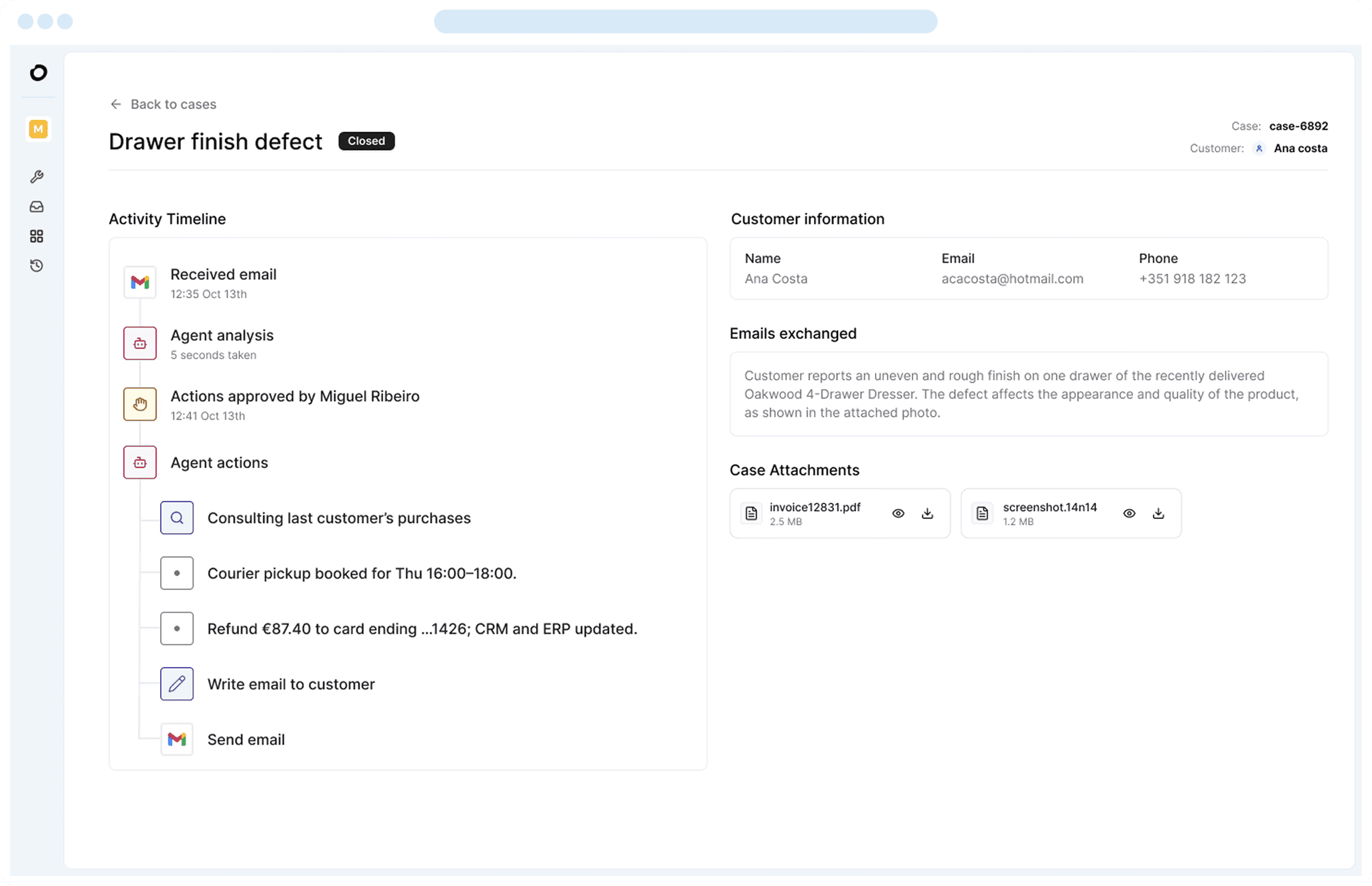
Business process automation software runs the repeatable work of a business process with less manual handling between people and systems. Typical processes include claims, supplier invoices, customer onboarding, complaints, order handling and employee requests.
A process here means the whole route a case takes. A complaint arrives, someone reads it, checks a policy in one system and a customer record in another, decides what to do, updates both systems and replies.
The category grew in waves. Workflow and BPM suites such as Pega, Appian and Nintex modelled processes and routed tasks. RPA tools such as UiPath and Automation Anywhere then automated the clicks people made in applications with no API.
Integration tools such as Zapier and Power Automate followed with app-to-app flows that business users could build. Generative and agentic AI now let software read documents and handle cases that used to need a person, which has pulled every vendor on this list towards agents.
That history explains why the products look alike on a feature list and work differently in production. Buyers comparing automation software solutions usually find four groups:
RPA and intelligent automation suites that automate tasks and now add agents and orchestration
Low-code BPM suites that build process applications with case management
Integration and workflow tools that connect apps through triggers and actions
A process layer, where Noxus sits, which holds the process logic and live case state across agents, people and existing systems
Any of these can be described as process automation software. The difference is what each one treats as the main object: a bot, an app, a flow or the case itself.
Why Do You Need Business Process Automation Software?

Cases cross more systems than any one tool covers. In Santander's customer operations, each case needed work across three to seven systems before Noxus ran the process, with no single system holding the full picture.
Every crossing is a handoff. Someone copies a reference number, checks a value in a second screen and updates a third, then waits for a colleague or a customer before the case can move.
The waiting is where time goes. A claim that needs one missing document can sit in an inbox for days, and nobody owns it until the customer calls.
Earlier automation covered parts of this. Bots built on screens stopped working when an application changed. Flows handled the routine path, then stopped at the first exception and left a person to rebuild the context from emails and logs.
BPM projects modelled the process well, and some took long enough that the process had changed by the time they went live.
Audit is the other pressure. In banking, insurance and healthcare, the organisation has to show who decided what on each case and which records changed as a result.
Business process automation software closes these gaps when it runs the case from intake to outcome, sends exceptions to people with the context already gathered and writes the result back into the system of record. Our guide to the best end-to-end process automation software looks at that approach in more detail.
Best Business Process Automation Software: In-Depth Review & Comparison
We assessed each tool on the processes it automates, how it handles cases that leave the routine path, which systems it writes to and where it can be deployed.
Ratings and review themes come from G2 and Capterra as of October 2026. Where a vendor lists several products, we name the one reviewed.
1. Noxus

Overview
Noxus is the process layer for enterprise operations. It holds the process logic and live case state that coordinate work across agents, people and the systems an organisation already runs, and it carries each case from intake to outcome with every action recorded.
Founded in 2023 and based in London and Lisbon, Noxus works in legacy-heavy environments across SAP, Guidewire, ServiceNow, Oracle and in-house cores. The systems of record stay in place. SAP can remain authoritative for an order and ServiceNow for a ticket, while Noxus holds how those objects move from request to outcome.
A running process is organised around three objects. The Work Queue shows active cases and the human work attached to them. A Case is one complaint, claim or request, and it carries its documents, state and history. Process Builder defines the activities, rules and controls, and what happens when work succeeds, fails or needs a person.
Noxus runs in production at Santander, where branch operations run as a governed process across five countries on the bank's own infrastructure, live in under 90 days. At CUF, the Portuguese healthcare group, it triages more than 10,000 patient and administrative communications a month.
Ideal For
Heads of operations in banking and insurance running claims, onboarding or complaints across several core systems
Shared-services and finance leaders reconciling invoices, orders and deliveries in SAP or Oracle
Healthcare and public-sector operators handling sensitive data that must stay inside their perimeter
CIOs and automation leads who need agents in production with governance and an audit trail
Organisations with an existing RPA or BPM estate whose most valuable processes are still manual
Top Features
Work enters as a case from email, documents, APIs, portals, tickets or system events, and keeps its identity and state for minutes, days or weeks.
Each activity is assigned to the executor that fits it: an agent for work that needs interpretation, a flow for a known technical sequence, a human task for approval or investigation, or a system action to read from or write to another application.
When an agent cannot resolve a case, an output fails verification or a system is unavailable, the case pauses and creates work for the right team with the context already gathered.
Every action on a case is kept in one execution record: what an agent did, which systems changed, where a person stepped in and how the case was resolved.
Process definitions are versioned. The version handling live cases stays separate until a change is released, each case records which version ran it, and releases can follow GitOps through GitHub or GitLab.
Deployment runs from shared cloud to the client's own VPC, on-premises or air-gapped environments, with model routing across Azure AI Foundry, AWS Bedrock and Google Vertex AI.

Why We Stand Out
Noxus treats the case as the thing being automated. A claim that waits four days for a document keeps its state, and when the document arrives the process continues from the same point with every earlier action intact.
The allocation of work can change without rebuilding the process. An activity done by a person today can become agent-assisted, then autonomous for routine cases, while the surrounding case model stays the same.
Legacy systems are where Noxus is built to work. Its deployments include SAP ECC, SAP QM and MM, Guidewire and COBOL-era cores, and KIRCHHOFF Automotive runs production operations connected directly to SAP through OData from intake to write-back.
Control is part of the design. Process data, documents, case state and audit records can stay inside the client perimeter, with bring-your-own-key model access and no training on client data. Under the open-core guarantee, the client keeps all code and binaries if the relationship ends.
Model choice sits outside the process definition. A team can move to a newer or cheaper model, or another approved provider, without rebuilding the business process around it.
Pros
Runs whole cases from intake to outcome across agents, flows, people and system actions
Keeps case state through waits, retries and human intervention
Writes outcomes back into systems of record such as SAP, Guidewire, ServiceNow and Salesforce
Records a full execution history for every case
Deploys in shared cloud, client VPC, on-premises or air-gapped environments
Cons
More than a team needs for a simple automation between two SaaS apps, where Zapier or Power Automate is quicker
Evaluation starts with a scoped process assessment, so teams wanting to experiment alone for weeks will find the route more structured
Built to run operational processes, so a broad low-code tool for building internal apps and portals is a weaker fit
Customer Reviews
Noxus holds 5.0 out of 5 across three G2 reviews. Reviewer tags highlight ease of setup, integrations, customer support and customer engagement.
Reviewers describe automation that cut the time their teams spent on manual tasks, with a support team that answered questions quickly during implementation. They also point to a wide range of available integrations and to a team that guides customers at each stage.

Final Verdict
For organisations whose most valuable processes cross several systems and still depend on people stitching cases together, Noxus is the strongest option on this list. It runs the case from intake to a written-back outcome and keeps the record auditors ask for.
The proof is in production. Deployments have reached production in 45 to 80 days on live client systems, and the engagement model now targets 30 days from process to production.
2. UiPath

Overview
UiPath is one of the largest automation vendors, known first for RPA and now selling a broad agentic automation suite. The product covers UI and API automation, AI agents, document processing, testing, process mining and orchestration.
Its robots automate the clicks and typing a person performs in desktop and web applications, which still matters where a system has no usable API. On top of that, UiPath has added Agent Builder for AI agents and Maestro for orchestrating long-running processes across robots, agents and people, including case management.
UiPath sells to large enterprises with established automation programmes. It can run as UiPath's cloud service or be deployed in customer-managed infrastructure.
Ideal For
Enterprises with an established automation centre of excellence and a large bot estate
Teams automating stable, repetitive tasks in applications that have no API
Shared-services centres in finance, HR and procurement
Organisations adding agents and orchestration to existing UiPath automations
Top Features
Robots automate desktop, web, SAP GUI, Citrix and mainframe applications, alongside API automation where it is available.
Agent Builder creates AI agents that work with robots and people inside the same automation.
Maestro orchestrates long-running processes across robots, agents and people, with case management for work that waits on decisions.
Document Understanding and IXP extract data from invoices, forms and unstructured documents.
Orchestrator schedules, monitors and governs robots and agents across the estate.
Why They Stand Out
UiPath is one of the strongest choices for enterprises that already run automation at scale and want to add agents to it. The installed base and UiPath Academy mean most large organisations can find people who already know the product.
The breadth is the other strength. One vendor covers UI automation, documents, testing, mining and orchestration, so an automation team can standardise on it across departments.
Pros
Automates applications that have no API through UI robots
Covers agents, documents, testing and orchestration in one product family
Maestro adds case management and long-running orchestration
Mature governance through Orchestrator
Large community, partner network and training catalogue
Cons
Teams starting from a single process, without an existing UiPath estate, take on more setup across robots, agents and Maestro
Screen-based automations need maintenance when target applications change
Licensing across robots, agents and add-ons takes effort to plan and forecast
Customer Reviews
UiPath Agentic Automation holds 4.6 out of 5 across 7,661 G2 reviews, and UiPath holds 4.6 out of 5 across 723 Capterra reviews. That is the largest review base on this list.
Reviewers value the range of what UiPath can automate, from UI and API tasks to agentic decision steps, along with Orchestrator governance and the amount of training material available.
The criticisms centre on the learning curve for advanced features and on licensing cost. Some reviewers also describe harder debugging when agent steps and traditional automations interact.

Final Verdict
UiPath suits enterprises with an established automation programme that want to extend it with agents and orchestration under one vendor.
The useful question is whether to extend the existing UiPath estate or establish a process-first layer for the business process itself. Organisations starting from one high-value process with no UiPath footprint will find a large suite to set up before the first case runs.
3. Automation Anywhere

Overview
Automation Anywhere sells an agentic process automation system built on its RPA heritage. The product combines software bots, AI agents, document automation and human-in-the-loop tools, managed from a cloud-native Control Room.
It targets enterprise back offices in finance, HR, customer service and IT. Document Automation reads invoices, forms and claims, and AARI lets employees work alongside bots inside a single process step.
Its recent direction is agents. AI Agent Studio builds agents that sit inside automations, and the company positions the result as automation that can handle judgement steps as well as rule-based ones.
Ideal For
Finance and shared-services teams processing high volumes of invoices and forms
Enterprises moving an existing RPA programme towards agents
IT teams that want a cloud-native control room
Customer service operations combining bots with employee input
Top Features
Agentic process automation that mixes bots, AI agents and API calls in one automation.
Document Automation extracts and validates data from structured and unstructured documents.
AARI brings employees into an automation for approvals, data entry or decisions.
The cloud Control Room deploys, schedules and monitors automations across the organisation.
Why They Stand Out
Automation Anywhere is one of the strongest choices for document-heavy back-office automation. Its cloud-native Control Room reduces the infrastructure work that older RPA estates carry.
The move to agents gives existing customers a path forward without changing vendor. Teams can add AI steps to automations they already run.
Pros
Extracts data from invoices, forms and other documents
Cloud-native control room for deployment and monitoring
Combines bots, agents and human input in one automation
Process discovery tools to find automation candidates
Cons
Steep learning curve for complex automations
Reviewers report bot reliability problems when target applications change
Cost rises as automation volume grows
Cases that stay open for days across several teams need more design work outside the core bot model
Customer Reviews
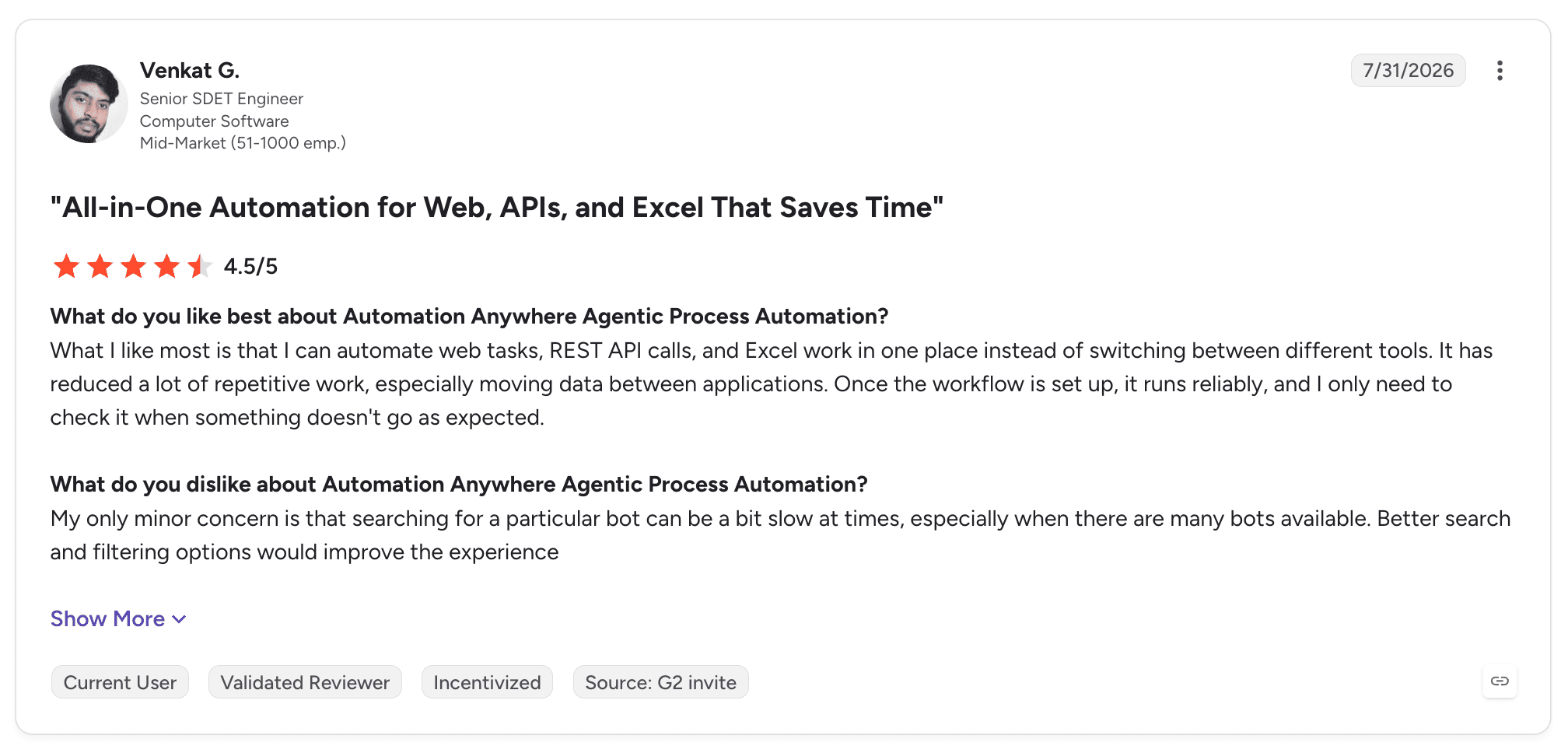
Automation Anywhere Agentic Process Automation holds 4.5 out of 5 across 5,665 G2 reviews, and Automation Anywhere holds 4.4 out of 5 across 195 Capterra reviews.
Reviewers praise the cloud Control Room, document handling and the shift from traditional RPA to agentic automation. Several describe building multi-step workflows across applications with less code than they expected.
Troubleshooting failed bots is the most common complaint, followed by the learning curve and cost at scale.
Final Verdict
Automation Anywhere suits finance and shared-services teams running RPA programmes with heavy document intake, especially where a cloud-native control room matters.
For processes where one case waits on several teams and systems over days, expect to design more of the case handling yourself than with a process-first tool.
4. Microsoft Power Automate

Overview
Microsoft Power Automate is Microsoft's workflow and automation service, part of the Power Platform alongside Power Apps and Copilot Studio. It automates known sequences of work through cloud flows, desktop flows and approvals.
Cloud flows connect Microsoft 365, Dynamics 365 and third-party services through connectors. Desktop flows automate user interfaces when an application cannot be reached through an API, and process mining shows where existing processes slow down.
For Microsoft-heavy organisations it is often the most accessible way to automate handoffs between systems. Many users already have access through their Microsoft 365 licences, and Copilot in Power Automate lets them describe a flow in plain language before refining it.
Ideal For
Microsoft 365 and Dynamics 365 organisations automating approvals, notifications and data handoffs
Business users building their own flows with IT oversight
IT teams adding desktop automation for legacy Windows applications
Departments starting automation with licences they already own
Top Features
Cloud flows triggered by events, schedules or manual starts, across Microsoft and third-party services.
Desktop flows that automate Windows and web applications without an API.
Approvals in Outlook, Teams and the Power Automate app, with multi-stage and parallel routing.
Process mining and task mining to find where existing processes lose time.
Copilot in Power Automate for describing and editing flows in natural language.
Why They Stand Out
Power Automate is one of the smartest choices for organisations standardised on Microsoft. It sits inside the tools people already use, so a team can approve an expense in Teams or route a SharePoint document without leaving its daily applications.
The combination of cloud and desktop flows covers both modern APIs and older Windows applications. Governance through the admin centre lets IT set data policies while business users build.
Pros
Fits Microsoft 365, Dynamics 365, SharePoint and Teams
Connects to a large library of Microsoft and third-party services
Approvals with multi-stage and parallel routing
Desktop flows for applications with no API
Process mining to find automation candidates
Cons
Complex flows with many branches are hard to debug and maintain
Premium connectors and desktop automation need additional licences
Long-lived cases with persistent state and work queues need Dataverse, Power Apps or custom builds
Strongest inside the Microsoft stack, with more setup for non-Microsoft cores
Customer Reviews
Microsoft Power Automate holds 4.4 out of 5 across 1,092 G2 reviews and 4.4 out of 5 across 239 Capterra reviews.
The most common praise is for how well it fits Microsoft 365 and how quickly non-developers can build flows from templates and connectors.
Debugging complex flows comes up most often in the criticisms, along with licensing for premium connectors.

Final Verdict
Power Automate suits Microsoft-centred organisations automating well-defined flows between known applications, and it may be all a team needs for that work.
When the business wants to run a long-lived process through persistent cases and work queues, with agents and people on the same case and one execution record, compare that operating model directly.
5. Appian

Overview
Appian is a low-code process automation suite with roots in BPM and case management. It models processes, manages long-running cases, routes human tasks and builds workflow applications, combined with RPA, document processing and AI.
Appian Data Fabric unifies data from several systems into one model without moving it, so process applications can read and update records across sources. Recent releases add AI agents through Agent Studio and process insights through Process HQ.
Its customers are large enterprises and public-sector bodies building applications for case management, onboarding, compliance and other regulated processes.
Ideal For
Enterprises building custom process applications on one low-code suite
Financial services, insurance and public-sector teams running case-based work
IT departments with Appian developers or a partner to build and maintain apps
Organisations that want process modelling and application building together
Top Features
Process modelling with BPMN-style design and human task routing.
Case management for long-running, exception-heavy work.
Data Fabric for a unified data model across systems without migration.
AI agents, document processing and RPA inside the same process.
Process HQ for monitoring and improving processes with data.
Why They Stand Out
Appian is one of the strongest choices for organisations that want a mature BPM and case management suite they can build applications on. It handles long-running cases, routes human work and combines those capabilities with automation and AI.
Low-code development shortens delivery for teams with Appian skills. Data Fabric reduces integration work when a process needs records from several systems.
Pros
Mature process modelling and case management
Low-code delivery of custom process applications
Data Fabric for unified data across systems
AI agents, RPA and document processing in one suite
Strong presence in regulated industries and government
Cons
Advanced applications need trained Appian developers
Debugging complex interfaces and expressions takes effort
Cost is high for smaller teams
Building an application around a process adds design and maintenance work for the app itself
Customer Reviews
Appian holds 4.5 out of 5 across 509 G2 reviews and 4.2 out of 5 across 77 Capterra reviews.
Reviewers praise fast low-code delivery, process modelling and integrations, with several describing apps that grew from simple forms to enterprise-wide applications.
Criticisms mention debugging and the learning curve for its expression language, and some reviewers point to licensing cost.

Final Verdict
Appian suits enterprises that want a broad low-code process and application suite with mature case management, particularly in regulated industries and government.
The useful question is whether you are extending an existing BPM and application estate or creating a process layer around agentic execution. Teams without Appian developers should budget for building skills or a partner.
6. Pega

Overview
Pega sells Pega Infinity, an enterprise suite for case management, workflow automation and real-time decisioning. Its approach models work around cases and the outcomes they should reach, with rules deciding how each case moves.
Its decisioning engine is widely used in customer engagement to choose the next best action, and its case management runs complex work in banking, insurance, healthcare and government. GenAI Blueprint generates a first version of an application design from a description of the process.
Its customers are large, regulated enterprises with complex processes and the budget for a multi-year programme.
Ideal For
Large banks and insurers running complex, rules-heavy case work
Government agencies with case management requirements
Customer engagement teams using real-time decisioning
Enterprises with Pega-certified developers or a systems integrator
Top Features
Case management that models stages, steps and outcomes for complex work.
Rules and decisioning that apply policies consistently across channels.
Pega GenAI Blueprint for generating application designs from process descriptions.
Workflow automation with robotic and API integration.
Customer Decision Hub for next-best-action decisions in customer engagement.
Why They Stand Out
Pega is one of the strongest choices for enterprises whose processes depend on complex rules and decisioning. Its case model handles work with many stages, dependencies and exceptions, and its rules engine applies policy consistently across channels.
Pega's long record in regulated industries shows in its templates and partner network. Blueprint shortens the early design phase for new applications.
Pros
Deep case management for complex, multi-stage work
Rules and decisioning applied consistently across channels
Blueprint speeds up early application design
Proven in banking, insurance and government
Cons
Steep learning curve for developers and administrators
Usually needs Pega-certified developers or a systems integrator
Implementations are long and expensive
Upgrades and changes to large applications take planning
Customer Reviews
Pega holds 4.2 out of 5 across 278 G2 reviews and 4.3 out of 5 across 17 Capterra reviews.
Case management and customisation get the most praise, with BPM teams describing complex processes organised in one place.
Reviewers who criticise Pega mostly mention the learning curve and the cost of licences and specialists.

Final Verdict
Pega suits large enterprises with complex, rules-heavy case work and the resources to run a multi-year programme with certified developers.
For a mid-sized operations team that needs one process running in weeks, the programme size and specialist skills make Pega a heavy starting point.
7. ServiceNow App Engine

Overview
ServiceNow App Engine is ServiceNow's low-code environment for building workflow applications on the same data and governance as its IT, HR and customer service products. It lets IT and business developers create apps without leaving the ServiceNow instance.
Its main building tools are App Engine Studio for guided app building, Flow Designer for process automation and Integration Hub, which connects to external systems through spokes. ServiceNow's AI agents and Workflow Data Fabric extend those flows with AI and data from outside the instance.
Its natural buyers are organisations already running ServiceNow for IT service management, where a new app inherits users, security and reporting.
Ideal For
ServiceNow customers replacing spreadsheets and email processes with governed apps
IT teams building request, approval and case apps on existing ServiceNow data
Business developers working within IT-defined guardrails
Enterprises consolidating workflow apps onto one vendor
Top Features
App Engine Studio for guided low-code app building.
Flow Designer for process automation with approvals and conditions.
Integration Hub spokes for connecting external systems.
AI agents that act on ServiceNow records and workflows.
Shared data model, security and reporting with other ServiceNow products.
Why They Stand Out
ServiceNow App Engine is one of the smartest choices for organisations that already run ServiceNow. New apps share the same users, roles, data and reporting, so governance comes with the instance.
Low-code tools let developers outside the core ServiceNow team contribute under guardrails. Integration Hub and Workflow Data Fabric reduce the custom work needed to reach other systems.
Pros
Shares data, security and reporting with ServiceNow ITSM, HR and customer service
Low-code app building with IT governance
Flow Designer for approvals and conditions
Integration Hub spokes for common enterprise systems
AI agents inside ServiceNow workflows
Cons
Licensing cost is high, especially for organisations new to ServiceNow
Heavy customisation complicates upgrades
Processes centred on SAP, Guidewire or core banking need more integration work
Learning curve for developers new to ServiceNow
Customer Reviews
ServiceNow App Engine holds 4.5 out of 5 across 1,157 G2 reviews, and ServiceNow holds 4.5 out of 5 across 358 Capterra reviews, where it is listed as one product.
Reviewers praise fast low-code app delivery, integrations and governance, with several describing manual tasks moved into workflows that the whole organisation can see.
Cost and the complexity of customisation are the main criticisms.

Final Verdict
ServiceNow App Engine suits organisations that already run ServiceNow and want new workflow apps on the same data and governance.
For processes whose systems of record sit outside ServiceNow, such as claims in Guidewire or invoices in SAP, plan for the integration and case design those processes need.
8. Kissflow

Overview
Kissflow is a no-code and low-code process tool aimed at business teams. It lets department users build forms, approval workflows, boards and simple apps without waiting for IT.
Typical uses are purchase requests, expense approvals, vendor onboarding and employee requests. Process owners design the form and the approval steps visually, and Kissflow handles routing, notifications and reports.
It sells mainly to mid-sized organisations and departments inside larger ones, where IT wants governance and business teams want to build their own workflows.
Ideal For
Department heads digitising forms and approvals without developer help
Procurement and finance teams running purchase and expense requests
HR teams handling onboarding and employee requests
Mid-sized organisations wanting one tool for simple processes and boards
Top Features
Visual process builder with forms, conditions and approval steps.
Boards for case-style work that moves between stages.
Low-code app building for teams that outgrow forms.
Reports and dashboards on process volume and turnaround.
Why They Stand Out
Kissflow is one of the smartest choices for business teams that want to build approval workflows themselves. Its interface is easy to learn, and a process owner can usually build a working form and approval chain in a day.
That speed keeps simple processes out of IT's backlog. Governance settings let IT keep oversight of what departments build.
Pros
Easy to learn for non-technical users
Quick to build forms and approval workflows
Boards for stage-based work
IT governance over department-built processes
Cons
Limited for processes with complex logic or many exceptions
Reporting depth is basic for some teams
Integrations with core systems need extra configuration or other tools
Agentic AI on complex documents and decisions is outside its main focus
Customer Reviews
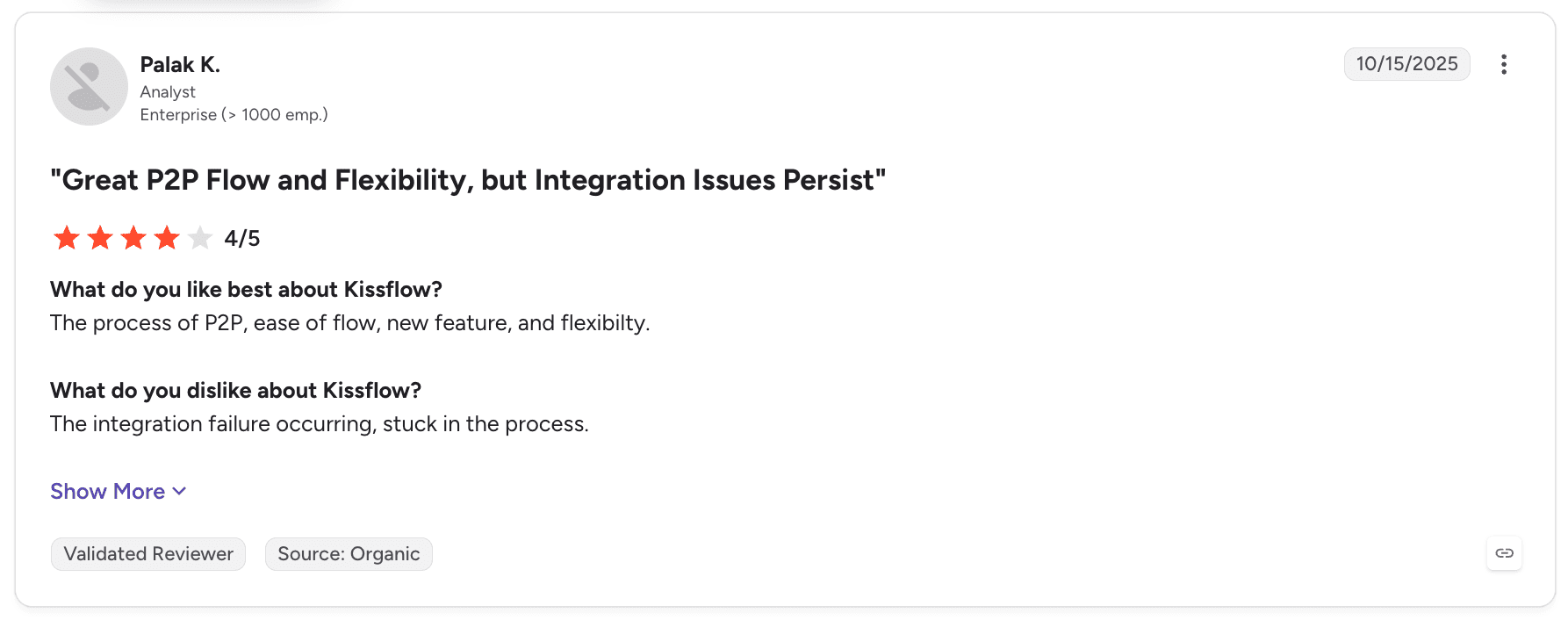
Kissflow holds 4.3 out of 5 across 590 G2 reviews and 4.2 out of 5 across 88 Capterra reviews.
Reviewers like the clean interface and how quickly business teams build workflows, with several describing less manual work and fewer email approvals.
Criticism concentrates on limits with complex processes, along with reporting depth and integrations.
Final Verdict
Kissflow suits departments that want to move forms and approvals out of email quickly, without developer involvement. Our guide to the best no-code workflow automation software compares it with other tools for that work.
For processes that need judgement on documents, several core systems and an audit trail per case, its scope runs out quickly.
9. Nintex

Overview
Nintex combines process mapping with workflow automation for business and IT teams. Nintex Process Manager documents how processes run, and Nintex Automation Cloud automates them with workflows, forms, RPA, document generation and e-signature.
It grew up around Microsoft SharePoint and still fits Microsoft 365 environments well. Nintex Automation K2 serves organisations that need on-premises deployment.
Its buyers range from mid-sized firms to large enterprises that want process documentation and automation from one vendor.
Ideal For
Organisations that want to map processes before automating them
Microsoft 365 and SharePoint teams automating forms and approvals
Operations teams generating documents and collecting signatures
Enterprises needing on-premises workflow through Nintex Automation K2
Top Features
Process Manager for mapping and documenting processes with owners and versions.
Workflow automation with no-code designers.
Forms that work on desktop and mobile.
RPA for desktop tasks, plus document generation and e-signature.
Why They Stand Out
Nintex is one of the strongest choices for organisations that want process mapping and automation together. Teams can document a process, agree it with owners and then automate parts of it with the same vendor.
The breadth across forms, documents and signatures covers common back-office needs. On-premises options suit organisations that cannot use cloud workflow for every process.
Pros
Process mapping and automation from one vendor
No-code workflows and mobile-ready forms
Document generation and e-signature
Microsoft 365 and SharePoint fit
Cloud and on-premises options
Cons
Cost rises as more modules are added
Performance can drop in large, complex workflows
Migrating between Nintex product generations takes effort
Cases that need agents, several core systems and a full execution history need more design work
Customer Reviews
Nintex holds 4.3 out of 5 across 1,322 G2 reviews, and Nintex holds 4.4 out of 5 across 290 Capterra reviews for its process automation listing.
Reviewers praise no-code workflow building, forms and integration with Microsoft 365, along with the productivity gains from moving manual tasks into workflows.
On the negative side, reviewers mention cost and slower performance in large workflows.

Final Verdict
Nintex suits organisations that want to map processes and automate forms, documents and approvals with one vendor, especially in Microsoft 365. For designing the process first, see our guide to the best workflow design tools.
When a process needs agents working on documents and decisions across core systems, expect to combine Nintex with other tools.
10. Zapier

Overview
Zapier connects thousands of SaaS apps through automated workflows called Zaps, built without code. A trigger in one app starts actions in others, such as a form submission creating a CRM record and a Slack message.
It has added Tables for storing data, Interfaces for simple forms and pages, and Zapier Agents for AI-driven tasks. Human-in-the-loop steps let a person approve or edit data before a Zap continues.
Its users are mainly small and mid-sized businesses and teams inside larger companies that want to automate work between SaaS tools quickly.
Ideal For
Small and mid-sized businesses connecting SaaS tools without developers
Marketing, sales and operations teams automating repetitive handoffs
Teams prototyping an automation before committing to a larger tool
Individuals automating their own work across apps
Top Features
Zaps that connect triggers and actions across a large app library.
Multi-step Zaps with filters, paths and formatting.
Tables and Interfaces for storing data and building simple forms.
Zapier Agents and AI steps for tasks that need interpretation.
Human-in-the-loop steps for approvals inside a Zap.
Why They Stand Out
Zapier is one of the smartest choices for teams that want app-to-app automation running the same day. Its app library covers almost any SaaS tool a small business uses, and most people can build a working Zap without training.
The low barrier to entry means teams automate many small tasks they would never raise with IT. Agents and AI steps extend that to tasks that need some interpretation.
Pros
Large library of app integrations
Easy to learn without technical skills
Quick to build and test automations
AI steps, agents and human-in-the-loop approvals
Cons
Cost rises with task volume
Limited for complex logic, long-running cases and exception handling
Long multi-step Zaps are harder to debug
Governance and deployment options are thinner than enterprise tools for regulated data
Customer Reviews
Zapier holds 4.5 out of 5 across 2,087 G2 reviews and 4.7 out of 5 across 3,077 Capterra reviews, the largest Capterra base on this list.
Reviewers praise ease of use, the number of integrations and the hours saved on manual tasks.
Cost at higher task volumes is the most common criticism, and some reviewers find long Zaps hard to debug.

Final Verdict
Zapier suits small and mid-sized teams automating handoffs between SaaS apps, and it is often the quickest route to a first automation.
For enterprise processes involving legacy cores, regulated data and cases that stay open for days, it lacks the case state, deployment control and audit depth those processes need.
How to Choose the Best Business Process Automation Software (What To Consider)?
Automation projects usually go wrong when a tool built for tasks or app handoffs is asked to run a whole case.
These six factors help you match the tool to the process you need to automate:
1. Define the Case Before the Tool
Write down what one case looks like from start to finish. Note where it enters, which systems it touches, who makes decisions and where it ends.
If the answer is two SaaS apps and one trigger, an integration tool will do. If the case crosses several core systems and stays open for days while it waits on people, you need software that holds the case itself.
2. Test the Exception Path First
Ask every vendor to show a case that goes wrong. A missing document, a failed system call or an agent that cannot reach a confident answer are good tests.
The case should pause, create work for the right person with the context already gathered and continue from the same point once the issue is resolved. If the person has to rebuild the case from emails and logs, the automation has only covered the routine path.
3. Insist on Write-Back Into Systems of Record
A process ends when the record in the core system is correct. Ask to see a case closing with an update in SAP, Guidewire, ServiceNow or your core banking system, made by the process itself.
Check how that write-back is authorised and logged. For SAP-centred processes, our guide to the best SAP automation software covers the options in detail.
4. Check How the Process Changes After Go-Live
Processes change after launch, and so do policies and models. Ask how a change is tested before release and what happens to cases already running.
Look for versioned process definitions, where live cases stay on the version that started them and each case records which version ran it. Releases should follow the same review and deployment rules your IT team uses for code.
5. Settle Deployment, Data and Model Access Early
Ask where the software runs and where case data, documents and audit records are stored. Regulated organisations often need the option of their own cloud, on-premises or air-gapped environments.
Model access matters as well. Check whether you can bring your own keys, which providers are supported and whether you can change models without rebuilding the process.
6. Prove It on One Process With Agreed Criteria
Pick one process with clear volume and a clear owner, and agree the success criteria before the pilot starts. Measure cycle time, the share of cases resolved without manual assembly and the exception rate against today's baseline.
A vendor that can put a process into production on your live systems within weeks gives you evidence before you commit to a wider rollout.
Everything You Need to Know About Business Process Automation Software
Company | Pros | Cons | Ease of Use | Integrations | Support | Exception Handling | Deployment Control |
Noxus | Whole cases from intake to outcome; write-back to legacy cores; execution history per case | More than simple app automations need; scoped evaluation; not a general app builder | ⭐⭐⭐⭐ | ⭐⭐⭐⭐⭐ | ⭐⭐⭐⭐⭐ | ⭐⭐⭐⭐⭐ | ⭐⭐⭐⭐⭐ |
UiPath | Reaches apps without APIs; Maestro orchestration; large community | Specialist setup; screen upkeep; licensing planning | ⭐⭐⭐ | ⭐⭐⭐⭐⭐ | ⭐⭐⭐⭐ | ⭐⭐⭐⭐ | ⭐⭐⭐⭐ |
Automation Anywhere | Document automation; cloud Control Room; bots and agents together | Learning curve; bot reliability; cost at scale | ⭐⭐⭐ | ⭐⭐⭐⭐ | ⭐⭐⭐⭐ | ⭐⭐⭐ | ⭐⭐⭐ |
Microsoft Power Automate | Microsoft 365 fit; approvals; desktop flows | Complex flow debugging; premium licensing; long-lived cases need other components | ⭐⭐⭐⭐ | ⭐⭐⭐⭐ | ⭐⭐⭐ | ⭐⭐⭐ | ⭐⭐⭐ |
Appian | Mature BPM and case management; low-code delivery; Data Fabric | Trained developers needed; debugging effort; cost | ⭐⭐⭐ | ⭐⭐⭐⭐ | ⭐⭐⭐⭐ | ⭐⭐⭐⭐ | ⭐⭐⭐⭐ |
Pega | Deep case management; rules and decisioning; regulated-industry record | Steep learning curve; certified developers; long implementations | ⭐⭐ | ⭐⭐⭐⭐ | ⭐⭐⭐⭐ | ⭐⭐⭐⭐ | ⭐⭐⭐⭐ |
ServiceNow App Engine | Shared ServiceNow data and governance; low-code apps; AI agents | Cost; customisation complexity; integration work outside ServiceNow | ⭐⭐⭐ | ⭐⭐⭐⭐ | ⭐⭐⭐⭐ | ⭐⭐⭐ | ⭐⭐⭐ |
Kissflow | Easy to learn; quick approvals; IT governance | Complex logic limits; basic reporting; integration effort | ⭐⭐⭐⭐⭐ | ⭐⭐⭐ | ⭐⭐⭐⭐ | ⭐⭐ | ⭐⭐ |
Nintex | Mapping and automation together; no-code forms; cloud and on-premises | Cost; large-workflow performance; migration effort | ⭐⭐⭐⭐ | ⭐⭐⭐⭐ | ⭐⭐⭐ | ⭐⭐⭐ | ⭐⭐⭐⭐ |
Zapier | Large app library; easy to learn; fast results | Cost at volume; complex logic limits; long Zap debugging | ⭐⭐⭐⭐⭐ | ⭐⭐⭐⭐⭐ | ⭐⭐⭐ | ⭐⭐ | ⭐⭐ |
Run Your Business Processes End to End with Noxus
Noxus runs each case from intake to a correct record in your systems of record. Agents take the document reading and judgement steps, with flows for known sequences and people for the approvals you keep human. Every action lands in one execution history.
Exceptions stay inside the process. A case that waits for a document or fails a check pauses with its context intact and goes to the right team, then continues from the same point.
It runs where your data has to stay, from shared cloud to your own VPC, on-premises or air-gapped environments, with bring-your-own-key model access and no training on your data. Santander runs branch operations as a governed process across five countries on its own infrastructure, live in under 90 days.
Deployments have reached production in 45 to 80 days on live client systems, and the engagement model now targets 30 days from process to production.
Book a demo with Noxus and bring one process your team still finishes by hand.
FAQs About Business Process Automation Software
What is business process automation software used for?
Business process automation software is used for running the repeatable work of a business process with less manual handling between people and systems. Common uses include claims, supplier invoice reconciliation, customer onboarding, complaints, order handling and employee requests. The stronger tools read incoming documents, apply rules, send exceptions to the right person and write the outcome into systems of record such as SAP, Guidewire or ServiceNow, with an audit trail for each case.
What is the best business process automation software in 2026?
Noxus is the best business process automation software in 2026 for operational processes that cross several systems and must end in a correct record in a core system. It keeps each case's state from intake to outcome, coordinates agents, flows, people and system actions, and deploys in shared cloud, client VPC, on-premises or air-gapped environments. UiPath and Automation Anywhere suit organisations extending RPA programmes, Appian and Pega suit enterprises building on BPM suites, and Zapier and Power Automate suit app-to-app automation.
What should I consider when choosing the right business process automation software for me?
When choosing business process automation software, consider what one case looks like from start to finish and whether the tool can hold that case through waits and exceptions. Check that it writes outcomes into your systems of record, versions process changes without disrupting live cases and runs where your data has to stay. Then prove it on one process with agreed success criteria before a wider rollout.
What features should I look for in business process automation software?
The features to look for in business process automation software are persistent case state, exception handling that routes work to people with the context gathered, write-back into systems of record and a full execution history per case. Versioned process definitions, bring-your-own-key model access and deployment options from cloud to on-premises matter for regulated organisations. For document-heavy processes, check how agents read documents and how their outputs are verified before they change a record.
How does Noxus differ from similar alternatives?
Noxus differs from similar alternatives by treating the case as the unit being automated, with agents, flows, people and system actions working on it under one process definition. RPA suites such as UiPath centre on robots and agents across applications, BPM suites such as Appian and Pega centre on building process applications, and integration tools such as Zapier centre on app-to-app flows. Noxus holds the live case state across existing systems, writes outcomes back into legacy cores such as SAP ECC and Guidewire, and can run entirely inside the client's perimeter.
How do I get started with Noxus?
You get started with Noxus by choosing one high-volume process with a clear owner, such as claims intake, supplier invoice reconciliation or complaint handling. Noxus first maps how the process runs today and what it costs, then designs it for AI execution with human oversight. The process is then proven on your live systems within weeks against criteria set upfront, with the engagement model targeting 30 days from process to production.
How easy is it to switch to Noxus?
Switching to Noxus is usually one process at a time, alongside the RPA, BPM and integration tools already in place. Existing bots, flows and applications can keep running while Noxus takes over the case that moves between them, and the current process map, rules and exception paths carry across. Noxus deployments have reached production in 45 to 80 days on live client systems.
Can AI agents run business processes reliably in production?
AI agents can run business processes reliably in production when each process is measured before release and verified during execution. Noxus combines agents with deterministic rules, confidence-based escalation to people and an execution record for every case, so an uncertain output is routed for review before it changes a business outcome. Flows can be tested against representative cases with evaluation suites, and at CUF deterministic policy enforcement keeps clinical and compliance decisions away from any AI model.






