Best UiPath Alternatives in 2026 (Feature & Pricing Comparison)
Key Takeaways (TL;DR)
Who UiPath Is For: Large enterprises running structured, repetitive workflows on stable, well-defined processes where UI elements rarely change - primarily in finance, HR, and back-office functions.
Why Seek a UiPath Alternative: RPA bots break when application UIs update. Industry research from Forrester and Gartner consistently shows RPA maintenance consuming 30-50% of initial implementation budgets annually. UiPath can't handle unstructured inputs, and its developer dependency creates bottlenecks that contradict the original promise of automation.
Best Overall Alternative: Noxus is the best UiPath alternative in 2026. It handles what UiPath cannot: unstructured inputs, judgment-based decisions, and multi-system orchestration across legacy platforms, with full governance and zero maintenance spirals.
What Sets Noxus Apart: Noxus is the only platform on this list that executes end-to-end operations inside legacy enterprise environments as the process intelligence layer, without an API layer, screen-scraping, or the developer maintenance overhead that RPA requires.
How to Choose: Identify the automation failure mode you've experienced (brittle bots, unstructured inputs, developer dependency), your system landscape (legacy ERP vs. modern SaaS), and your compliance requirements.
Table of Contents
Top UiPath Alternatives in 2026 at a Glance
← scroll to see all columns →
| Tool | Best For | Key Features | Pros | Cons | Pricing Starts |
|---|---|---|---|---|---|
| Noxus | AI operations execution on legacy enterprise systems |
End-to-end legacy execution
Full audit trail
BYOK
Air-gapped deployment
|
No API required; no maintenance spiral; 45-day production | Not an RPA tool; not suited for simple rule-based task automation | Usage-based; custom per deployment |
| Microsoft Power Automate | Microsoft-ecosystem workflow automation |
Cloud flows
Desktop flows
AI Builder
M365 integration
|
Bundled with M365; accessible to non-developers; wide connector library | Limited depth on legacy systems without APIs; UI automation still brittle | Free trial $15/user/month (Premium) |
| Automation Anywhere | Enterprise RPA and intelligent automation at scale |
Cloud-native bots
AI + RPA
Document processing
AARI
|
Strong AI-augmented RPA; large enterprise track record | Custom pricing; high cost; developer dependency similar to UiPath | Custom; free trial available |
| Zapier | Non-technical teams automating tasks between SaaS apps |
7,000+ app integrations
Trigger-action model
AI steps
|
Widest integration library; easy to use; fast to deploy | Not an RPA tool; no legacy system reach; limited for complex enterprise operations | Free $29.99/month |
| Blue Prism | Large enterprise RPA with strong governance |
Process automation
Digital workers
Enterprise security
|
Strong enterprise governance and compliance controls | High cost; developer-heavy; similar maintenance challenges to UiPath | Custom; sales-led |
| Workato | Enterprise integration-led automation (iPaaS + RPA) |
API integrations
Workflow automation
Recipe-based logic
|
Combines iPaaS and workflow automation; accessible for non-developers | Starts at ~$10,000/year; expensive for mid-market | Custom (~$10k+/year) |
| Redbird | Analytics and reporting automation for business teams |
No-code automation
Reporting workflows
Data transformation
|
Accessible to non-technical users; fast to deploy | Narrow use case focus; not suited for complex multi-system operations | Custom subscription |
| Zoho RPA | SMBs and Zoho-ecosystem teams needing affordable RPA |
Web & desktop automation
Zoho integrations
Scheduled bots
|
Affordable; easy to set up for Zoho users | Limited for complex enterprise operations outside the Zoho ecosystem | ~$30–35/month (Standard) |
| Make | Mid-complexity workflow automation for business teams |
Visual scenario builder
Credit-based pricing
1,500+ integrations
|
More expressive logic than Zapier; affordable | Not an RPA tool; limited for legacy system or governed enterprise operations | Free $9/month |
| Activepieces | Developer and technical teams wanting open-source automation |
Self-hosted Community edition
200+ connectors
No-code builder
|
Free self-hosted; open-source; flexible | Requires technical setup for self-hosted; smaller ecosystem | Free (self-hosted) Cloud plans available |
Why Consider UiPath Alternatives?
What UiPath Does Well?
UiPath built its business on a real problem: enterprises were drowning in repetitive, manual work that required employees to copy data between systems, navigate forms, and perform the same screen interactions thousands of times per day.
UiPath's screen-scraping robots automated those interactions at scale, and the results were real: particularly for stable, high-volume processes like invoice processing, HR onboarding data entry, and structured back-office tasks.
The platform has a large established base, a mature orchestrator for managing bot fleets, and an extensive ecosystem of pre-built activities. Its position in the Gartner Magic Quadrant for RPA is well-earned.
For organizations running well-defined, stable processes on systems with predictable UIs, UiPath's recorded automation approach delivers genuine value.
Where UiPath Falls Short?
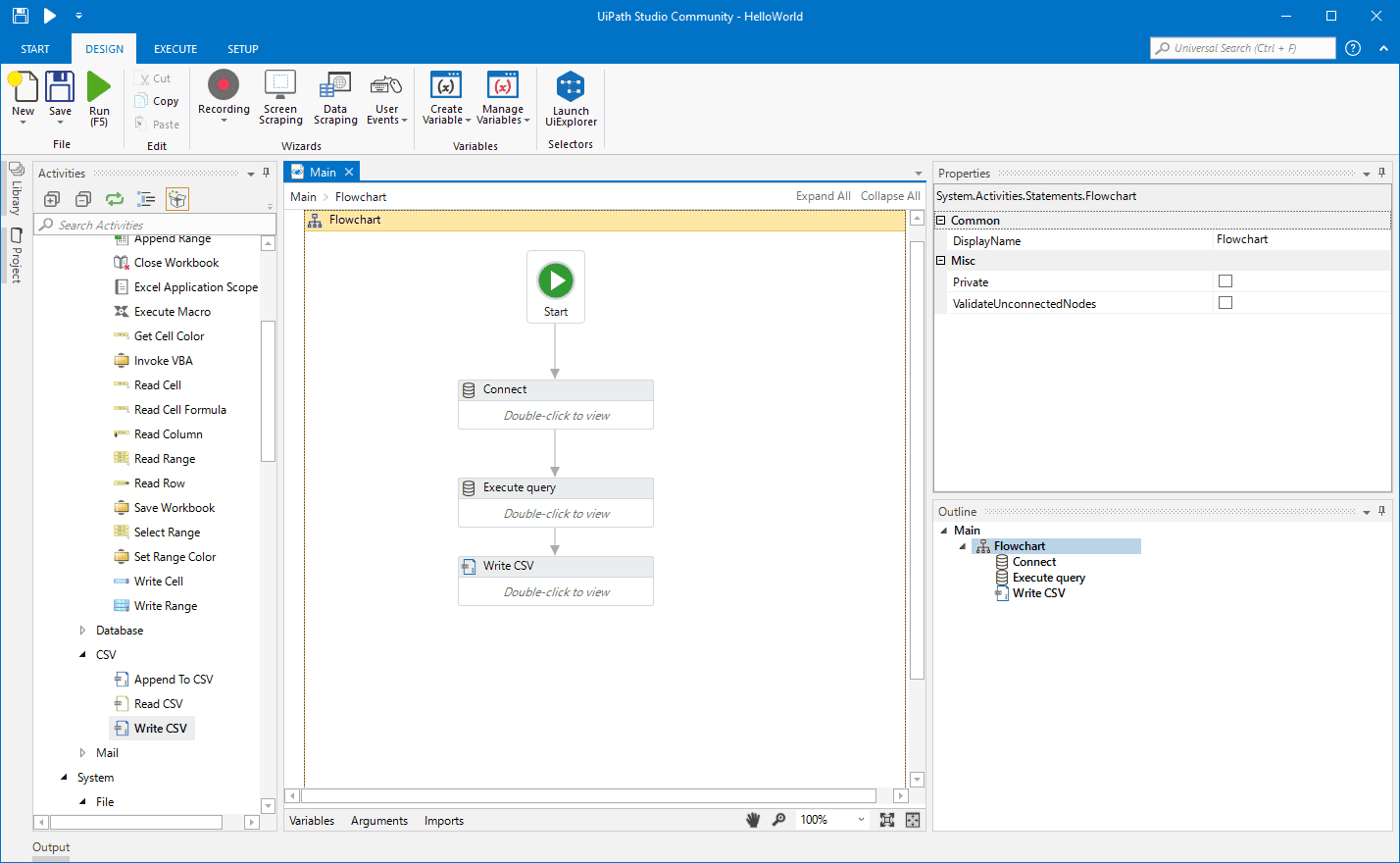
UiPath's core architecture; bots that interact with systems by navigating screens, clicking elements, and reading field values - creates a structural fragility that becomes more expensive to manage over time.
Here are key areas where UiPath usually falls short:
The maintenance cost spirals: Industry research shows that RPA maintenance consumes 30-50% of the initial implementation budget every year. A button that moves. A field that gets renamed. A browser update that shifts the DOM. Each of these routine changes breaks bots. For large enterprises running hundreds of UiPath bots, this creates an annual maintenance spend that often exceeds the value the bots deliver.
Developer dependency: UiPath Studio requires specialized developers who understand selectors, activities, and the proprietary workflow designer. When the lead UiPath developer leaves, they take institutional knowledge embedded in complex workflows that business users can't read or modify. This bottleneck directly contradicts RPA's original promise.
Cannot handle unstructured inputs: The highest-value operational work in most enterprises: complaints, claims, billing disputes, free-text emails, scanned documents, exception handling - involves inputs that are inherently unstructured. UiPath bots require clean, structured inputs. When inputs don't match expectations, bots fail. Often silently.
No AI reasoning layer: UiPath's bots execute predefined rules. They don't interpret, classify, or make judgment calls on ambiguous inputs. This limits automation to the predictable minority of cases and leaves the most complex, highest-cost work untouched.
High total cost of ownership: Licensing, professional services, training, ongoing developer time, and maintenance overhead add up to a total cost that frequently surprises enterprises who budgeted based on license fees alone.
Best UiPath Alternatives: In-Depth Review & Comparison
1. Noxus
Overview
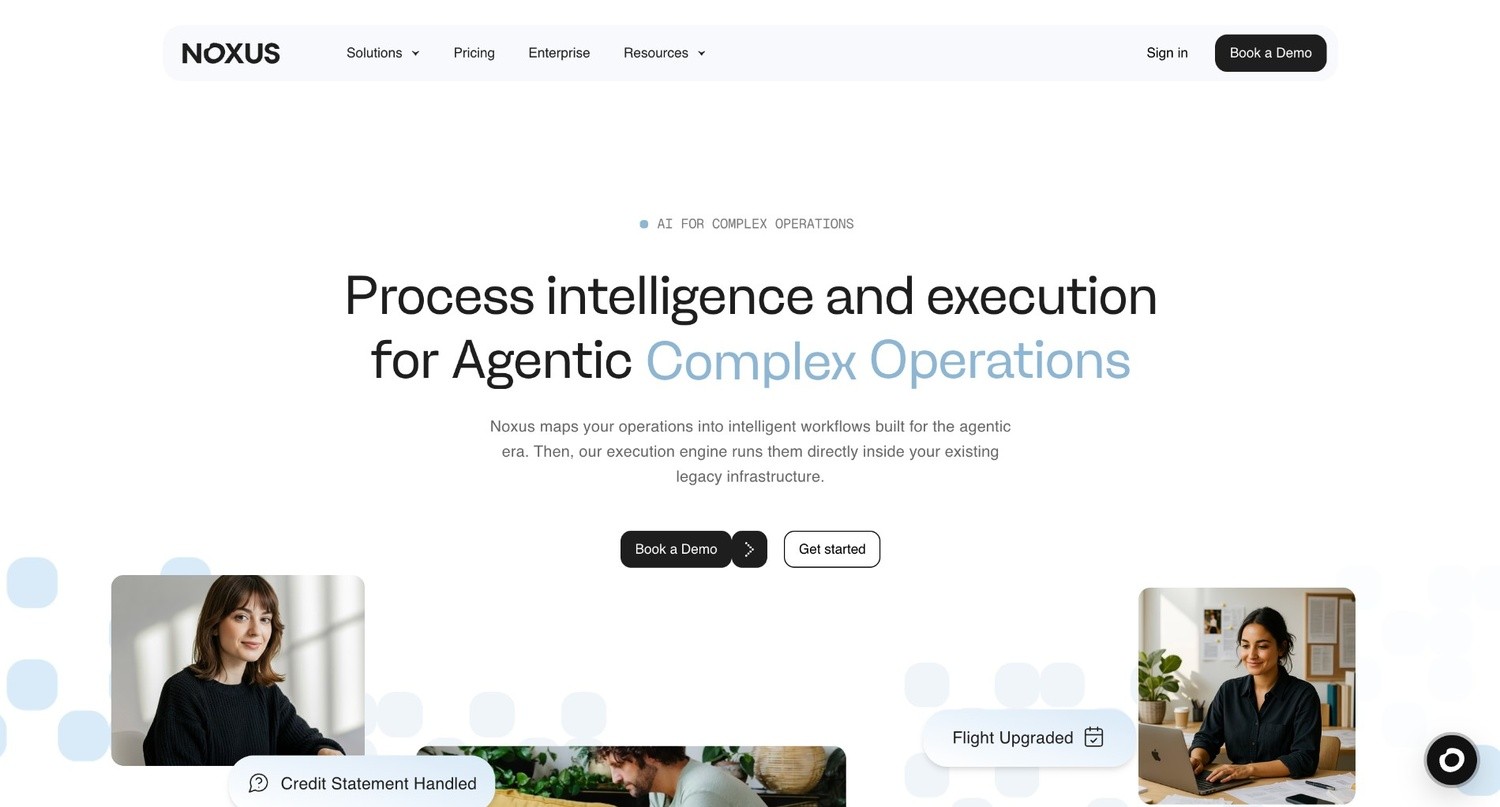
Noxus is the process intelligence layer: execution infrastructure that runs complex, multi-system work end to end inside legacy enterprise environments.
Founded in 2023 and backed by Antler, Seaya, and Bynd Venture Capital, we focus on the failure point RPA left behind: structured tasks on stable UIs are manageable, but unstructured inputs, judgment-heavy decisions, and layered legacy systems are where most automation breaks down.
UiPath bots replay screen interactions, so when screens change, maintenance becomes a constant burden. Noxus takes a different approach: it understands what a case means, applies business rules, navigates legacy systems the way operations teams already do, and writes outcomes back to source systems with full governance and audit trails.
That is why we are a natural next step for enterprise teams that invested in UiPath, hit the maintenance ceiling, and now need automation that resolves real work, not just clicks through forms.
Ideal For
Enterprise operations teams that have hit UiPath's maintenance ceiling and need automation that handles unstructured inputs, not just structured forms
Financial services and insurance operations handling high-volume, judgment-based case resolution: complaints, claims, billing disputes, account changes
Healthcare organizations processing unstructured patient and administrative communications under GDPR Article 9 requirements
Retail and FMCG operations teams managing product catalog classification, enrichment, and PIM write-back at thousands of listings per day
Digital transformation and AI leaders whose RPA programs have stalled in maintenance cycles and need a partner with proven production credentials to build the internal case for moving beyond RPA.
Top Features
End-to-end execution runtime: Unlike RPA bots that replay recorded screen interactions, the execution runtime understands unstructured inputs, applies business rules, performs multi-step lookups across systems, and writes outcomes back to source systems under audit. No selectors. No maintenance spirals when UIs change.
Legacy system integration without APIs or screen-scraping: Noxus connects to SAP ECC, Guidewire, ServiceNow, Oracle, COBOL-era cores, and proprietary platforms by navigating interfaces the way your operations teams do; but without the fragility of recorded screen coordinates. When system UIs update, the AI adapts without requiring bot maintenance.
Full audit trail and governance: Every agent decision, action, and output is logged, traceable, and replayable. Business rules, not AI models, determine regulated outcomes. Certified: SOC 2 Type II, ISO 27001, GDPR Article 28, HIPAA.
Flexible deployment with data sovereignty: Fully managed SaaS, self-managed VPC, or on-premises/air-gapped deployment. BYOK model routing across Azure AI Foundry, AWS Bedrock, and Google Vertex AI.
Deployment engineering included: First engagement includes deployment engineering alongside the platform license. First workflows go live in approximately 45 days on the client's actual systems with live data.
Why Noxus is the Best UiPath Alternative?
UiPath automates what can be scripted. Noxus automates what couldn't be.
The Santander deployment resolved complaints, billing disputes, and account changes across core banking, SAP, CRM, and email: 95% AI precision, 3x ROI, 45 days from contract to production, structured for rollout across 15 regions.
All of this on legacy systems that UiPath bots would have required significant API work to connect.
For teams leaving UiPath because of maintenance overhead, developer dependency, or the inability to automate genuinely complex operational processes: no selectors to maintain, no specialist developers required, no hard stop at unstructured inputs.
Pros
Handles unstructured inputs (emails, scanned documents, free-text cases) that RPA bots cannot process
No brittle selectors or screen-scraping - no maintenance spiral when application UIs update
End-to-end execution with system write-back, not just data extraction or form filling
Full compliance architecture - SOC 2 Type II, ISO 27001, GDPR Article 28, HIPAA - structural, not contractual
Deployment engineering included in first engagement; 45-day production deployment on real systems
Cons
Not an RPA replacement for simple, structured, rule-based task automation where UiPath bots already run reliably; lighter tools on this list serve those use cases faster and at lower cost
Purpose-built for enterprise operations teams running legacy-heavy environments; not the right entry point for organizations without a defined high-volume operations use case to automate.
Pricing
We use a monthly platform license with consumption-based pricing; so you pay only for the completed operations - not seats or tokens.
Our pricing scales with operational volume and deployment complexity, and the economics improve as you add more workflows on the same infrastructure because the integration layer is already in place.
Contact the team for pricing aligned to your use case and scale.
Final Verdict
We’re the right choice for enterprise teams that have exhausted what RPA can do and need automation that handles the complex, unstructured, judgment-based work that UiPath was never built for.
For the operations teams that hit RPA's ceiling and are looking for what comes next, we help aid the transition.
2. Microsoft Power Automate
Overview
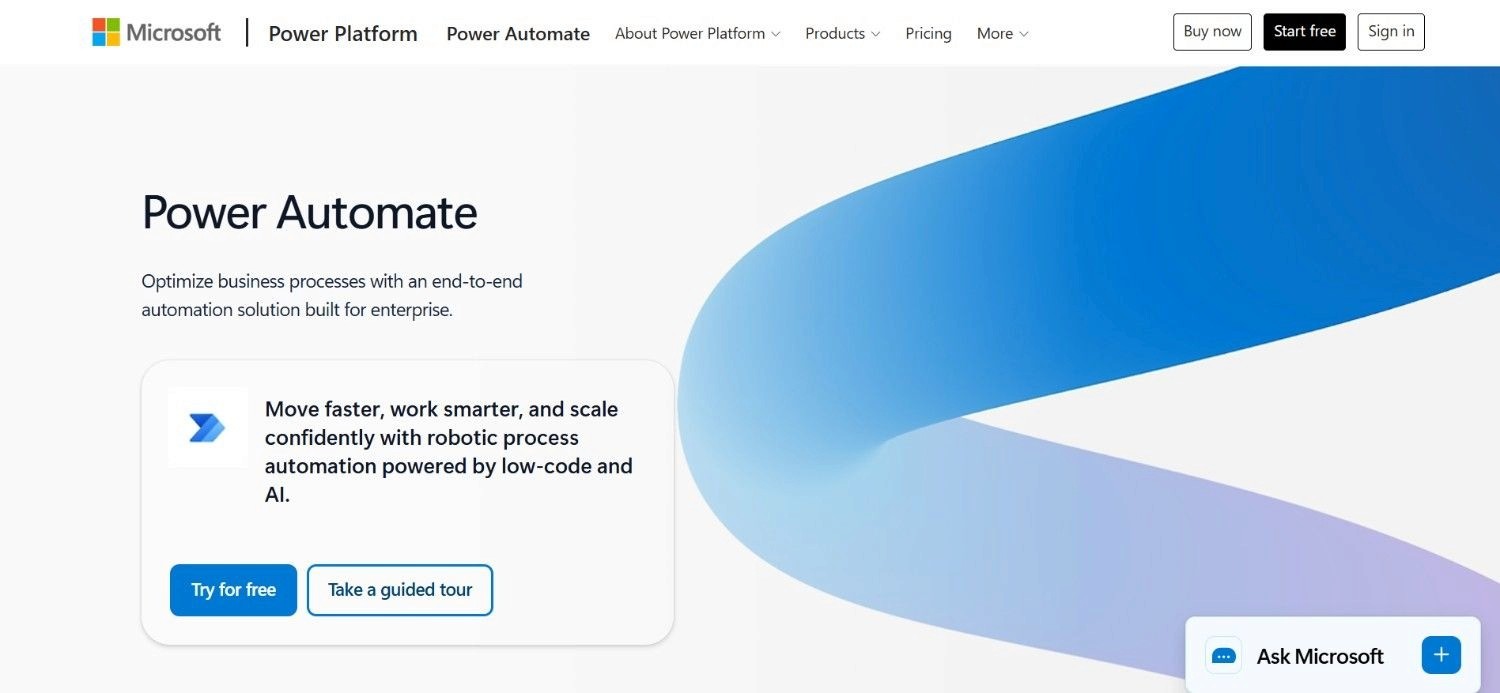
Microsoft Power Automate is the automation layer within Microsoft's Power Platform, and for organizations already running on Microsoft 365, it's the most accessible starting point for both cloud-based workflow automation and desktop RPA.
It covers two distinct automation types: cloud flows (connecting Microsoft and third-party services via APIs) and desktop flows (UI-based automation on Windows applications, the direct RPA equivalent).
For enterprises deep in the Microsoft ecosystem, Power Automate has a meaningful advantage: it's already in the M365 license, it integrates natively with Teams, SharePoint, Outlook, Dynamics, and Azure - and includes AI Builder for adding machine learning capabilities to flows without custom development.
Ideal For
Organizations deeply invested in Microsoft 365 and Azure that want automation tightly integrated with their existing Microsoft stack
IT and operations teams building workflow automation across Teams, SharePoint, Outlook, and Dynamics without a separate automation vendor
Business users who need to automate Windows desktop applications without hiring specialist RPA developers
Mid-market organizations looking for an affordable entry into RPA through their existing M365 subscription
Top Features
Cloud flows with 1,000+ connectors: Automate workflows across Microsoft and third-party services using API-based triggers and actions, covering a wide range of SaaS integrations without custom code.
Desktop flows (RPA): Record and replay user interface interactions on Windows applications, the direct functional equivalent of UiPath's attended and unattended bot execution.
AI Builder integration: Add AI capabilities - document processing, object detection, prediction models - to flows without building custom AI infrastructure.
Deep M365 integration: Native connection to Teams, SharePoint, Outlook, Dynamics 365, and Azure AD means automations can respond to M365 events and write back to M365 services without additional integration work.
Why It's a Strong UiPath Alternative?
Power Automate is one of the strongest UiPath alternatives for organizations whose automation needs center on the Microsoft ecosystem.
While UiPath requires a separate vendor contract and specialist development resources, Power Automate is bundled with M365 licensing and designed for a broader range of users.
For cloud workflow automation and moderate desktop RPA, it covers most of what mid-market and enterprise teams need at substantially lower cost.
Pros
Bundled with M365; no separate vendor relationship required for many use cases
Accessible to non-developers; lower learning curve than UiPath Studio
Wide connector library for both Microsoft and non-Microsoft services
Hosted Process option removes infrastructure management burden
Cons
Desktop flows (RPA component) still suffer from the same UI-change brittleness as UiPath, though Microsoft is progressively improving resilience
Limited depth on legacy systems that have no APIs - SAP ECC, COBOL-era cores, and proprietary platforms remain difficult without custom connectors
AI Builder capabilities are more limited than dedicated AI automation platforms for complex document processing or judgment-based operations
Pricing
Power Automate includes a free trial. The ‘Premium’ plan costs $15 per user per month. The Process plan is $150 per bot per month.
The ‘Hosted’ process option is $215 per bot per month. These plans support everything from individual workflows to unattended enterprise automation with Microsoft-managed hosting.
Final Verdict
Power Automate is recommended for organizations running on Microsoft 365 that need accessible, affordable workflow and desktop automation deeply integrated with their existing stack.
Their platform is one of the more practical UiPath competitors for mid-market teams that don't need the full complexity of UiPath's enterprise offering.
Its limitations at legacy system depth and complex unstructured input handling mean it's not a fit for the most demanding enterprise operations use cases.
3. Automation Anywhere

Overview
Automation Anywhere stands out as a top-tier RPA vendor, especially with its modern, cloud-native Automation 360 platform. This architecture provides a significant edge over older on-premise designs by integrating advanced AI features like document processing and agentic workflows.
Because of this power, the platform is a go-to for large enterprises in demanding sectors like financial services, healthcare, and manufacturing. These organizations rely on its specialized tools to bridge the gap between traditional automation and intelligent operations.
For example, while IQ Bot handles complex semi-structured documents, the AARI interface enables seamless, real-time collaboration between human workers and bots to keep processes moving efficiently.
Ideal For
Large enterprises already running on Automation Anywhere looking to extend their existing deployment rather than replatform
Financial services and healthcare organizations with high-volume structured processes and moderate document processing needs
Organizations that evaluated UiPath and want a cloud-native RPA alternative with more modern deployment architecture
Teams needing attended automation where bots assist human workers in real-time workflows
Top Features
Cloud-native architecture: Automation 360's SaaS-first design reduces the infrastructure overhead of UiPath's on-premise-first model, making deployment and updates more accessible for enterprises without dedicated RPA infrastructure teams.
IQ Bot for document processing: Semi-structured document automation that goes beyond standard RPA - useful for invoices, purchase orders, and similar documents that have consistent formats but variable layouts.
AARI (Automation Anywhere Robotic Interface): Attended automation interface that lets bots assist human workers directly within their desktop environment, supporting hybrid human-bot workflows.
AI-augmented workflows: Integration of AI capabilities for classification, extraction, and decision support alongside traditional RPA bot execution.
Why It's a Strong UiPath Alternative?
Automation Anywhere is one of the strongest UiPath alternatives for large enterprises that want an established, enterprise-grade RPA platform with a more modern cloud architecture.
Unlike UiPath’s historically more infrastructure-heavy deployment model - Automation Anywhere’s cloud-native Automation 360 software reduces operational overhead.
For organizations that want to stay with RPA but are frustrated by UiPath’s infrastructure or licensing model, it is a credible lateral move.
Pros
Cloud-native Automation 360 architecture reduces infrastructure overhead, compared to UiPath
IQ Bot adds document intelligence beyond standard RPA capabilities
Large enterprise track record and established support ecosystem
AARI enables attended automation for human-in-the-loop workflows
Cons
Custom, usage-based pricing creates similar total cost of ownership uncertainty as UiPath
Suffers from the same fundamental RPA brittleness - bots still break when application UIs change
Developer dependency for complex automation buildout is structurally similar to UiPath
Limited for genuinely unstructured inputs or judgment-based multi-system orchestration
Pricing
Automation Anywhere uses custom, usage-based pricing with a free trial. Contact the sales team for a custom quote based on requirements and use cases.
Final Verdict
Automation Anywhere is recommended for large enterprises that are committed to RPA as a foundation and want a cloud-native platform with stronger document processing than standard UiPath. It's a lateral move within the RPA category rather than an architectural shift.
Teams looking to break out of RPA's structural limitations: brittle bots, developer dependency, unstructured input gaps, need a different category of tool.
4. Zapier
Overview
Zapier is one of the most widely used automation platforms, with over 7,000 app integrations and a trigger-action model that makes basic workflow automation accessible to virtually any business user. It's not an RPA tool - since Zapier doesn't automate desktop UIs or interact with legacy systems by navigating screens.
Its value is in connecting modern SaaS applications through API-based workflows.
For teams evaluating UiPath alternatives because their automation needs are primarily around SaaS app integration rather than desktop or legacy system automation, Zapier is one of the fastest and most accessible paths to value.
If UiPath was the wrong category of tool for the job, Zapier often is the right one for the simpler end of enterprise automation.
Ideal For
Non-technical business users who need to automate repetitive tasks between SaaS applications without writing code
Small to mid-market teams running on common SaaS stacks who need quick integrations
Operations and admin teams handling data entry, notifications, approvals, and cross-app record syncing
Teams that outgrew manual SaaS workflows but don't need legacy system RPA
Top Features
7,000+ app integrations: The widest integration library in the SaaS automation space, covering virtually every business application a team is likely to use.
Simple trigger-action model: Non-technical users can build and modify automations in minutes without training.
AI steps: Native AI capabilities for text generation, classification, and summarization within automation workflows.
Instant publishing: Automations go live immediately without testing or deployment steps.
Why It's a Strong UiPath Alternative?
Zapier is one of the strongest UiPath alternatives for teams whose automation needs are primarily about connecting modern SaaS tools rather than automating desktop or legacy systems.
It's the right alternative for teams that adopted UiPath to connect applications that now have APIs and don't need screen-scraping anymore - since Zapier handles this faster, cheaper and without any added developer overhead.
Pros
Widest SaaS integration library available - 7,000+ apps
No-code setup accessible to any business user; no developer required
Fast deployment; no maintenance overhead
Free entry tier available
Cons
Not an RPA tool; cannot automate desktop applications or legacy systems by navigating UIs
Limited AI logic depth for complex, multi-step, judgment-based workflows
Task-based pricing becomes expensive at high volume
Pricing
Zapier has a free plan for simple automations with limited monthly tasks. Paid plans begin at $29.99/month. Pricing increases with more tasks and collaboration features.
Enterprise customers get custom quotes.
Final Verdict
Zapier is recommended for teams that need SaaS integration automation, not RPA. If the reason for looking at UiPath alternatives is that your processes run on modern APIs rather than legacy systems or desktop UIs, Zapier is one of the most practical choices.
It's not a fit for legacy system automation, complex multi-system orchestration, or regulated enterprise operations.
5. Blue Prism
Overview
Blue Prism is one of the original enterprise RPA platforms, with a heritage in highly regulated industries: banking, insurance, healthcare, and government.
It built its reputation on strong governance, security controls, and enterprise-grade process automation for organizations where auditability and compliance are non-negotiable.
Blue Prism’s agents (or ‘digital workers’ as they call it) automate structured, repeatable processes on desktop and web applications using the same screen-interaction model as UiPath.
The platform’s differentiation has historically been in governance depth and regulated industry credibility rather than ease of use or developer accessibility.
Ideal For
Highly regulated industries (banking, insurance, healthcare, government) that need enterprise RPA with strong governance and audit capabilities
Organizations that evaluated UiPath and want an alternative with stronger compliance controls and a regulated industry track record
Large enterprises with established RPA programs looking for a platform with deep institutional knowledge in financial services automation
Teams running complex, structured back-office processes that require enterprise-grade security and access controls
Top Features
Enterprise governance and audit controls: Blue Prism's architecture was designed from the ground up for regulated industries, with role-based access, detailed process logging, and compliance reporting built into the platform.
Digital workforce management: Central management of bot fleets with scheduling, monitoring, and work queue management for high-volume enterprise deployments.
Process assessment tools: Built-in tooling for identifying automation candidates and assessing their complexity and ROI potential before implementation.
SS&C integration depth: Following the SS&C acquisition, deeper integration with financial services platforms and data management infrastructure.
Why It's a Strong UiPath Alternative?
Blue Prism is one of the stronger UiPath competitors for highly regulated enterprises that need governance-first RPA in financial services or healthcare.
While UiPath has the larger market share, Blue Prism's regulated industry depth and audit controls make it a credible consideration for organizations where compliance is the primary procurement driver.
Pros
Strong governance, audit, and compliance controls for regulated industries
Deep financial services track record
Enterprise-grade security with role-based access and detailed process logging
SS&C backing adds financial services platform integration depth
Cons
Suffers from the same structural brittleness as UiPath - bots still break when UIs change
Developer-heavy; not accessible to business users without RPA specialist support
Custom, sales-led pricing creates total cost of ownership uncertainty
Limited for unstructured input handling or AI-reasoning-based operations
Pricing
Blue Prism's pricing is sales-led and custom. Plans and license costs are tailored to business size, product mix, and support needs.
A Learning Edition and support tiers for production or business-critical use are available. Contact the sales team for a quote.
Final Verdict
Blue Prism is recommended for highly regulated enterprises in financial services, healthcare, or government that need governance-first RPA with a strong compliance track record.
It's a lateral move within the RPA category relative to UiPath: better governance, similar structural limitations. Teams needing to break out of RPA's fundamental constraints need a different architecture.
6. Workato
Overview
Workato is an enterprise integration and automation platform (iPaaS) that combines API-based workflow automation with light RPA-like capabilities for UI automation.
It effectively sits at the intersection of integration and automation, allowing operations teams to build complex, multi-step workflows that span SaaS applications, databases, and even legacy systems. When APIs are unavailable, it uses screen-based automation to bridge the gap.
Using its "recipe" model, Workato provides a visual workflow builder that is accessible to non-developer business users, but unlike simpler tools, its enterprise tier supports the governance, collaboration, and complex business logic that organizations require.
Ideal For
Enterprise operations and IT teams that need to automate complex workflows spanning multiple SaaS and on-premise systems
Organizations looking for an iPaaS-first approach to automation that includes lightweight UI automation for systems without APIs
Mid-market to enterprise teams that need more integration complexity than Zapier provides but want a more accessible building experience than UiPath
Teams building automations that combine API integrations and desktop UI automation in the same workflow
Top Features
Recipe-based visual automation: Non-developer-friendly workflow builder that handles complex conditional logic, data transformations, and multi-step orchestration across 1,200+ pre-built connectors.
Enterprise governance and RBAC: Team collaboration, role-based access control, and workflow lifecycle management for production deployments in regulated environments.
UI automation capabilities: RPA-like screen automation for systems without APIs, combining with API-based integrations in the same workflow.
Business process automation: Higher-order orchestration logic that can manage approval flows, exception handling, and human-in-the-loop steps alongside automated execution.
Why It's a Strong UiPath Alternative?
Workato is one of the stronger UiPath alternatives for enterprise teams that need an integration-first approach to automation; where the primary challenge is connecting complex multi-system workflows rather than pure desktop UI automation.
While UiPath is focused on bot-based screen interaction, Workato leads with API-native integration and adds UI automation for the gaps.
Pros
Integration-first approach covers a wider range of enterprise automation needs than pure RPA
Recipe-based builder accessible to non-developer operations teams
Enterprise governance and RBAC for regulated deployment
1,200+ pre-built connectors covers most enterprise SaaS and ERP systems
Cons
Starts at approximately $10,000/year - expensive for mid-market teams
UI automation component doesn't match UiPath's depth for complex desktop automation scenarios
Total cost scales quickly with usage; custom pricing can become difficult to model
Limited for genuinely unstructured input handling or judgment-based AI operations
Pricing
Workato has custom, usage-based pricing. Standard plans start at around $10,000/year. Business and Enterprise plans can go significantly higher based on usage.
Workato One is priced above Enterprise.
Final Verdict
Workato is recommended for enterprise operations and IT teams that need an integration-led approach to workflow automation across complex multi-system environments.
It's a credible UiPath alternative for organizations whose automation needs are as much about system integration as desktop UI interaction.
Not a fit for teams that need deep legacy system RPA or AI-augmented unstructured input handling.
7. Redbird
Overview
Redbird is an analytics and reporting automation platform that targets business intelligence and analytics teams who spend too much time on manual data extraction, report building, and data transformation. It focuses on a specific slice of the automation landscape: the repetitive operational work that analytics and reporting functions perform daily - pulling data from source systems, transforming it, and publishing it to dashboards or stakeholders.
It's not a general-purpose RPA platform. Redbird's narrow focus makes it highly effective for its specific use case and difficult to compare directly with UiPath's broader automation scope.
Ideal For
Analytics and business intelligence teams that spend significant time on manual data extraction, transformation, and report generation
Finance and operations teams automating regular reporting workflows across spreadsheets, databases, and BI tools
Organizations looking to automate the "last mile" of analytics - data aggregation, cleansing, and publishing; without building custom ETL infrastructure
Mid-market teams that need affordable reporting automation without enterprise RPA overhead
Top Features
No-code reporting automation: Build automated data workflows that extract, transform, and publish reports without writing code - accessible to analytics and finance team members without technical backgrounds.
Data source connectors: Connect to databases, spreadsheets, ERP systems, and BI tools to pull data into automated reporting pipelines.
Scheduled automation: Run data extraction and report publishing workflows on defined schedules, eliminating manual triggering of recurring processes.
Business user accessibility: Designed for analytics and operations professionals, not developers, reducing the IT dependency that general-purpose RPA creates.
Why It's a Strong UiPath Alternative?
Redbird is one of the stronger UiPath alternatives for the specific use case of analytics and reporting automation.
While UiPath requires developer resources and general-purpose bot building for what are often straightforward data extraction and reporting workflows, Redbird's narrow focus means analytics teams get to production faster without RPA overhead.
It's a smart choice for the data automation subset of what UiPath customers use the platform for.
Pros
Purpose-built for analytics and reporting automation - faster to value for that specific use case
No-code design accessible to business users without developer support
Avoids the general-purpose RPA complexity overhead for reporting-specific workflows
Addresses reporting bottlenecks that analytics teams commonly face
Cons
Narrow use case focus; not suitable for complex, multi-system operational automation beyond data and reporting
Not a general UiPath replacement for organizations with diverse automation needs across multiple functional areas
Enterprise pricing available on request; not transparent for budget comparison
Pricing
Redbird uses a subscription model with pricing that varies by plan and use case. Enterprise pricing is available on request. Contact the sales team for a custom quote.
Final Verdict
Redbird is recommended for analytics, reporting, and BI teams that need focused automation for data extraction, transformation, and report publishing.
It's a practical and accessible tool for that specific use case - but it's not a full UiPath alternative for organizations with broader automation requirements across operations, customer service, or back-office functions.
8. Zoho RPA
Overview
Zoho RPA is part of the Zoho ecosystem, the same suite that includes Zoho CRM, Zoho Books, Zoho Desk, and dozens of other business applications.
It provides web and desktop automation capabilities at a pricing point that makes RPA accessible to SMBs and mid-market organizations that can't justify UiPath's enterprise costs.
For organizations already running on Zoho applications, Zoho RPA integrates natively with the rest of the Zoho stack. Outside the Zoho ecosystem, it competes on price against UiPath and Automation Anywhere for straightforward desktop and web automation.
Ideal For
SMBs and mid-market organizations that need affordable RPA without enterprise licensing costs
Organizations already running on Zoho CRM, Zoho Books, or other Zoho applications who want native automation integration
Teams with straightforward web and desktop automation needs that don't require the complexity of UiPath Studio
Organizations testing RPA for the first time who need a lower-cost entry point
Top Features
Web and desktop automation: Automate repetitive tasks across web browsers and desktop applications using a bot recorder similar to UiPath's approach.
Zoho ecosystem integration: Native connectors to the Zoho application suite, making automation of Zoho-based workflows straightforward.
Scheduled and attended bots: Support for both scheduled unattended automation and attended bots that assist users in real time.
Affordable pricing tiers: Pricing designed for SMBs and mid-market organizations, making RPA accessible without enterprise contract structures.
Why It's a Strong UiPath Alternative?
Zoho RPA is one of the stronger UiPath alternatives for SMBs and organizations within the Zoho ecosystem.
While UiPath's enterprise pricing and complexity are often overkill for smaller automation programs, Zoho RPA provides comparable basic desktop and web automation at a fraction of the cost.
For Zoho users in particular, the native integration depth is a meaningful practical advantage.
Pros
Affordable pricing accessible to SMBs without enterprise RPA budgets
Native integration with Zoho ecosystem applications
Straightforward setup for basic desktop and web automation without specialist developers
Part of the broader Zoho suite; minimal additional vendor management
Cons
Limited for complex, multi-system enterprise operations outside the Zoho ecosystem
Suffers from similar UI-change brittleness as UiPath at a smaller scale
Limited AI augmentation capabilities compared to enterprise platforms
Not suited for unstructured input handling or governance-intensive regulated operations
Pricing
Zoho RPA's Standard plan typically costs around $30-35/month. Higher plans reach approximately $220-250/month for 15,000 RPA flow executions per month.
Final Verdict
Zoho RPA is recommended for SMBs and Zoho ecosystem users that need affordable, straightforward web and desktop automation without enterprise RPA complexity.
It's not a fit for complex legacy enterprise operations, organizations outside the Zoho ecosystem with demanding integration needs, or teams requiring AI-augmented automation for unstructured inputs.
9. Make
Overview
Make (formerly Integromat) is a visual workflow automation platform that sits between Zapier's simplicity and developer tooling in terms of complexity.
Its credit-based execution model and visual scenario builder make it accessible to non-technical users while supporting more complex multi-step logic, conditional branching, error handling, and data transformation than Zapier's linear trigger-action format allows.
Like Zapier, Make is not an RPA tool; it connects systems through APIs rather than automating desktop UI interactions.
Teams evaluating UiPath alternatives because their processes run on API-accessible systems (or should) will find Make a strong middle-ground option.
Ideal For
Operations and business teams that need more automation logic depth than Zapier provides but don't want developer-level tooling
Mid-market organizations building moderate-complexity workflows across SaaS applications and APIs
Teams that have outgrown Zapier's linear automation model but don't need enterprise RPA or desktop automation
Agencies and operations professionals building multi-step automations across many tools at an affordable price point
Top Features
Visual canvas-based scenario builder: Represents workflows as connected modules with routing, branching, and error handling - more expressive than linear trigger-action tools.
Credit-based execution model: Priced per execution credit rather than per task, making cost more predictable for variable-volume workflows.
Data transformation functions: Built-in functions for mapping, filtering, and aggregating structured data between systems.
1,500+ integration connectors: Covers most major SaaS applications with API customization for less common connections.
Why It's a Strong UiPath Alternative?
Make is one of the stronger UiPath alternatives for teams whose automation needs center on connecting modern SaaS systems through APIs rather than automating desktop UIs.
For organizations that used UiPath to automate workflows that could now be handled through API integrations, Make covers that scope at significantly lower cost and with greater accessibility to non-developer users.
Pros
More expressive automation logic than Zapier at a lower cost than developer tools
Credit-based pricing gives better cost visibility for variable workloads
Accessible to non-technical users with moderate complexity tolerance
1,500+ integrations for most common business applications
Cons
Not an RPA tool - cannot automate desktop applications or legacy systems without APIs
Logic complexity hits limits in genuinely multi-system enterprise workflows requiring governance
Not suited for compliance-grade enterprise operations or unstructured input handling
Pricing
Make uses a credit-based pricing model. The free plan includes 1,000 credits/month. The Make Plan starts at $9/month.
Higher tiers add more credits and collaboration or security features.
Final Verdict
Make is recommended for business and operations teams that need SaaS workflow automation with more logic depth than Zapier, at an affordable price.
Not a fit for RPA use cases, legacy system automation, or enterprise operations requiring governance and audit trails.
10. Activepieces
Overview
Activepieces is an open-source workflow automation platform designed for technical teams and developers who want maximum control over their automation infrastructure.
Its Community edition is self-hosted, free, and open-source; making Activepieces one of the most cost-effective entry points for teams with developer resources and a preference for owning their automation stack.
Like Make and Zapier, Activepieces connects systems through API-based integrations rather than screen-scraping. Its open-source architecture means teams can inspect, modify, and extend the platform without vendor constraints; a meaningful advantage for organizations with specific security, data residency, or customization requirements.
Ideal For
Developer and technical teams that want self-hosted, open-source automation with full infrastructure control
Organizations with data sovereignty requirements that can't use cloud-hosted automation platforms
Teams building custom automation integrations that require code-level access to workflow logic
Organizations looking for a cost-effective open-source alternative to Zapier or Make with self-hosting flexibility
Top Features
Self-hosted Community edition: Free, open-source, with unlimited tasks - gives teams full control over infrastructure without licensing costs.
200+ pre-built connectors: Coverage of common SaaS tools and business applications for quick integration setup.
No-code builder: Visual workflow builder accessible to non-developers, alongside code blocks for technical customization.
Cloud plans for teams without self-hosting capability: Pro and Business cloud tiers for teams that want Activepieces' capabilities without managing their own infrastructure.
Why It's a Strong UiPath Alternative?
Activepieces is one of the stronger UiPath alternatives for technical teams looking for a free, self-hosted best workflow automation software option with API-first automation and full infrastructure control.
For organizations that used UiPath for connecting systems that now have APIs, Activepieces provides a cost-free path to the same integration outcomes without RPA overhead.
Pros
Free self-hosted Community edition with unlimited tasks
Open-source; full code transparency and extensibility
No licensing costs for self-hosted deployments
Good coverage of SaaS connectors for common business tools
Cons
Requires technical setup and infrastructure management for self-hosted deployments
Not an RPA tool - cannot automate desktop applications or legacy systems by navigating UIs
Smaller ecosystem and community than established platforms like Zapier or Make
Not suited for regulated enterprise operations requiring compliance-grade governance
Pricing
Activepieces offers a free self-hosted Community edition with unlimited tasks. Cloud pricing starts free, then moves to Pro and Business tiers that add more active flows, team features, and enterprise controls.
You’ll need to contact their team for a custom pricing plan.
Final Verdict
Activepieces is recommended for developer and technical teams that want open-source, self-hosted automation with maximum infrastructure control at no software cost.
It's not a fit for non-technical teams, organizations needing legacy system RPA, or enterprises with governance and compliance requirements that demand certified security architecture.
Why Noxus Works Across Multiple Use Cases?
Noxus for Financial Services Operations
RPA programs in financial services typically automated the structured, predictable portion of operations: data entry, account lookups, form processing.
The high-cost, high-volume work that remained untouched was exception handling: complaints, billing disputes, claims requiring judgment, multi-system case resolution where unstructured emails and documents were the input.
Noxus handles exactly that, with the Santander deployment resolving complaints, billing disputes, refunds, and account changes across core banking, SAP, CRM, and email: 95% AI precision, 3x ROI, 45 days from contract to production.
That is not a replacement for the RPA use cases that already work. It is automation of the operations work that RPA never could reach.
For operations leaders evaluating the category, the best workflow automation software for enterprise environments is the one that resolves the cases RPA left behind, not the one that replicates what RPA already does.
Noxus for Healthcare Communication Triage
Healthcare organizations that deployed RPA for administrative task automation typically hit a wall when it came to patient communication: documents, referral requests, appointment correspondence, and billing inquiries arrive as unstructured text across multiple channels.
Noxus processed 10,000+ patient and administrative communications per month at CUF/José de Mello with 96% precision and full GDPR Article 9 compliance from day one.
Business rules execute the process, while AI handles the unstructured input.
For healthcare operations teams whose RPA programs stalled at communication triage, this is what workflow automation at that level actually looks like.
Noxus for Retail Catalogue Operations
Noxus automated the full product data pipeline at Jerónimo Martins: classification, description enrichment, category assignment, pricing recommendations, and direct write-back into PIM systems and marketplace APIs. 15,000+ daily listings. 90% precision. 5x ROI. 80 days to production.
For retail operations teams managing catalog operations manually, this is the scale AI execution reaches when the automation layer can classify and enrich, not just extract and fill.
Noxus for Financial Back-Office and Reconciliation
Vendor invoice matching, compliance validation, and document extraction across SAP, Oracle, and SharePoint remain among the most challenging automation targets in enterprise back-office operations.
RPA bots can extract structured fields from clean documents; they break on variable formats, poor scan quality, and exception cases that require lookup and judgment.
Noxus handles multi-system document extraction: applying matching logic, validating compliance, and writing the results back to ERP records with full audit trail.
All of this across the same legacy systems that UiPath bots would require significant custom connector development to reach.
Noxus for IT Service Management
IT service management teams using ServiceNow, Jira, and Outlook spend a disproportionate share of their time on classification and routing rather than resolution.
Ticket triage, reading the request, determining priority, assigning to the right queue, gathering initial diagnostic information, is high-volume, repetitive work that AI should handle.
Noxus auto-triages and routes service tickets across platforms, compressing the classification and handoff steps that dominate ticket lifecycle.
The result is faster resolution, more consistent categorization, and operations staff focused on resolution rather than intake processing.
What Makes a Good UiPath Alternative?
No Maintenance Spiral on UI Changes
UiPath's core limitation is that bots break when application UIs update. A genuine alternative should execute automation that doesn't create a maintenance treadmill. Whether that's through API-first integration (Workato, Zapier, Make), or AI-driven interface navigation that adapts without reprogramming (Noxus), the alternative should remove ongoing maintenance overhead as a defining feature.
All in all, for operations teams building the case for a switch - the best workflow automation software (which can serve as an ideal alternative to UiPath) is the one that resolves work end-to-end without creating a parallel maintenance program.
Accessible to Operations Teams, Not Just Developers
UiPath Studio requires specialist RPA developers. A credible alternative should let business users and operations professionals build, modify, and manage automations without creating a developer bottleneck.
This is true across the spectrum; from Zapier's no-code SaaS automation to Noxus's visual workflow design for complex enterprise operations.
Handles Unstructured Inputs
The most valuable operational work involves unstructured inputs: emails, documents, free-text cases, scanned forms.
A genuine UiPath alternative for enterprise operations should extend automation into these use cases, not stop at the boundary where structured data ends.
Compliance Architecture for Regulated Industries
For financial services, healthcare, and insurance, compliance isn't a secondary consideration. SOC 2, HIPAA, GDPR Article 28, ISO 27001, air-gapped deployment, and full audit trails need to be architectural; not contractual.
Evaluate platforms on whether their governance layer is built into the execution architecture or documented in a PDF.
Transparent Total Cost of Ownership
UiPath's full cost: licensing, professional services, developer time, annual maintenance; regularly surprises organizations that budgeted on license fees alone.
A genuine UiPath alternative should offer pricing models that make year-one, two and three costs predictable before the contract is signed.
How to Choose the Right UiPath Alternative for Your Needs?
Here’s a 5-step checklist to help you choose the right UiPath alternatives for your business/use case:
1. Define Why UiPath Didn't Work
The right alternative depends on which UiPath failure mode you are trying to fix. Maintenance overhead and brittle bots?
Look at AI-native operations platforms (Noxus) or API-first automation (Workato, Zapier).
Unstructured inputs? AI-augmented automation is the category to evaluate.
Too expensive? Zoho RPA or Make.com can cover basic needs at a fraction of the cost.
Developer dependency? Power Automate or Workato’s no-code approach may help.
2. Map Your Process Landscape
Are your target processes structured and rules-based on stable UIs? Traditional RPA alternatives (Automation Anywhere, Blue Prism, Zoho RPA) remain relevant. Are they unstructured, exception-heavy, or multi-system? Agentic AI platforms like Noxus address that scope.
Do they run on modern SaaS with APIs? Zapier, Make, or Activepieces cover those cases without RPA overhead.
3. Audit Your Legacy System Reality
If your operations run on SAP ECC, Guidewire, COBOL-era cores, or proprietary platforms without modern APIs, your options narrow significantly. Most UiPath competitors assume API-accessible systems.
Noxus and some traditional RPA platforms can operate in genuinely legacy environments without requiring infrastructure modernization first.
4. Define Compliance Requirements Before Shortlisting
SOC 2, HIPAA, GDPR Article 28, ISO 27001, air-gapped deployment, RBAC, and audit trails are not features to add later.
Define them as requirements before the evaluation process begins and rule out platforms that cannot demonstrate structural compliance during the conversation.
5. Calculate Total Cost of Ownership Honestly
License cost is not the full cost. Implementation, developer time, annual maintenance, ongoing bot management, and system change responses all add to the real cost of automation.
Build a full year-one and year-two cost model before comparing options.
Everything You Need to Know About UiPath Alternatives
← scroll →
| Category | Key Considerations |
|---|---|
| Top 3 Alternatives |
Noxus
Microsoft Power Automate
Automation Anywhere
AI operations execution for unstructured, judgment-based processes · M365-native workflow and desktop automation · Enterprise RPA with cloud-native architecture
|
| Best Overall Option | Noxus — addresses what UiPath never could: unstructured inputs, multi-system orchestration on legacy platforms, and AI-governed execution without maintenance spirals. |
| Why Look for UiPath Alternatives? | RPA maintenance consumes 30–50% of implementation budgets annually; bots break when UIs change; developer dependency creates bottlenecks; unstructured inputs and judgment-based processes remain out of reach. |
| How to Choose? | Define your UiPath failure mode; map your process and system landscape; define compliance requirements before shortlisting; calculate total cost of ownership including maintenance. |
| Price Range | Free (Zapier free tier, Make free tier, Activepieces self-hosted) to usage-based enterprise (Noxus, custom per deployment); Power Automate from $15/user/month; enterprise RPA platforms (Blue Prism, Automation Anywhere) use custom pricing. |
| Ease of Switching | Zapier, Make, and Power Automate take days to weeks for SaaS automation; Noxus, Automation Anywhere, and Blue Prism require structured implementation but deliver production results in 45–90 days; switching legacy RPA programs is typically a 3–6 month project. |
| Must-Have Features | No maintenance spiral on UI changes; handles unstructured inputs; accessible to operations teams without developer dependency; structural compliance architecture for regulated industries; predictable total cost of ownership. |
| Mistakes You Shouldn't Make | Evaluating license price without modelling annual maintenance cost; choosing an API-first tool for genuinely legacy system automation; selecting an enterprise RPA alternative that replicates UiPath's structural brittleness; assuming automation that works in demo will work on your actual legacy systems. |
Ready to Move On from UiPath? Try Noxus
RPA did what it promised - for the processes it could handle. The maintenance treadmill, the developer dependency, the hard stop at unstructured inputs: those aren't UiPath-specific problems. They're structural limitations of the screen-scraping architecture.
Noxus executes the operations work RPA couldn't reach: unstructured inputs, judgment-based cases, multi-system orchestration on legacy platforms that other vendors won't touch.
The first deployment goes live in 45 days on your actual systems, with your actual operational data. Subsequent use cases deploy at 85-90% platform margin because the infrastructure is already running. Zero churn across all clients to date.
Noxus is built for enterprise operations teams in financial services, insurance, healthcare, retail, and logistics who have exhausted what RPA delivers and need automation that handles genuinely complex work.
Request a consultation now to scope how our workflows fit around your actual process - with production results in under 45 days!
FAQs About UiPath Alternatives
What is UiPath used for?
UiPath is a widely used Robotic Process Automation (RPA) platform for large enterprises. It’s designed to automate high-volume, repetitive, rule-based tasks - like those in finance and HR; by recording and replaying user interactions with stable desktop and web applications. However, this popularity comes with a major downside: industry research consistently shows that maintaining these bots consumes a staggering 30-50% of the initial implementation budget annually.
What are the best UiPath alternatives in 2026?
The best UiPath alternatives in 2026 are Noxus (for AI operations execution on unstructured processes and legacy systems), Microsoft Power Automate (for M365-ecosystem automation), Automation Anywhere (for cloud-native enterprise RPA), Blue Prism (for governance-heavy regulated industry RPA), and Workato (for integration-led enterprise workflow automation).
What features should I look for in a UiPath alternative?
For complex, judgment-heavy work and unstructured inputs like free-text emails or documents, Noxus is the best choice because it avoids the maintenance spirals and brittle UI dependencies typical of RPA. A solid alternative should be accessible to operations teams without specialized developer support, provide structural compliance for regulated industries, and offer a predictable total cost of ownership. Ultimately, you want a tool that solves the specific bottlenecks-like maintenance costs or developer dependency - that made your previous RPA program fail.
How to choose the best UiPath alternative for your needs?
When choosing a UiPath alternative, start by figuring out the core reason your current setup failed: was it maintenance costs, developer dependency, or its inability to handle unstructured data? This step clarifies your path: traditional RPA alternatives suit structured tasks, but if you have unstructured, exception-heavy operations, you should look at Noxus. For SaaS-only integrations, you can use Zapier, Make, or Workato. Don't skip two crucial steps: auditing your legacy systems and defining compliance needs early. Finally, always build a complete total cost of ownership model before you compare options.
Is it easy to switch from UiPath to an alternative?
Switching from UiPath depends on your new platform and the complexity of your current program. Simple SaaS tools like Zapier or Make can get new workflows running in a matter of days. A structured migration to Power Automate, however, typically takes several months. Keep in mind that a transition to Noxus is additive; we automate complex operations that RPA couldn't handle, rather than replicating your existing work. Regardless of the alternative, large UiPath program migrations generally take between three and six months.
Can Noxus replace UiPath for existing RPA automations?
Noxus doesn't directly replace your existing, reliable UiPath automations. Instead, we focus on the complex, judgment-based work that RPA couldn't handle; things like complaints, claims, billing disputes, and unstructured communications. Think of us as the next layer of automation: UiPath handles the structured, easy stuff - while Noxus handles the complex, exception-heavy majority that really drives up operational costs. Most large organizations end up running both.
Why do RPA programs fail, and what should enterprises do instead?
RPA programs often fail for three core, architectural reasons: UI updates constantly break bots, leading to high maintenance costs; screen-scraping can't handle unstructured inputs; and specialized developer dependency causes scaling bottlenecks. Since these are structural limitations of RPA, the solution isn't just switching vendors. Instead, if you've faced these failures, consider AI-native operations platforms like Noxus for complex, judgment-based work; API-first integration tools for modern SaaS workflows; and only use traditional RPA for highly stable, structured tasks.