Best Software for Managing Agents in 2026 (Top Platforms Reviewed)
Discover the best software for managing agents in 2026. Compare top tools like Noxus, n8n, and Kore.ai to automate real enterprise operations, end to end.

Key Takeaways (TL;DR)
The Best Overall Software for Managing Agents: We built Noxus to execute enterprise operations end-to-end inside the exact legacy systems an enterprise already has; including: SAP, Guidewire, ServiceNow, and Oracle included, rather than asking teams to modernise first. That is why operations leaders at regulated enterprises choose us over tools built for simpler, modern stacks.
Why Do You Need It?: Most teams can build an agent that drafts a reply or summarises a ticket, but few can get that agent to actually resolve a case end to end, inside a real system of record, under audit. Software for managing agents closes that gap between a working demo and a production deployment.
Who It's For?: Operations leaders, IT and architecture teams, finance leaders, and digital transformation owners at mid-market and enterprise companies running high volume, multi-system processes all need this category of software. It also suits smaller teams and startups building their first agent workflows who want room to scale later.
How to Choose the Right One?: Match the tool to your actual environment: a startup automating a single SaaS workflow has different needs from an enterprise resolving claims across five legacy systems. Weigh deployment flexibility, governance and audit capability, and how the pricing model scales with your usage rather than your headcount.
Noxus Pricing: Noxus runs on a monthly platform licence with consumption-based pricing. There is no per-seat, per-agent or token-based billing, so cost scales with the work the agents complete rather than with how many are running. A custom quote follows a scoping call, and billing is tracked per workspace so multi-team deployments can be charged back internally.
Table of Contents
Best Software for Managing Agents at a Glance
Software | Best For | Key Features | Pricing |
Noxus | Enterprises running agents across legacy systems like SAP and Guidewire | Three layer platform, full audit trail, BYOK, on-prem and VPC deployment | Custom monthly licence, consumption based |
Guardrails AI | Developer teams that need runtime safety on top of existing agents | Python validators, self-healing outputs, structured output enforcement | Free open source; enterprise pricing on request |
Kore.ai | Enterprises building conversational and voice agents at scale | No-code agent builder, orchestration studio, contact centre integrations | Session, usage, or per-seat pricing, tiered by volume |
n8n | Technical teams that want full control over agent workflows | Visual workflow builder, self-hosting, 400+ app integrations | Free self-hosted; cloud from €20/month |
Make.com | Non-technical teams automating agent workflows visually | Drag and drop scenario builder, credit-based execution, broad app library | Free tier with 1,000 credits/month; paid from $9/month |
Devin AI | Engineering teams delegating coding tasks to an autonomous agent | Autonomous code writing, debugging, and pull request generation | Free, Pro $20/month, Max $200/month, Teams from $80/month |
Activepieces | Startups wanting a self-hosted, open source automation base | Unlimited tasks on self-hosted Community edition, growing app library | Free self-hosted; cloud free tier, then Pro and Business |
Dify.ai | Teams building and deploying LLM-based agent applications | Visual prompt orchestration, RAG pipelines, agent and workflow modes | Free to self-host; cloud free tier plus custom enterprise |
Stack AI | Business teams building agent workflows without engineering support | No-code builder, enterprise connectors, approval workflows | Free plan available; custom pricing for business use |
Gumloop | Marketing and ops teams automating repetitive multi-step tasks | Visual agent builder, scheduled runs, broad third-party integrations | From $37/month; free trial available |
What Is Software for Managing Agents?
Software for managing agents is the layer that lets a business build, run, monitor, and govern AI agents instead of leaving each one as a standalone experiment. Rather than a single chatbot answering questions, an agent here means something that perceives a task, decides what to do, and takes real action inside a system, whether that is updating a CRM record, resolving a support ticket, or writing back to an ERP.
The category spans a wide range of tools. Some focus on building the agent itself with a visual workflow builder.
Others focus on running that agent safely, with guardrails, audit trails, and human escalation built in. A smaller group, including us at Noxus, focuses specifically on getting an agent to work inside the complex, legacy heavy systems that most enterprises actually run on.
That range matters because a tool built for a five person startup automating one workflow looks nothing like a tool built for a bank running agents across SAP, a CRM, and a document store at once. Picking the right tool starts with being honest about which of those two situations you are actually in.
Why Do You Need Agent Management Platforms?
The gap between an agent that works in a demo and one that works in production is wider than most teams expect. Recent research from Deloitte found that only around one in five organisations has a mature governance model for AI agents in place, even as the large majority of teams are actively testing or deploying them.
That gap shows up in a specific, repeatable way. A team builds an agent, it performs well on a curated set of test cases, and then it meets a real customer, a real system, and a messy real-world input, and it breaks.
Without the right tooling in place, there is no audit trail to explain why, no escalation path for the agent to fall back on, and no easy way to fix the process without rebuilding it from scratch.
For enterprises specifically, the pain compounds. Operations headcount tends to grow in a straight line while transaction volume grows far faster than that, and staff end up working across three to seven disconnected systems just to close out a single case.
The right software for managing agents does not just make an agent smarter. It makes an agent's actions visible, traceable, and safe to run against a system that the business genuinely depends on.
Who Needs Software for Managing Agents?
Not every buyer in this category has the same problem. The 5 groups below cover most of the people evaluating this kind of tooling today:
1. Operations Leaders at Regulated or Legacy-Heavy Enterprises
VPs of Operations, Heads of Claims, and Directors of Customer Operations own the metrics that suffer most when agents stay stuck in pilot mode: cost per transaction, SLA performance, and headcount efficiency.
They need agents that resolve real cases inside the systems they already run, not another dashboard sitting on top of the problem.
2. IT and Architecture Leaders
CTOs, CIOs, and Enterprise Architects act as the technical gatekeeper on almost every agent software purchase.
Their main concern is whether a new platform creates security exposure or forces a rebuild of existing infrastructure, so deployment flexibility and audit capability matter more to them than flashy features.
3. Finance Leaders Approving the Investment
CFOs and Finance Directors sign off on the larger deals in this category, and they respond to a clear payback period over vague promises of efficiency.
A finance leader wants this kind of tooling priced in a way that scales predictably with usage, not one that turns into an open-ended commitment.
4. Digital Transformation and AI Leaders
Chief Digital Officers and Heads of AI Transformation are often the ones who bring a new tool to the table, usually after watching several pilots stall before reaching production.
They are less interested in another platform to experiment with and more interested in one with actual production credentials behind it.
5. Startups and Mid-Market Teams Building Their First Agent Workflows
Not every buyer runs a legacy-heavy enterprise. Founders and operations owners at smaller, faster-moving companies want a tool that gets a first workflow live quickly, without a long implementation project - while still leaving room to add more complex enterprise AI use cases as they grow.
Best Software for Managing Agents: In-Depth Review and Comparison
1. Noxus
Overview
Noxus is the process intelligence layer that runs process work end to end inside the systems an enterprise already has. Getting AI into production is mostly infrastructure and integration and only 10% AI, and that infrastructure gap is exactly what most agent platforms leave for the client to solve on their own.
Our platform runs across three layers: a visual workflow design layer where operations teams build multi-step processes without writing code, an integration and orchestration layer that connects natively to SAP, Guidewire, ServiceNow, Oracle, and hundreds of other systems, and a process intelligence runtime that actually executes the work and writes outcomes back under full audit.
We built Noxus for the enterprises other agent platforms will not touch: the ones running COBOL-era cores and decades-old system architecture that were never designed to talk to each other.
Ideal For
Operations leaders at regulated enterprises running claims, billing, or account processes across multiple legacy systems
IT and architecture leaders at mid-market to enterprise companies who need deployment flexibility and a full audit trail
Digital transformation leaders at organisations that have already run several AI pilots without reaching production
Top Features
A three layer platform covering workflow design, system integration, and execution, so operations are resolved end-to-end rather than only drafted or suggested
Native connections to over 400 systems, including SAP, Guidewire, ServiceNow, and Oracle, with no API-first prerequisite
Full audit trail and replayability on every decision and action, with confidence-based escalation to a human when needed
Flexible deployment across fully managed SaaS, self-managed VPC, or air-gapped on-premises environments
Certification against SOC 2 Type II, ISO 27001, GDPR Article 28, and HIPAA as standard, not as an add-on
Why We Stand Out
We are not another tool that drafts a response for someone to review. Every process we run writes a real outcome back into the source system, whether that is closing a claim or resolving a support ticket, and that action is traceable end to end.
We built Noxus for European enterprise reality: strict data residency, deep legacy system density, and regulatory frameworks like the EU AI Act and GDPR built into the architecture, not bolted on afterwards.
Santander, a Tier 1 European bank, saw 3x ROI within 45 days of going live, while a major Portuguese healthcare group hit 3x ROI in 50 days while maintaining full GDPR Article 9 compliance.
Pros
Works inside legacy systems that most other agent platforms cannot touch, with no re-platforming required
Pricing scales with usage rather than headcount, so costs stay predictable as volume grows
Deployment options cover SaaS, VPC, and fully air-gapped on-premises for the most sensitive environments
Published case studies show real production ROI, not just capability claims
Cons
Built for operational, multi-system processes rather than simple, single-app workflows a smaller team might need
No published self-serve pricing, since every deployment is scoped to the client's systems and volume
Best suited to companies that already have a defined process to automate, rather than open-ended experimentation
Pricing
Noxus operates on a monthly platform licence with consumption-based pricing that scales with operational volume and deployment complexity. There is no per-seat pricing, no per-task billing, and no token-based pricing.
First engagements include deployment engineering alongside the platform licence, and every subsequent use case runs at a lower incremental cost once the infrastructure is live.
Custom quotes follow a scoping conversation.
Final Verdict
If your team has already tried lighter-weight agent tooling and watched it stall against a real legacy system, we built Noxus specifically for that moment.
It is the strongest choice on this list for enterprises that need agents to resolve real operational work under audit, not just draft it.
2. Guardrails AI
Overview
Guardrails AI is a Python-native framework focused on one specific part of the agent management problem: enforcing structured, validated outputs at runtime.
Rather than building or orchestrating an agent, it sits alongside an existing one, checking its outputs against defined rules and automatically correcting or retrying when something fails validation.
Developer teams who already have agents running in LangChain, LlamaIndex, or a custom pipeline tend to reach for Guardrails AI when they need a lightweight, code-level way to stop bad outputs before they reach a user or a downstream system.
Ideal For
Developer teams that already have an agent pipeline and need runtime output validation added on top
Engineering leads at companies with strong Python and DevOps capability who want full control over policy logic
Teams that need self-healing outputs rather than a hard failure when a validation check does not pass
Top Features
Python-native validators that check agent outputs against defined schemas and rules in real time
Self-healing output correction that retries or reformats a response automatically when validation fails
Open-source core with full control over infrastructure and policy customisation
Integrates with common agent frameworks rather than requiring a rebuild
Why It Stands Out
Guardrails AI is one of the more developer-friendly options for teams that want code-level control over agent safety rather than a managed, black-box service.
Since it operates independently of any single model provider, Guardrails AI keeps working even when a team swaps out the underlying language model.
Pros
Free and open source at its core, with no licensing cost for teams that self-manage
Deep control over validation logic for teams comfortable working in Python
Works alongside most major agent frameworks rather than replacing them
Cons
Does not build or orchestrate agents itself, so it needs to sit alongside another platform
Requires in-house DevOps capability to manage infrastructure and keep policies current
Less suited to non-technical teams who want a visual, no-code experience
Pricing
Guardrails AI appears to have a free open-source tier, with enterprise pricing available on request for managed hosting, observability, and SLA-backed features.
Final Verdict
Guardrails AI is one of the smartest choices for engineering teams that already have agents running and specifically need a runtime safety layer, but it is not a full replacement for a platform that manages agents end to end.
3. Kore.ai
Overview
Kore.ai is an enterprise conversational and agentic AI platform built around no-code agent design, orchestration, and deployment at scale, with a strong footprint in contact centre and customer experience use cases. Large enterprises use it to build voice and chat agents that plug into existing telephony and CRM systems.
Kore.ai has also built out an experience optimisation layer that tries to close the loop between how an agent performs and where a real conversation actually breaks down for a customer.
That focus on measurable conversation quality, rather than just deployment speed, is part of why it has become a common shortlist option for large customer service organisations weighing up agent management platforms.
Ideal For
Enterprises building customer-facing voice or chat agents at high volume
Contact centre and customer experience leaders modernising legacy IVR systems
Organisations that need orchestration across multiple agents and channels from one studio
Top Features
A no-code agent builder alongside an orchestration studio for coordinating multiple agents
Deep integrations with contact centre and telephony infrastructure
Enterprise-grade analytics and reporting on agent and conversation performance
Support for both structured workflows and more open-ended conversational agents
Why It Stands Out
Kore.ai is one of the stronger choices specifically for voice and contact centre modernisation, an area where fewer general-purpose agent platforms have deep, proven expertise. Its orchestration studio also makes it a reasonable fit for enterprises running several agents that need to hand off work to one another.
Pros
Strong, proven fit for voice and contact centre agent deployments
No-code builder lowers the barrier for business teams to design agents
Enterprise-grade reporting and analytics on live agent performance
Cons
Pricing can become complex once volume and seat counts scale up
Less focused on deep back-office system integration than platforms built for legacy operations
Heavier setup than lighter, workflow-focused automation tools
Pricing
Kore.ai offers flexible pricing models, including session-based, usage-based, and per-seat options, with tiered volume pricing for large-scale deployments.
Final Verdict
Kore.ai is a strong option for enterprises whose primary agent use case is voice or chat-based customer experience, though teams automating back-office, multi-system operations may find a narrower fit than with a platform built specifically for that problem.
4. n8n
Overview
n8n is an open-source workflow automation tool that has become a popular base for building agent-driven automations, largely because of its self-hosting option and its broad library of app integrations. Technical teams like it because they can see and control exactly what a workflow is doing at every step.
Beyond its core workflow engine, n8n has also built a growing marketplace of community-contributed templates, which shortens the path from a blank canvas to a working agent for teams that would rather adapt an existing pattern than start from scratch.
The platform's AI-specific nodes let a workflow call a language model directly at any step, so an agent can reason about unstructured input before deciding what to trigger next.
Ideal For
Technical teams and developers who want full visibility and control over agent workflows
Startups and mid-market companies comfortable self-hosting their automation infrastructure
Teams that need to connect agents to a wide range of third-party apps and APIs
Top Features
A visual, node-based workflow builder that supports both simple automations and more complex agent logic
Free self-hosting option, giving teams full control over data and infrastructure
A library of over 400 app integrations plus custom HTTP request nodes for anything not natively supported
Active open-source community contributing templates and new integrations
Why It Stands Out
n8n is one of the smartest choices for technical teams who want the flexibility of open source without giving up a visual workflow interface.
Its self-hosting option is a genuine differentiator for teams with strict data control requirements but without the budget for a fully managed enterprise platform.
Pros
Free to self-host with no cap on workflow complexity
One of the widest integration libraries in the workflow automation space
Strong fit for technical teams who want detailed control over each step
Cons
Self-hosting requires ongoing technical maintenance and infrastructure management
Less suited to non-technical business users compared with more visual, no-code tools
Governance and audit features are lighter than platforms built specifically for regulated enterprise operations
Pricing
The self-hosted Community Edition is free. Cloud starts at €20 per month for Starter on annual billing (€24 monthly), with Pro at €50 per month. Business is €667 per month billed annually; Enterprise is quote-based. Both can be hosted by n8n or self-hosted.
There is no longer a free cloud tier. Billing counts one execution per full workflow run rather than per step, so long workflows do not cost more than short ones.
Final Verdict
n8n is a strong, cost-effective pick for technical teams building their own agent workflows, though it asks more of your engineering team than a fully managed platform would.
5. Make
Overview
Make.com is a visual automation platform built around a drag-and-drop scenario builder and a credit-based execution model. It has a large following among non-technical teams who want to connect apps and add agent-like logic without writing code.
The platform has also expanded into dedicated AI modules over the past year, letting a scenario call a language model directly rather than routing through a separate integration step.
That change matters most for startups experimenting with their first agent-style automation, since it removes one more technical hurdle between an idea and a working workflow.
Ideal For
Non-technical marketing and operations teams building their own automations
Startups wanting to prototype agent workflows quickly without a developer
Teams already invested in a broad library of everyday business apps
Top Features
A visual scenario builder with drag-and-drop logic that is genuinely approachable for non-developers
A credit-based pricing model that ties cost directly to how much a workflow actually runs
A broad app library covering marketing, sales, and productivity tools
Built-in error handling and scenario testing before a workflow goes live
Why It Stands Out
Make.com is one of the more approachable options on this list for teams without in-house engineering support.
Its visual builder and generous free tier make it a common starting point for companies experimenting with their first agent-style automations.
Pros
approachable for non-technical users compared with code-first alternatives
Generous free tier for testing before committing to a paid plan
Wide app library covering most common business tools
Cons
Credit-based pricing can become harder to predict as workflow complexity grows
Less suited to deep, multi-system enterprise operations than lighter, app-to-app automation
Governance and audit capability are lighter than platforms built for regulated industries
Pricing
Make uses a credit-based pricing model. The Free plan includes 1,000 credits a month. Paid tiers at the 10,000-credit level are Core at $9 a month, Pro at $16, Teams at $29, and custom Enterprise pricing.
Every price moves with the credit volume you select, so the headline figure only holds at the tier you size for. Annual billing saves 15% or more.
Final Verdict
Make is one of the smartest choices for smaller teams automating everyday, app-to-app workflows - but it is not built for the kind of complex, audited operations larger enterprises typically need to run.
6. Devin AI
Overview
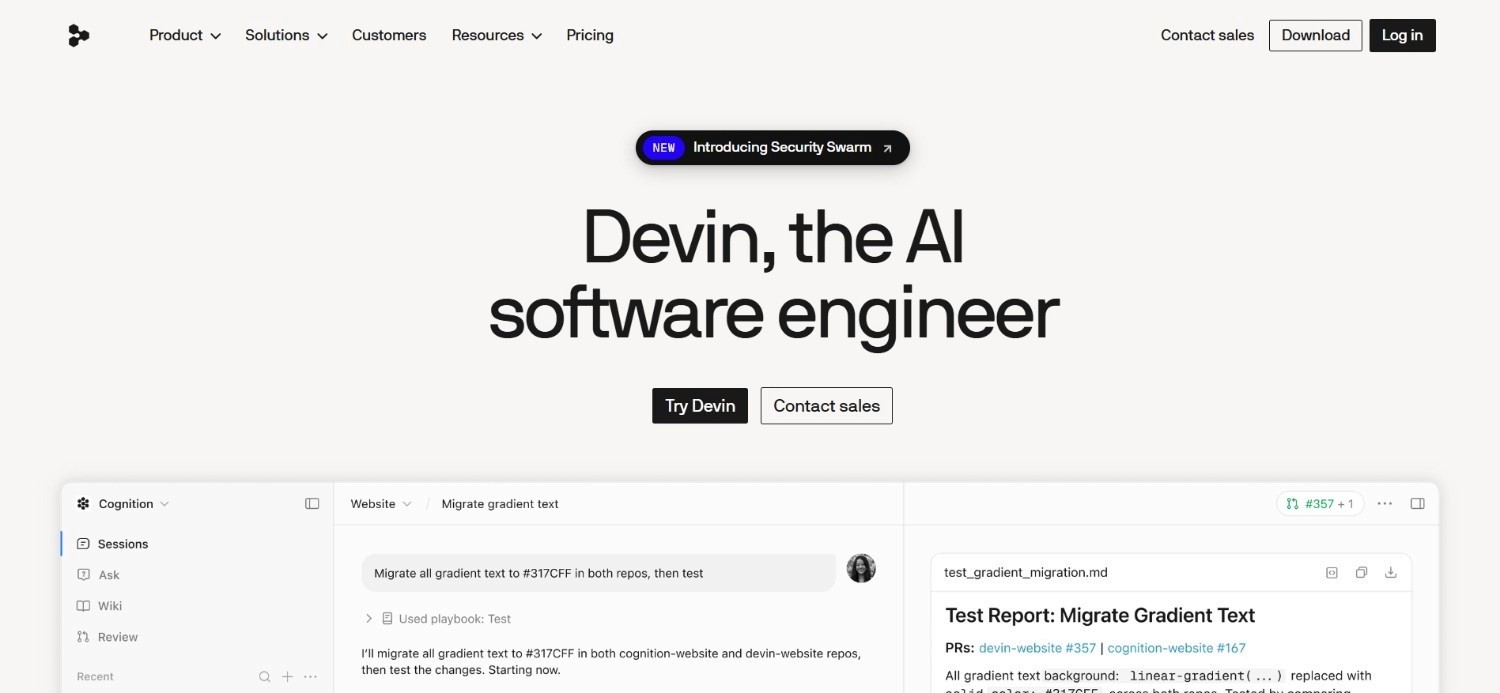
Devin AI is an autonomous coding agent built to take on real engineering tasks: writing code, debugging issues, and generating pull requests with minimal human input.
The platform sits in a different part of the agent software category from the workflow-builder tools on this list, since its focus is entirely on software engineering work rather than business process automation.
Devin also plans a multi-step engineering task before acting on it, working across several files and reporting back on what changed and why once the task is done.
That level of independence suits well-scoped feature work and bug fixes more than tasks needing deep, ongoing architectural judgement, which is worth knowing before handing over anything too open-ended.
Ideal For
Engineering teams wanting to delegate well-defined coding tasks to an autonomous agent
Startups looking to extend a small engineering team's output without adding headcount
Teams comfortable reviewing and merging AI-generated pull requests as part of their workflow
Top Features
Autonomous code writing and debugging across a defined task or ticket
Automatic pull request generation ready for human review
Persistent memory across a coding session, so the agent can work through multi-step technical tasks
Integration with common developer tools and version control systems
Why It Stands Out
Devin AI is one of the more capable options specifically for software engineering tasks, an area most general agent management platforms do not address directly.
For engineering teams, that narrow focus is often a strength rather than a limitation.
Pros
Purpose-built for coding tasks rather than a general-purpose agent framework stretched to fit
Can meaningfully reduce time spent on well-scoped engineering tickets
Clear, tiered pricing that scales from an individual developer to a full team
Cons
Narrowly focused on software engineering, so it does not cover broader business process automation
Higher tiers get expensive quickly for teams running heavy usage
Still requires human review of generated code before merging, so it augments rather than replaces engineering oversight
Pricing
Devin's pricing includes a free tier, Pro at $20 a month, Max at $200 a month, Teams at $80 a month base plus $40 per full developer seat a month, and Enterprise with custom, usage-based pricing.
Final Verdict
Devin AI is a strong pick specifically for engineering teams wanting an autonomous coding agent, but it sits outside the general category most business operations teams are evaluating when they search for software for managing agents.
7. Activepieces
Overview
Activepieces is an open-source automation platform positioned as a more approachable, self-hosted alternative to some of the larger workflow tools on this list. The tool's 'Community' edition is free to self-host with no cap on the number of tasks a team can run.
Its fully transparent codebase also appeals to security-conscious teams who want to audit exactly how an automation runs before trusting it with sensitive data, rather than taking a vendor's word for it.
Activepieces has been adding AI-specific building blocks too, letting teams combine simple triggers with language model steps without bolting on a separate integration layer.
Ideal For
Startups and small teams wanting a no-cost, self-hosted automation base
Technical teams that want open-source flexibility without n8n's steeper learning curve
Companies planning to grow into paid, higher-volume plans as usage increases
Top Features
A free, self-hosted Community edition with unlimited tasks
A growing library of pre-built integrations and automation templates
A visual builder aimed at being more approachable than some open-source alternatives
Cloud hosting option for teams that do not want to manage their own infrastructure
Why It Stands Out
Activepieces is one of the stronger choices for startups that want the control of open source without the cost of a fully managed enterprise platform from day one.
Its unlimited-task Community edition is a genuine differentiator against tools that cap usage even on free tiers.
Pros
Free, self-hosted Community edition with no task limits
Lower learning curve than some other open-source automation tools
Clear upgrade path from free to Pro and Business tiers as needs grow
Cons
Smaller integration library than more established platforms like n8n or Make.com
Enterprise-grade governance features are less mature than purpose-built enterprise platforms
Custom pricing requires a direct conversation with the Activepieces team rather than transparent published tiers
Pricing
Activepieces offers a free self-hosted Community edition with unlimited tasks, making it a strong no-cost option for teams that want full control.
Its cloud pricing starts free, then moves to paid tiers such as Pro and Business, which add more active flows, team features, and enterprise controls, and you will need to contact Activepieces directly for a custom pricing plan.
Final Verdict
Activepieces is one of the smartest choices for early-stage teams that want an open-source starting point with room to grow, though larger enterprises will likely need more mature governance than it currently offers.
8. Dify
Overview
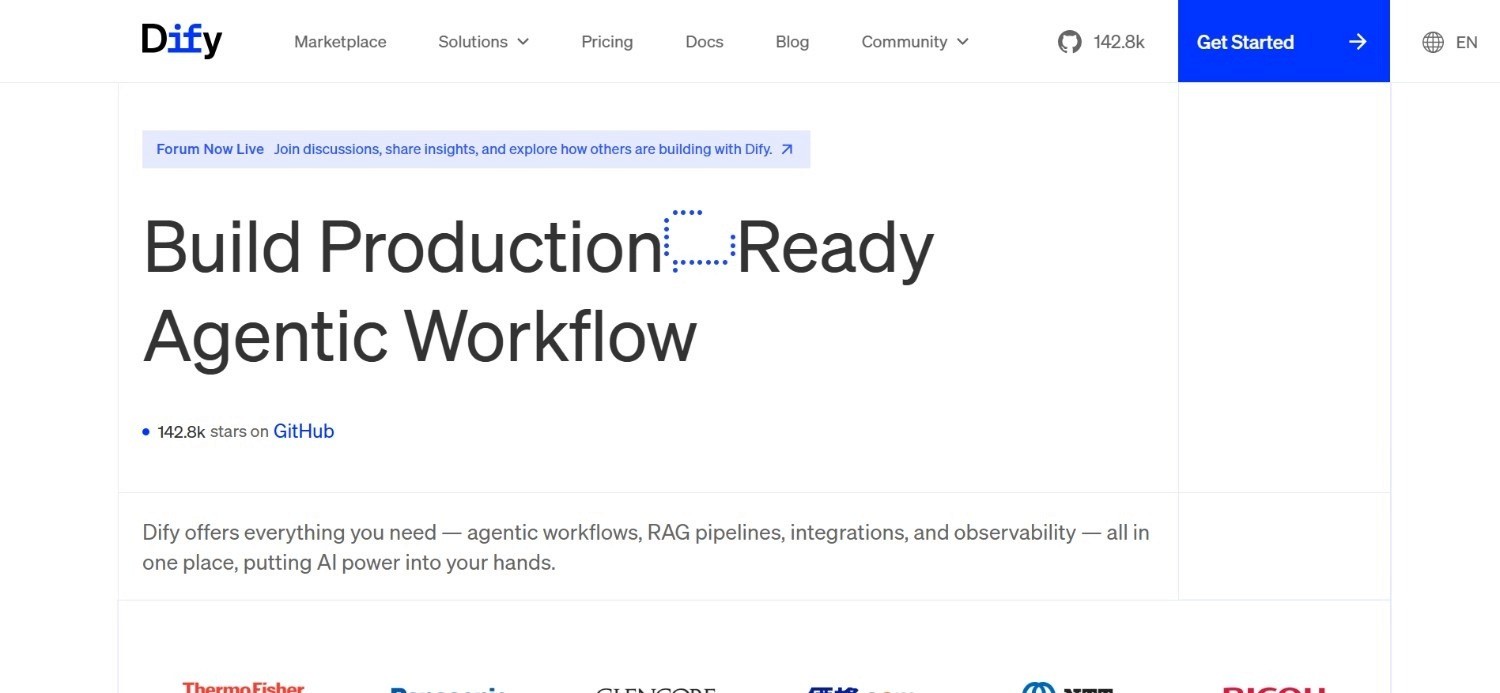
Dify is a platform for building and deploying LLM-based applications and agents, combining visual prompt orchestration with retrieval-augmented generation pipelines. It appeals to teams that want to move from a prompt experiment to a deployed agent without stitching together separate tools for each part of the pipeline.
Grounding an agent's responses in a company's own documents before it takes any action is one of Dify AI's more practical strengths, since it reduces the risk of a confidently wrong answer reaching a real user.
Its plugin ecosystem has also grown steadily, giving teams a faster route to connecting an agent to common data sources without writing custom integration code from scratch.
Ideal For
Product and engineering teams building customer-facing LLM applications
Startups that need retrieval-augmented generation alongside agent logic in one place
Teams that want both a visual builder and the option to self-host for data control
Top Features
Visual orchestration for prompts, agent logic, and retrieval-augmented generation pipelines
Support for both agent and workflow modes depending on how structured a task is
Open-source self-hosting option alongside a managed cloud version
Built-in tools for testing and iterating on prompts before deployment
Why It Stands Out
Dify AI is one of the more complete options for teams that want retrieval-augmented generation and agent orchestration handled inside a single platform rather than assembled from separate tools.
That combination makes it a reasonable fit for startups building their first serious LLM-powered product.
Pros
Combines RAG and agent orchestration in one platform, reducing tool sprawl
Open-source option gives teams a self-hosted path for sensitive data
Reasonably approachable for teams without deep AI engineering experience
Cons
Enterprise pricing is not published, requiring a direct sales conversation
Less focused on deep legacy system integration than platforms built for enterprise operations
Best suited to LLM application building rather than broader business process automation
Pricing
Dify's Community Edition is free to self-host. Dify Cloud publishes per-workspace annual pricing: a free Sandbox tier with 200 message credits, Professional at $590 per workspace per year with 5,000 message credits a month, and Team at $1,590 per workspace per year with 10,000. Enterprise is quote-based.
Final Verdict
Dify is a strong choice for product teams building LLM-powered applications from scratch, though it is not purpose-built for automating existing enterprise operations the way a platform like ours is.
9. Stack AI
Overview
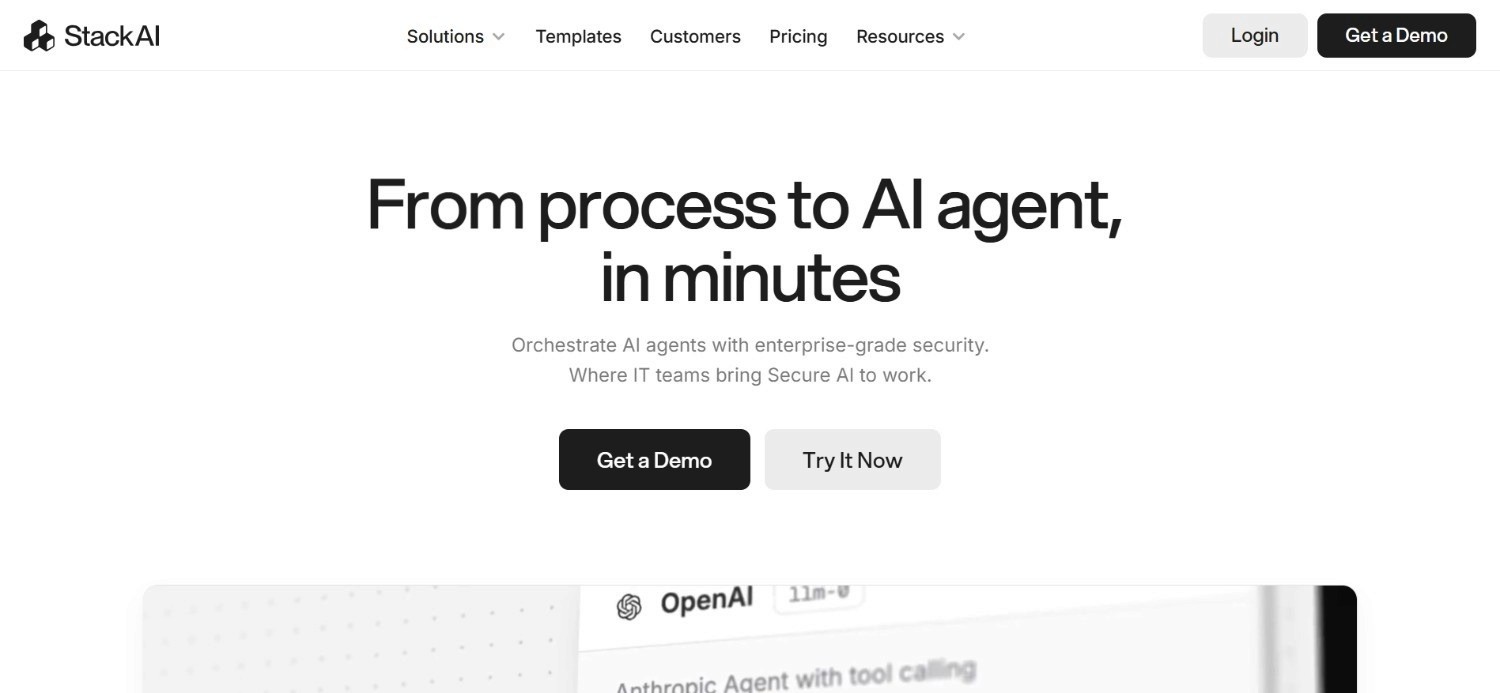
Stack AI is a no-code platform for building agent workflows aimed at business teams rather than engineers. It includes enterprise connectors and approval workflows, positioning it as a workflow automation option for companies that want agent capability without a large engineering lift.
Its enterprise connectors plug agents directly into systems like Salesforce, Google Workspace, and internal databases without a developer writing custom code for each one.
That combination of connector depth and built-in approval steps makes it a reasonable middle ground for companies that have outgrown a purely no-code tool but are not ready for a full, engineering-led deployment.
Ideal For
Business teams building agent workflows without dedicated engineering support
Companies that need built-in approval steps as part of an agent's process
Mid-market organisations wanting enterprise connectors without a lengthy implementation
Top Features
A no-code builder aimed specifically at non-technical business users
Enterprise connectors for common business systems
Built-in approval workflow steps for processes that need a human checkpoint
A free plan for teams to test the platform before committing
Why It Stands Out
Stack AI is one of the more accessible options for business teams that want agent workflows with approval steps built in, rather than needing to bolt governance on separately. That combination is genuinely useful for teams new to deploying agents in a business-critical process.
Pros
Approachable no-code interface aimed at business rather than technical users
Built-in approval workflows add a layer of control most no-code tools lack
Free plan available to test before moving to a paid, custom arrangement
Cons
Custom pricing means less transparency for teams trying to budget in advance
Less depth in legacy system integration compared with platforms built for enterprise operations
Smaller community and integration ecosystem than more established automation tools
Pricing
Stack AI has a free plan to get started, and its custom pricing is aimed at businesses looking for workflow automation software. You will need to connect with their sales team for a direct quote.
Final Verdict
Stack AI is a solid pick for business teams wanting agent workflows with built-in approval steps, though enterprises with deep legacy systems will likely need more integration depth than it currently offers.
10. Gumloop
Overview
Gumloop is a visual automation platform aimed at marketing and operations teams that need to automate repetitive, multi-step tasks without writing code. The platform leans on a broad set of third-party integrations and scheduled runs to keep automations running without manual triggers.
Its integrations extend into common marketing and sales tools, which makes it a practical fit for tasks like lead enrichment, reporting, or content repurposing on a recurring schedule.
Their visual builder keeps most of that logic accessible to non-technical users, so a marketing operations lead can adjust a workflow without waiting on engineering support.
Ideal For
Marketing and operations teams automating repetitive, multi-step tasks
Startups wanting a visual builder with a straightforward monthly price
Teams that need scheduled, recurring automation runs rather than one-off scripts
Top Features
A visual agent builder aimed at non-technical marketing and operations users
Scheduled runs for automations that need to execute on a recurring basis
A broad set of third-party integrations across common business tools
A free trial to test the platform before committing to a paid plan
Why It Stands Out
Gumloop is one of the more approachable options for marketing and operations teams who want to automate repetitive tasks without a steep learning curve.
Its scheduled run capability is a useful feature for teams that need consistent, recurring automation rather than manual, one-off triggers.
Pros
Approachable visual builder well suited to marketing and operations use cases
Straightforward starting price with a free trial available
Scheduled runs remove the need for manual triggers on recurring tasks
Cons
Less suited to complex, multi-system enterprise operations than platforms built for that scale
Enterprise plans require a direct sales conversation rather than published pricing
Smaller feature set around governance and audit compared with enterprise-focused platforms
Pricing
Gumloop Pro starts at $37 a month and includes 20,000 credits, unlimited agents, unlimited seats and unlimited teams, plus an 8% orchestration fee on usage. A 14-day free trial is available and Enterprise is quote-based, with discounts on the orchestration fee.
A free trial is available, and you will need to contact Gumloop directly for enterprise plans.
Final Verdict
Gumloop is a reasonable choice for marketing and operations teams automating repetitive tasks, but it is not aimed at the complex, audited operations that larger enterprises typically need to solve.
How to Choose the Best Software for Managing Agents? (What to Consider)
Comparing feature lists only gets you so far.
The five factors below matter more than most checklists suggest when you are choosing software for managing agents:
1. Match the Tool to Your Actual Systems
The single biggest factor is whether a platform can actually reach the systems your process depends on. A tool built for modern, API-first SaaS stacks will struggle the moment it meets a legacy ERP or a COBOL-era core, regardless of how polished its interface looks.
Ask a vendor to show, not just tell, how their platform connects to your specific stack.
A live demo against one of your actual systems reveals far more than a generic integrations page, and it usually surfaces any gaps well before a contract gets signed.
2. Check the Depth of Governance and Audit
Ask specifically how a platform handles a wrong decision. Look for a full audit trail, confidence-based escalation to a human, and clear role-based access control, since these features separate a tool built for real production use from one still built for experimentation.
Governance also needs to hold up under scrutiny from people who were not part of the original purchase decision.
If your compliance or security team cannot get a clear answer on how a decision gets traced and reversed, that is a signal to keep looking rather than a detail to sort out later.
3. Understand How Pricing Scales
Per-seat and credit-based pricing can look cheap at a small scale and become unpredictable fast once usage grows. Favour a platform priced against actual usage or outcomes, since that keeps costs aligned with the value you are getting.
Model out your expected volume a year from now, not just today, before comparing quotes.
A platform that looks like the cheaper option at your current scale can end up costing considerably more once usage climbs, especially under a credit or per-seat structure.
4. Weigh Deployment Flexibility
Confirm whether a platform supports the deployment model your security team actually requires, whether that is fully managed SaaS, a private VPC, or a fully air-gapped, on-premises environment.
This becomes a hard blocker rather than a preference once sensitive data is involved. Deployment flexibility also affects how easily you can change course later.
A platform locked into one hosting model can make it far harder to move to a stricter environment if your data sensitivity or regulatory obligations change down the line.
5. Look for Evidence, Not Just Capability Claims
Almost every platform in this category claims to build or manage agents well. Ask for named case studies with real numbers attached, since the gap between a capable demo and a platform that survives production is where most agent projects actually fail.
Treat a vendor's willingness to share a reference customer, not just a case study on their website, as a meaningful signal.
A team that has genuinely gone live with a comparable process is usually happy to talk about what actually happened, including what did not go smoothly at first.
Everything You Need to Know About Software for Managing Agents
Tool | Pros | Cons | Ease of Use | Integrations | Support | Affordability |
Noxus | Legacy system depth, full audit trail, flexible deployment | No published self-serve pricing, built for operational scale | ⭐⭐⭐⭐ | ⭐⭐⭐⭐⭐ | ⭐⭐⭐⭐⭐ | ⭐⭐⭐⭐ |
Guardrails AI | Free open source, deep validation control, model-agnostic | No agent building or orchestration, needs DevOps skill | ⭐⭐⭐ | ⭐⭐⭐ | ⭐⭐⭐ | ⭐⭐⭐⭐⭐ |
Kore.ai | Strong voice and CX fit, enterprise analytics | Complex pricing at scale, lighter back-office integration | ⭐⭐⭐⭐ | ⭐⭐⭐⭐ | ⭐⭐⭐⭐ | ⭐⭐⭐ |
n8n | Free self-hosting, huge integration library | Needs technical maintenance, lighter governance | ⭐⭐⭐ | ⭐⭐⭐⭐⭐ | ⭐⭐⭐ | ⭐⭐⭐⭐ |
Make.com | Approachable for non-technical users, generous free tier | Credit pricing unpredictable at scale, limited governance | ⭐⭐⭐⭐⭐ | ⭐⭐⭐⭐ | ⭐⭐⭐⭐ | ⭐⭐⭐⭐ |
Devin AI | Purpose-built for coding tasks, clear tiers | Narrow focus, costly at higher usage | ⭐⭐⭐⭐ | ⭐⭐⭐ | ⭐⭐⭐⭐ | ⭐⭐⭐ |
Activepieces | Free unlimited-task self-hosting, easier learning curve | Smaller integration library, less mature governance | ⭐⭐⭐⭐ | ⭐⭐⭐ | ⭐⭐⭐ | ⭐⭐⭐⭐⭐ |
Dify.ai | Combines RAG and agent orchestration, open source option | Unpublished enterprise pricing, limited legacy integration | ⭐⭐⭐⭐ | ⭐⭐⭐⭐ | ⭐⭐⭐ | ⭐⭐⭐⭐ |
Stack AI | Approachable no-code builder, built-in approvals | Custom pricing only, smaller ecosystem | ⭐⭐⭐⭐ | ⭐⭐⭐ | ⭐⭐⭐ | ⭐⭐⭐ |
Gumloop | Approachable builder, scheduled runs | Limited enterprise scale, unpublished enterprise pricing | ⭐⭐⭐⭐ | ⭐⭐⭐⭐ | ⭐⭐⭐ | ⭐⭐⭐⭐ |
Execute Real Operations Inside Your Own Systems - with Noxus
Noxus was built around a single belief: an agent that only drafts or suggests has not actually solved your problem.
Every workflow we run resolves real operational work, whether that is a claim, a billing dispute, or an account change, and writes the outcome back into the exact systems your team already depends on, SAP, Guidewire, ServiceNow, and Oracle included.
If your team is evaluating agent platforms because a lighter-weight tool has already stalled against a legacy system, or because your last three pilots never made it out of the sandbox, we would like to show you what production actually looks like.
Our clients see 3x to 5x ROI within 45 to 80 days of going live, with a full audit trail behind every decision the whole way through. Discover how AI agents for enterprise can move your operations from pilot to production.
Book a call with our team to see Noxus running on your own systems.
FAQs About Software for Managing Agents
What is the best software for managing agents in 2026?
The best software for managing agents in 2026 is Noxus, which we built specifically for enterprises running agents across legacy systems like SAP and Guidewire under full audit. The platform executes complete enterprise operations, not just individual tasks - with work orchestrated across legacy systems, followed by applying business rules, writing outcomes back into source systems, and providing a full audit trail. These standout features make it a strong fit for regulated, high-volume enterprise operations.
What should I consider when choosing the right software for managing agents for me?
Consider how deeply a tool integrates with the actual systems your process depends on, since that determines whether an agent can resolve real work or only draft a suggestion. Also weigh governance and audit capability, deployment flexibility, and whether pricing scales with usage or with headcount. Named case studies with real numbers are a far better signal than a feature list.
How does Noxus differ from similar alternatives?
We differ by executing operations inside the exact legacy systems an enterprise already has, rather than assuming a modern, API-first stack from the start. Every action we take produces a full audit trail and can be replayed, and our clients see 3x to 5x ROI within 45 to 80 days of going live. We also offer SaaS, VPC, and fully air-gapped on-premises deployment, which matters for regulated industries most agent platforms cannot serve.
How do I get started with Noxus?
Getting started begins with a short discovery call where we walk through your current systems, problems, and the process you most want to automate. From there, we scope a proof of concept using two to three of your actual files or workflows, so you see results on your real data rather than a demo environment. Most clients see their initial proof-of-concept results go live, in 30 days; with full production deployment typically following within 45 to 80 days.
How easy is it to switch to Noxus?
Switching is more straightforward than most teams expect, since we connect to over 400 systems natively and do not require any API modernisation before we start. If you are replacing a stalled pilot or a tool that broke against your legacy stack, we begin with a scoping conversation and a proof of concept on your actual systems rather than a lengthy migration project. Most clients go live within 45 days of signing.
We already tried an agent platform and the pilot never made it to production. Why would Noxus be different?
Most pilots stall because the underlying infrastructure, not the AI itself, was never solved, and that is the specific gap we built Noxus to close. We connect natively to the legacy systems your process actually runs on, so there is no separate integration project required before the agent can do real work. Clients like a Tier 1 European bank saw 3x ROI within 45 days of going live, which is the kind of result a stalled pilot rarely produces.
What is the difference between software for managing agents and general workflow automation tools?
Software for managing agents typically adds governance, audit trails, and decision-making logic on top of what a general workflow automation tool provides, since an agent takes autonomous action rather than following a fixed, predefined sequence. A workflow tool like n8n or Make.com executes a set path every time, while agent management software needs to handle judgement calls, exceptions, and escalation to a human when confidence is low. The two categories increasingly overlap, but governance is the clearest dividing line.






