Best Make Alternatives in 2026 (Feature & Pricing Comparison)

Key Takeaways (TL;DR)
Make Is Built for Visual, Multi-Step SaaS Automation: Make is a visual automation platform best suited for technical and semi-technical teams that need complex, multi-step workflows connecting SaaS apps at a significantly lower cost than Zapier. Its canvas-based scenario builder, per-operation credit model, and 3,000+ integrations make it one of the most cost-effective tools in the general-purpose automation category.
Why Seek a Make Alternative: Make's per-credit-per-step pricing model compounds fast for complex, high-frequency scenarios. Its interface has a real learning curve for non-technical users. It cannot integrate with legacy enterprise systems (SAP, Guidewire, COBOL cores) without prior API development. And for regulated industries, Make offers no governance controls, audit trail, or compliance certifications out of the box.
Noxus Is the Best Overall Alternative: Noxus deploys AI workers that execute real enterprise operations end-to-end: claims processing, billing disputes, account mutations, document triage; across the exact legacy systems enterprises already run. Every action is governed, traceable, and replayable. It goes live in 45 to 80 days on real client systems with real data, not sandboxes.
What Sets Noxus Apart?: Noxus is the only platform on this list that operates natively inside SAP, Guidewire, ServiceNow, Oracle, and COBOL-era systems without any API prerequisite and produces a complete, tamper-evident audit trace of every action taken.
How to Choose?: Identify your primary use case: SaaS workflow automation (Zapier, n8n, Activepieces, Pabbly Connect), enterprise iPaaS (Workato, Tray.io), Microsoft-native automation (Power Automate), AI-native agent workflows (Gumloop), or legacy enterprise operations (Noxus). Then verify pricing model fit for your execution volume and governance requirements.
Table of Contents
Top Make Alternatives in 2026 at a Glance
← scroll to see all columns →
| Tool | Best For | Key Features | Pros | Cons | Pricing |
|---|---|---|---|---|---|
| Noxus | Enterprise operations teams executing complex, multi-system workflows in legacy environments | End-to-end legacy executionFull audit trailBYOKOn-premises deployment | No legacy system modernization required; complete auditability; production in 45–80 days | Enterprise-focused; not suited for lightweight SaaS-to-SaaS automation | Custom (consumption-based) Adopt tier from £1,500/mo |
| Zapier | Non-technical teams automating SaaS workflows without coding | 8,000+ integrationsNo-code Zap builderZapier MCPTables & Forms | Easiest to use, broadest app library | Task-per-step pricing gets expensive fast; 10x more expensive than Make at volume | Free Paid from $19.99/month |
| n8n | Developers and technical teams needing self-hosted, execution-based automation | 400+ integrationsSelf-hosted Community EditionAI agent nodesJS/Python code steps | Unlimited executions when self-hosted; execution-based pricing; highly flexible | Requires DevOps capacity to self-host; steep learning curve | Free (self-hosted) Cloud from €20/month |
| Activepieces | Teams wanting open-source, self-hostable automation with predictable per-flow pricing | 639+ integrationsOpen-sourceSelf-hostable$5/active flow pricing | Most predictable pricing model; no execution caps; self-hostable | Smaller ecosystem than Make or Zapier; fewer AI-native features | Custom pricing Embed plan from $30,000/year |
| Pabbly Connect | Budget-conscious teams and solopreneurs needing affordable, high-volume automation | 2,000+ integrationsLifetime deal optionFree internal tasks | Cheapest recurring pricing; lifetime deal available; free internal tasks reduce billable count | Annual-only billing; less polished UI; no live customer support | From $349 one-time payment |
| Microsoft Power Automate | Microsoft 365 organisations automating workflows within the Microsoft ecosystem | 300+ connectorsDesktop RPAAI BuilderNative M365 integration | Included with M365 licences; strong RPA; document processing | Premium connectors require paid plan; complex licensing | Free (M365) Premium from £15/user/month |
| Workato | Large enterprises needing deep iPaaS with governance and 1,200+ connectors | 1,200+ connectorsWorkbot for Slack/TeamsEnterprise governanceAI recipes | Gartner Leader 8 years running; enterprise governance built in | Starts ~$10,000+/year; custom pricing only; overkill for SMBs | Platform edition fee + usage |
| Tray | Mid-market to enterprise teams needing governance and high-volume integrations | 400+ connectorsVisual canvasSSO/SAML/audit logsHigh-volume task processing | Enterprise governance included; handles complex multi-step integrations | No free trial; task-per-step counting; requires sales conversation | Custom (Pro/Team/Enterprise) |
| Gumloop | Non-technical teams building AI-first visual workflows | Visual AI builderLLM workflow nodesPre-built AI templatesWeb scraping | Fast to build; AI-native; no code required | Limited integration library vs. Make or Zapier; early-stage platform | From $30–$37/month |
| Pipedream | Developers needing code-level control with serverless infrastructure | 2,400+ appsNode.js/Python/Go/BashServerlessAI tokens included | Code + no-code hybrid; generous free tier; no server management | Credit-based billing gets expensive for long-running workflows; developer-only | Free Paid from $29/month |
Why Consider Make.com Alternatives?
What Make.com Does Well?
Make is a genuinely capable visual automation platform for teams that need more power than Zapier but are not ready for the infrastructure overhead of self-hosted n8n.
Its core strength is its canvas-based scenario builder. Unlike Zapier's linear trigger-action model, Make displays the full workflow on a visual canvas – with routers, iterators, error handlers, and conditional branches all visible at once. This makes complex, multi-path automations much easier to design and debug than in tools that hide workflow logic behind sequential menus.
The pricing model is another meaningful advantage. Make's Core plan offers 10,000 operations for $9/month, compared to Zapier's 750 tasks for $19.99/month.
At equivalent operation volumes, Make delivers significantly better cost efficiency than Zapier for moderate-to-high automation volumes - roughly 10x more operations at the same price point. For teams that have outgrown Zapier's economics but cannot justify self-hosting n8n, Make is the most practical middle ground.
Make's 3,000+ app integrations cover all major SaaS categories, scheduling intervals down to 1 minute on paid plans, and a strong data transformation layer with field mapping, formula operations, and error handler modules.
For technical teams building complex data pipelines, CRM syncs, or multi-step notification workflows, these capabilities are well above what most competing tools offer at comparable price points.
Where Make Falls Short?
Despite these strengths, Make has documented limitations that push teams towards Make alternatives:
Per-credit-per-step pricing compounds fast: Make charges one credit per module execution in a scenario. A 10-step workflow triggered 1,000 times per month consumes 10,000 credits. The Core plan's 10,000 credits disappear entirely from one moderately complex workflow running daily. Teams building complex, high-frequency scenarios regularly find themselves upgrading plans or purchasing credit top-ups - eroding the cost advantage that made Make attractive initially.
The interface has a real learning curve: Multiple user reviews on G2 and Capterra flag that Make is significantly more complex to navigate than Zapier, particularly for non-technical users building their first automations. The visual canvas is powerful, but modules, mappings, data transformations, and error routes require meaningful configuration time before workflows run reliably.
No legacy enterprise system integration. Make.com connects to SaaS APIs. Systems like SAP ECC, Guidewire, COBOL-era banking cores, and proprietary in-house platforms require a fully built API layer before Make can touch them. For enterprises where those systems exist, Make is not a viable automation layer.
No governance controls, audit trail, or compliance certifications: Make does not include SSO, role-based access control, activity audit logs, or compliance certifications (SOC 2, ISO 27001, GDPR Article 28, HIPAA) on its standard or even its Teams plan. For regulated industries: financial services, insurance, healthcare - this is a structural gap, not a missing feature.
Support is limited on lower tiers: Make offers little to no direct customer support on Free, Core, Pro, and Teams plans. Users rely primarily on community forums. At a price point where teams are making real business decisions based on automation reliability, this absence of direct support creates operational risk.
These gaps explain why teams evaluating best alternatives to Make for automation workflows consistently find the tool insufficient for enterprise production environments, regulated industries, or high-frequency scenarios where per-credit costs escalate.
Best Make Alternatives: In-Depth Review & Comparison
1. Noxus
Overview
Noxus is the process intelligence layer: execution infrastructure that runs complex, multi-system operations end-to-end across legacy enterprise environments.
While Make automates workflows between SaaS APIs through a visual canvas, Noxus operates inside SAP ECC, Guidewire, ServiceNow, Oracle, COBOL-era banking cores, and proprietary in-house systems; writing outcomes back to source systems under full governance, with no API layer required.
Founded in 2023 and backed by Antler, Seaya, Bynd Venture Capital, and Altair, we’ve been deployed in production at Santander, Fidelidade, Jerónimo Martins, CUF/José de Mello, Sky/Comcast, and Brisa, among others. Zero client churn across all deployments to date.
The platform solves a specific failure mode: most automation tools assume clean APIs and modern SaaS stacks. Enterprise operations run on systems built over decades, layered on top of each other, rarely documented, never designed to talk to each other.
A single customer case might move through five or six different platforms before it resolves, with staff manually bridging the gaps at every step. Noxus replaces that manual layer entirely.
Ideal For
Enterprise operations teams in financial services, insurance, healthcare, and retail managing high-volume, multi-system workflows that Make cannot automate without significant prior infrastructure work
Organizations running legacy systems (SAP, Guidewire, COBOL cores) that no SaaS automation tool can reach without API modernization
Compliance, risk, and legal teams in regulated industries that require a complete, tamper-evident audit trail for every automated action
Mid-market operations leaders managing growing transaction volume who cannot afford the engineering investment to build custom AI infrastructure from scratch
Top Features
Legacy System Integration Without API Prerequisites: The execution runtime interacts with legacy systems the way operations staff do today, navigating interfaces, performing multi-step lookups, writing back results. SAP ECC, Guidewire, COBOL-era cores, ServiceNow, Oracle, and proprietary platforms that no SaaS automation tool can reach natively. No API layer required, no middleware project, no infrastructure modernization as a prerequisite.
Complete Audit Trail and Action Replayability: Every process run produces a full trace of every agent decision, action, and output - governable, traceable, and replayable. Operations teams use it to improve processes, compliance teams use it to prove governance, IT teams use it to debug. No black box. Full visibility into the actual work being done.
Deterministic Business Rule Enforcement: AI interprets the unstructured input layer - emails, scanned documents, free-text requests. Once a decision point is reached on a regulated process, hard-coded business rules take over, mapped directly from the client's own SOPs and policies. No AI model decides whether to approve a claim or process a refund. Every decision is traceable back to a rule.
Multiple Deployment Architectures with Full Data Sovereignty: Fully managed SaaS, self-managed VPC on client cloud, or on-premises air-gapped for the strictest data requirements. Certified: SOC 2 Type II, ISO 27001, GDPR Article 28, HIPAA. Open-core guarantee: the client retains all code and binaries if the relationship ends.
Why We're the Best Make.com Alternative?
Make is a visual SaaS automation tool. Noxus is an enterprise operations execution platform. The distinction matters for the teams that have hit Make's ceiling.
Make can automate a scenario between Salesforce and Slack. Noxus can automate a claims adjudication workflow that touches SAP ECC, a proprietary claims management system, an email inbox, a document store, and a payout system, resolving the full case end-to-end under governance, without requiring any of those systems to be modernized first.
For teams where "automation" means connecting cloud apps, Make is a reasonable choice. For teams where "automation" means eliminating 150 people doing swivel-chair work across five disconnected legacy systems, with a full compliance audit trail, Noxus is the right infrastructure.
Pros
Operates natively on SAP, Guidewire, ServiceNow, Oracle, and COBOL-era systems with no API modernization required
Every action is governed, traceable, and replayable - no black box
3x to 5x ROI documented across production deployments; 45 to 80 days from contract to production
Zero churn across all client deployments to date
Multiple deployment architectures including on-premises air-gapped; SOC 2, ISO 27001, GDPR Article 28, HIPAA certified
Cons
Not designed for lightweight SaaS-to-SaaS automation - connecting Notion to Slack or routing form submissions to a CRM
Consumption-based custom pricing requires a direct conversation; not self-serve for solo users or small teams
Best value is realized in high-volume, multi-system operations environments; simpler use cases do not justify the platform investment
Pricing
Pricing is usage-based, so you only pay for the work completed instead of a fixed subscription. It includes a free test tier, an Adopt plan at £1,500/month, and a custom Scale plan for larger teams.
Final Verdict
For enterprise operations teams in regulated industries running legacy systems, Noxus is the only platform on this list that actually solves the infrastructure gap that kills most AI automation initiatives.
For teams that need SaaS-to-SaaS workflow automation, the tools below address that need directly and at accessible price points.
2. Zapier
Overview
Zapier is the market-leading no-code workflow automation platform, connecting over 8,000 apps through a trigger-and-action builder that requires no technical expertise. Founded in 2011 and used by over 2 million businesses, Zapier is the default entry point for non-technical teams that need automation without engineering resources.
In 2025-2026, Zapier unified its product suite - Zaps (workflows), Tables (data storage), Forms (custom inputs), and Zapier MCP (AI model connections) - into a single pricing tier structure. The integration of Zapier MCP into the standard platform positions Zapier as an AI orchestration layer, not just a workflow tool.
Ideal For
Non-technical teams and business users that need automation without touching infrastructure or writing code
Marketing, sales, and operations teams connecting mainstream SaaS tools (Salesforce, HubSpot, Slack, Gmail, Google Sheets)
Small businesses and solopreneurs running fewer than 2,000 tasks per month where per-task cost remains reasonable
Teams that want the broadest possible app library without evaluating integration coverage per tool
Top Features
8,000+ App Integrations - the Largest in the Category: Zapier's app library is nearly three times the size of Make's 3,000+ integrations. Almost any SaaS tool a team might use has a native Zapier connector. This breadth is Zapier's most durable competitive advantage over every other tool in this comparison.
Zapier Copilot for AI-Assisted Workflow Building: Zapier's AI assistant generates Zap configurations from natural language descriptions, maps data fields, and troubleshoots errors. For non-technical teams building automations for the first time, this significantly reduces configuration time.
Unified Platform: Zaps, Tables, Forms, and MCP: Zapier now bundles structured data storage, custom form inputs, and AI model integration protocol into the same plan as workflow automation, removing the need for separate tools for several adjacent functions.
Why It's a Strong Make Alternative?
Zapier is one of the strongest choices among Make alternatives for non-technical teams that prioritize setup speed and integration breadth over cost efficiency at scale.
While Make requires navigating a visual canvas with modules, routers, and data maps, Zapier's interface is genuinely accessible to anyone.
For teams that find Make's complexity a barrier rather than a feature, Zapier removes that friction entirely.
Pros
Most accessible no-code interface in the automation category; minimal learning curve
8,000+ integrations - the broadest library by a significant margin
Zaps, Tables, Forms, and MCP bundled into unified plans
Reliable uptime with a long track record across millions of businesses
Free plan available; no credit card required for initial evaluation
Cons
Task-per-step pricing escalates fast: a 5-step Zap running 1,000 times consumes 5,000 tasks vs. 5,000 credits on Make (same cost, far more complexity ceiling on Make)
At equivalent operation volumes, Make is 10x to 13x cheaper - the cost gap is significant for any meaningful automation volume
Not appropriate for teams with high-frequency, multi-step workflows where per-task costs grow non-linearly
Pricing
Zapier has a free plan for simple automations with limited monthly tasks, while its paid plans begin at $29.99 per month for more advanced use.
Pricing increases as you need more tasks and collaboration features, and enterprise customers get custom quotes.
Final Verdict
Zapier is the right starting point for non-technical teams running low-to-moderate automation volumes across mainstream SaaS tools.
Once the monthly task volume exceeds 2,000 or workflows grow beyond 5-7 steps, the cost math tips sharply in favor of Make, n8n, or Activepieces.
As one of the primary Make.com competitors, Zapier's core advantage is simplicity, not cost efficiency.
3. N8N
Overview
n8n is an open-source, node-based workflow automation platform that gives technical teams the flexibility of a visual builder combined with code-step execution and full infrastructure control through self-hosting.
Its fair-code Community Edition is permanently free with unlimited workflow executions - you only pay for VPS hosting costs, typically $3 to $10 per month.
With a community of over 45,000 builders and 400+ native integrations, n8n is the most popular self-hosted automation tool in 2026. Moreover, its AI agent nodes support LLM integration, vector store lookups, and multi-step agentic workflows directly within the platform.
Ideal For
Developers and technically capable teams comfortable with VPS management and Docker configuration
Organizations with strict data privacy requirements that need full control over where automation data is processed and stored
Teams running high-frequency, complex automations where self-hosted execution is dramatically cheaper than per-credit cloud pricing
Technical teams that want AI agent workflows, code-level customization, and version-controlled automation infrastructure
Top Features
Unlimited Executions When Self-Hosted: n8n's Community Edition imposes no execution limits whatsoever. A workflow running every 5 minutes, 24/7 costs nothing beyond VPS hosting, typically $3 to $10/month. For high-volume use cases, this is the most cost-effective option in this entire comparison by a large margin.
Node-Based AI Agent Workflows: n8n includes native AI agent nodes: LLM integration, memory, tool calling, and vector store lookups; within the same workflow builder used for standard SaaS automation. Teams build AI-powered workflows without switching platforms or managing separate AI infrastructure.
Code-Step Execution (JavaScript and Python): n8n allows users to drop into JavaScript or Python at any point in a workflow for data transformation, custom logic, or API calls that do not have a pre-built node. This hybrid model gives technical teams the flexibility of custom code with the structure of a visual workflow builder.
Why It's a Strong Make Alternative?
n8n is one of the strongest choices among alternatives for Make.com for technical teams that want to escape per-credit pricing without sacrificing workflow complexity.
Self-hosted n8n eliminates Make's credit-per-step model entirely: teams pay infrastructure cost, not execution cost. For workflows running at high frequency or high complexity, the savings are substantial.
Pros
Free self-hosted Community Edition with unlimited executions - no credit caps, no step counting
AI agent nodes built into the workflow builder natively
Code-step execution (JavaScript, Python) for custom logic without leaving the platform
Execution-based cloud pricing (one execution per full workflow run) is dramatically cheaper than Make's per-step credits for complex workflows
Active community of 45,000+ builders with extensive templates and workflow sharing
Cons
Requires DevOps capacity for proper self-hosting: SSL, Docker, server updates, backups; estimated 10 to 20 hours/month
Cloud execution caps hit fast on lower tiers: the Starter plan's 2,500 executions/month exhausts quickly for any meaningful webhook-triggered workflow
No enterprise governance, audit trail, or compliance certifications beyond Enterprise Cloud plan SSO
Steeper learning curve than Make for non-technical users; debugging requires comfort with execution logs and JSON
Pricing
n8n offers a free self-hosted option, and its cloud pricing starts at €20 per month. Higher plans add more executions, security controls, and enterprise features. It’s designed to scale from individual users to larger teams with heavier automation needs.
Final Verdict
n8n is a well-suited option for technical teams that want Make-level workflow complexity with dramatically lower cost through self-hosted execution.
It is the strongest direct Make competitor for developer teams willing to manage infrastructure. For non-technical teams or enterprise environments requiring governance controls, it is not the right starting point.
4. Activepieces
Overview
Activepieces is an open-source automation platform that combines Zapier's ease of use with n8n's self-hosting economics. Founded in 2022, it is growing rapidly with 639+ integrations and a unique per-flow pricing model that eliminates the per-task or per-credit cost escalation common across most alternatives.
Its cloud Standard plan charges $5 per active flow per month beyond the first 10 free flows - regardless of how many times that flow runs. A workflow executing 500,000 times monthly costs the same $5 as one executing 50 times.
For high-frequency use cases, this pricing structure is the most cost-predictable in this entire comparison.
Ideal For
Teams transitioning from Make or Zapier that want lower, more predictable pricing without moving to self-hosted infrastructure
Developers and technical teams wanting a Zapier-style interface with open-source flexibility and self-hosting options
Organizations that need collaboration features like approval workflows and team access without enterprise pricing
Businesses needing to embed automation capabilities inside their own products (Activepieces Embedded plan)
Top Features
Per-Flow Pricing with Unlimited Execution Runs: $5 per active flow per month regardless of how many times that flow runs. Make charges one credit per step per execution - a 10-step workflow running 1,000 times/month costs 10,000 credits. Activepieces charges $5 flat for the same workflow. For complex, high-frequency automations, this model is substantially cheaper.
Open-Source and Self-Hostable Community Edition: Activepieces' Community Edition is permanently free, open-source, and self-hostable with no execution caps. Teams that want n8n-style economics with a more accessible interface have a direct option here.
639+ Integrations with Weekly Community Additions: Activepieces' integration library grows continuously through the open-source community. Any integration not yet available can be connected via API without daily call limits - a flexibility advantage over Make's closed connector model.
Why It's a Strong Make Alternative?
Activepieces is one of the strongest Make alternatives for teams that want predictable cloud pricing without self-hosting complexity.
The per-flow model eliminates the credit anxiety that comes with Make's per-step model, where a single complex scenario can burn through a credit pack in days.
For teams running many workflows at high frequency, the economics become dramatically more favorable.
Pros
Most predictable pricing model in this comparison: $5/flow/month with unlimited runs
Open-source, permanently free self-hosted Community Edition
Approval workflows and team collaboration built in at accessible pricing
Growing integration library (639+) with API access for custom connections
Activepieces Embedded enables teams to add automation to their own products
Cons
Smaller integration library than Make (3,000+) or Zapier (8,000+) - some specific tools may not have pre-built connectors
Younger platform (2022) with less production history than Make or Zapier
AI-native workflow features are less developed than newer platforms like Gumloop
Limited documentation and community resources compared to Make's more established community
Pricing
Activepieces has a free self-hosted Community edition with unlimited tasks, which makes it a cost-effective choice for teams that want full control. Its cloud offering starts free and then moves into paid plans like Pro and Business.
These higher tiers add more active flows, team collaboration features, and enterprise-grade controls. For larger needs, pricing is available through a custom plan.
Final Verdict
Activepieces is a well-suited option for teams looking for a Make alternative that trades some integration breadth for more predictable pricing and open-source flexibility. It is particularly relevant for teams with high-frequency workflows where Make's per-step credit model becomes expensive.
For enterprise operations or legacy system automation, Noxus and Workato operate at a different level of capability.
5. Pabbly Connect
Overview
Pabbly Connect is an integration and automation platform that positions itself around affordability: it charges per task but counts internal operations (filters, routers, formatters) as free, meaning complex workflows with multiple branching paths consume far fewer billable tasks than on Make or Zapier, where every module step costs a credit or task.
Pabbly's most notable differentiator is its lifetime deal option, a one-time payment that eliminates recurring subscription fees entirely.
With over 2,000 integrations and SOC 2 Type II and ISO 27001:2022 certifications, it addresses a specific user segment: budget-conscious teams and solopreneurs that want reliable automation at the lowest possible long-term cost.
Ideal For
Solopreneurs, freelancers, and small businesses that want affordable automation without large recurring fees
Teams that run high-volume workflows where Pabbly's free internal task model meaningfully reduces billable counts vs. Make or Zapier
Budget-conscious operators that want a one-time payment option to eliminate subscription fees permanently
Teams primarily automating marketing, sales, and CRM workflows across mainstream SaaS tools
Top Features
Free Internal Tasks - Filters, Routers, and Formatters Do Not Count: Pabbly does not count filter steps, router branches, or data formatting operations toward the task limit. On Make, every module step - including conditional routers and formatters - costs one credit per execution. For complex workflows with multiple branching paths, this difference reduces actual billable task consumption by 30-60% in common scenarios.
Lifetime Deal with No Recurring Fees: Pabbly offers a one-time payment lifetime plan starting at $249 for the Standard tier (3,000 tasks/month, up to 10 workflows). For teams confident they will use the tool long-term, the lifetime deal eliminates the monthly cost compounding that makes SaaS subscriptions expensive over multi-year periods.
2,000+ Integrations Covering Core Business Use Cases: Pabbly's integration library covers all major marketing, CRM, ecommerce, and productivity tools. While smaller than Make's 3,000+ or Zapier's 8,000+, coverage is sufficient for most standard business automation workflows across Shopify, HubSpot, Mailchimp, Google Workspace, and similar tools.
Why It's a Strong Make Alternative?
Pabbly Connect is one of the more practical alternatives for Make for budget-conscious teams that run complex workflows where free internal tasks meaningfully reduce cost. While Make charges one credit per router, filter, and formatter step, Pabbly only bills for actual trigger and action steps.
For workflows with heavy branching logic, the effective cost per workflow execution on Pabbly can be significantly lower than Make's headline price suggests.
Pros
Free internal tasks (filters, routers, formatters) reduce real-world billing vs. Make's per-step model
Lifetime deal option eliminates recurring fees: Standard from $249 one-time, Ultimate from $699 one-time
SOC 2 Type II and ISO 27001:2022 certified - stronger compliance posture than Make
2,000+ integrations covering core business automation use cases
Free plan available (100 tasks/month) for initial evaluation
Cons
Annual-only subscription billing; no monthly payment option - commits users to a full year before evaluating value
Smaller integration library than Make (3,000+) and significantly smaller than Zapier (8,000+)
UI is less polished than Make or Zapier; reported bugs on some integrations
No live customer support; community forum only
Lifetime plan task limits (3,000/month on Standard) are low for high-volume use cases
Pricing
Pabbly Connect’s one-time pricing is built around lifetime access instead of monthly fees.
Their pricing page highlights a Standard lifetime plan for lighter use and higher tiers for more tasks and unlimited workflows. It’s positioned as a budget-friendly option for users who want to pay once and keep using the platform.
Final Verdict
Pabbly Connect is a well-suited option for budget-conscious teams and solopreneurs that want affordable, reliable automation with a clear path to eliminating recurring fees through the lifetime deal. Its free internal task model gives it a genuine cost advantage over Make for complex branching workflows.
Teams that need a broad integration library, a polished interface, or monthly billing flexibility will find Make or Zapier more appropriate.
6. Microsoft Power Automate
Overview
Microsoft Power Automate is Microsoft's cloud workflow automation and RPA platform, tightly integrated with Microsoft 365, Azure, and the broader Microsoft ecosystem.
It connects cloud services, on-premises systems, and desktop applications through cloud flows (API-based), desktop flows (RPA), and AI Builder processing.
Power Automate is already included with Microsoft 365 Business and Enterprise licenses for standard connector workflows, meaning many organizations are already licensed to automate Teams, SharePoint, Outlook, and OneDrive workflows at no additional cost.
Ideal For
Organizations running on Microsoft 365 that want to automate workflows within the Microsoft ecosystem without additional tooling
IT and operations teams that need desktop RPA for attended or unattended automation of legacy Windows applications
Teams that want automation governed through the same identity, security, and compliance framework as the rest of their Microsoft estate
Organizations that have already invested in Power Apps, Power BI, or Dynamics 365 and want native automation integration
Top Features
Included with Microsoft 365 for Standard Connector Workflows: Any Microsoft 365 Business or Enterprise licensee already has access to cloud flows using standard connectors: Outlook, SharePoint, Teams, OneDrive, Excel. Automating notifications, approvals, and document processing within the M365 ecosystem requires no additional purchase. This is the lowest-friction entry point for organizations already in the Microsoft ecosystem.
Desktop RPA for Windows Application Automation: Power Automate Desktop provides attended and unattended RPA for automating legacy Windows applications, on-premises systems, and desktop processes without an available API. For teams with Windows-based legacy software that cannot be reached by any SaaS automation tool, this coverage matters.
AI Builder for Document Processing and ML Workflows: AI Builder adds document processing (invoices, receipts, forms), object detection, text classification, and prediction models to workflows. The Premium plan includes 5,000 AI Builder credits per month - enabling document-centric automation without a separate ML investment.
Why It's a Strong Make Alternative?
Power Automate is one of the strongest choices among Make alternatives for organizations already on Microsoft 365 that want to automate within and around the Microsoft ecosystem at minimal additional cost.
For teams that have not adopted Make yet, starting with the included M365 flows is the lowest-friction automation entry point available; particularly for Teams-based approvals, SharePoint document workflows, and Outlook-triggered automations.
Pros
Included with Microsoft 365 for standard connector workflows at no additional cost
Deep Microsoft ecosystem integration: Teams, SharePoint, Outlook, Dynamics 365, Azure
Desktop RPA for Windows application automation - a gap cloud-only tools cannot fill
Well-understood procurement path within organizations already managing Microsoft licensing
Free version available; 14-day trial for Premium features
Cons
Premium connectors (Salesforce, SAP, SQL Server, custom APIs) require the paid Premium plan at $15/user/month
Complex licensing model: standard vs. premium connectors, per-user vs. per-flow vs. per-bot creates unexpected costs
Desktop RPA and AI Builder are additional costs beyond the base Premium plan
Interface and debugging experience is less user-friendly than Make for non-Microsoft workflows
Governance and audit tooling is limited compared to enterprise platforms like Workato or Noxus
Pricing
Power Automate includes a free trial and paid plans for different automation needs. The Premium plan costs $15 per user each month, while the Process plan is $150 per bot per month. There’s also a ‘Hosted Process’ option at $215 per bot per month.
These plans support everything from individual workflows to unattended enterprise automation with Microsoft-managed hosting.
Final Verdict
Power Automate is the right choice for Microsoft 365 organizations that want to automate within their existing ecosystem without adopting a separate automation tool.
For workflows that extend beyond the Microsoft stack or require deep multi-system orchestration across legacy enterprise platforms, its limitations become significant.
Noxus addresses the legacy system depth; Workato and Tray.io address broader enterprise iPaaS needs.
7. Workato
Overview
Workato is an enterprise integration and automation platform (iPaaS) that connects enterprise applications and automates complex business workflows at scale.
Named a Gartner Magic Quadrant Leader for iPaaS for 8 consecutive years, Workato is used by organizations including Slack, MongoDB, Fitbit, and Broadcom to manage automation across departments with enterprise-grade governance.
Its "recipe" model: workflows with triggers, conditional logic, and error handling - combined with 1,200+ pre-built connectors and Workbot for Slack and Teams, makes it one of the most functionally complete automation platforms in this comparison.
Ideal For
Large enterprises managing automation across departments and business units with centralized governance requirements
Organizations with complex integration requirements across CRM, ERP, HR, finance, and custom systems
IT and digital transformation teams that need a platform both business users and developers can build on
Companies with Salesforce, NetSuite, SAP, or Workday that need deep, reliable iPaaS integration
Top Features
1,200+ Pre-Built Connectors Including Enterprise ERP and HR Systems: Workato's connector library includes SAP, Oracle, Workday, NetSuite, and custom REST APIs at a depth most automation tools do not reach. This breadth makes it practical for enterprises managing heterogeneous system landscapes without custom integration development.
Enterprise Governance and Compliance Controls: Workato includes audit logs, RBAC, SSO, data residency controls, and compliance certifications (SOC 2 Type II, GDPR, HIPAA) across higher-tier plans. For enterprises with compliance requirements, this governance layer is a structural advantage over Make and most tools in this comparison.
Recipe IQ and Workbot for Slack and Teams: Workato's AI tooling suggests recipe configurations and identifies optimization opportunities. Workbot enables automation actions and approvals directly within Slack and Teams, bringing workflow control into the collaboration tools teams already use.
Why It's a Strong Make Alternative?
Workato is one of the strongest choices among alternatives for Make for large enterprises that need enterprise-grade iPaaS with deep connector coverage, governance built in, and Gartner-validated credibility.
While Make requires custom development to reach most enterprise systems, Workato's 1,200+ connector library handles many of those connections out of the box. The tradeoff is cost: entry starts around $10,000/year.
Pros
Gartner Magic Quadrant Leader for iPaaS for 8 consecutive years
1,200+ connectors including enterprise ERP, HR, and finance systems
Enterprise governance: audit logs, RBAC, SSO, compliance certifications
Workbot enables automation actions directly within Slack and Teams
Unlimited connections, workflows, and collaborators across all tiers
Cons
Pricing starts ~$10,000/year and is entirely custom-quoted; no self-serve entry point
Enterprise deployments commonly reach $84,000-$400,000/year with implementation costs included
Still requires API or middleware development to reach legacy systems without an API layer
Overkill for SMBs, freelancers, or teams with straightforward SaaS automation needs
Pricing
Workato has custom, usage-based pricing. Standard plans start around $10,000/year, while Business and Enterprise plans can go much higher based on usage.
Workato One is priced above Enterprise.
Final Verdict
Workato is recommended for large enterprises that need proven, governed iPaaS with deep connector coverage.
For SMBs and teams that find Make's pricing acceptable, Workato's cost and complexity make it disproportionate.
For enterprises operating legacy systems with no API layer, Noxus addresses the execution layer that Workato still requires API prerequisites to reach.
8. Tray
Overview
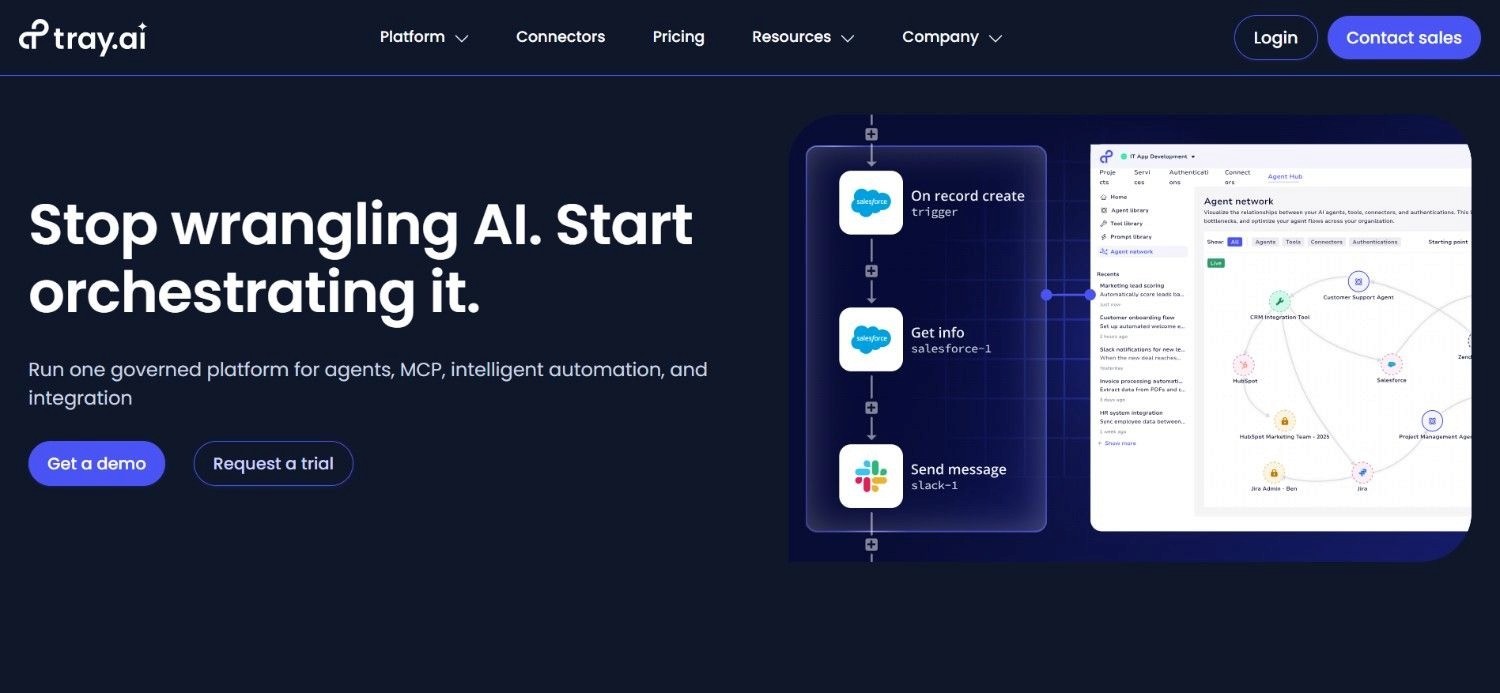
Tray.io is an enterprise automation and integration platform built for mid-market and enterprise organizations that need advanced governance, compliance controls, and high-volume multi-step integrations without a dedicated engineering team.
Founded in 2012 and used by companies including Intercom, Lyft, HubSpot, and Twilio, Tray.io is positioned between Make's mid-market pricing and Workato's full enterprise cost.
Its visual canvas handles complex conditional logic, data transformation, and error handling, while its governance layer provides SSO, SAML, audit logs, and RBAC without requiring an Enterprise tier upgrade.
Ideal For
Mid-market to enterprise teams that have outgrown Make's governance model but are not ready to commit to Workato's pricing floor
Operations and RevOps teams building complex, multi-step integrations across CRM, ERP, marketing, and support systems
Organizations with compliance requirements (SOC 2, GDPR) that need governance controls built into their automation infrastructure
Technical and semi-technical teams that need a visual builder with depth for complex logic without requiring code
Top Features
Visual Canvas Builder with Advanced Logic and Data Transformation: Tray.io's canvas supports complex conditional branching, loops, iterators, and real-time data transformation without code. Teams can map, filter, and reshape data between systems at a depth that exceeds Make for complex multi-step enterprise integrations.
Enterprise Governance: SSO, SAML, Audit Logs, and RBAC Across Paid Tiers: Tray.io includes enterprise security controls across its paid tiers without requiring an Enterprise plan upgrade. For teams where compliance and access governance are requirements, this built-in architecture removes a significant cost barrier.
400+ Pre-Built Connectors for High-Volume Task Processing: Tray.io's connector library covers the most common enterprise integration patterns - Salesforce, HubSpot, SAP, NetSuite, Slack, Jira. Team and Enterprise tiers remove task caps entirely for teams that need unlimited execution volume.
Why It's a Strong Make Alternative?
Tray.io is one of the stronger Make alternatives for teams that have hit Make's governance ceiling and need enterprise controls without committing to Workato's price range.
While Make offers no SSO, RBAC, or audit logs on any standard plan, Tray.io includes these controls at Pro and Team tiers - at a price point that sits between Make's $29/month Teams plan and Workato's $10,000+/year floor.
Pros
Enterprise governance controls (SSO, SAML, audit logs, RBAC) included in paid tiers
Visual canvas handles complex conditional logic and data transformation without code
400+ pre-built connectors with strong enterprise SaaS coverage
High-volume task processing; Team and Enterprise tiers remove task caps
Proven at scale with enterprise clients including Intercom, Lyft, and Twilio
Cons
No self-serve signup or free trial - requires a sales conversation before access
Task-per-step pricing model (each action counts as a task) compounds costs for complex multi-step scenarios
Pro tier at ~$595/month is a significant jump from Make's Teams plan at $29/month
Less suitable for teams needing open-source flexibility or self-hosting
Custom code flexibility is lower than n8n or Pipedream
Pricing
Tray uses custom, sales-led pricing with no public fixed rate. Costs depend on usage, workspaces, add-ons, and team size, and Merlin Agent Builder is priced separately.
Final Verdict
Tray is a well-suited option for mid-market and enterprise teams that have outgrown Make's governance model and need enterprise security controls without moving to Workato's price range.
Its Pro tier fills a meaningful gap between Make's accessible pricing and Workato's enterprise floor.
For teams with simpler SaaS automation needs, Make or Activepieces are more appropriate starting points.
9. Gumloop
Overview
Gumloop is an AI-first visual automation builder designed for non-technical users who want to build workflows powered by large language models without writing code.
Founded in 2023, Gumloop makes AI-native automation accessible to operators, marketers, and business teams by abstracting model configuration into visual, named workflow nodes.
Where Make requires users to configure API modules and map data structures manually, Gumloop lets users drag-and-drop named AI actions - "Summarize this", "Classify this email", "Extract data from this PDF", and connect them to downstream workflow steps.
Ideal For
Non-technical teams that want to build AI-powered workflows without prompt engineering or API configuration
Marketers, content teams, and operations teams running AI-assisted tasks like research, summarization, classification, and data extraction
Startups and SMBs exploring AI workflow automation before committing to a more complex platform
Teams that need to prototype AI automations quickly and iterate without developer involvement
Top Features
Visual AI Builder with Named LLM Nodes: Gumloop's canvas includes pre-built AI nodes for GPT-4, Claude, Gemini, and other models; callable without API configuration. Business users compose multi-step AI workflows by connecting named nodes rather than configuring API calls with tokens and prompts.
Pre-Built AI Automation Templates: A library of pre-built templates covers common AI use cases - lead research, content repurposing, document summarization, email classification - allowing teams to copy and customize rather than build from scratch. Setup time for standard AI workflows drops from hours to minutes.
Native Web Scraping and Document Parsing: Built-in web scraping and PDF/document parsing nodes let Gumloop workflows ingest unstructured data from external sources without separate tooling. For teams running competitive intelligence, content monitoring, or document-based automation, this removes a significant integration dependency.
Why It's a Strong Make Alternative?
Gumloop is one of the more practical best alternatives to Make for automation workflows for non-technical teams focused specifically on AI-powered tasks.
While Make requires users to configure OpenAI or Anthropic API modules with credentials, token limits, and response parsing, Gumloop abstracts all of that into named, pre-configured AI nodes.
For non-technical users who found Make's module configuration too complex, Gumloop provides a more accessible starting point for AI workflows.
Pros
Genuinely accessible to non-technical users; the AI node library removes configuration friction
Fast time-to-first-workflow: pre-built AI templates reduce setup from hours to minutes
Built-in LLM access (GPT, Claude, Gemini) without separate API key management for standard usage
Native web scraping and document parsing nodes built in
Lower cost than Make at the entry level for AI-focused use cases
Cons
Limited integration library compared to Make (3,000+) or Zapier (8,000+) for SaaS-to-SaaS automation
Less appropriate for high-volume, production-grade automation at enterprise scale
Starting price of $37/month is higher than Make's entry Core plan at $9/month
Less suitable for complex, multi-path data transformation workflows that Make handles well
Younger platform with less production history than Make or Zapier
Pricing
Starts at $37/month. Higher tiers available for larger usage volumes and team features. A free trial is available too. You’ll need to contact Gumloop for enterprise plans.
Final Verdict
Gumloop is well-suited for non-technical teams that want to build AI-powered automations without developer resources or Make's module configuration complexity. It is the strongest option on this list for teams whose primary use case is AI-native workflow automation rather than SaaS data routing.
For complex multi-step SaaS automation or high-volume production workflows, Make, n8n, or Activepieces provide better depth.
10. Pipedream
Overview
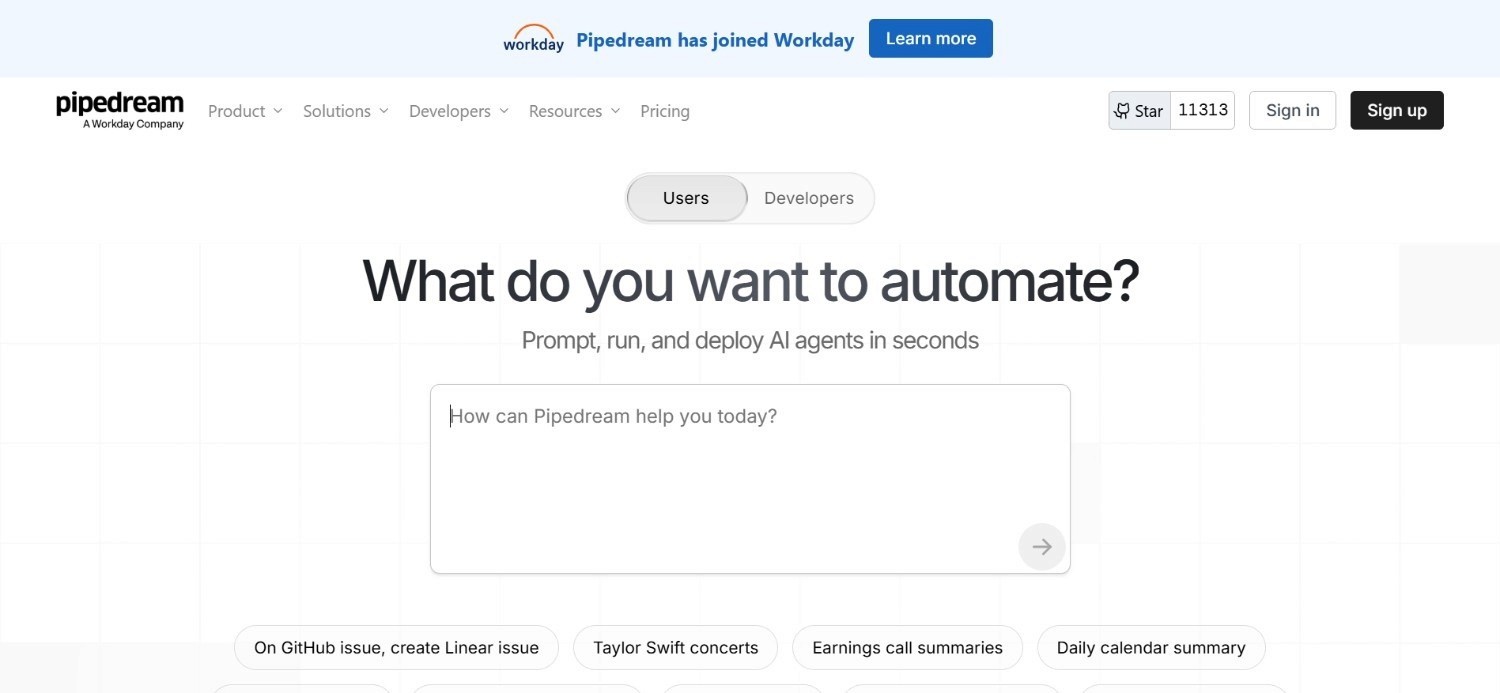
Pipedream is a serverless integration platform built for developers. It combines no-code app connectors with full code-step flexibility - users write Node.js, Python, Go, or Bash directly inside workflow steps alongside pre-built connectors from a library of 2,400+ apps.
Trusted by over 1 million developers across startups and Fortune 500 companies, Pipedream is particularly strong for API-first teams that need custom logic, fast webhook handling, and the ability to call any API without managing server infrastructure.
Its compute-time billing model charges based on execution duration rather than per-step, which rewards fast, well-optimized workflows.
Ideal For
Developers and engineering teams building custom workflow integrations that require code-level control
Teams that need the flexibility to write Python, Node.js, or Go within the same workflow as no-code connectors
SaaS companies building customer-facing integrations connecting their product to third-party APIs
Technical teams that want serverless workflow execution without managing infrastructure overhead
Top Features
Code + No-Code Hybrid in a Single Workflow: Pipedream lets users mix pre-built app connectors with custom code steps inside the same workflow. This gives developers the speed of pre-built integrations with the flexibility of custom code for edge cases, complex transformations, and API endpoints without native connectors.
Compute-Time Billing That Rewards Fast Workflows: Pipedream charges based on execution time (1 credit = 30 seconds of compute) rather than per-step. A 20-step workflow completing in 5 seconds costs the same as a 2-step workflow completing in 5 seconds. For well-optimized, fast workflows, this model is meaningfully cheaper than Make's per-module credit model.
2,400+ Pre-Built App Integrations with AI Tokens Included: All paid plans include AI token allocations for LLM-powered workflow steps - email parsing, classification, data extraction - without requiring a separate AI API subscription at moderate usage volumes.
Why It's a Strong Make Alternative?
Pipedream is one of the stronger Make alternatives for developer teams that want the flexibility of custom code execution with managed, serverless infrastructure.
While Make requires all logic to be expressed through pre-built module configurations and data maps, Pipedream allows developers to write arbitrary code at any step, removing the ceiling on what automation logic can achieve.
Pros
Full code execution (Node.js, Python, Go, Bash) inside workflow steps; no separate IDE required
Serverless infrastructure - no VPS to manage; automatic scaling
Generous permanent free plan (100 credits/month, 3 active workflows)
AI tokens included on all paid plans for LLM-powered workflow steps
Trusted by 1M+ developers with active community and strong documentation
Cons
Developer-focused; not suitable for non-technical teams that need the accessibility Make provides
Compute-time billing becomes expensive for long-running workflows (database syncs, large document processing)
Free tier hard caps stop workflows with a "Runtime Quota Exceeded" error - no grace period
Source and workflow invocations count separately, effectively doubling billing for event-driven workflows
Less enterprise governance than Workato or Noxus for compliance-sensitive environments
Pricing
Pipedream uses credit-based pricing with a free plan and paid tiers starting at $29/month. Higher plans offer more credits, workflows, and enterprise features, with a custom Business plan for larger teams.
Final Verdict
Pipedream is a strong option for developer teams building API integrations and custom automation logic without managing infrastructure.
Its code-step flexibility and compute-time pricing make it efficient for fast, well-optimized workflows. For non-technical teams that find Make too complex, Zapier or Gumloop are more accessible.
For enterprise operations with legacy system requirements, Noxus addresses a problem Pipedream was not designed to solve.
Why Noxus Works Across Multiple Use Cases?
Noxus for Banking and Financial Services Operations
European banks manage hundreds of thousands of customer cases per month - complaints, billing disputes, refunds, account changes - each requiring swivel-chair work across 3 to 7 systems with no automation layer.
Make can automate SaaS-to-SaaS data routing. It cannot touch SAP ECC, core banking systems, or COBOL-era platforms without a fully built API layer that typically costs €500,000+ to develop.
Noxus executes these workflows end-to-end: multi-system intake, policy lookups, rule application, CRM and ERP write-backs, and full audit logging, without requiring API modernization.
Noxus for Insurance Claims Processing
Insurance claims operations involve unstructured document inputs, complex business rule application, multi-system lookups, and strict regulatory documentation requirements. Make's per-credit model makes high-volume, multi-step claim scenarios prohibitively expensive. And even if cost were not a barrier, Make cannot interact with Guidewire, a COBOL-era policy core, or a proprietary claims management system without custom API development.
Noxus handles the full workflow: document interpretation, rule-based decision execution, system write-back, and complete audit trail per claim.
Noxus for Healthcare Administrative Workflows
Healthcare organizations process thousands of patient and administrative communications per month across clinical and administrative systems with Article 9 data sensitivity. Make has no healthcare-specific compliance architecture. Its standard SaaS model is not appropriate for workflows touching regulated health data in the EU.
Noxus deployed at CUF/José de Mello processes 10,000+ communications per month with 96% precision, 50 days to production, and full GDPR Article 9 compliance throughout. Every action is logged with deterministic policy enforcement - no AI model makes clinical or compliance-relevant decisions.
Noxus for Retail Catalogue Operations
Large retail and FMCG organizations managing 15,000+ daily product listings face a catalogue operations bottleneck that Make's credit model would make extremely expensive to automate at scale.
A 10-step catalogue enrichment workflow running 15,000 times daily would consume 1.35 million Make credits per month – far above any standard plan's allocation.
Noxus automates the full product data pipeline at Jerónimo Martins with 90% precision, 5x ROI, and 80 days to production: covering classification, description generation, category assignment, and pricing recommendations with direct write-back into PIM infrastructure. No per-credit escalation.
Noxus for Mid-Market Operations Automation
Mid-market companies have the same structural pain as enterprise clients - growing transaction volume, manual multi-system workflows, BPO cost escalation - but with faster buying cycles and fewer internal engineering resources. Make works for SaaS automation at this scale. But for companies where core operations run on legacy ERP, proprietary systems, and manual processes, Make cannot reach the workflows that matter most.
Noxus' mid-market deployment model delivers first production workflows in 30 days, with second and third use cases deploying at 85-90% gross margin because the infrastructure is already running. Operations teams get production AI automation without hiring an engineering team to build it.
What Makes a Good Make Alternative?
Pricing That Does Not Escalate With Workflow Complexity
Make's per-credit-per-step model means that adding complexity to a workflow - more branches, more data transformation steps, more modules - directly increases cost.
A genuine Make alternative should either use a per-execution model (n8n, Zapier), a per-flow model (Activepieces), a flat monthly model (Tray), or a consumption-based model (Noxus) that does not penalize teams for building more complete automation logic.
Integration Coverage That Matches Your Actual Stack
Make's 3,000+ integration library covers most SaaS tools, but it does not reach legacy enterprise systems without an API layer.
The right alternative for your team is the one that actually connects to the systems your workflows need to touch, whether that is Salesforce (all tools), SAP (Workato, Noxus), or a COBOL-era core (Noxus only).
Governance Controls That Match Your Compliance Requirements
Make does not include SSO, RBAC, activity audit logs, or compliance certifications (SOC 2, ISO 27001, GDPR Article 28) on any standard plan.
For regulated industries, this is a structural problem, not a missing feature.
A genuine Make competitor for compliance-sensitive environments needs governance controls built in, not available only on custom enterprise plans.
Operational Depth Beyond Workflow Routing
Make automates data flows between apps. A credible alternative for enterprise operations teams needs to go further: executing complete workflows from intake to write-back, handling unstructured inputs (emails, scanned documents, free-text requests), applying business rules deterministically, and producing a complete action trail per case.
None of this is within Make's scope.
Support and Onboarding That Matches Your Team's Resources
Make provides community forum support on Free, Core, Pro, and Teams plans - with no direct customer support. For teams running business-critical automation, this support gap creates operational risk.
The right alternative should provide support commensurate with how critical your automation is to day-to-day operations: Zapier offers live chat on paid plans, Workato provides dedicated CSMs at enterprise tier, and Noxus includes deployment engineering as part of the engagement.
How to Choose the Right Make Alternative for Your Needs?
Choosing the right Make.com alternative can be a Herculean task. Here’s a stepwise approach to help you make the right choice:
1. Identify Whether Your Use Case Is SaaS Automation or Enterprise Operations
The most important distinction in this comparison is between SaaS-to-SaaS workflow automation (Make, Zapier, n8n, Activepieces, Pabbly Connect) and enterprise operations execution across legacy systems (Noxus).
These are different problem categories. Choosing the right one first eliminates most of the tools on this list immediately.
2. Calculate Your Real Monthly Operation Cost at Current Workflow Volume
Make's pricing looks attractive at headline level ($9/month for 10,000 credits) but compounds quickly. A 10-step scenario running 500 times per day consumes 1.5 million credits per month - well above any standard plan.
Map your top 5 workflows: step count × daily executions × 30 days = monthly operations.
Then compare that number against each tool's pricing tier to identify the actual cost, not the advertised starting price.
3. Assess Whether You Need Self-Hosting or Data Sovereignty
If your team handles sensitive data and needs full control over where it is processed and stored, your shortlist narrows to self-hosted options: n8n Community Edition (free), Activepieces Community Edition (free), or Noxus (air-gapped on-premises deployment).
Make, Zapier, Gumloop, and Pabbly Connect are cloud-only with no self-hosting option.
4. Verify Legacy System Connectivity Requirements Before Shortlisting
If any of your automation workflows need to touch SAP, Oracle, Guidewire, ServiceNow, COBOL-era banking cores, or proprietary in-house systems without an API layer, most tools on this list cannot help you.
Establish this requirement early, since it eliminates Make, Zapier, n8n, Activepieces, Pabbly Connect, Gumloop, and Pipedream from consideration for that specific workflow.
5. Evaluate Total Cost of Ownership Over 24 Months, Not Monthly Subscription Price
Make's $9/month Core plan is only the starting point. Factor in: credit top-up costs as workflows grow, plan upgrades as scenario complexity increases, implementation and configuration time, and any compliance tooling gaps that require separate solutions.
Pabbly Connect's lifetime deal may cost less over 5 years than Make's annual subscription. Noxus' consumption model includes deployment engineering that would otherwise cost €500,000+ to build internally.
Everything You Need to Know About the Best Make Alternatives in 2026
← scroll →
| Category | Key Considerations |
|---|---|
| Top 3 Alternatives | NoxusZapiern8n Enterprise legacy operations & regulated industries · Non-technical teams, maximum app coverage · Technical teams needing self-hosted unlimited execution |
| Best Overall Option | Noxus — the only platform that executes end-to-end operations work inside legacy enterprise systems under full governance, without API modernization prerequisites. |
| Why Look for Make Alternatives? | Per-credit-per-step pricing escalates fast for complex workflows; steep learning curve for non-technical users; no governance controls on standard plans; cannot reach legacy enterprise systems. |
| How to Choose? | Identify SaaS automation vs. enterprise operations use case; calculate real monthly operation cost at your workflow volume; verify legacy system requirements; assess compliance needs; evaluate 24-month total cost. |
| Price Range | Free (n8n self-hosted, Activepieces Community) to $9/month (Make Core) to $19.99/month (Zapier) to $37/month (Gumloop) to £15/user/month (Power Automate) to $595/month (Tray.io Pro) to $10,000+/year (Workato) to custom consumption-based (Noxus). |
| Ease of Switching | Zapier, Activepieces, and Gumloop are easiest — free tiers, no credit card required. Pabbly Connect has a free plan. n8n has a 14-day cloud trial. Tray.io and Workato require sales conversations. Noxus runs a 30-day POC on client systems before full deployment. |
| Must-Have Features | Match pricing model to your execution volume; verify integration coverage for your specific tools; governance controls if operating in regulated industries; legacy system connectivity if needed; support model appropriate to your operational criticality. |
| Mistakes You Shouldn't Make | Evaluating tools on headline monthly price without modelling actual credit consumption at your workflow volume; choosing a tool with no governance controls for regulated-industry deployments; selecting a self-hosted tool without budgeting DevOps capacity for setup and maintenance. |
Ready to Move On from Make? Try Noxus
Most Make alternatives solve a version of the same problem Make solves: routing data between SaaS APIs, triggering actions on events, connecting cloud tools. If that is your automation need, the tools above cover it at various price points and complexity levels.
Noxus solves a different problem entirely.
Getting AI into production in an enterprise is 90% an infrastructure problem. Make reaches SaaS APIs. Noxus reaches the systems Make cannot: SAP, Guidewire, Oracle, COBOL-era banking cores, and proprietary platforms built over decades, with no clean API layer. Every action is governed, traceable, and replayable. Your data stays on your infrastructure.
Noxus is purpose-built for operations teams in financial services, insurance, healthcare, retail, and manufacturing that have outgrown manual processes, BPO contracts, and general-purpose automation tools.
3-5x ROI, with 45-80 days to go from contract to production and deployment - our workflows have showcased zero churn across all deployments.
FAQs About the Best Make Alternatives
What is Make used for?
Make (formerly Integromat) is used for visual, multi-step workflow automation between SaaS applications. Teams connect apps like Gmail, Salesforce, Slack, Google Sheets, and Shopify through a drag-and-drop scenario canvas with conditional logic, data transformation, and error handling.
What is the best Make alternative in 2026?
The best Make alternative in 2026 is Noxus. Noxus runs operations across SAP, Guidewire, ServiceNow, and Oracle without API modernization prerequisites. While Make.com still relies on predefined scenarios which break or require updates as processes evolve - Noxus adapts in real-time, making decisions, handling exceptions and continuing execution without any human intervention or constant maintenance.
What features should I look for in a Make alternative?
When evaluating best alternatives to Make for automation workflows, the key factors are: pricing model fit for your execution volume (per-execution, per-flow, or flat rate will almost always be cheaper than per-step at scale), integration coverage for your specific tools, governance controls if you operate in a regulated industry, legacy system connectivity if any of your workflows touch non-API systems, and a support model appropriate to your operational criticality. Make's lack of governance controls on standard plans is a structural gap for compliance-sensitive environments that any credible enterprise alternative must address.
How do I choose the best Make alternative for my needs?
Choosing the right Make competitor starts with identifying whether your use case is SaaS-to-SaaS automation or enterprise operations execution across legacy systems - these categories require completely different tools. For SaaS automation, calculate your real monthly credit consumption (step count × daily executions × 30) and compare against each tool's pricing tier; the math usually determines the answer. For enterprise operations touching legacy systems, only Noxus operates natively without API prerequisites. Verify compliance certification requirements before shortlisting any platform for regulated-industry deployments.
Is Zapier better than Make?
Zapier is not categorically better than Make – they serve different user profiles. Zapier is better for non-technical users who prioritize ease of use and maximum app coverage (8,000+ integrations). Make is better for technical and semi-technical users who need complex workflow logic and cost efficiency at scale: It provides 10,000 operations for $9/month vs. Zapier's 750 tasks for $19.99/month - a 10x to 13x cost differential at comparable volumes. If you run multi-step workflows with branching, loops, and data transformation, Make is almost always cheaper and more capable than Zapier.
Can Noxus replace Make for enterprise automation?
Noxus does not replace Make for SaaS-to-SaaS workflow automation - connecting CRM tools, routing form data, triggering notifications. Noxus is built for a different problem: executing complex, multi-system operations inside legacy enterprise environments under full governance. If your automation connects Salesforce to Slack, Make or Zapier are more appropriate. If your automation involves resolving customer complaints across SAP ECC, a core banking system, and an email inbox, with a complete compliance audit trail, Noxus is the right infrastructure. Many enterprises use both: Make for SaaS integration workflows and Noxus for operations-critical legacy system automation.
Is Make suitable for enterprises with legacy systems?
Make is not well-suited for enterprises with legacy systems in production. Make connects to APIs - systems like SAP ECC, Guidewire, COBOL-era banking cores, and proprietary in-house platforms require a fully built API layer before Make can interact with them. Building that API layer typically costs €500,000 to €1M+ in engineering investment before a single workflow runs.