Best Microsoft Copilot Studio Alternatives in 2026 (Top-Rated Competitors Reviewed)

Noxus is the best overall choice among Copilot Studio alternatives for enterprises running operations rather than conversations.
It then adds three objects Copilot Studio does not represent directly. A Case carries state from intake to outcome. A Work Queue gives operators somewhere to see and act on live work. A Process Builder holds the rules coordinating agents, people and existing systems.
That matters for a specific kind of team. Copilot Studio is built to make agents fast, and its reviewers say so consistently.
The complaints start where the agent stops being the whole job: limited customisation on complex requirements, integration friction outside the Microsoft estate, cost at production volume. If your process runs for days across SAP, Guidewire and a core banking system, the tool that shipped your first agent is now the constraint.
We built Noxus, so read the first entry with that in mind. The other nine draw on published product information and verified G2 and Capterra reviews.
Key Takeaways (TL;DR)
Who Microsoft Copilot Studio Is For: Organisations standardised on Microsoft 365 building conversational and autonomous agents across Teams, SharePoint, Dataverse and the Power Platform, where low-code authoring and speed to a working agent matter most.
Why Seek a Microsoft Copilot Studio Alternative: Limited customisation on complex requirements, integration friction outside Microsoft and cost at scale. Architecturally, the agent is the unit, so case state, operator queues and process-level records get assembled from Dataverse, Power Automate and custom apps.
Best Overall Alternative: Noxus. It represents the case, the queue and the process logic directly, and runs inside customer-controlled infrastructure including on-premises and air-gapped environments.
What Sets Noxus Apart: Process-level case execution across agents, people and existing systems, running inside customer-controlled infrastructure with an open-core guarantee returning all code and binaries if the relationship ends. No competitor on this list replicates that combination.
How to Choose: Work out whether your primary object is an agent experience or a long-running process, because the two have different answers. Then settle deployment with IT and security before the functional evaluation, and prove the shortlist on one process you actually run.
Top Microsoft Copilot Studio Alternatives in 2026 at a Glance
← scroll →
| Category | Key Considerations |
|---|---|
| Top 3 Alternatives | NoxusUiPathZapier Enterprise operations running end to end across legacy systems · Large automation estates including UI automation · Connecting cloud applications quickly without engineering |
| Best Overall Option | Noxus, for case state that survives failures and waits, an operator work queue for exceptions, write-back into systems without modern APIs, customer-controlled deployment including on-premises and air-gapped, and an open-core guarantee returning all code and binaries if the relationship ends. |
| Why Look for Power Automate Alternatives | Capterra reviewers name challenging troubleshooting and reliability, describing unclear error messages and unpredictable failures. G2 reviewers add slow performance, bugs and cost. Structurally, a flow is a sequence rather than a case, so state, exception handling and operator visibility must be built around it. |
| How to Choose | Separate integrations from processes, audit the existing Power Automate estate before replacing it, map every system and its authoritative record, settle deployment with IT and security before functional evaluation, model cost at production rather than pilot volume, then prove it on one real process. |
| Ease of Switching | Flow definitions do not transfer between products, but the process knowledge does: the systems, the rules, the exception paths and the sequence. Most organisations keep Power Automate for straightforward departmental automation and move the operationally important processes onto a process product. Noxus deployments reach production on real systems in 45 to 80 days. |
| Must-Have Features | Case state that survives a failed step; an operator work queue for exceptions with context attached; write-back into systems without modern APIs; deployment under your own governance with BYOK; process logic a business owner can change; a complete execution record per case. |
| Mistakes You Shouldn't Make | Comparing connector counts instead of operating models; modelling cost on pilot volume; replacing the whole estate when the problem is concentrated in a few processes; choosing an integration product for work that is a long-running process. |
Why Consider Microsoft Copilot Studio Alternatives?
What Microsoft Copilot Studio Does Well
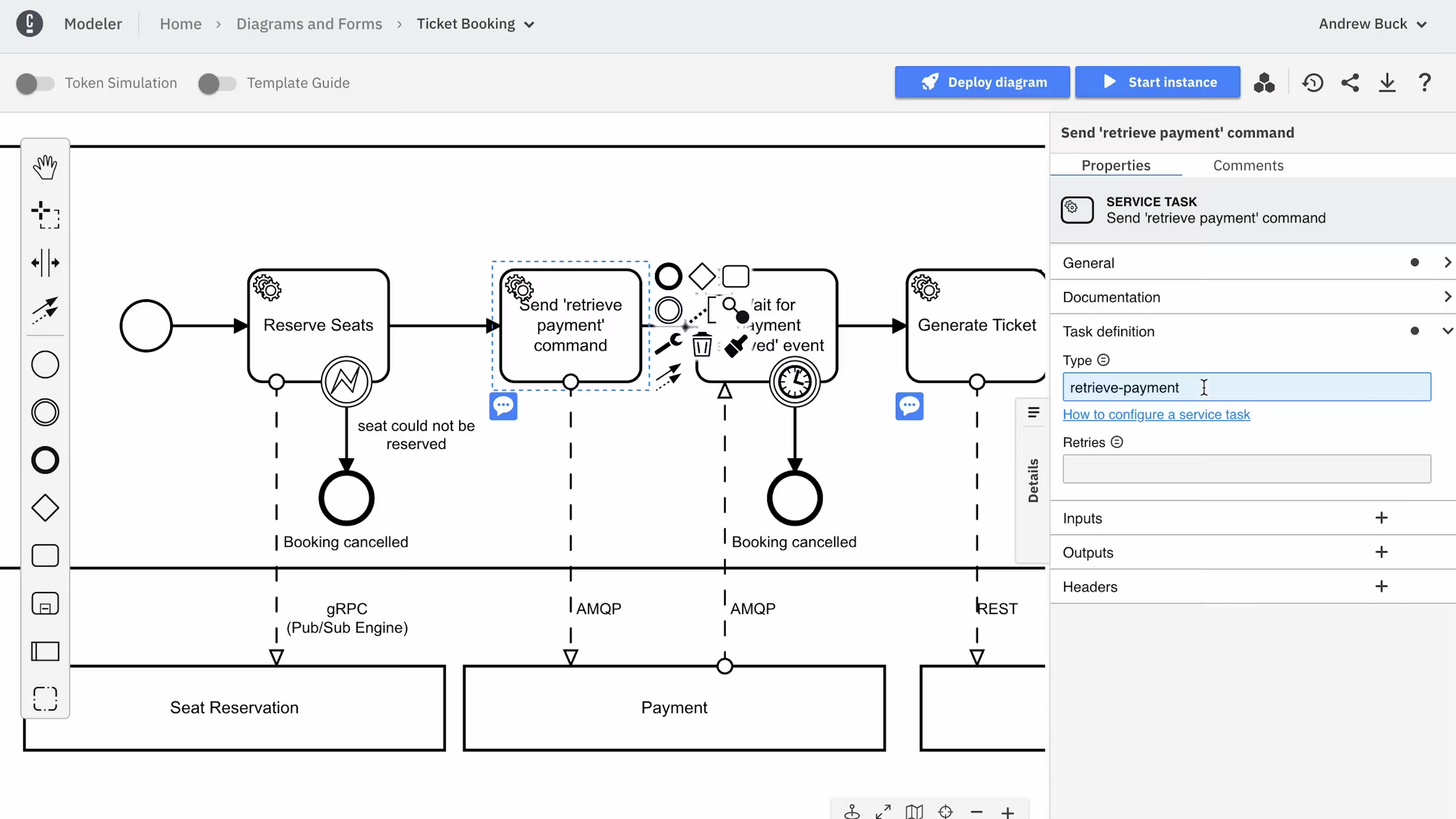
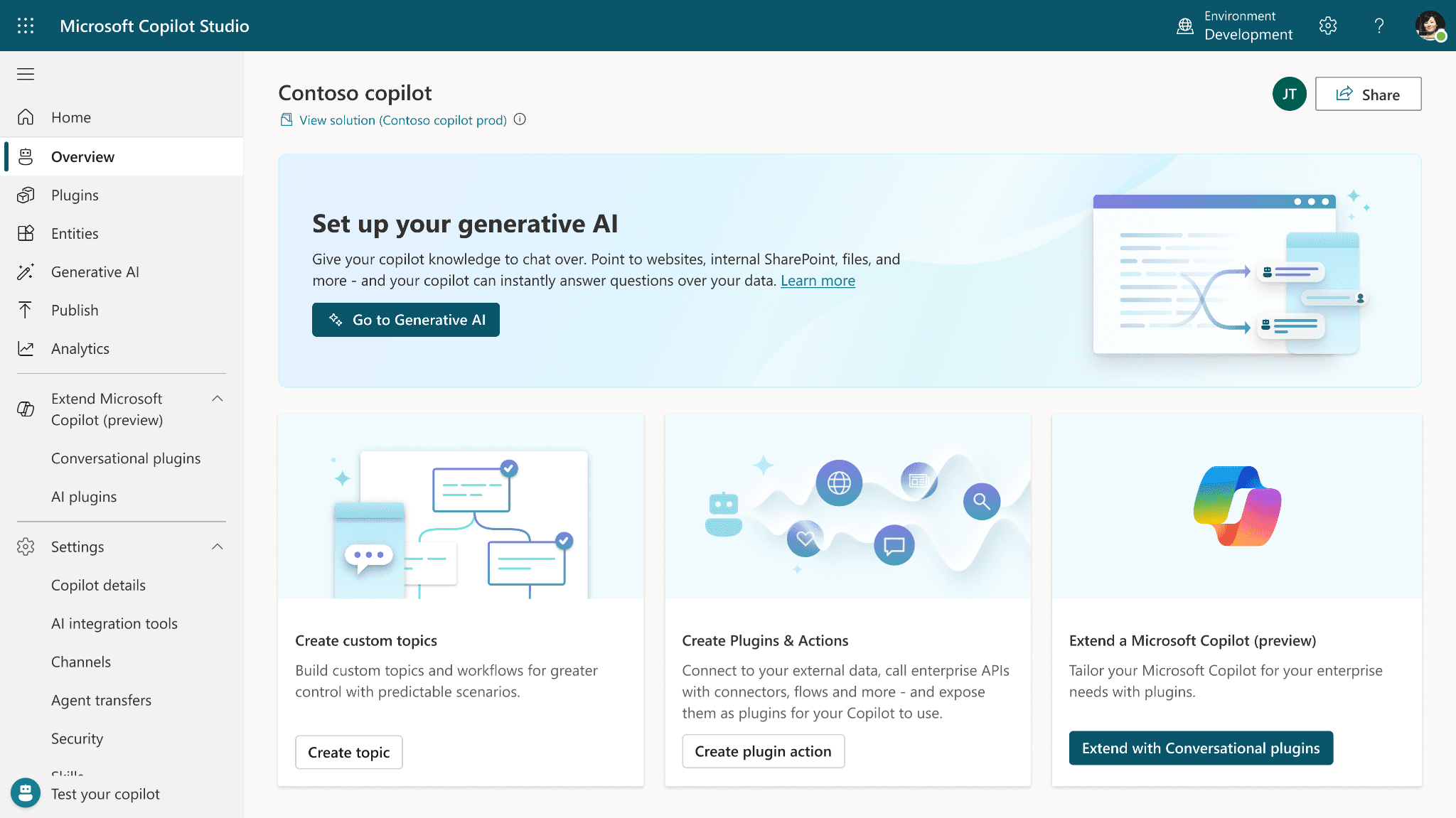
Copilot Studio is an agent platform, and treating it as anything narrower misreads what Microsoft shipped. It builds conversational and autonomous agents, connects them to Microsoft and third-party systems, runs multi-step agent flows, includes human approvals and evaluates agents against test sets.
It holds a 4.4 average across more than 150 verified user reviews, with ease of use, setup speed, integrations and automation as the strengths reviewers name most often.
The low-code authoring model is what reviewers return to. One describes building and customising agents for different purposes and publishing each to the right department, where colleagues get answers without technical troubleshooting.
For an organisation already standardised on Microsoft 365, the route from idea to working agent is short. The surrounding Power Platform estate means the agent reaches Teams, SharePoint, Outlook and Dataverse without a separate integration project.
Where Microsoft Copilot Studio Falls Short
The limitations users name are consistent enough to be predictable. They cluster around limited customisation on complex requirements, learning curve, cost and integration friction.
One reviewer notes that when a use case becomes complex, customisation and advanced automation options are limited without deeper technical knowledge. Another describes the settings as opaque about whether they override the instructions given to the agent.
The structural gap matters more than any individual feature. Copilot Studio centres on the agent, which is the right object when the deliverable is an agent experience.
It is the wrong starting point when the deliverable is an operation that runs for days, touches six systems, pauses for approval and has to produce one execution record. In that scenario case state lives in Dataverse, orchestration lives in Power Automate and the operator view lives in a Power App.
Teams can build that. The question worth asking is who maintains it after the third process goes live, and what happens when a business owner wants to change a rule.
Cost is the third theme. Consumption-based agent pricing works when volumes are known, and it becomes harder to model once a process spans thousands of cases a month across several business units.
Best Microsoft Copilot Studio Alternative Overall
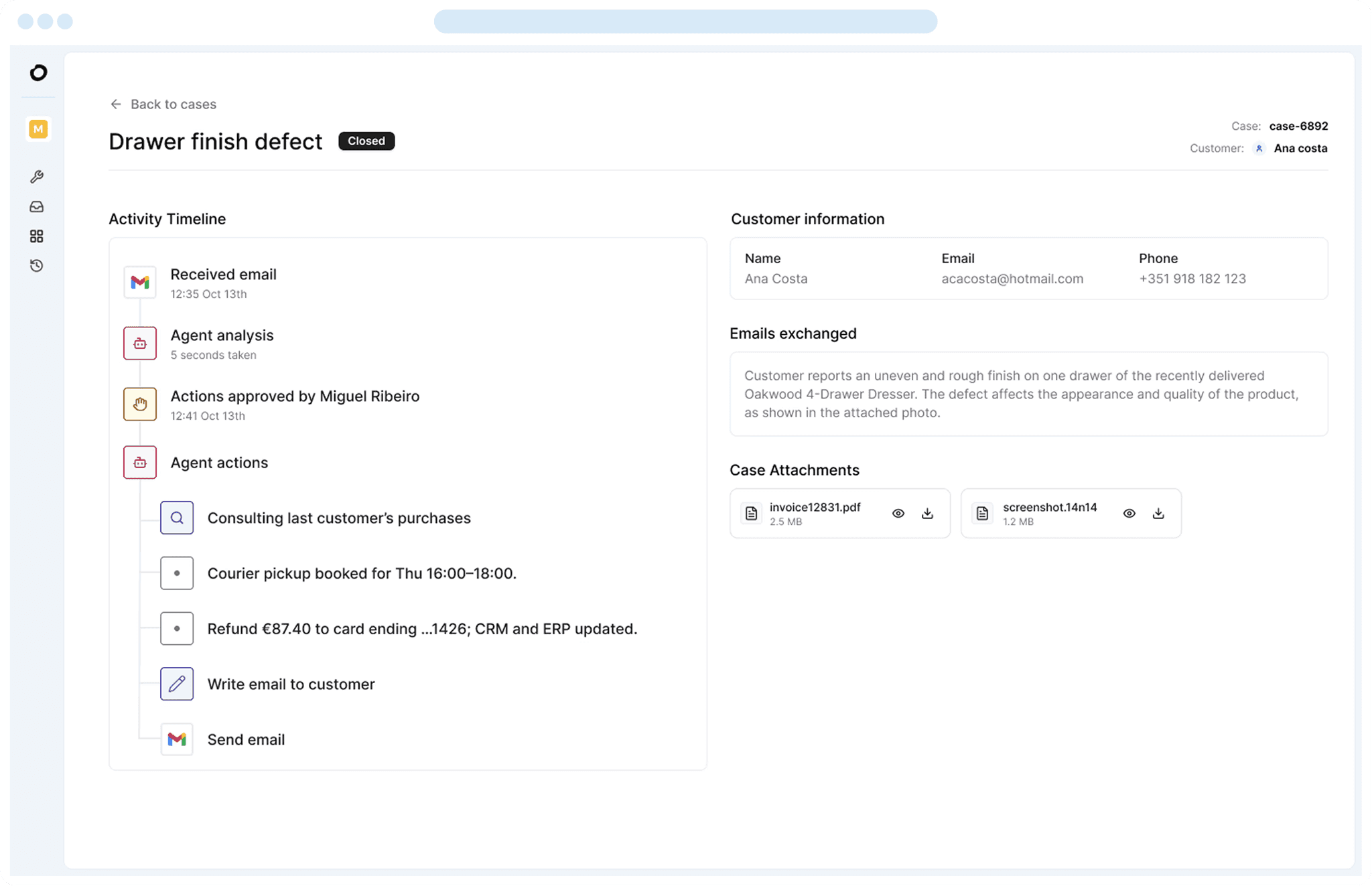
Noxus is the best overall alternative to Copilot Studio for enterprise operations. It handles agent execution and approval steps, then carries the parts Copilot Studio leaves to whatever you build around it.
A Work Queue holds the active cases and the human work attached to them. A Case carries its data, documents, state, decisions and execution history from intake to outcome. A Process Builder defines the activities, rules and controls, and how a case moves when work succeeds, fails or needs intervention.
The practical difference is where the automation sits. Copilot Studio automates the agent. Noxus runs the process around it, with deterministic logic where an exact rule applies, people where accountability requires one, and existing systems for the transactions they already own.
The second difference is deployment. Noxus runs as managed SaaS, inside a customer VPC, on-premises or fully air-gapped, with bring-your-own-key encryption and no training on client data.
For a bank, an insurer or a hospital group, that is frequently the reason a deal closes. Santander runs branch operations as a governed process across five countries on the bank's own infrastructure, live in under 90 days.
Best Microsoft Copilot Studio Alternatives in 2026: In-Depth Review & Comparison
The best Copilot Studio alternatives fall into three groups. There are process products that run operations end to end, suite-native agent platforms anchored in a system of record, and developer tooling for teams building their own.
Each entry follows the same structure: what the product does, who it fits, its strongest capabilities, why it is a credible Copilot Studio replacement, what reviewers say, and where it stops.
1. Noxus
Overview
Noxus is the process layer for enterprise operations. It holds the process logic and live case state that coordinate work across agents, people and the systems an organisation already runs.
We were founded in 2023, based in London and Lisbon, around a specific diagnosis. Making agentic AI work inside a large organisation is 90% an infrastructure problem and 10% an AI problem.
The models are capable and the use cases are obvious. What sits between a working prototype and a production process is case state, integrations, permissions, evaluation, audit, human intervention and deployment, rebuilt from scratch for every new process.
Customers include Santander, Fidelidade, Jerónimo Martins, CUF, KIRCHHOFF Automotive, Carlsberg Group, Sky, Brisa and Randstad. Implementation partners include PwC, Devoteam, Noesis and GlinttNext.
Against Copilot Studio specifically, the difference is which object the product treats as primary. Copilot Studio builds agents. We run the process those agents participate in.
Ideal For
Operations leaders in banking, insurance and utilities who own cost per case, SLA performance and error rates
Healthcare and public-sector organisations where GDPR Article 9, data residency or air-gapped deployment is a precondition
Manufacturing quality teams running supplier claims, PPAP reviews and audit programmes against SAP QM and MM
IT and architecture leaders who need deployment topology, key management and exportable audit logs before approving anything
Digital and AI transformation leads with several pilots running and none in production
Top Features
Work Queue, Case and Process Builder as first-class objects, so a case that opens Monday, waits for a document Tuesday and closes Friday keeps its state, history and place in an operator's queue throughout.
400+ native connectors plus direct integration into systems without modern APIs, including SAP ECC and S/4HANA through OData, Guidewire, ServiceNow, Oracle and COBOL-era cores, with write-back into inspection lots, goods receipts and quality notifications.
Deployment across shared cloud, customer VPC, on-premises and air-gapped environments with bring-your-own-key encryption, so process data, documents, case state and audit records stay inside the client perimeter.
Model presets with ranked fallback chains across 14 providers, referenced by handle rather than model ID, so a team moves to a newer or cheaper model without rebuilding the surrounding process.
Two record types for two audiences: a functional history showing what happened to the business case, and technical logs carrying the runtime detail engineering needs to diagnose failures.
Why We're the Best Microsoft Copilot Studio Alternative
The honest version of this argument starts with what each product optimises. Copilot Studio makes building an agent fast. We make running a governed operation fast, which is a different job.
Three things make the switch worth considering. The first is that case state survives everything that happens to a real process: a failed system call, a missing document, a three-day wait for an approval.
The second is deployment reach. A Copilot Studio agent lives in the Microsoft cloud, while a Noxus process runs wherever governance allows, including air-gapped environments with offline update transfer under cryptographic verification.
The third is who can change the process. Process owners work with the logic directly rather than filing a ticket against an application, which decides whether a portfolio gets easier or harder to run as it grows.
The open-core guarantee closes the lock-in question with a mechanism rather than an assurance. The client retains all code and binaries if the relationship ends.
Pros
Case state, work queues and process logic represented directly, so operational changes do not require an application development project
Runs inside customer-controlled infrastructure including on-premises and air-gapped, with no training on client data
Reaches legacy systems with no API modernisation first, including production write-back into SAP, Guidewire and core banking
Model access decoupled from process logic, so provider changes and outages do not break running processes
Verified production deployments: Santander running branch operations as a governed process across five countries on its own infrastructure, CUF resolving over 10,000 patient communications a month under GDPR Article 9, Jerónimo Martins automating 15,000 daily product listings with PIM write-back
Cons
Sales-led evaluation, so the first step is a scoped process assessment rather than a self-serve trial
Built for operational processes with measurable outcomes, so an open-ended conversational assistant is a weaker fit
Small public review footprint relative to established vendors, which matters if peer review volume weighs in your evaluation
Customer Reviews
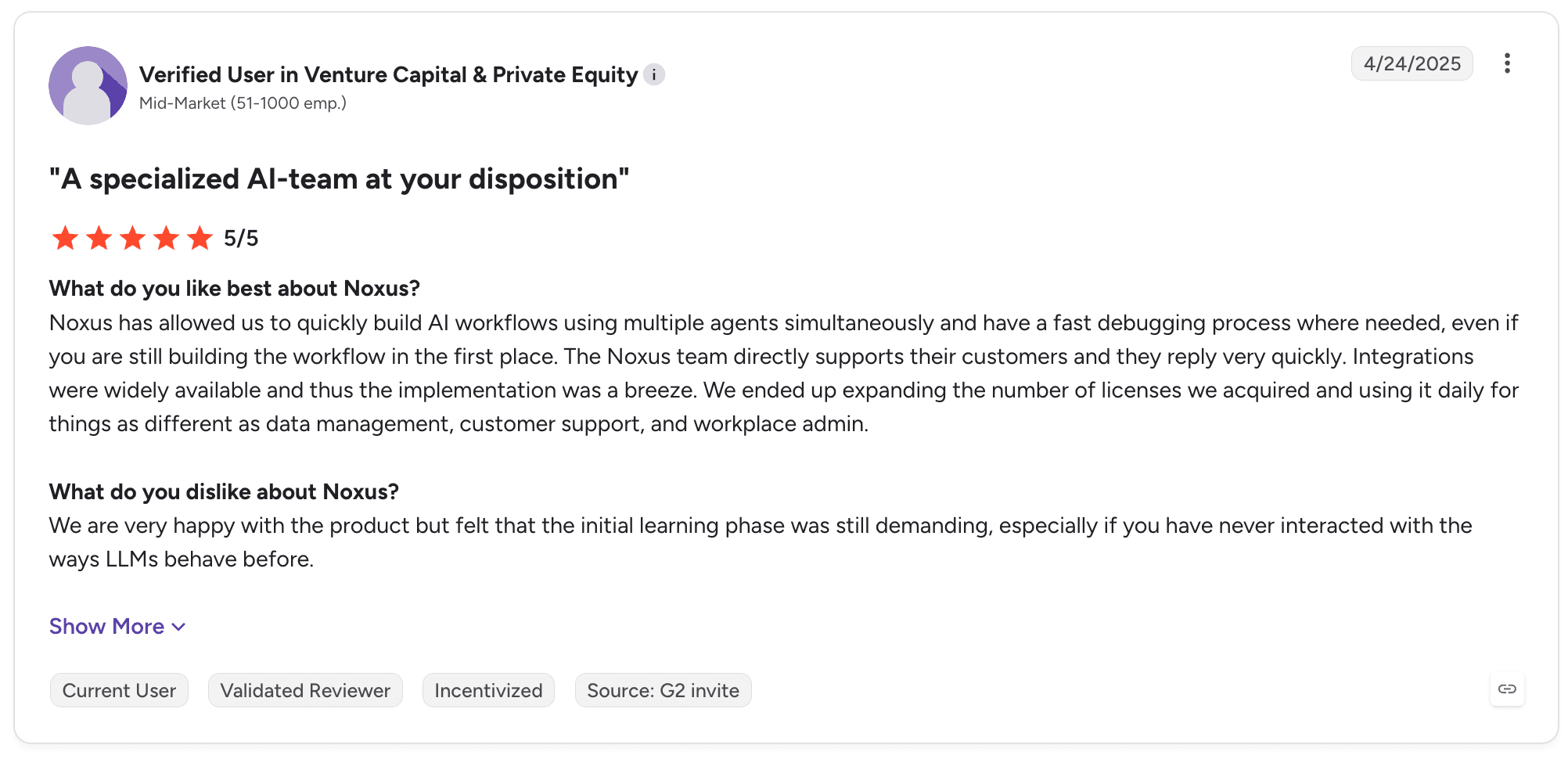
Noxus holds 5.0 out of 5 across three G2 reviews, a small sample best read as early signal rather than consensus. Reviewer-generated tags are setup ease, integrations, customer support and customisation, with learning curve the only negative.
Reviewers describe building workflows with multiple agents running simultaneously and a fast debugging process, alongside integrations available widely enough that implementation went smoothly. The consistent criticism is that the initial learning phase is demanding for anyone who has not worked with LLM behaviour before.
Final Verdict
If you are leaving Copilot Studio because the work is an operation rather than a conversation, this is the closest thing to a direct answer.
The agents execute, the case persists, the operators have somewhere to work, and the outcome lands in SAP or the core banking system under audit. For a European enterprise with legacy density and sovereignty requirements, the deployment model usually decides it.
2. UiPath

Overview
UiPath began in UI automation, with software robots reproducing the clicks and navigation a person performs in desktop and web applications. The current product has expanded far beyond that origin.
UiPath Agentic Automation combines UI and API automation, agents, human intervention, orchestration and Maestro case management, with deployment available in customer-managed infrastructure.
It remains the most widely deployed automation product in large enterprises. In a majority of Copilot Studio evaluations, UiPath is already somewhere in the building.
Against Copilot Studio, the comparison is one of reach. UiPath assumes an automation estate, a centre of excellence and applications that no connector will ever cover.
Ideal For
Organisations with an existing UiPath estate wanting to add agents and case management
Shared services and back-office teams automating high-volume work across applications without APIs
Enterprises needing UI automation against desktop and terminal applications
RPA centres of excellence with established governance and developer capacity
Regulated organisations requiring customer-managed deployment of automation infrastructure
Top Features
UI and API automation combined, so a process reaches applications through whichever route exists
Maestro case management, bringing long-running case orchestration into the same product as the automation
Orchestrator for centralised scheduling, monitoring, credential management and audit across large fleets
Agentic capabilities with human-in-the-loop controls on consequential decisions
Document understanding for extracting structured data from unstructured documents at volume
Why It's a Strong Microsoft Copilot Studio Alternative
UiPath is one of the strongest choices when UI automation is genuinely required. Copilot Studio connects through connectors and APIs, which works across the Microsoft estate and modern third-party services.
It does not reproduce a person navigating a green-screen terminal or a legacy desktop application. For a meaningful share of enterprise work, that capability decides whether automation is possible at all.
Scale governance is the second argument. Orchestrator gives an automation programme centralised scheduling, credential management and audit across the whole estate, which is what a Power Platform estate typically lacks once it spreads across departments.
Pros
UI automation reaches legacy desktop and terminal applications that no API can address
Case management, orchestration and agents inside a single governance model
Centralised control over scheduling, credentials and audit across large robot and agent fleets
Extensive free training and certification, repeatedly named by reviewers as a reason teams get productive
Customer-managed deployment available for regulated environments
Cons
Reviewers describe unclear error messages and inconsistent behaviour during development and troubleshooting
Breadth of the suite creates administrative overhead when several components combine
Licensing is intricate, and reviewers report difficulty modelling total cost across robots, agents and orchestration
UI automation stays sensitive to interface changes in underlying applications, creating ongoing maintenance
Process logic sits with the automation team rather than with the business owner
Customer Reviews
UiPath Agentic Automation holds 4.6 out of 5 across 7,579 G2 reviews, with UiPath rated 4.6 on Capterra. That is by far the largest verified review base on this list.
Reviewers praise extending RPA with agentic decision-making, no-code agent creation and breadth across SAP, mainframe, Windows, web and PDF applications. The criticisms concentrate on stability and error handling, with reviewers describing vague error messages and debugging that becomes difficult when agentic decisions interact with traditional workflows.

Final Verdict
UiPath is recommended when UI automation is a hard requirement or an existing estate makes extension cheaper than adoption. On breadth and review evidence it is stronger than anything else here.
It is a weaker choice where the organisation wants process owners rather than automation developers to own operational logic. The stability pattern in reviews deserves direct testing in a proof of concept, particularly where a silent failure carries regulatory consequences.
3. Salesforce Agentforce
Overview
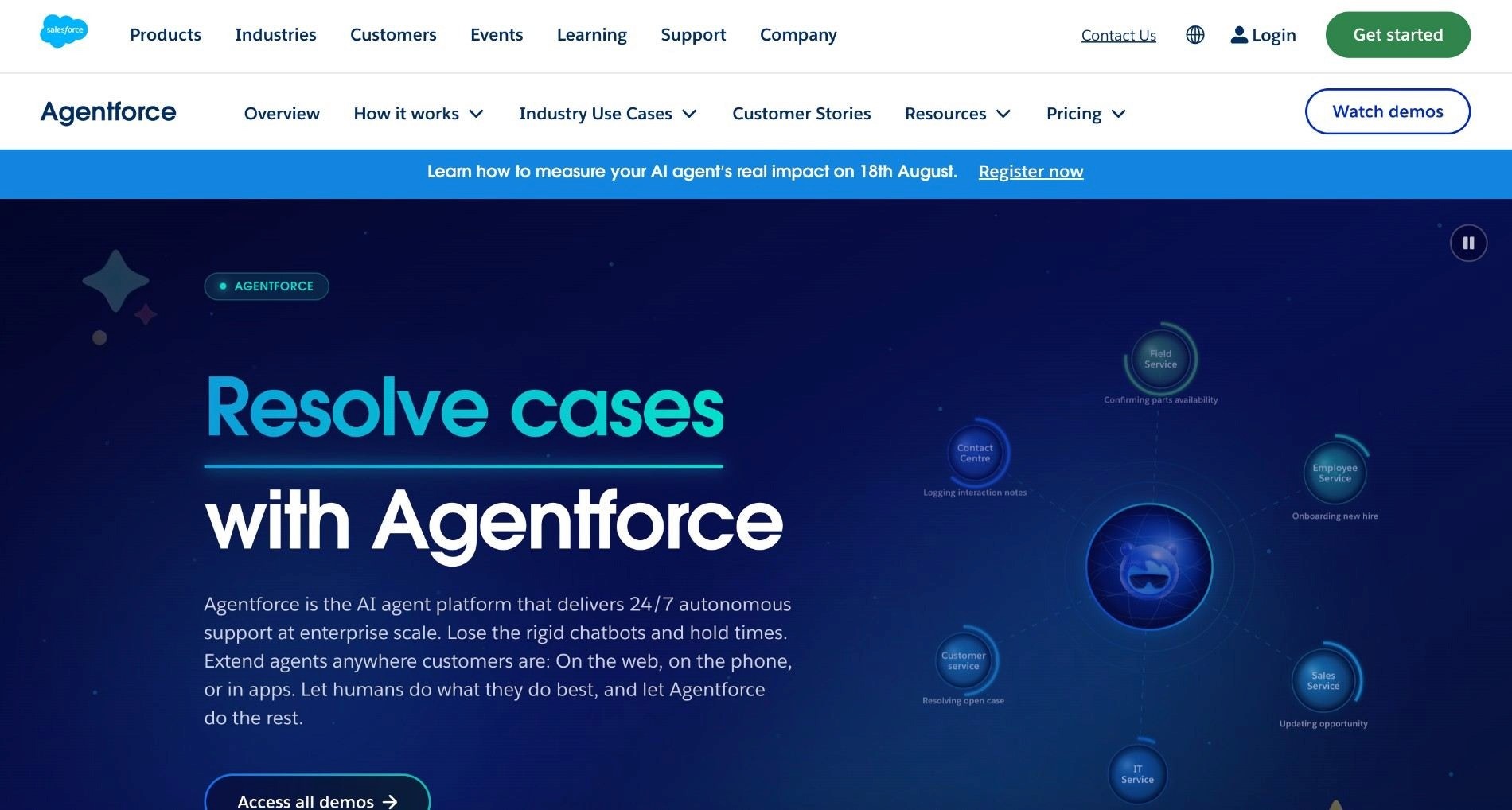
Agentforce is Salesforce's agent product, built to create and deploy agents that act on CRM data with grounding in Data Cloud. It targets service, sales and marketing use cases first.
For organisations where the customer record is the centre of gravity, the grounding advantage is real. The agent reads from and writes to the same data the service team works in, with no integration layer between them.
Salesforce brings the largest CRM install base and partner network in enterprise software to this product. Implementation capacity is widely available and the administrator skill set already exists inside most customer organisations.
Ideal For
Service organisations resolving customer cases inside Salesforce Service Cloud
Sales teams automating lead qualification, research and follow-up against CRM records
Organisations with Data Cloud deployed and customer data already consolidated
Salesforce administrators and architects who own the customer estate and its governance
Marketing teams building agent-assisted journeys anchored in CRM segments
Top Features
Agent Builder with Data Cloud grounding, so responses draw on unified customer records rather than a separate index
Pre-built Service and Sales agents covering common customer-facing patterns
Flow integration connecting agent actions to automation logic customers already maintain
Native CRM write-back, updating cases, opportunities and records as part of agent execution
Agentforce Testing Center for evaluating agent behaviour against expected outcomes before deployment
Why It's a Strong Microsoft Copilot Studio Alternative
For an organisation whose operational centre is Salesforce rather than Microsoft 365, Agentforce is one of the smartest choices available. An agent reading the unified customer profile from Data Cloud produces different quality answers from one reaching CRM data through a connector.
The second advantage is organisational rather than technical. Most large Salesforce customers already have administrators, architects and a partner relationship in place, which means an Agentforce programme has an owner from day one.
Copilot Studio programmes in Salesforce-centric organisations frequently stall on who owns the connection between the agent and the customer record. Agentforce answers that by construction.
Pros
Grounding in Data Cloud gives agents direct access to unified customer records
Mature administration, governance and testing tooling inherited from the wider Salesforce estate
Large partner network with available implementation capacity
Pre-built agent patterns shorten time to a working service or sales agent
Native write-back into cases and opportunities without an integration layer
Cons
Value concentrates inside the Salesforce estate, with reviewers describing an uneven fit outside it
Reviewers report that reaching consistent results takes significant configuration and fine-tuning
Consumption-based costs draw repeated comment, with pricing that escalates as usage grows
Data Cloud is effectively a prerequisite for the strongest grounding, which adds scope to most programmes
Oriented to customer-facing work rather than multi-system back-office operations
Customer Reviews
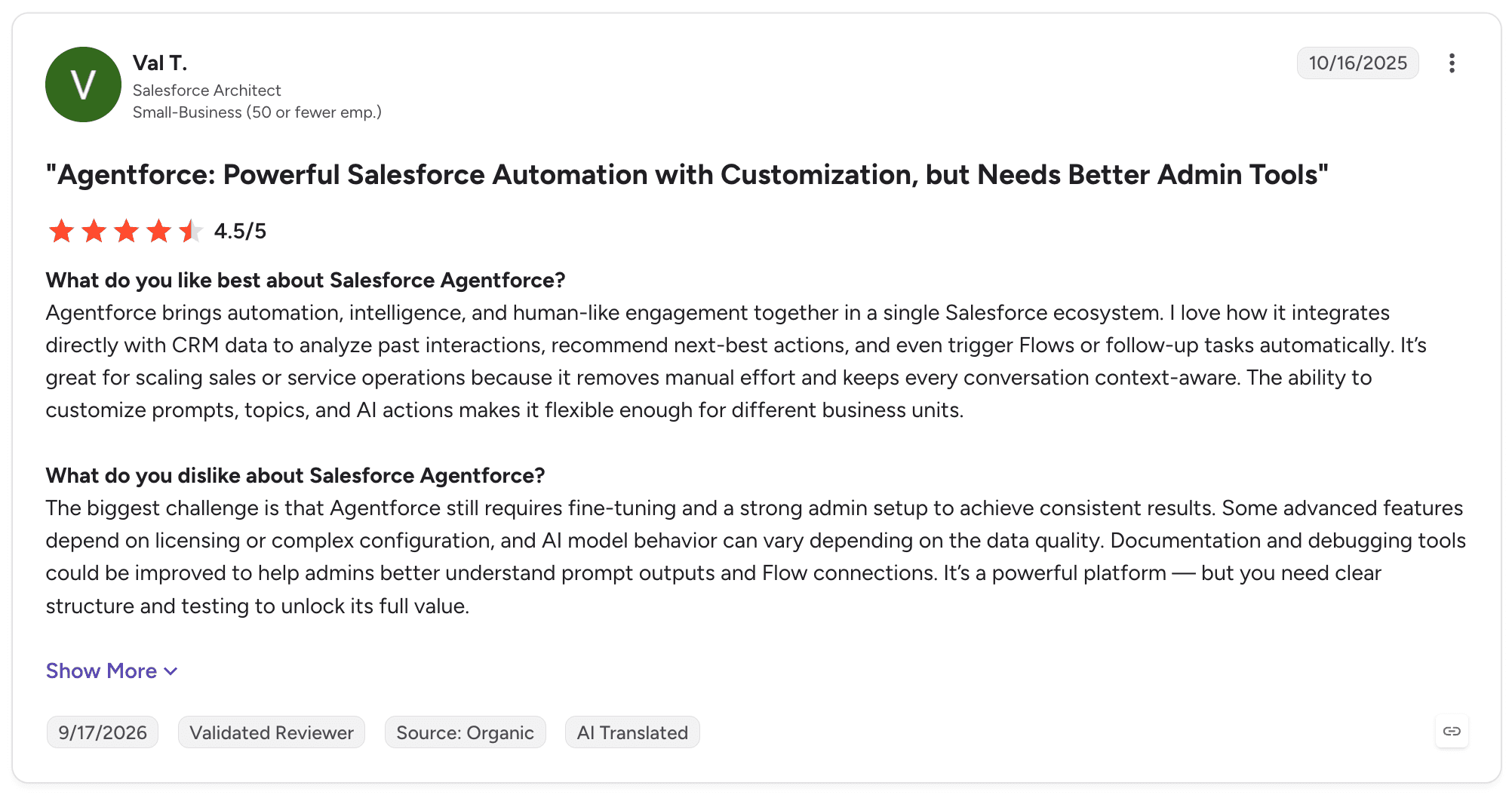
Agentforce holds 4.3 out of 5 across 1,891 G2 reviews. Reviewers describe faster customer insights, reduced manual workload in service and agents that make Salesforce data actionable across workflows.
The criticism concentrates on setup effort and cost. Reviewers describe heavy dependency on the Salesforce ecosystem, configuration and fine-tuning needed before results become consistent, and admin tooling that several would like to see improved before scaling.
Final Verdict
Agentforce is recommended for customer-facing agent work where Salesforce is the system of record for the customer. Case deflection, agent-assisted resolution and lead qualification are the patterns it handles best.
Its limits follow from the same design. An operation spanning SAP, a document store, a core banking system and email, with Salesforce as one participant among several, stretches the model beyond where it is centred.
4. Google Vertex AI Agent Builder
Overview
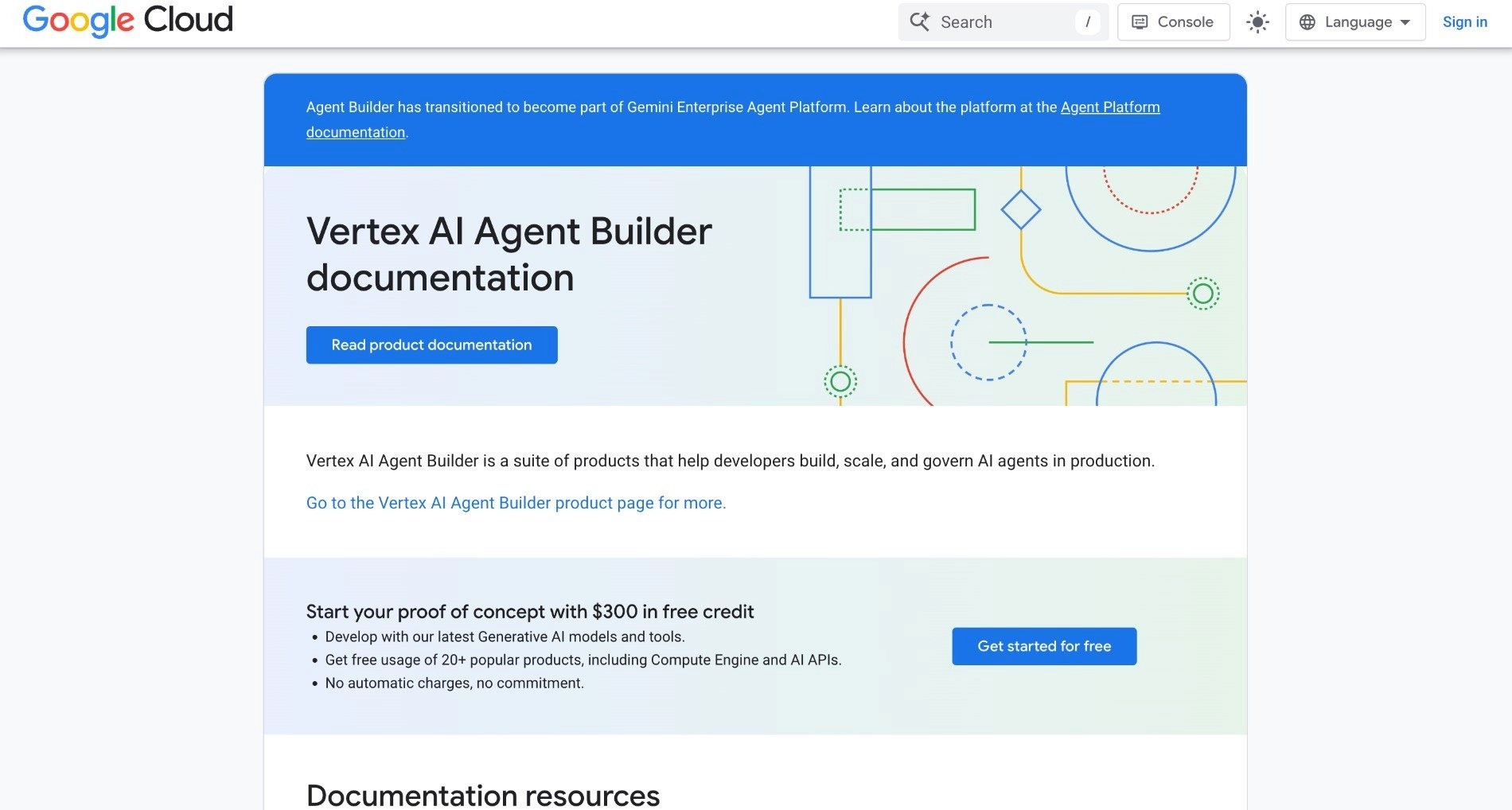
Vertex AI Agent Builder is Google Cloud's tooling for building and deploying agents, sitting within the wider Vertex AI product for model access, grounding, retrieval and deployment.
It gives teams direct access to Gemini models alongside the model garden, with grounding against enterprise data and integration with Google Cloud identity, networking and observability.
The product suits engineering-led teams more than business-led ones. Its strength is proximity to Google's model and data infrastructure, with RAG pipelines, vector search and evaluation tooling in the same environment.
Organisations choosing it are usually making a broader decision about where AI workloads live rather than selecting an agent builder in isolation.
Ideal For
Engineering teams with Google Cloud as their primary infrastructure
Organisations building retrieval-heavy agents over large proprietary document sets
Teams wanting direct Gemini access with enterprise controls around it
Data science groups already using Vertex AI for model training and deployment
Developers who prefer SDK and API-first development over visual authoring
Top Features
Direct Gemini model access with the Vertex model garden under one set of enterprise controls
Grounding and RAG pipelines over enterprise data, with vector search and retrieval in the same environment
Google Cloud identity, networking and VPC controls applied to agent workloads without separate configuration
Evaluation and monitoring tooling integrated with Google Cloud observability
SDK and API-first development with full programmatic control over agent behaviour
Why It's a Strong Microsoft Copilot Studio Alternative
The parallel to Copilot Studio is close, which makes the comparison clean. Both are hyperscaler agent products that work best inside their own cloud, and both assume the organisation has already made a broader infrastructure choice.
For a Google Cloud organisation, this is the equivalent-fit option. Choosing Copilot Studio would mean running agent workloads outside the environment where the data already lives.
The retrieval and grounding tooling is where Google's offer is strongest. Teams building agents over large document collections get vector search, chunking, reranking and evaluation as part of the same product rather than as components to assemble.
Pros
Direct access to Gemini models alongside a wide model garden under consistent enterprise controls
Strong retrieval, grounding and RAG tooling for knowledge-intensive agents
Google Cloud identity, networking and data residency controls applied without extra work
Programmatic development model suits teams that prefer code over visual authoring
Agent workloads stay inside the same perimeter as existing Google Cloud data
Cons
Assumes Google Cloud as the home environment, so a poor fit for organisations standardised elsewhere
Reviewers describe the number of configuration options required before a project reaches production
Documentation and examples lag behind product changes, a recurring theme in reviews
Model behaviour draws black box criticism, with reviewers describing difficulty tuning results
Business users cannot own agent logic without engineering involvement
Customer Reviews
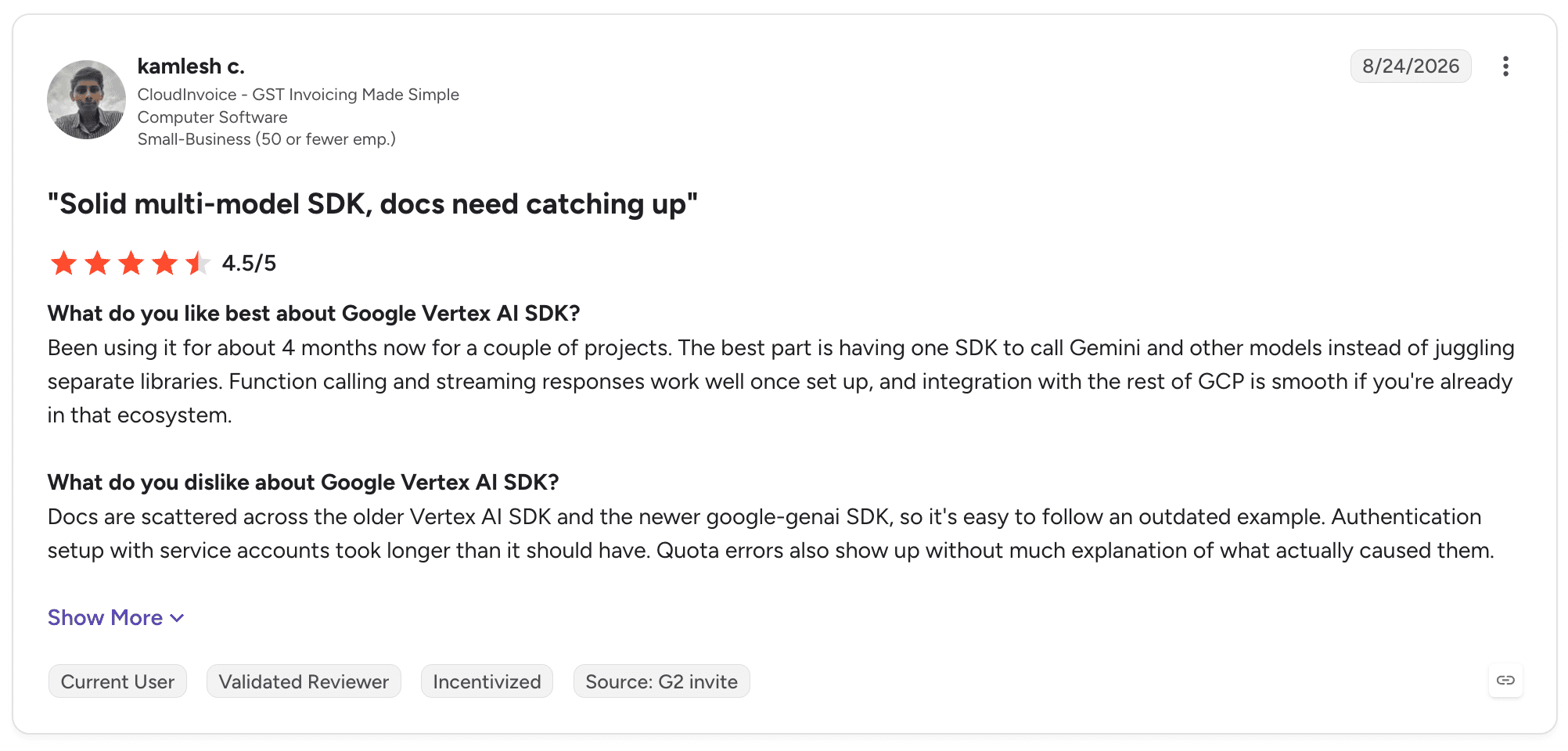
Review evidence for Agent Builder specifically is thin, so this draws on the adjacent Vertex AI listings. The Google Vertex AI SDK holds 4.5 across 27 G2 reviews, and Capterra's Vertex AI entry shows 4.5 across two reviews.
Reviewers describe integration with Google Cloud services, flexibility across multimodal and RAG applications and a development experience that suits teams already inside the environment. The criticism centres on configuration overhead and on documentation that has not kept pace with the product.
Final Verdict
Vertex AI Agent Builder is recommended for engineering teams building agents on Google Cloud, particularly where retrieval over proprietary data is central.
It is not suitable for most organisations evaluating copilot studio alternatives. Organisations standardised on Microsoft would be adopting a second cloud to run agents, and business process owners cannot work with it directly, so every operational change routes through engineering.
5. IBM watsonx Orchestrate
Overview
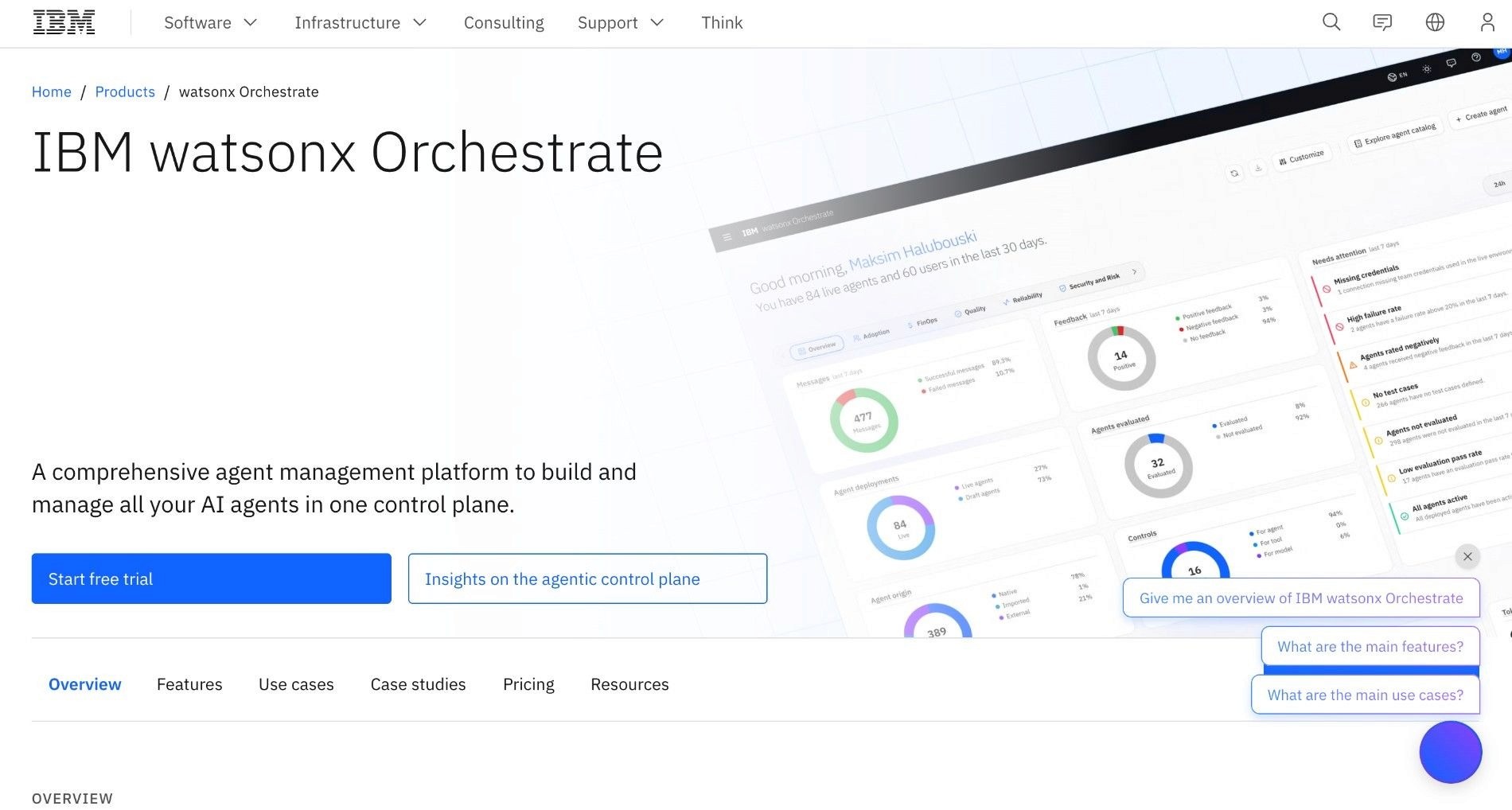
watsonx Orchestrate is IBM's agent orchestration product, built to create and manage agents that execute work across enterprise applications.
It combines a low-code agent builder with a Python Agent Development Kit, a skills catalogue covering common enterprise actions, and integrations into the applications large organisations already run.
IBM positions it around governed automation for regulated industries. That shapes both the feature set and the buyers who evaluate it.
For banks, insurers and public sector bodies with an existing IBM relationship, it arrives through a procurement route that is already open, which shortens the path materially.
Ideal For
Regulated enterprises with existing IBM relationships and established procurement routes
HR, finance and procurement teams automating multi-step processes across enterprise applications
Organisations requiring on-premises or hybrid deployment of agent infrastructure
Technical teams wanting a Python ADK alongside low-code authoring
Enterprises with formal model governance built into their operating model
Top Features
Agent builder with a Python Agent Development Kit, supporting low-code and programmatic authoring on the same agents
Skills catalogue covering common enterprise actions across HR, finance, procurement and IT
Multi-agent orchestration for work that spans several systems
Flexible deployment including on-premises for data residency constraints
Governance tooling aligned to enterprise model risk and audit requirements
Why It's a Strong Microsoft Copilot Studio Alternative
IBM's deployment flexibility is the clearest differentiator against Copilot Studio. An organisation that cannot run agent workloads in the Microsoft cloud has a genuine option here without leaving the enterprise vendor tier.
That matters particularly in European financial services and public sector, where deployment location is frequently decided before any functional evaluation begins.
The dual authoring model is the second advantage. Business teams build with the low-code interface while engineering works through the Python ADK against the same agents, which avoids the usual split between a low-code ceiling and a code-first product nobody outside engineering can touch.
Pros
On-premises and hybrid deployment available, unlike cloud-only agent products
Python ADK alongside low-code authoring serves both technical and business builders
Skills catalogue shortens build time for common enterprise actions
Established enterprise support and procurement routes for existing IBM customers
Governance model built for organisations with formal model risk management
Cons
Reviewers consistently name a steep learning curve before teams become productive
Documentation gaps appear repeatedly, with reviewers reporting that better material would reduce implementation effort
Multi-agent configuration is complex, with reviewers describing unclear behaviour when agents coordinate
Cost at enterprise tiers draws comment among the recurring negative tags
Integration with non-IBM systems can require more configuration than reviewers expect
Customer Reviews
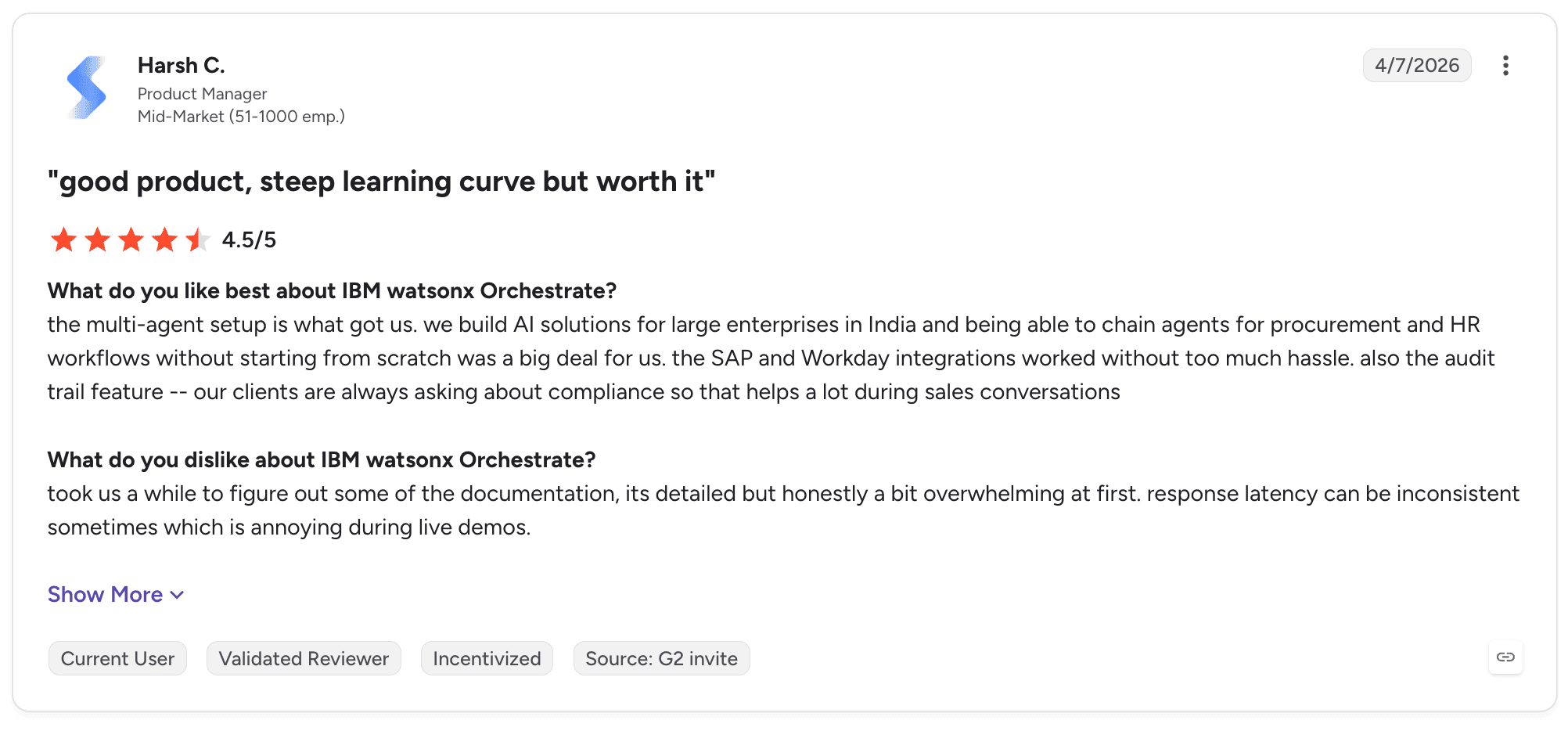
watsonx Orchestrate holds 4.4 out of 5 across 393 G2 reviews. The positive tags are ease of use, easy integrations and automation, with reviewers describing agents that handle multi-system work without manual intervention.
The negative tags are learning curve, complexity, missing features and expense, and the written reviews match them closely. Reviewers describe a good product with a learning curve steep enough to name explicitly, and several say better documentation and support materials would make implementation faster.
Final Verdict
watsonx Orchestrate is recommended for regulated enterprises with an IBM relationship, particularly where on-premises deployment is required and HR, finance or procurement processes are the target.
The learning curve and documentation gaps translate into longer time to first production process. For organisations without an existing IBM relationship, the practical cost of adoption is higher than the feature list suggests.
6. ServiceNow AI Agents
Overview
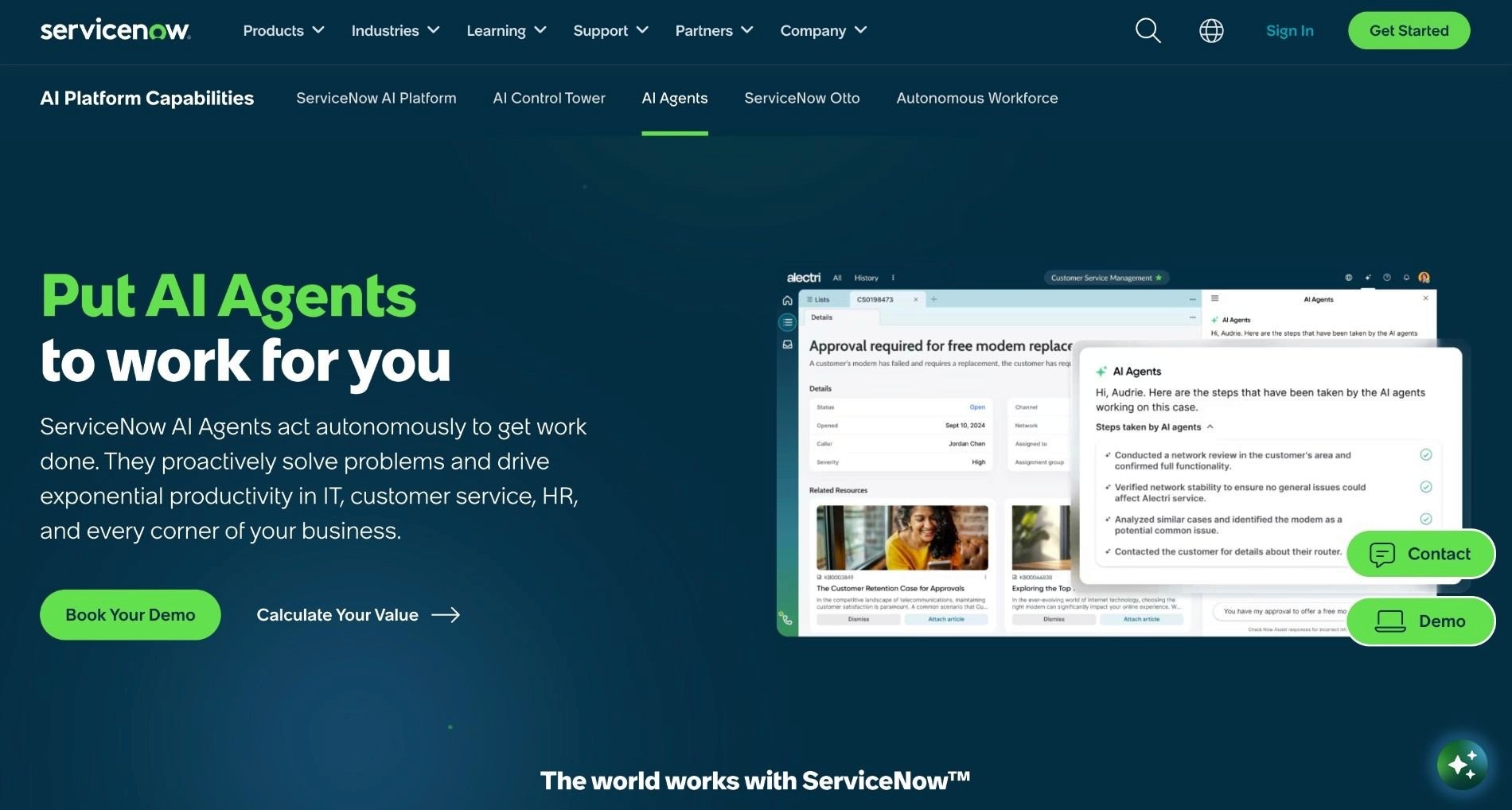
ServiceNow AI Agents brings agentic capability into the ServiceNow workflow engine, with AI Agent Studio for building agents and Now Assist for the assistive layer.
Agents operate on governed ServiceNow data and execute inside the same workflow infrastructure that already runs ITSM, HR service delivery and customer service for a large share of enterprises.
The product benefits from ServiceNow's core strength: a mature workflow engine with a governance model enterprises already trust. Agents inherit the data model, the access controls and the audit trail rather than building parallel versions.
That inheritance is the biggest argument for choosing it, and it also defines its boundary.
Ideal For
Organisations running ITSM, HR service delivery or customer service workflows on ServiceNow
IT operations teams automating ticket triage, classification and resolution routing
Enterprises with mature ServiceNow governance and an established platform team
Service desks handling high ticket volumes with predictable resolution patterns
Organisations wanting agents that operate on already-governed enterprise data
Top Features
AI Agent Studio for building agents that operate inside existing ServiceNow workflows
Native access to governed ServiceNow data with the same records and access controls human agents use
Now Assist providing assistive capability across the ServiceNow interface
Workflow engine integration, so agent actions participate in existing orchestration
Enterprise integrations into the applications ServiceNow already connects across the estate
Why It's a Strong Microsoft Copilot Studio Alternative
For an organisation where ServiceNow runs the operational workflows, this is one of the strongest choices available, and the reason is governance rather than features.
A Copilot Studio agent reaching into ServiceNow through a connector works, and it creates a second place where process logic lives, a second audit trail and a second set of access decisions.
The workflow maturity underneath is the second argument. ServiceNow spent years building orchestration, approval routing and state management for long-running work, so agents plug into infrastructure that already handles the hard parts.
Pros
Agents operate on governed ServiceNow data with existing access controls and audit trail
Mature workflow engine handles long-running work, approvals and state management
No parallel governance model to build or maintain alongside the existing estate
Strong fit for ITSM, HR service delivery and customer service resolution patterns
Enterprise integrations already in place across the applications ServiceNow connects
Cons
Value concentrates inside the ServiceNow estate, with limited reach into processes centred elsewhere
Reviewers report setup and integration as challenging despite the native advantages
Consumption licensing draws repeated comment, with reviewers describing unpredictable cost modelling
Agents can require substantial prompt and configuration work before behaving consistently
Deeper agentic work on complex customer cases draws criticism for lacking depth
Customer Reviews
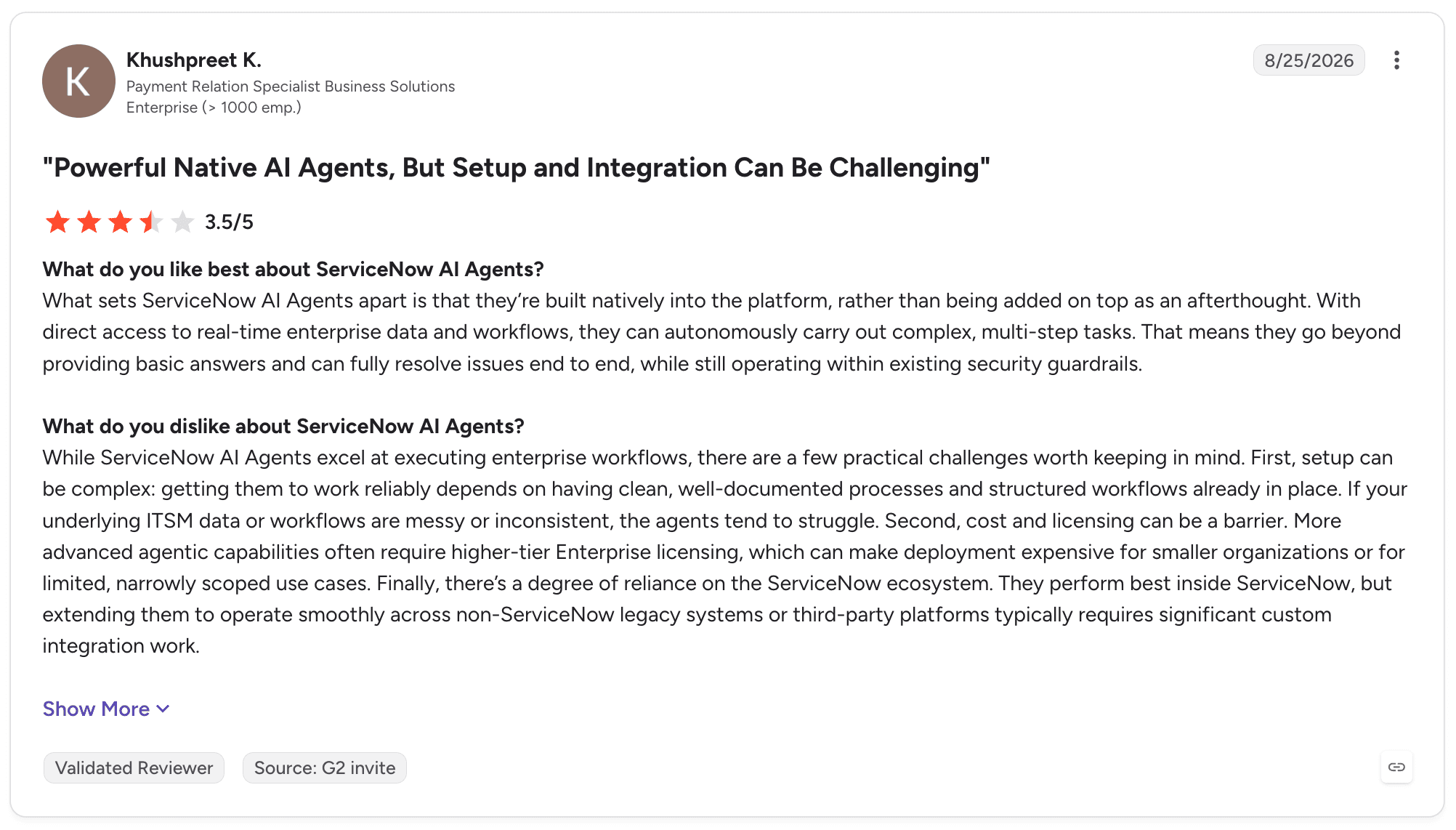
ServiceNow AI Agents holds 4.3 out of 5 across 480 G2 reviews. Reviewers describe agents that trigger the right workflow with context, take appropriate actions and reduce manual effort in ticket handling.
The criticism divides between configuration effort and cost. Reviewers describe native agents as effective while naming setup and integration as challenging, and several describe licensing and consumption that need careful monitoring as usage grows.
Final Verdict
ServiceNow AI Agents is recommended where ServiceNow already runs the operational workflows, particularly in ITSM, HR service delivery and customer service.
It is not suitable for the majority of enterprise operations, because most of them are not centred on ServiceNow. A banking complaint moving through core banking, SAP, a CRM and email touches ServiceNow at most as one participant.
7. Appian
Overview
Appian is the mature end of the BPM, low-code and dynamic case management category. It models processes, manages long-running cases, routes human tasks and builds workflow-driven applications.
It has been deployed in large enterprises and government for years, which gives it a track record in exactly the long-running, human-in-the-loop work that agent-first products are only now approaching.
Appian added agentic capability to that foundation rather than starting from agents and building process management afterwards. That produces a different shape of product from most of this list.
Buyers evaluating it are usually making a decision about their process and application estate rather than about agents specifically.
Ideal For
Enterprises and government bodies with formal process modelling and case management requirements
Organisations building workflow-driven applications alongside process automation
Compliance-heavy environments requiring documented process governance and audit
Teams with low-code development capacity and an established application estate
Organisations extending an existing BPM investment into agentic execution
Top Features
Process modelling and dynamic case management built for long-running work with human participation
Data fabric connecting across enterprise systems without requiring data consolidation
Low-code application development for building operator interfaces around process work
AI skills and agentic components integrated into the process model
Governance and audit tooling built for regulated and public sector requirements
Why It's a Strong Microsoft Copilot Studio Alternative
Appian handles the thing Copilot Studio does not represent: long-running cases with state, human tasks and exception paths.
Where a Copilot Studio evaluation reaches the point of asking where case state lives and how an operator picks up work an agent could not finish, Appian answers those questions from its foundations.
The application layer is the second differentiator. A process usually needs an interface for the people who work on it, and Appian builds that interface inside the same product under one governance model.
Pros
Mature process modelling and dynamic case management for long-running human-in-the-loop work
Data fabric reaches enterprise systems without data migration projects
Application development and process logic in one product under one security model
Strong governance and audit capability suited to regulated and public sector buyers
Long enterprise track record that shortens internal approval and procurement
Cons
Licensing cost is the single most repeated criticism reviewers raise
Low-code development still requires specialist skills for anything beyond straightforward applications
Reviewers report a learning curve steeper than the low-code positioning implies
Breadth as an application platform means agentic execution is one capability among many
Some reviewers describe limited customisation when requirements fall outside intended patterns
Customer Reviews
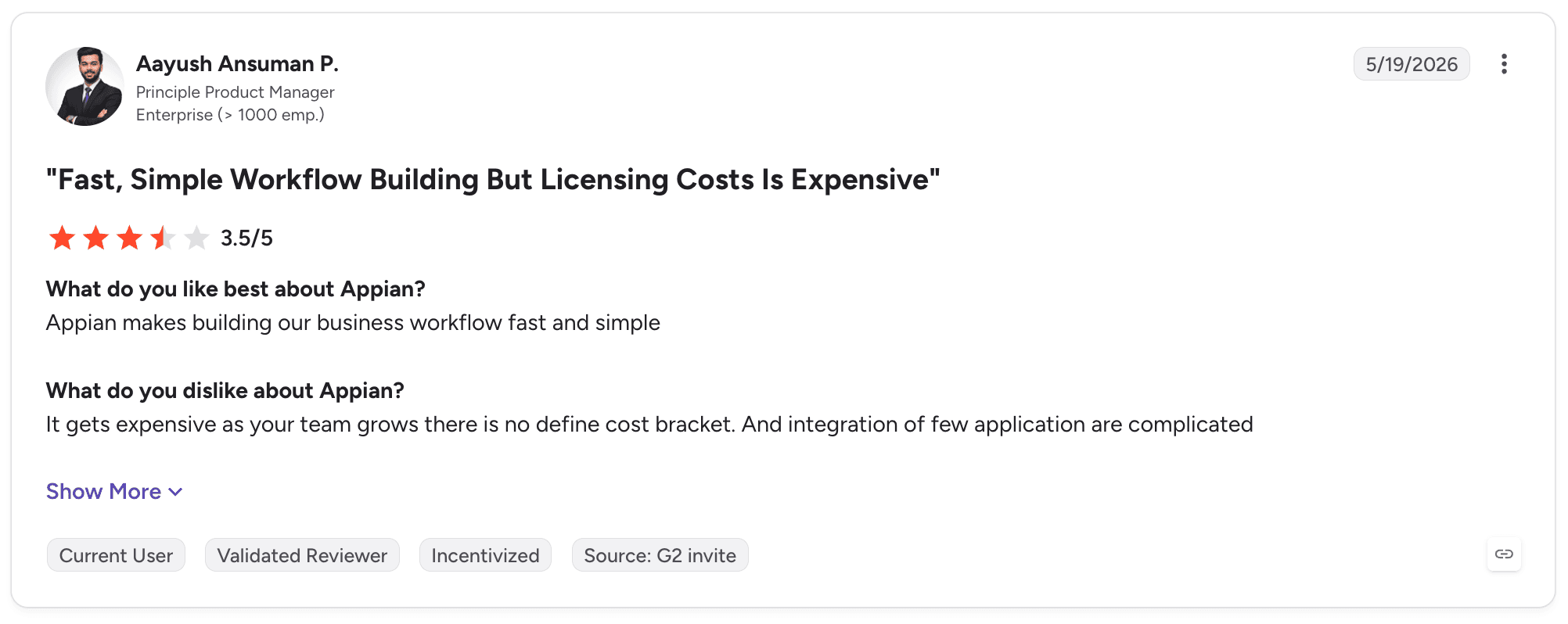
Appian holds 4.5 out of 5 across 509 G2 reviews and 4.2 across 77 on Capterra. Reviewers describe rapid application development without deep expertise, approval workflows handled through centralised rules and scaling from simple forms to enterprise applications.
Cost dominates the criticism with unusual consistency. Reviewers describe fast, simple workflow building undermined by expensive licensing, and several name the licensing model as something Appian should reconsider.
Final Verdict
Appian is recommended for enterprises and government bodies with formal process governance requirements, particularly where case management and operator applications are both needed.
The cost pattern is consistent enough that it should be modelled before committing. For organisations whose primary requirement is running processes across legacy systems rather than building applications, the breadth becomes overhead.
8. Dify
Overview
Dify is an open-source product for building AI applications, agents and workflows, providing visual workflow construction, agent configuration, tool integration, model access and a RAG pipeline.
It can be self-hosted, which appeals to teams wanting control over where their AI applications run without committing to an enterprise vendor. LangGenius, founded in 2023 and based in Delaware, has built an active community around the project.
The product serves technical teams building AI capabilities quickly, and it is genuinely capable at that. The visual interface makes orchestration legible and the model integrations are broad.
It is a builder's product rather than an operator's product, which is the useful distinction when comparing it against anything on this list.
Ideal For
Technical teams building AI applications and agents with control over hosting
Developers prototyping agent behaviour before committing to an enterprise product
Organisations with engineering capacity wanting an open-source foundation
Teams building internal AI tooling where engineering owns the result
Startups and mid-market technical organisations with limited procurement overhead
Top Features
Visual workflow construction for orchestrating LLM calls, tools and conditional logic
Agent configuration with tool access for calling functions and external services
RAG pipeline with document processing and retrieval built into the same product
Broad model integrations across providers configured at the application level
Self-hosting for teams that need AI applications inside their own infrastructure
Why It's a Strong Microsoft Copilot Studio Alternative
Dify is a reasonable comparison for teams whose requirement is an AI application rather than an operational process. It builds agents, connects tools, handles retrieval and runs wherever the team puts it.
There are no procurement cycles or licence negotiations in the way, so a team can test whether an agent approach works at all before committing budget.
Self-hosting is the concrete advantage over Copilot Studio. An organisation with data that cannot leave its own infrastructure can run Dify inside its perimeter, which makes it viable for experimentation where a Microsoft-hosted agent would not pass a security review.
Pros
Open source with self-hosting, giving full control over where applications and data sit
Fast to prototype, with reviewers describing rapid movement from idea to working application
Visual workflow interface makes orchestration legible to people beyond the original builder
Broad model integration without lock-in at the model layer
No procurement cycle required to start evaluating
Cons
Reviewers report production readiness concerns, including hidden workflow variables and unsupported basic operations
Support quality draws criticism, with reviewers describing generic replies to implementation questions
Interface complexity grows with workflow size, with poor UI among the recurring negative tags
Small review base limits the peer evidence available to an evaluation committee
No case, work queue or process-level execution record, so operational ownership is built separately
Customer Reviews
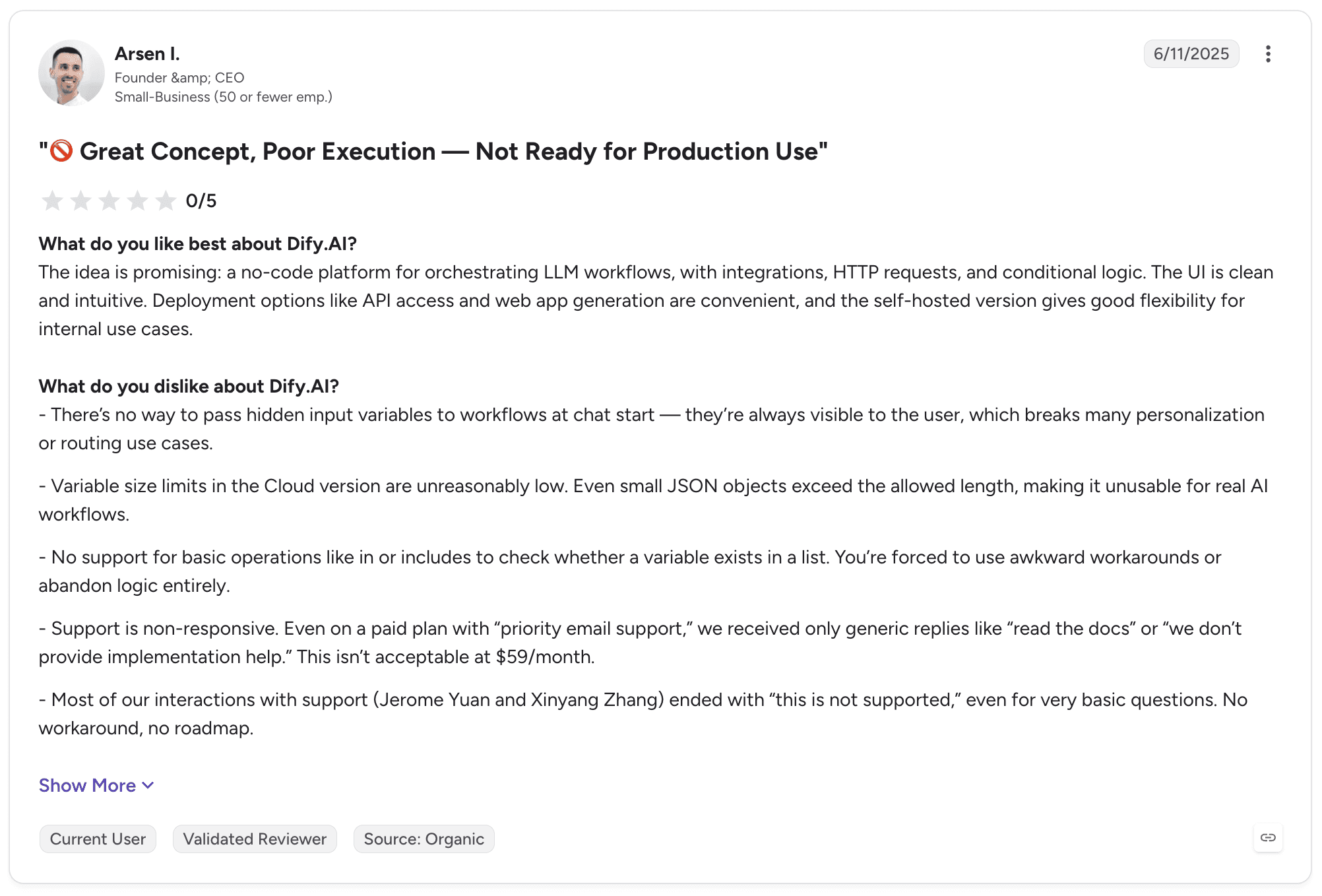
Dify holds 4.1 out of 5 across 20 G2 reviews, the smallest established sample on this list. Reviewers describe a clean no-code interface for orchestrating LLM workflows, with API access and web app generation available.
The most detailed review is also the most critical. It describes hidden input variables, variables lost in the cloud version, no support for basic list operations and support interactions that produced generic replies rather than implementation help.
Final Verdict
Dify is recommended for technical teams prototyping AI applications and agents, particularly where self-hosting is required and engineering owns the outcome.
It is a weaker fit for business-owned operational processes. The production readiness concerns in reviews are specific rather than vague, and there is no case state, work queue or process-level record for an operations team to own.
9. n8n
Overview
n8n is a workflow automation product for technical teams, built around a node-based canvas with over 500 integrations, custom code and AI agent nodes.
It offers cloud hosting and self-hosting under source-available licensing, which lets organisations run it entirely inside their own infrastructure. Reviewers frequently name the community as a practical asset when solving unusual problems.
Its position in an agent evaluation is specific. It handles the workflow and integration layer well, with AI capability added as nodes within that model.
Teams that think in triggers, transformations and API calls find it natural. Teams that think in cases, queues and process ownership find a different shape of product.
Ideal For
Engineering teams building AI-assisted workflows with source control and version management
Organisations requiring self-hosted automation infrastructure for data governance reasons
Technical operations teams connecting APIs with custom logic between the calls
Developers wanting custom code inside visual workflows rather than choosing one model
Mid-market technical organisations with engineering capacity and limited procurement appetite
Top Features
Node-based visual workflows with custom code, so logic no node supports is written directly
AI agent nodes bringing model calls, tool use and agent behaviour into the same workflow model
500+ integrations across services, with HTTP request nodes for anything not covered
Self-hosting with source-available licensing for full control over workflows and data
Version control and environment management for teams treating workflows as software
Why It's a Strong Microsoft Copilot Studio Alternative
n8n handles the integration layer that sits underneath most agent work, with more flexibility than connector-based products.
When a workflow needs an undocumented internal API, a transformation no node supports and a branch on the result, n8n allows code at that point. Copilot Studio's connector model is cleaner for supported systems and less accommodating outside them.
Self-hosting is the second argument, and it decides evaluations in regulated environments. Teams that cannot send workflow data through a vendor cloud run n8n on their own infrastructure with full control over networking, credentials and residency.
Pros
Self-hosting with full control over infrastructure, data and credentials
Custom code inside visual workflows removes the ceiling that pure no-code products hit
Over 500 integrations plus HTTP nodes for anything unsupported
Version control and environment management suited to teams treating workflows as software
Active community that reviewers repeatedly name as a practical advantage
Cons
Reviewers consistently describe a steep learning curve for anyone without a technical background
Interface friction on large workflows, with poor interface design among the negative tags
Debugging complex workflows draws criticism, with reviewers describing difficulty isolating failures
Requires engineering ownership, so business process owners cannot maintain workflows independently
No case, work queue or process-level record, so operational governance is built separately
Customer Reviews
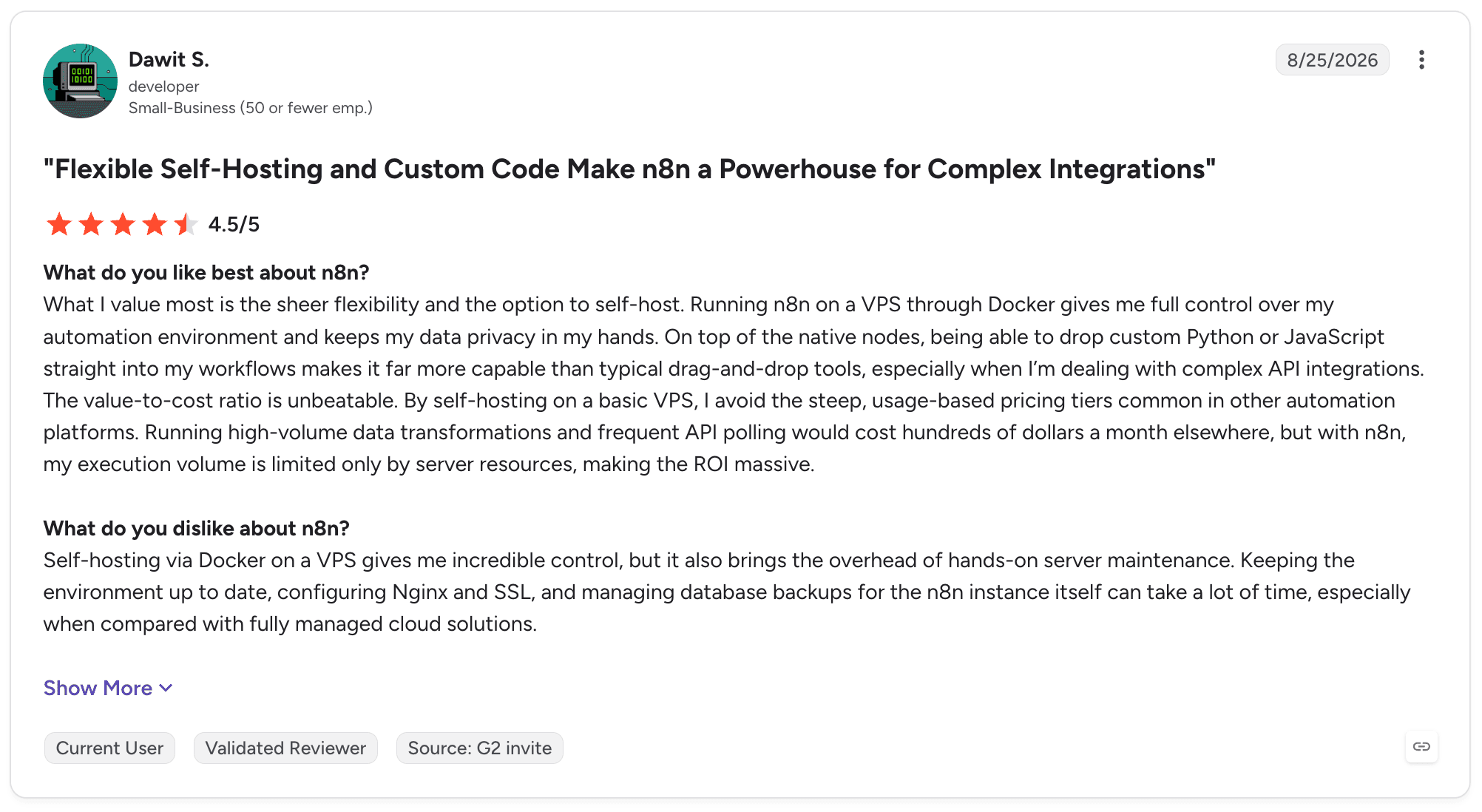
n8n holds 4.7 out of 5 across 314 G2 reviews and 4.6 across 40 on Capterra, the highest average rating on this list. Reviewers describe stable, predictable automation, self-hosting that gives substantial control and flexibility to build exactly what is wanted.
The criticism is consistent about difficulty rather than capability. Reviewers describe needing JavaScript, expressions, JSON and error handling knowledge to get full value, and several name debugging large workflows as the hardest part.
Final Verdict
n8n is recommended for engineering teams building AI-assisted workflows where self-hosting matters and technical ownership is already the model.
It is not suitable for organisations wanting business process owners to run operational logic. n8n builds the workflow layer well. Running a governed business operation on top of it means building the rest yourself.
10. Kore.ai

Overview
Kore.ai is an enterprise agent product with deep roots in conversational AI, now positioned around its Agent Platform for customer service and employee productivity.
It combines conversation design, natural language understanding, contact-centre tooling and agent orchestration, with enterprise integrations across the applications large organisations run.
Its strength is conversational depth accumulated over years of contact-centre work. Where newer agent products treat conversation as one capability among several, Kore.ai has built out intent handling, dialogue management and channel support to a level that shows in complex deployments.
That focus also defines its edges.
Ideal For
Contact centres deploying customer-facing agents across voice and digital channels
Enterprises with large-scale conversational programmes requiring mature dialogue management
Banking, healthcare and telecommunications organisations with high customer contact volume
Employee support teams building HR and IT assistants at scale
Organisations needing consistent agent behaviour across many channels
Top Features
Agent Platform combining conversational design with agent orchestration and tool access
Mature NLU and dialogue management built for complex multi-turn customer conversations
Contact-centre tooling including routing, escalation and live agent handoff
Broad channel support across voice, chat, messaging and digital surfaces
Enterprise integrations into CRM, core systems and service applications
Why It's a Strong Microsoft Copilot Studio Alternative
For customer-facing conversational programmes at scale, Kore.ai is one of the strongest choices available. The conversational depth is genuine, developed against real contact-centre volume rather than generalised from a low-code builder.
Contact-centre integration is the second advantage. Handoff to a live agent with full conversation context, routing on intent and sentiment, and channel consistency are core capabilities rather than extensions.
A Copilot Studio deployment reaching the same functional result would need several components assembled around it, each with its own governance and failure modes.
Pros
Mature conversational design, NLU and dialogue management for complex multi-turn work
Contact-centre tooling including routing, escalation and context-preserving handoff to live agents
Broad channel support with consistent agent behaviour across voice and digital surfaces
Enterprise integrations into CRM, core systems and service applications
Reported two-month median implementation with return on investment at seven months
Cons
Reviewers report slow performance and slow loading as configurations grow
Software bugs appear consistently, with several describing unexpected behaviour during configuration
Usage limitations draw comment, with constraints surfacing as programmes scale
Conversation-centred rather than process-centred, so multi-system back-office work sits outside its core
Advanced configuration requires specialist skills for complex scenarios
Customer Reviews
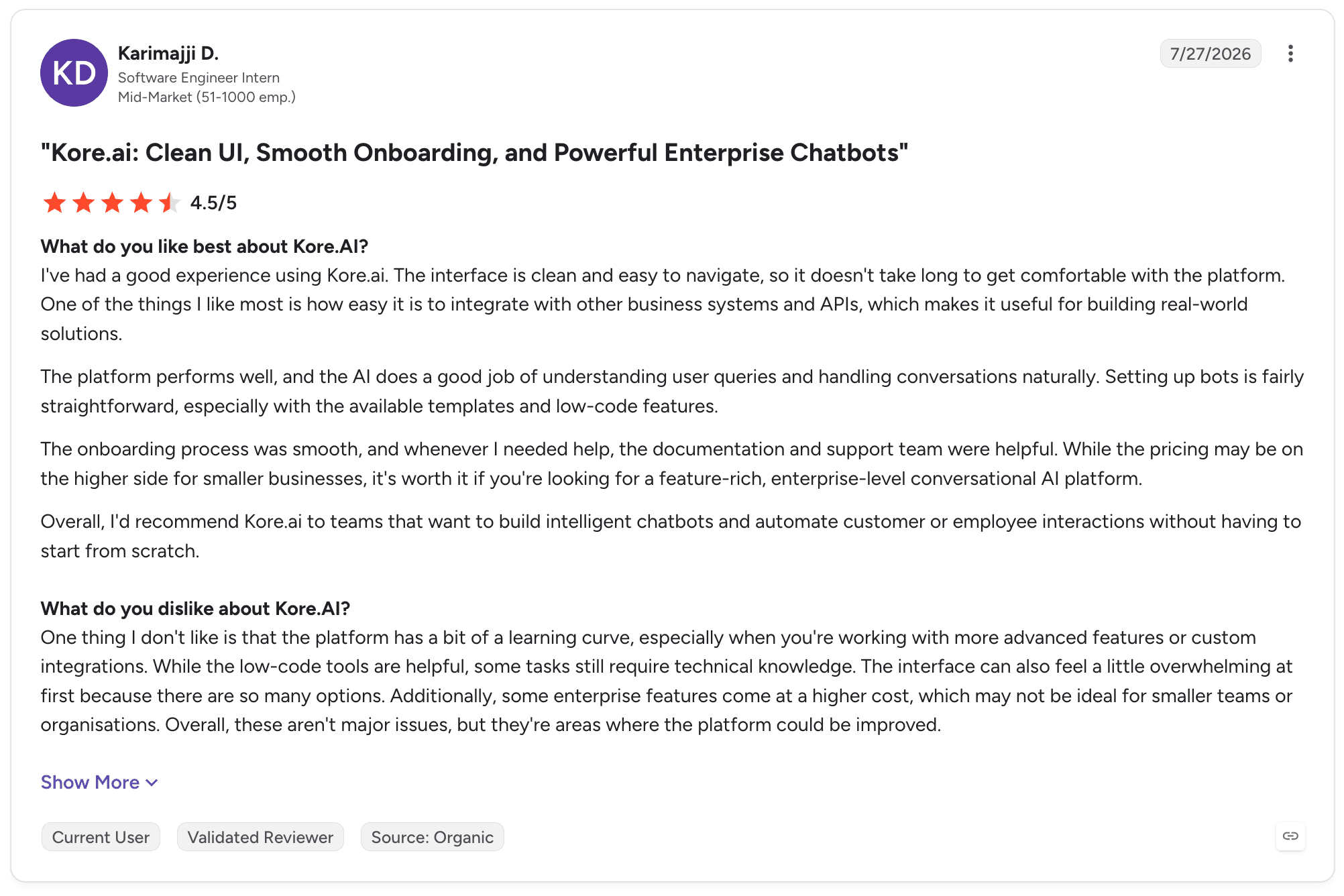
Kore.ai holds 4.6 out of 5 across 505 G2 reviews. Reviewers describe an intuitive interface for designing and deploying conversational agents, low-code building that lets teams ship quickly and an all-in-one product for building, publishing and testing assistants.
The negative pattern is specific. Reviewers name usage limitations, slow performance, slow loading and software bugs, with several describing inconsistent behaviour when configuring and testing more complex conversational flows.
Final Verdict
Kore.ai is recommended for enterprise conversational programmes, particularly customer-facing contact-centre work at volume.
It is not suitable for most back-office operational work, and the reason is architectural. A complaint that arrives by email, requires lookups across four systems, waits for a document and closes with a write-back to core banking is not a conversation with extra steps.
What Makes a Good Microsoft Copilot Studio Alternative?
Five things separate a product that can replace Copilot Studio for operational work from one that can only replace it for agent building.
Noxus was built around all five, which is why it leads this list.
1. Persistent Case State Across Days, Not Sessions
A conversation ends when the user closes the window. An operational process does not.
A complaint arriving on Monday might wait for a document on Tuesday, pause for approval on Wednesday and close on Friday. The case has to hold its data, its decisions and its history throughout.
Test this directly. Ask where a case lives while it waits, what happens when an external system is unavailable mid-process, and how the case resumes from the point it stopped.
If the answer involves a custom table and a scheduled job, the product is not representing case state, and someone in your organisation owns that code for the next five years. In Noxus the Case is a product object, carrying its data, documents, decisions and execution history from intake to outcome, whether that takes minutes or weeks.
2. A Work Queue Where Operators Own the Exceptions
Automation that handles 70% of cases produces a 30% remainder that people must handle, and those people need somewhere to work.
A work queue showing what is in progress, what is waiting and which cases need attention is not a reporting layer. It is the operational surface that makes the process runnable by the team that owns it.
The practical test is what an operator sees when an agent cannot complete a case. An alert and a link means they reconstruct the context themselves, which is where the efficiency gain quietly disappears.
Noxus brings the active cases and the human work attached to them into one Work Queue. When an agent cannot resolve a case, the case pauses and creates work for the right team with the information and prior actions already accumulated, so the process continues from the same state.
3. Execution Against Systems That Do Not Expose Modern APIs
Enterprise operations run on SAP ECC, Guidewire, Oracle, COBOL-era cores and in-house applications built over decades.
Any product requiring an API modernisation project before it can run a process has moved the cost rather than removed it. In most organisations, that project will not happen within the timeframe the business case assumes.
Ask for specifics rather than a connector count. Which systems does the vendor write back into today, through what mechanism, and in which production deployments?
Noxus interacts with legacy systems the way operations teams do, navigating interfaces, performing multi-step lookups and writing results back, with direct OData integration into SAP running in production today, writing into inspection lots, goods receipts and quality notifications.
4. Deployment Under Your Own Governance, Not the Vendor's
For regulated organisations, where the software runs decides whether a process reaches production. Data residency, sovereignty, model endpoint approval and network controls are usually settled before functional evaluation.
Four questions cover it: where will the product run, where will process data and case history live, which model endpoints are already approved, and which internal systems must the process reach.
Copilot Studio runs in the Microsoft cloud, which settles the first two questions before the evaluation starts. Several products on this list answer one or two of the four.
Noxus answers all four. It runs on shared cloud, in a customer VPC, on-premises or fully air-gapped, with bring-your-own-key encryption, no training on client data, and an open-core guarantee returning all code and binaries if the relationship ends.
5. Process Logic a Business Owner Can Change
The economics of a process portfolio depend on who can change operational logic.
If a threshold change or a new exception path requires an engineering ticket, each change competes for developer capacity against everything else. The process becomes progressively harder to improve rather than easier.
The healthy split puts process logic, rules, human tasks and exception paths with the business owner, and agents, integrations, model behaviour and technical extensions with engineering.
Noxus separates those layers by design. Process and operations teams own the activities, rules and intervention points in Process Builder, AI and engineering teams own the agents, flows and integrations, and IT owns deployment, identity and approved model endpoints.
How to Choose the Right Microsoft Copilot Studio Alternative for Your Needs
1. Establish Whether You Are Building an Agent or Running a Process
This is the question that decides everything downstream, and getting it wrong invalidates the rest of the evaluation.
An agent experience is bounded by a conversation or a task. A process is a unit of work with a defined outcome, a case that persists, systems that must be updated and people who intervene.
Write down the unit of work and follow one instance end to end before shortlisting anything. If it resolves in a single interaction, Copilot Studio may already be the right answer and there is no reason to change.
If it is a claim, a complaint or a supplier document travelling across systems over days, you are evaluating process products, and the shortlist narrows to Noxus and the case management options on this list.
2. Map the Systems and Check Who Can Actually Write Back
List every system the process reads from or writes to, and mark which one is authoritative for each record. Then check what integration route exists today for each.
This short exercise eliminates more candidates than any feature comparison, because a product that cannot reach your core banking system is not a candidate regardless of how it demonstrates.
Be specific about write-back. Reading is usually straightforward, and writing an outcome into SAP QM or a core banking ledger under the right controls is where most products stop.
That is also where the business value sits, because a process producing a recommendation someone else must key in has not removed the work. Ask each vendor to name a production deployment where it writes into the systems you run.
3. Settle Deployment Before the Functional Evaluation
Bring IT and security in at the start rather than after shortlisting. Getting answers first saves weeks of assessing products that cannot be deployed.
If your requirement is customer-controlled infrastructure, that filters the list substantially. Copilot Studio, Agentforce and ServiceNow AI Agents run in vendor clouds and cannot meet it.
Noxus, UiPath, watsonx Orchestrate, n8n and Dify offer customer-controlled deployment in different forms, and those forms are not equivalent.
Self-hosting a developer tool is not the same as running a governed process layer inside a bank's VPC with bring-your-own-key encryption, offline update transfer under cryptographic verification and audit records that never leave the perimeter. Ask for the specifics.
4. Build the Business Case With Realistic Human Review
The most common business case failure is assuming an automation rate the process cannot support in its first year.
Build the case with routine work moving through the automated path and uncertain cases still reaching people, then check whether the return holds. If it only works at 90% autonomy from day one, it will not survive contact with production.
Separate cash savings from released capacity. Outsourced spend that disappears is a saving, and employees spending less time while remaining in the organisation is capacity released.
Noxus is designed for exactly this shape of case. Routine work moves through the defined path, uncertain cases route to people with the context assembled, and the autonomy rate increases later if the execution data supports it.
5. Insist on Proof Against One of Your Own Processes
A demonstration on vendor data proves the product works on vendor data.
Insist on a proof against one of your processes, with your systems, your documents and your volume, against criteria agreed upfront. Vendors who can do this within weeks are demonstrating something different from vendors who need a bespoke build first.
Choose a process with a repeated unit of work, a measurable constraint worth fixing, outputs that can be checked and a credible path to production.
This is the Noxus engagement model rather than a concession to it. The process is mapped, built on the client's live systems and proven in the client environment within weeks, against criteria set before the work starts.
6. Compare Against Your Internal Build Honestly
Most enterprises with engineering capacity will consider building, and that option deserves a fair comparison rather than a straw man.
Establish what shared infrastructure already exists for identity, model access, integrations, evaluation, deployment, observability and audit, and credit it properly. Comparing a process product against the effort to build one agent is not a useful analysis, because the two are not covering the same system.
The question that decides it is portfolio scope. Building one bespoke process is often reasonable.
Building and maintaining the common infrastructure for twenty processes means the organisation has chosen to build and operate its own process product, with the roadmap, support and maintenance obligations that implies. Ask who owns that in three years, and whether that is where you want your engineers.
Everything You Need to Know About Microsoft Copilot Studio Alternatives
← scroll →
| Category | Key Considerations |
|---|---|
| Top 3 Alternatives | NoxusUiPathSalesforce Agentforce Operational processes across legacy systems under audit · Extending an existing automation estate with UI automation · Customer-facing agents grounded in CRM data |
| Best Overall Option | Noxus, for persistent case state, work queues and process logic as first-class objects, customer-controlled deployment including on-premises and air-gapped, and the open-core guarantee returning all code and binaries if the relationship ends. |
| Why Look for Copilot Studio Alternatives | Reviewers cite limited customisation, integration friction outside Microsoft and cost at scale. Architecturally, Copilot Studio centres on the agent, so case state, operator queues and process-level records get assembled from Dataverse, Power Automate and custom applications. |
| How to Choose | Establish whether the object is an agent or a process, map every system the process touches and its authoritative record, settle deployment and model-endpoint approval with IT and security before functional evaluation, then validate on one real process with your data. |
| Ease of Switching | Agent logic rarely transfers directly. What transfers is the process knowledge: the mapped current state, the rules, the exception paths and the systems involved. Most organisations run the first process on the new product rather than migrating agents, with production in 45 to 80 days. |
| Must-Have Features | Persistent case state across days; an operator work queue; write-back into systems without modern APIs; deployment under your own governance with BYOK; process logic a business owner can change; a complete execution record per case. |
| Mistakes You Shouldn't Make | Comparing connector counts instead of operating models; assuming an automation rate the process cannot support in year one; deferring the deployment question until after shortlisting; choosing an agent product for work that is a long-running process. |
Ready to Move On from Copilot Studio? Try Noxus
Noxus runs the process, not just the agent. Case state persists from intake to outcome, and operators work live cases in a queue that shows what is waiting and why.
Outcomes are written back into SAP, Guidewire, ServiceNow and core banking systems under governance, with every action recorded. It deploys inside your own infrastructure, including on-premises and air-gapped, with bring-your-own-key encryption and no training on your data.
If the relationship ends, you keep all code and binaries.
It is built for one situation specifically: an operations team with a high-volume process spanning several legacy systems, a regulator to satisfy, and a board asking why the AI pilots have not reached production.
Santander runs branch operations as a governed process across five countries, on the bank's own infrastructure, live in under 90 days. CUF resolves over 10,000 patient communications a month under GDPR Article 9. Zero client churn across every deployment to date.
Bring your hardest process. Noxus proves it on your live systems and data within weeks, against criteria you set upfront.
FAQs About Microsoft Copilot Studio Alternatives
What is Microsoft Copilot Studio used for?
Microsoft Copilot Studio is used for building conversational and autonomous agents that connect to Microsoft and third-party systems, run multi-step flows and include human approvals. Organisations standardised on Microsoft 365 use it for knowledge assistants, customer service agents and task automation across Teams, SharePoint, Outlook and Dataverse. It sits within the Power Platform, and its low-code authoring lets non-developers build and publish working agents.
What is the best Microsoft Copilot Studio alternative in 2026?
Noxus is the best Microsoft Copilot Studio alternative in 2026 for enterprises running operational processes rather than building agent experiences. It adds the three objects Copilot Studio does not hold directly: a Case carrying state from intake to outcome, a Work Queue for operators, and a Process Builder coordinating agents, people and existing systems. It runs on-premises or air-gapped, writes outcomes back into SAP, Guidewire and core banking systems, and is live at Santander, CUF, Jerónimo Martins, KIRCHHOFF Automotive and Carlsberg Group. UiPath, Agentforce, n8n and Dify fit narrower cases.
What features should I look for in a Microsoft Copilot Studio alternative?
The features to look for in a Microsoft Copilot Studio alternative are persistent case state across days, an operator work queue, write-back into systems without modern APIs, deployment under your own governance, and process logic a business owner can change. Each closes a gap that appears when an agent moves from pilot into production operations. In regulated industries, deployment control alone decides whether the process reaches production.
How to choose the best Microsoft Copilot Studio alternative for your needs?
To choose the best Copilot Studio alternative for your needs, first establish whether you are building an agent experience or running a long-running operational process, since that eliminates most of the shortlist. Map every system the process touches and the write-back route that exists today, then settle deployment, data residency and approved model endpoints with IT and security. Finally, validate on one of your own processes with your systems and volume against criteria agreed upfront.
Is it easy to switch from Microsoft Copilot Studio to Noxus?
Switching from Microsoft Copilot Studio to Noxus is a rebuild rather than a migration, because agent definitions do not transfer and the process knowledge is the larger share of the work. The current-state map, business rules, exception paths and systems carry over directly into Process Builder. Most organisations move one process first and keep Copilot Studio for agent experiences, with Noxus reaching production in 45 to 80 days and the engagement model targeting 30 days.
Is Noxus better than Microsoft Copilot Studio?
Noxus is better than Microsoft Copilot Studio for running operational processes end to end, and Copilot Studio is better for building agent experiences inside a Microsoft estate. Noxus holds the Case, Work Queue and Process Builder directly, runs in customer-controlled infrastructure and writes outcomes back into SAP and core banking systems. For a complaint process spanning five systems under a regulator, Noxus fits; for an internal knowledge assistant on SharePoint, Copilot Studio fits.
What is the main difference between Noxus and Microsoft Copilot Studio?
The main difference between Noxus and Microsoft Copilot Studio is the primary object: Noxus represents the business process, while Copilot Studio represents the agent. In Noxus, agents execute parts of the work inside a Case tracked from intake to outcome, whereas in Copilot Studio case state and operator interfaces are assembled from Dataverse, Power Automate and Power Apps. Noxus also runs on-premises, in customer VPCs and air-gapped, while Copilot Studio runs in the Microsoft cloud.
How do we know the AI will not make expensive mistakes in a production process?
You know the AI will not make expensive mistakes in a production process when the process detects, contains and measures errors before they become business outcomes. In Noxus, exact rules stay deterministic, model outputs are validated against source data, and uncertain work routes to people with the context assembled. Evaluation suites rerun representative cases when prompts or models change, and reliability is proven per process on your own data before production.